Project - 2 - Meshing on the suspension Assembly
PROJECT 2
Meshing of Rear Wheel Assembly using ANSA
AIM:
To discretize the rear wheel assembly and deploy the required connections between every connected part.
GIVEN:
CAD MODEL
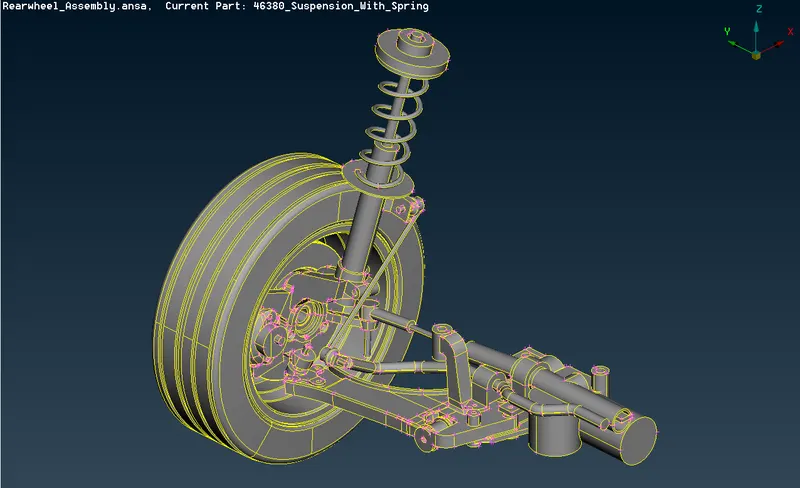
METHODOLOGY:
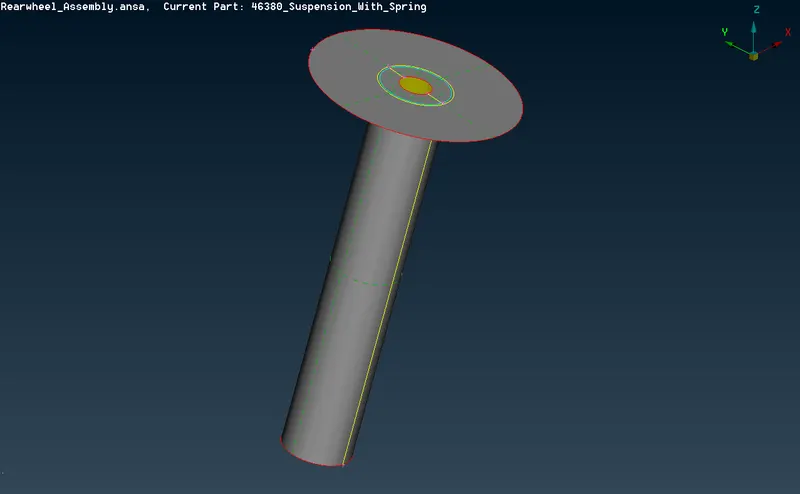
- Extracting mid surface only when the thickness is uniform and less than 5 mm.
- Volume mesh for Tyre and Rim with given Quality criteria.
- PBAR elements to model suspension spring.
- Tetra elements to model non-uniform thickness components.
PROCEDURE:
IMPORTING FILE:
- Import the give model Files ->open->Rearwheel_assembly.ansa
CHECK GEOMETRY:
- Check the geometry by selecting Tools->checks->geometry and clear the error.
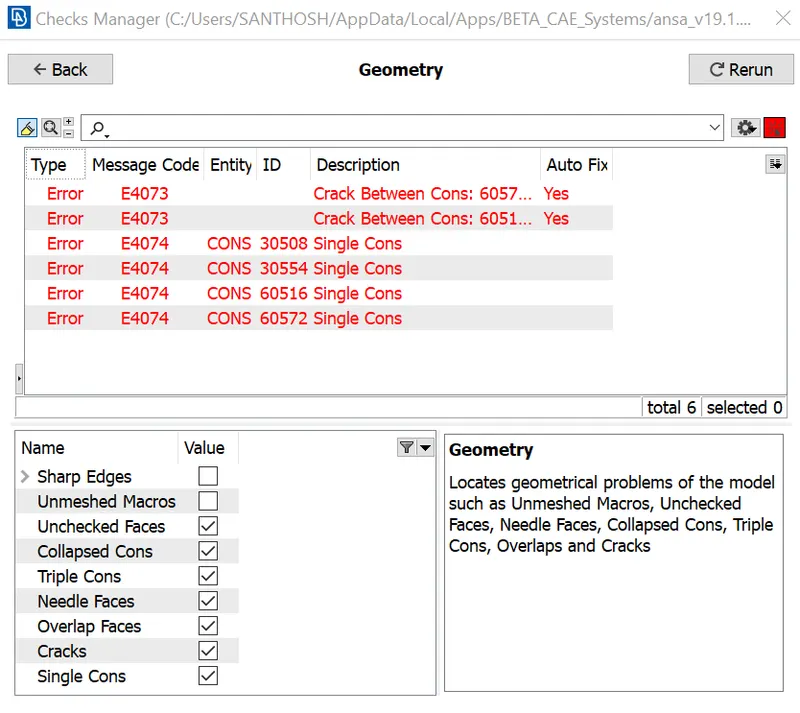
To clear these error we can go with Both manual and automatic fix,here I fixed with performing Topo in faces and automatic Fix option.
MID-SURFACING:
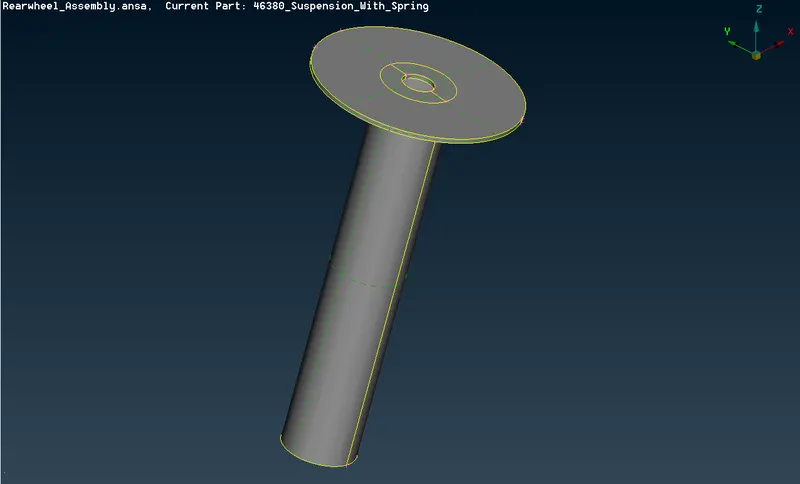
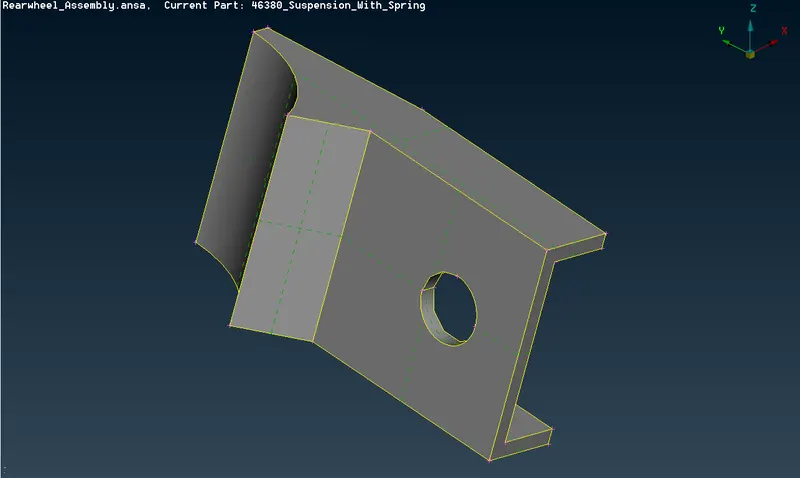
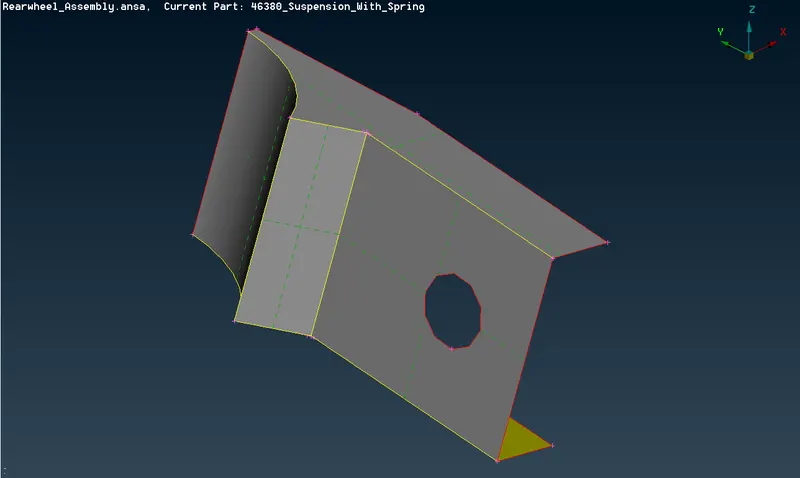
Measure the components that are required for creating the mid surface using the Measure option present under the Utilities Tab.
ROD WITH DISC:
AFTER MIDSURFACE:
BRACKET:
AFTER MIDSURFACE:
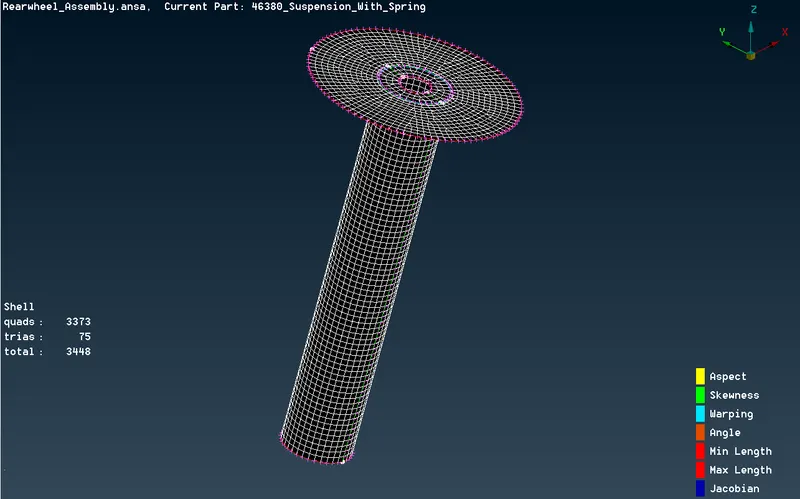
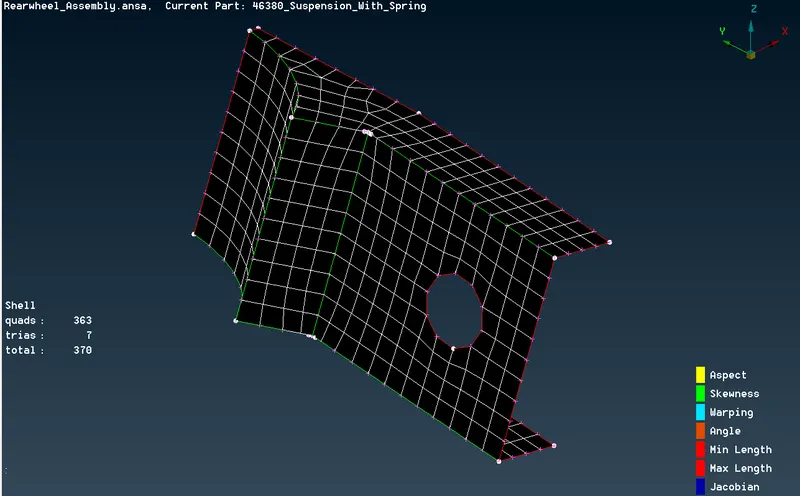
2D MESHING:
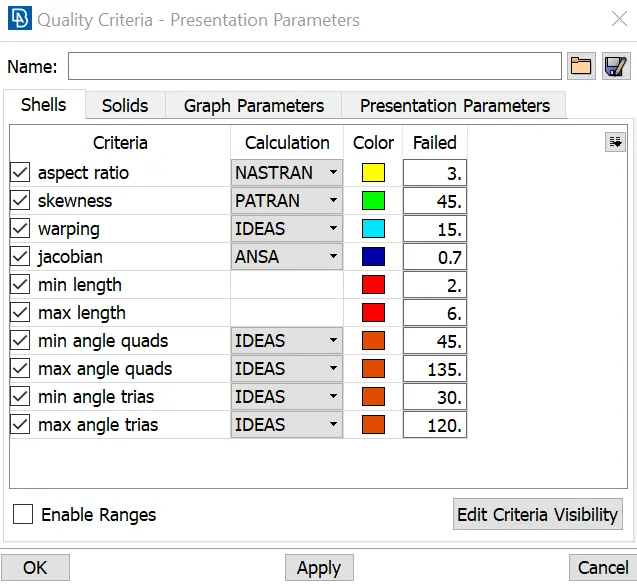
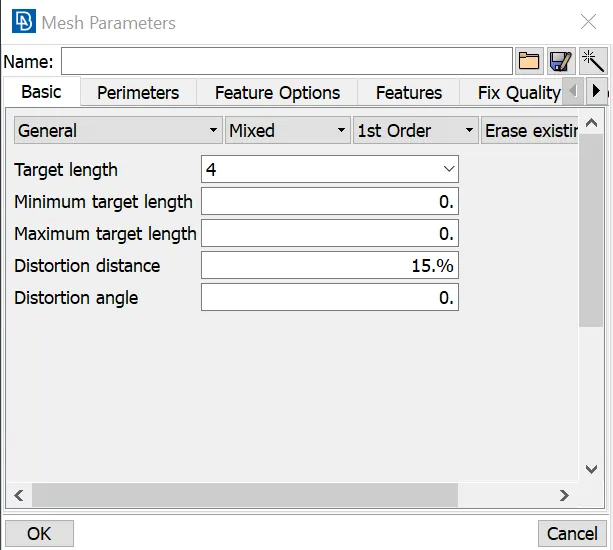
For 2D mesh we have to first create a quality criteria and mesh parameters.
QUALITY CRITERIA:
MESH PARAMETER:
AFTER MESH WITH PROPER MESH FLOW:
ROD WITH DISC:
BRACKET:
3D MESHING(VOLUME MESHING):
We first perform 2D mesh over all components using Tria elements, Spot mesh option under the Mesh generation Tab in the Mesh module to perform 2D mesh for all the unmeshed components one by one.
QUALITY CRITERIA FOR TYRE AND RIM:
|
S.No |
Quality Criteria |
Value |
|
1 |
Target/Average length |
6.5 |
|
2 |
Minimum Length |
5 |
|
3 |
Maximum Length |
10 |
|
4 |
Skewness |
45 |
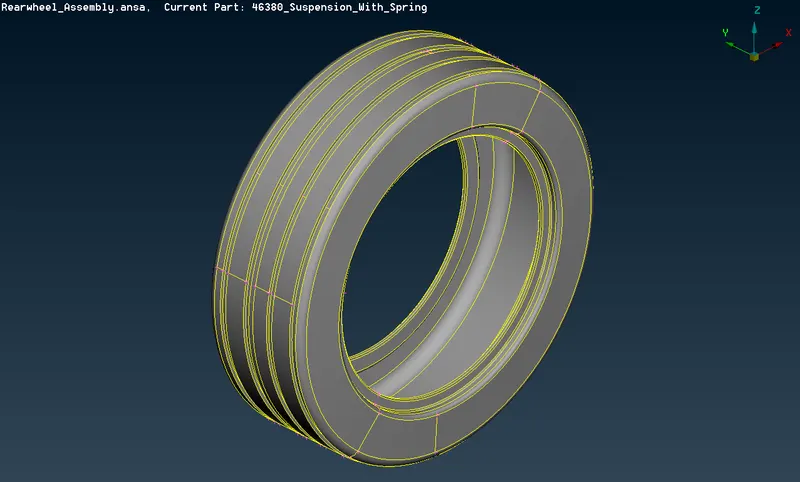
TYRE:
AFTER 2D TRIA MESH:
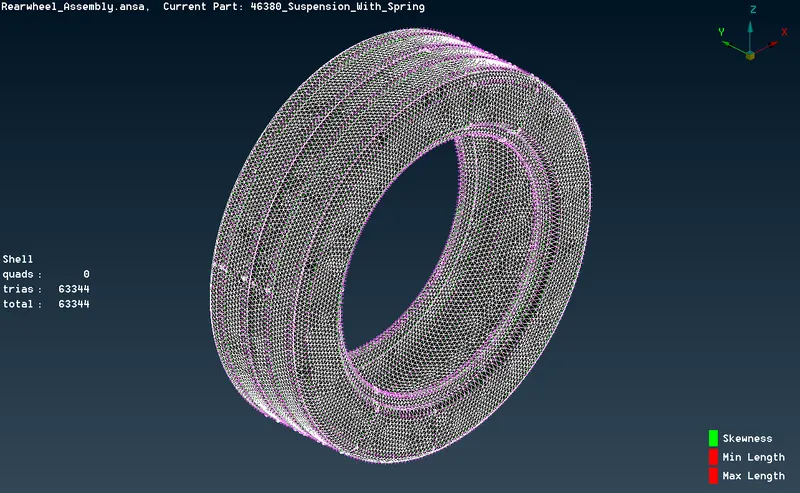
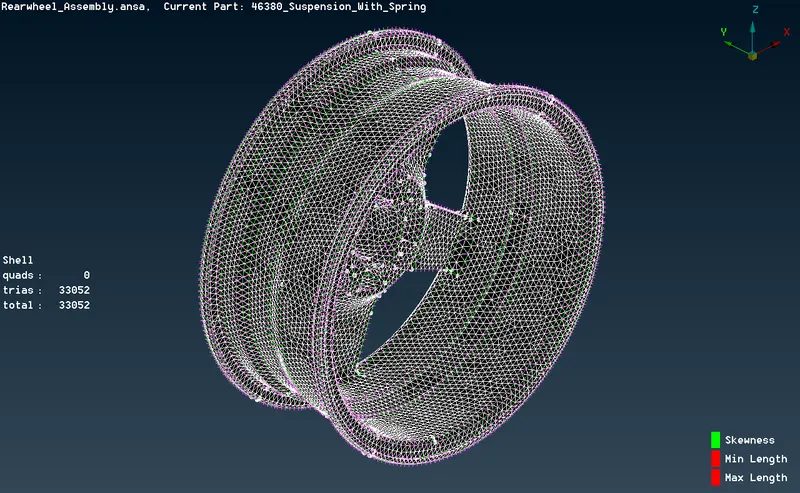
To clear the quality issues use reconstruct option under Shell module or MV free option.Other options like Swap,Split under Elements Tab of Mesh module.
RIM:
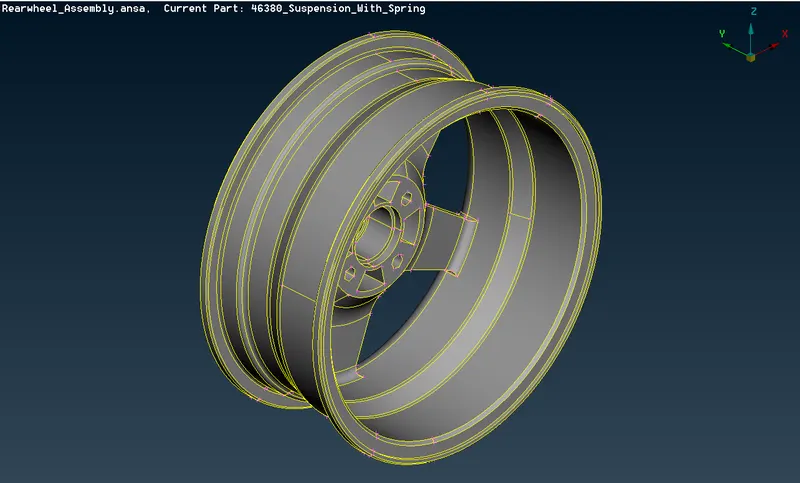
AFTER 2D TRIA MESH:
SUSPENSION ASSEMBLY:
QUALITY CRITERIA FOR NON UNIFORM THICKNESS COMPONENT:
|
S.No |
Quality Criteria |
Value |
|
1 |
Target/Average length |
4 |
|
2 |
Minimum Length |
2 |
|
3 |
Maximum Length |
6 |
|
4 |
Skewness |
45 |
AFTER MESHING ALL NON UNIFORM THICKNESS COMPONENT:
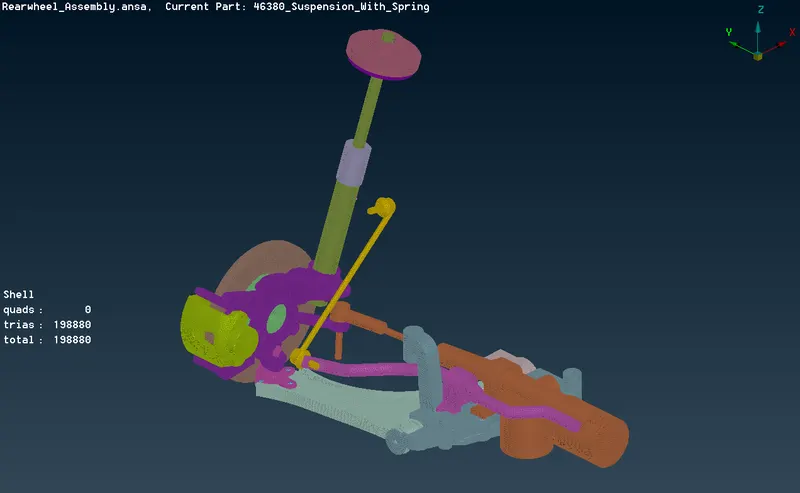
TO CONVERT 2D TRIA ELEMENT TO 3D TETRA:
Go to volume mesh module and select define option after that click on list and remesh the element into two different mesh type TETRA RAPID and TETRA FEM mesh, for TYRE and RIM here I tried TETRA RAPID and for SUSPENSION ASSEMBLY parts I have tried TETRA FEM.
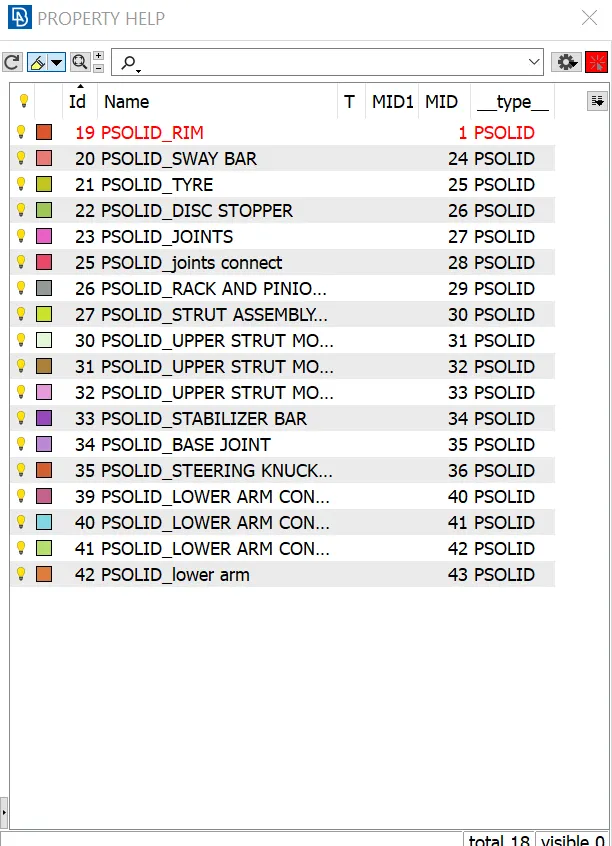
PROPERTY FOR 3D SOLID:
RACK AND PINION UNITS:
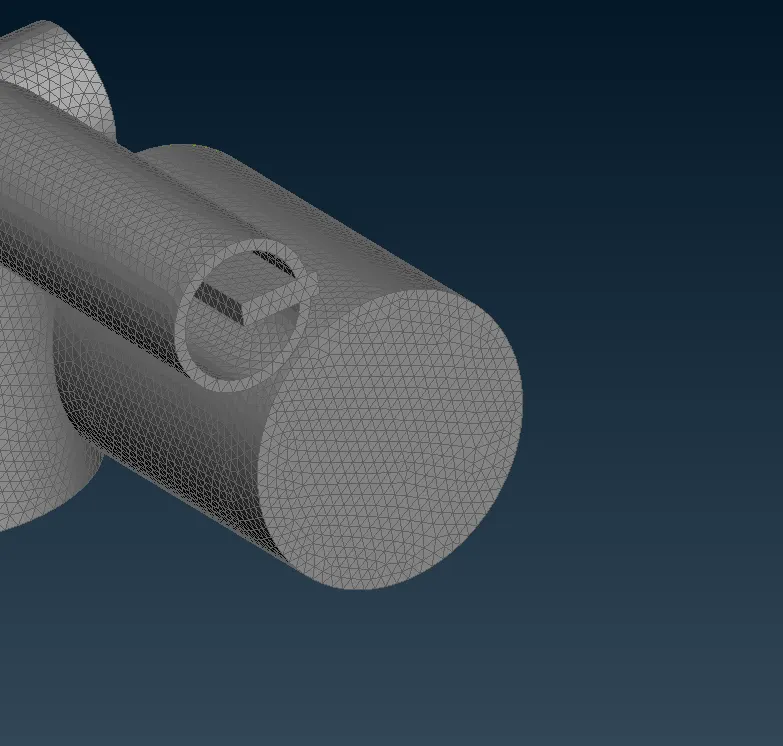
3D ELEMENTS HAS BEEN SHOWN:
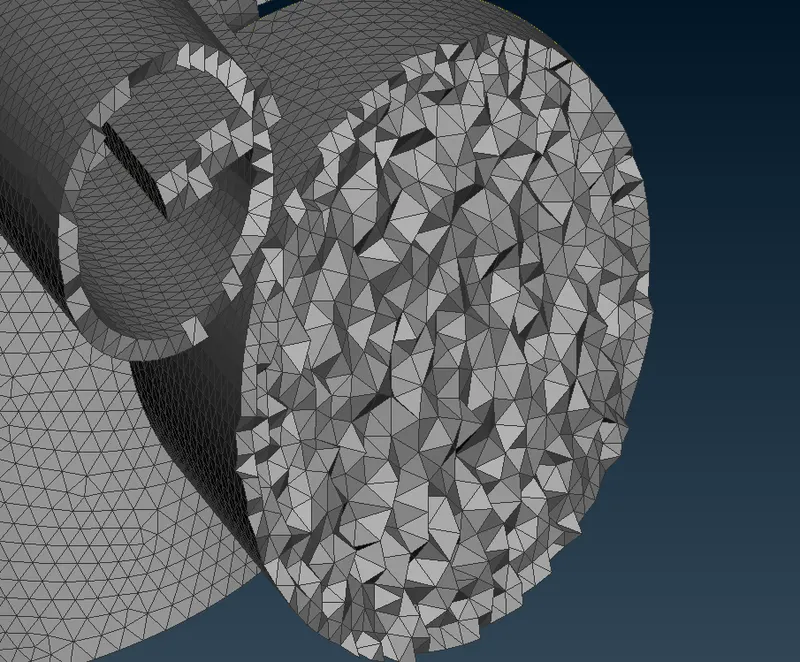
3D tetra mesh has been checked the quality with the TET COLLAPSE of 0.2.
CONNECTIONS:
C-BAR CONNECTIONS:
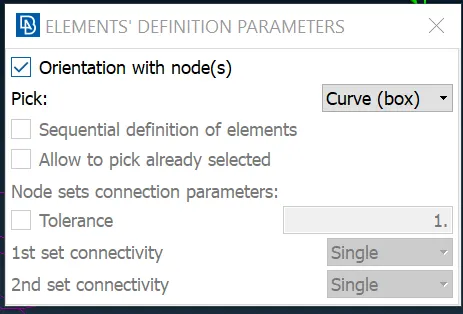
Create a middle curve on the spring part and go to NASTRAN module and select CBAR under the ELEMENTs.Click on orientation with node(s)
and choose curve(box),finally select the curve and middle mouse button.
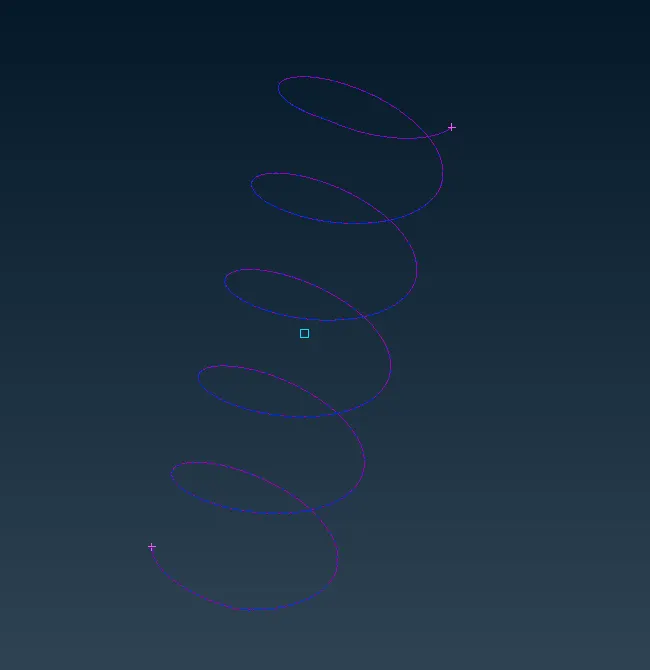
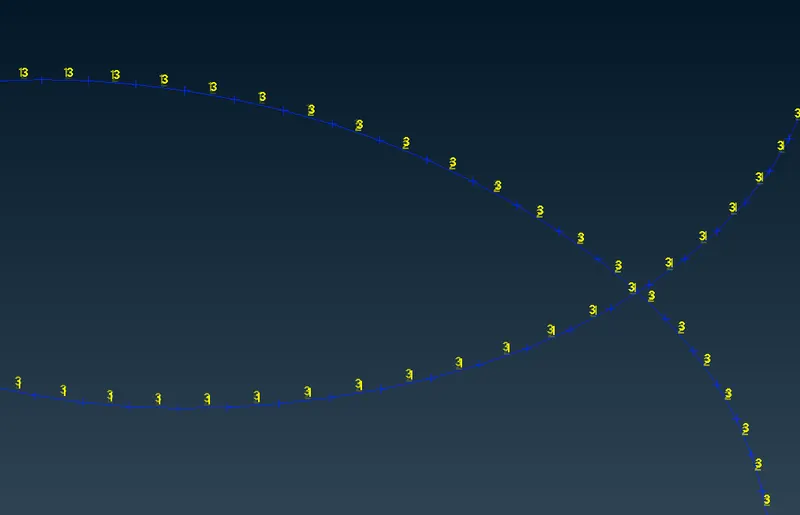
1D elements has been captured with spring.
RBE2 SINGLE CLUSTER CONNECTIONS:
Go to NASTRAN->ELEMENTs->RBE2->MANY NODES
These type are provide in two or more holes.
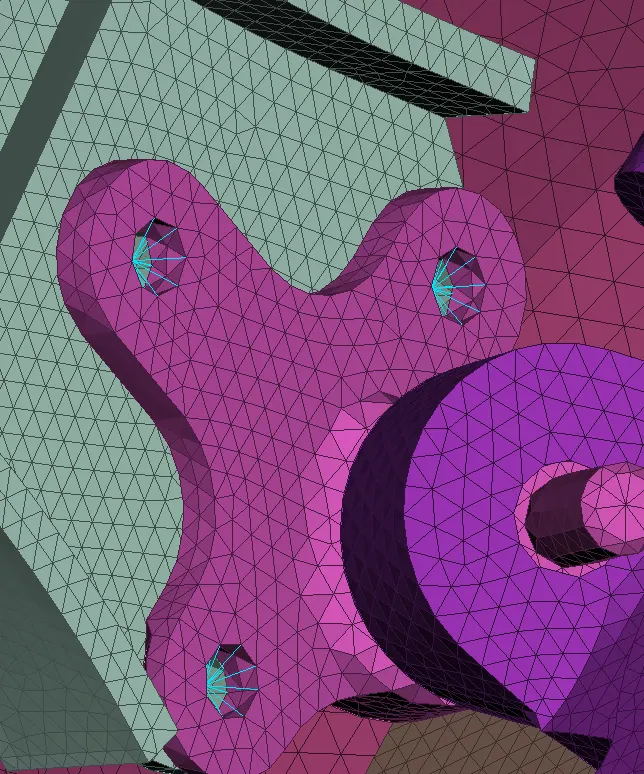
RBE2 SPIDER CONNECTIONS:
Go to NASTRAN->ELEMENTs->RBE2->MANY NODES
These type are provide in independent holes.
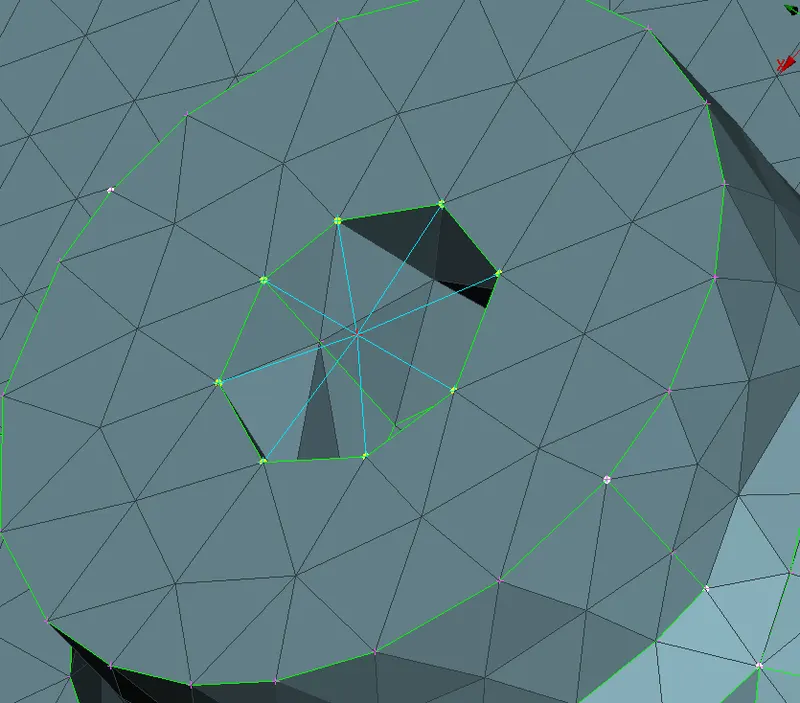
RBE2 TWO NODES CONNECTIONS:
Go to NASTRAN->ELEMENTs->RBE2->MANY NODES and then select ELEMENTs->RBE2->single node and join the two clusters.
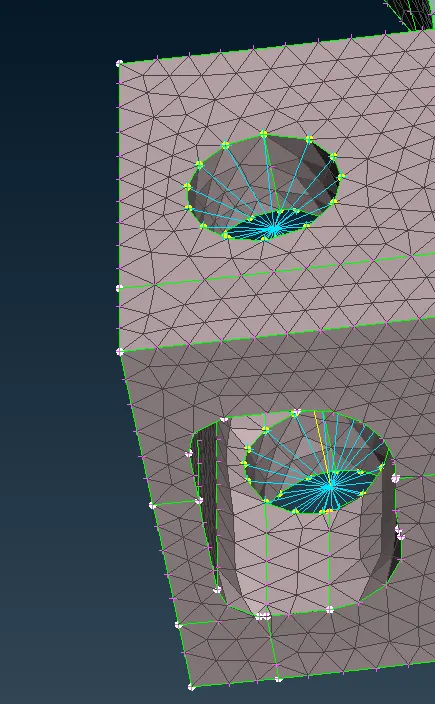
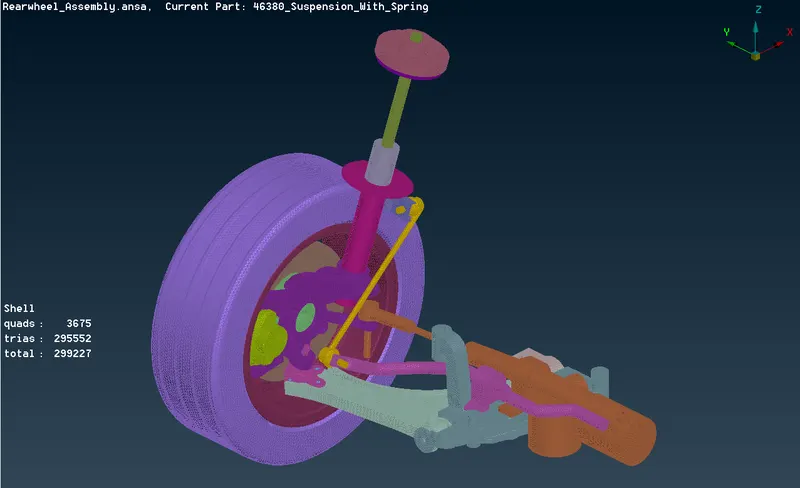
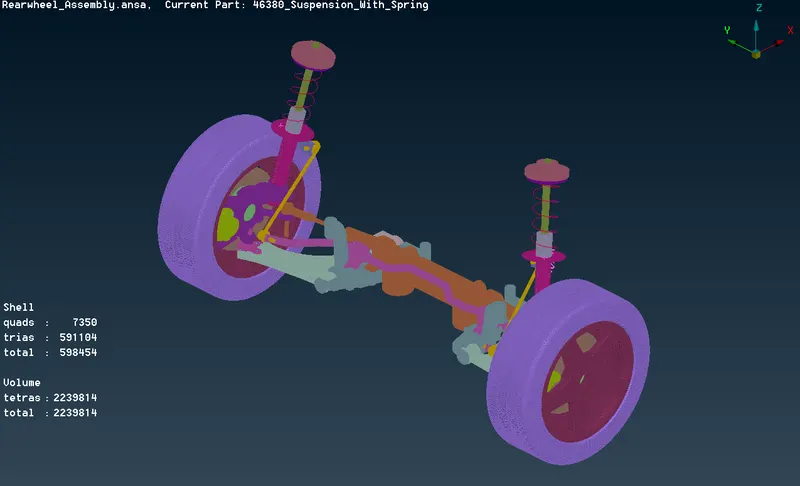
SYMMETRY TO THE MODEL:
Go to UTILITIES->TRANFORM->COPY ,select all the entities and choose symmetry.
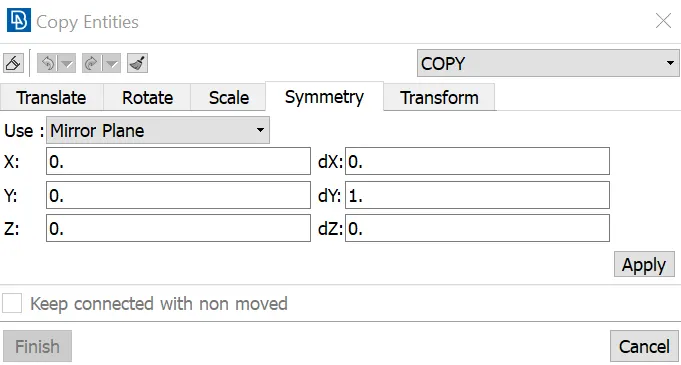
Select the node and click on apply and finish it.
BEFORE SYMMETRY:
AFTER SYMMETRY:
LEARNING OUTCOMES:
- Perform geometry cleanup for any component.
- Generate Midsurface manually without using automidsurface.
- Generate shell Mesh for any Plastic component and volume meshing.
- Get a knowledge in 1D connection of elements with different methods.
CONCLUSION:
The geometry has been checked and cleaned.Perform surface and volume mesh throughout the model.Assigned thickness for the midsurface components and finally connections provided wherever required.