Project 2 - Measuring the distance of an object using ultrasonic sensor and also smoothen the sensor data using moving average filter
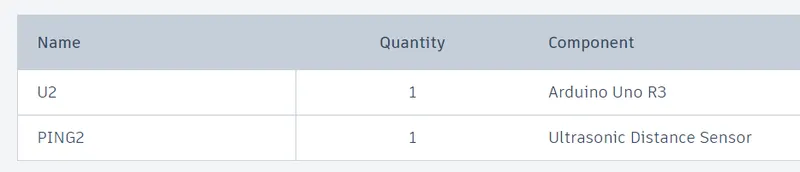
Components used:
Ultrasonic sensor 28015(Ping)
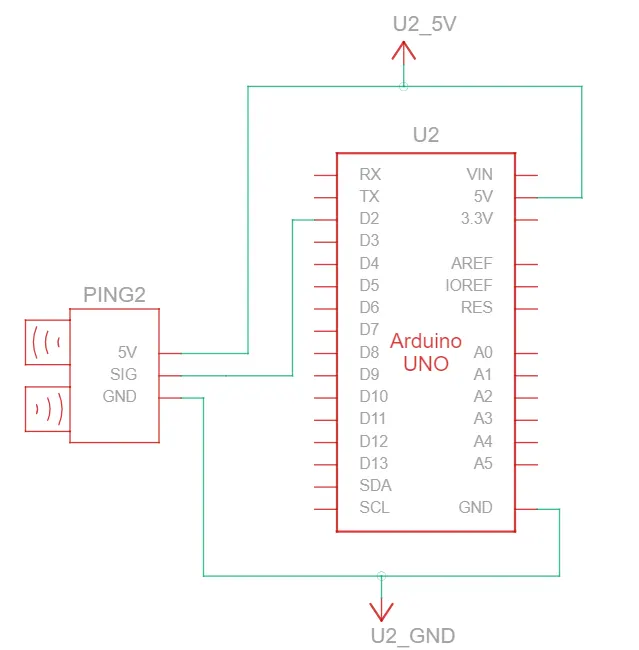
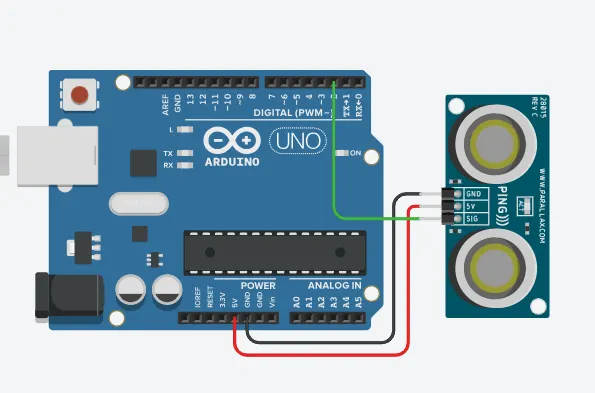
Circuit:
Code:
// Ultrasonic Sensor to Arduino using moving average filter
const int movAvgRead=5; //number of reading for moving the average filter
int readings[movAvgRead]; // array to store sensor reading
int currentIndex=0;
float distance = 0;
long readUltrasonicDistance(int triggerPin, int echoPin)
{
pinMode(triggerPin, OUTPUT); // Clear the trigger
digitalWrite(triggerPin, LOW);
delayMicroseconds(2);
// Sets the trigger pin to HIGH state for 10 microseconds
digitalWrite(triggerPin, HIGH);
delayMicroseconds(10);
digitalWrite(triggerPin, LOW);
pinMode(echoPin, INPUT);
// Reads the echo pin, and returns the sound wave travel time in microseconds
return pulseIn(echoPin, HIGH);
}
// creating a function for moving average filter
float movingAverageFilter(float newValue){
readings[currentIndex] = newValue;
currentIndex++;
if(currentIndex >= movAvgRead){
currentIndex = 0;
}
float sum = 0;
for(int i=0; i < movAvgRead; i++){
sum+=readings[i];
}
float average = sum/movAvgRead;
return average;
}
void setup()
{
Serial.begin(9600);
}
void loop()
{
// measure the ping time in cm
distance = 0.01723 * readUltrasonicDistance(2,2);
float filteredDistance = movingAverageFilter(distance);
Serial.print("Sensor distance:");
Serial.print(distance);
Serial.println("cm");
Serial.print("Filtered distance:");
Serial.print(filteredDistance);
Serial.println("cm");
delay(500); // Wait for 100 millisecond(s)
}
Output:
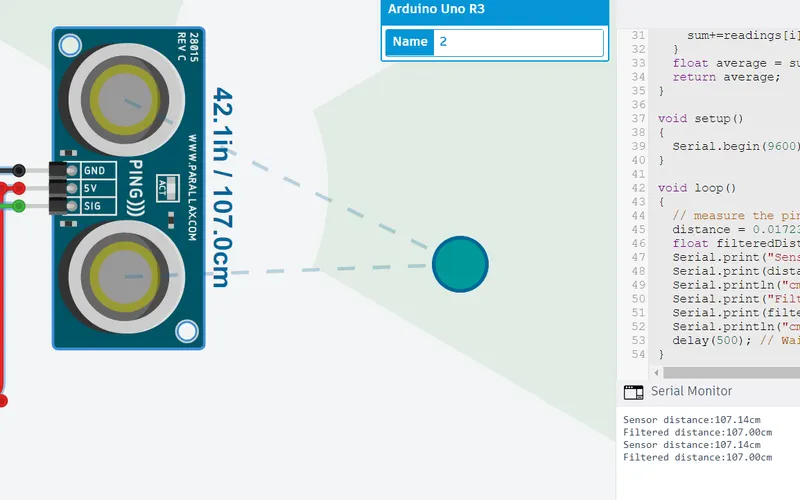
Results:
The results can be seen by applying moving average filter that gives the average of 5 sensor input collected.