Project 2 Adaptive Cruise Control
Aim: To identify lead vehicle speed and activate Adaptive Cruise Control based on radar and camera input.
Description and Simulink model:
The main system consists of following inputs and outputs which are tagged by the respective Simulink signals.
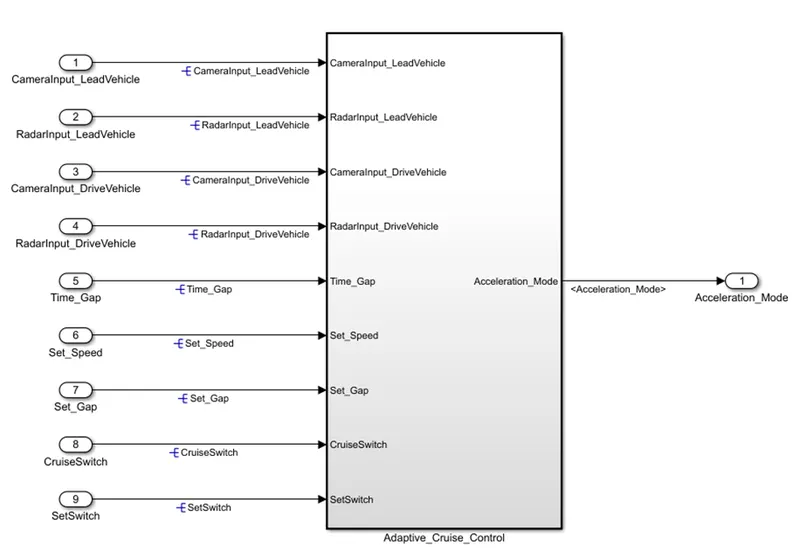
Following subsystems are created as per requirements.
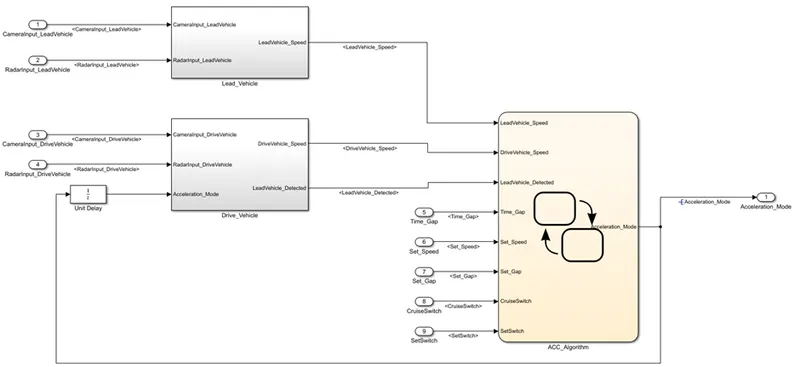
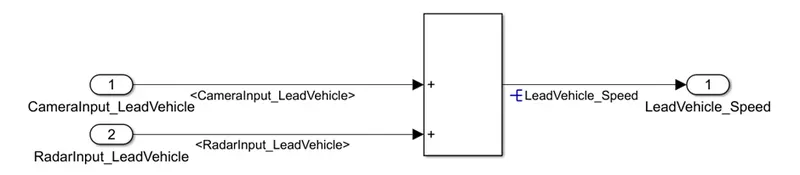
Step 1: Creating subsystem for requirement 1
In this subsystem, camera input data and radar input data for lead vehicle are added to get the required speed output for lead vehicle.
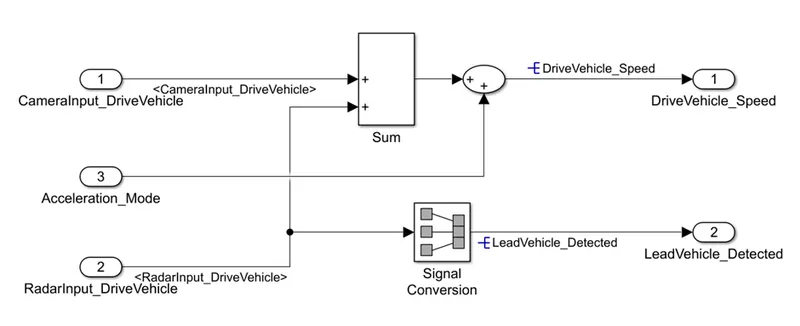
Step 2: Creating subsystem for requirement 2
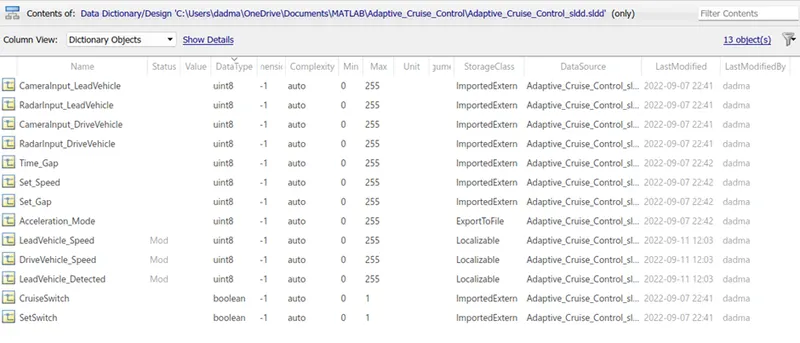
Step 3:Creation of SLDD
After adding all the inputs and output, in order to trace and tag the signals SLDD is created for the entire system.
Step 4: Creating subsystem for requirement 3
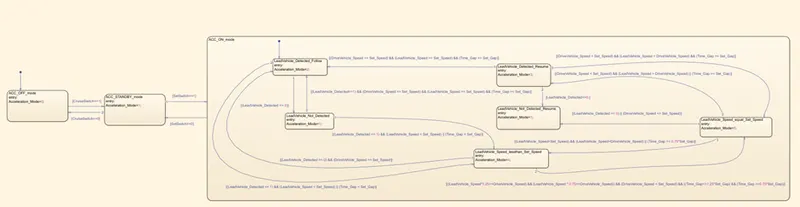
In this, the state actions and state transitions are added as per the requirement mentioned in the problem statement.
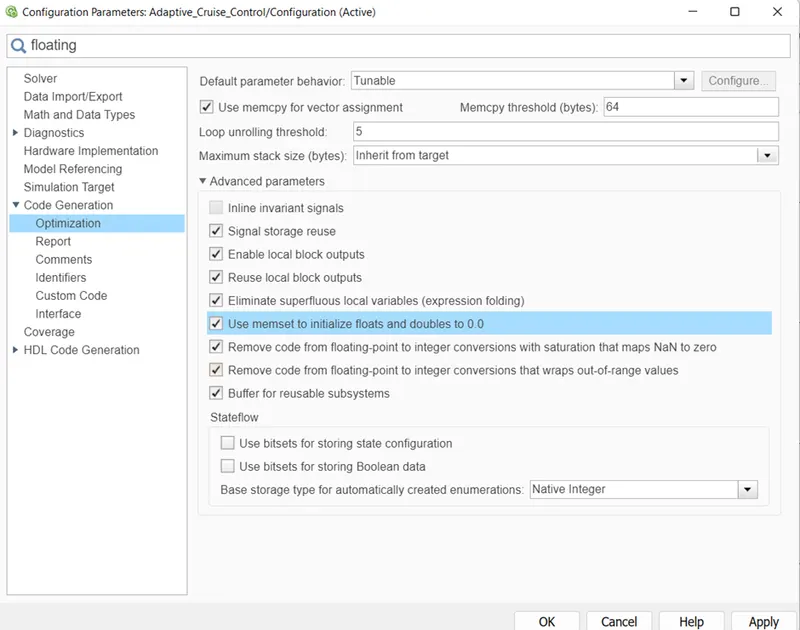
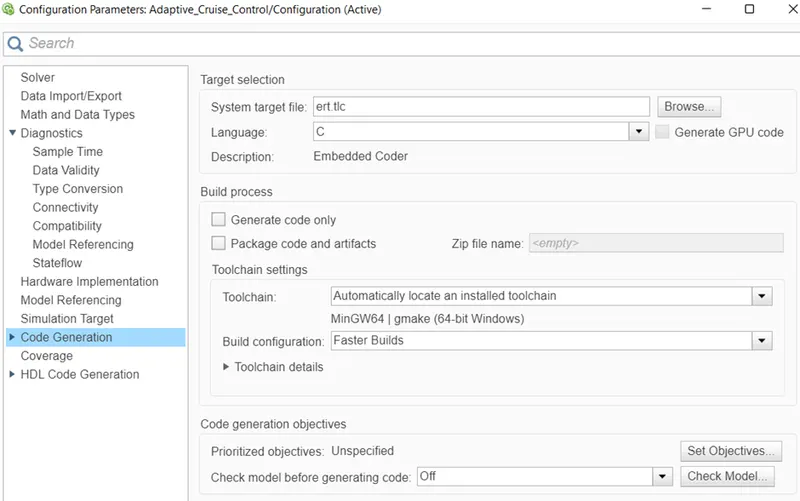
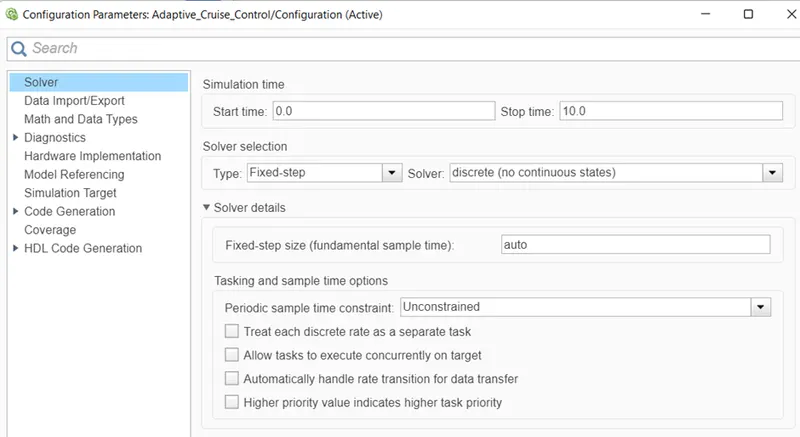
Step 5: Configuration parameters
For the required system, enable the support floating numbers for code generation
Step 6: Model Advisor check
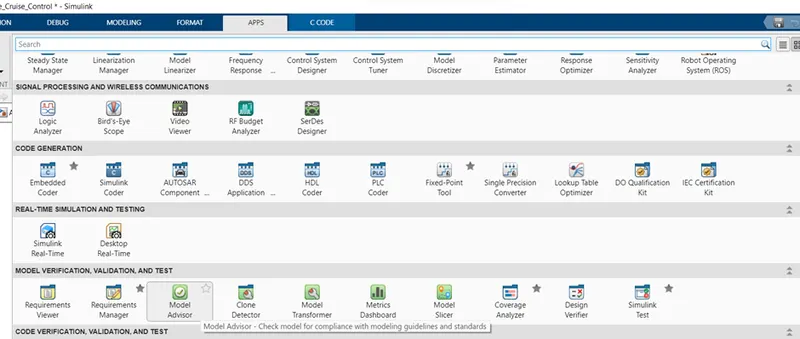
In the APPS tab > Model verification, validation and test > click on “Model Advisor”
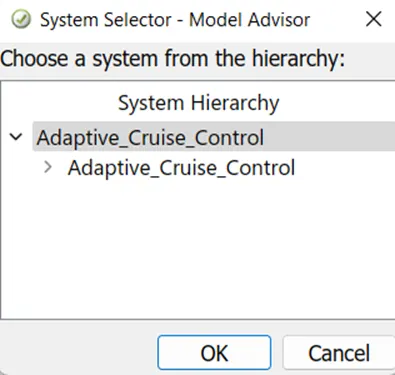
After clicking on the Model Advisor, a pop-up window appears which asks user to select the system for which the action needs to be performed.
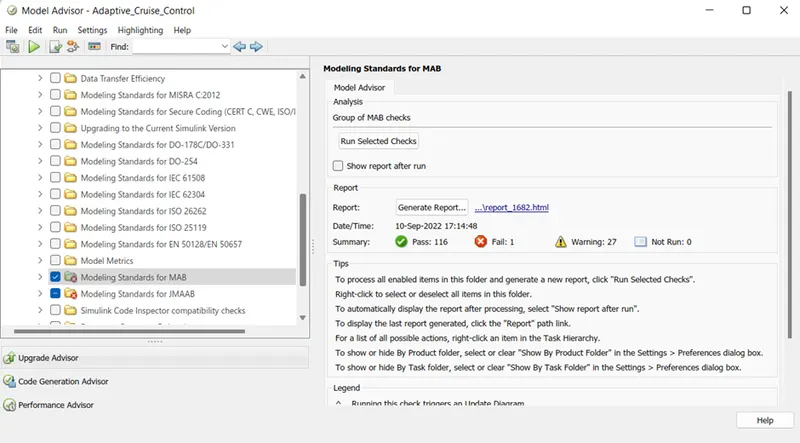
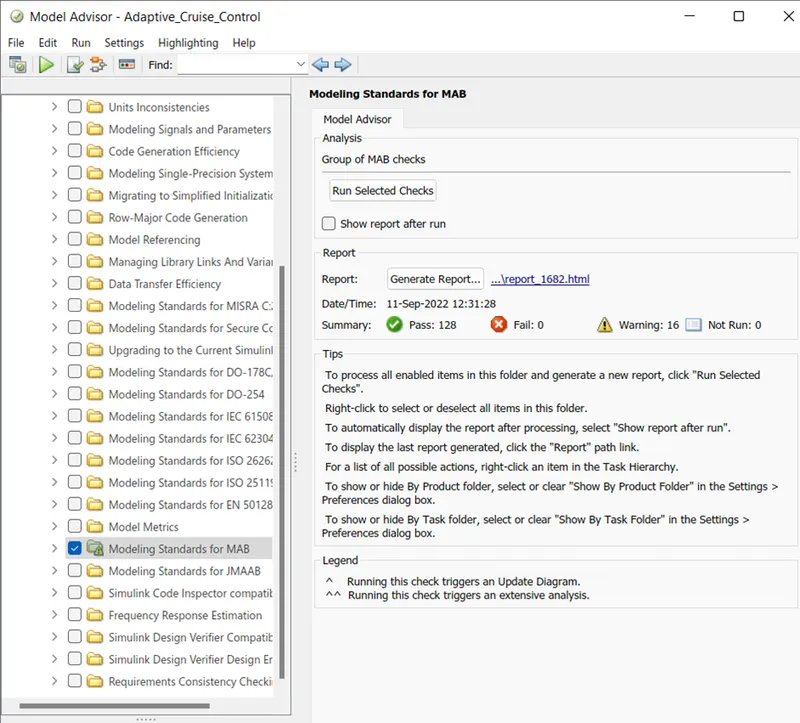
Following window pops-up which shows the list of tasks that will be verified by Model Advisor while performing the test. Check on the TASK section to perform full test of the system and click on “Run Selected Checks”.
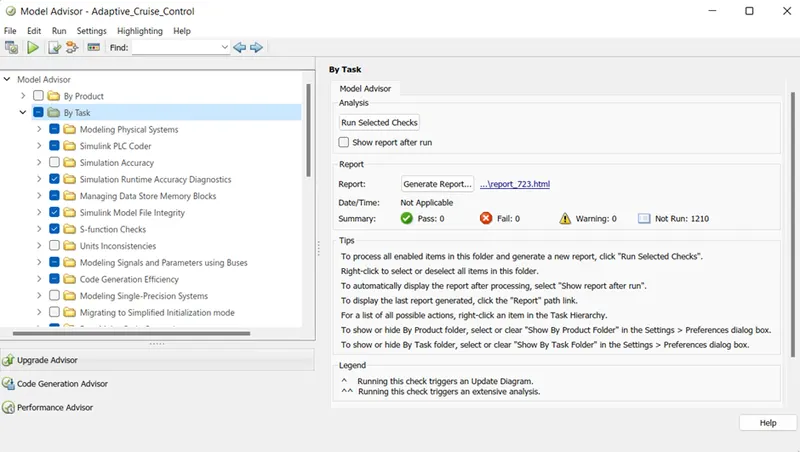
The Simulink model will take some time to process the test and prepare test reports.

After the completion of model advisor check, it will give the summary of the Pass, fail and warning data. If there are any errors or warnings, try to minimize and correct them.
Step 7: Generate Embedded coder
After resolving the errors and warnings, next step is to Generate C-code.
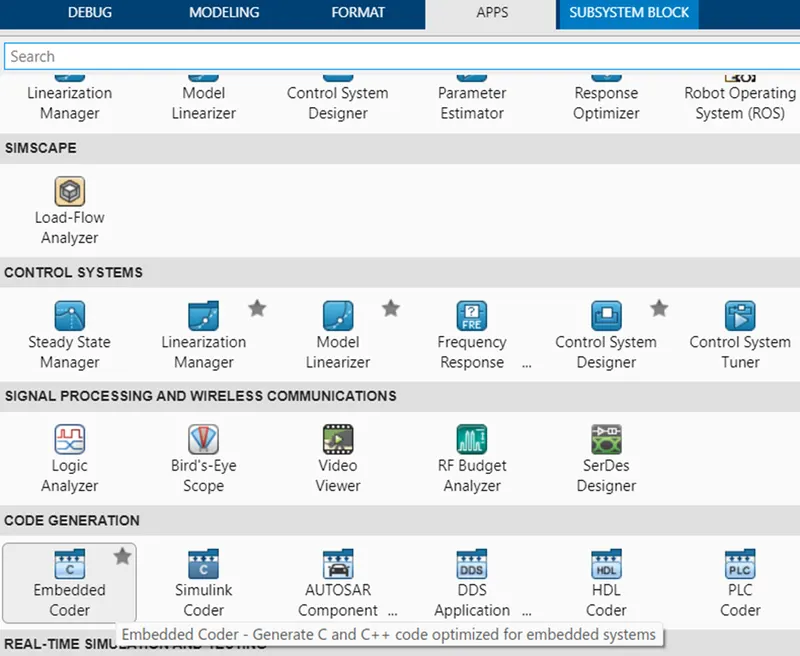
Go to “APPS” >> in that, under code generation section click on “Embedded Coder”
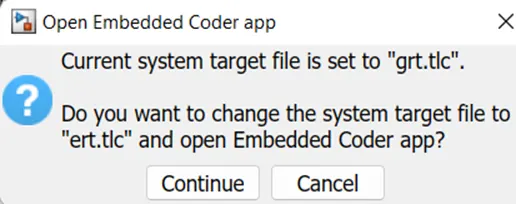
Following dialog box appears asking whether to make changes in system target file. Click on “Continue”
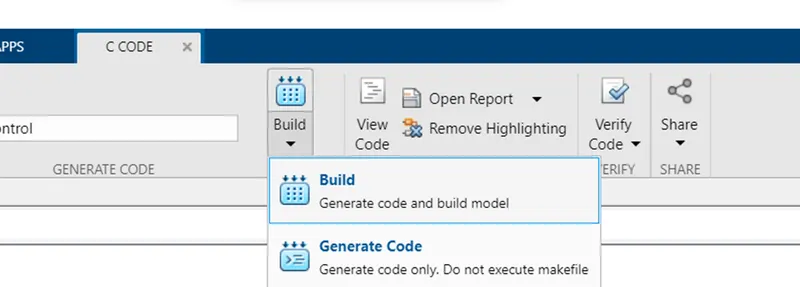
A new “C code” tab appears, in that click on “Build” and “Generate Code”
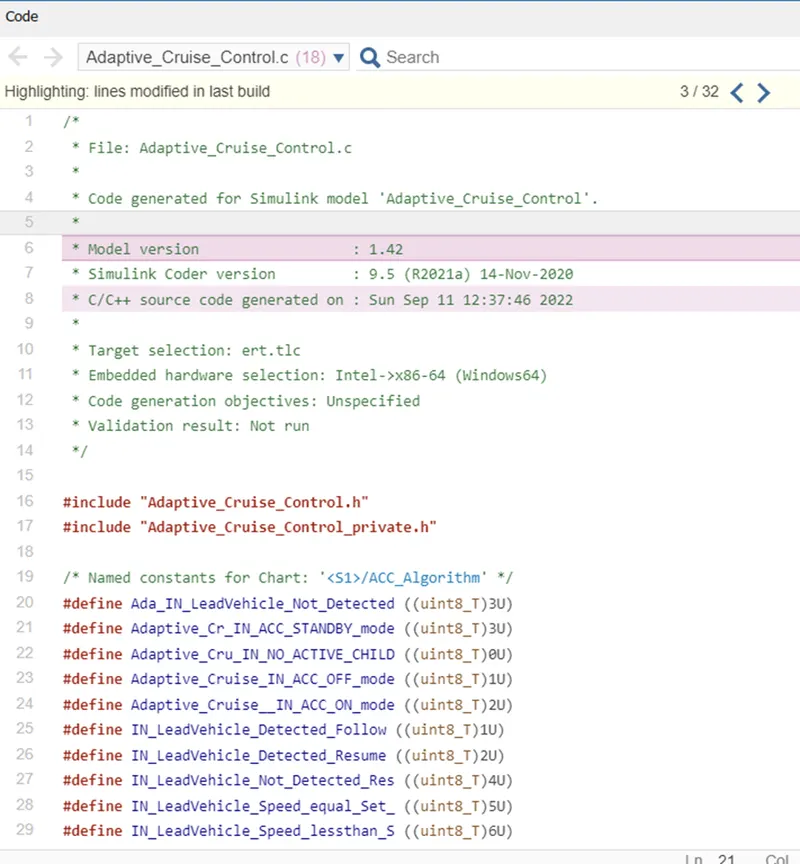
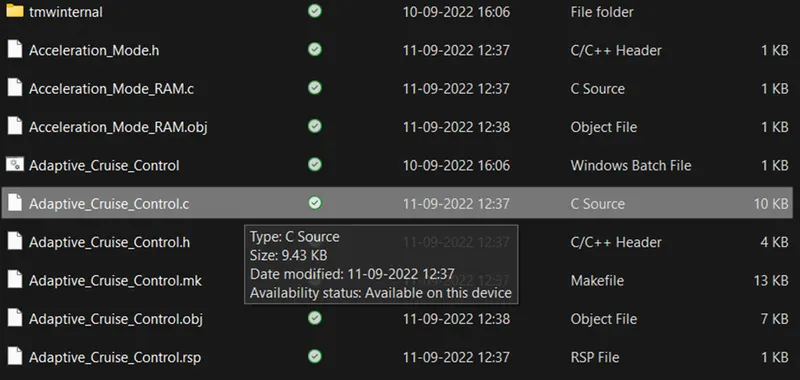
The code is then generated as shown below and is saved with the extension “.c”
Results:
- In this way a subsystem has been created which will define acceleration mode and control speed of the drive vehicle based on the camera and radar input.
- After generating the subsystem, SLDD is created with all the necessary Simulink signals and parameters data to resolve the signals at input and output level.
- Run the Model Advisor and generate the report to check the model reliability and for any errors that might have been missed while designing the system.
- Generate the C-code which can be later used in hardware model to implement adaptive cruise control module as a part of it.