Project 2-Highway Assistant-Lane Changing Assistant
Aim:To develop the Model as per requirement and AUTOSAR Complaint code generation
Objective:
- This model must be developed in MATLAB Simulink per MBD guidelines.
- Code Generation Profile must be Autosar Coder.
- Simulink Data Dictionary must be created for the model & must be linked to the model.
- All the input & output signals must be mapped into the Autosar Editor.
- Model Advisor Report is mandatory & this will be followed by Code Generation.
Simulink Model:
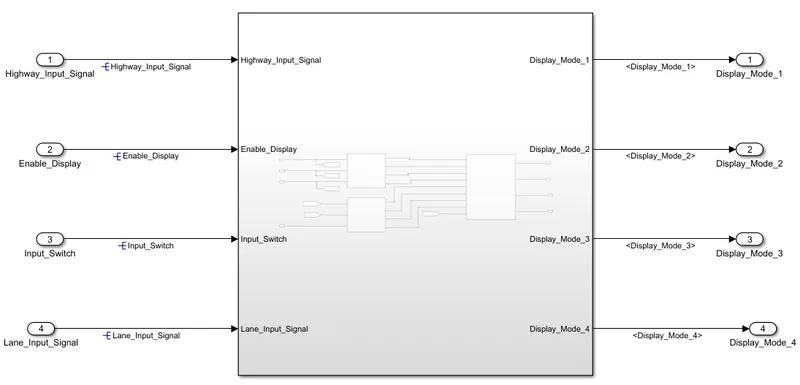
# Main subsystem
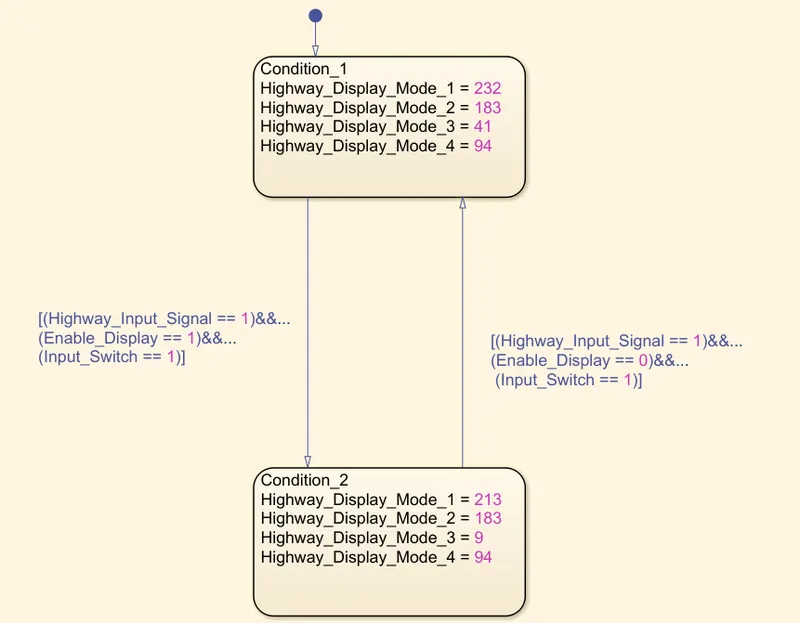
#Requirement No 1 [Highway_DisplayUnit]:
#Requirement No 3:
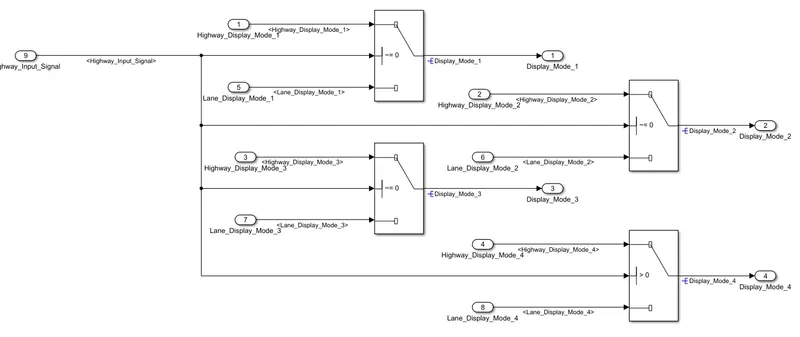
_ As shown in the above images the model is prepared according to requirements given in the question and developed the respective subsystem for that.
-- The simulink data directory file is made and all the signals are resolved for input and output in the Simulink model.
Simulink Data directory:
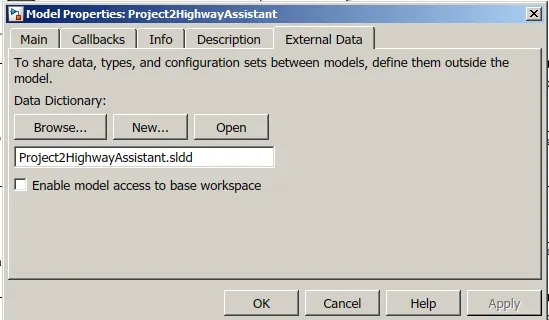
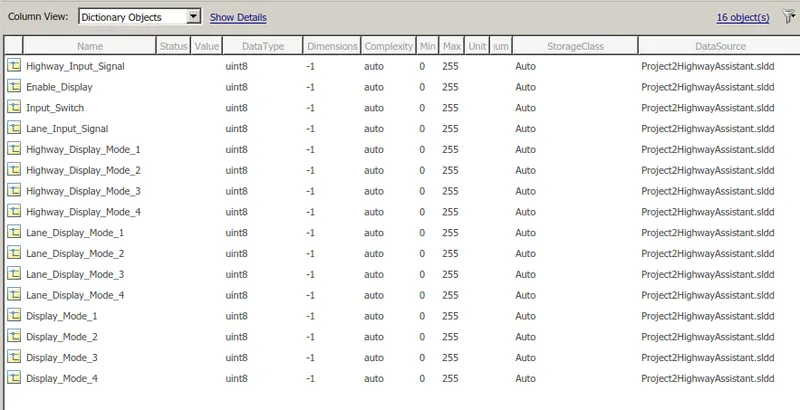
Simulink data direcory file is made as per the the question.
The storage class for all the signals taken as the Auto, as theh Autosar takes the responsibility to map them as input and output.
Code Generation Setting for the AUTOSAR:
-The following are the setting for the code generation in the Model property/ configuration
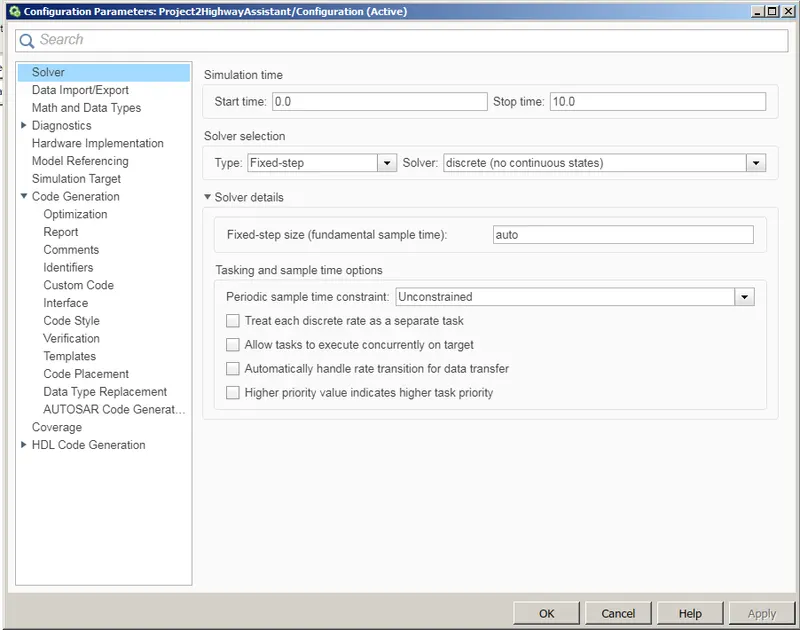
The solver type is fixed step and solver is discrete/no continuous state with sampel time auto.. Simulink will take automatically as 0.2 seconds
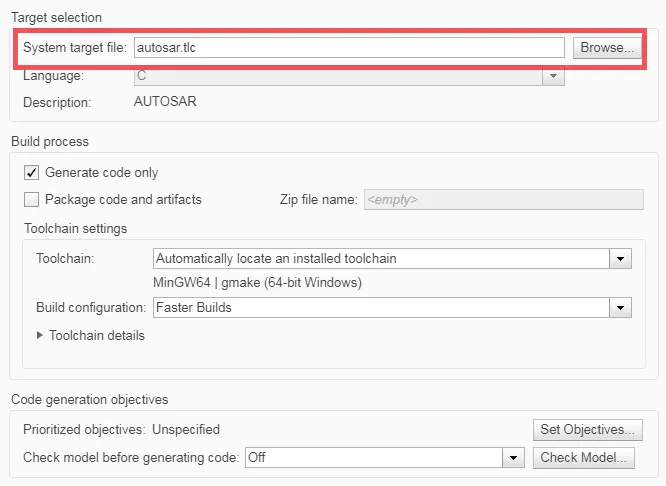
The system target file is autosar.tlc for generating the AUTOSAR code.
Configuration of AUTOSAR Dictionary:
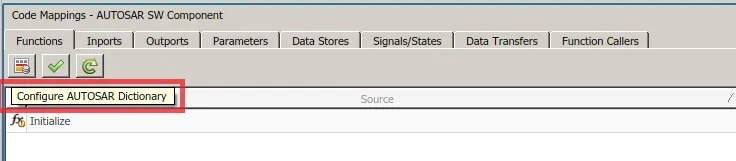
- To configure the autosar dictionary go to option shown in the above image.
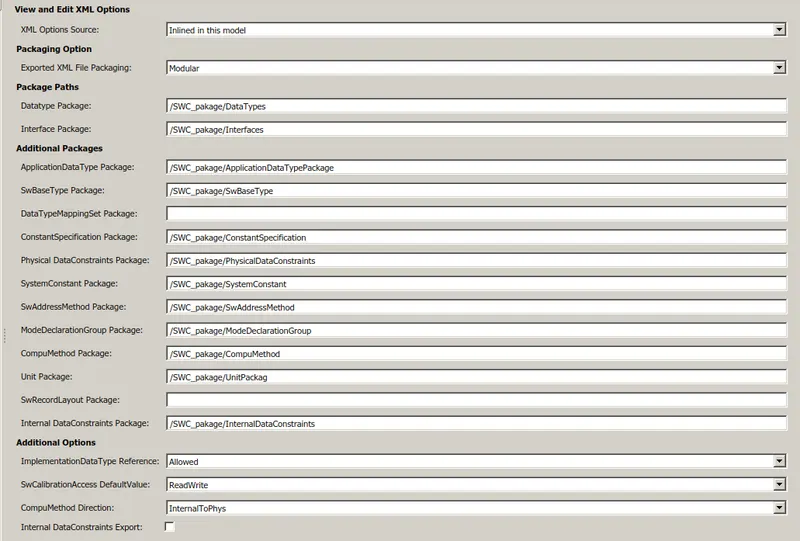
- First we need to onfigure the XML option. In that various type of package paths are needed to be defined.
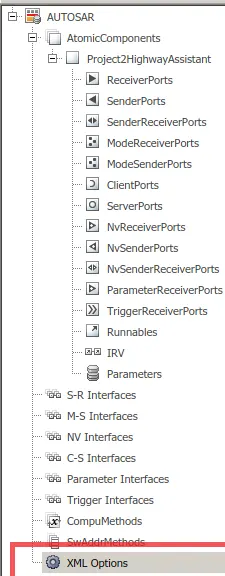
The XML can be defined as follows for the given all the options.
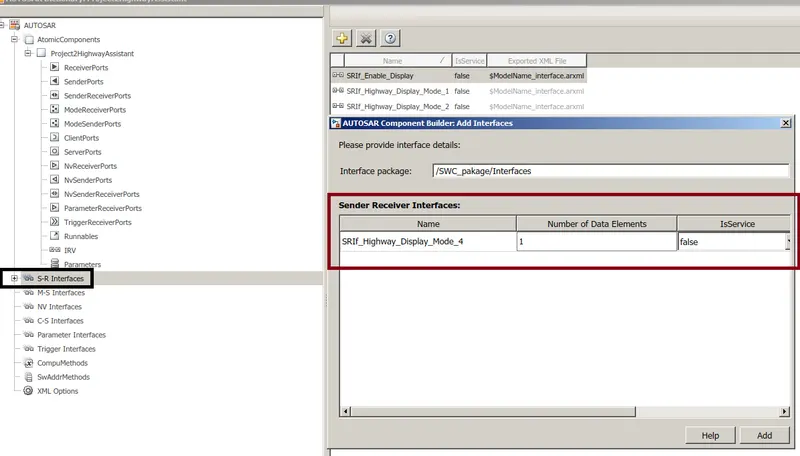
__Then we need to define the S-R(Sender Receiver ) Interfaces .
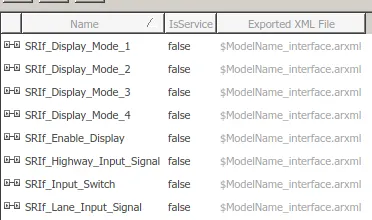
The sender reciver interface is defined for the main input and output ,to map with the input and output for the AUTOSAR some prefix can be used i.e, SRIf_
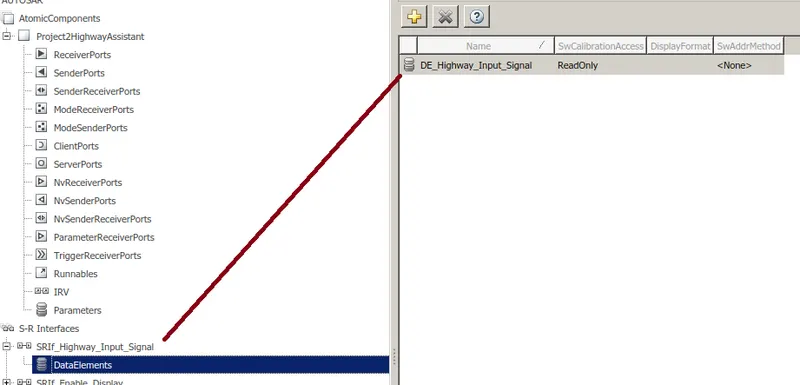
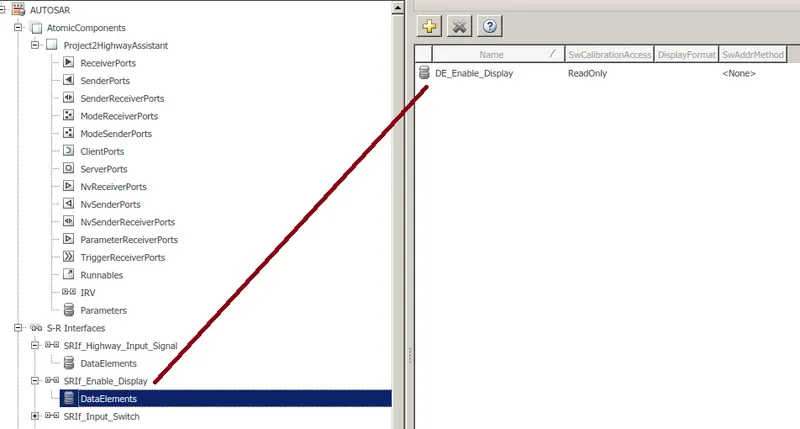
_- After defining the SR Interface the next step is to defining the Data element for the corresponding input and output as shown in below image.
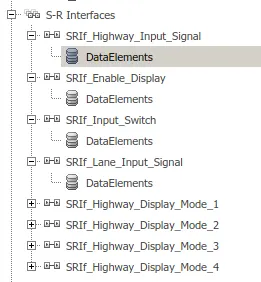
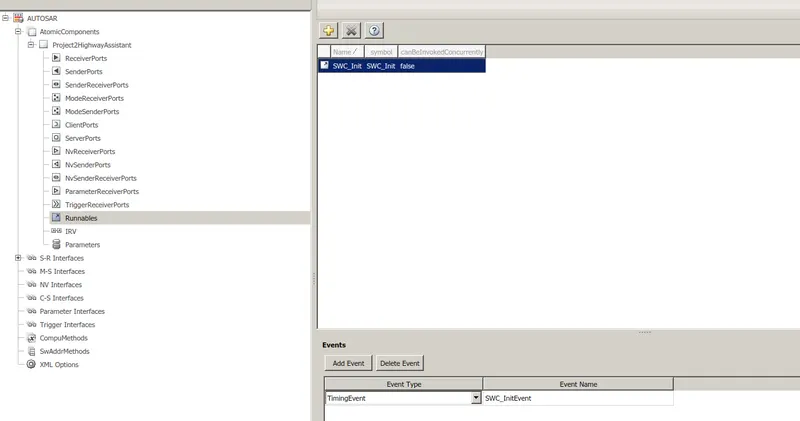
- After defining the data element for all the SR interface element the next step is to define the Runnable.
Here the only Initialization even is defined for the runable as shown in the below figure.
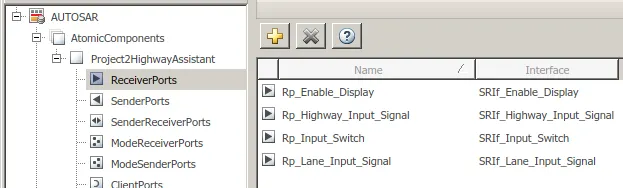
___The Last thing need to define is the Sender Receiver ports::
#Receiver Port Maping with Sender Receiver Interface
# Sender Port Maping with Sender Receiver Interface
________________________________________________________________
All the configuration are done in the above part
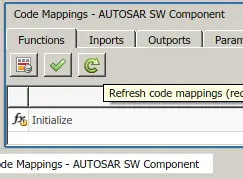
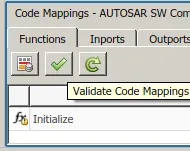
The next step is to validate the Port Maping By refreshing the maping and then click on the green check mark for the validating it.
The inports settings should be as follows.
By default values are not selected as per requirement.Hence it is needed to be selected by the user.
#Inport Mapping

#OutPort Maping

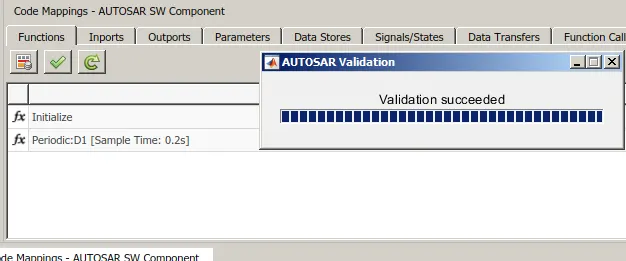
If everything remain OK! after the validation the "Validation Succeeded" message will appear.
___________________________________________________
#Model Advisor check:
Go to the model advisor check and select the MAB check.
There should be not any failed checks for succesfull code generation.
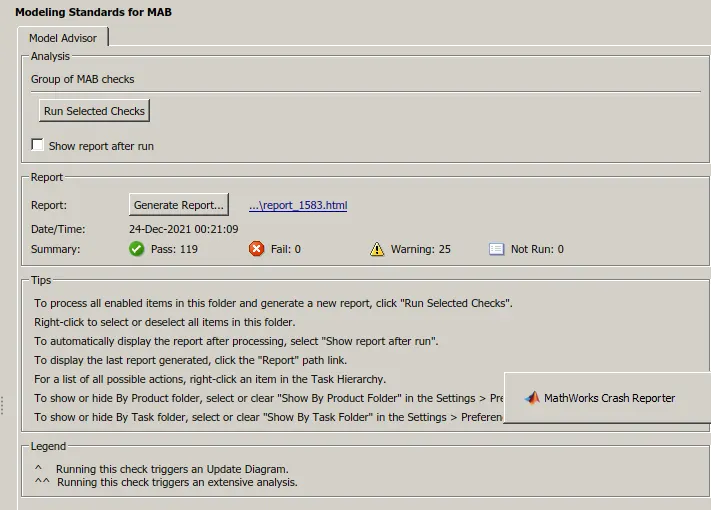
All the model advisor checks for the MAB are checked succesfully and passed.
_____________________________________________________
The next part is for the code generation as per the AUTOSAR compliance.
Goto Autosar and choose the quick start:
The quick start is selected because it will take care of the MATLAB simulink Configuration settings. If any setting is not as per the autosar it will change it and let the code generation.
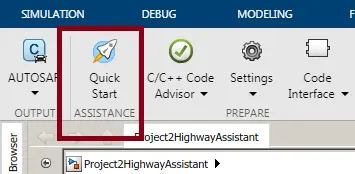
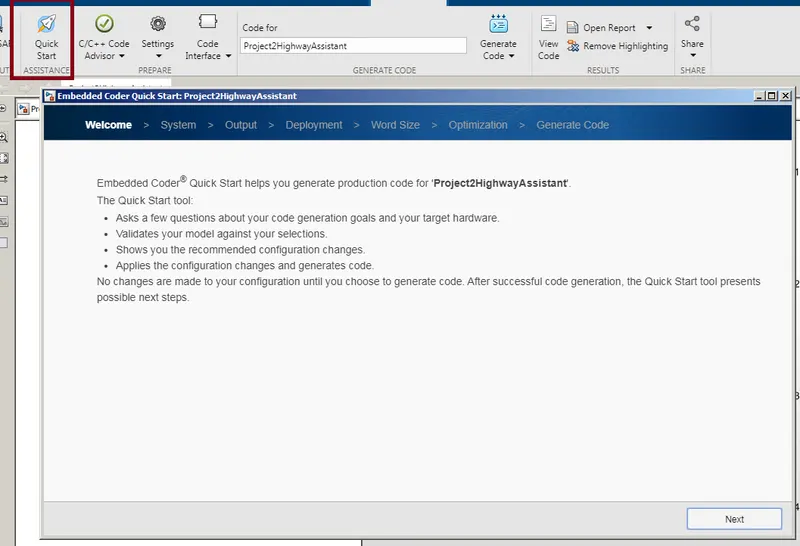
Now follow all the steps along the quick start for the AUTOSAR code generation for the succesful code generation.
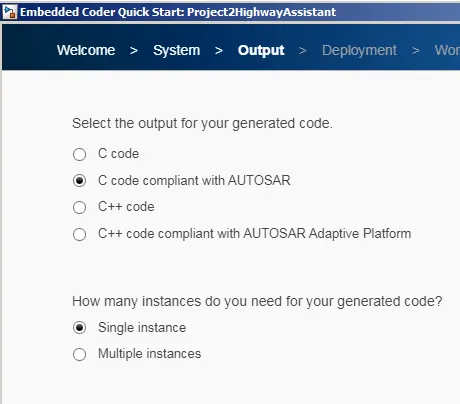
Select C code compliant with AUTOSAR .
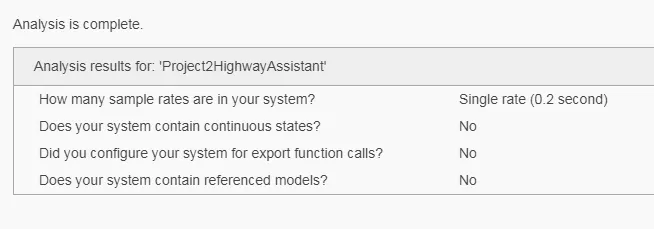
The sample time is selected as 0.2 by the simulink itself as it was auto in the configuration setings.
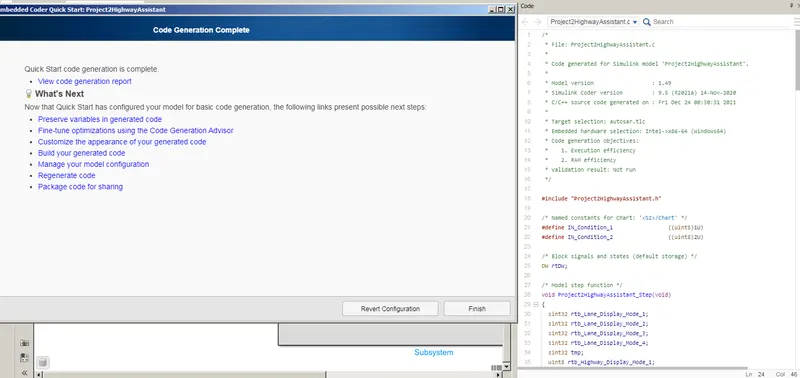
-The process of the code generation will start as soon as all the formalities completes.
One folder will create containing the code for the Simulink model created.
Conclusion: The following tasks are done succesfully and generated the AUTOSAR compliant code.
- Model is prepared according to the MBD guidlines
- Model Advisor check is done
- AUTOSAR compliant code is generated
- Simulink Data dictionary is made and linked to the model succesfully