Project 2-Highway Assistant-Lane Changing Assistant
Highway Assistant – Lane Changing Assistant
Working principle:
Highway Assistant is a partially automated driving function for a speed range of up to 180 km/h (112 mph) on highways. It combines the radar-based longitudinal guidance of Adaptive Cruise Control (ACC) with the video-based lateral guidance of lane keeping support in one system. Highway Assistant can be supplemented by an automatic lane change initiated and monitored by the driver in a speed range of 60 – 130 km/h (35 – 80 mph).
The lane Change Assistant works by using two mid-range radar sensors that are concealed in the rear bumper – one on the left, one on the right. These two sensors monitor the area alongside and behind the car. Powerful control software collates the sensor information to create a complete picture of all traffic in the area behind the vehicle.Whenever another vehicle approaches at speed from behind or is already present in the blind spot, a signal such as a warning light in the side mirror alerts the driver to the hazard. Should the driver still activate the turn signal with the intention of changing lanes, the system issues an additional acoustic and/or haptic warning.
Step 1: Data Dictionary Creation
Data dictionary is created as per the given data and the storage class specified as AUTO to avoid error.
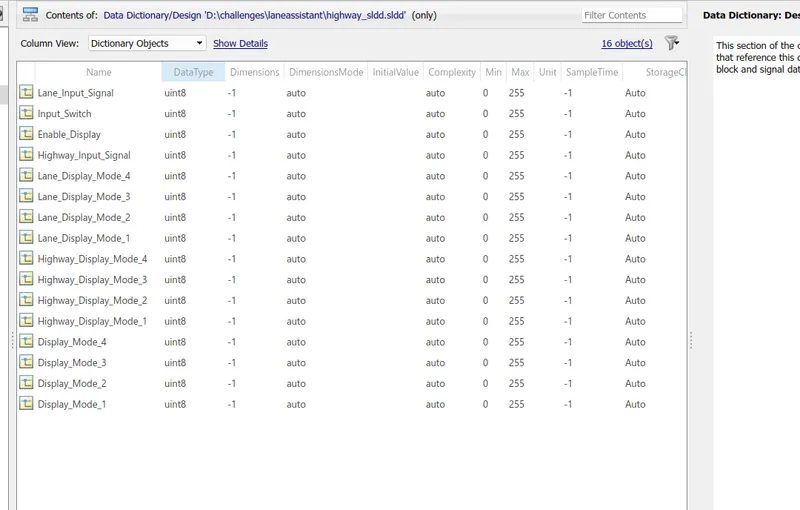
Step 2: Simulink model
Here three different requirements were given. each requirements works under different logic.
Requirement 1: Highway_DisplayUnit
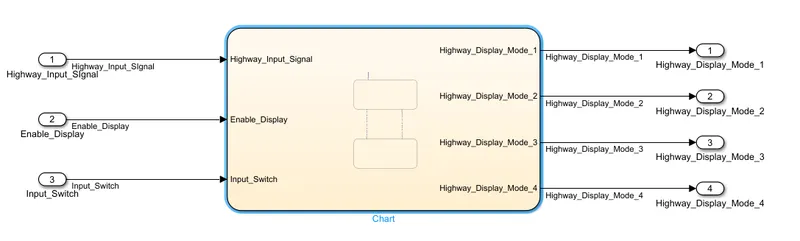
This Highway_DisplayUnit subsystem has three inputs namely, Highway_Input_signal, Enable_Display, and Input_Switch. Output signals are Highway_Display_Mode_1,Highway_Display_Mode_2,Highway_Display_Mode_3,Highway_Display_Mode_4. Inside the subsystem Stateflow logic has to be implemented.
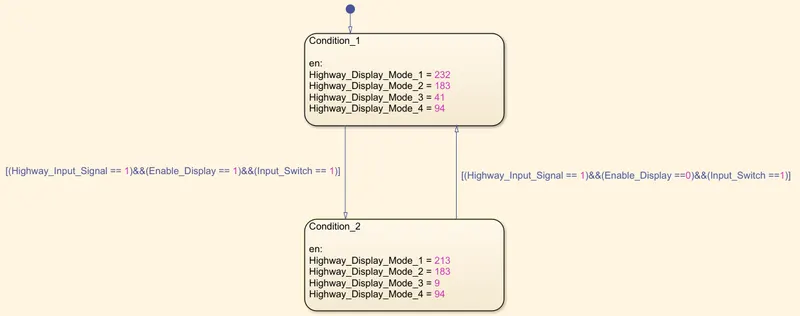
Two different conditions were given each condition has to perform actions at each transitions.
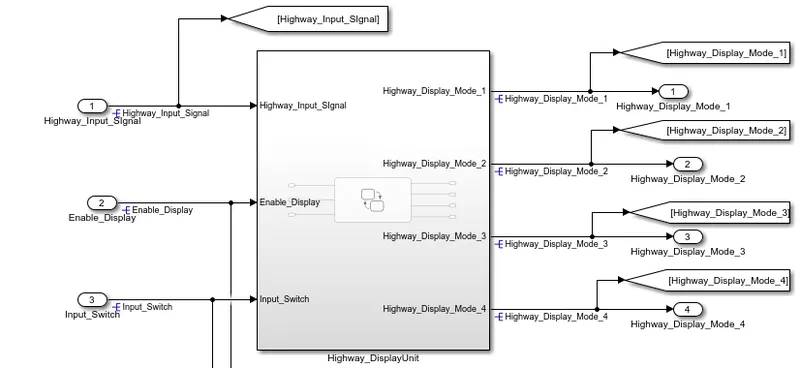
the signals are resolved at the origin. Goto and From blocks were additionaly used.
Requirement 2: Lane_DisplayUnit
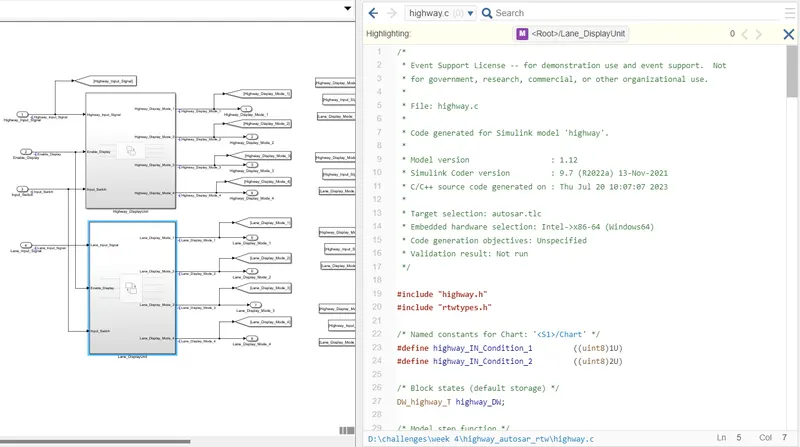
This Lane_DisplayUnit subsystem has three inputs namely, Lane_Input_signal, Enable_Display, and Input_Switch. Output signals are Lane_Display_Mode_1,Lane_Display_Mode_2,Lane_Display_Mode_3,Lane_Display_Mode_4. Inside the subsystem Stateflow logic has to be implemented.
Two different conditions were given each condition has to perform actions at each transitions.
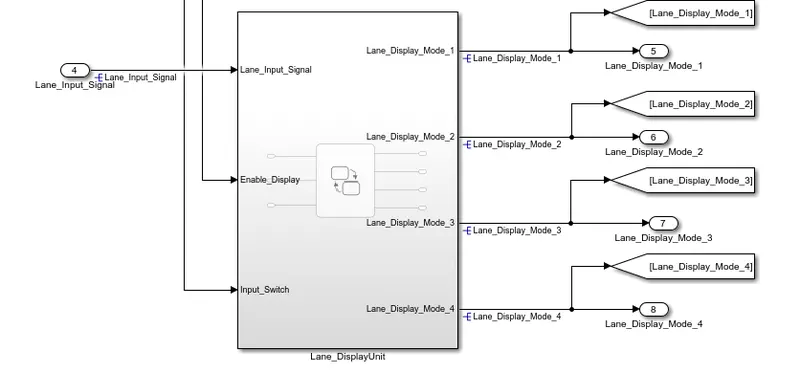
the signals are resolved at the origin.
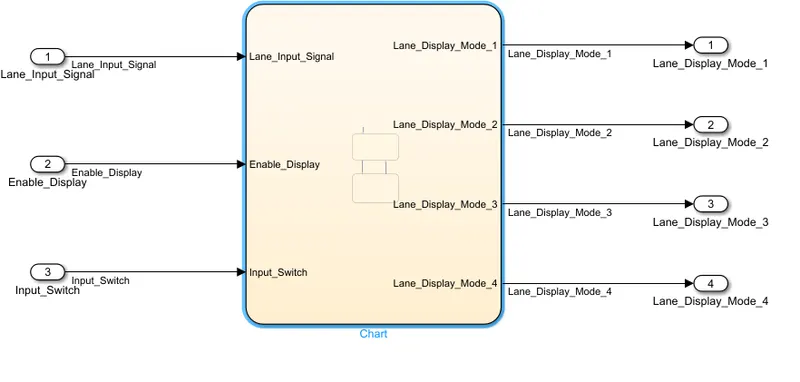
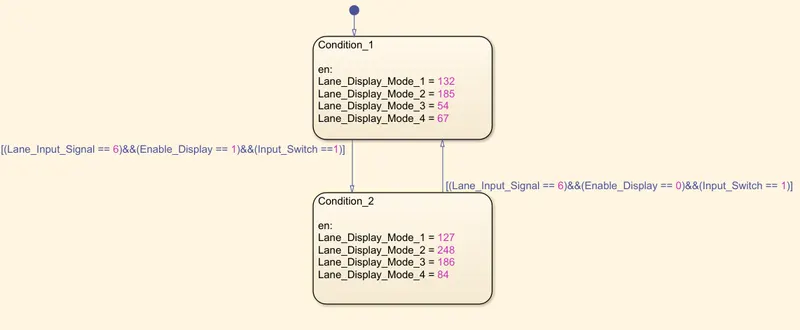
Requirement 3:
The 4 switch blocks were used. each switch blocks second input was the condition, here the condition signal is Highway_Input_Signal. the first input signals to the blocks are Highway_Display_Mode_1, Highway_Display_Mode_2, Highway_Display_Mode_3, Highway_Display_Mode_4. the third input signals are Lane_Display_Mode_1,Lane_Display_Mode_2, Lane_Display_Mode_3, Lane_Display_Mode_4.
The switch blocks output are the final output namely Display_Mode_1, Display_Mode_2, Display_Mode_3, Display_Mode_4.
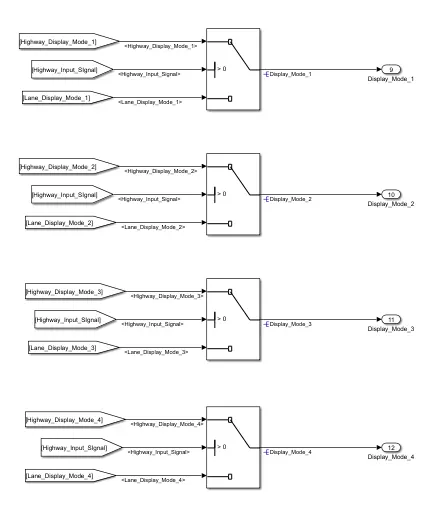
Developed Simulink model:
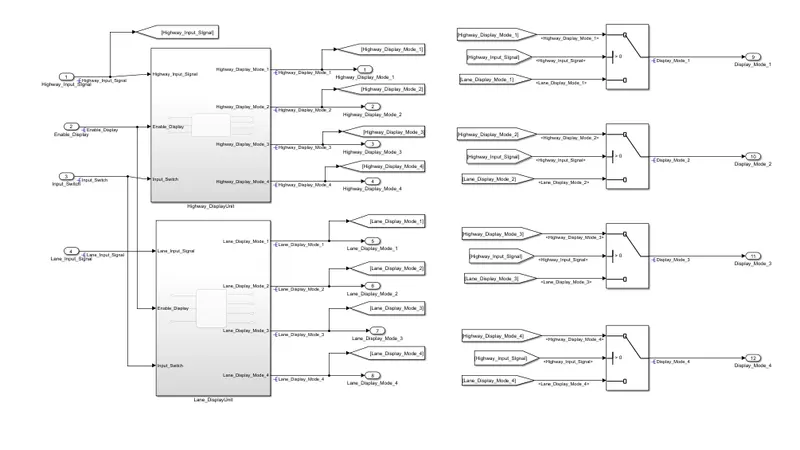
After the development of model in simulink change the solver settings to fixed step discrete. And change the code generation settings to Autosar.tlc
Step 3: AUTOSAR Port Mapping and data dictionary:
- Click on the App tab, and select 'Autosar Component' and specify the details as per the requirement.
- Click on Autosar dictionary and click on XML option, give informations and some particulars are default so no need to change it.
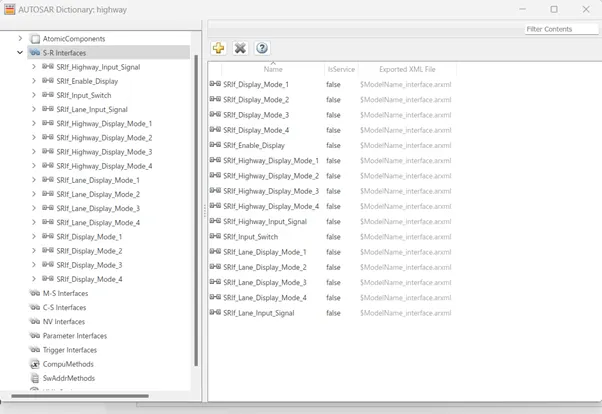
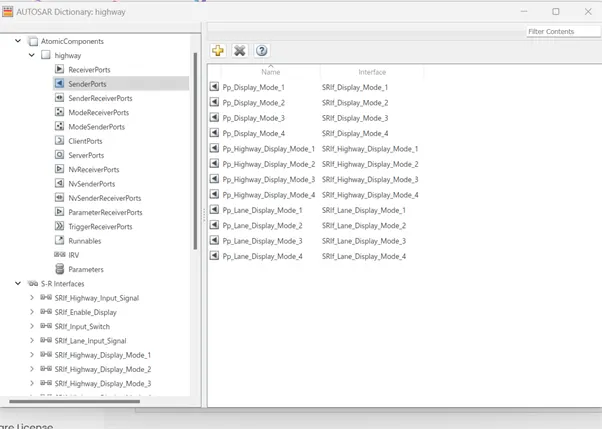
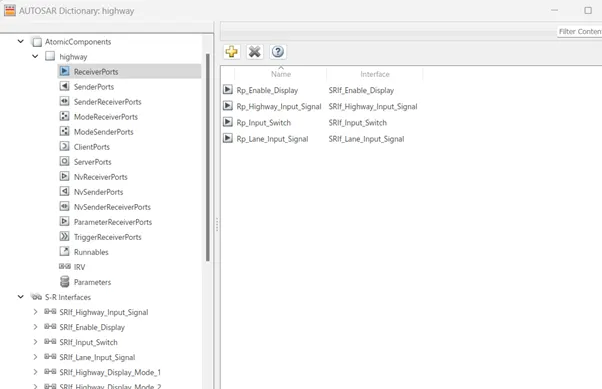
- Sender receiver interfaces, ports and data elements are configure and validate it.
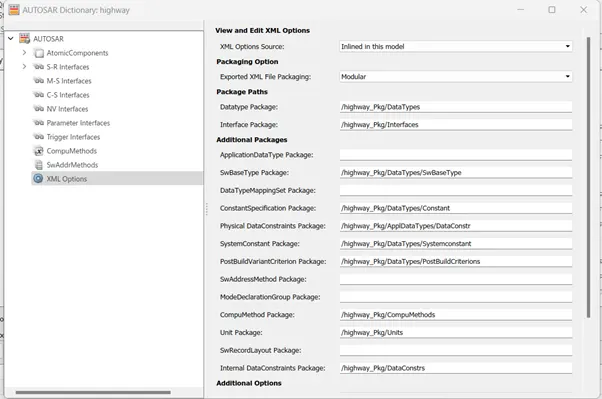
Sender receiver interface:
Sender ports:
Receiver ports:
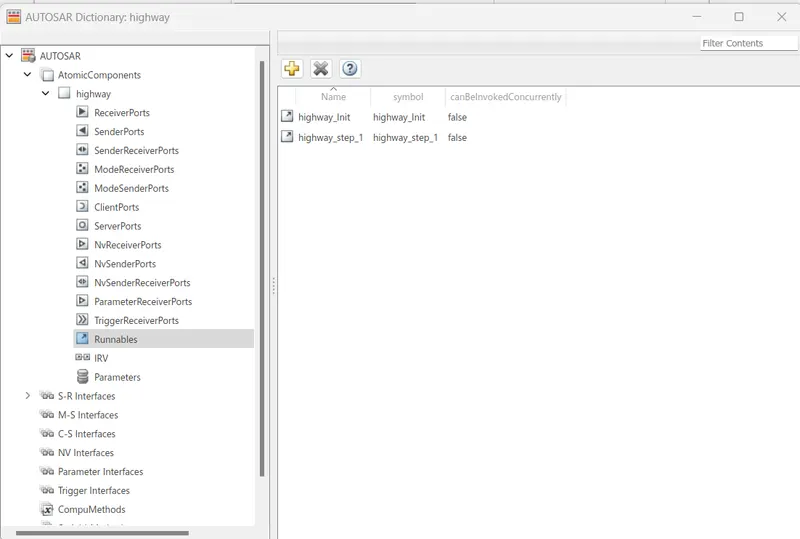
Runnables:
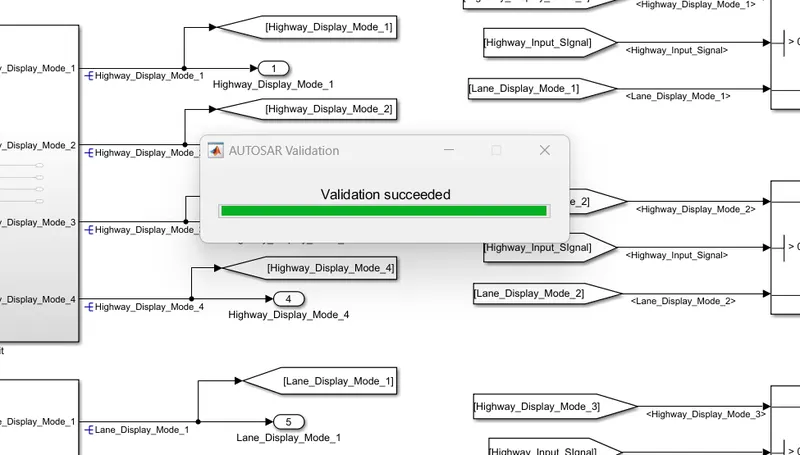
After port mapping validate the model.
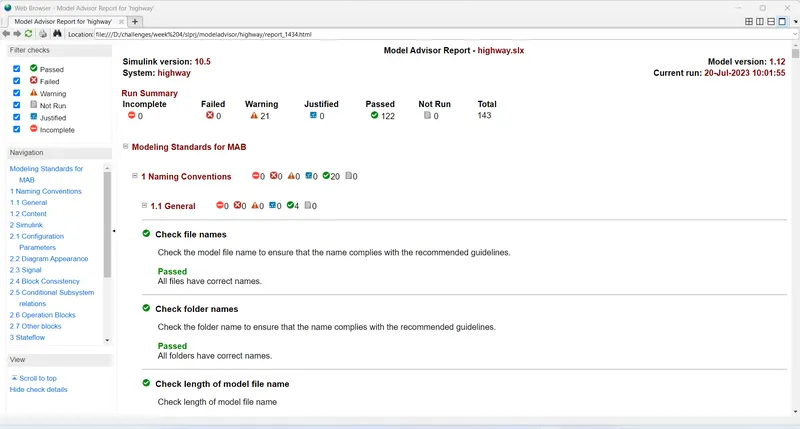
Step 4: MODEL ADVISOR
The model has been checked as per MAAB guidelines.
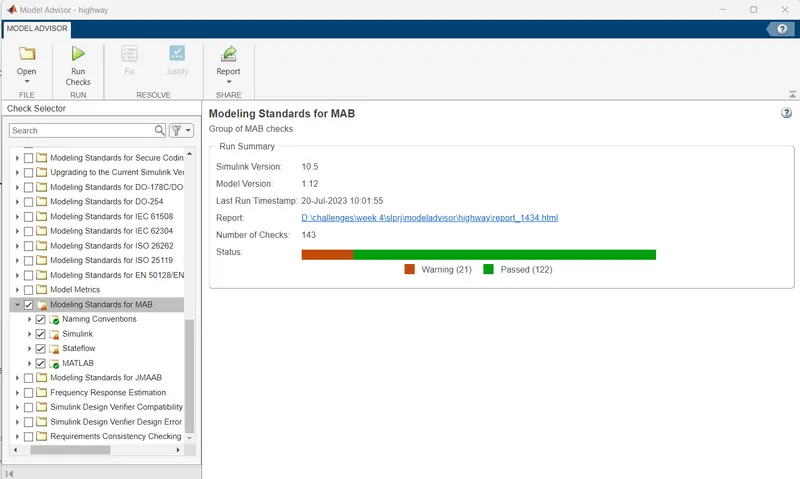
report:
Step 5: Code generation:
The code has been generated in AUTOSAR environment.
RESULT:
Thus the model has been developed as per the MAAB guidelines and the ports were mapped in Autosar editor. And the code has been generated successfully.