Project 2_Creating a 3D rendered model for a Residential Building in AutoCad
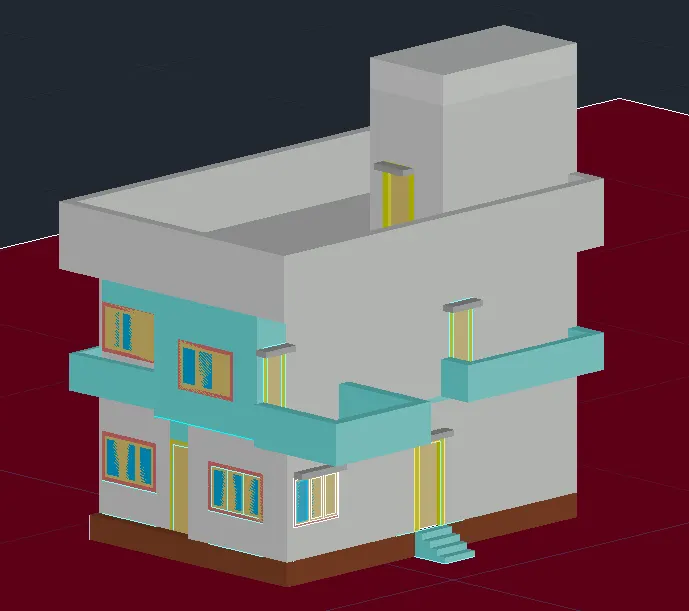
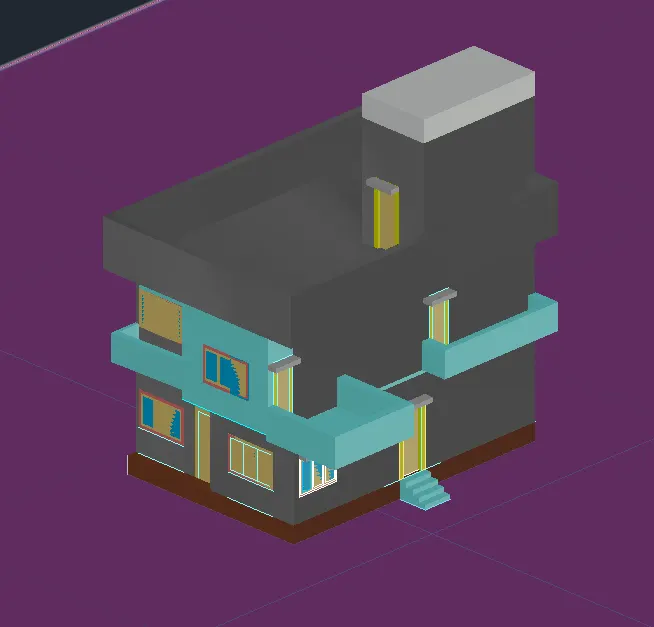
Aim: To create a 3D model of a residential building with a rendered view.
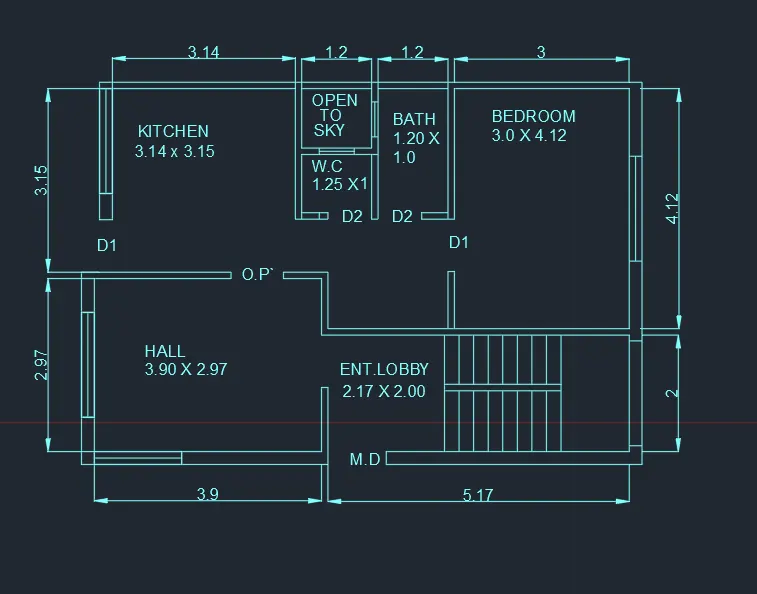
The dimensions:
- External and Internal wall – 0.220m and 0.110m thick
- W -1.80 X 1.20
- W1- 1.50 X 1.20
- V -0.60 X 0.75
- M.D-1.00 X 2.20
- D1-0.90 X 2.20
- D2 -0.75 X 2.20
- All the dimensions are in m.
Procedure:
- In the command box type units-Decimal
- In the command box type zoom - a
- In the command box type l to draw the lines.
- In the command box type draw the plan in top view.
- In the command box type offset where you required.
- In the command box type trim the excess lines.
- In the command box type
- In the command box type boundary
- In the command box type region and select wall.
- In the command box type extrude the wall for 3m.
- In the command box type rec to draw the window
- In the command box type union and select all walls.
- In the command box type extrude the window.
- In the command box type subract the window from wall
- In the command box type rec at the top of the wall for slab
- In the command box type region and select the rec
- In the command box type extrude the rec for 0.125m
- In the command box type extrude the wall again for 3m
- Draw the door panel and door frame dor door
- In the command box type region for panel and frame.
- In the command box type extrude.
- Draw the window panel and window frame. and projection
- In the command box type region for panel and frame.
- In the command box type extrude.
- Draw the flooring.
- Draw the steps and extrude them.
- create a balcony and extrude.
- Go to layers and name the layers.
- And select the different colours for each layer.
- Go to the Material browsering and select the material.
- And apply the each material for each item
RESULT-