Project 2 Adaptive Cruise Control
FINAL PROJECT
Adaptive Cruise Control
- Lot of points to be discussed here . So lets begin :
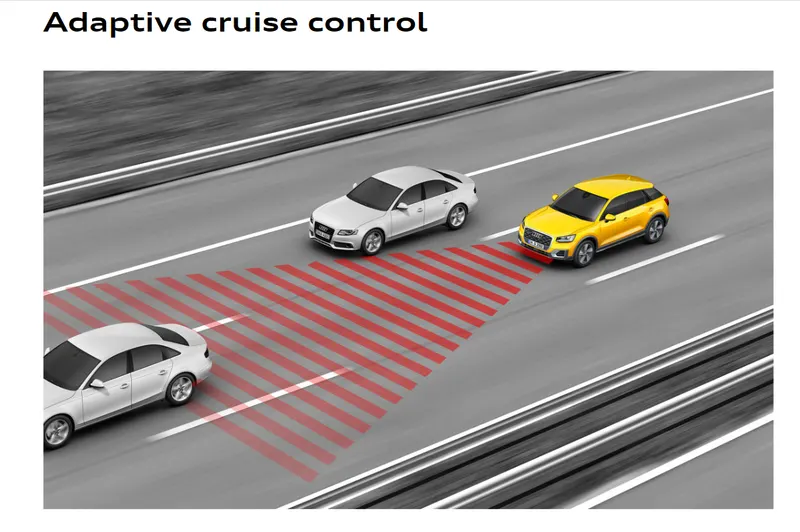
- Adaptive Cruise Control image will let you know how actually it works in real case scenes :
- Here are the few SS which let you know how I modelled the complete requirements into a single simulink model which also a SLDD file which stores the all variables .
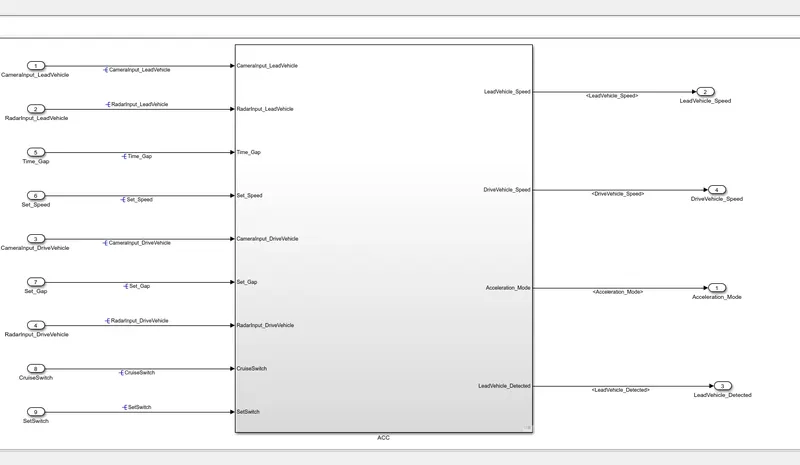
- This is the whole model in a single subsystem named ACC .
- We can clearly see the no of inputs and output comming from this ss .
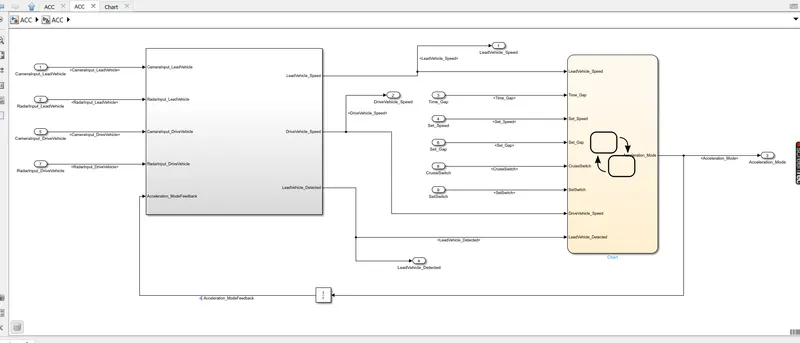
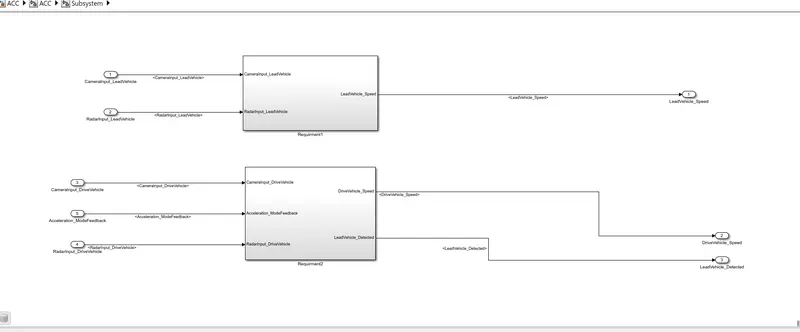
- These are the SS for the all the 3 requirement which are given to us .
- Now we will see in detail each one of them .
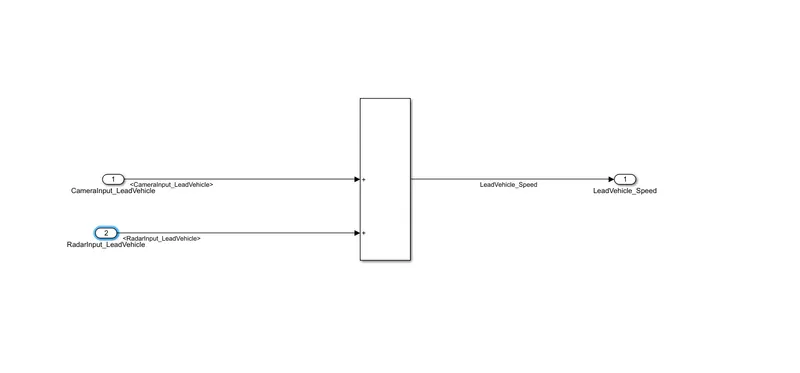
- This is requirement no 1 to add 2 inputs and get a single output .
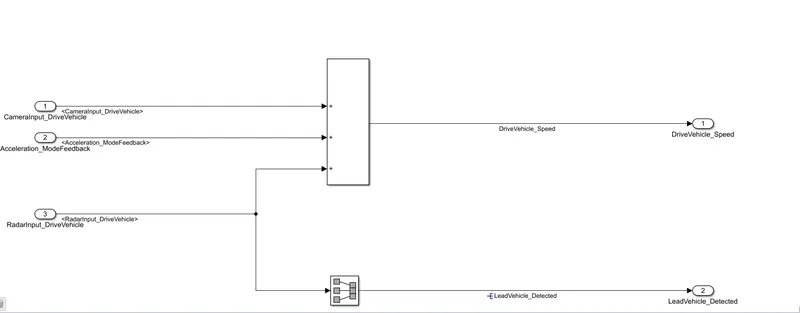
- This is second requierment .
- Also the req 1 and 2 are linked to the req 3 .
- We will see how
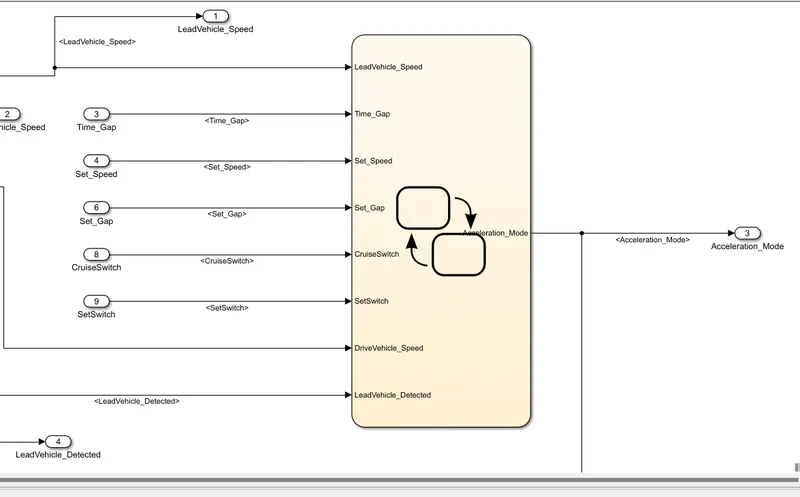
- The is req 3 for the model
- In this various inputs are given to the stateflow chart .
- Also the output from the second and first req is the input to the statemachine logic in this .
- the final output is the acc mode form the logic .
- Also this output is sent as feedback to the req 2 for the update value in the state machine with the help of a delay .
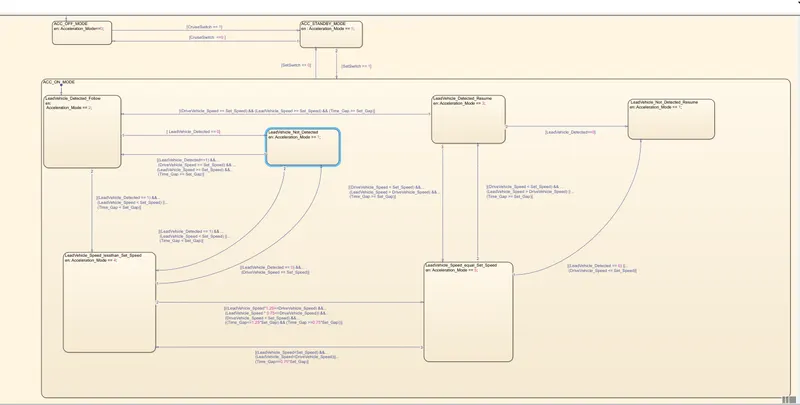
- This is a entire logic under req 3 .
- Basically all the condition is given in the ques as per the modes to interchange between the transitions .
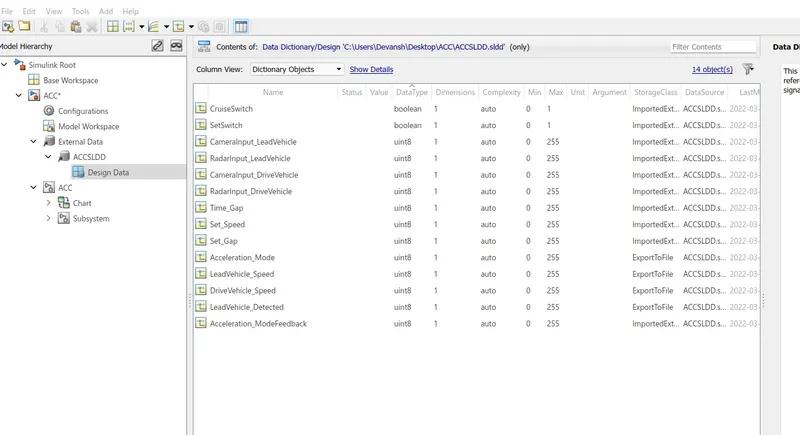
- Now after the logic has been done , Then come to build the SLDD file
- This will help to store all the information regarding the variables , signals which are later used in model while simulations .
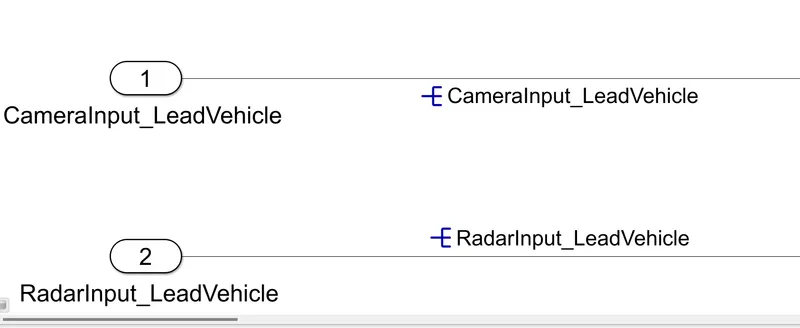
- Now after making of SLDD , we propogate all the signals and also resolve the signals .
- Not doing this will lead to loss of infomation connecting between SLDD and the model file and ultimately reflect in the advisory report .
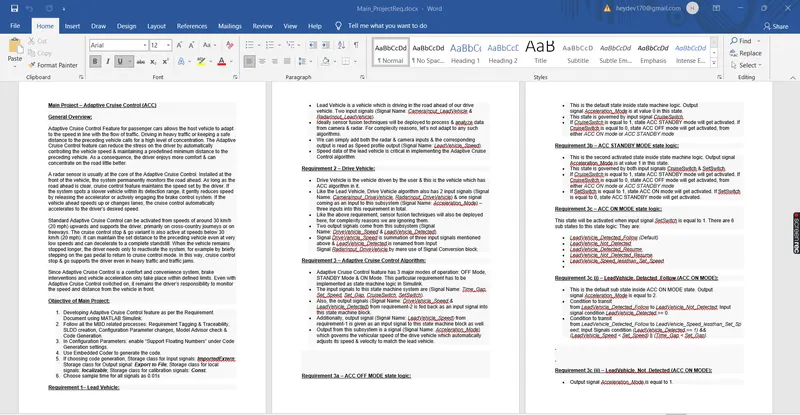
- This is the requierment tagging part .
- Bascially it is done to gather the information in easy language and inthe word format .
- It is tagged for each sub system which helps the user to know what exactly is happening in sub system .
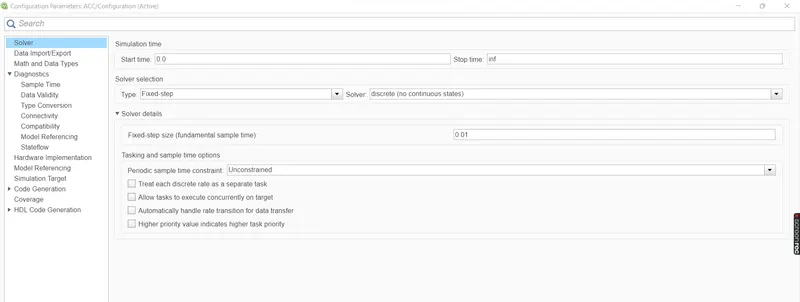
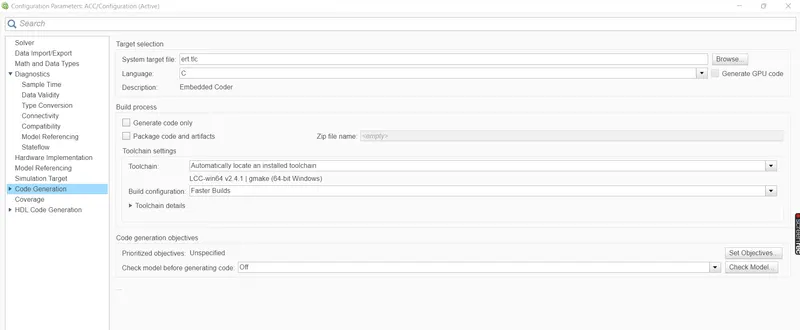
- Now after all these are done , we will come to most important part which is confugiration setting of the model .
- In this all the settings are done , so that while runiing the model all the possible errors are there , so that while builing the report they , errors and warning can be minimised .
- The idea behind this is to set the model according to industry standards .
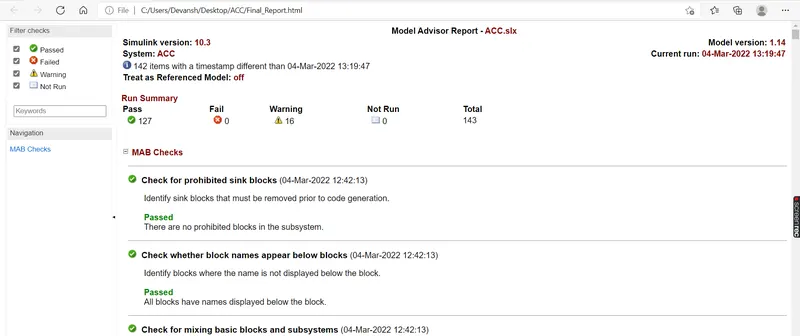
- This is finally a MODEL Advisory report which comes in front of us when we run the entire model .
- It contains PASS , FAIL and warnings .
- Our aim is to minimises the warnings to 15 .
- All the checks are done here .
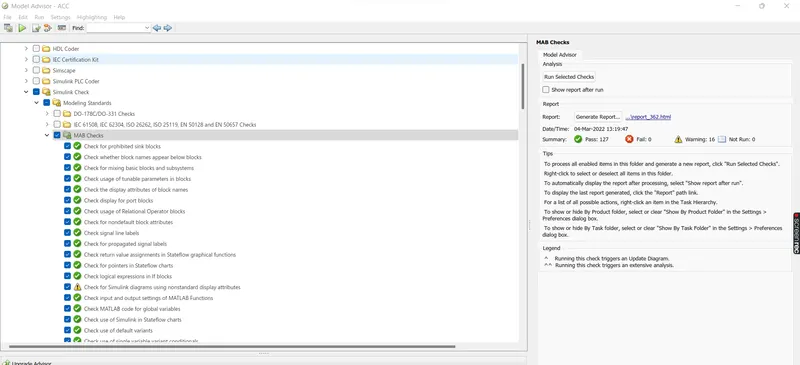
- These are MAAB checks which bascially evaluetes the model according to the industry standards .
- There are also other checks , but our priorty is to check the model wrt to MAAB guidelines .
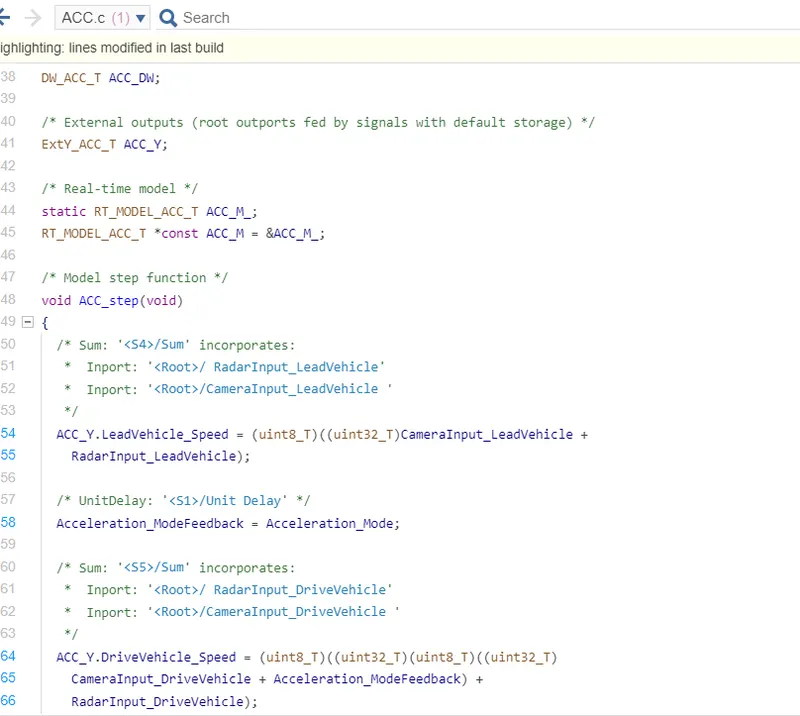
- So this is the last part of the model which is a code generation for the entire model .
- The language of this code is C .
- This is done wrt ert.tlc Solver done for embedded coding .
- This comes in .c and .h files in the the folder in which your SLDD file and slx file is there .
- One thing more is that all the documents and folders have to there in 1 folder to avoid folder mismatch at simulation time .
Please find the ZIP folder which contains all the files and model regarding this project .