Project 2
A Shree Company has plans to construct a cable-laying project. In Project, construction has a several work packages and activities are involved. Try to use the resource optimistically and also to reduce the time and cost. The activities for customizing various functional areas are stated as work package and their relationships are given. This project is carefully planned and executed by using the information given below.
SOLUTION:
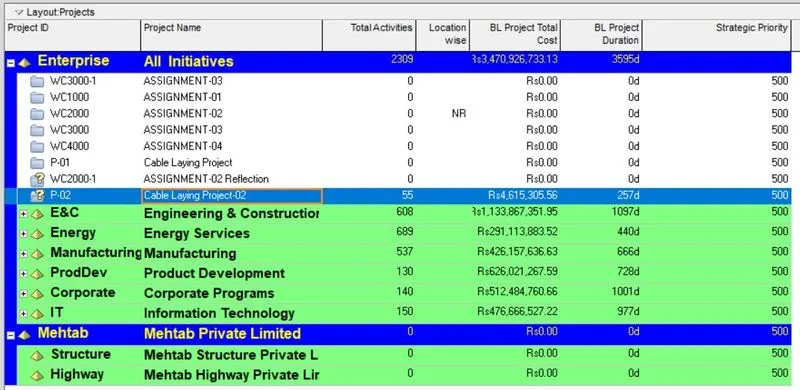
Go to Enterpraise > Projects > Projects tab open > Right click on Project-01 > Create reflection > Reflection is created to find out Work Package for a project, Activity Network and Resource Manager.
BASELINE:
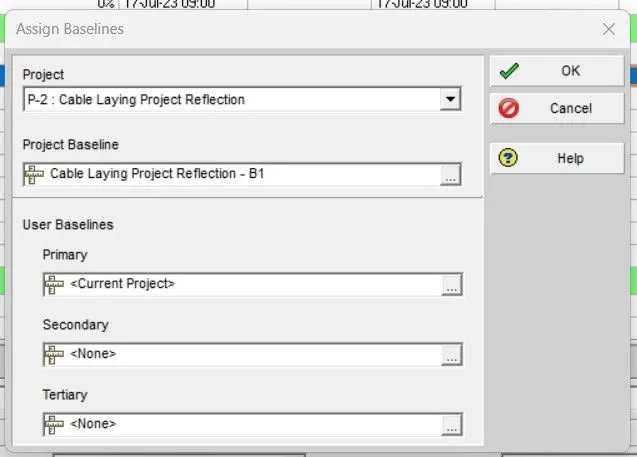
Go to Project > Maintain Baseline > Add > Baseline is created > Project Baseline : Select the created baseline > Ok.
PROJECT UPDATE:
We have updated the project in the interval of one month, which have started by 1st of august 2023.
STEP:
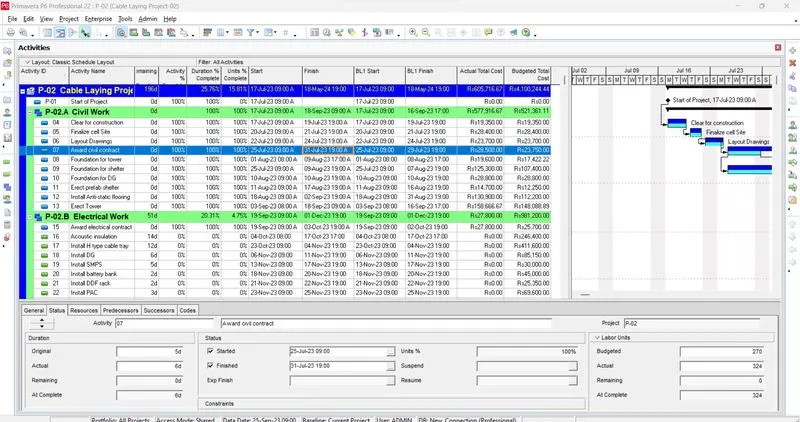
Go to Activity tab > Select the activity > Go to details tab > Check the start date > Add remaining date > Reschedule by observation date > Check the finish date > Edit the actual resources.
1st Update:
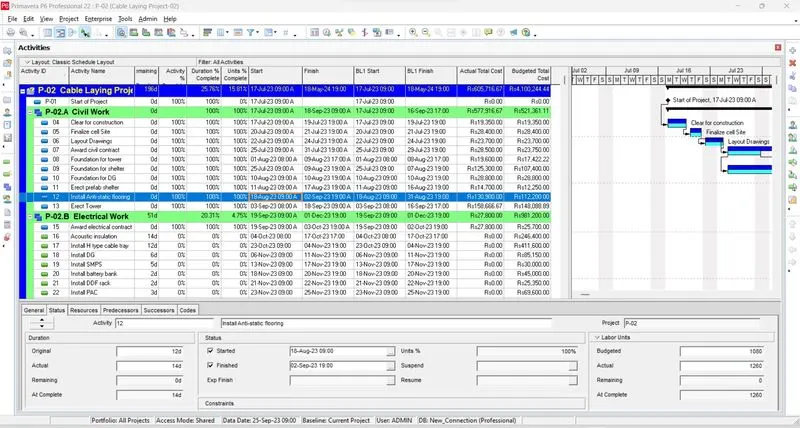
Project started on 17th of july 2023 and updatation process had been done on 1st of august 2023. In this interval, there were 4 activities which expected to complete on 29th of july , but due to delay, It had been completed on 31st of july 2023. There was one activity which was going on.
2nd Update:
Next update had been done on 1st of september 2023. In this interval, there were 5 activities which was expected to complete on or before 31st of august, but only 4 activities had been completed on 31st of august 2023 due to delay. One activity was going on.
3rd Update:
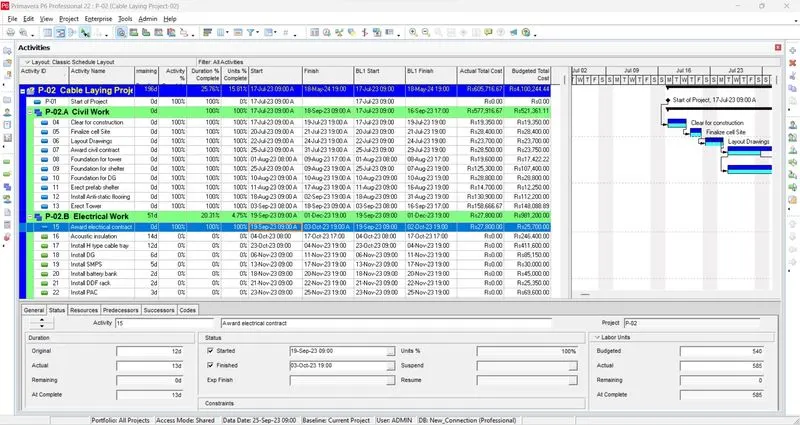
In september month, it was expected to complete 3 activities on or before 2nd october, but all 3 activity had been completed by 3rd of october 2023.
RESOURCE UPDATE:
| SL.NO | ACTIVITY ID | ACTIVITY | BUDGET UNIT | ACTUAL UNIT |
| 1 | 07 | Award Civil Contract | 270 | 324 |
| 2 | 08 | Foundation for Tower | 448 | 504 |
| 3 | 09 | Foundation for Shelter | 1080 | 1260 |
| 4 | 11 | Erect Prefeb Shelter | 135 | 162 |
| 5 | 12 | Install Anti-static flooring | 1080 | 1260 |
| 6 | 13 | Erect Tower | 2352 | 2688 |
| 7 | 15 | Award Electrical Contract | 540 | 585 |
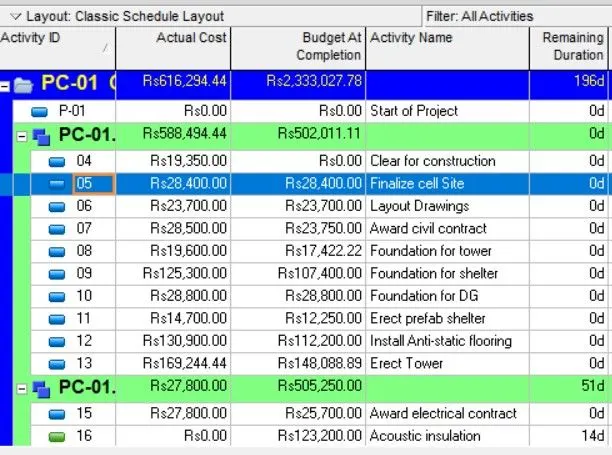
After Resource Updation,
Actual Total Cost = 588494.44
Budget at Completion = 502011.11
#NOTE: We must have to do the levelling after each updation.
STEP:
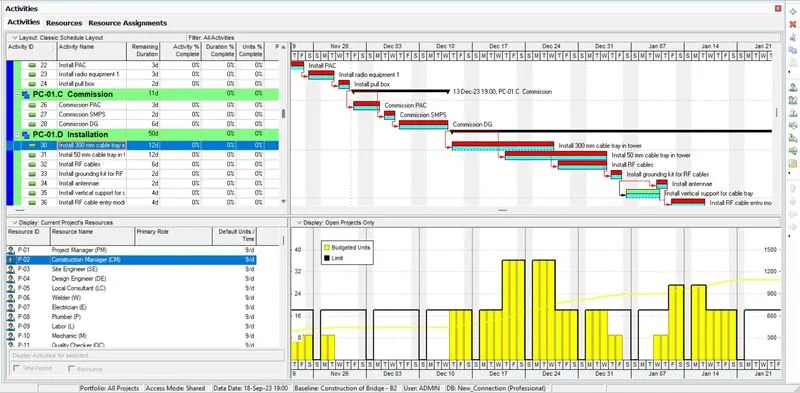
Go to Enterpraise > Resources > Resource tab open > Check the over-allocation > Set the date for allocation > Fix it by increasing the resources.
TRACKING:
EARNED VALUE:- Go to Enterpraise > Projects > Again Enterpraise tab > Tracking > Click on Project (which is in progress) > Layout name: Earned value > Apply > Open > Project table is opened for earned value.
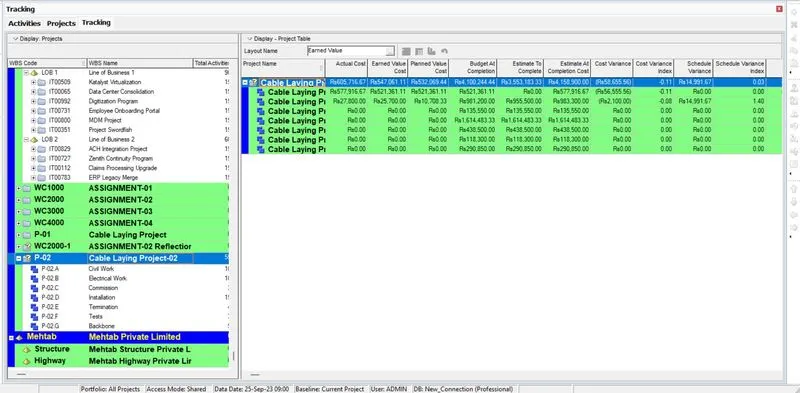
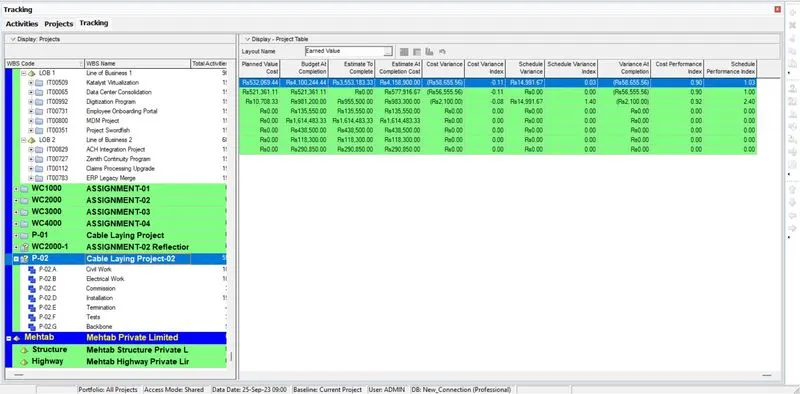
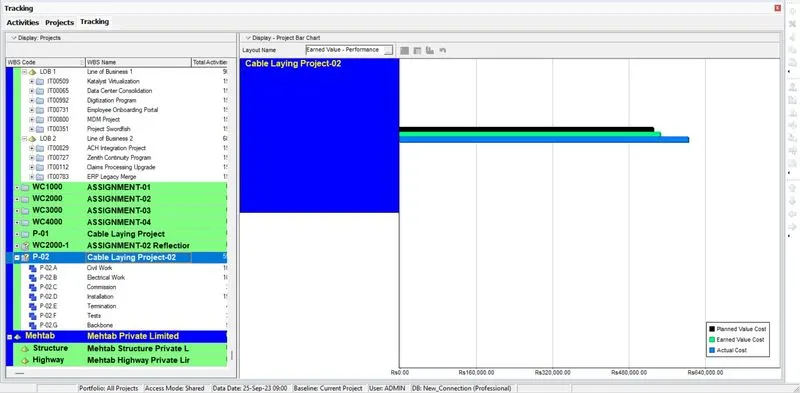
EARNED VALUE PERFORMANCE:- Go to Layout name > Change to Earned value Performance > Open > Performance is displayed.
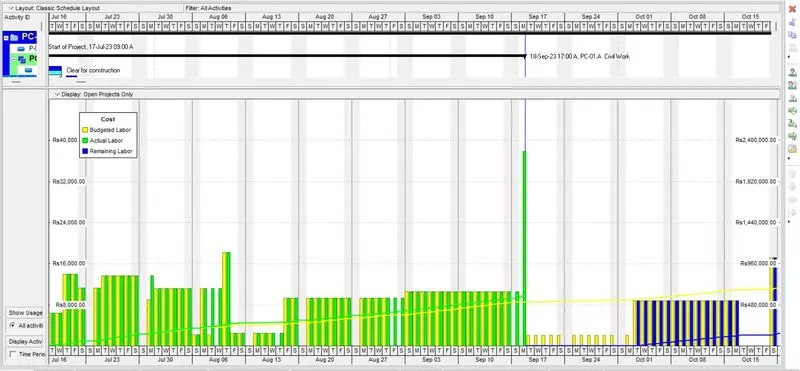
S-CURVE:- Open the activity > Activity Usage Profile > we could see the unit S-Curve for the project.
REPORT:
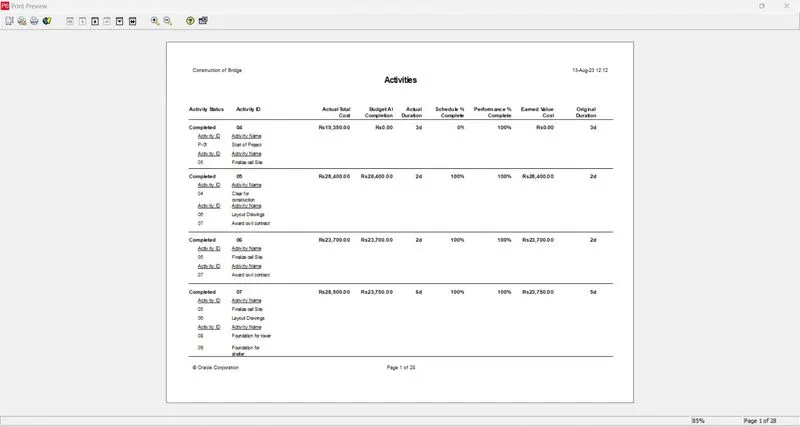
Go to tools tab > Reports > Reports wizards > New report > Select additional subject area > Next > Select the column > Add the column > Next > Edit the report title > Next > Run report > Report is generated.
Go to tools tab > Reports > Batch reports > Click on add > Edit new batch report > assign the report in it > Close > Right click on the report > Run > Batch > Select the created report > Ok > Run report is opened > Directly to printer > Ok > Report is printed and saved.