Project 1- Traffic Jam Assistant Feature
AIM: To develop one specific requirement of Traffic Jam Assistant algorithm which is feature in the IPC algorithm.
Objectives:
- This model must be developed in MATLAB Simulink as per MBD guidelines.
- Code Generation Profile must be in Embedded Coder.
- Simulink Data Dictionary must be created for the model & must be linked to the model.
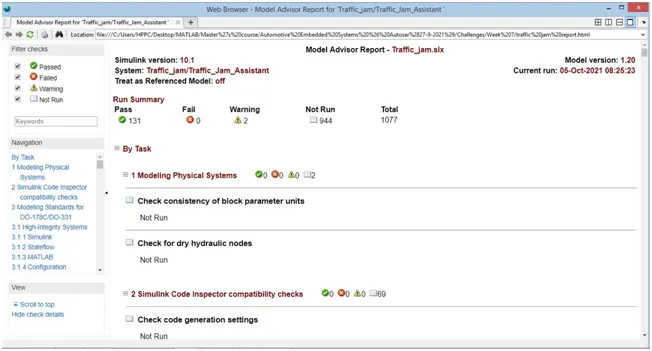
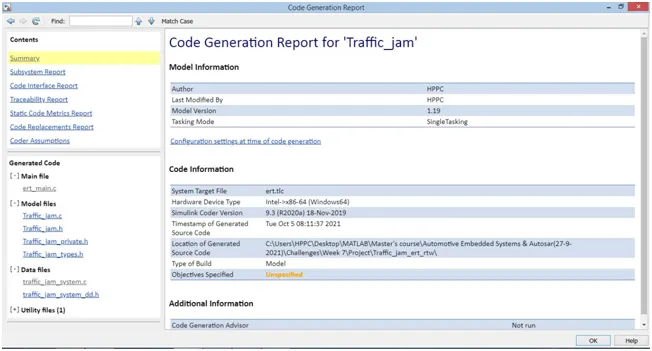
- Model Advisor Report is mandatory & this will be followed by Code Generation.
Traffic Jam Assistance
Traffic Jam Assist can assist you to in driving in highway traffic jams up to 60 km/h while the host vehicle automatically follows the vehicle ahead. Fused data from both sensors is used to help adapt the vehicle speed to the speed of the vehicle ahead, with Stop-and-Go functionality. Traffic Jam Assist works when you approach traffic and slow to a crawl. With the system on, you can take your foot off the pedals. Traffic Jam Assist brakes and accelerates the car for you, while maintaining a safe distance from the vehicle in front. This is essentially a low-speed version of Adaptive Cruise Control.
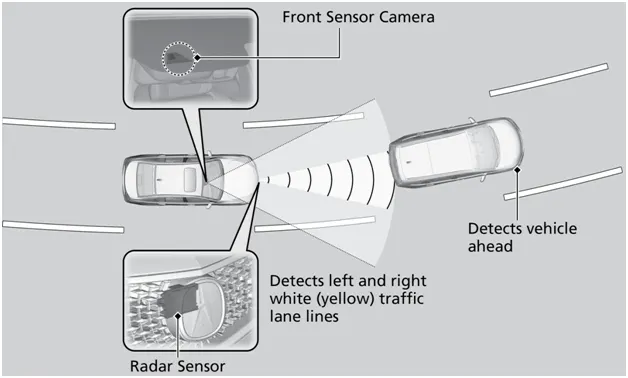
Figure: Traffic jam sensors
Traffic Jam Assistant is one of the most common feature in Advanced Driver Assistance System. Traffic Jam Assistant helps the driver arrive more relaxed at their destination, even in dense traffic or in traffic jams. As a partially automated comfort function, the system takes over the longitudinal & lateral guidance of the vehicle. This means that the car can drive off, accelerate & brake automatically, as well as steer the vehicle within certain constraints. The driver has to permanently supervise the system & be ready to take over the complete control of the vehicle at any time. Traffic Jam Assistant system helps to avoid rear end collisions in dense traffic conditions & traffic jams. In Traffic jams, the vehicle takes over driving off, acceleration, braking and steering within same lane.
Basic Working Principle:
Traffic Jam Assistant is based on the sensors and the functionality of the Adaptive Cruise Control (ACC) with stop & go and Lane Keeping Support (LKS). When ACC ‘Stop & Go’ is turned ON, the Traffic Jam Assistant continuously analyses the speed of the surrounding vehicles and compares it with the own driving speed. If the system detects dense traffic or a traffic jam at speeds less than 60 kmph, the driver can activate the functionality by press of a button. The vehicle will now automatically follow the vehicle in front, takes over driving off, acceleration, braking and steering within same lane.
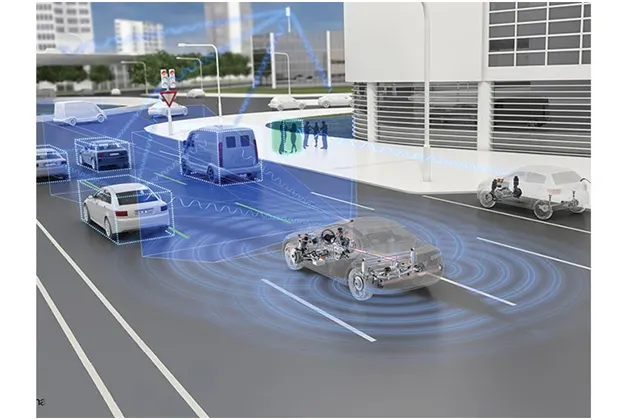
Figure: Traffic Jam Assistant Function
Advantages
- Optional front corner radars help to improve detection of vehicles cutting in.
- The driver is required to monitor both surrounding traffic and system status and can override the system at anytime.
- Traffic Jam Assist’s longitudinal, Stop-and-Go control function can manage vehicle speed and help maintain safe distance to the leading vehicle; actuation is performed by ZF’s high-performance electronically controlled braking systems or integrated brake control in the case of vacuum-less braking systems.
-
The lateral control function can help maintain vehicle position in the lane; actuation is performed by ZF’s well-established, high-bandwidth belt drive or column drive electric powered steering products.
-
Helps enhance vehicle and occupant safety & Helps dramatically reduce the efforts and stress of highway driving in congested traffic.
-
Supports collision mitigation or even collision avoidance to help improve road safety.
Simulink Model of Traffic Jam Assistant
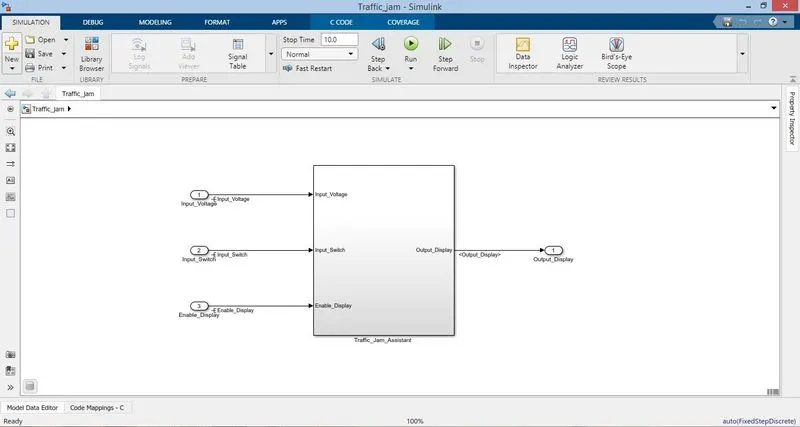
Inside the Traffic Jam Subsystem
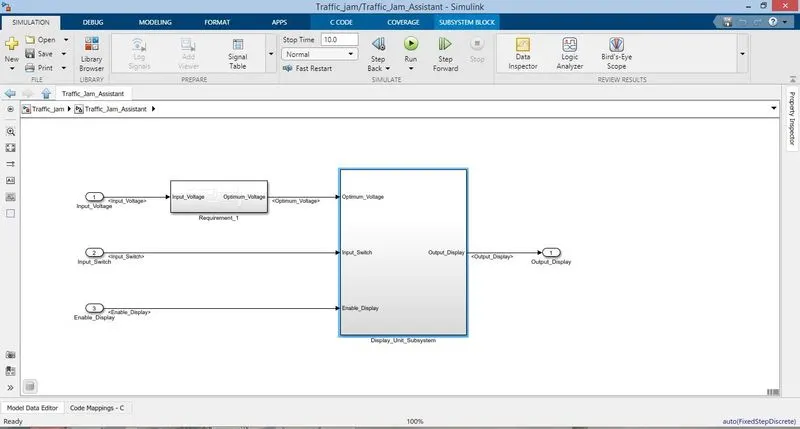
Requirement 1
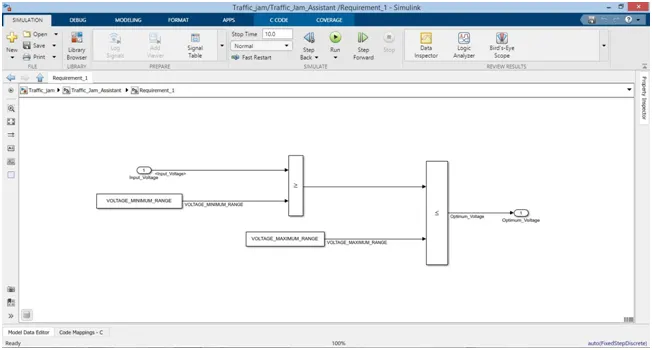
Requirement 2
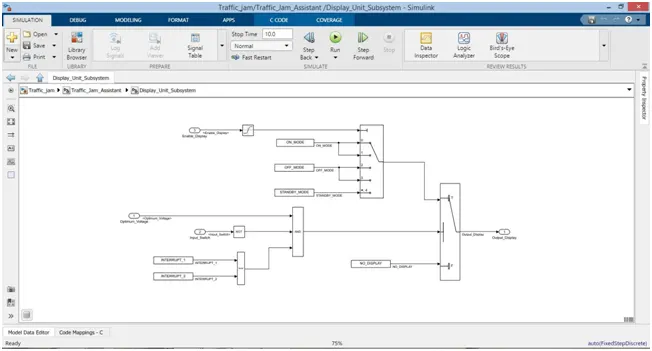
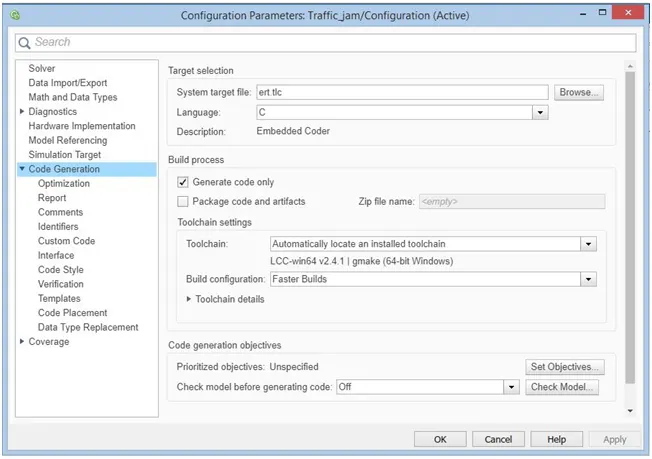
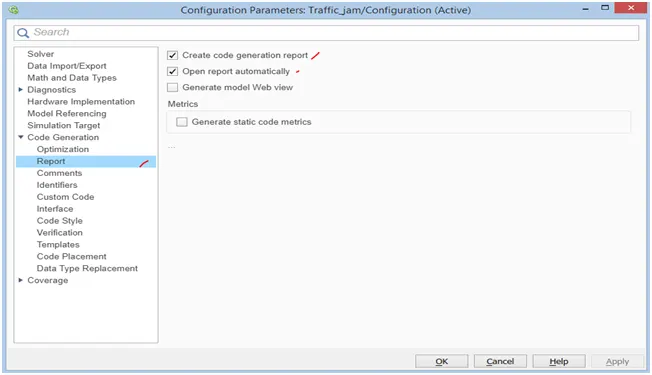
Open Configuration Parameter, go to code generation select system target files and go to Report select the create code generation report and open report automatically and update the parameters as per the MAAB guidelines.
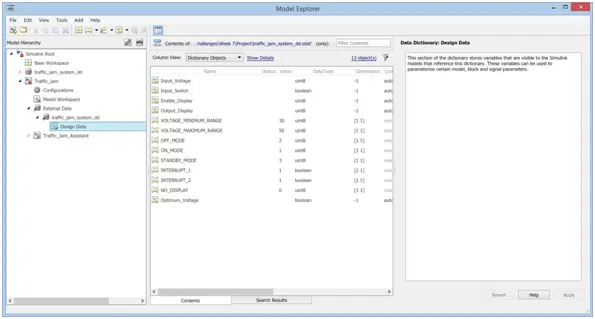
Open the model explorer and determine the input, calibration and output values & create a Simulink Data Dictionary.
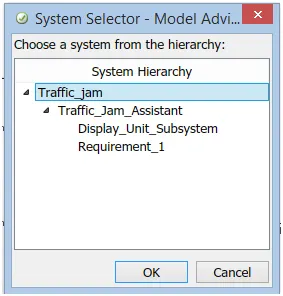
Then Model Advisor and select the our model and a popup window will open
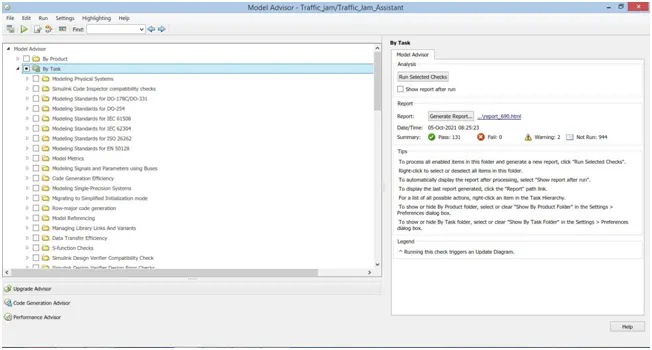
I have checked for the limited tasks and after checks completed generator a report as shown in figure.
Code Generation Report
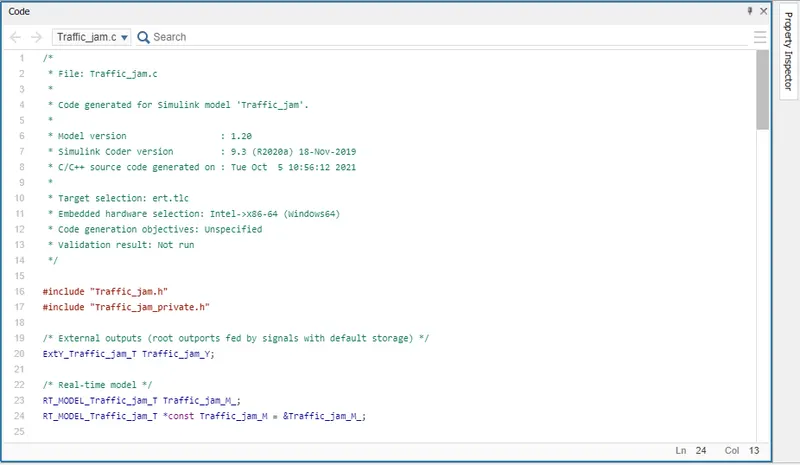
Code Generated: