Project 1-Meshing of Rear Wheel Holder challenge
aim
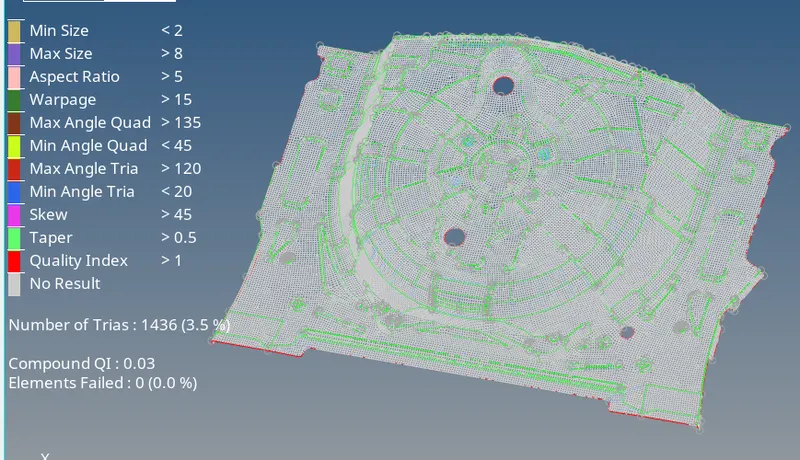
Follow the below-mentioned quality criteria, mesh the component given below and assign thickness:
Target Element Length = 5 Units
| S.N | Quality Criteria | Value |
| 1 | Aspect Ratio | 5 |
| 2 | Skewness | 45 |
| 3 | Warping | 15 |
| 4 | Taper | 0.5 |
| 5 | Min. Length | 2 Units |
| 6 | Max. Length | 8 Units |
| 7 | Min angle Quad | 45 |
| 8 | Max angle Quad | 135 |
| 9 | Min angle Tria | 20 |
| 10 | Max angle Tria | 120 |
| 10 | Tria % | 10 |
cad model
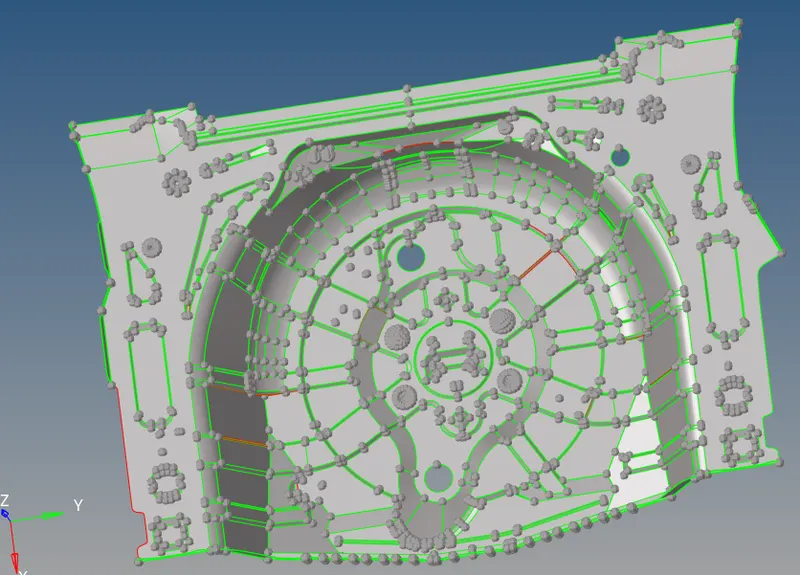
procedure
- import model
- do geometric cleanup and delete all buttond features and fill up holes created usinf f11>fill surface
- toggle edges required and stitch surfaces
- take mid surface either automatic method(geom>midsurf>autoextraction)/manual method by geom>surface edit> offset>by face>duplicate>enter offset value
- after midsurface is extracted mesh surface afterentering quality criteria and parameter file setting from preferences
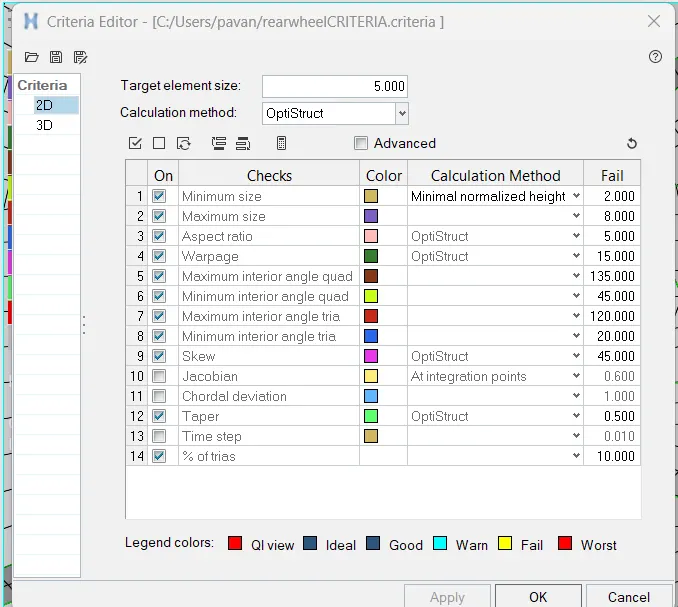
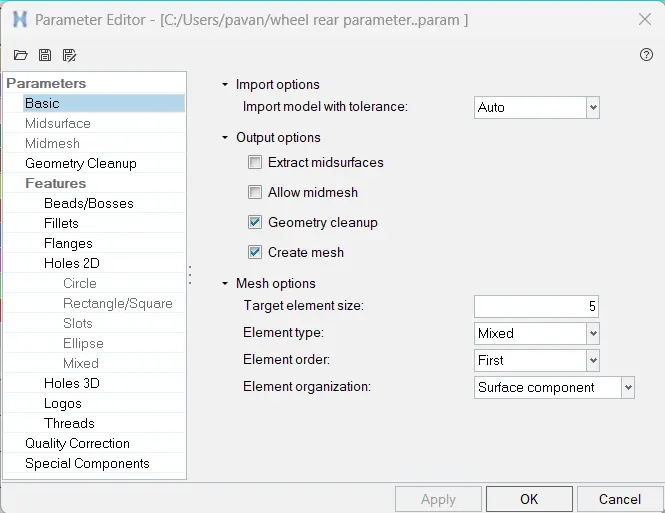
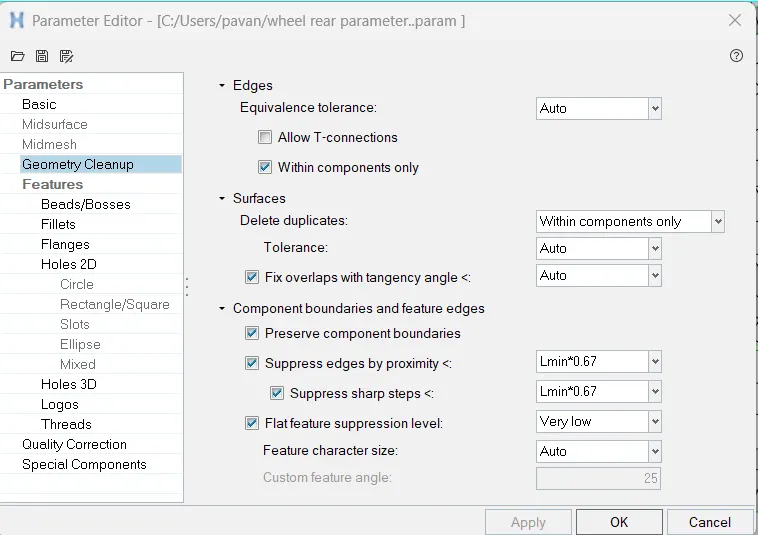
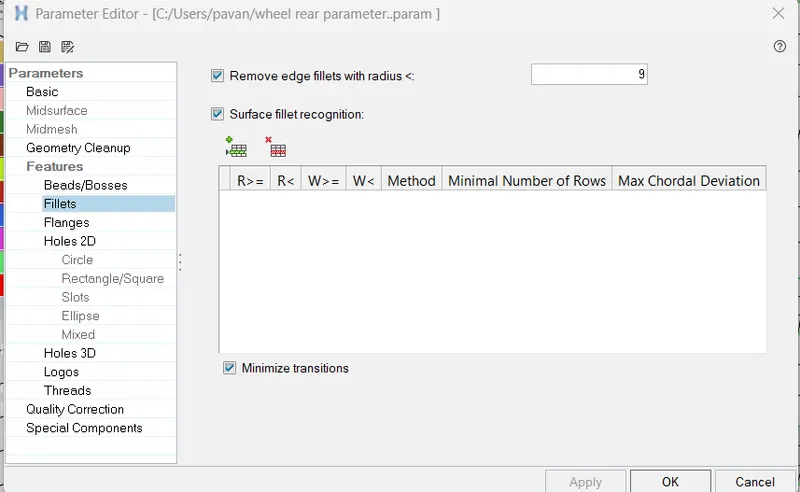
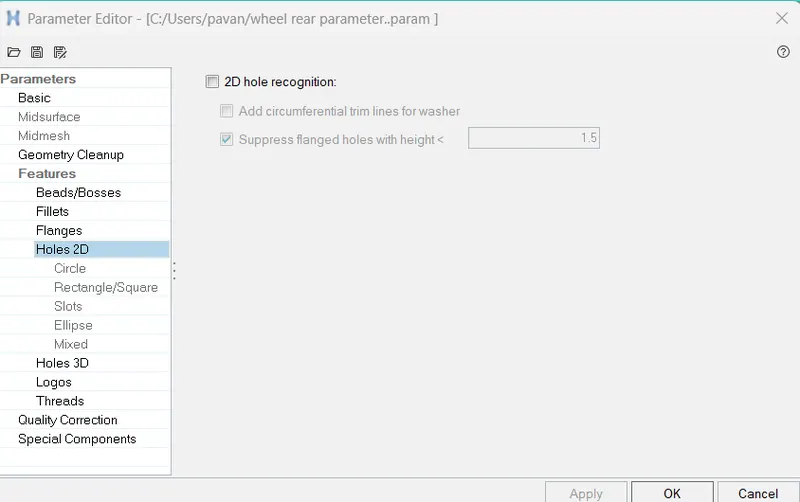
- mesh the surface using manual / batch meshing
- by using batchmeshing is shown below

- use topology revision option from preferences to rebuild mesh and make new pattern in construction lines
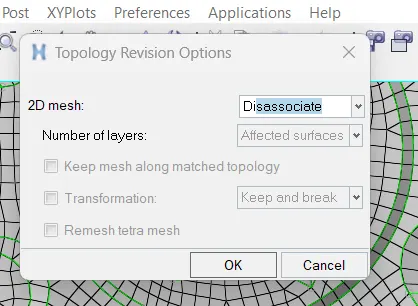
- options include disassocuate,remesh,delete
- find unnecessary free edge and clear them
- tools>edge>find edge> use replace to attach them

- assign thickness to mid surface
- create property>enter thickness assign property to component
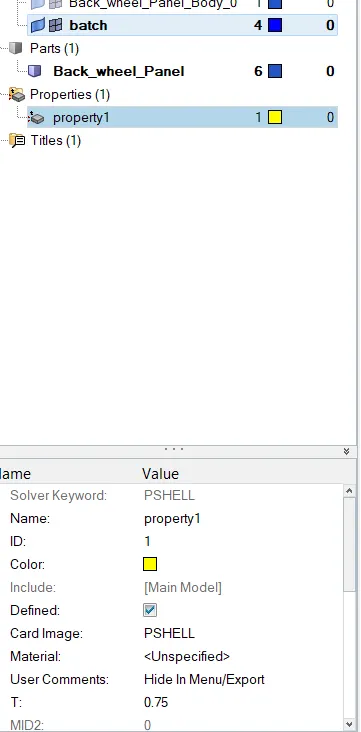
- save model
result