Project 1-Meshing of Rear Wheel Holder challenge
AIM:
To take the mid surface for all the components after checking the geometrical errors and mesh the mid surface with the given element Quality criteria for the given rear wheel holder.
GIVEN DATA:
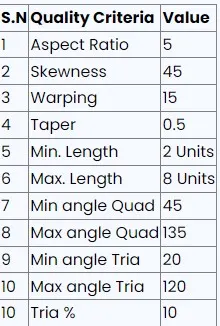
Steps involved in the procedure:
- To check all the geometry error and to fix them.
- Mid surface to be made for all the geometry.
- To generate mesh with the given quality criteria.
PROCEDURE:
- Open the hypermesh software.
- Import the given hood model from the import geometry option
- In hypermesh we can import all the CAD Software file formats like IGES,STEP,etc.
- And we have to do midsurfacing for the component
- to mesh the component within the given criteria.
Given model:
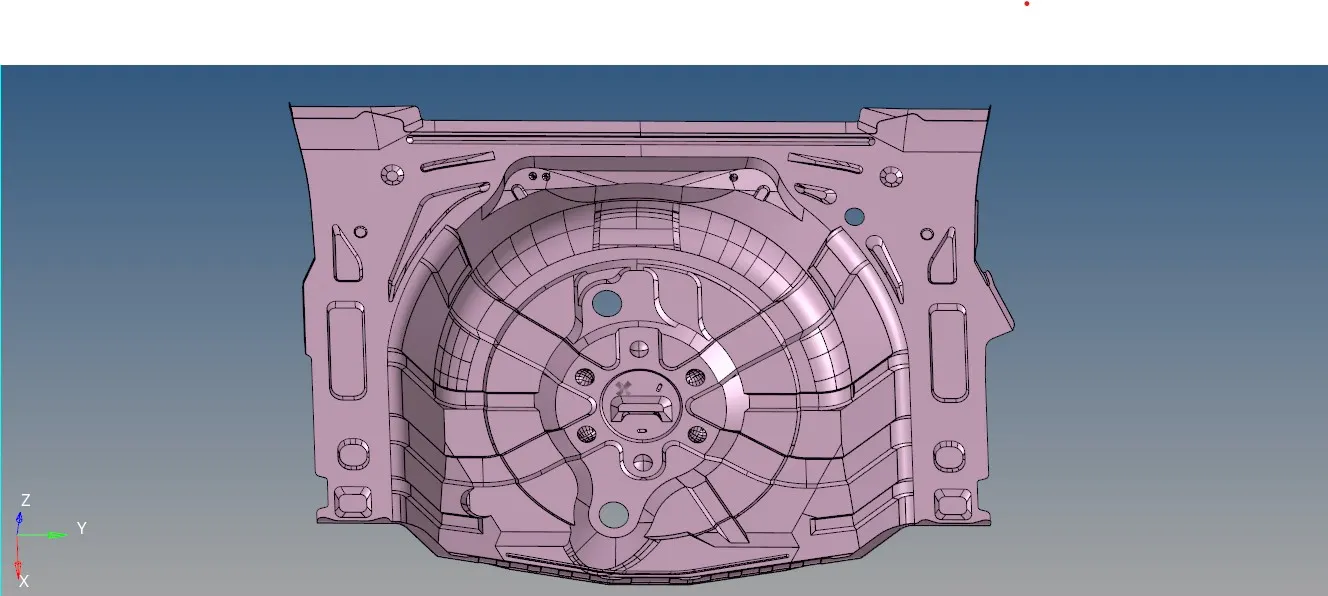
STEP 1:
- After importing the model check whether there are any solids present in it.
- If any solids present in the component, then we have to delete them.
- For that go to Delete>solids and select the component and click on delete.
- In this component, there are no solids present. So we proceed for geometry cleanup.
STEP 2:
- After deleting the solids, we have to check whether there are any geometry errors.
- Now to perform geometry cleanup, go to the Geometry> autocleanup option and select the model and press middle mouse button. '
- Autocleanup option automatically clear geometrical errors present in the model.
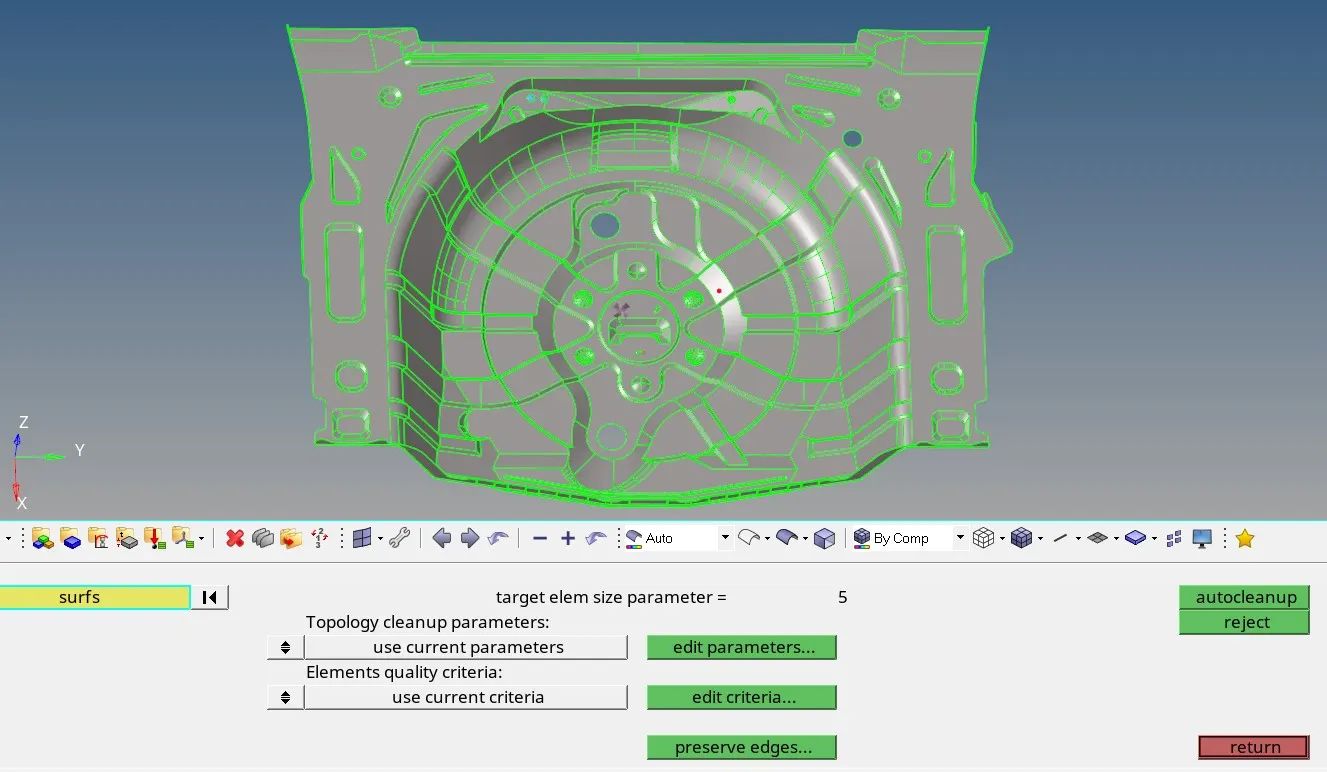
STEP 3:
- After geometry cleanup, we proceed for midsurface extraction.
- go to Geometry>midsurface option. Choose the auto midsurface option and select all the surfaces. Then click on extract option.
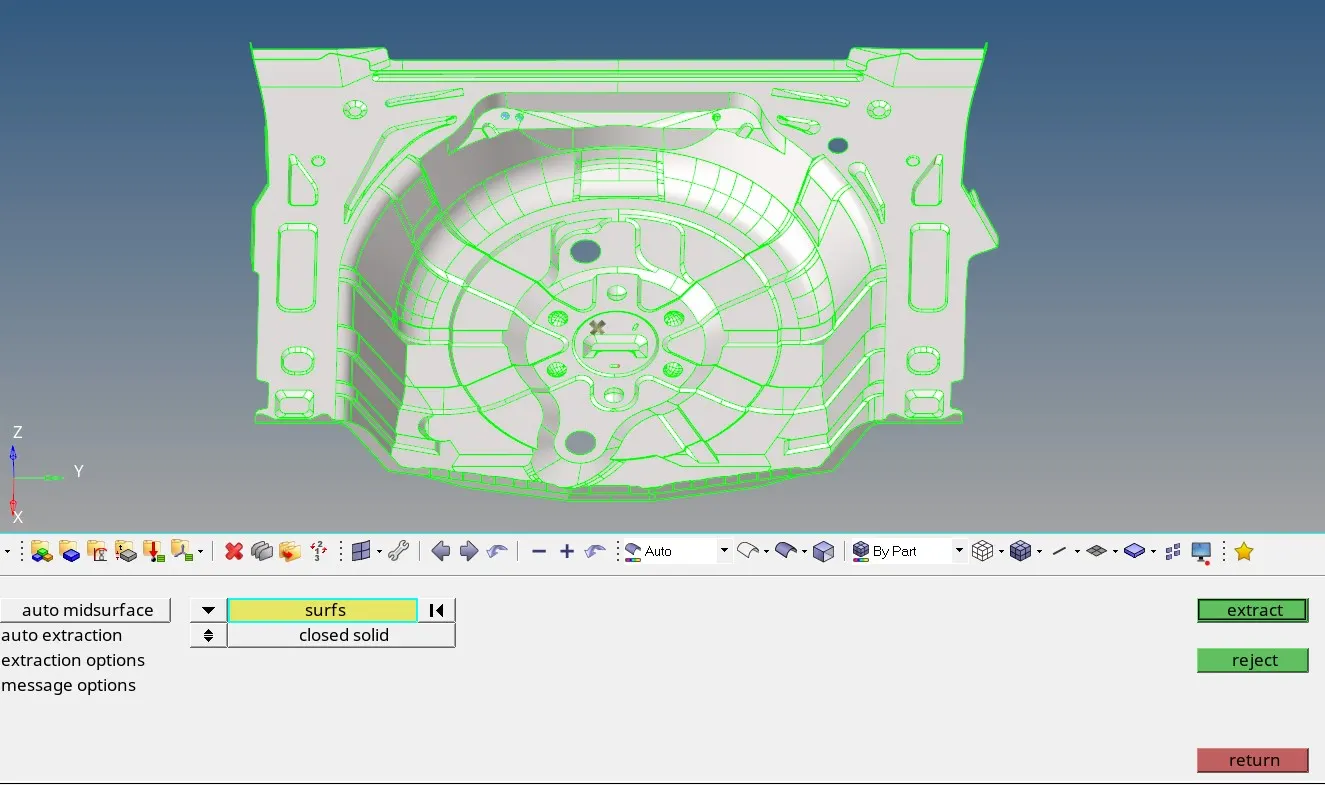
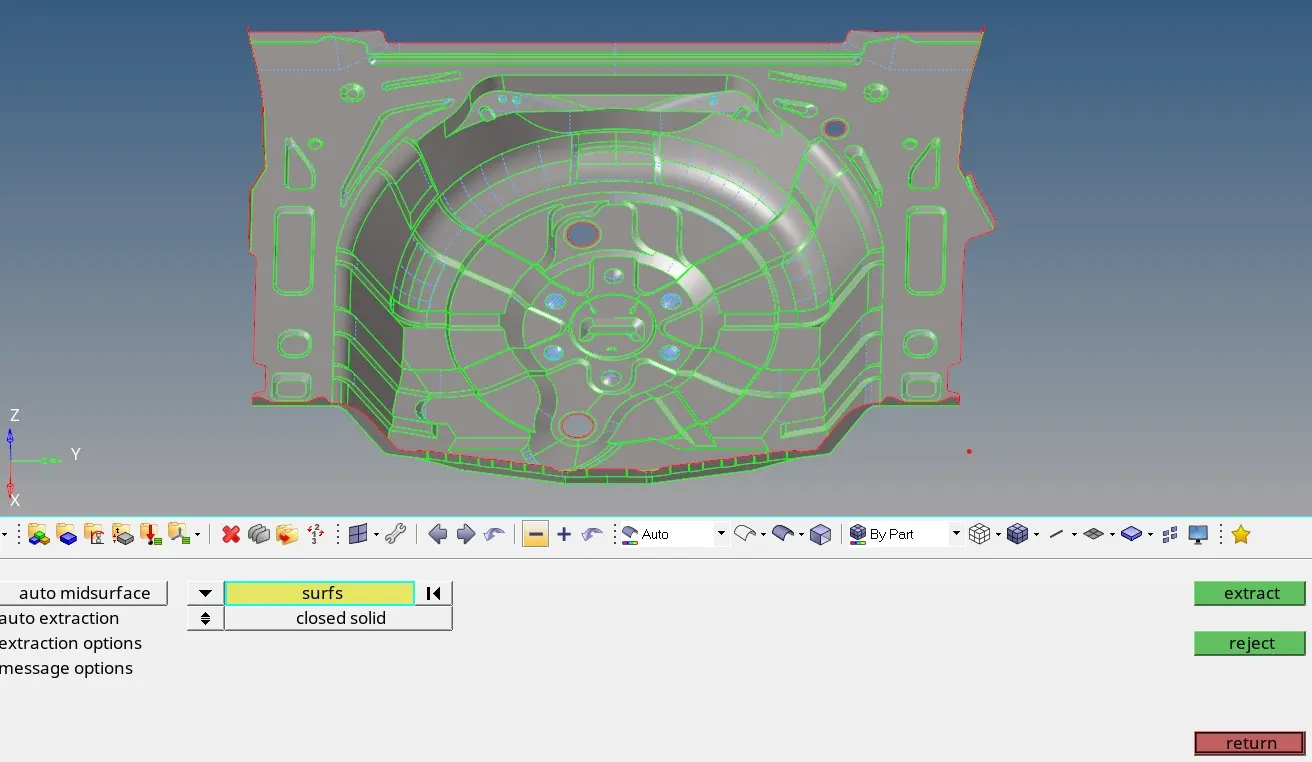
STEP 4:
- After doing the midsurface we have to go for meshing .
- before that we have enter the quality criteria and target element length.
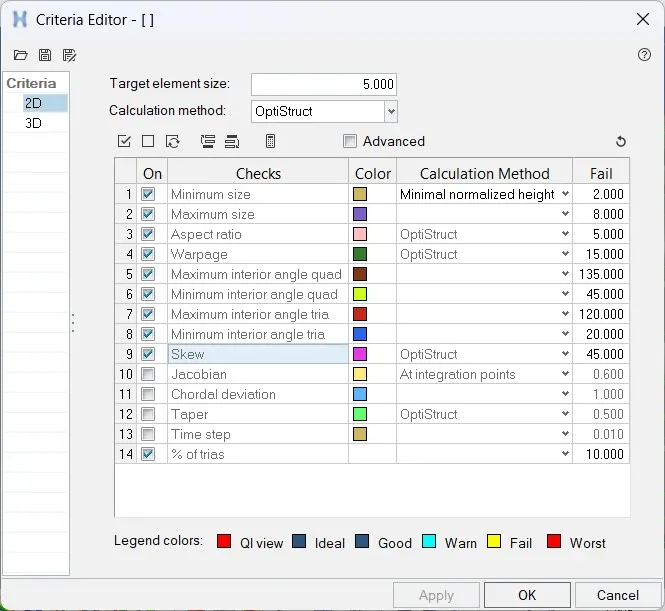
STEP 5:Meshing
- we can use two types of mesh auto mesh and batch mesh
- Go to 2D or press f12>> Automesh>> select the surface>> provide element length of 5 mm>> choose mesh type as ‘mixed’ >> element to current surface >> select current component as symmetric one >> Keep connectivity >> click on mesh
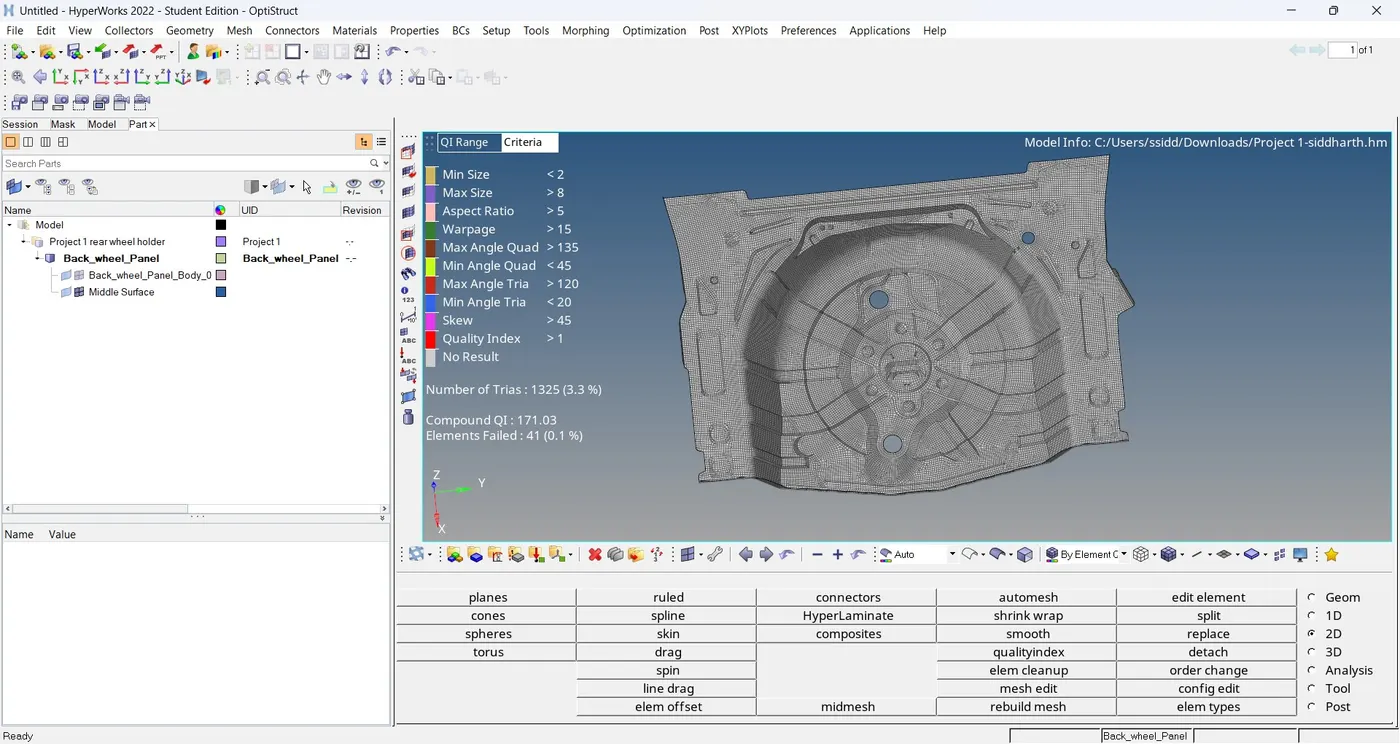
- now we have check for element failing.go to mesh>>check>>element>>quality index.This is the final mesh containing all the components.
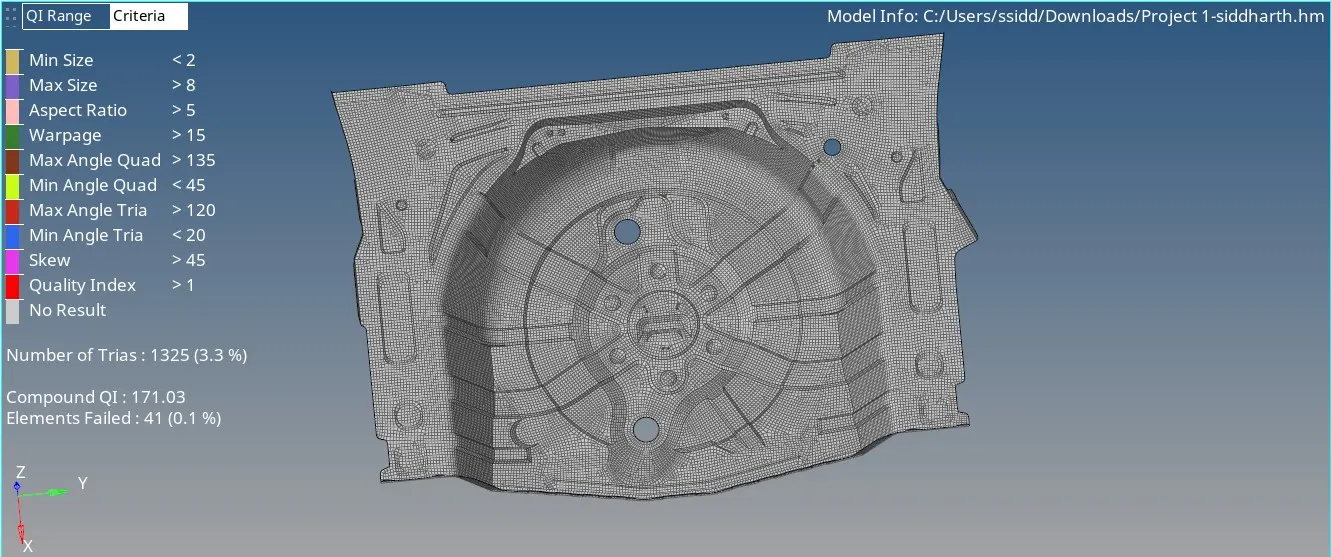
The tria percentage is 3.3%
LEARNING OUTCOMES:
- I can now able to generate geometry clean up and property Ids
- can do mid surface for any component
- understood how to do mesh for complex geometry
CONCLUSION:
Thus, for the given rear wheel holder model, the mid surface for the component is generated and the geometrical errors are identified and fixed and meshing for the component with the given element Quality criteria is done and thickness is assigned.