Project 1-Meshing of Rear Wheel Holder challenge
OBJECTIVE
The objective of this challenge is to mesh the rear wheel holder model of a car with a target element length of 5 units and satisfying the below mentioned quality criteria.
Quality criteria
| Sl .no | Quality criteria | Value |
| 1 | Aspect ratio | 5 |
| 2 | Skewness | 45 |
| 3 | Warping | 15 |
| 4 | Taper | 0.5 |
| 5 | Min length | 2 |
| 6 | Max length | 8 |
| 7 | Min angle quad | 45 |
| 8 | Max angle quad | 135 |
| 9 | Min tria angle | 20 |
| 10 | Max tria angle | 120 |
| 11 | Tria percentage | 10 |
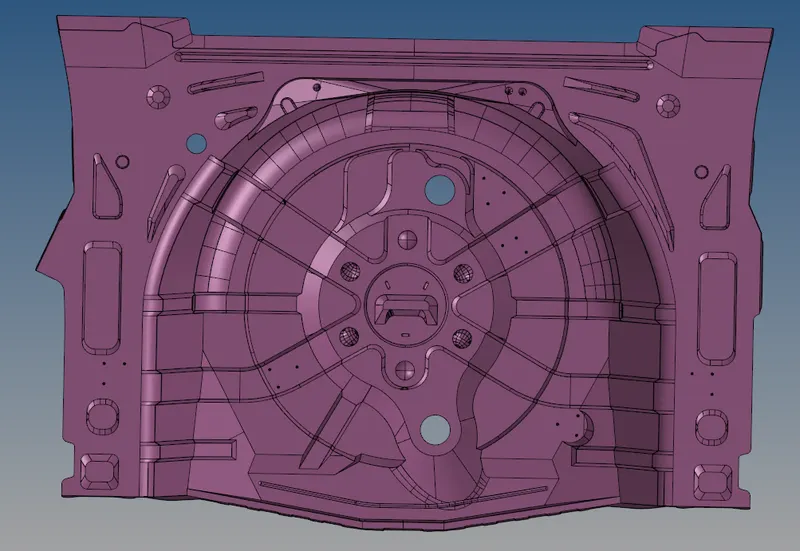
The CAD model image of the component is shown below.
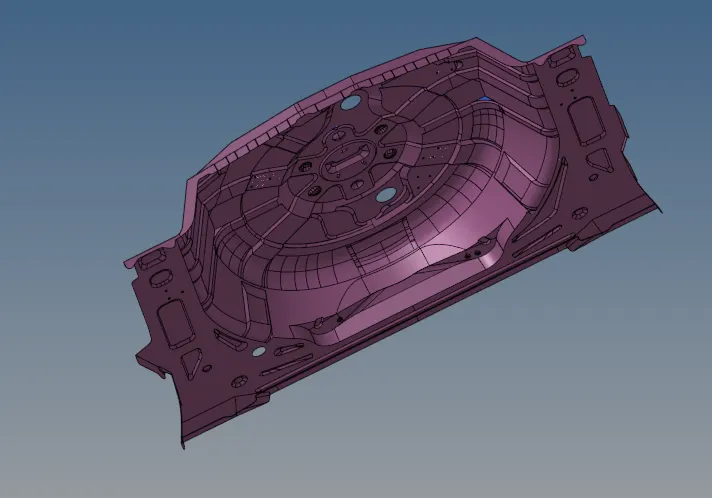
PROCEDURE
The model is imported onto hypermesh. Since the model is complex automidsurface extraction does not work properly. So a midsurface is generated manually by using 'offset' option present in the 'surface edit' tool. For this ,the side which contains surfaces with minial geometrical errors is selected and geometry cleanup is done and then the midsurface is created using the offset option. Then the model is meshed starting from one side, using 'automesh' option. Since this model has surfaces which are symmetrical, 'symmetry' tool was utilized for faster meshing. The most common tools used for geometry cleanup include 'filler surface', 'toggle edge' & 'replace point'. These tools can be easily found in quick edit panel.
Some of the main rules followed for otaining a good quality mesh were:
- Cyclical quads were avoided as much as possible
- Back to back tria were avoided
- Opposite tria elements was avoided as much as possible.
- Tria elements on the edge of the geometry was avoided
- Tria elements were avoided near the holes.
- Tria elements on the feature lines and fillets were avoided as much as possible.
- Tria concentration was made less
The meshes generated using 'automesh' tool usually contain many trias . So, the meshes were further refined using 'rebuild mesh' tool. The element colour mode was set to 'by element quality' for easy visualization of elements that failed due to various reasons. Some of the most common tools used to correct failing elements were, 'node optimize','place node' &'element optimize'. The tools which were mostly used to correct tria concentrations are 'drag tria elements','swap edge' & 'edit elements'. Split and combine options present in 'edit element' tool was very commonly used. 'Smooth' tool was also used extensively to get a good mesh. 'Edges' tool was used to correct equivalence issue between elements.
'Translate ' tool was also used very frequently to correct warpage isuues and minimum element size issues and various other issues whenever needed.
Finally after obtaining a satisfactory mesh the thickness was assigned manually. 'Normals' tool was used to check whether all the normals in a face are aligned properly. 'Edges' tool was used to check for the existance of any unwanted free edges in the component after meshing. For finding if any duplicate elements are present in the final mesh duplicate option in the 'check elements' tool was utilized.
RESULTS
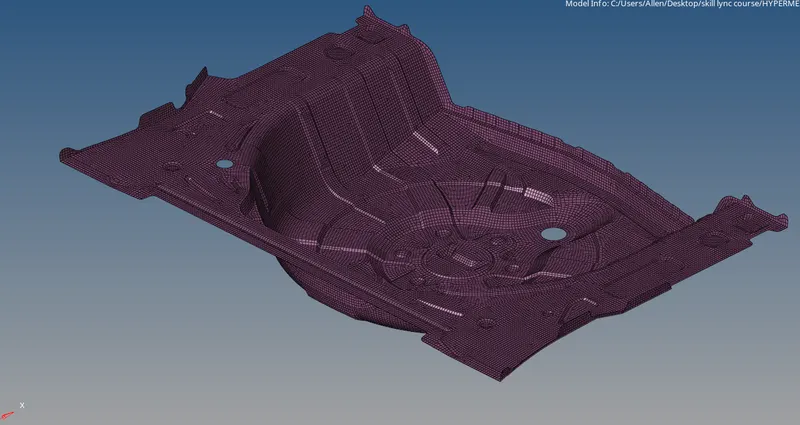
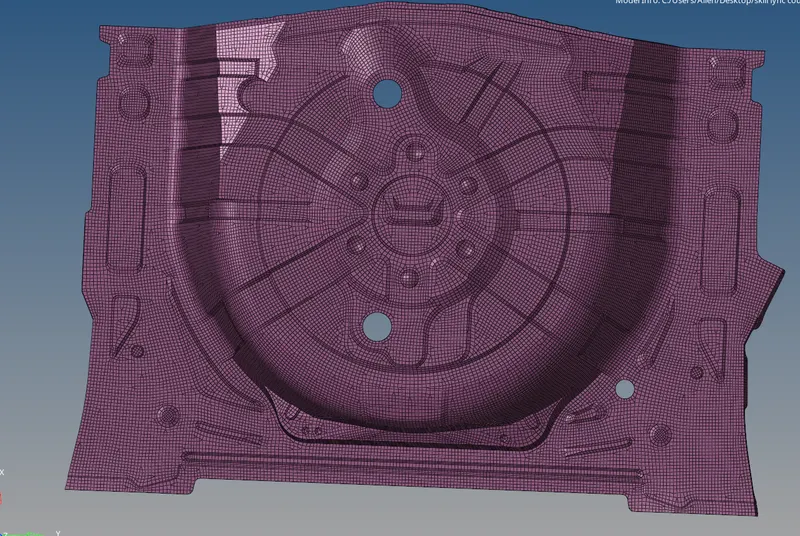
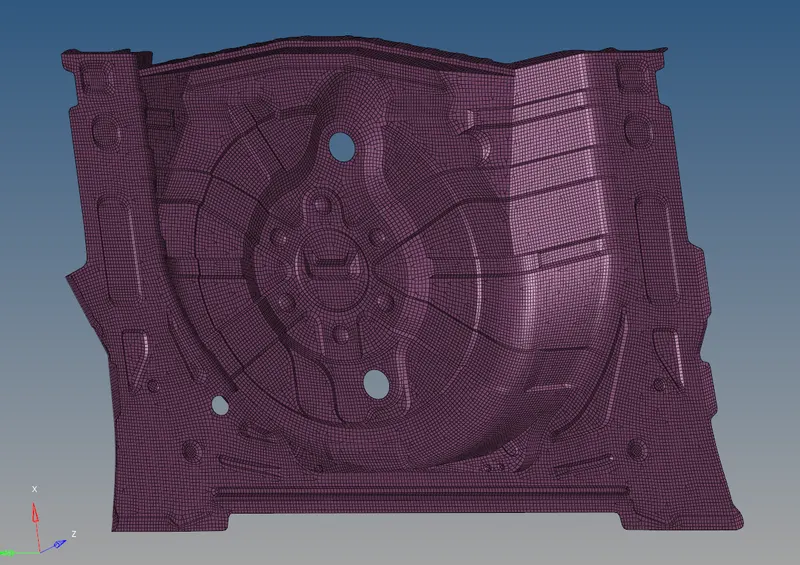
The model was meshed with a target element size of 5 satisfying all the mentioned quality criterias. The final image of the meshed model is shown below.