Project 1 - Meshing of Floor Panel
AIM :
To extract the Midsurface and generate a Mesh on the given Floor Panel by following the specified Quality Criteria using ANSA.
OBJECTIVE :
- Import and clean up geometry on the given Sheet Metal Component using ANSA GUI.
- Clear all the unwanted surface and create an new surface.
- Extract the mid-surface with suitable mid-surfacing techniques.
- Mesh the generated mid-surface and reconstruct the mesh to satisfy the given Quality Criteria.
- Complete the PID and thickness assignment of the model.
- GIVEN DATA :
- CAD model.
S.N
Quality Criteria
Value
1
Aspect Ratio
5
2
Skewness
45
3
Warping
15
4
Taper
0.5
5
Min. Length
2 Units
6
Max. Length
8 Units
7
Min angle Quad
45
8
Max angle Quad
135
9
Min angle Tria
20
10
Max angle Tria
120
10
Tria %
10
Procedure :-
Step-1
1. Import the file by go to FILE-OPEN-go to location hit ok
Goto file---open---select the source-and import the model into the ansa
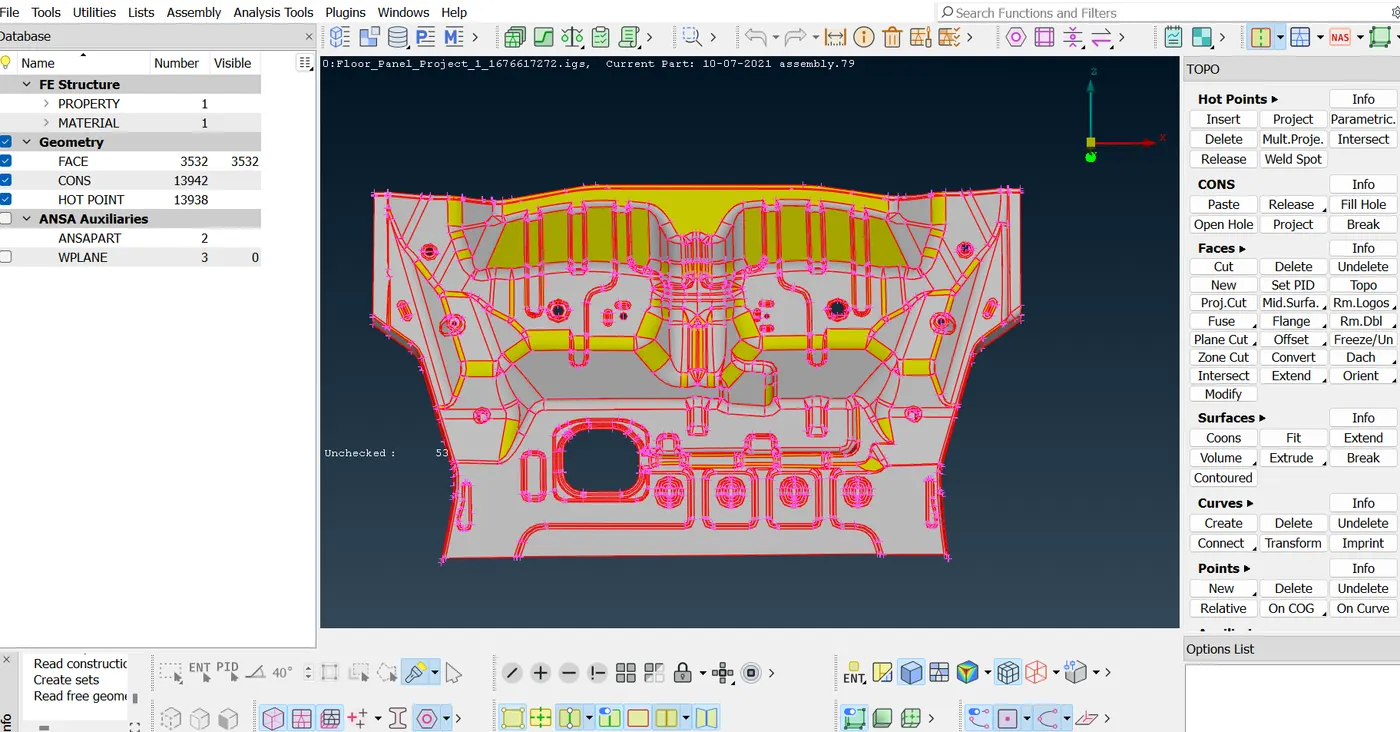
Figure-1
Step-2
Goto face option--select the TOPO-- Hold the mouse left click--select the all the componet--- middle mouse
2.now we have to do topo and orient on imported model by doing this we can see actual model which imported.
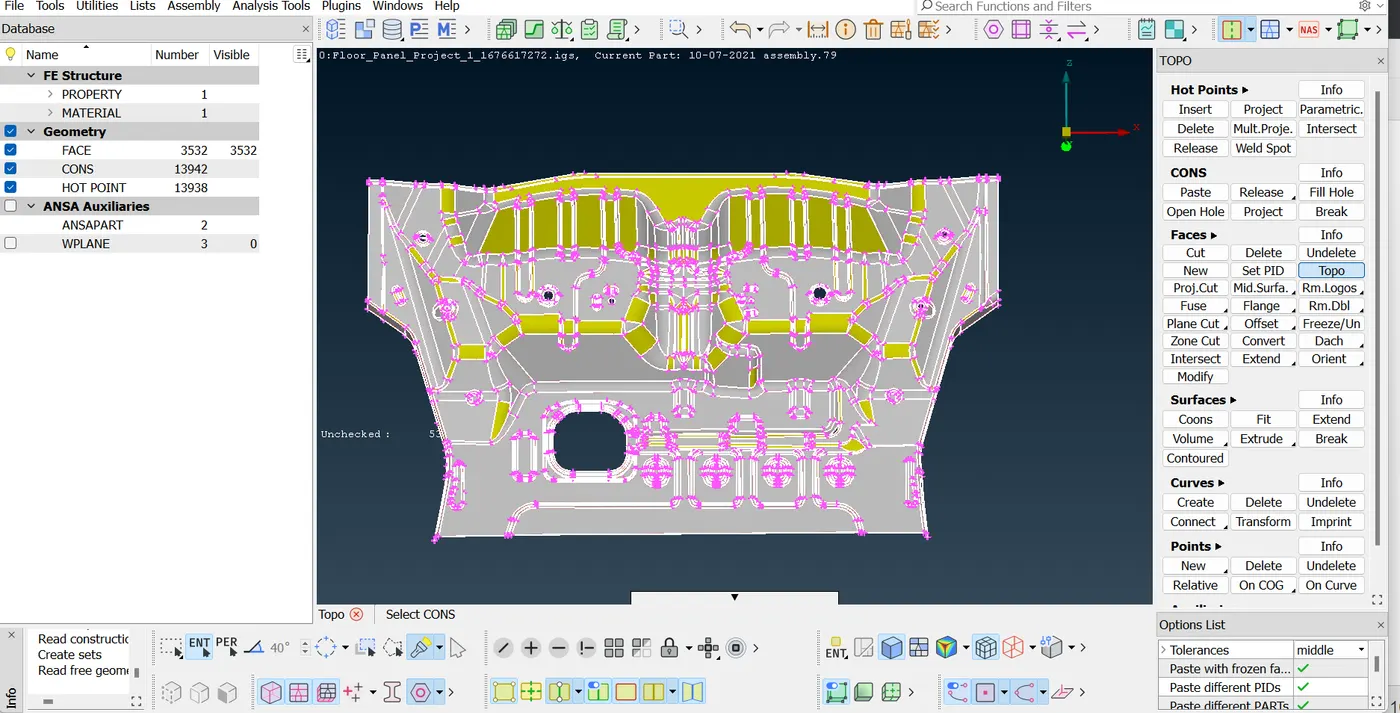
Figure-2
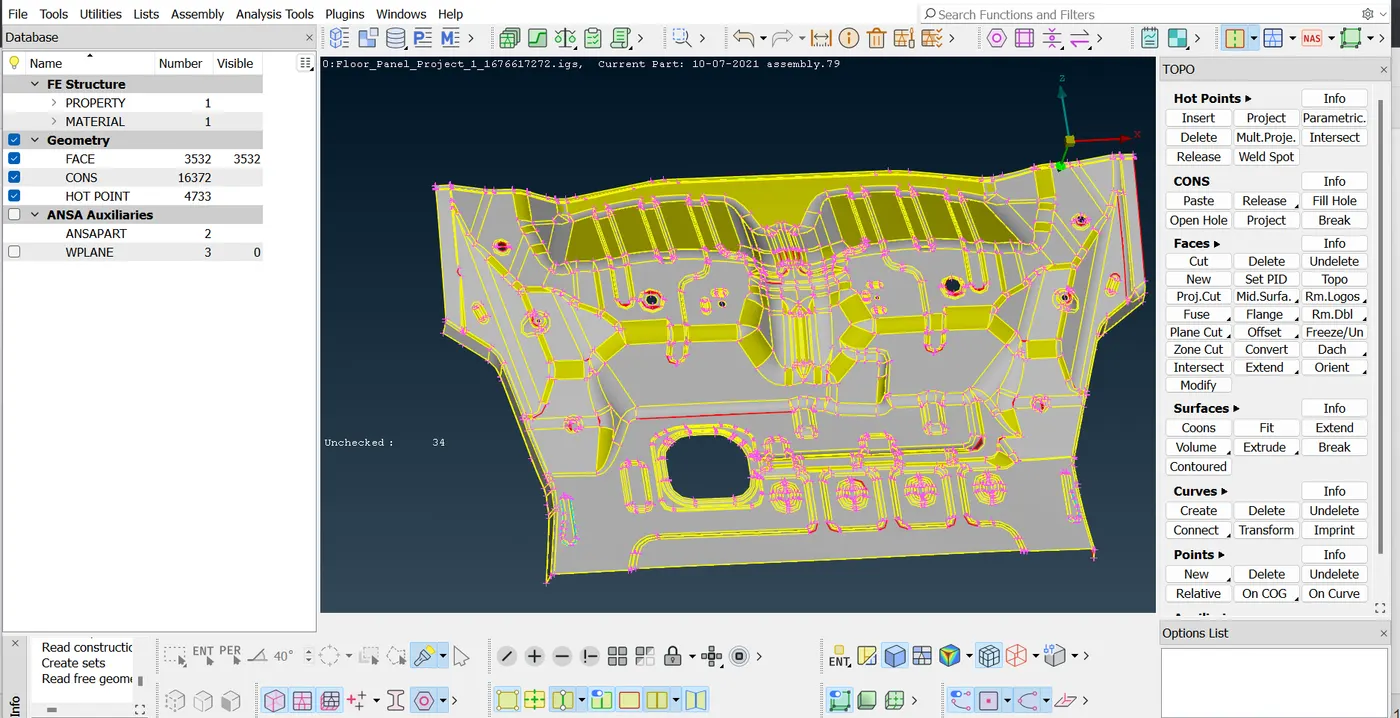
Figure-3
Step-3
Goto the -----checks manager--- goto the Geomatric----Execute---seen the all geomatric error---- select the all error---left click--- select FIX OPtion
Those geomatric issue are not solved we are solve it by manually
3. After this run geometry errors in order to check single cons, unmeshed macros etc and we can fix this error by automatically. But those not fix by auto we have to fix.This manually by going to that location and doing topo cleanup on that region.
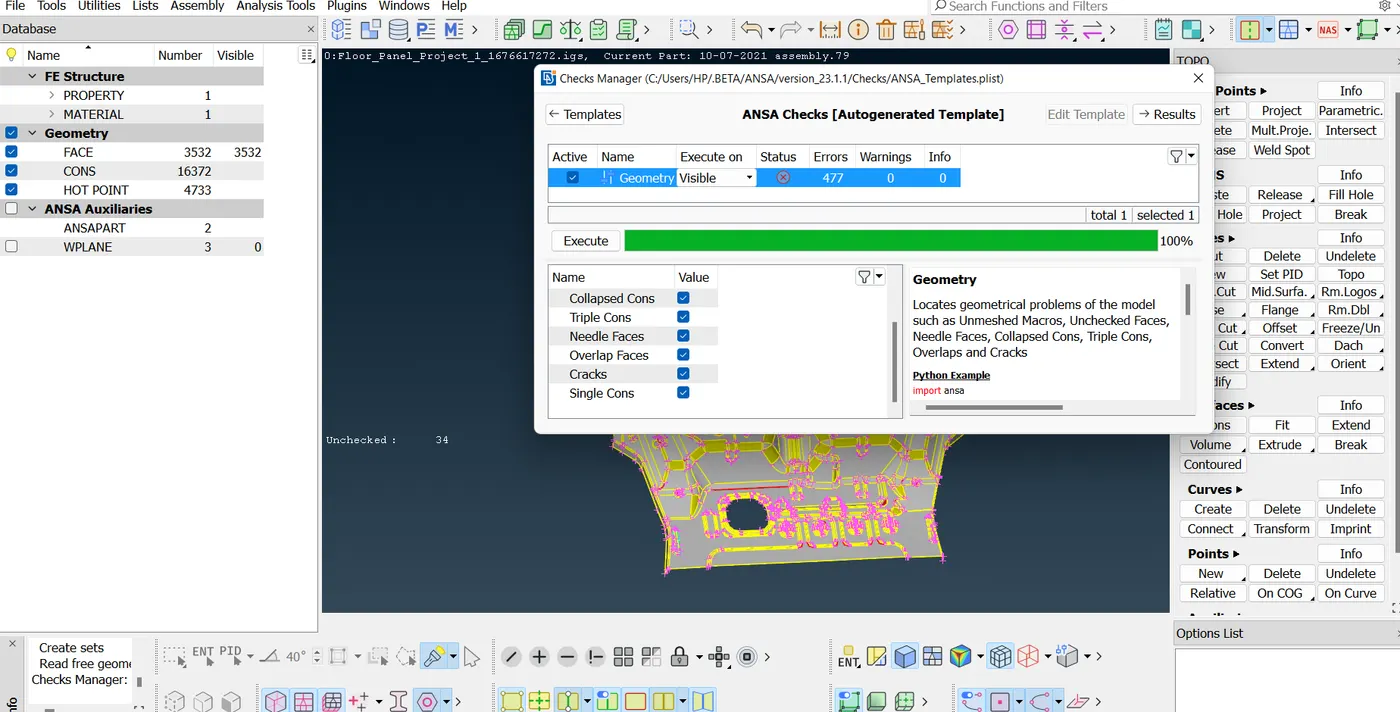
Figure-4
Step-4
Now we observe that the some extra faces/ Surface are created in the model
Goto the -----Faces---select delete-----select the extra Surface----middle mouse ------click ok
4.now we have to observe model carefully this is best practice to start with on end and to go last end with observing the errors and eliminate those.
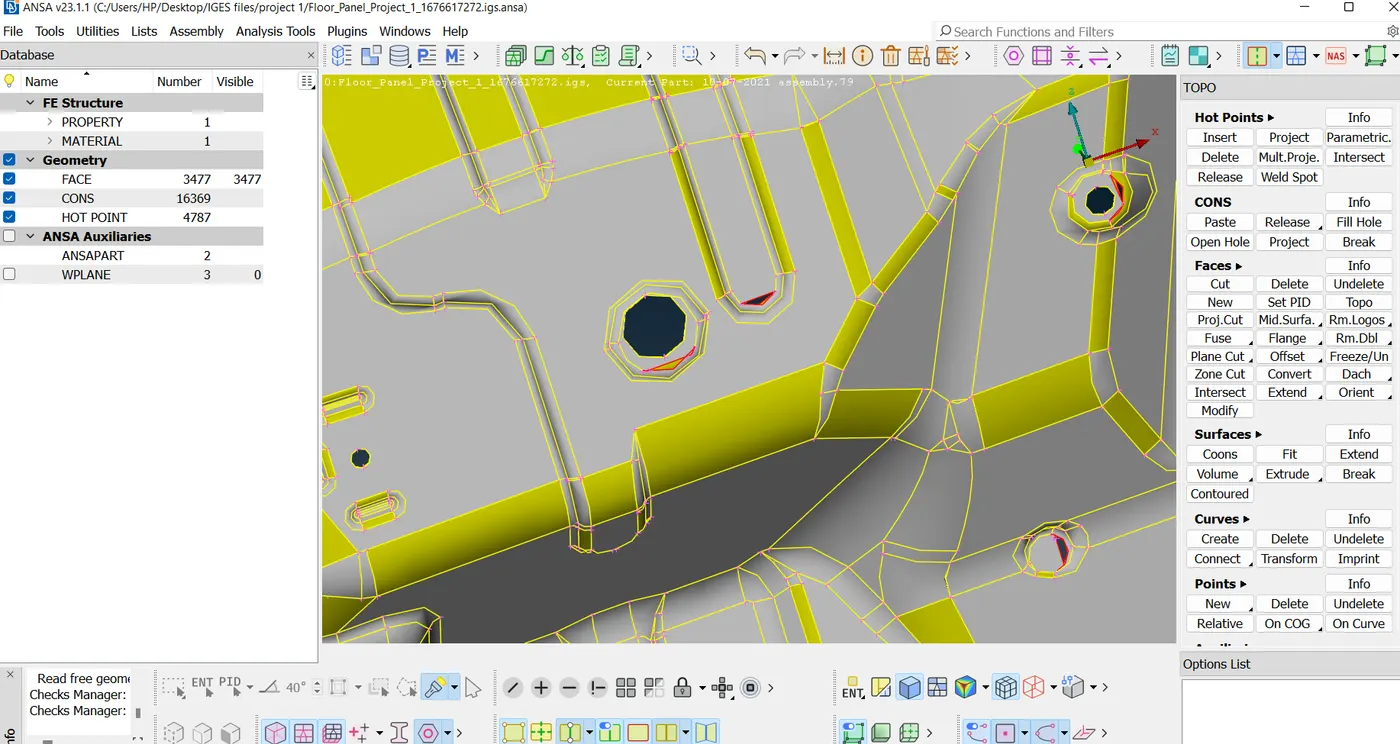
Figure-5
Step-5
5.now delete those surface those are overlapped and looking messy. Clear and make new surface by using new surface.
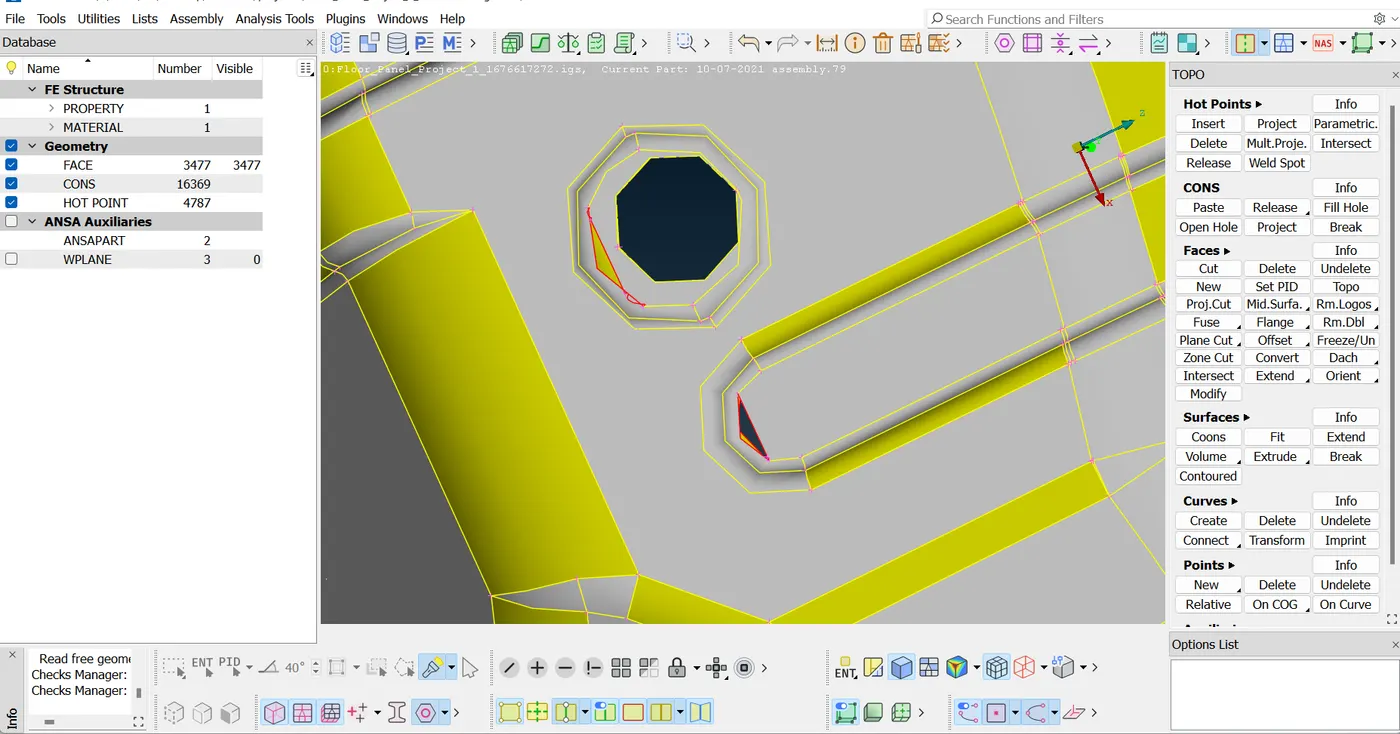
Figure-6
Step-6
After complete all the geomatric cleanup again check the Geomatric cleanup for our conformation.
Step-7
Etract the mid surface using face-offset option. using the offset value is the half of the main thickness.
Step-8
Now After Extract the middle surface Again check the geomatric clenup and Many times the surface are deleted or un wanted surface are present in the middle surface so clear the all un wanted surface and tripple cons and extra Hot Points.
Goto Faces- Faces New To create the new Surface
Step-9
Assign an PID And Thick ness of the middle Surface Using PID OPtion
Step-10
Fill The All Quality Criteria and Submit It To starting Meshing
Step-11
Go to Classic mesh-mesh generation- Batch Starting Meshing
Stp-11
Clear all the Quality Criteria and Start the meshing
Conclusion-
In this Above Project I have to lern How To Mesing In complicated componet How to extract the midsurface and How to Solve the complicated geomatric Problem in the time of meshing.How to Maintain and proper Quality Criteria in the time of meshing.