Project 1 - Interfacing a 16*2 LCD with Arduino using I2C protocol
AIM:
To implement the Code for “Interfacing a 16*2 LCD with two Arduino’s (one for Master and one for Slave) using Inter-Integrated Circuit (I2C) communication protocol” by sending the message to LCD using I2C communication protocol and display the message on LCD screen.
Goals:
- Communication between Arduino and 16*2 LCD using I2C protocol.
- Displaying the message sent by Master and received by slave i.e. LCD display.
Key Highlights of the Project:
- Using the inter-integrated circuit communication protocol, transferring the data i.e. the message we want to display is sent to the LCD.
- Two Arduino’s connected to the LCD display and the communication is executed using I2C protocol between Arduino and the LDC display.
Deliverables of this project:
- Communication between the Arduino’s and LCD using I2C.
- The message passed from master to slave and displayed on the 16*2 LCD.
Expected Outcomes:
- Students will get the Knowledge of I2C communication Protocol and the Arduino.
- The Hardware connection of all components used in this project.
- Displaying the message sent by master (Arduino) and received by the slave (16*2 LCD display).
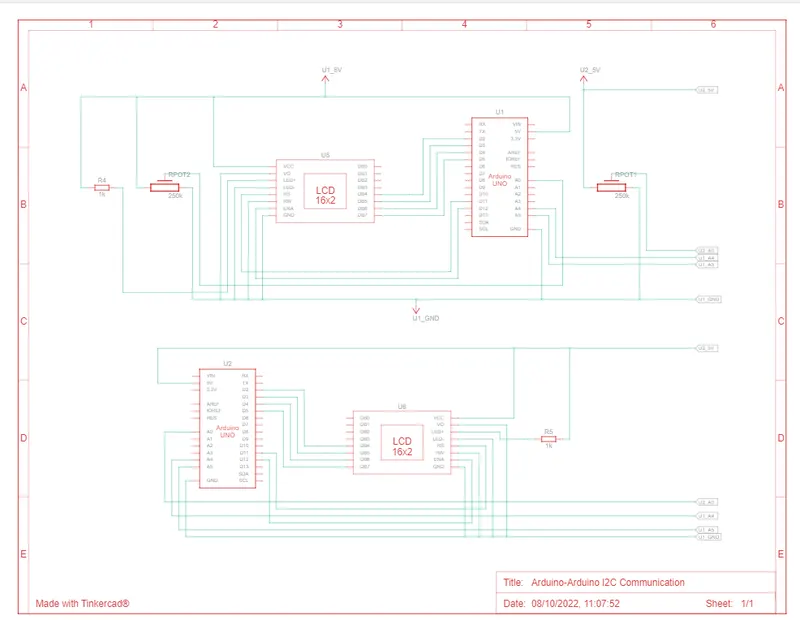
Schematic View
Screenshot of Tinkercad Simulation:
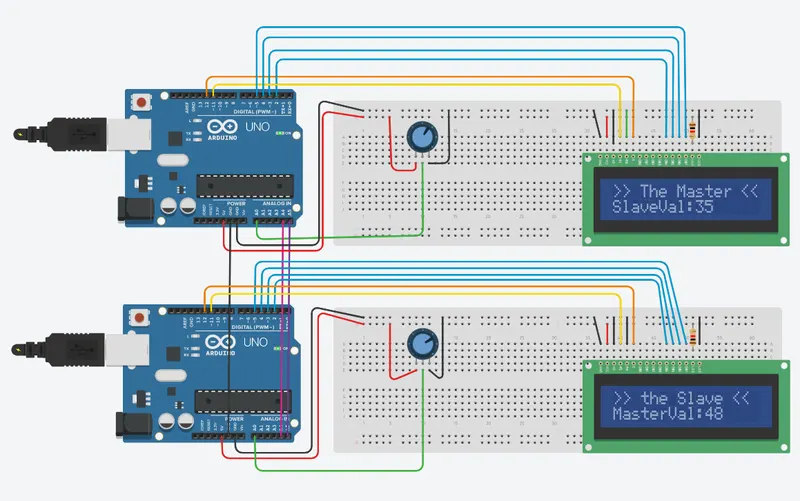
- Here i interfaced two arduino using I2C protocol(pins A4,A5).
- Shared the values of potentiometer using communication protocol.
- Displayed the values of potentiameter in LCD screen and serial moniter.
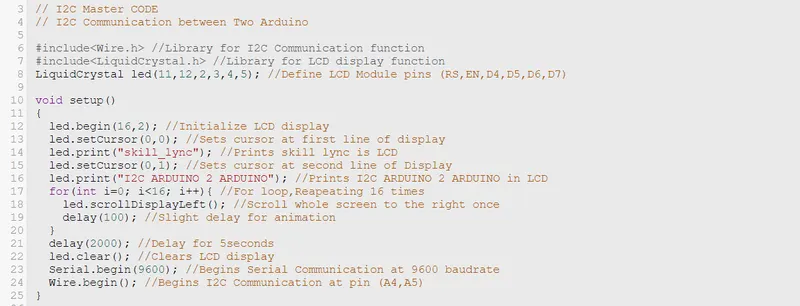
- Here converted the analog values of Potentiometer 0-1023 to 0-127
- 5v supplied to potentiometer from arduino and data pin collected to A0.
Screenshot of Mastercode:
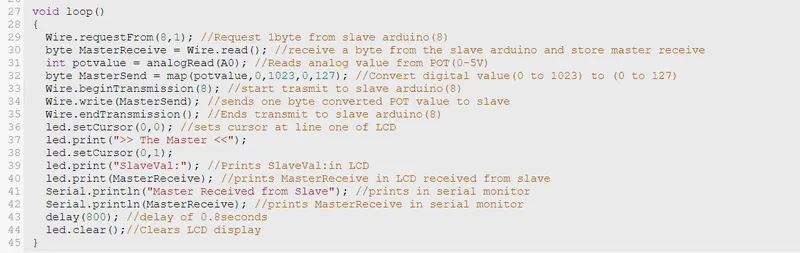
Screenshot of Slave code:
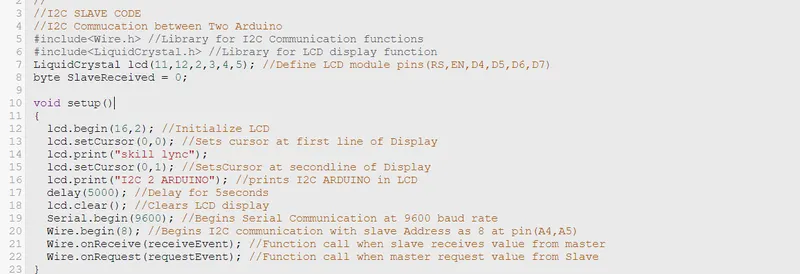
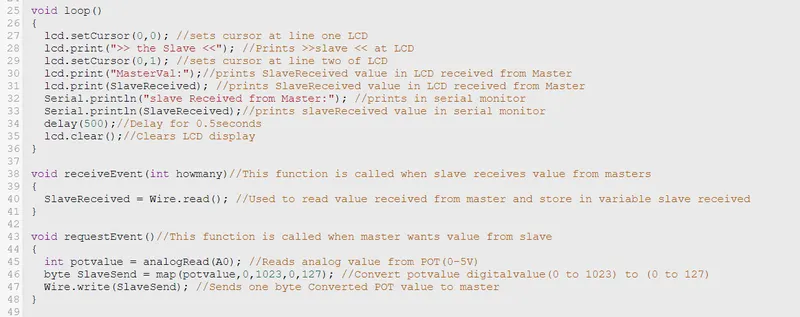
Serial Monitor outputs:
Master:
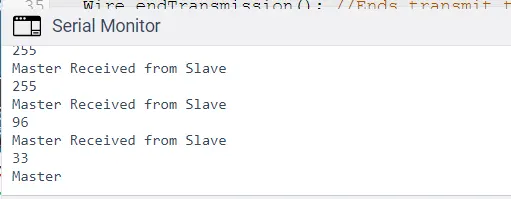
Slave:
Tinkercad Link:
Conclusion:
Hence implementd the Code for “Interfacing a 16*2 LCD with two Arduino’s (one for Master and one for Slave) using Inter-Integrated Circuit (I2C) communication protocol” by sending the message to LCD using I2C communication protocol and display the message on LCD screen using Tinkercad software and provided screenshots and link of project.