Project 1_Comparative study of different storey buildings for Seismic forces
A
Aim - Model and analyse then find factors influencing natural time period according to given dimensions
Procedure
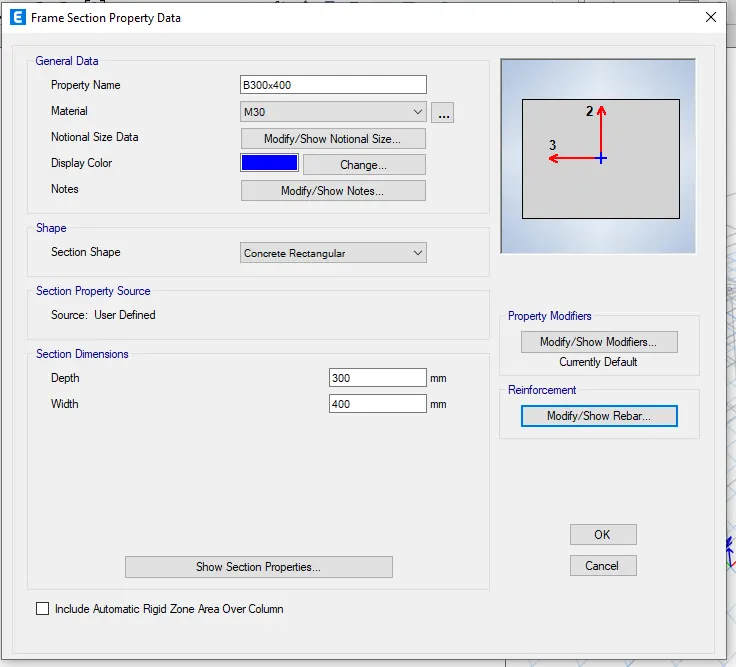
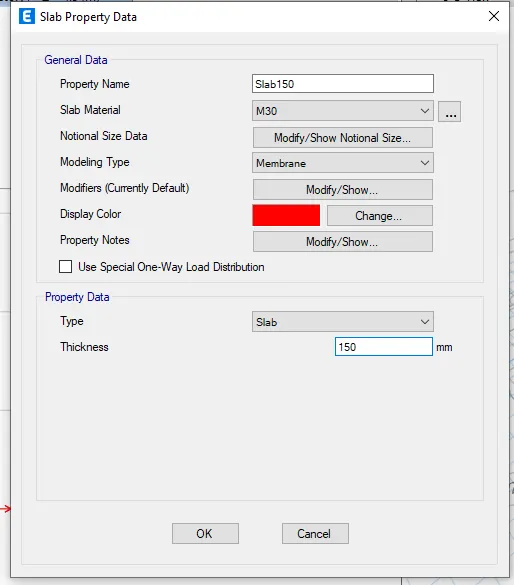
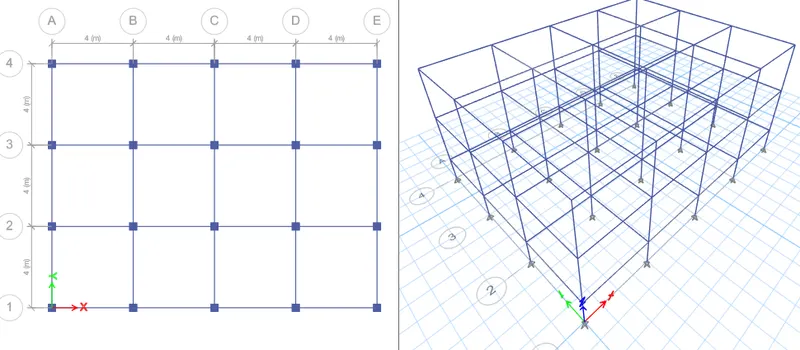
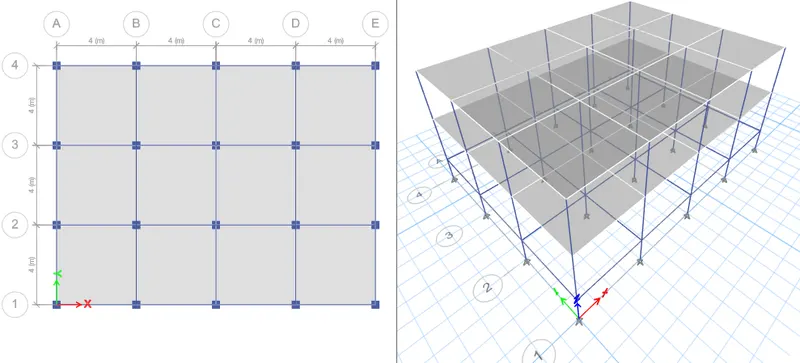
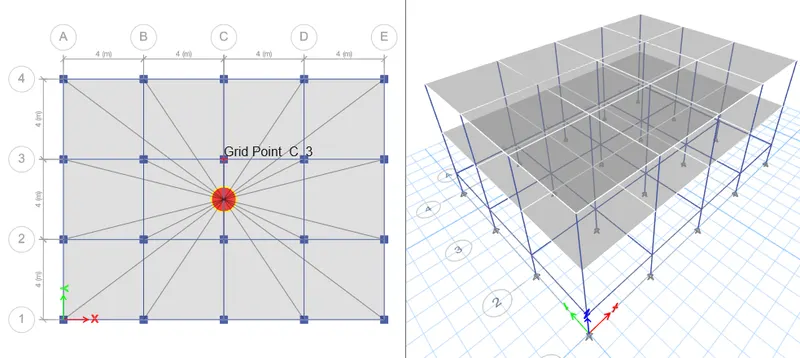
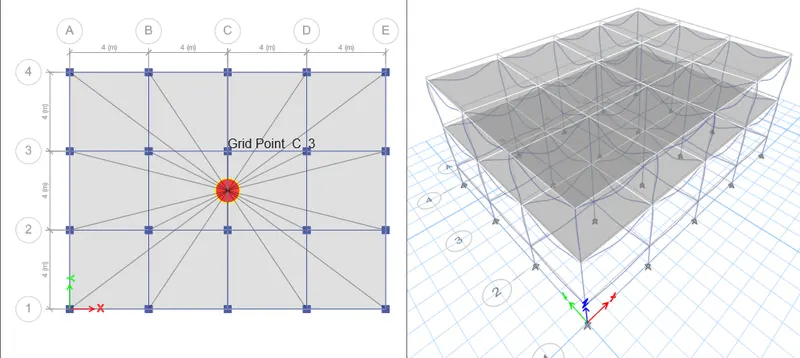
Open a new model in etabs
Give units as metric SI
Steel as indian
Design code as IS 800 : 2002
Concrete design IS 456 : 2000
Then give grids and story data
Give spacing in X and Y direction for the grids
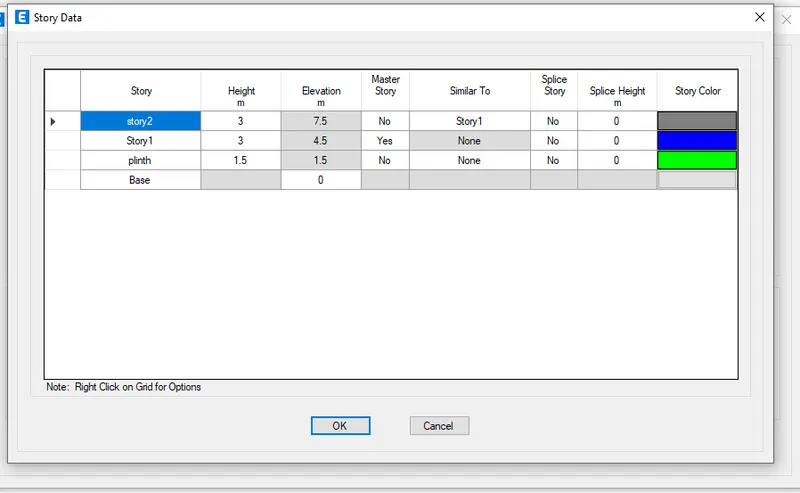
Then gove story data
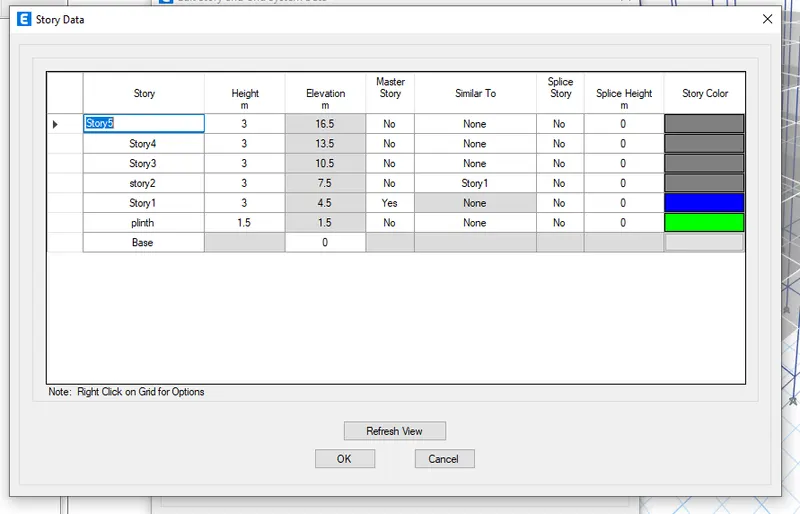
From base to plinth give height as 1.5m and remaining all floors as 3m
Total of 2 stories
Give story 1 as master story
Then give remaining all as similar to 1st story
Give material properties
In the define tab go to material properties
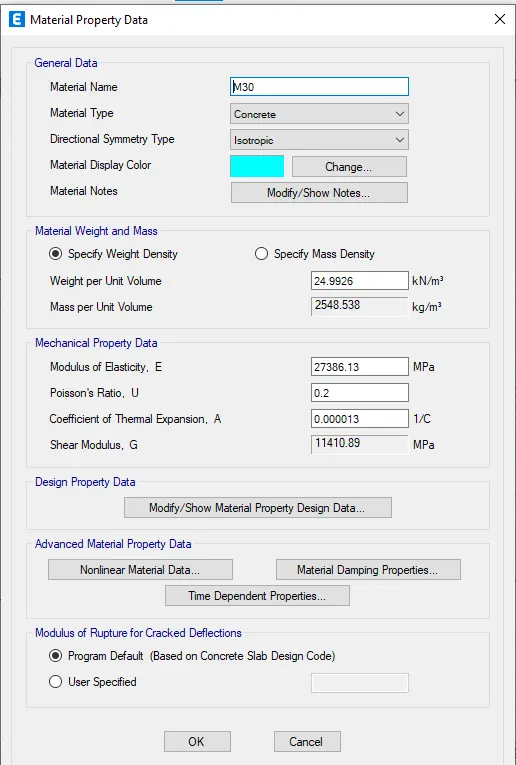
Add new material India concrete and grade as M30
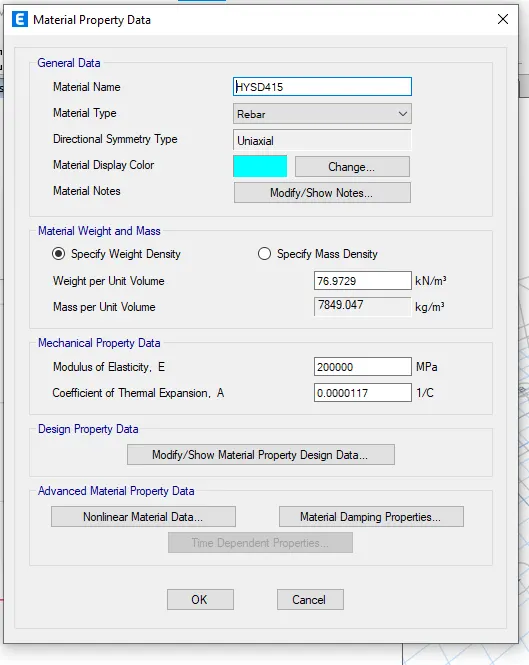
Again add new material
Material type as rebar , indian standard and grade as FE415
Give beams,coloumns and slab
In the define tab select sectional properties and framed sections for beam and coloumns
Add new propert and rectangular concrete
Give property name as B300x400
Give depth as 400 and width as 300 as given
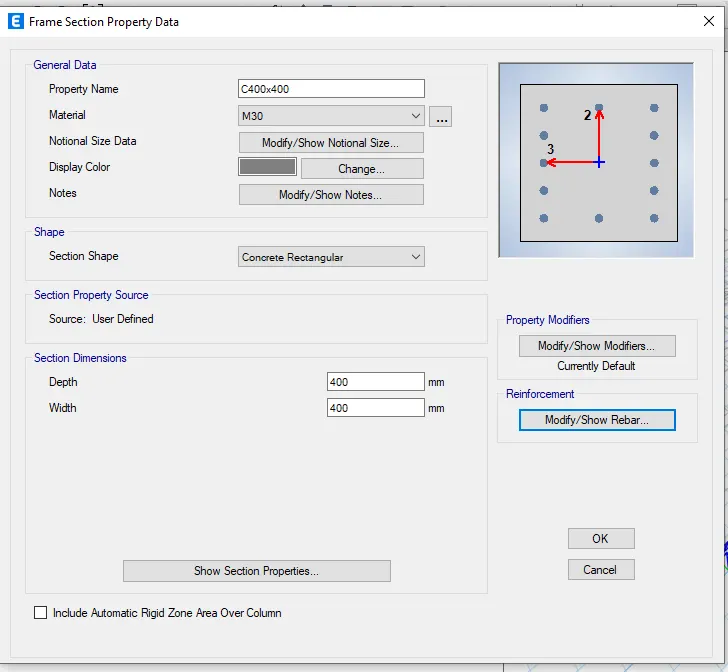
In the same process add new propert as coloumn and name it as C400x400
Give depth as400 and width as 400
For slab
In the define tab select sectional properties and select salb sections
Add a new property
Then rename as S150 and give modelling type as membrane and give thickness as 150 and OK
Then start modelling
Go to any plan view and select all stories
Select quick draw coloumns and select C400x400 and draw at the grid points
Then select quick draw beams and select B300x400
Then draw beams at the grid lines
You can also replicate the beams and coloumns by giving offset and no of times
Add slab
First select similar stories
Go to any plan view and select quick draw floors and select S150
Select the space where slab to be laid
Then assign the loads
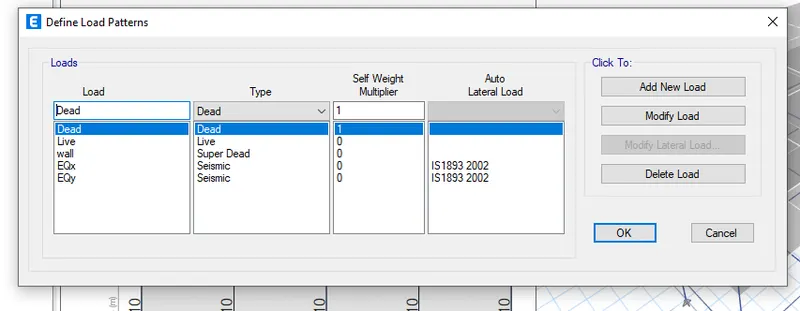
In the define tab select load patterns
Select dead load with multiple of 1
Add live load of multiple 0
Wall load as super dead load and multilpe 0
Eq in X directiion of seismic load and code of IS 1893 2016
Eq in Y directiion of seismic load and code of IS 1893 2016
Then select Eqx and modify and select zone as 2 and I factof as .16 same for Eqy
Then OK
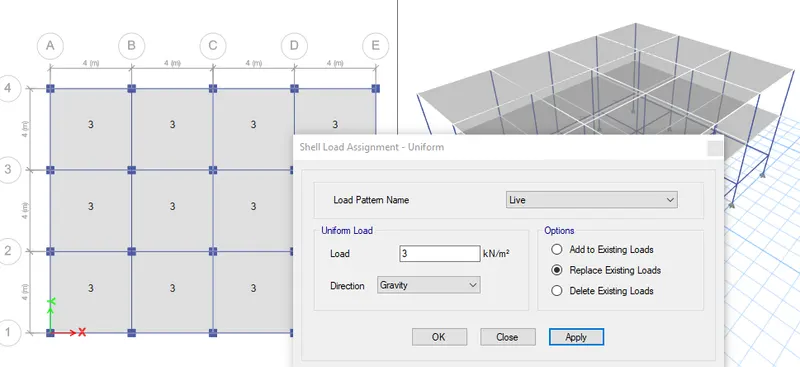
Assign live loads
Select all the slabs
Then assign shell loads and uniform loads and as live and give value of 3KN/M
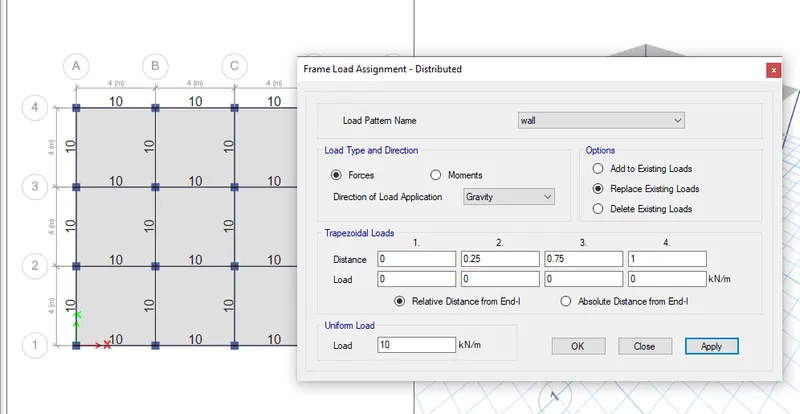
Then assign wall loads
Select all beams
Then assign and frame loads
Then UDl and give value as 10
Mass source
For earthquake load we have to assign mass source
Define and mass source
Select specefied load pattern and Ok
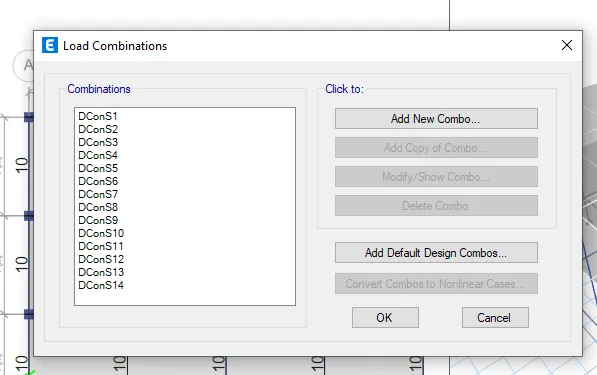
Now generate load combinations
Define tab and load combinations and select default design combinations
Then select concrete frame design and edit table and OK
Diaphragm
Select all the floors
In the assign tab and shell tool and select diaphragm
You can see the eccentricity of the structure which is useful in lateral loading
We can check the model cases in define
Then analyse the structure by clicking run analysis key
Go to tables in the left side
Analysis result and structural output and model oinfo
Vibration in X and Y direction
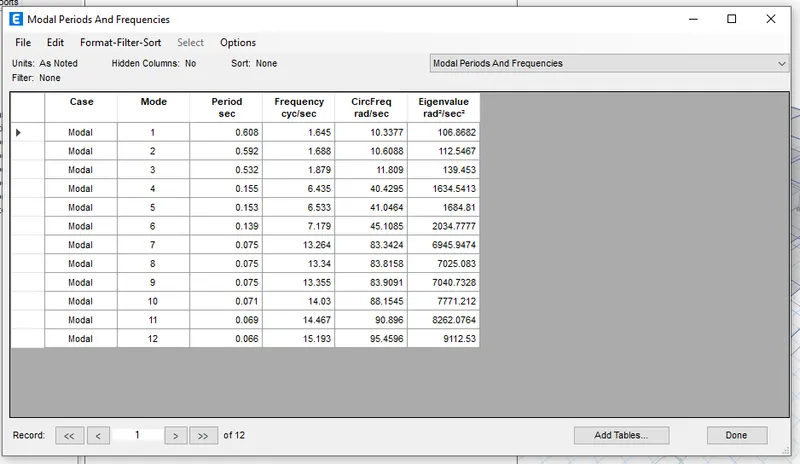
Model periods and dispaly tables
Model 1 - 4.01
Model 2 - 3.08
B
Aim - Model and analyse then find factors influencing natural time period according to given dimensions
Procedure
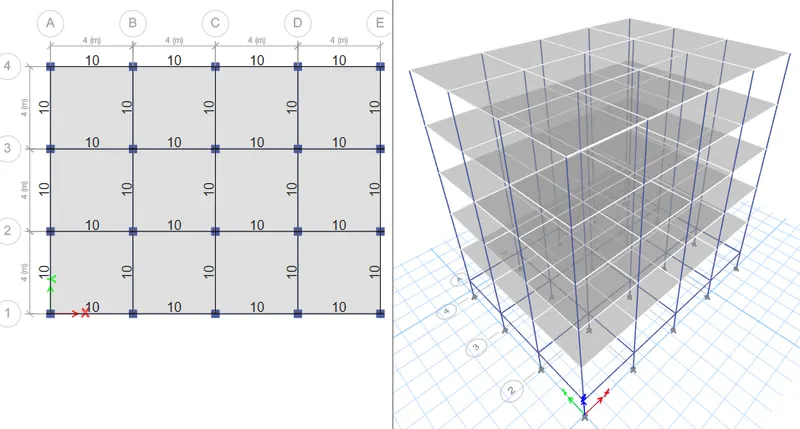
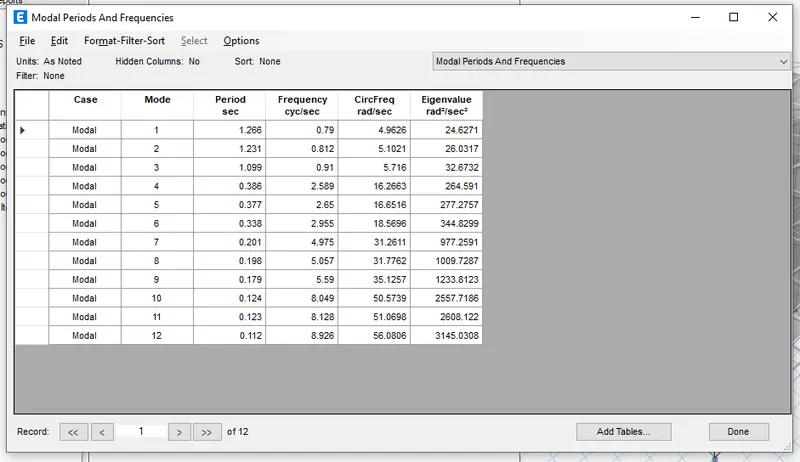
In the first model we already done modeled the same no of grids , beams , slabs
But the stories changed
We have to just change the stories
First open the old file
Then save as and rename as challenge B
In the edit tab there is edit grids and story toll and invoke it
Then add the stories extra 3
Then give similar stories to all stories
Check the loads if added or not
Then select only floors
Then diaphrgm in the shell and check
Then run analysis
Then in the analysis results and structural output and tables and check the seconds
C
Aim - Model and analyse then find factors influencing natural time period according to given dimensions
Procedure
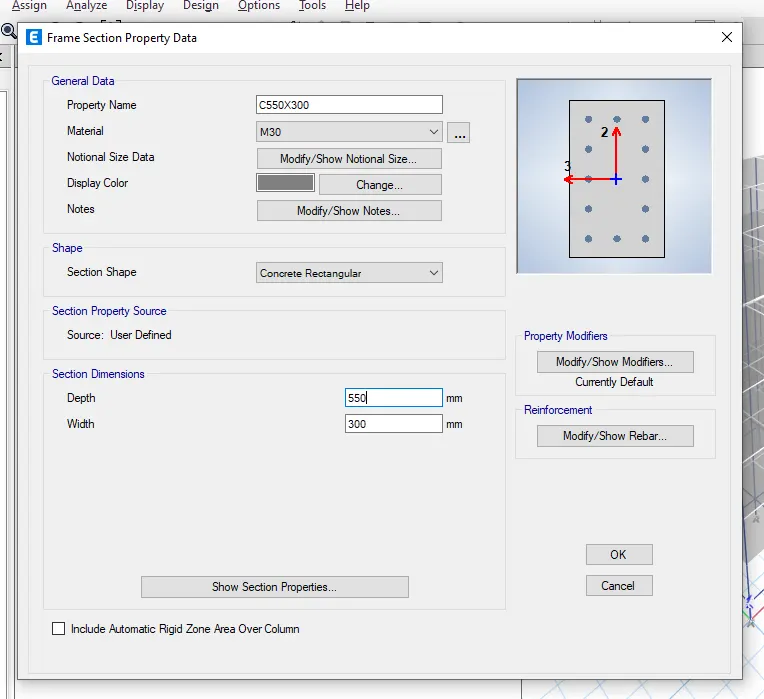
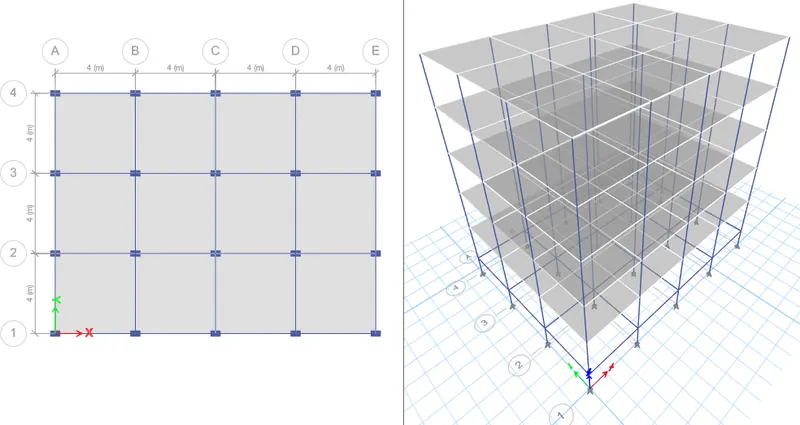
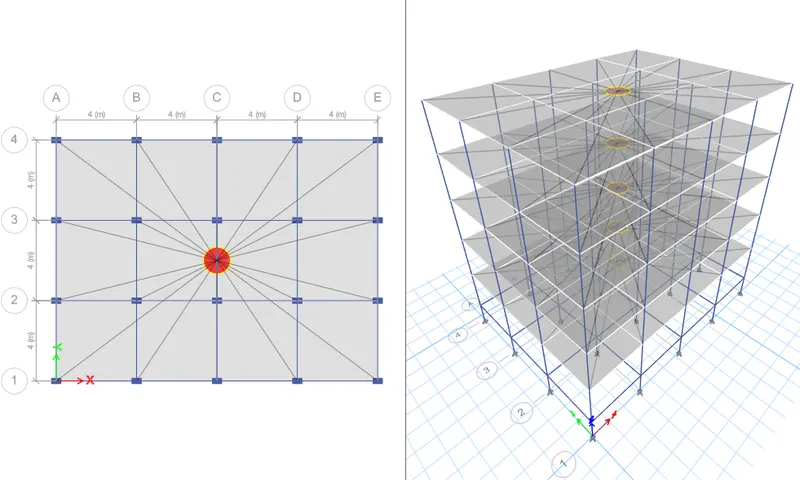
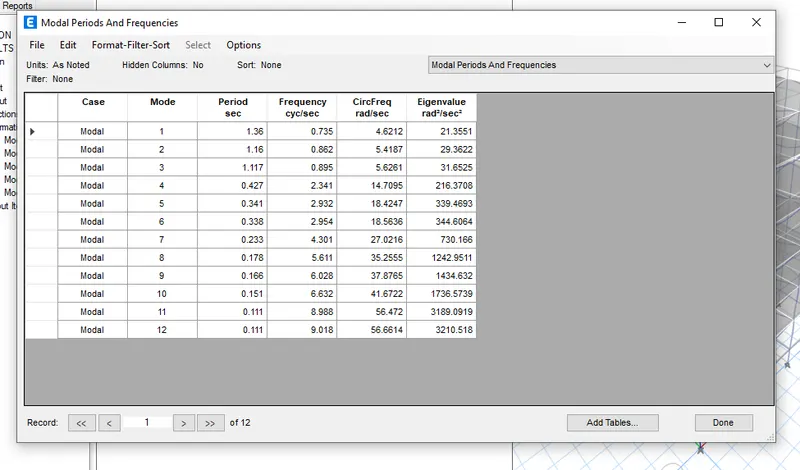
In the first model we already done modeled the same no of grids , beams , slabs
But the coloumn sizes is to be changed
We have to just change the coloumn sizes
First open the old file
Then save as and rename as challenge c
Add the new famed material or coloumn
Add new coloumn as 500 x 300
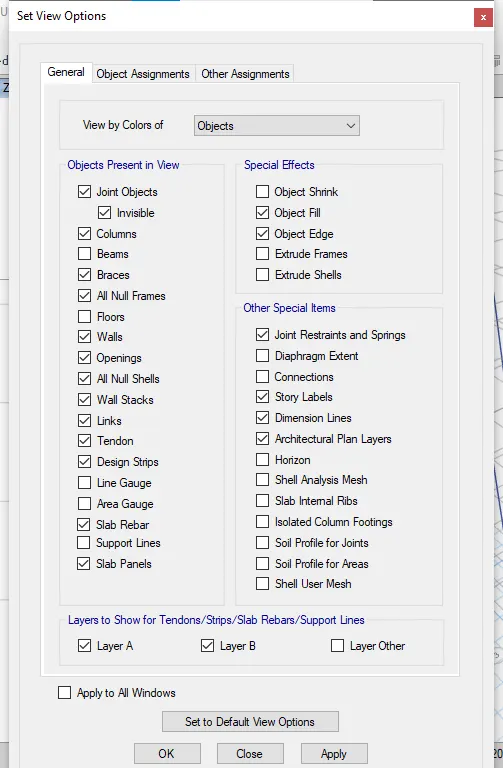
First in the view options untick floors and beams
Then select all the coloumns
Then assign frame then sectional properties and modify and select C500X300
Then visible floor and beams
Check the loads if added or not
Then select only floors
Then diaphrgm in the shell and check
Then run analysis
Then in the analysis results and structural output and tables and check the seconds
D
Aim - Model and analyse then find factors influencing natural time period according to given dimensions
Procedure
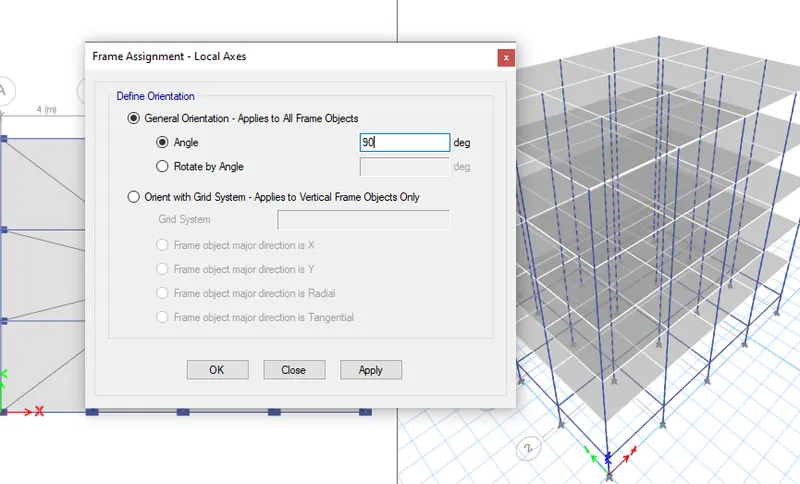
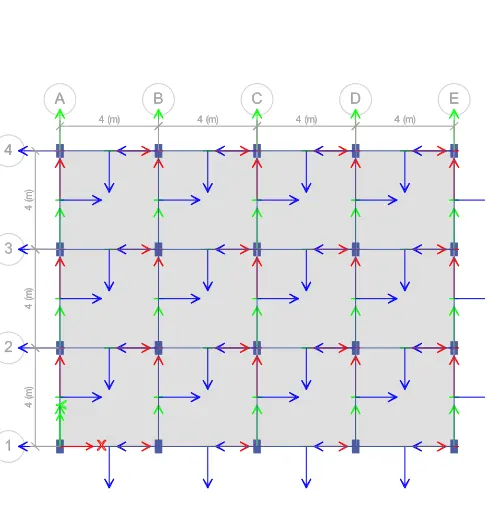
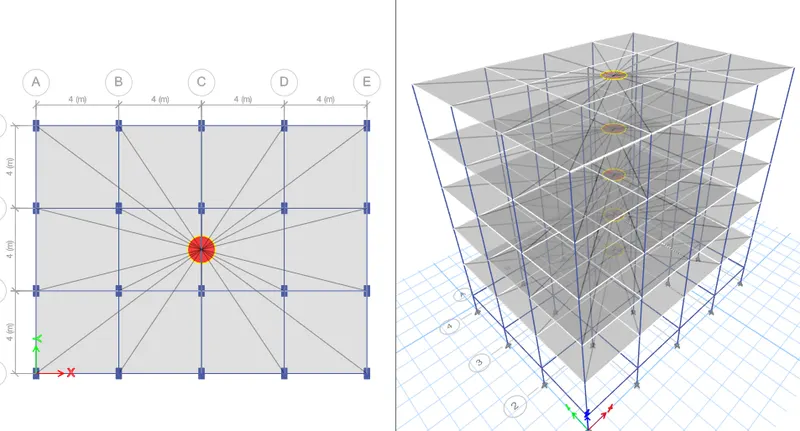
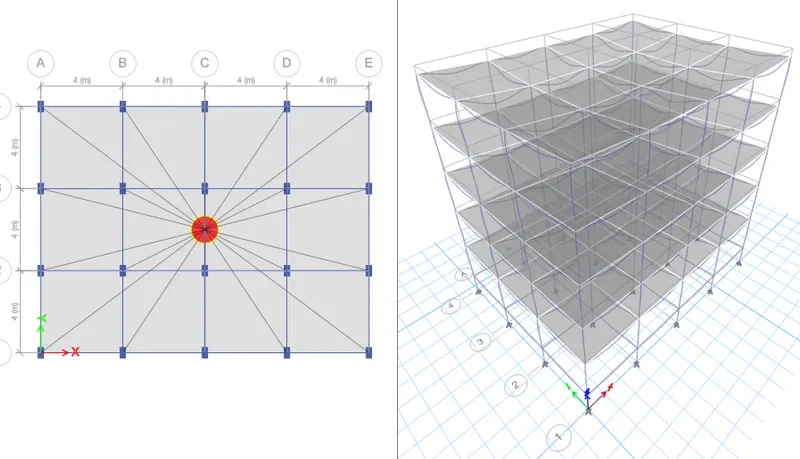
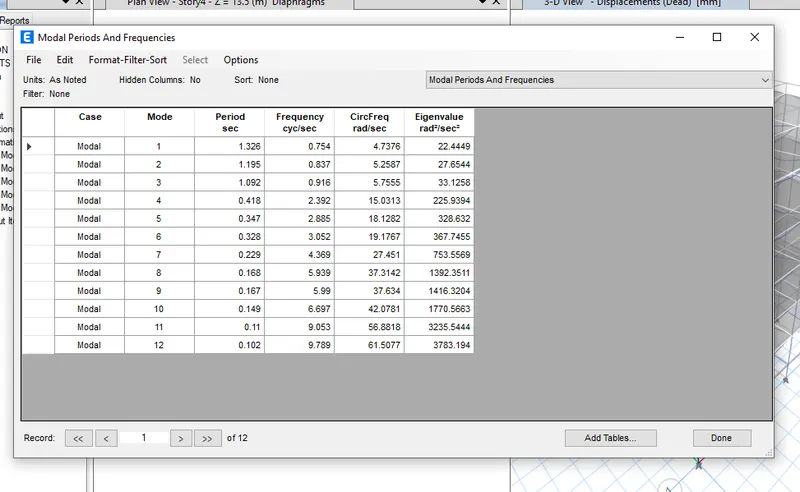
In the first model we already done modeled the same no of grids , beams , slabs
But the coloumn sizes is to be changed
We have to just change the coloumn sizes
First open the old file
Then save as and rename as challenge c
Add the new famed material or coloumn
Add new coloumn as 300x500
First in the view options untick floors and beams
Then select all the coloumns
Then assign frame then sectional properties and modify and select C300x500
Then visible floor and beams
Check the loads if added or not
Then select only floors
Then diaphrgm in the shell and check
Then run analysis
Then in the analysis results and structural output and tables and check the seconds
E
Aim - Model and analyse then find factors influencing natural time period according to given dimensions
Procedure
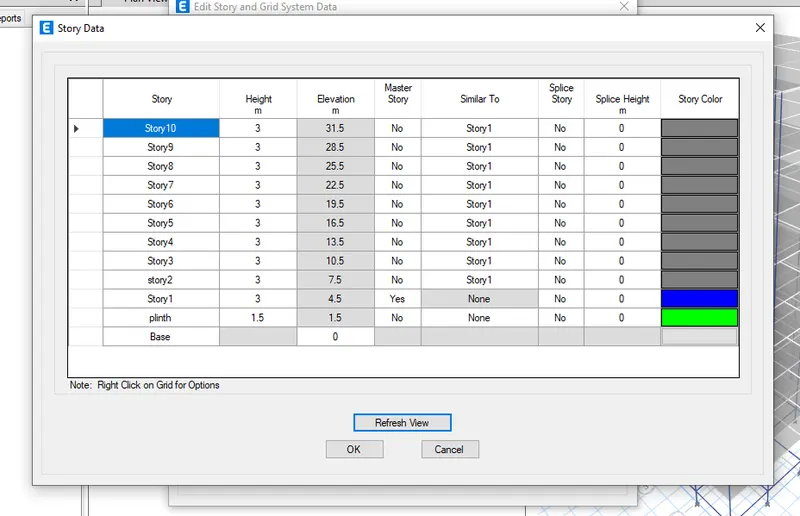
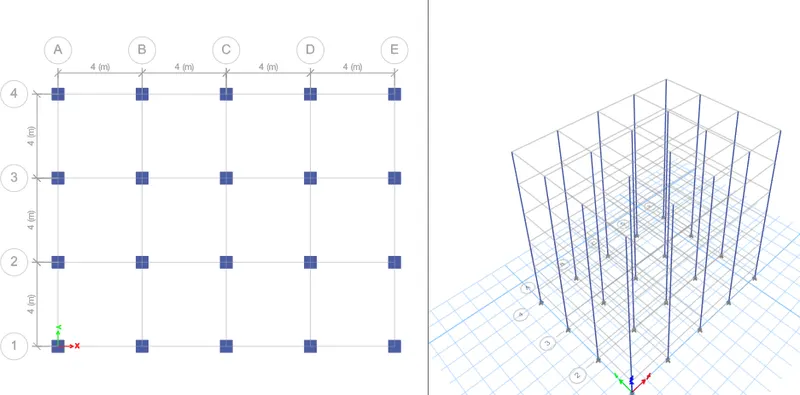
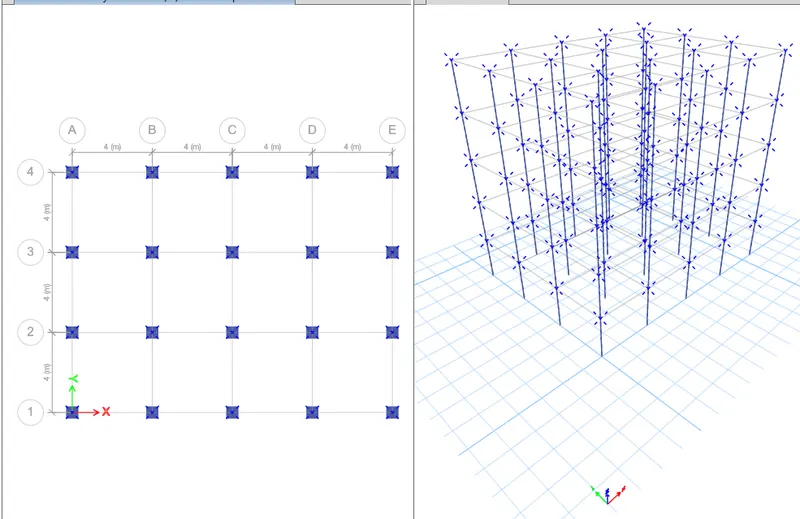
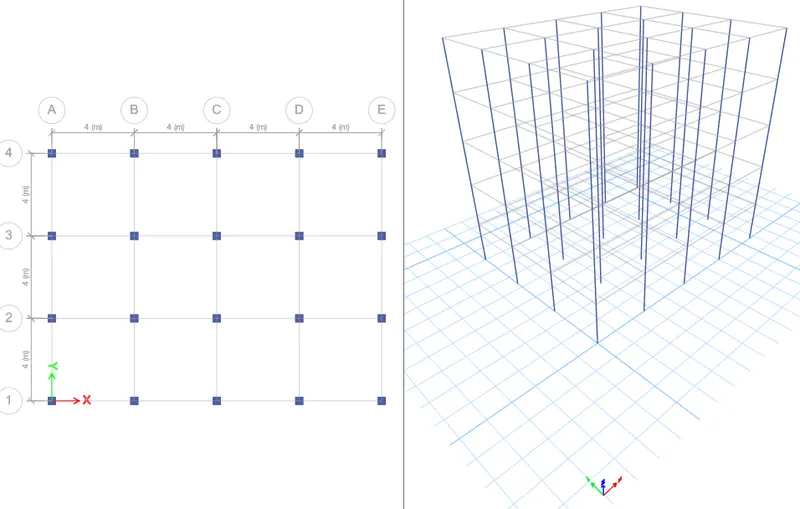
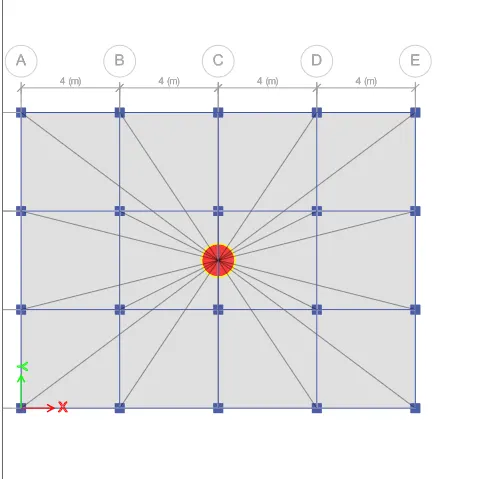
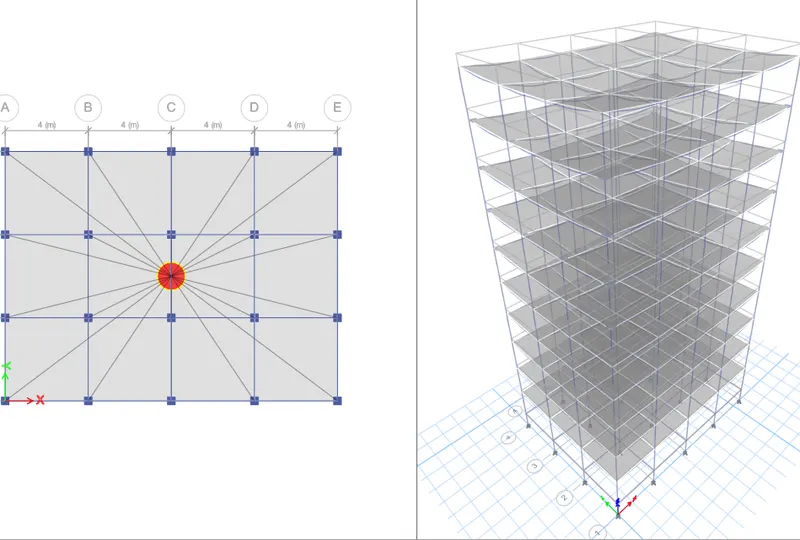
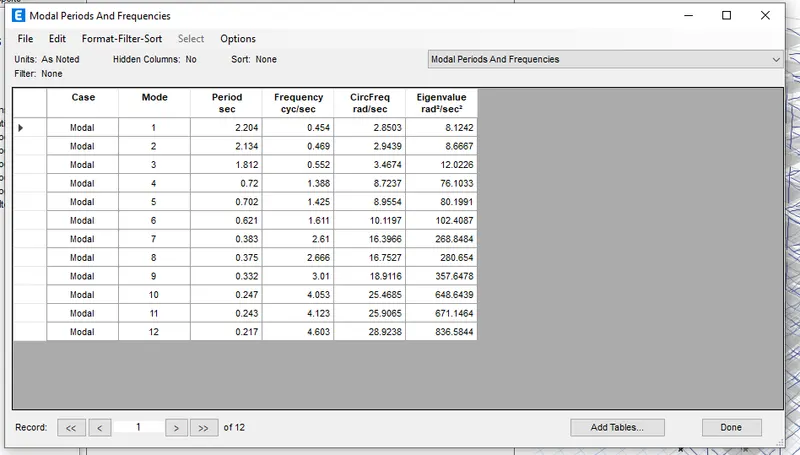
In the first model we already done modeled the same no of grids , beams , slabs
Add 5 more stories in the add grids and stories tool and give similar to first story in all the beams
But the coloumn sizes is to be changed
Here coloumn size differ from floors also
And it has 10 stories
We have to just change the coloumn sizes
First open the old file
Then save as and rename as challenge E
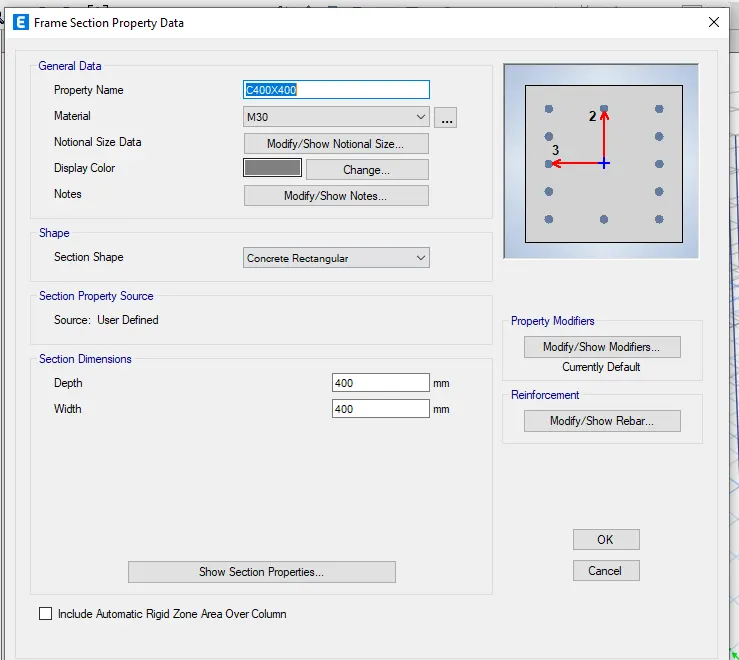
Add the new famed material or coloumn
Add new coloumn as 400x400
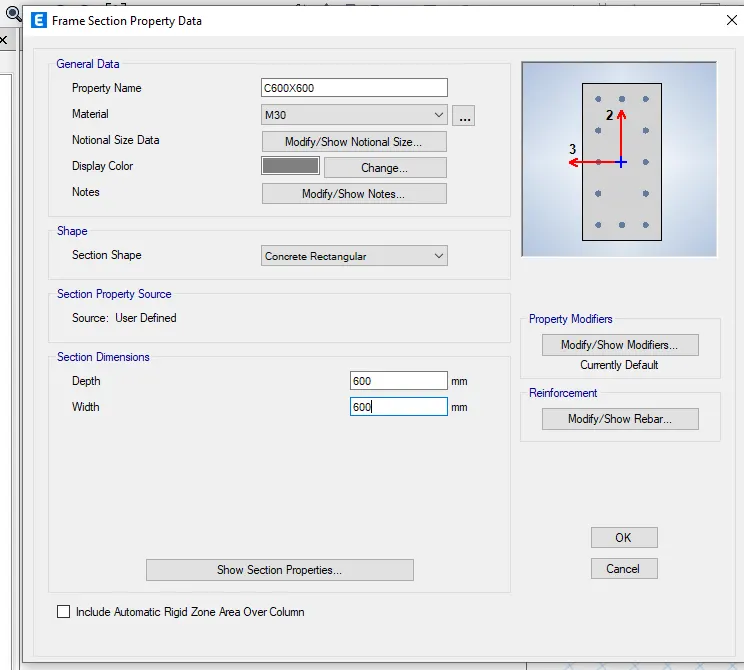
And again Add new coloumn as 600x600
First in the view options untick floors and beams
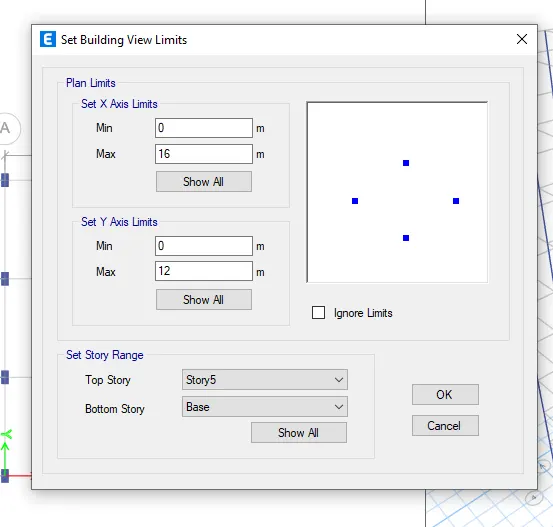
In the view tab select building view limits
Give botto as base and top as 5th and ok
Then select all the coloumns
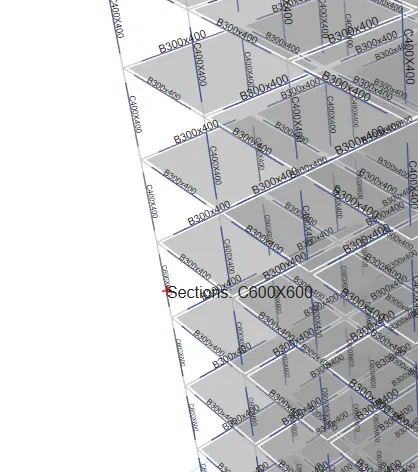
Then assign frame then sectional properties and modify and select C600x600
First in the view options untick floors and beams
In the view tab select building view limits
Give bottom as 5th and top as 10th and ok
Then visible floor and beams
Check the loads if added or not
Then select only floors
Then diaphrgm in the shell and check
Then run analysis
Then in the analysis results and structural output and tables and check the seconds
F
Aim - Model and analyse then find factors influencing natural time period according to given dimensions
Procedure
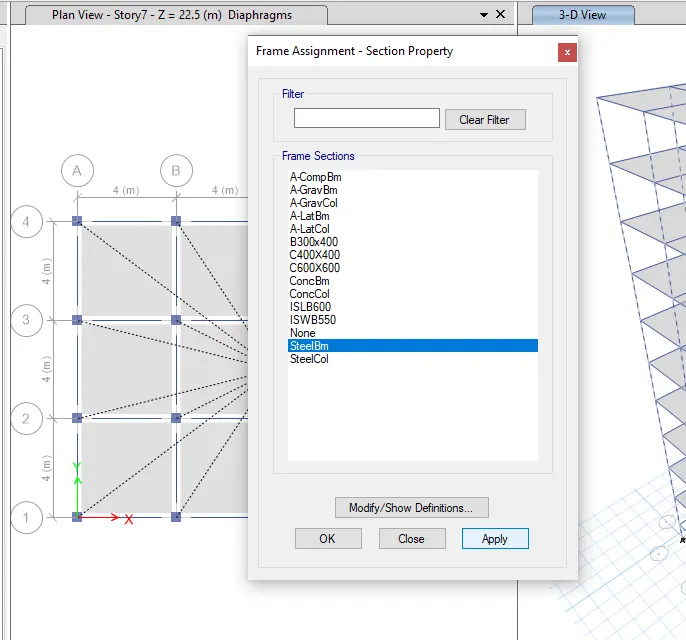
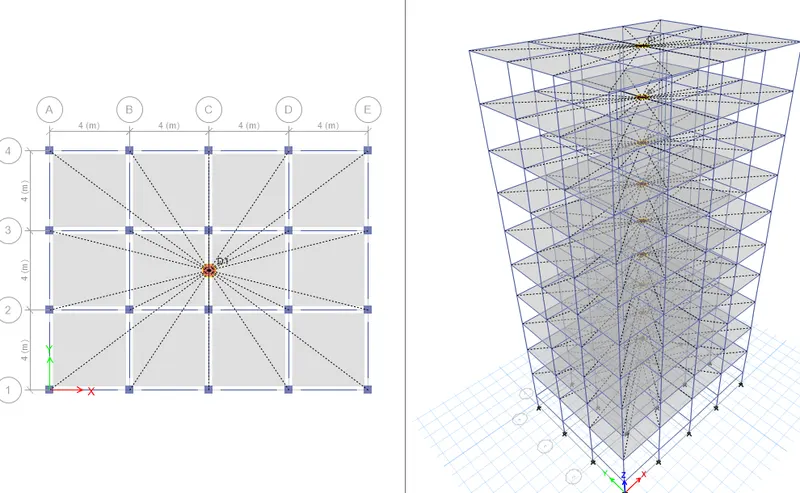
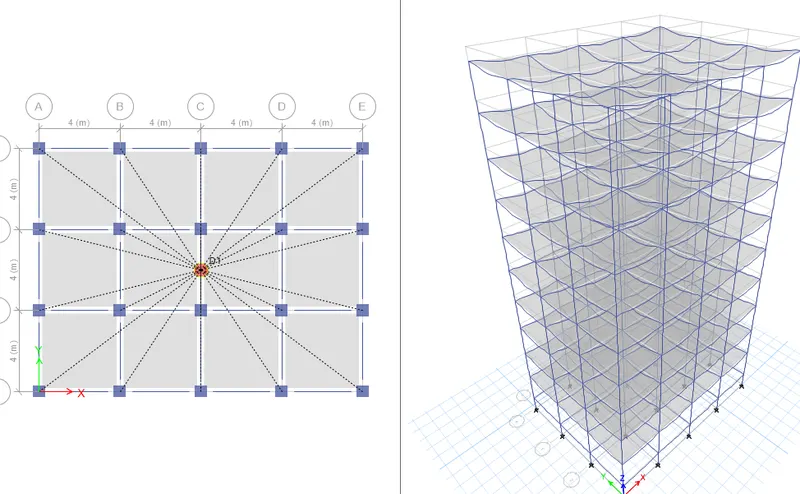
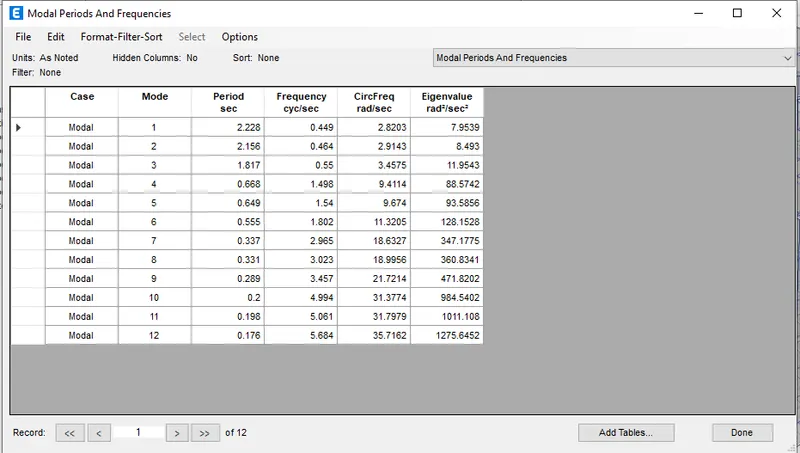
In the first model we already done modeled the same no of grids , beams , slabs
Add 5 more stories in the add grids and stories tool and give similar to first story in all the beams
But the coloumn sizes is to be changed
Here coloumn size differ from floors also
And it has 10 stories
We have to just change the coloumn sizes
First open the old file
Then save as and rename as challenge F
Add the new famed material or coloumn
And again Add new coloumn as 600x600
First in the view options untick floors and beams
Then select all the coloumns
Then assign frame then sectional properties and modify and select C600x600
First in the view options untick floors and beams
Then visible floor and beams
Check the loads if added or not
Then select only floors
Then diaphrgm in the shell and check
Then run analysis
Then in the analysis results and structural output and tables and time frequency
G
Aim - Model and analyse then find factors influencing natural time period according to given dimensions
Procedure
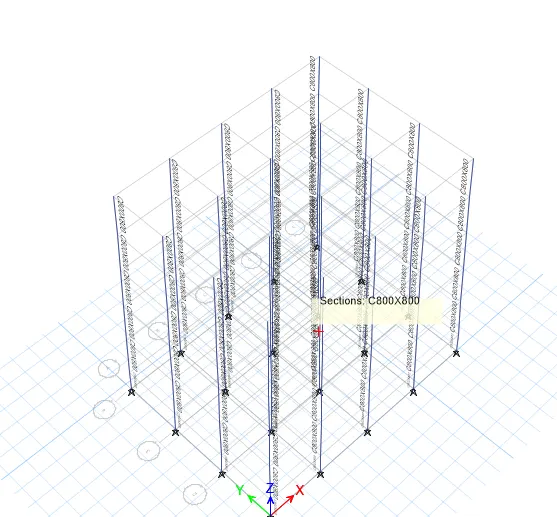
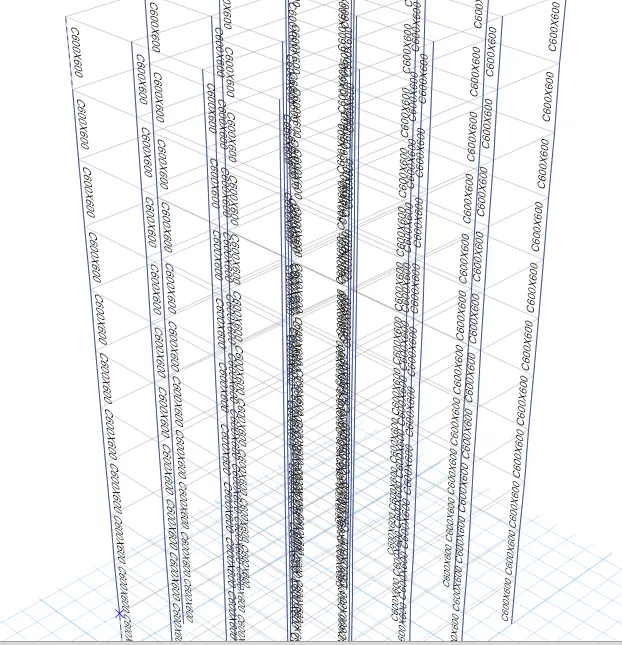
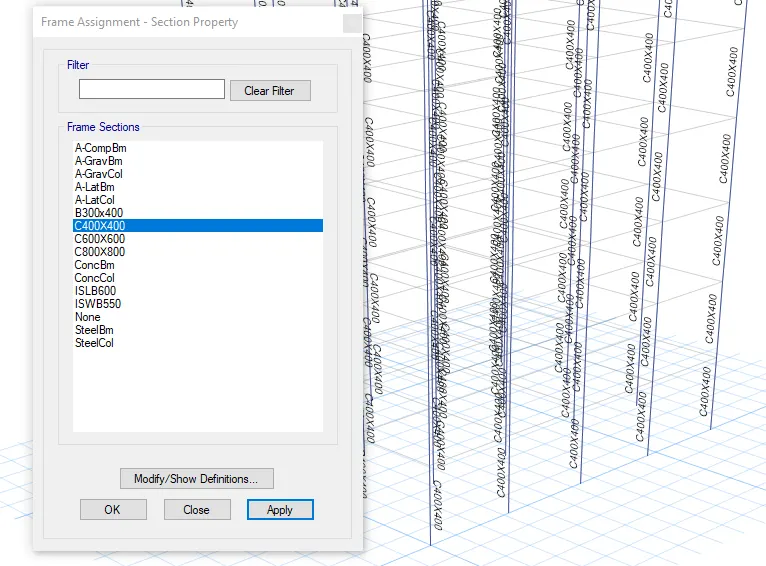
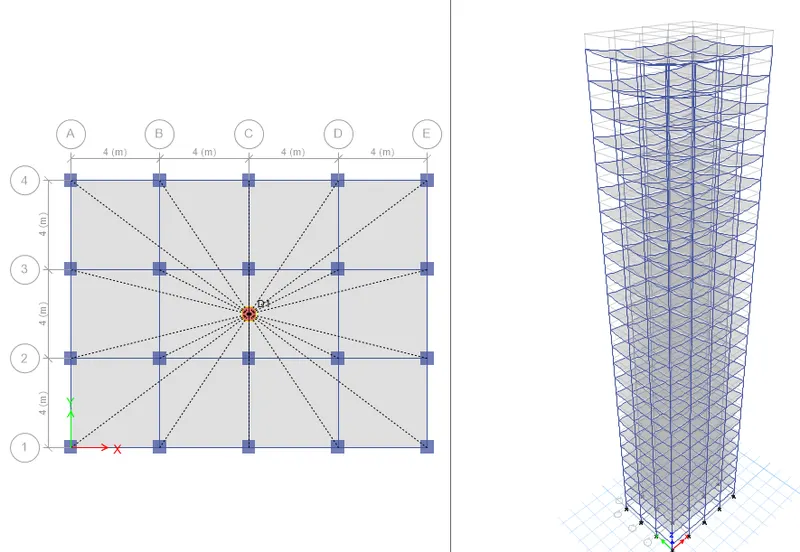
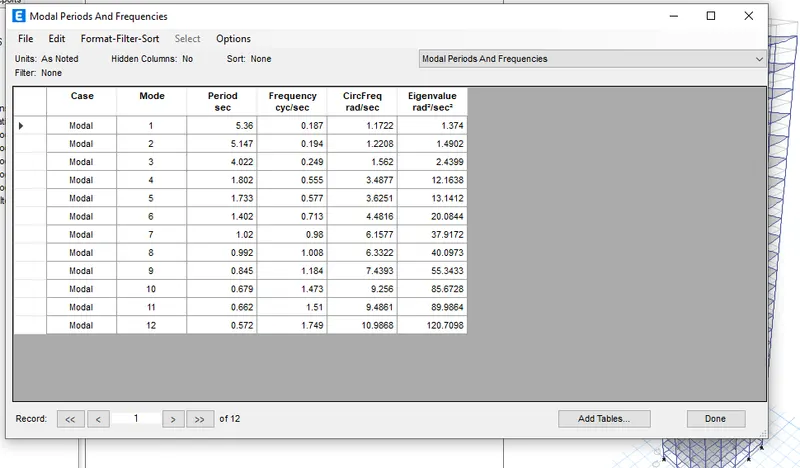
In the E model we already done modeled the same no of grids , beams , slabs
Add 15 more stories in the add grids and stories tool and give similar to first story in all the beams
But the coloumn sizes is to be changed
Here coloumn size differ from floors also
And it has 10 stories
We have to just change the coloumn sizes
First open the old file
Then save as and rename as challenge F
Add the new famed material or coloumn
Add new coloumn as 400x400
And again Add new coloumn as 600x600
And again Add new coloumn as C800x800
First in the view options untick floors and beams
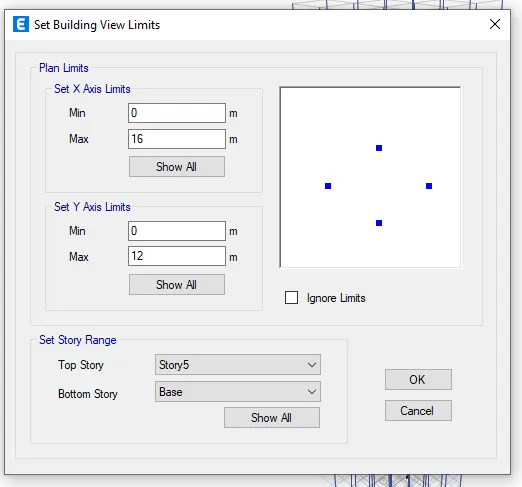
In the view tab select building view limits
Give bottom as base and top as 10th and ok
Then select all the coloumns
Then assign frame then sectional properties and modify and select C800x800
First in the view options untick floors and beams
In the view tab select building view limits
Give bottom as 10th and top as 20th and
Then assign frame then sectional properties and modify and select C600x600
In the view tab select building view limits
Give bottom as 20th and top as 25th and
Then assign frame then sectional properties and modify and select C400x400
Then visible floor and beams
Check the loads if added or not
Then select only floors
Then diaphrgm in the shell and check
Then run analysis
Then in the analysis results and structural output
H
Aim - Model and analyse then find factors influencing natural time period according to given dimensions
Procedure
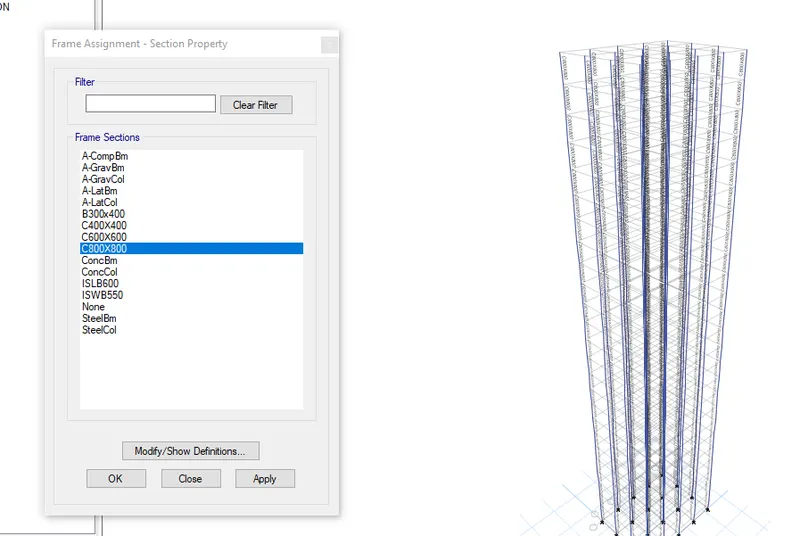
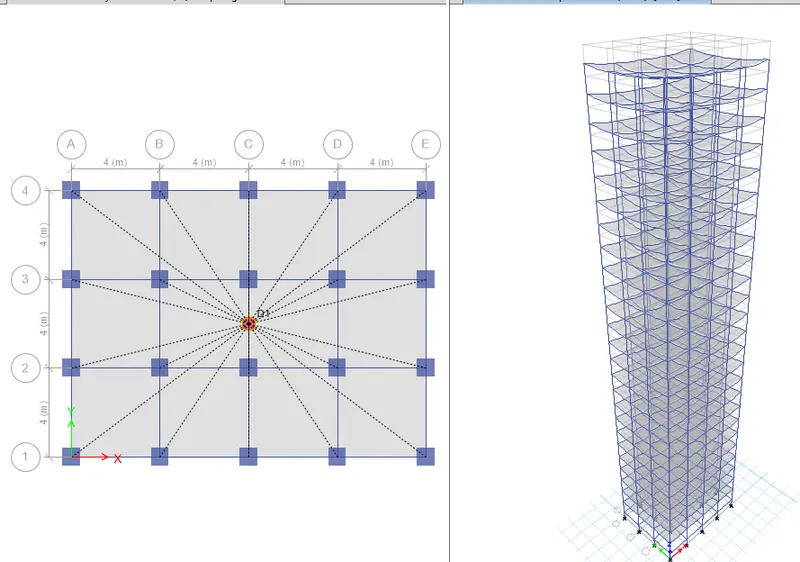
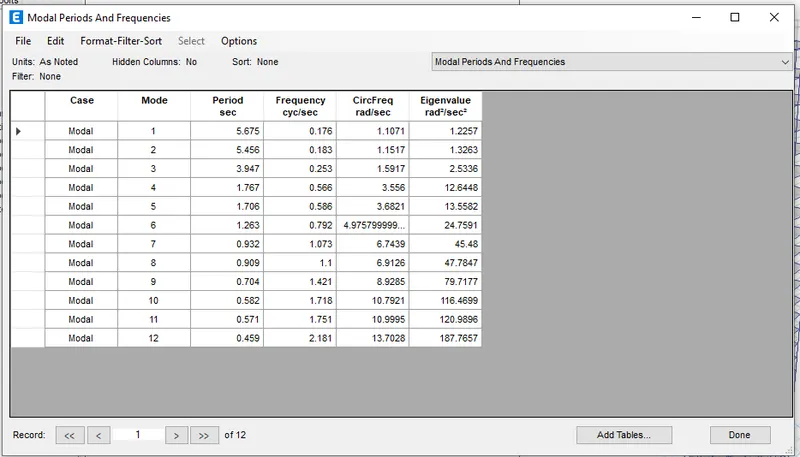
In the G model we already done modeled the same no of grids , beams , slabs
And it has 25 stories also
We have to just change the coloumn sizes
First open the old file
Then save as and rename as challenge H
We already have C800x800
Then unsee the floors and slabs
Then select all the coloumns
Then assign frame then sectional properties and modify and select C800x800
Then visible floor and beams
Check the loads if added or not
Then select only floors
Then diaphrgm in the shell and check
Then run analysis
Then in the analysis results and structural output
J
Aim - Model and analyse then find factors influencing natural time period according to given dimensions
Procedure
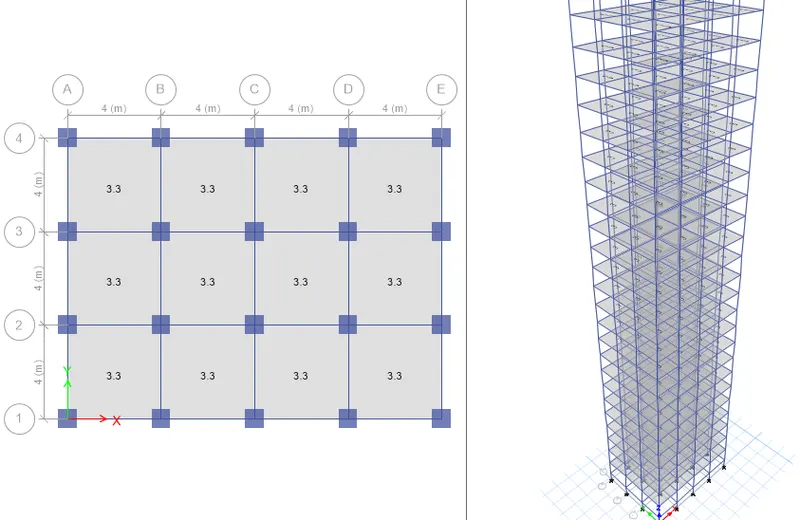
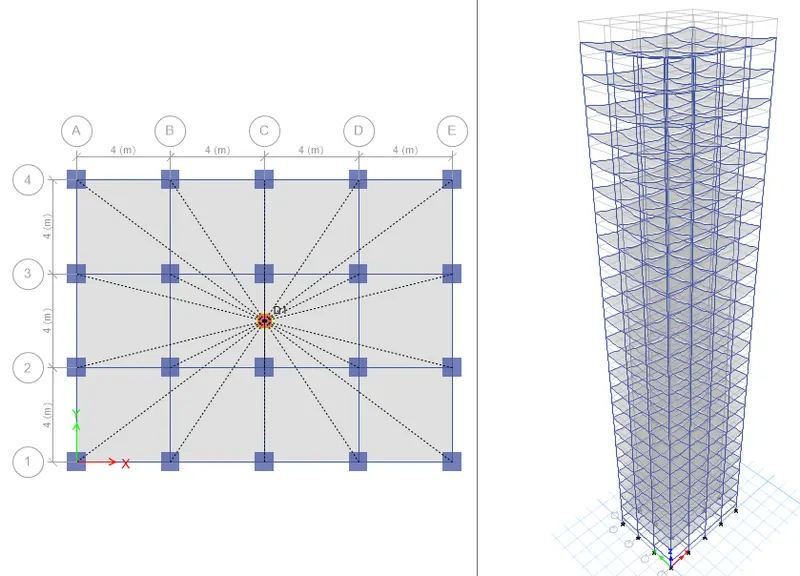
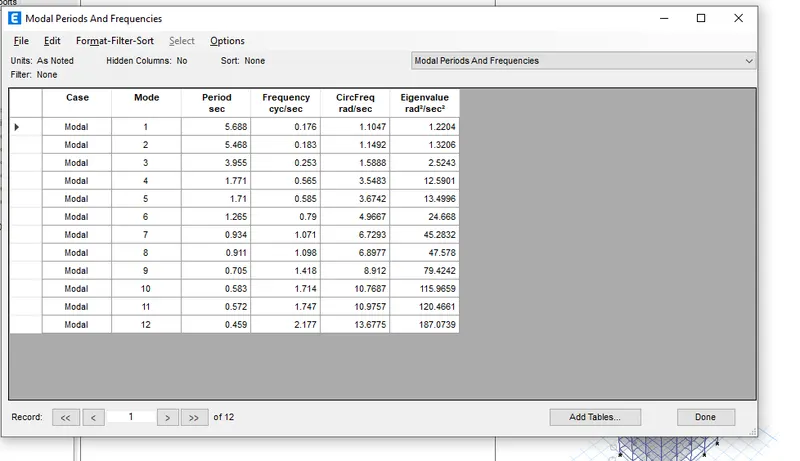
In the H model we already done modeled the same no of grids , beams , slabs
And it has 25 stories also
We have to just change the live loads
First open the old file
Then save as and rename as challenge J
Select only floors
Then assign
Sheel loads
Then uniform
Increase it to 10% which is 3.3
And replace with current load
Then diaphrgm in the shell and check
Then run analysis
Then in the analysis results and structural output
K
Aim - Model and analyse then find factors influencing natural time period according to given dimensions
Procedure
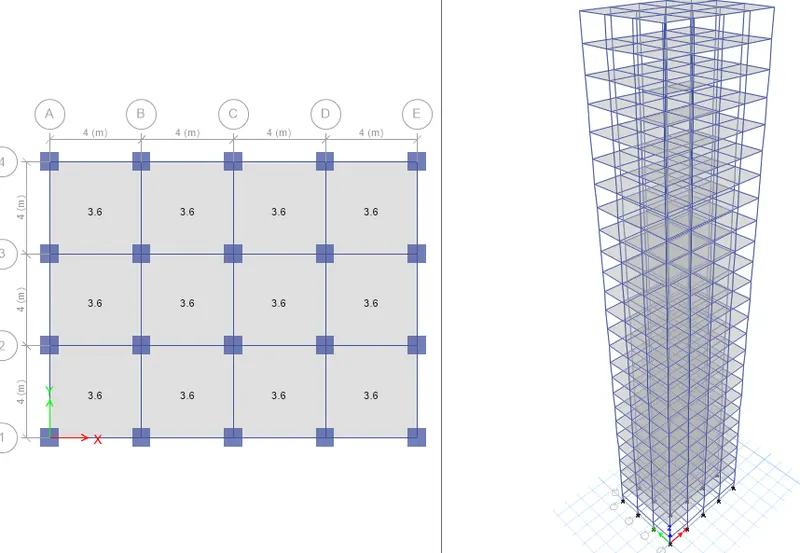
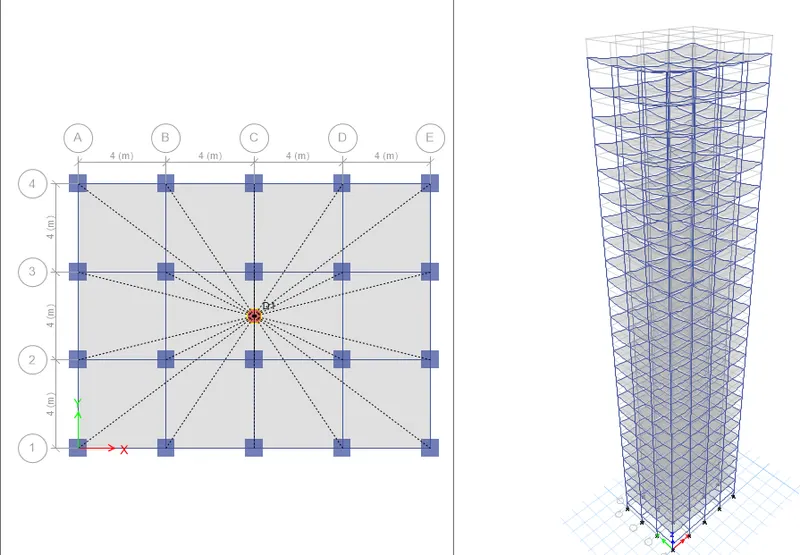
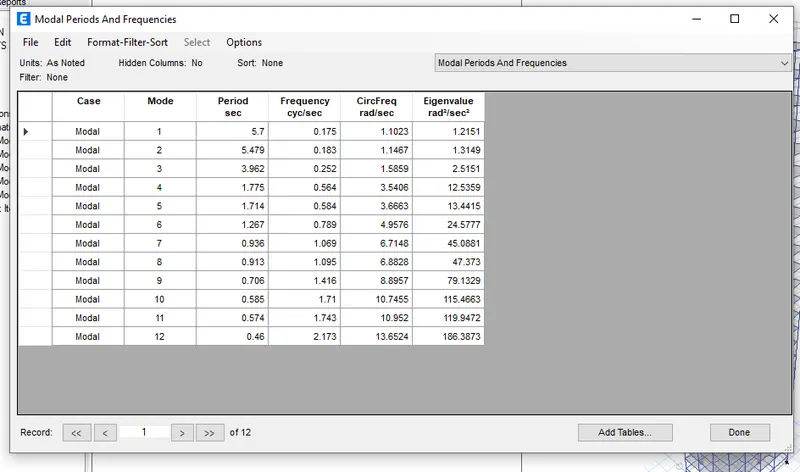
In the J model we already done modeled the same no of grids , beams , slabs
And it has 25 stories also
We have to just change the live loads
First open the old file
Then save as and rename as challenge K
Select only floors
Then assign
Sheel loads
Then uniform
Increase it to 20% to H which is 3.6
And replace with current load
Then diaphrgm in the shell and check
Then run analysis
Then in the analysis results and structural output
Our results are
Effect of stiffness on time period of building
E - 2.20s
F - 2.22s
G - 5.36s
H - 5.67s
Effect of mass on time period of
H - 5.67s
J - 5.66s
K - 5.7s
Effect of building on time period
A - 0.60s
B - 1.266s
C - 1.36s
D - 1.32s
F - 2.22s
H - 5.67
Displace of the coloumns in the building
B it is almose same (Eqx - 2.40 , Eqy - 2.4)
C is different Eqx - 2.25, Eqy - 2.40 because coloumn size is reduced in the X direction
When the inertia is zero in B building
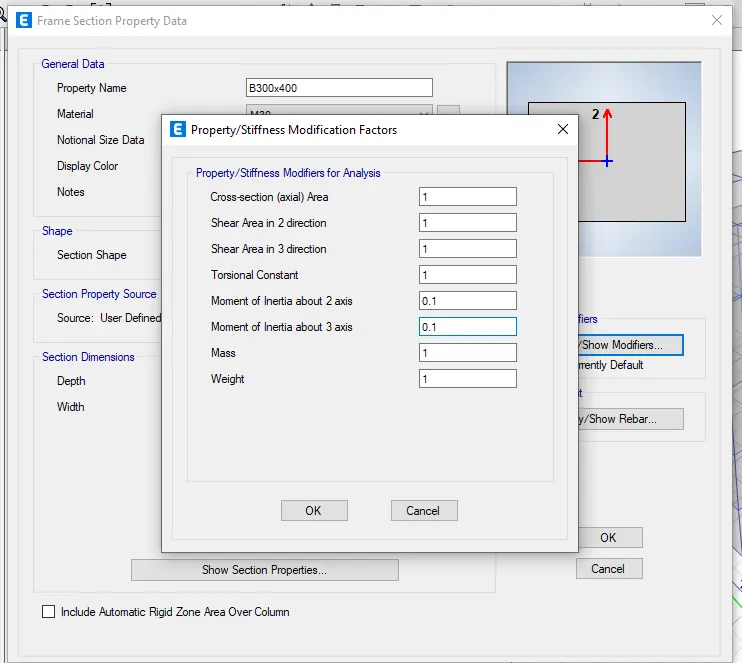
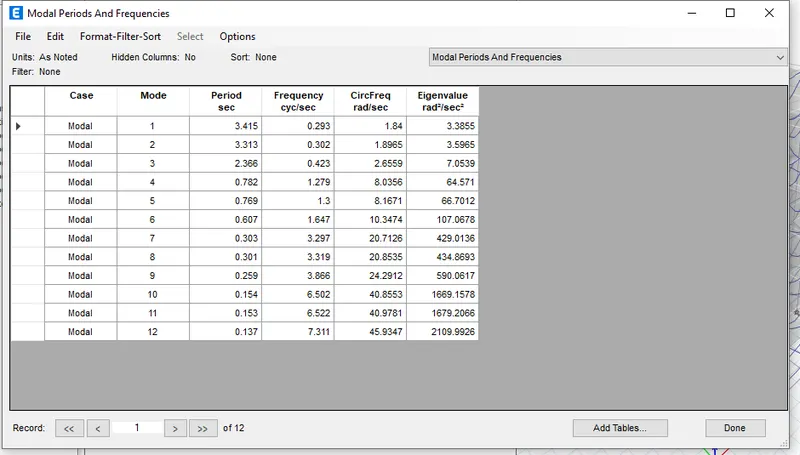
We got the value of - 3.41s with zero moment of inertia
Regular we got of - 1.266s
H building
With zero axial area
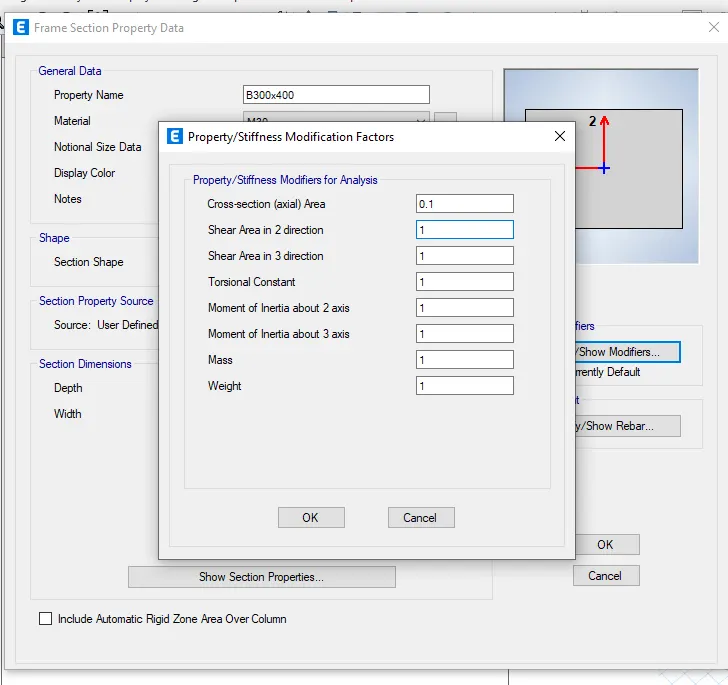
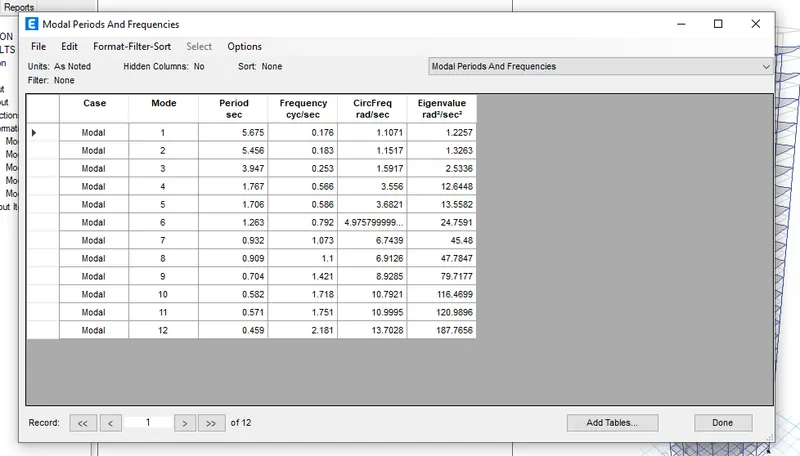
With zero axial area we got the value of - 5.67s
While in the regular we got - 5.67s
In the B building
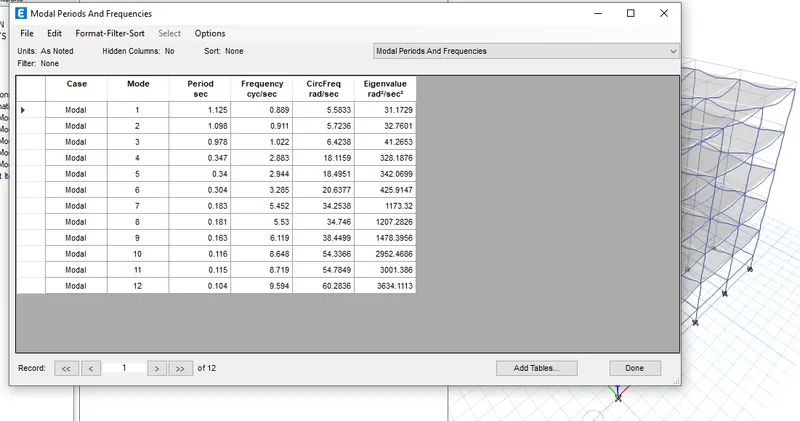
If the base are fixed then - 1.12s
In the pinned support we got - 1.266s