Project 1 : CFD Meshing for Tesla Cyber Truck
AIM:- To perform CFD Meshing for Tesla Cyber Truck in ANSA.
OBJECTIVE:- For the given model, check and solve all geometrical errors and Assign appropriate PIDs. Perform meshing with the suitable Target length and element Quality criteria.
THEORY:-
Accurate mesh generation is a critical step of every engineering design workflow that involves FE analyses, CFD simulations. So we need to Study the behavior of mesh on any Model to find out the Effect on Geometry.
- Surface Meshing:- Surface meshes use two-dimensional elements typically triangles or quads to approximate the outer surface of a 3D body. Surface meshes are used in manufacturing or rendering applications and CAE simulation.
- Volume Meshing:- Volume meshes, also known as solid meshes, use three-dimensional elements typically tetrahedrons, hexahedrons, and polyhedrons to define both the surface and interior structure. Surface meshes can be converted into volume meshes to run CFD simulations.
PROCEDURE:-
- Import Geometry in ANSA Software:-
For Import Geometry We Used File --> Open --> Select Geometry from Directory
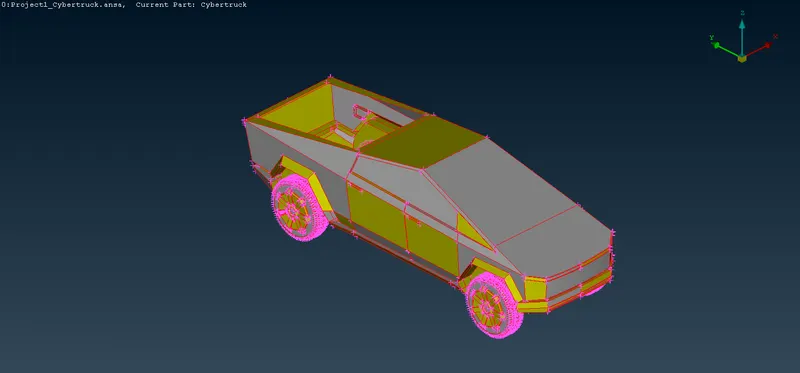
Fig. 1 Imported Tesla Cyber Truck Geometry
- ASSIGNING PID's:-
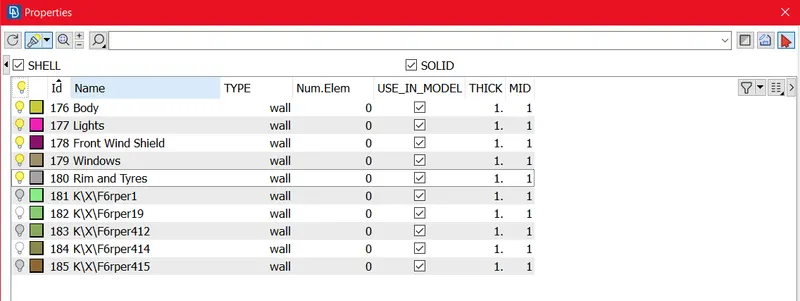
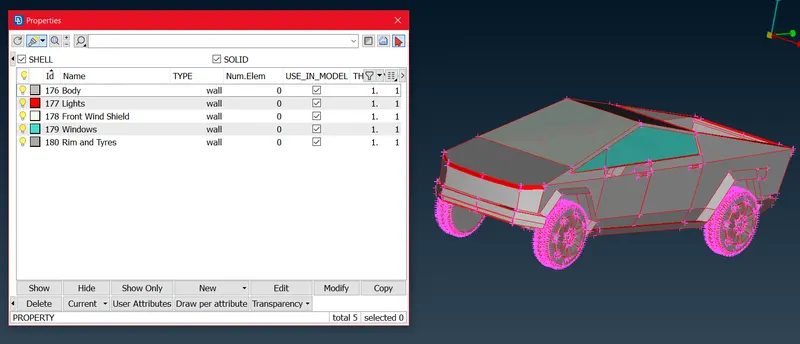
Some un-defined PID's Still present in which no any geometry there. we can delete that PID's by using Compress Tool.
- Geometry and Intersection/Penetration Errors Checks:-
To check Geometry and Intersection/Penetration Errors Check --> Check Manager --> Geometry Checks --> Execute after that we can get window as below
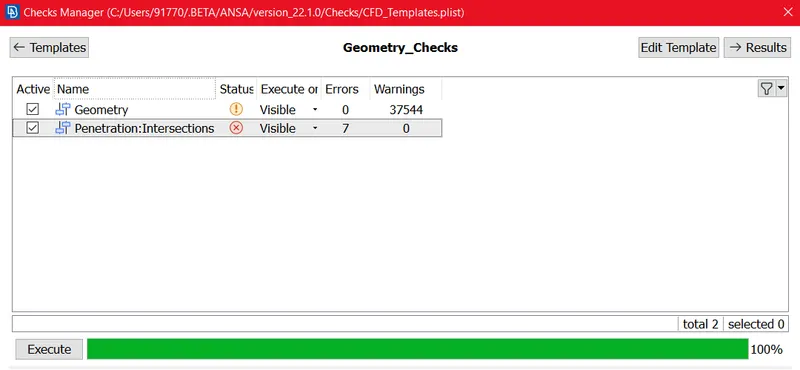
Then we can find Geometry Checks and Penetration/Intersection Checks
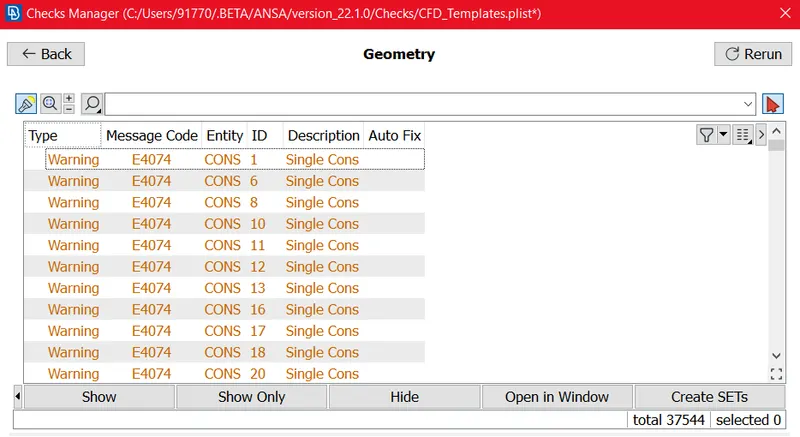
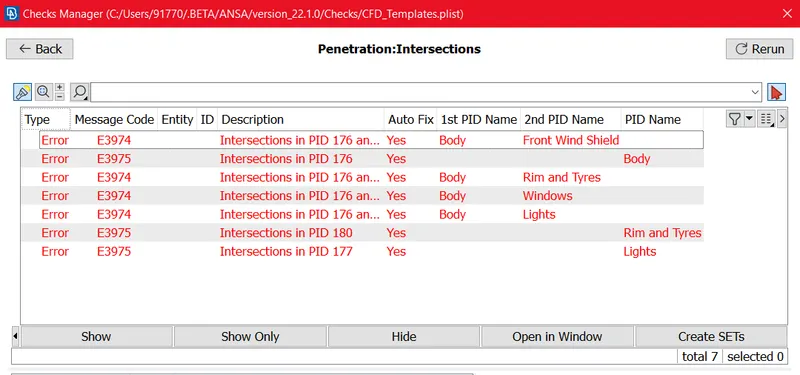
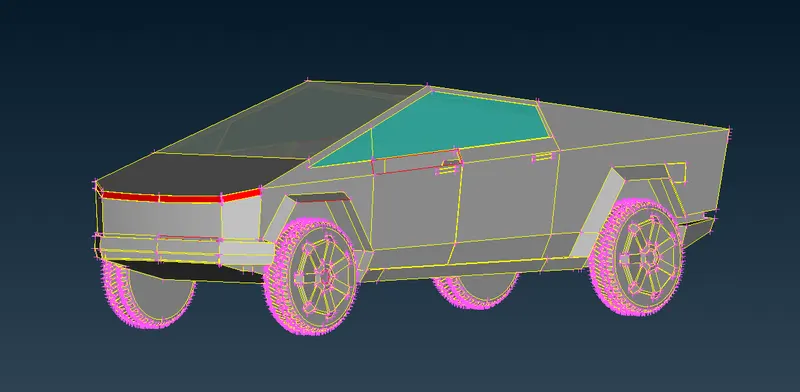
Then we used Topo to the Full model then we get Model as below:-
Topo --> Faces --> Topo
Model in Wireframe Mode:-
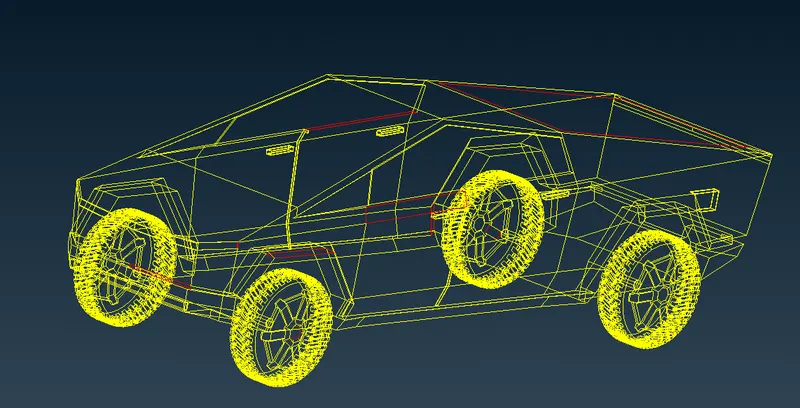
Here we can see Some Single cons are present over Tesla cyber truck.
Again we tried for Geometry and Intersection Error checks:-
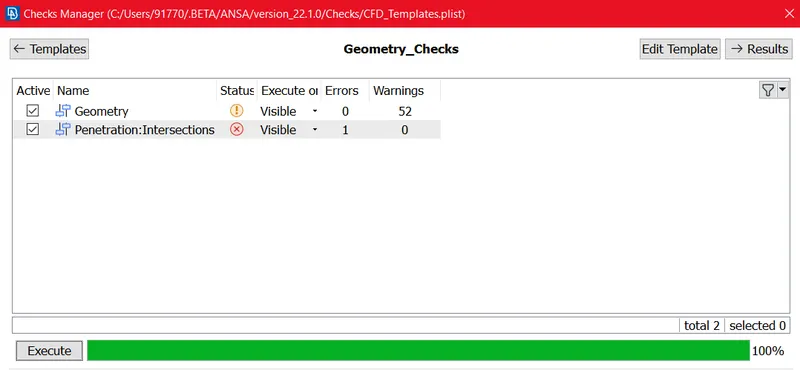
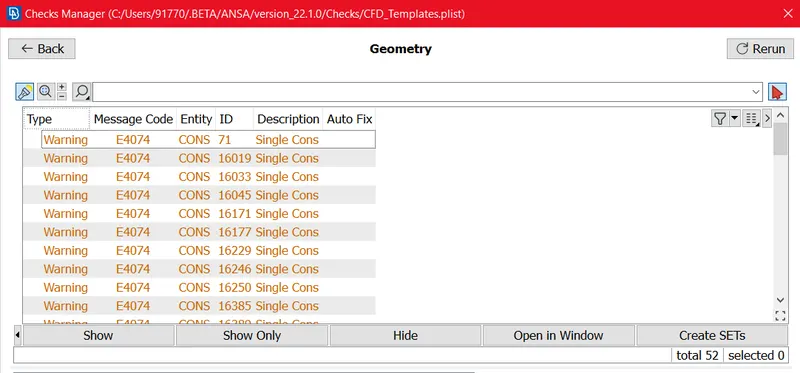
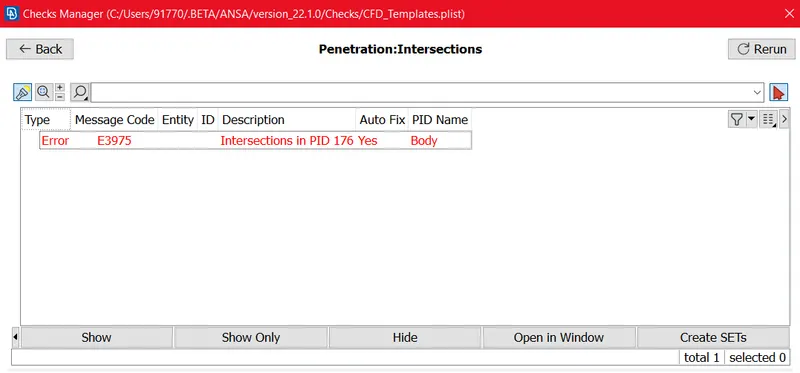
We are getting 52 Geometry warnings and 1 Intersection Error as shown in above Figures.
Now we can try to overcome Above Errors by using Different TOPOLOGY Clean-up Algorithms.
Now we have to avoid the Single cons present over Geometry.
we observed hole present At below lights.
Before Clean-up:-
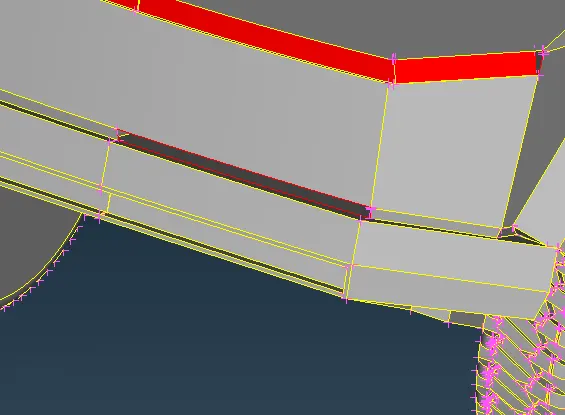
After Clean-up:-
Tool used here Faces --> New --> Fitted
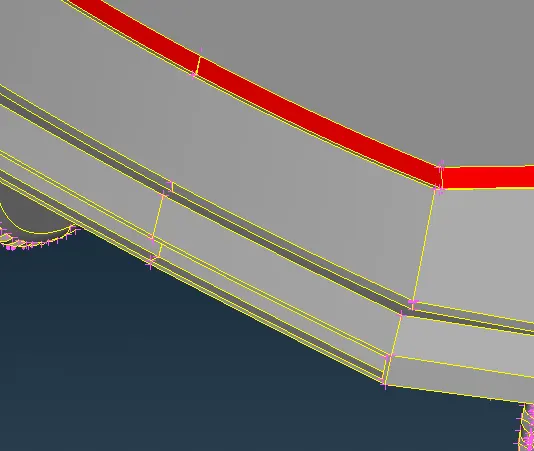
One hole Present over Near Front Lights
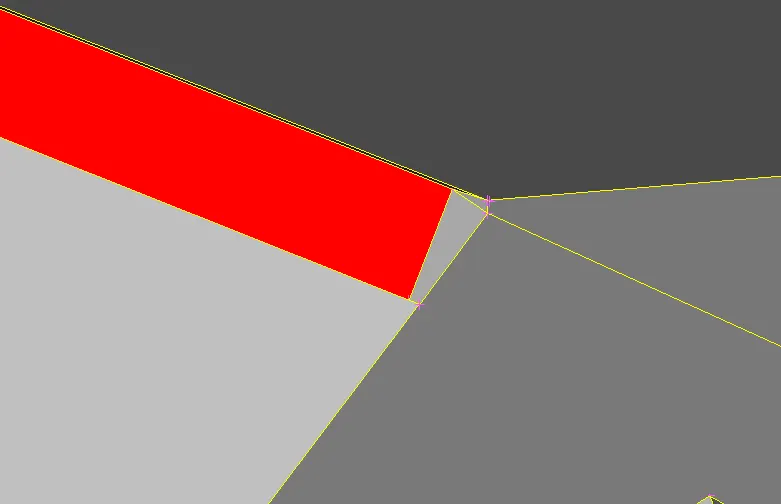
Before Clean-up:-
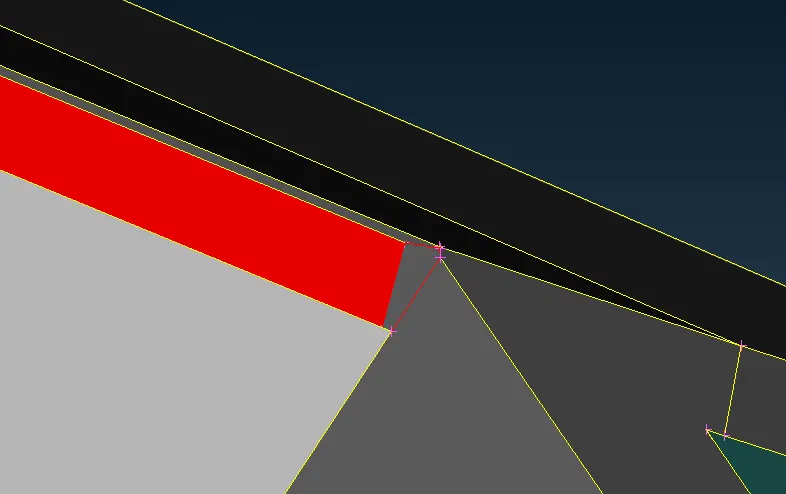
After Clean-up:-
Tool used here Faces --> New --> Fitted
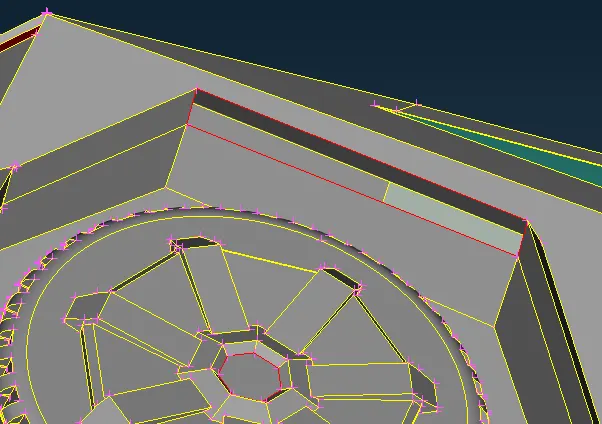
One Surface is Absent at Front Left Tyre Fender.
Before Clean-up:-
After Clean-up:-
Tool used here Faces --> New --> Fitted
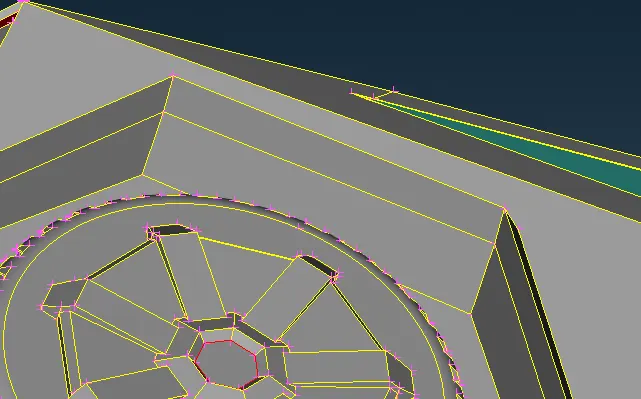
BODY:-
Geometry check Errors:-
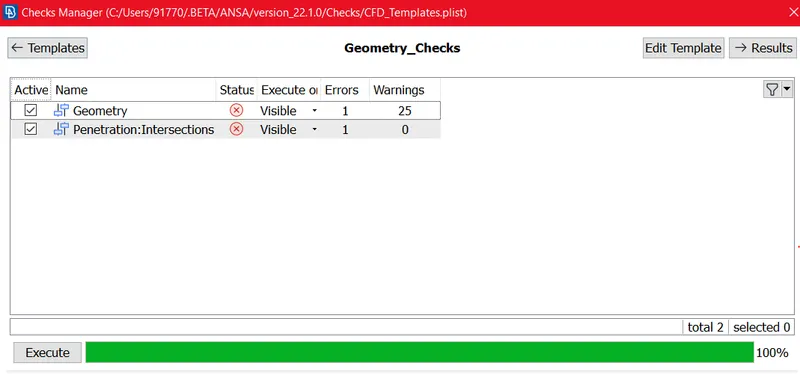
Geometry Errors:-
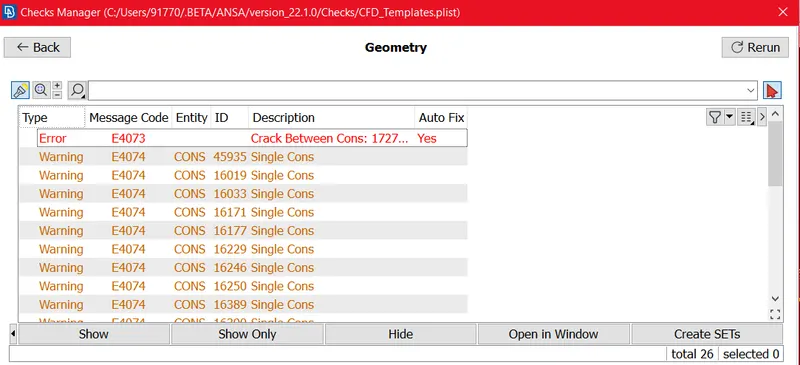
here we got 1 Error (crack) and 25 Single cons warning.
Penetrations Errors:-
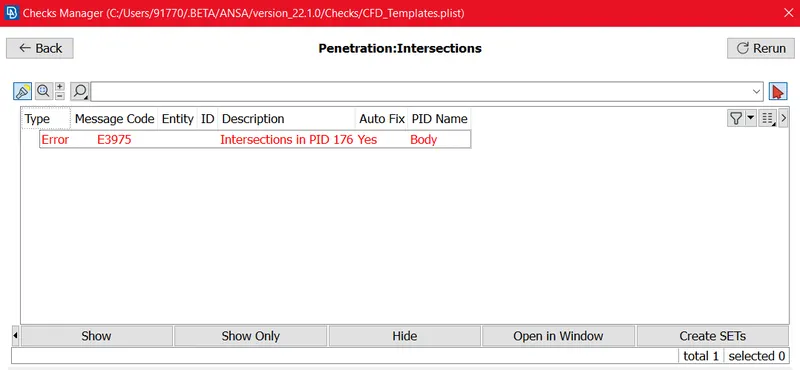
here we got 1 Error (Intersections) so we can try to resolve this penetration.
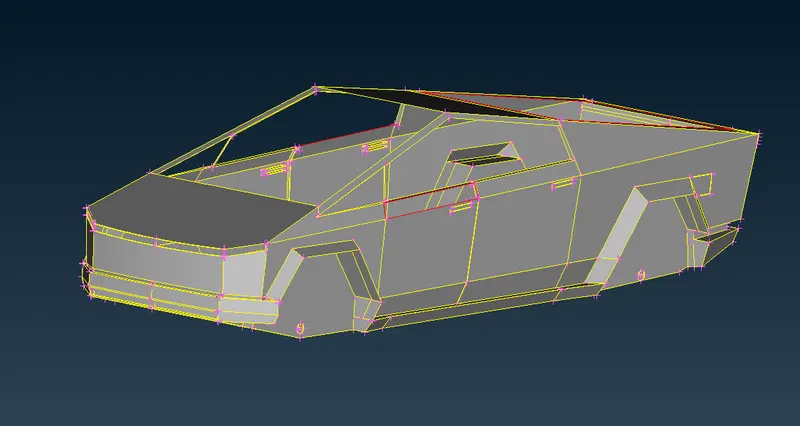
Body Before Clean-up:-
Before Clean-up body look like as below (some Opening are present at geometry).
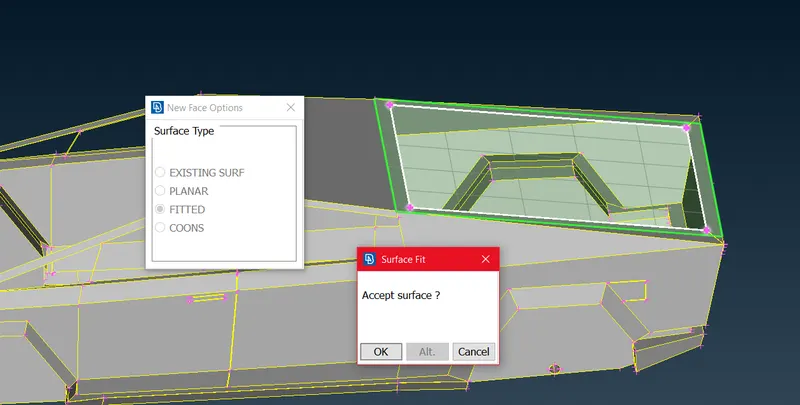
We used New face >> Fitted >> Preview surface >> ok
Now in below figure we can see intersection is present over there, so by deleting Un-wanted surface by using Universal Delete Tool we cxan delete the Unwanted Surfaces.
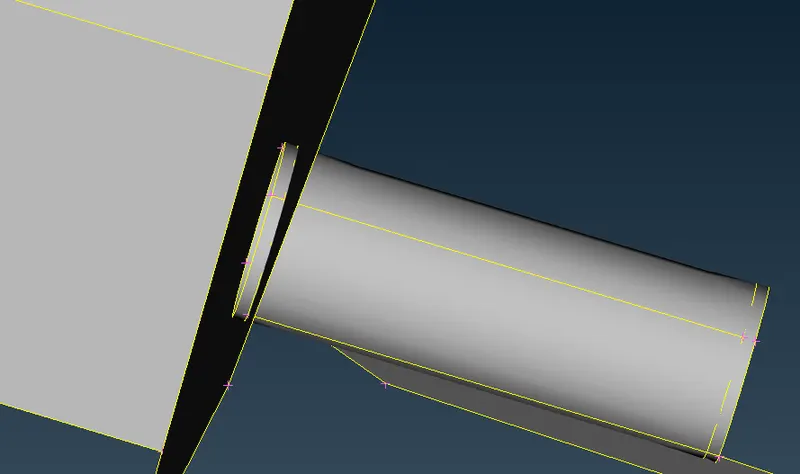
After All Topology Clean-up Cyber truck Look like as below figure.
After topology clean-up we can Visual check the Full model For any vulnarability present on Model from both side Interior as well as Exterior. Also we have to check Model is enough Watertight. and also we have to Avoid The Un-wanted volume so like wise we have to check the model.
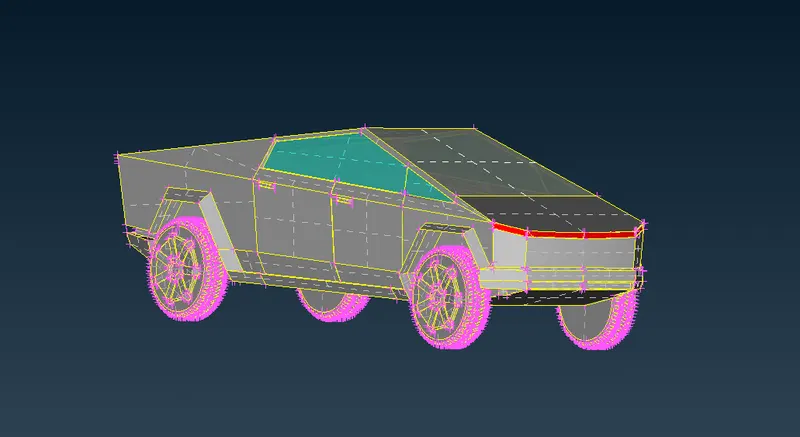
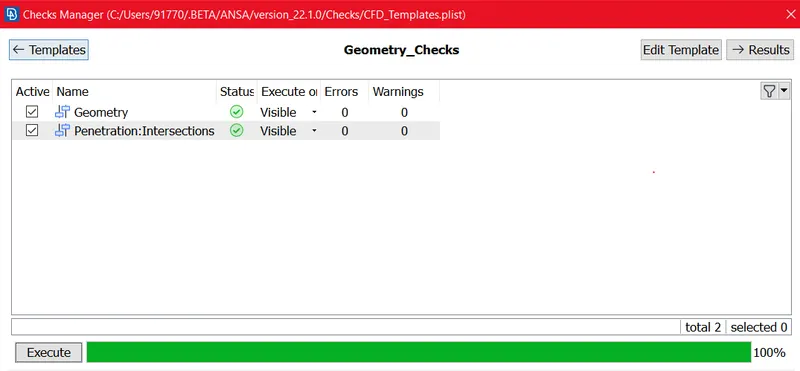
Again we checked Geometry errror and Penetration Error to go further for Surface meshing, now We get the Error free Full car body as shown in above Fig.
TOOLS USED FOR TOPOLOGY CLEAN-UP:-
Insert Hot points, Project Hot Point,Release Hot points, Paste cons, Project Cons, New faces (Fitted, Coons), Delete faces, Undelete faces , Cut Faces, Set PID, Topo, Project cut Faces, Check Geometry, Universal Delete etc.
SURFACE MESHING:-
we start the surface meshing as per set PID's as per Superior Element size, we are using tria Mesh algorithm here.
Target Mesh Length for
1. Body = 4 mm.
2. Lights = 4 mm.
3. Front Wind Shield = 3 mm.
4. Windows = 4 mm.
5. Rim and Tyres = 2 mm.
First we tried Meshing to Body Part.
1. BODY:-
By hiding other PID's we shall move to meshing for Body
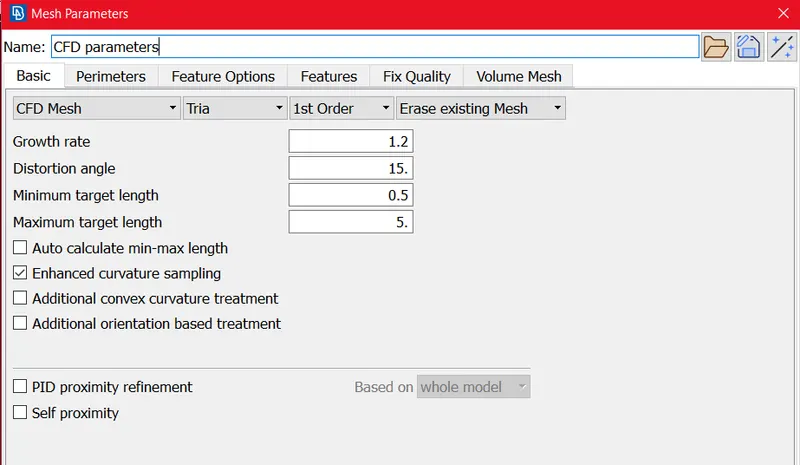
Mesh Criteria for Body :-
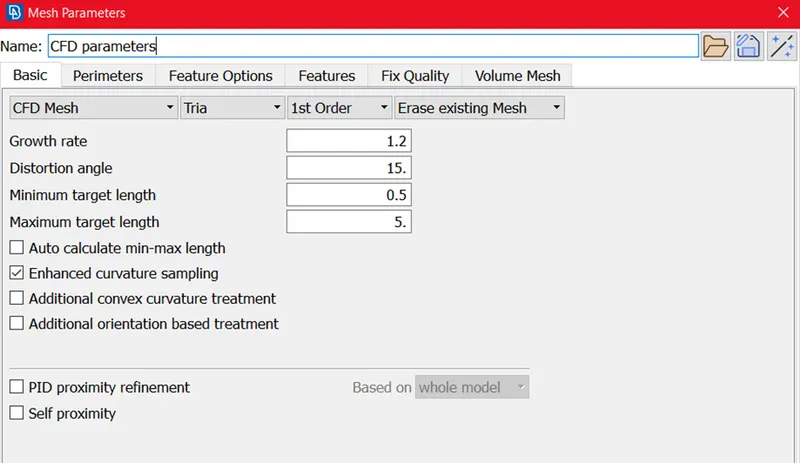
here we set the mesh parameters as below like Minimum Target length is 0.5 and maximum target length is 5 mm. we used CFD Mesh and Tria elements.
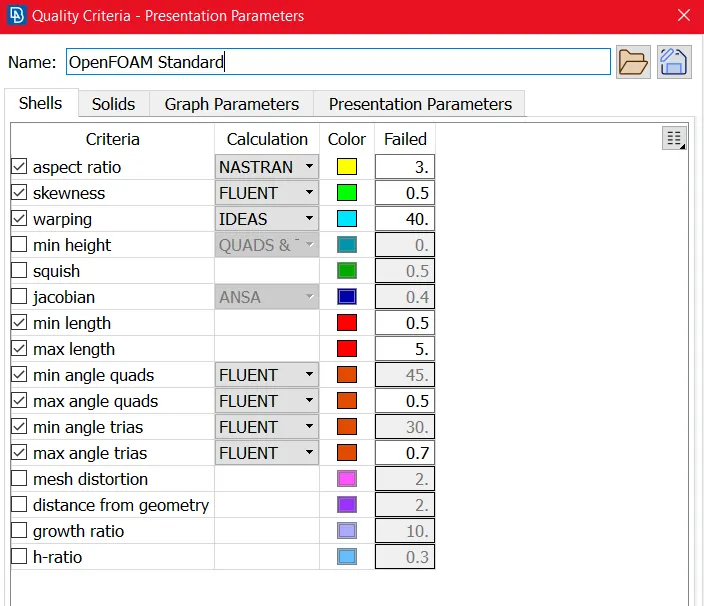
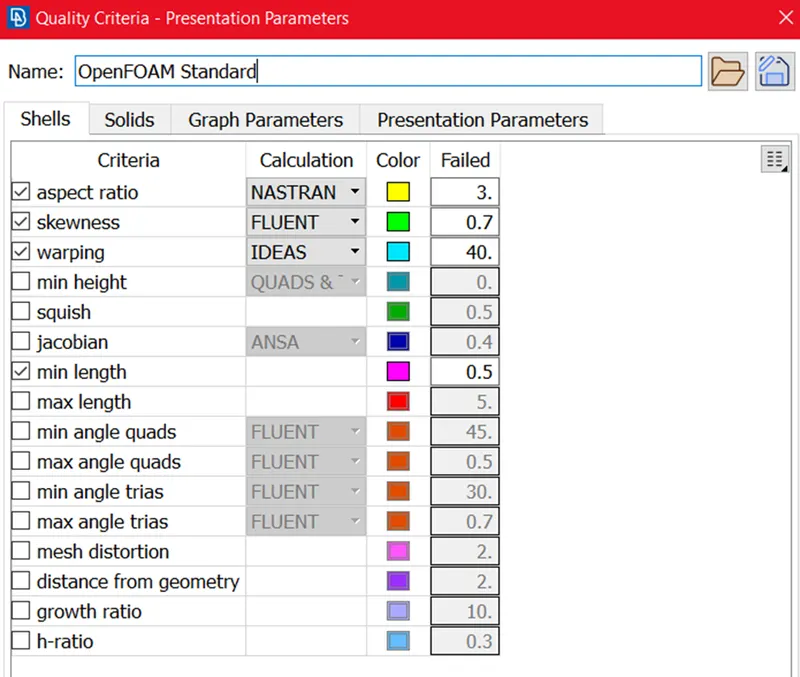
Mesh Quality Criteria for Body :-
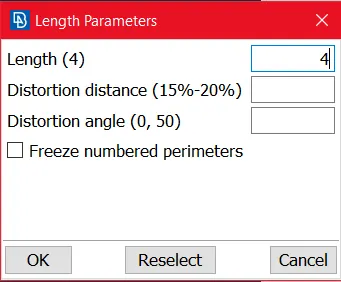
Target Length for Body:-
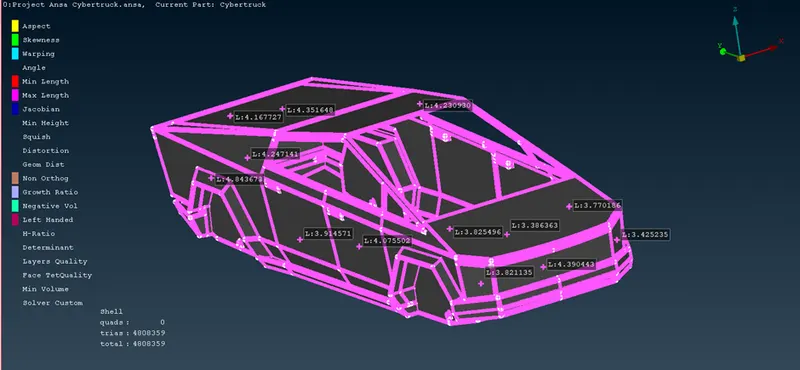
we set the 4 mm Mesh target length for body.
Before Improve:-
After meshing Some Off elements are encountered as per set mesh quality criteria, so we need to avoid those by using Improve Tool (Re-construct,Reshape, Split elements, Move grids) and make the mesh Perfect.
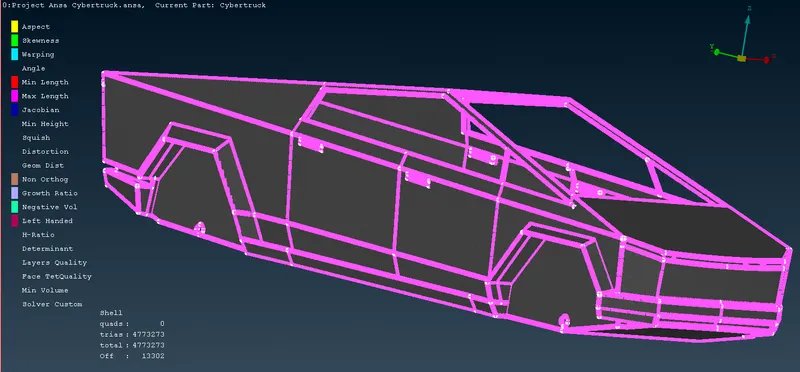
After Improving Off Elements:-
After Improving(eliminating) the off elements we are getting Total 4808359 Tria mesh elements. After meshing Freezed that PID by using Freeze tool.
2. Lights:-
Mesh Parameters:-
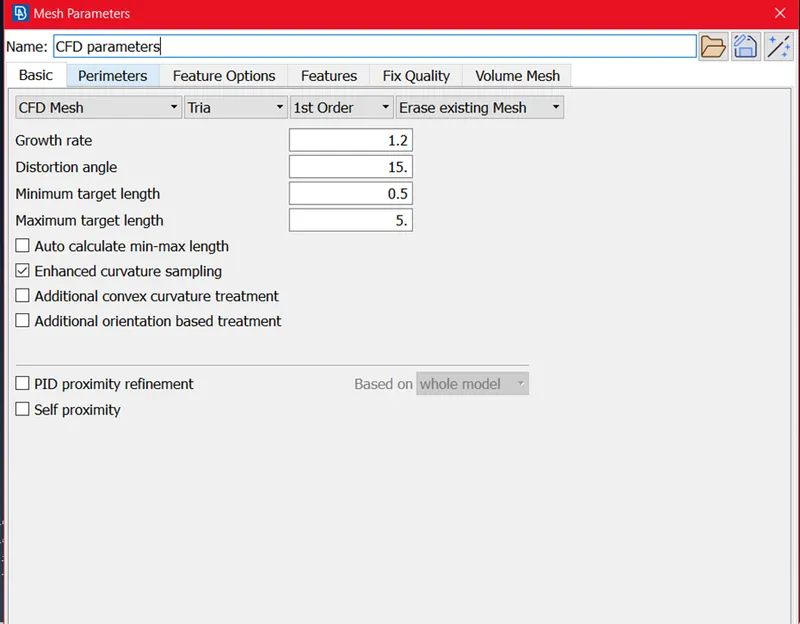
here we set the mesh parameters as below like Minimum Target length is 0.5 and maximum target length is 5 mm. we used CFD Mesh and Tria elements.
Target Length for Lights:-
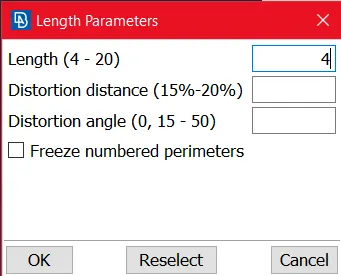
here we set the 4 mm Mesh target length.
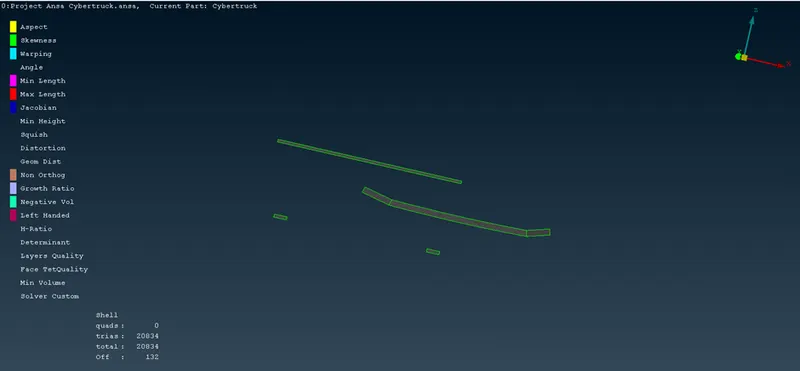
Before Improving:-
In this Meshing we got the 132 Off elements, so we need to improve the off elements by using Reconstruct, Reshape and Move grids and elements Split tool.
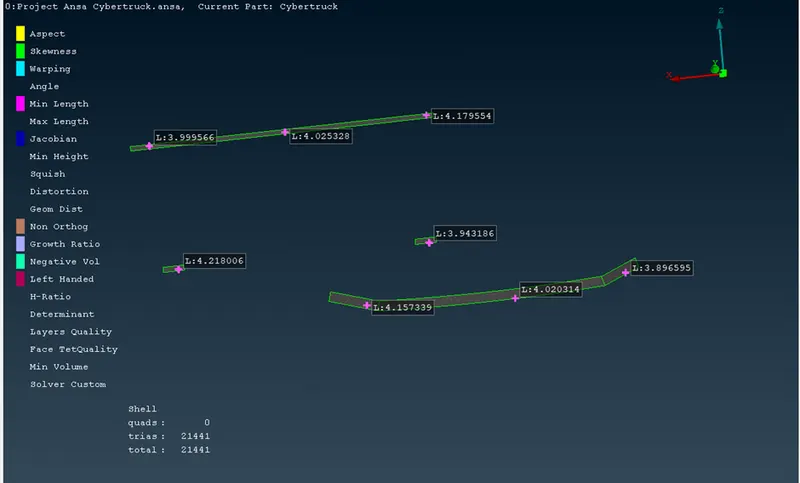
After Improving Off elements :-
After Improving(eliminating) the off elements we are getting Total 21441 Tria mesh elements. After meshing Freezed that PID by using Freeze tool.
3. Front Wind Shield:-
Mesh Parameters:-
here we set the mesh parameters as below like Minimum Target length is 0.5 and maximum target length is 5 mm. we used CFD Mesh and Tria elements.
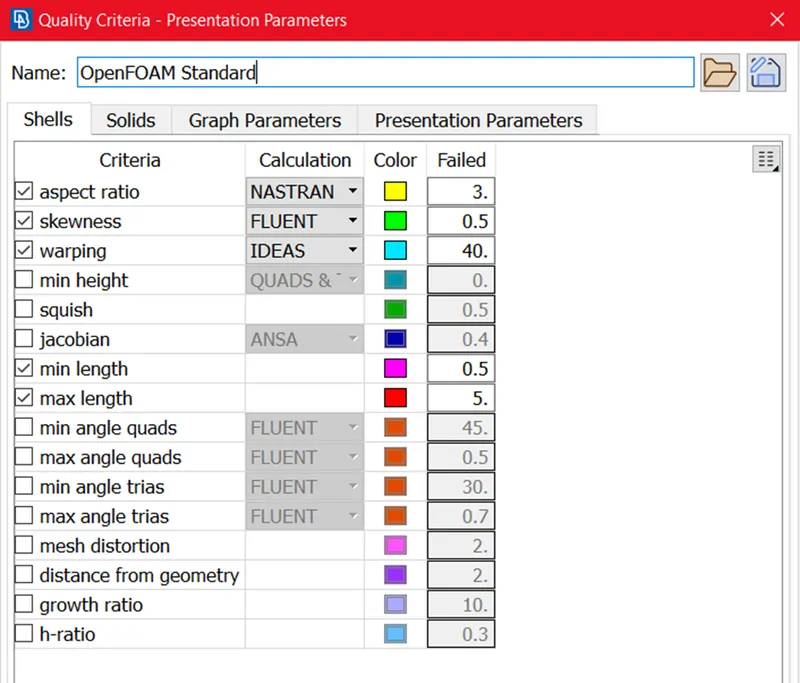
Quality Criteria for Font wind Shield:-
set the quality criteria as below.
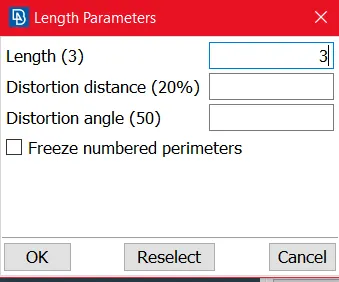
Target Length for Front Wind Shield:-
here we set the 3 mm Mesh target length.
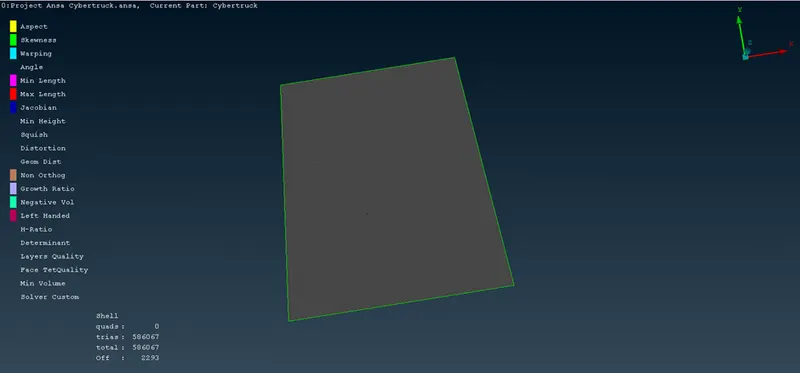
Before Improving:-
In this Meshing we got the 2293 Off elements, so we need to improve the off elements by using Reconstruct, Reshape and Move grids and elements Split tool.
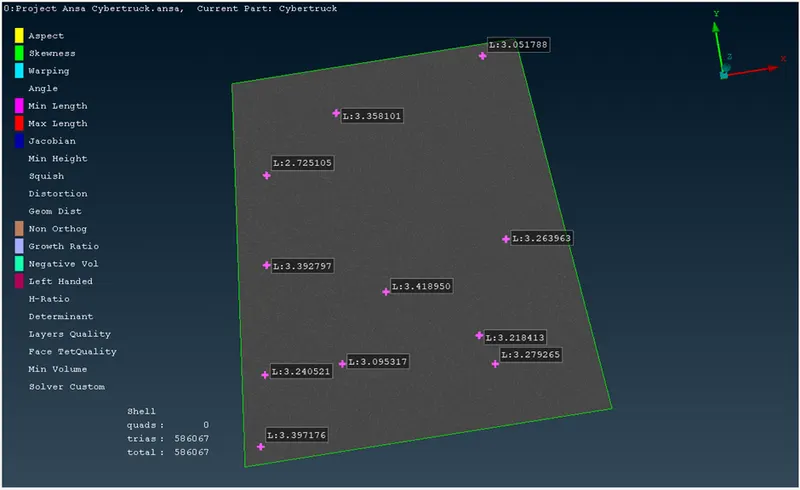
After Improving Off elements :-
After Improving(eliminating) the off elements we are getting Total 586067 Tria mesh elements. After meshing Freezed that PID by using Freeze tool.
4. Window:-
Mesh Parameters:-
here we set the mesh parameters as below like Minimum Target length is 0.5 and maximum target length is 5 mm. we used CFD Mesh and Tria elements.
Quality Criteria for Font wind Shield:-
set the quality criteria as below.
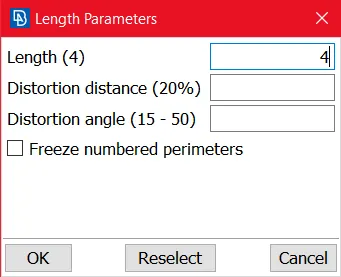
Target Length for Front Wind Shield:-
here we set the 4 mm Mesh target length.
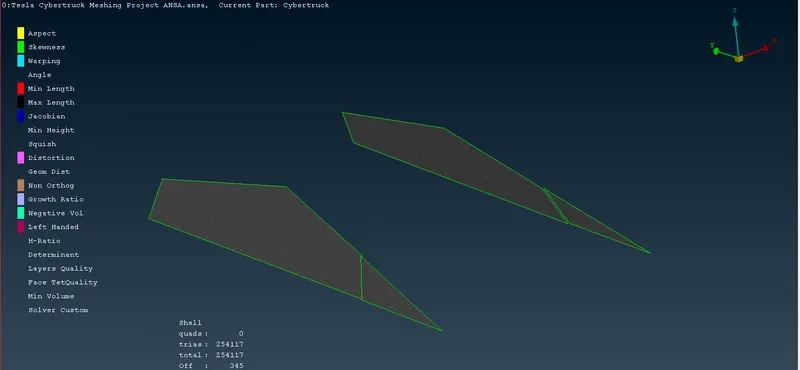
Before Improving:-
In this Meshing we got the 345 Off elements, so we need to improve the off elements by using Reconstruct, Reshape and Move grids and elements Split tool.
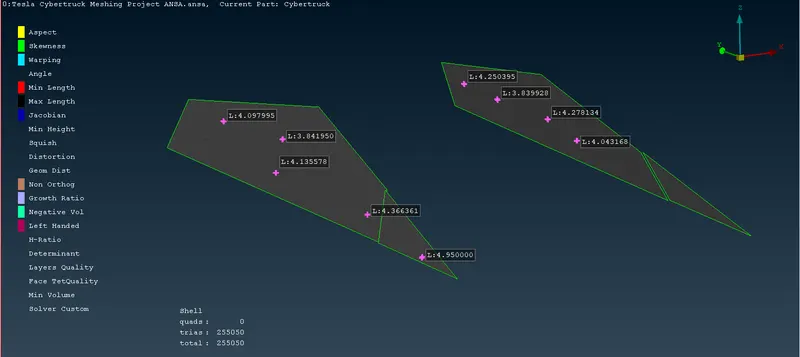
After Improving Off elements :-
After Improving(eliminating) the off elements we are getting Total 255050 Tria mesh elements. After meshing Freezed that PID by using Freeze tool.
5. Rim and tyre:-
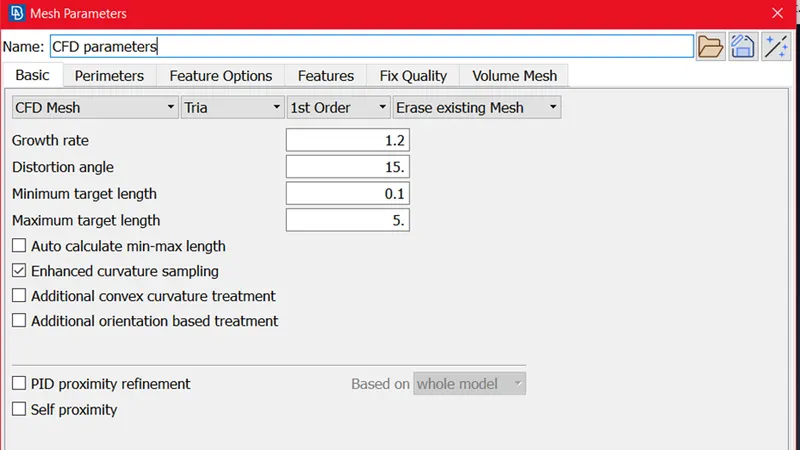
Mesh Parameters:-
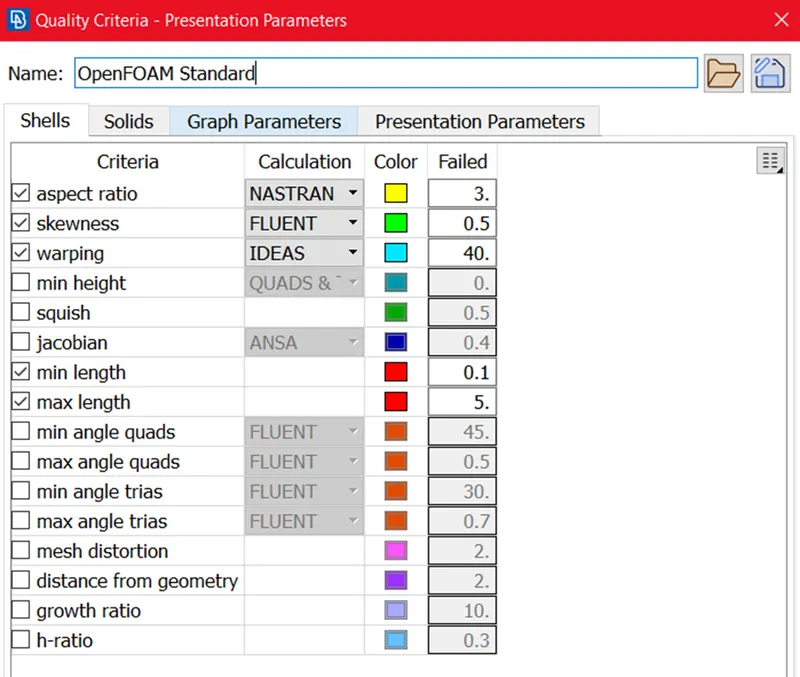
here we set the mesh parameters as below like Minimum Target length is 0.1 and maximum target length is 5 mm. we used CFD Mesh and Tria elements.
Quality Criteria for Font wind Shield:-
set the quality criteria as below.
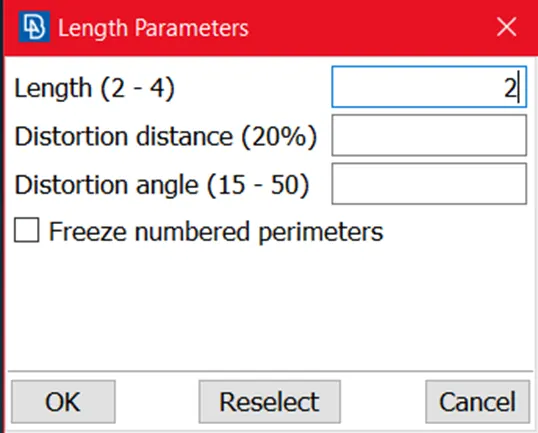
Target Length for Front Wind Shield:-
here we set the 2 mm Mesh target length.
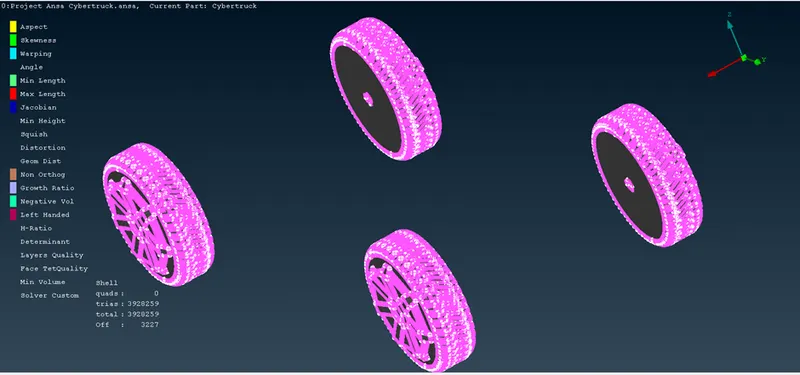
Before Improving:-
In this Meshing we got the 3227 Off elements, so we need to improve the off elements by using Reconstruct, Reshape and Move grids and elements Split tool.
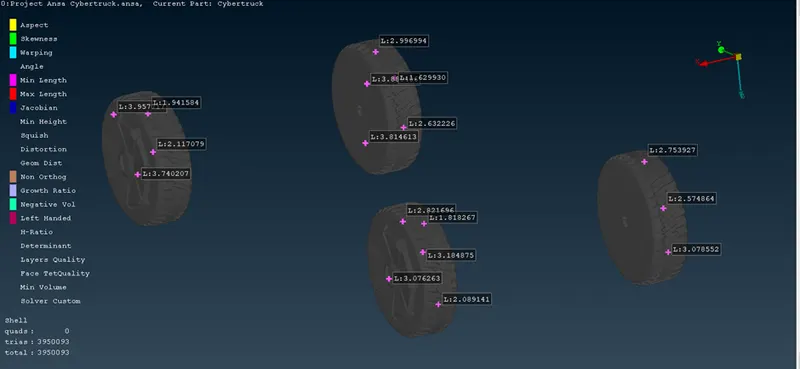
After Improving Off elements :-
After Improving(eliminating) the off elements we are getting Total 3950093 Tria mesh elements. After meshing Freezed that PID by using Freeze tool.
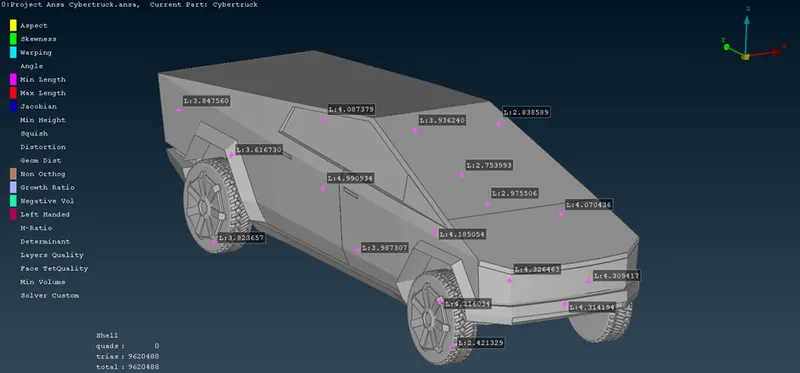
Full Tesla cybertruck Surface Meshing:-
Total No of Elements are 9620488.
Now we have to Create Fluid Domain(Wind Tunnel):-
by using 3D points (Relative Point) we can create Fluid domain, First of we can measure the length, Width and Height of car.
then we can define the fluid domain as
Top Domain from Roof= 3* Height of the Truck =3*2000 =6000
Front Domain from frontal portion of Truck= 4*Length of Truck= 4*5800=23200
Rear Domain from rear portion of Truck = 6*Length of Truck =6*5800=34800
Left and Right Side Domain of a Truck = 1*Width of Truck = 2160
as per above dimension we are creating the Fluid Domain as below.
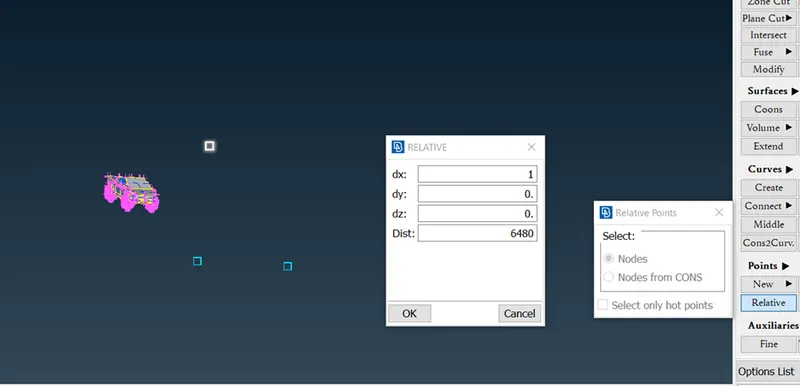
Then by Using Create Curve Joined that 3D Points and make the Surfaces as below figures.
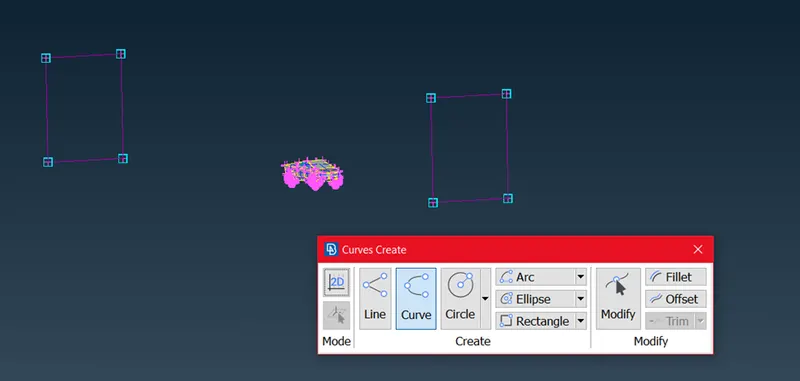
Then by using FACES >> NEW >> FITTED we created the the All surfaces as below.
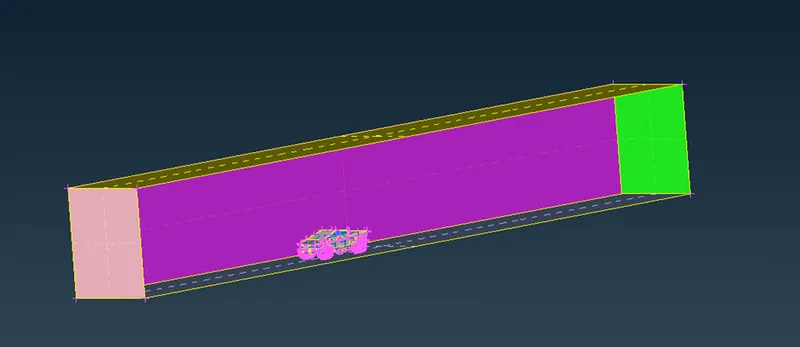
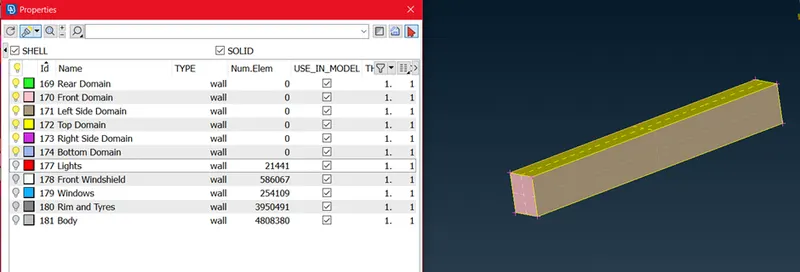
Then Assign the PID's for Fluid Domain ( Wind Tunnel ) as shown as below Fig.
Surface Meshing for Fluid Domain:-
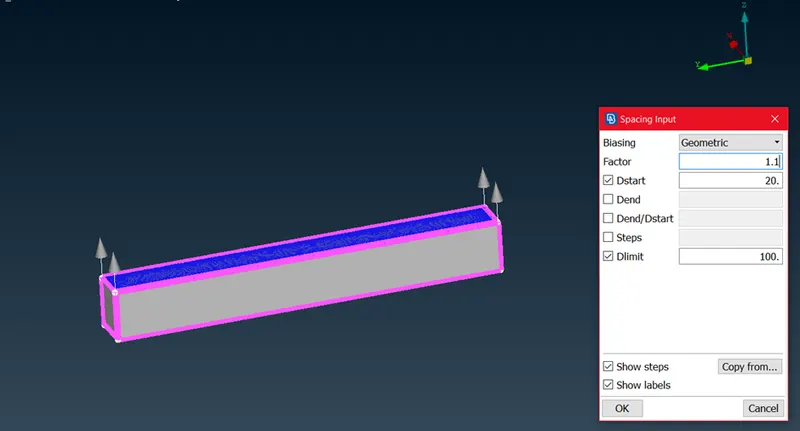
Then by using Element criteria at Bottom domain 20 mm and Top domain 100 mm by using this we can target the Car area as Fine mesh and above car to top domain Course Mesh. we are used Spacing Tool to specify 20 mm to 100 mm from Bottom to top domain.
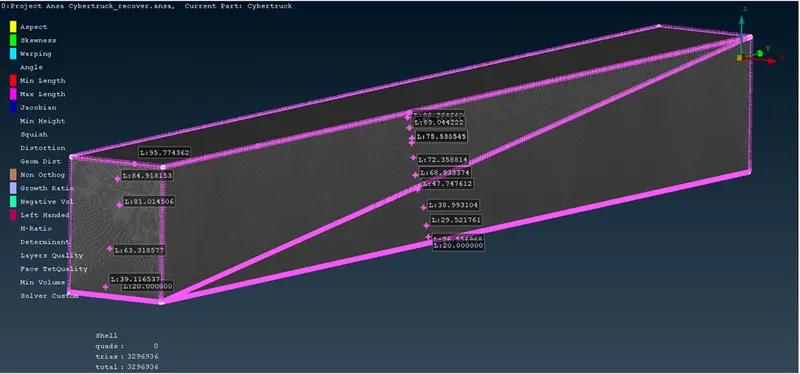
then we used Spot Mesh algorithm here after that we are getting Mesh as below. MESH GENERATION >> SPOTMESH >> VISIBLE
RESULT:-
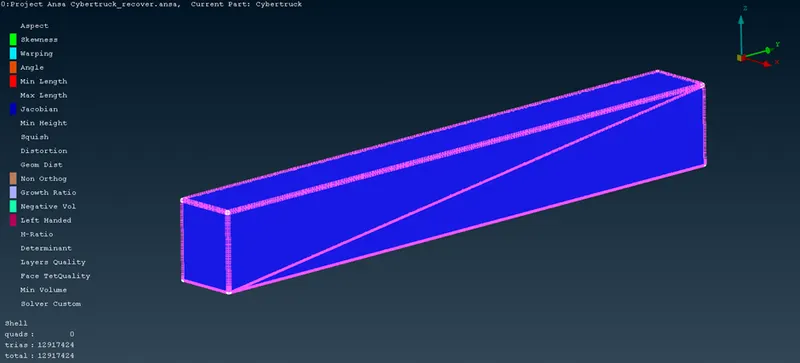
Full Tesla cyberTruck with Fluid Domain:-
Total No of Tria Mesh Elements are 12917424.
TOOLS USED FOR SURFACE MESHING:-
- Mesh Parameters
- Quality Criteria
- Under perimeter : Nodal Length and Nodal Spacing
- Under macros : Freeze/Unfreeze
- Under grids : Move
- Under Mesh generation: CFD Mesh, Spot Mesh and Erase.
- Under Shell Mesh: Improve
- Under Elements: Split.
NOTE:- we can not Perform Volumetric Mesh, due to Volumetric Mesh is Huge, with Lower Computer spacifications and less time (it takes more computational time) we can't perform.
LEARNING OUTCOME:-
- Identify and clear the Topology clean-up and Geometry Errors.
- To Set the mesh parameters and quality criteria, selection of meshing type and generating surface mesh of the model .
- To work on Real World Problem in which Learnt about Topology Clean-up and Surface Meshing.
- How to Manage the Computational time For Surface Meshing by using some alternative Options/Tools.
- Studied about Appropriate Tool Selection and how ANSA Software behaves
CONCLUSION:-
- Performed Topology clean-up and Geometry Checks For Tesla Cybertruck.
- Surface meshing is done for Full Tesla Cybertruck model with making mesh with off element Zero.
- Created the Wind Tunnel (Fluid Domain) as per criteria and Surface meshing has been completed.
- we observed that, the volumetric mesh was not generated for this project as it requires a lot of computational resources.
GOOGLE DRIVE LINK:-
https://drive.google.com/file/d/1EPwY3eqC782tbOh-i3rieTYB4s6yxrbG/view?usp=sharing