Project 1 : CFD Meshing for Tesla Cyber Truck
CFD Meshing for Tesla Cyber Truck:
Aim/Objective:
For the given model of tesla's Cyber truck, check and solve all geometrical errors and Assign appropriate PIDs. Perform meshing with the suitable Target length and element Quality criteria and also create a wind tunnel and perform volumetric mesh. Procedure:
Procedure:
Initially the given Ansa model of Tesla’s Cyber Truck was open in the Ansa software.
Geometrical Clean-up:
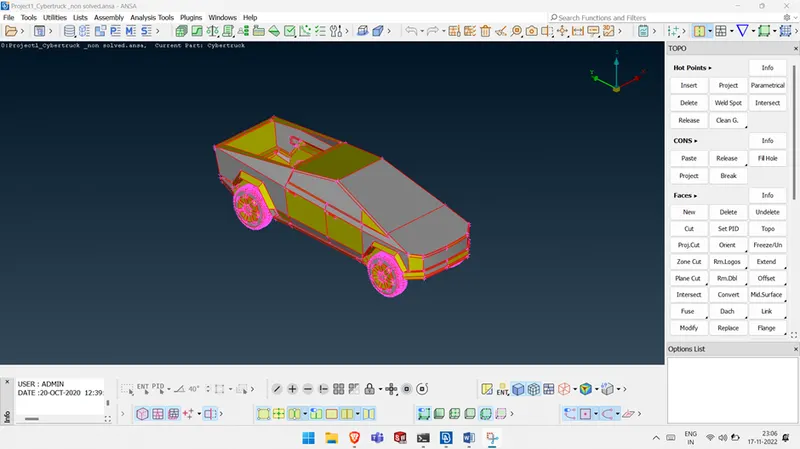
- Initially Un-necessary overlapped faced are deleted.
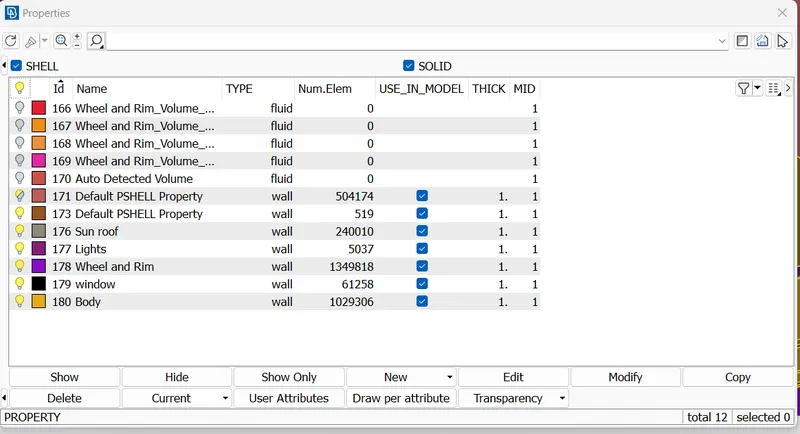
- Then we define the PID for every entity and assign it.
- Remove unnecessary Pid from Properties by Using Compress Option.
- Now it’s time to remove the single cons
- So we are create a new faces by using Faces--> New, Option
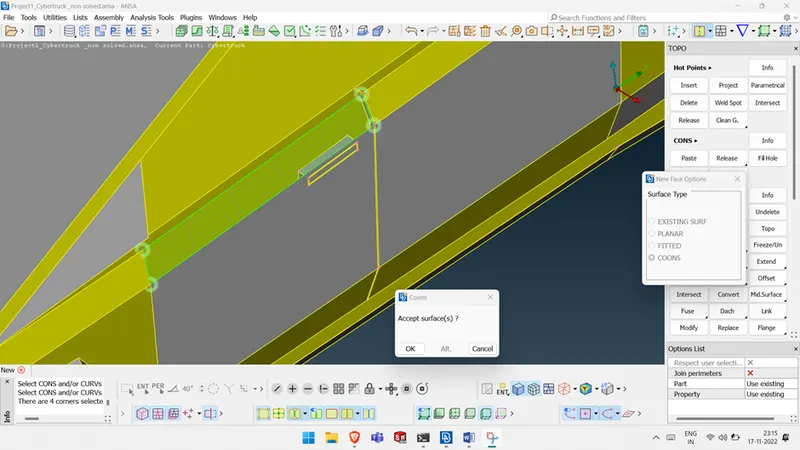
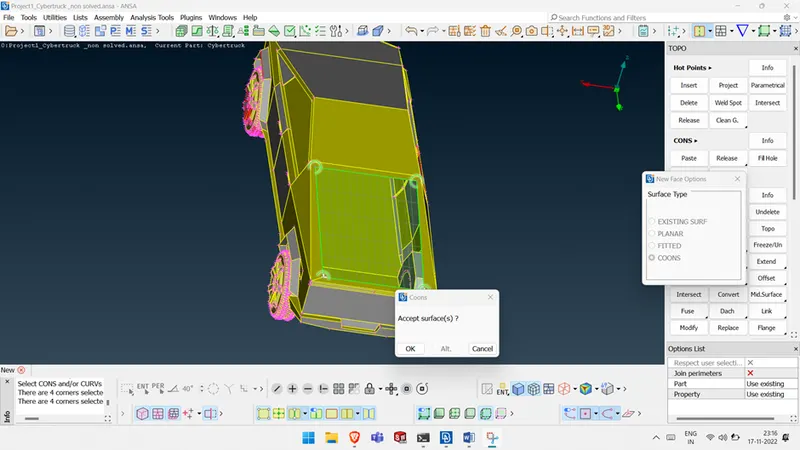
After all Geometry clean-up process completed we will move on Meshing Process.
Meshing:
Meshing will done in order to following procedure:
USED MESH LENGTH:
| MESH LENGTH | ||
| PID | MIN | MAX |
| BODY | 5 | 10 |
| WINDOW | 2 | 4 |
| LIGHTS | 2 | 4 |
| WHEEL/RIM | 3 | 5 |
- I took some higher Mesh length due System spec.But very minimum size of the mesh length only gave best result.So Min mesh lengths are only preffeerd.
- Select the Pid which we need to mesh
- Then define the Quality Creterias like max length minium length and skewness etc.
- After that maximum and Minimum Length of mesh was a provided in Mesh Parameters.
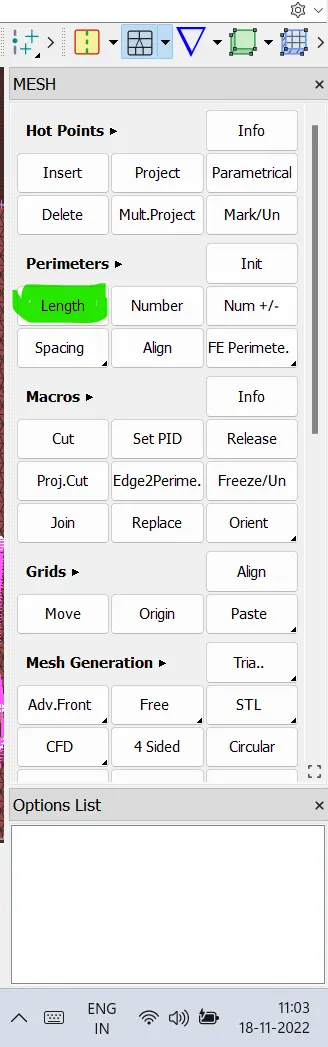
- Mesh length was provided in the Length option under Parameter optionas show in fiig
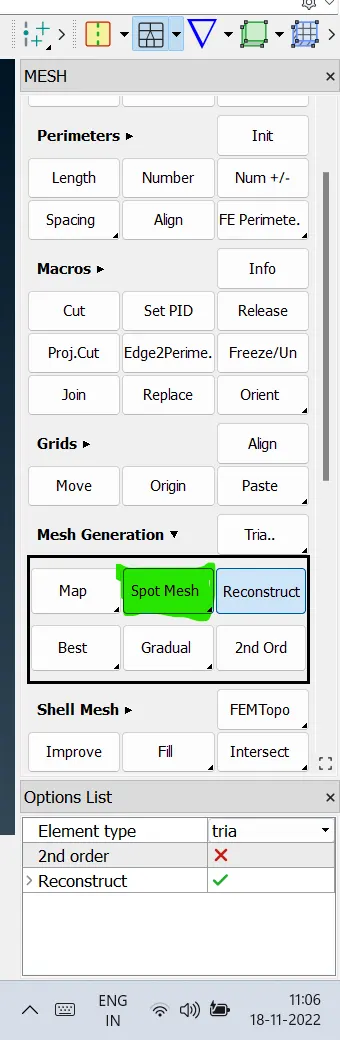
- After that Mesh generation was started by using Spot Mesh option under Mesh Generation as shown in fig.
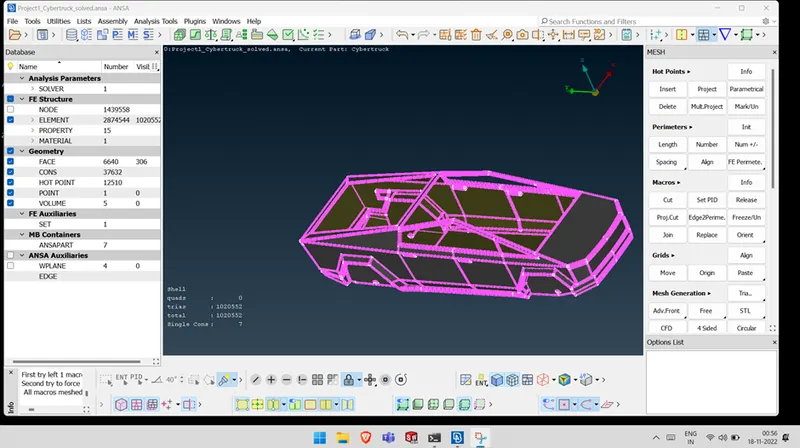
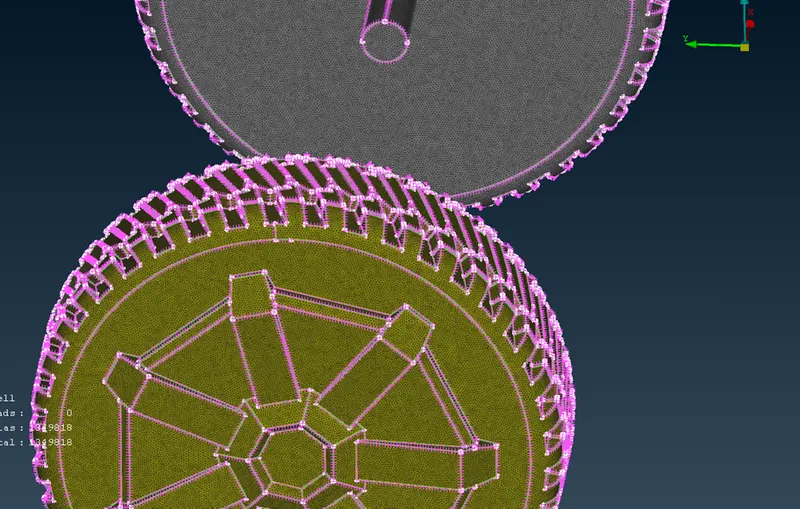
By using this same process Mesh was created for all Entities.
Creating wind tunnel:
- First, we need to create reference points to create wind tunnel surfaces.
- Select relative under points in topo mode, create a point below the car taking one reference point and entering the correct values.
- And calculating the wind tunnel dimensions appropriately, we can create the wind tunnel accurately.
- The wind tunnel dimmensions are:
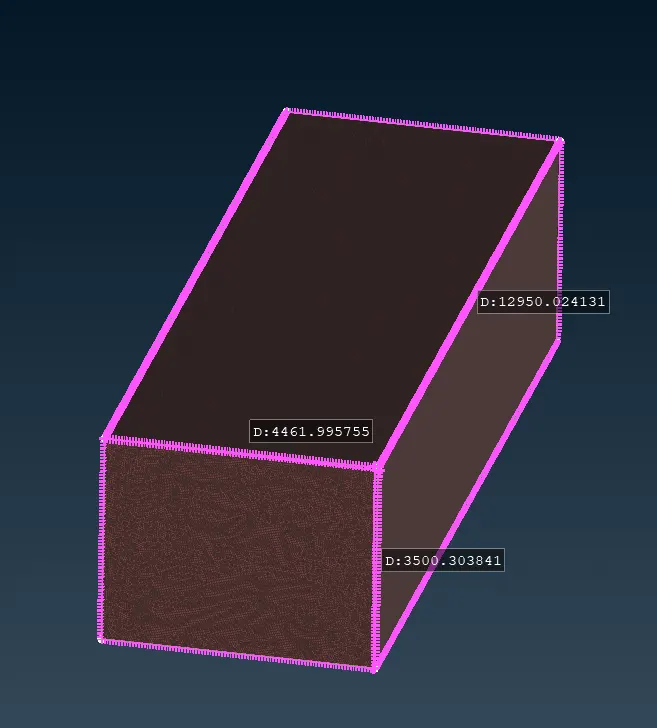
- After creating the bottom surface use the curves for having the reference of cons, we can delete all the hot points and curves.
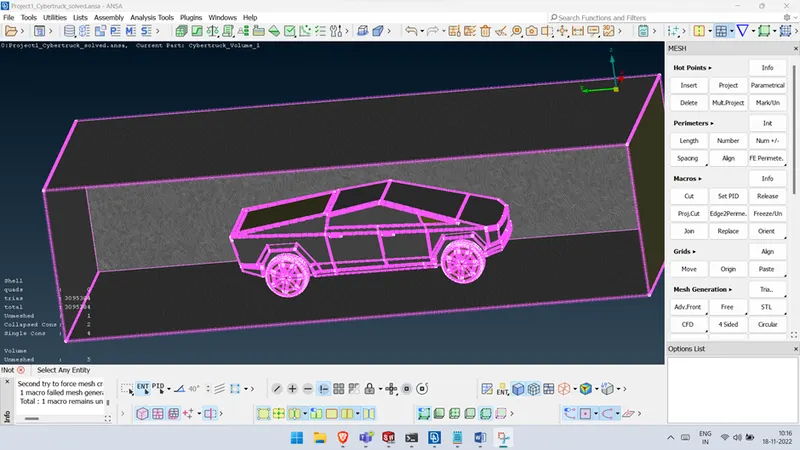
- Create all the other wind tunnel surface using the new surface option
.
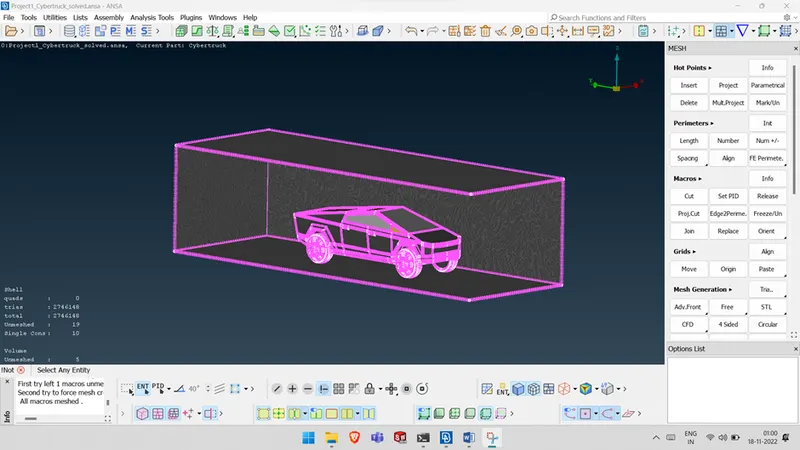
Learning Out comes :
Acquired knowledge of various new tools and how to use them to execute operations on given geometry. Construction of the Fluid domain was introduced newly.
Conclusion :
- The imported CAD model of Tesla cyber truck is Topologically Cleaned & Corrected all the feasible surface errors to perform external aerodynamic analysis.
- Surface mesh is generated with the required element size.
- Reconstructed the mesh as per the mesh quality required at Corners & at Intersection of edges.
- Worked with the errors occured in the Mesh.
- Created a wind tunnel For external aerodynamic analysis.
Link For Solved Model:Click here to download