Project 1 - 2D meshing on the instrumental Panel
AIM: To check for the geometrical errors and mesh the geometry with the given element Quality criteria.
Procedure:
Step 1:
Import the given model
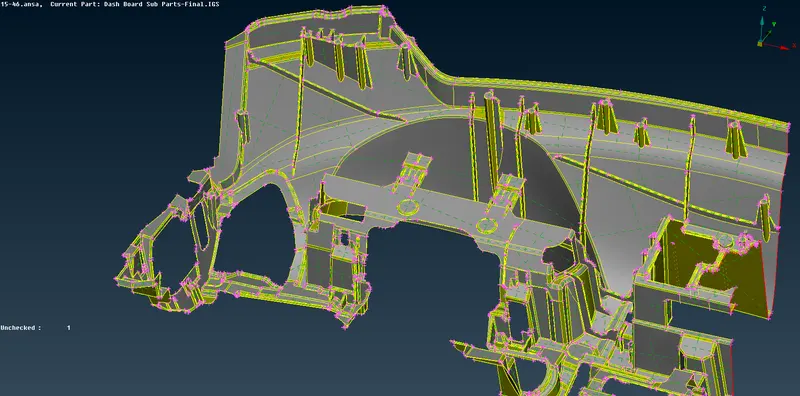
Step 2:
Geometry clean-up is to be performed to remove unchecked faces, needle faces, overlap faces, craks etc.
Figure below shows the model after geometric clean-up.
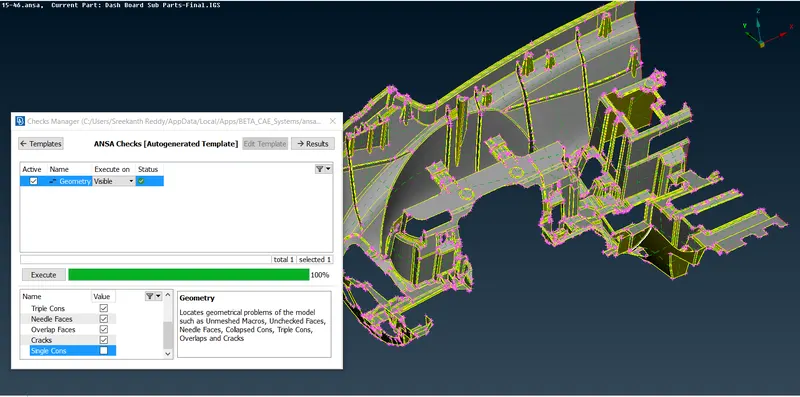
Make sure that there are no geometrical errors.
Step 3:
Mid-surface Extraction:
Use ofset option for Parent model to extract mid-surface
Topo >>> Faces >>> Offset
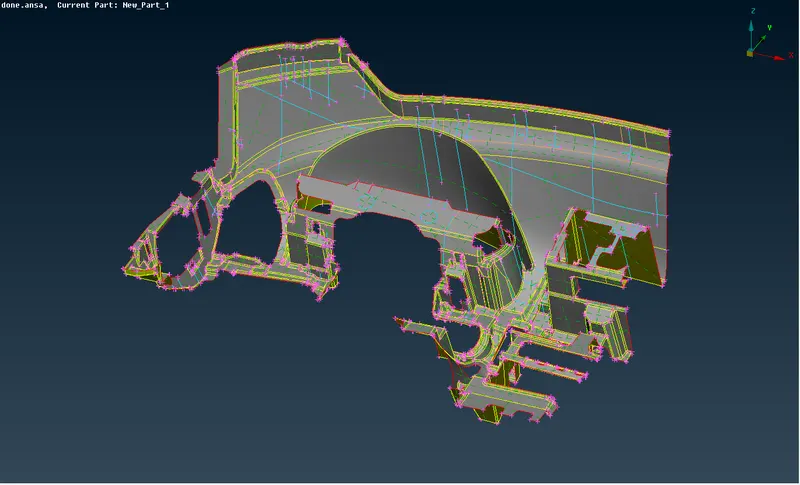
For ribs and dog houses
Use faces >>> middle to extract the mid-surface.
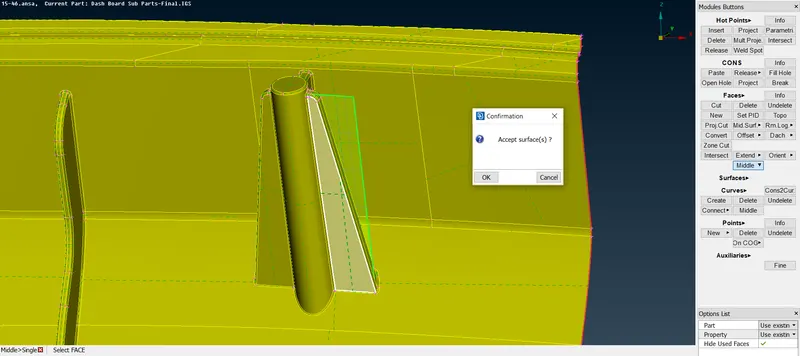
After extracting middle of ribs Extend the surface to parent geometry so that after mesh, when thickness is provided all features can be captured perfectly.
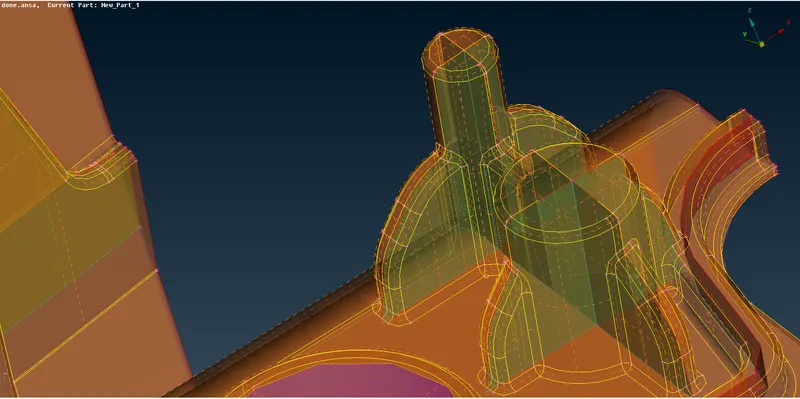
Mid-surface of child features:
To extract the middle surface, Faces >>> middle and faces >>> offset is used.
Dog houses are captured as shown below by creating new suface between the supporting ribs and extending the new surface to the parend model.
Dog houses cannot be captured accurately in 2D modeling.
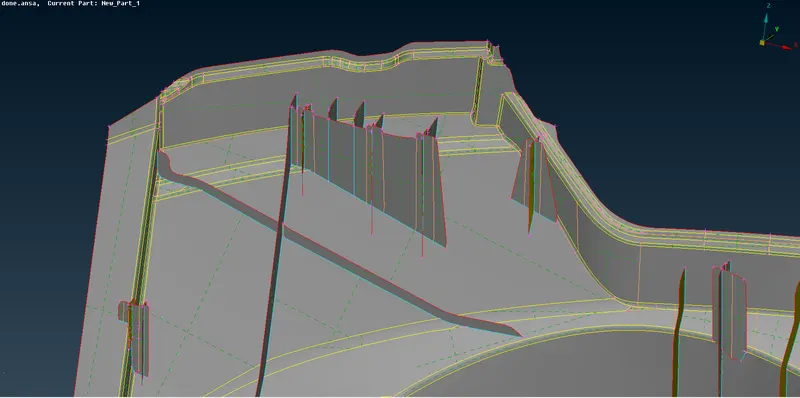
Mid-surface of the child Geometry:
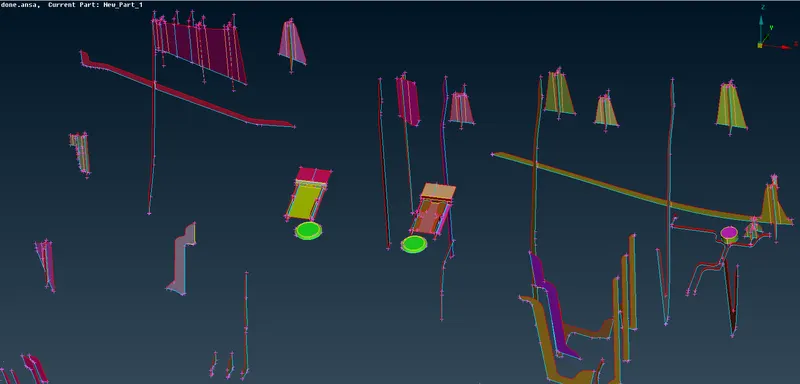
MID-SURFACE OF THE GIVEN MODEL:
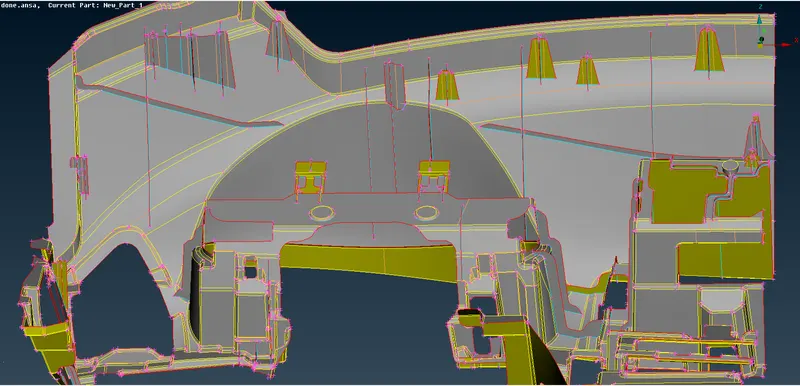
Step 4:
Assign the given meshing parameters and Quality criteria:
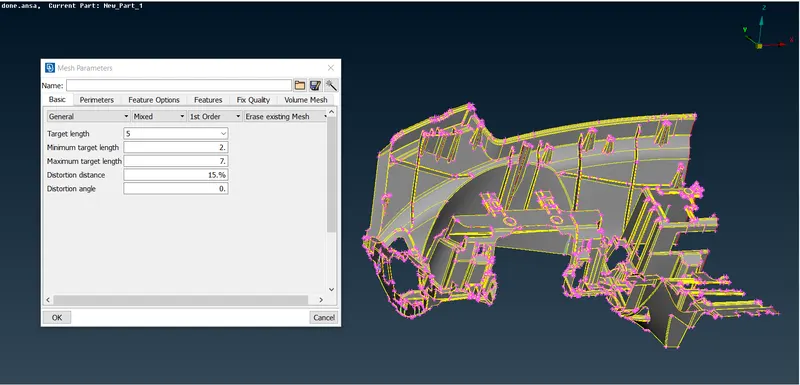
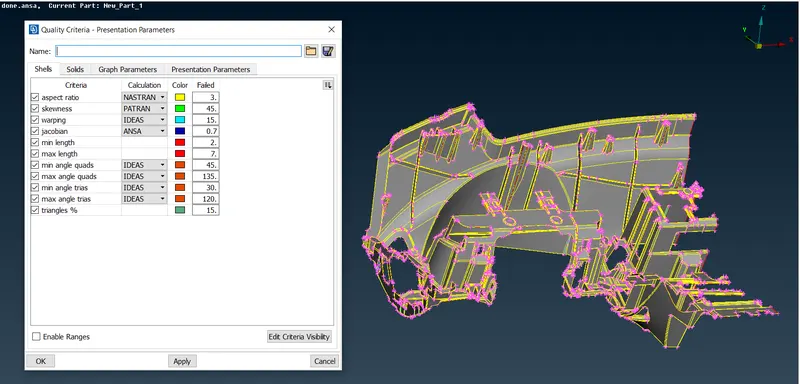
Step 5:
Mesh the extracted mid-surface for the given quality criteria.
Start meshing from one side of the part to the other part.
Use,
( Mesh >>> Mesh generation >>> Best mesh ) to generate mesh.
( Mesh >>> Shell mesh >>> Reconstruct / smooth ) to refine the mesh provided by the best mesh.
To meet the Quality criteria and Generate mesh with no OFF elements, use
( Mesh >>> Elements >>> Split / Join / Swap ) to split the nodes, swap the mesh elements, join to convert two trias into one Quad element.
( Mesh >>> Grids >>> Paste ) to paste one node to other or to create COG node.
By using the above methods the mesh is produced according to given quality criteria.
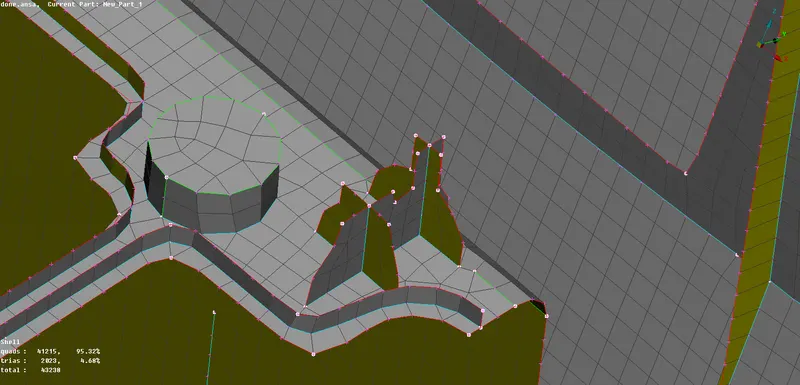
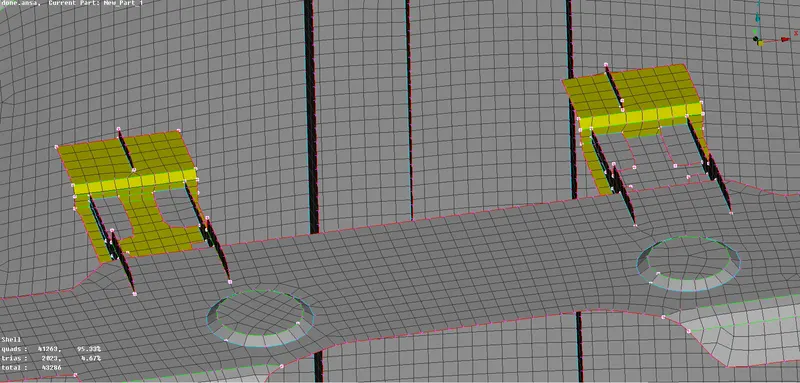
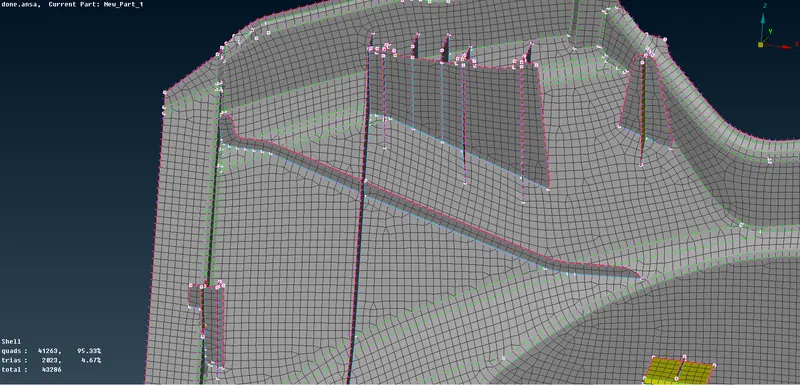
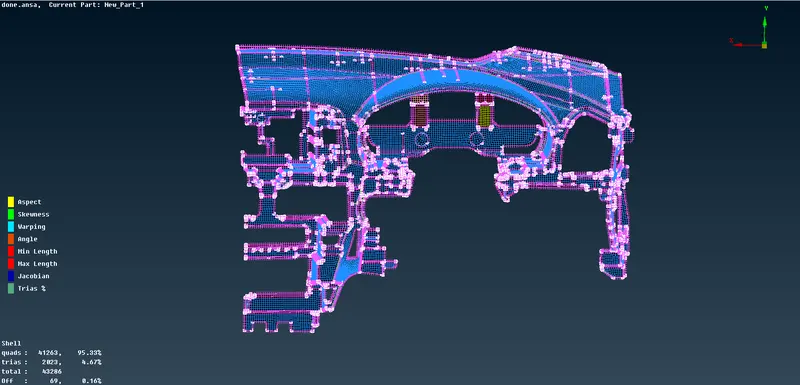
Step 6:
Create the individual PID's and assign thickness.
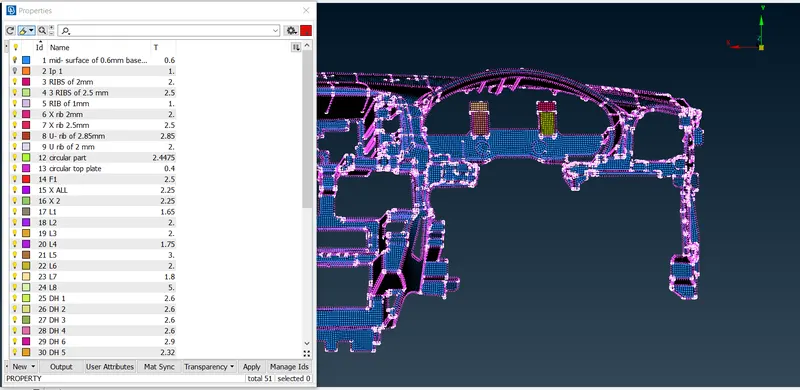
Step 7:
Activate "Draw shell as solid"
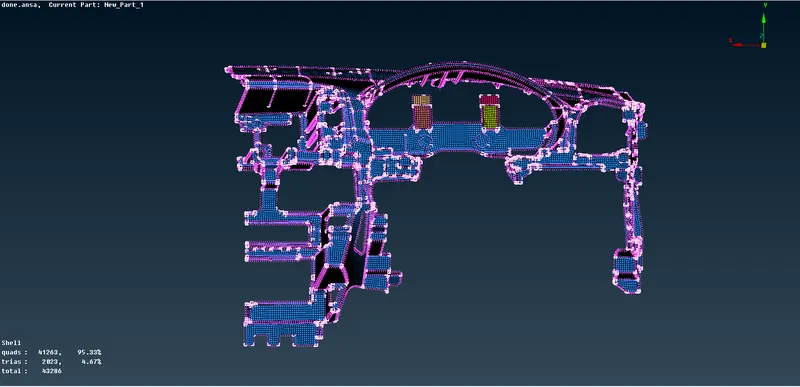
Step 8:
Comparing how well we have captured the geometry
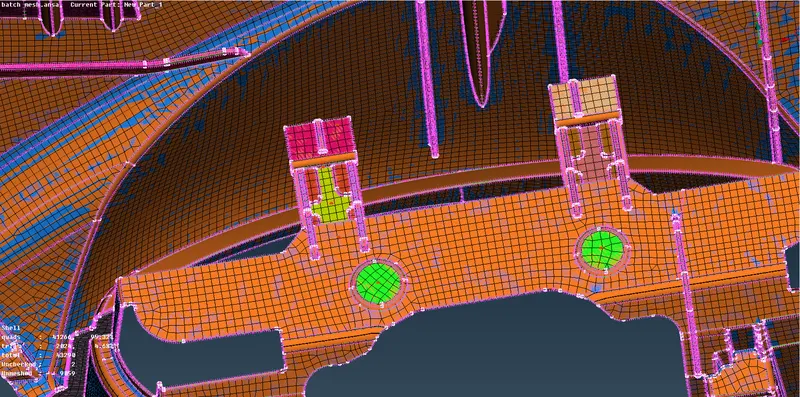
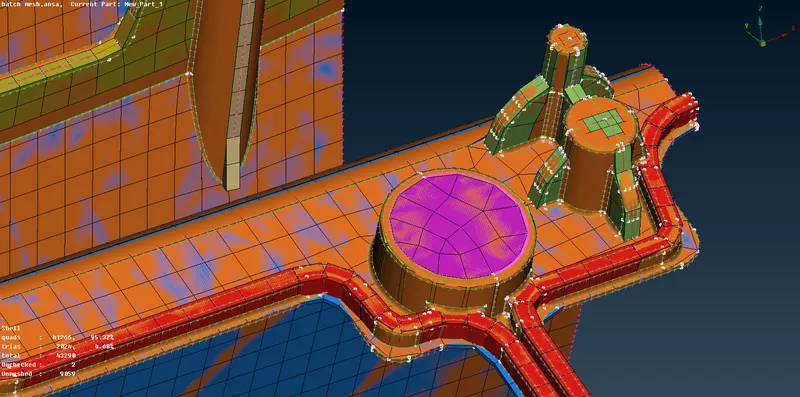
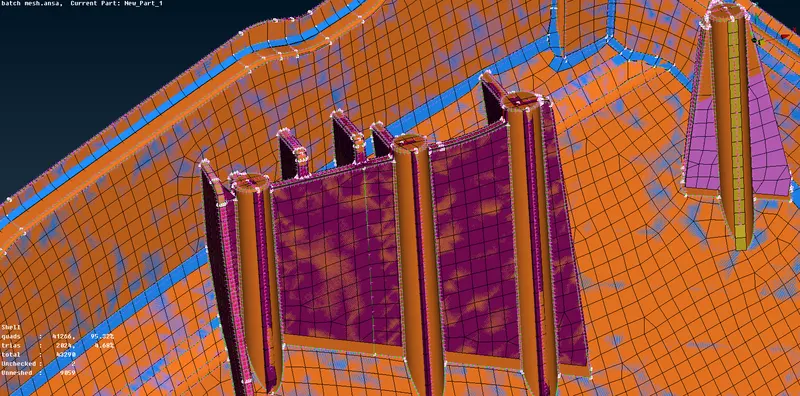
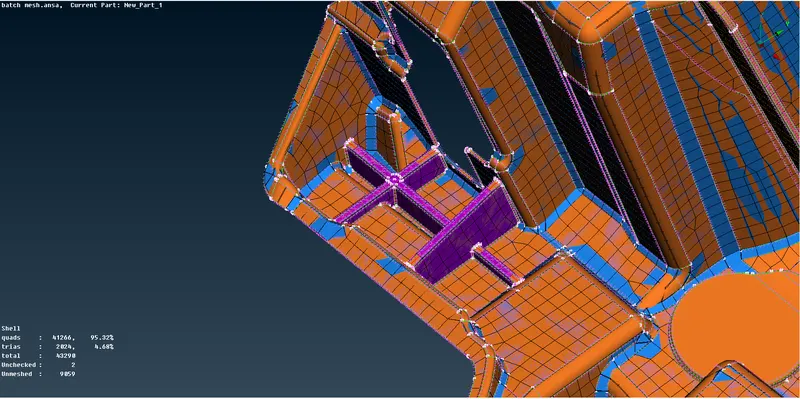
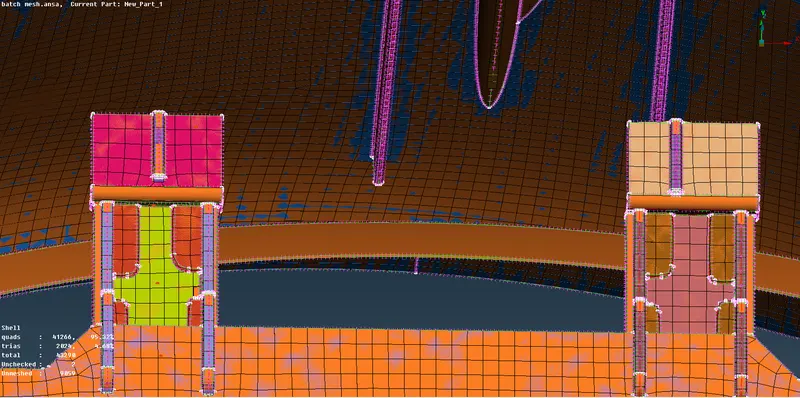
From the above images we can see the features are captured well, except the dog houses. Dog houses cannot be captured perfectly by 2D mesh, 3D mesh can be used generally to capture dog houses accurately.
There are some OFF elemnts near triple cons which cannot be eliminated.
LEARNING OUTCOMES:
1. Taking mid-surface using Various teqniques.
2. Various approaches to extract mid of complex features.
3. Mesh using various approaches like manual approah, auto mesh generation using mid skin, mid casting, batch mesh.
4. Using Split, Paste, Swap, Join to meet the Quality parameters.
5. Compare how well I extracted mid surface by activating "Draw shell as solid" and assigning thickness, and enabling both given model and manual mid.
Conclusion:
From the given model, mid-surface is extracted and mesh is performed meeting the given quality criteria. Dog-houses are not Captured accurately which is not possible in 2D mesh.
Some OFF elements are created near the triple cons,which can't be removed. Overall the given Instrumental panel is captured perfectly and meshed to given Quality criteria.