Project 1 - 2D meshing on the instrumental Panel
PROJECT-1
AIM: To generate mid-surface and meshing on the given component.
PROCEDURE: 1) Open CAD file in ANSA.
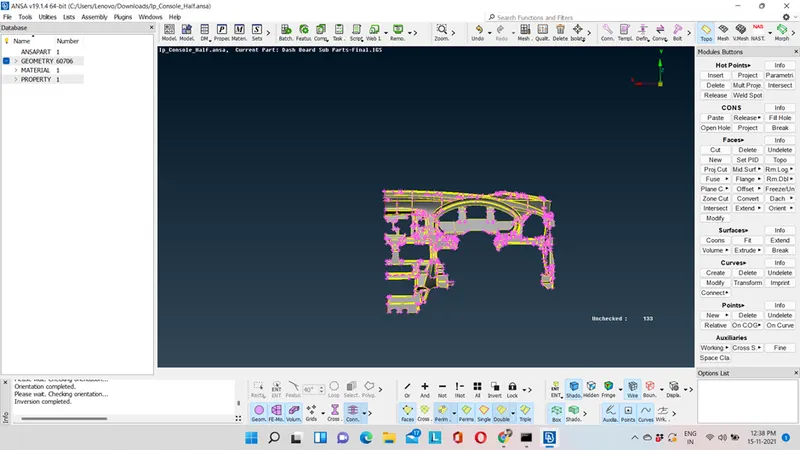
2) Check for the geometry.
UTILITY→CHECK→GEOMETRY→EXECUTE→OK.
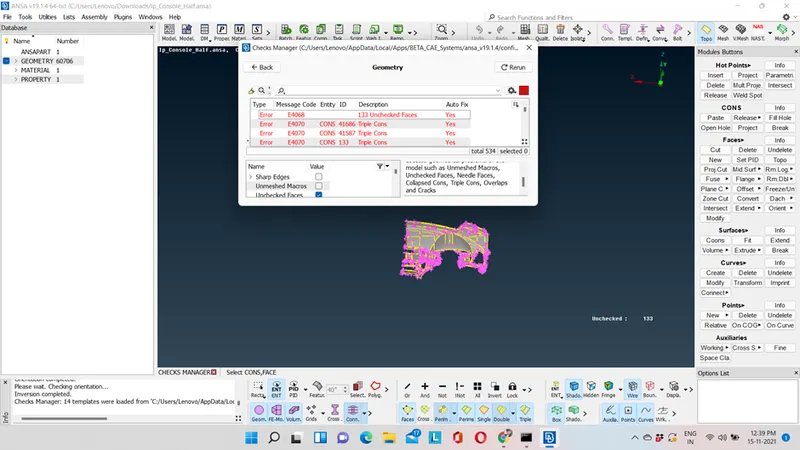
3) Try fix this error by auto fix. If its not resolved fix it manually.
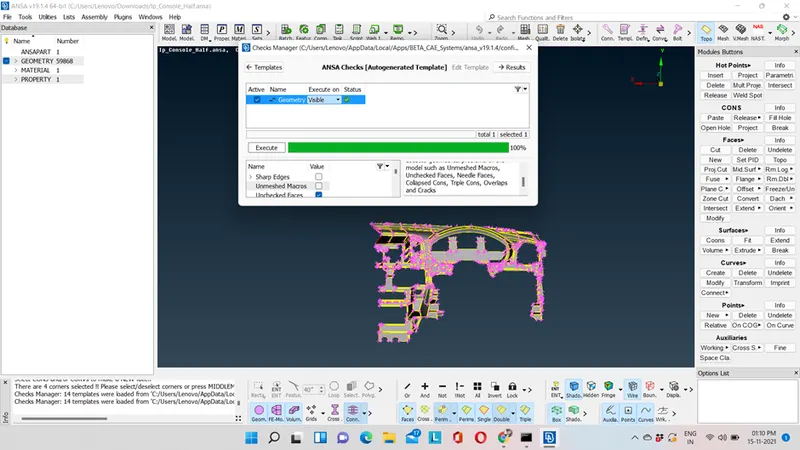
4) Now, measure the thickness of the component.
5) Give the perimeter length as 1.
MESH→PERIMETER→LENGTH→ENTER THE VALUE (1).
6) Now check whether we can generate mid-surface and meshing automatically with the help of casting, skin and batch mesh as it will save lot of time compare to manual approach.
TOPO→FACES→MID-SURFACE→SKIN→ ENTER THE OFFSET DISTANCE AND THICKNESS→OK.
Since, the component is complex and has varying thickness mid-surface cannot be generated with skin option.
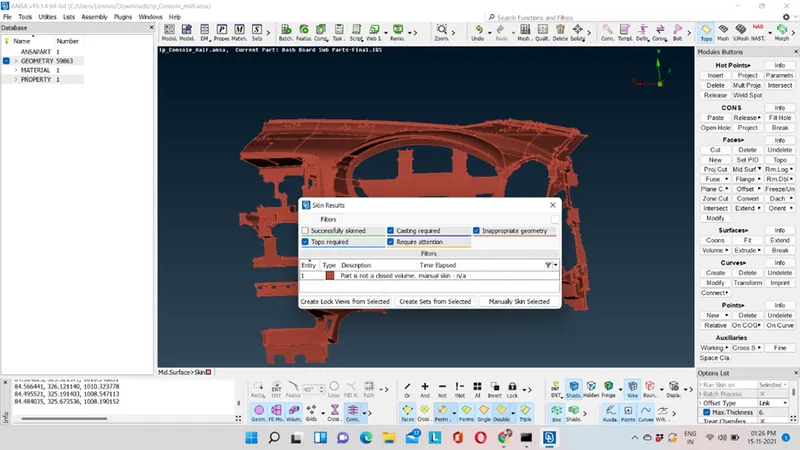
We cannot generate meshing and mid-surface with casting because the component is huge, complex and ANSA crashes.
7) Now, will generate mid-surface manually with the help of offset with feature selection, middle faces, extend and intersection options.
TOPO→FACES→OFFSET→ENTER THE OFFSET DISTANCE→OK. (ENABLE THE FEATURE SELECTION AND GIVE THE ANGLE WICH IS REQUIRED).
TOPO→FACES→MIDDLE FACE →SELECT THE FACES→OK.
Now wherever the surfaces need to be extended and intersect use intersection and extend option.
TOPO→FACES→EXTEND→ SELECT THE SINGLE CON OF THE SURFACE WHICH IS TO BE EXTENDED→CONFIRM→ SELECT THE FACE UPTO WHICH THE SURFACE NEED TO BE EXTENDED.
TOPO→FACE→INTERSECT→SELECT FACE 1→CONFIRM→SELECT FACE 2→ NOW DELETE THE FACE WHICH IS TO BE DELETED AND KEEP WHICH IS REQUIRED.
Hence, mid-surface is generated.
8) Now, set the PID for different faces.
TOPO→SET PID→SELECT THE FACE→ENTER THE THICKNESS VALUE, GIVE PID NAME AND EDIT COLOR.
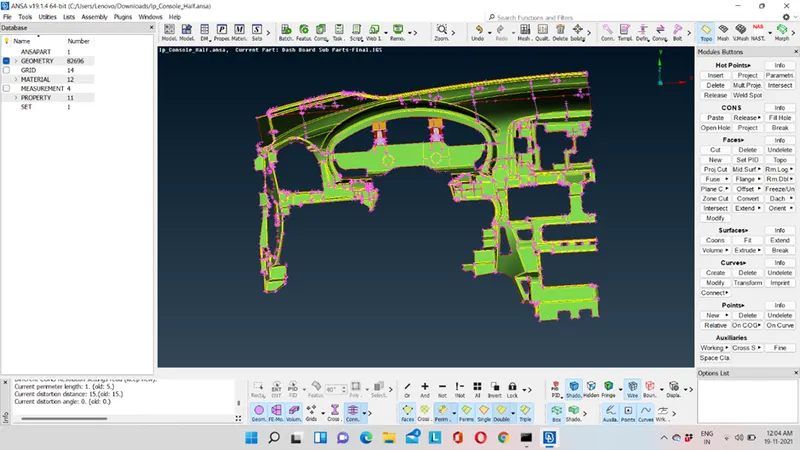
9) Give the perimeter length as target length to the component.
10) Assign the quality criteria. F11
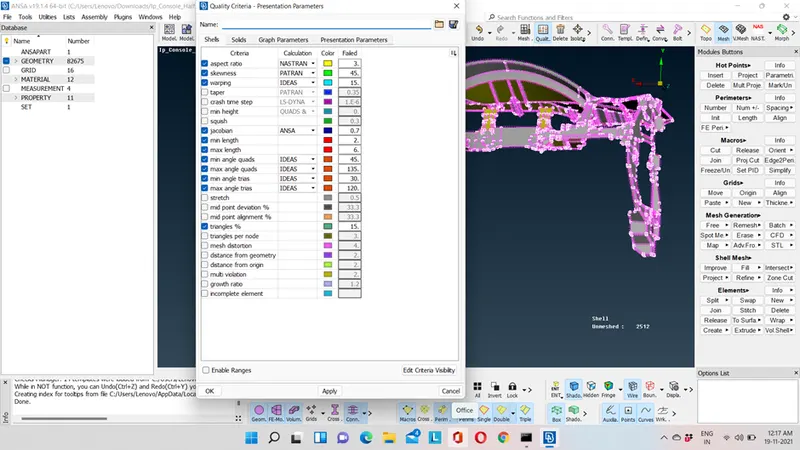
11) Enter mesh parameter.
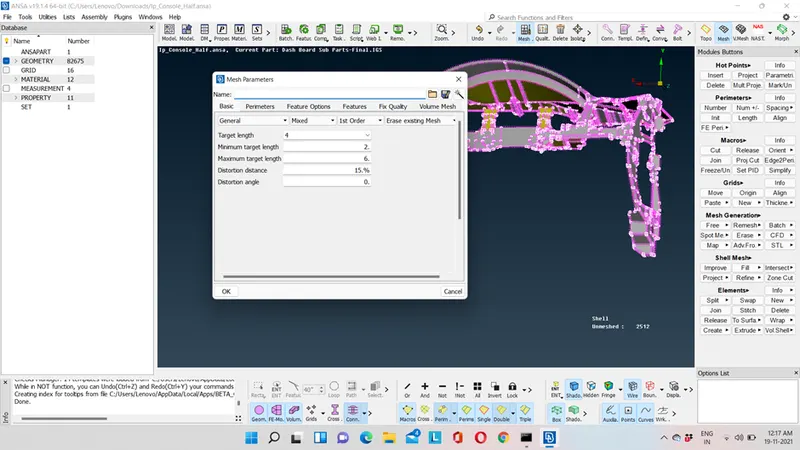
Now, remove the unwanted cuts and mesh the entire component with batch or spot mesh.
MESH→MESH GENERATION→BATCH/SPOT→SELECT THE FACE→OK.
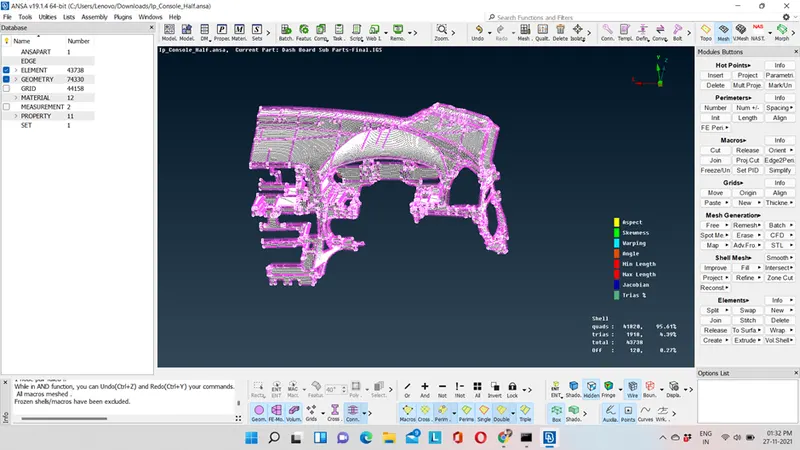
Hence, mesh is generated.
LEARNING OUTCOMES: 1) How to model complex component means what should be the approach to model such large and complex component.
2) To do meshing and mid-surface by manual approach.
CONCLUSION: We can conclude that automatic approach like casting, batch meshing and skinning is not suitable to model this component .Hence mid-surface and meshing is generated by manual approach.
Enable draw shell as solid option.
TO DOWNLOAD THE MODEL PLEASE CLICK ON THE LINK GIVEN BELOW:
https://drive.google.com/file/d/1yUSSaAgK2gDEFzc273AEHQ-gQ_AU-diM/view?usp=sharing