Project 1
Skill-Lync wants to construct a school as a part of its corporate social objective. You are the project manager. Develop a realistic schedule to construct a main school building (G+2). It will have a parking facility with internal roads and main building complete with architectural, furniture and electrical fittings. You are required to plan the Design and Construction of the project. Also include basic electrical and plumbing activities. Project will start on 1st October 2020 and end by 30th April 2023. Work hours will be 24 hours and 6 days a week. Complete Design in 8 months.
The schedule guidelines are stated below :
1. Make the EPS as “Skill-Lync Education” and OBS and assign a Project Manager
2. Create project under the above EPS named “ Skill-Lync Education Centre”
3. Create at least 50 activities.
4. Break Major WBS as - Initial Activities , Design , Construction and Balance Works
5. Further Breakdown Construction into Substructure, Superstructure and Architectural
6. Further breakdown the WBS as per suitability
7. Use all FS , SS , FF and lags suitably
8. Filter all critical activity
9. There shall be no activity with more than 35 days float
10. Determine Early / Late - Start / Finish dates
11. All activity Id’s must have an interval of exactly 10
12. Assign a user defined field suitably
13. At Least 2 activities must have constraints (Excluding start)
14. Some predecessors may be discretionary but realistic
ANS:
AIM:
To construct a Skill Lync Educational Center - School building (G+2) with a parking facility, internal roads, and complete architectural, furniture, and electrical fittings.
PROCEDURE:
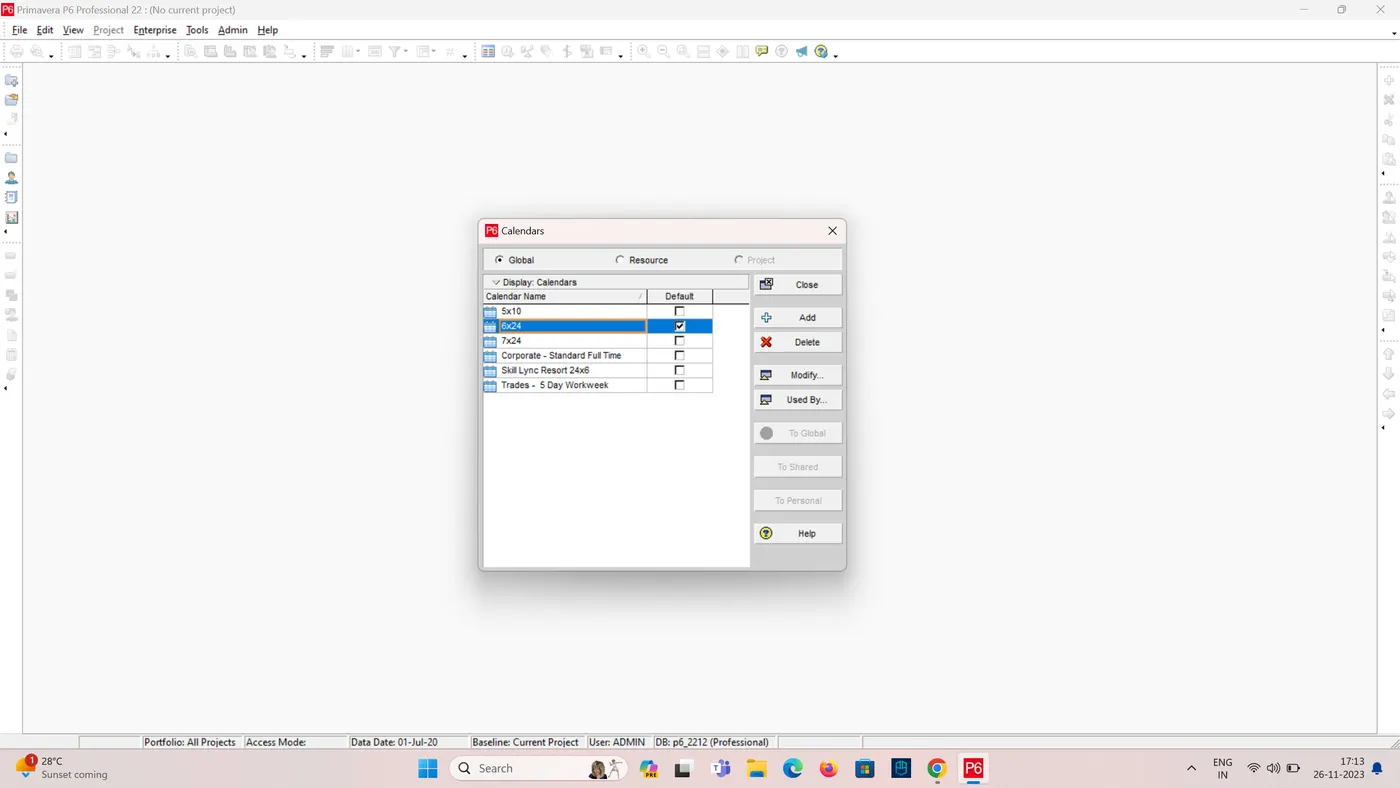
1. Create a Calender 24x6 (24 hours and 6 days a week).
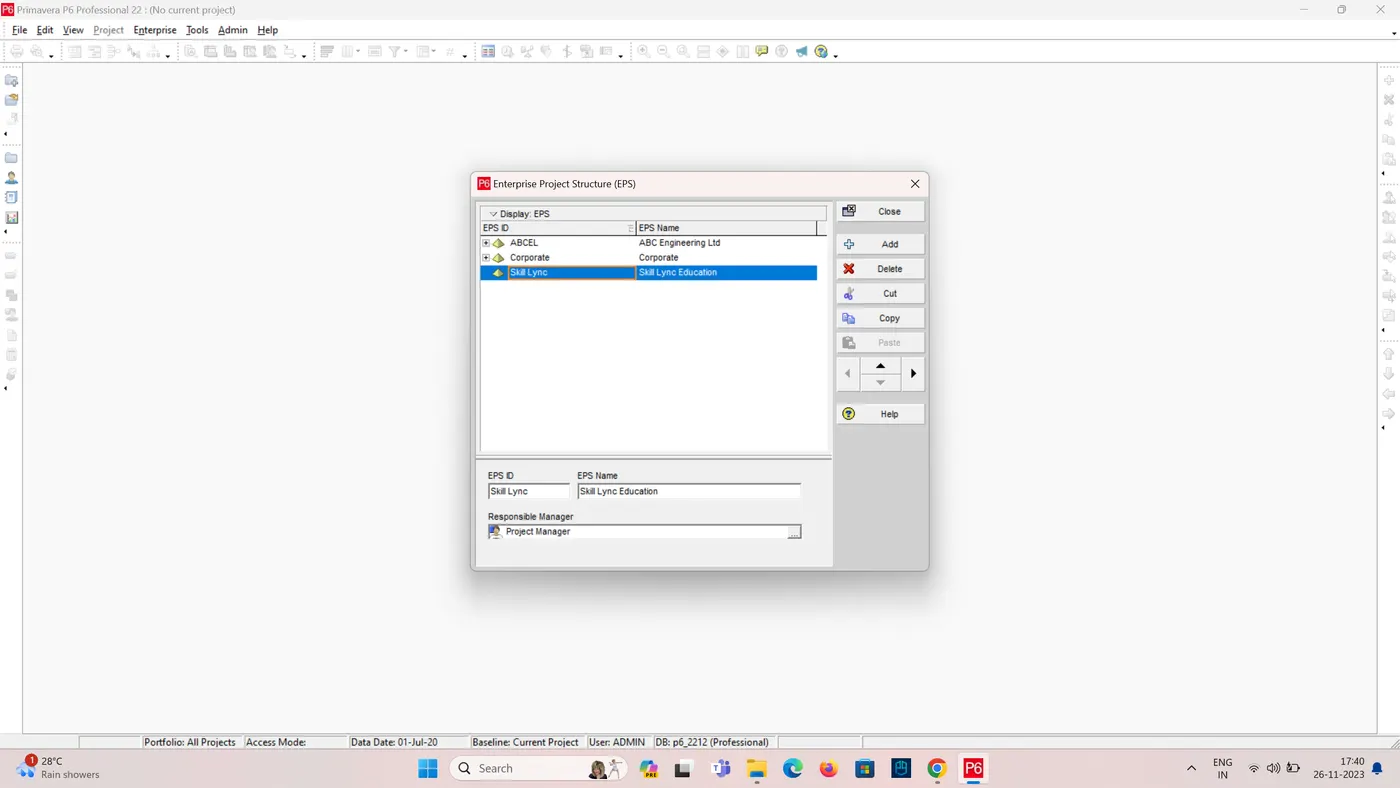
2. Create a EPS
- Click Enterprises Tab > Click EPS Enterprise project Structure.
- Enterprise Project Structure Dialog box appears on the screen.
- Add EPS as “Skill-Lync Education”
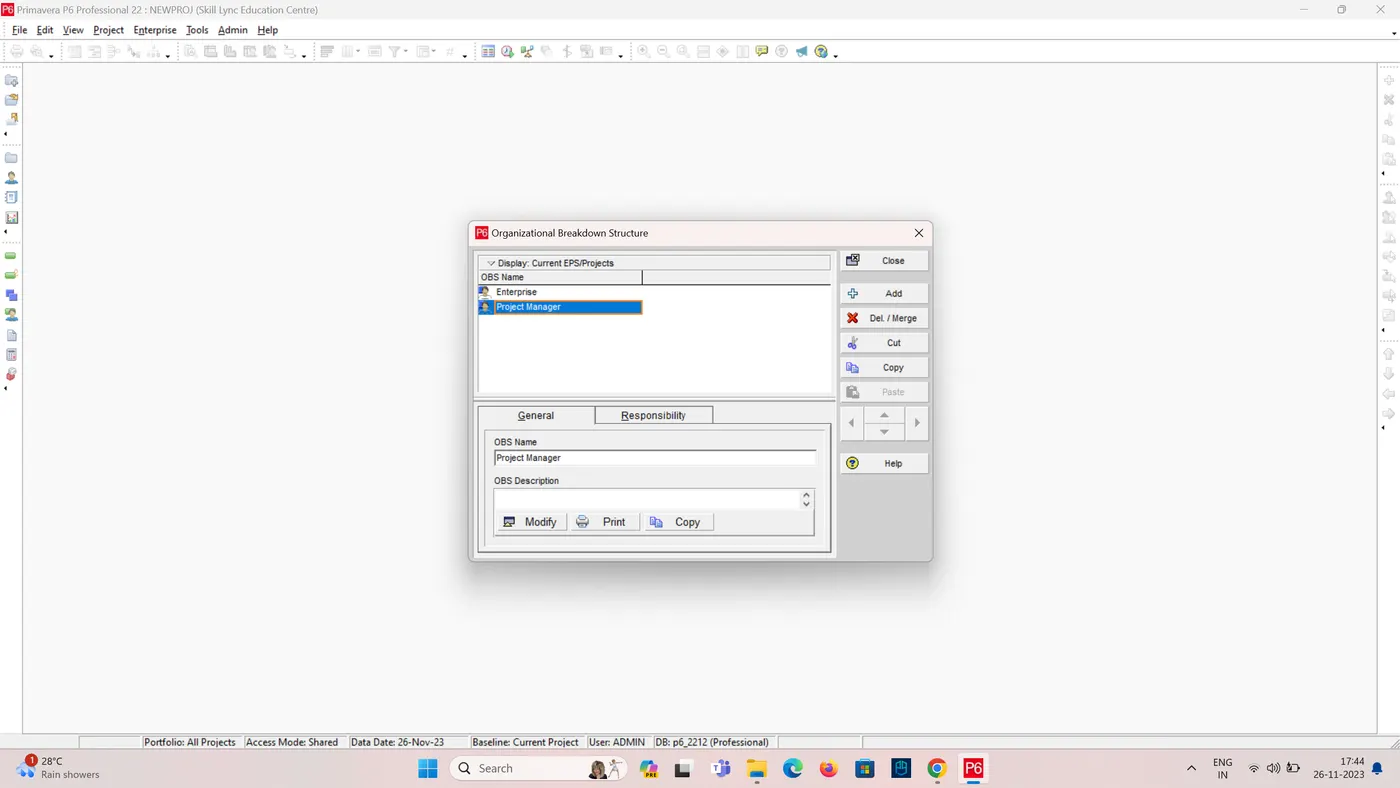
3. Create a OPS
- Click Enterprises Tab > Click OBS Organizational Breakdown Structure.
- Organizational Breakdown Structure Dialog box appears on the screen.
- Add OBS as “Project Manager”
4. Create a new project
- In Primavera P6 and select File > New.
- Select the EPS as Skill Lync Education
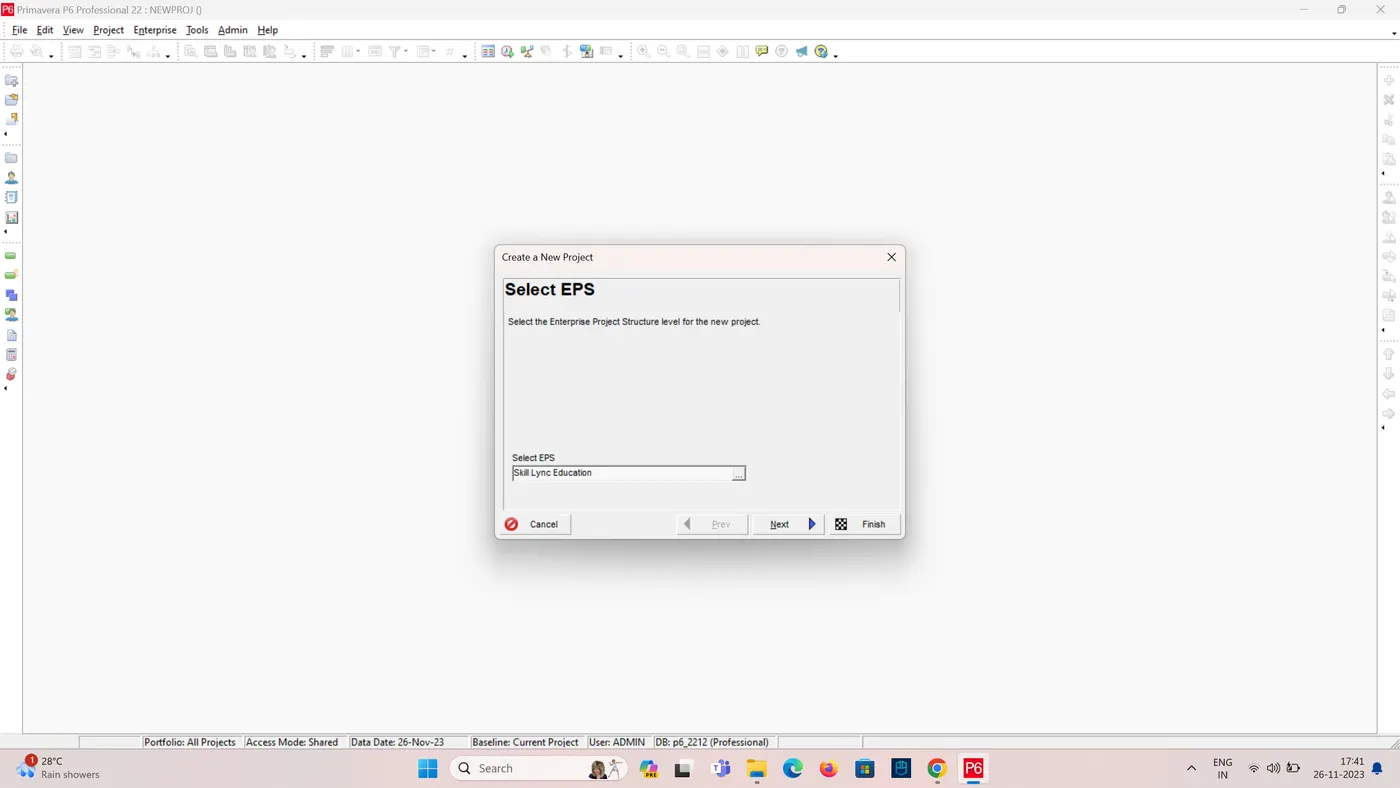
- Enter a project name, such as "Skill-Lync Education Centre".
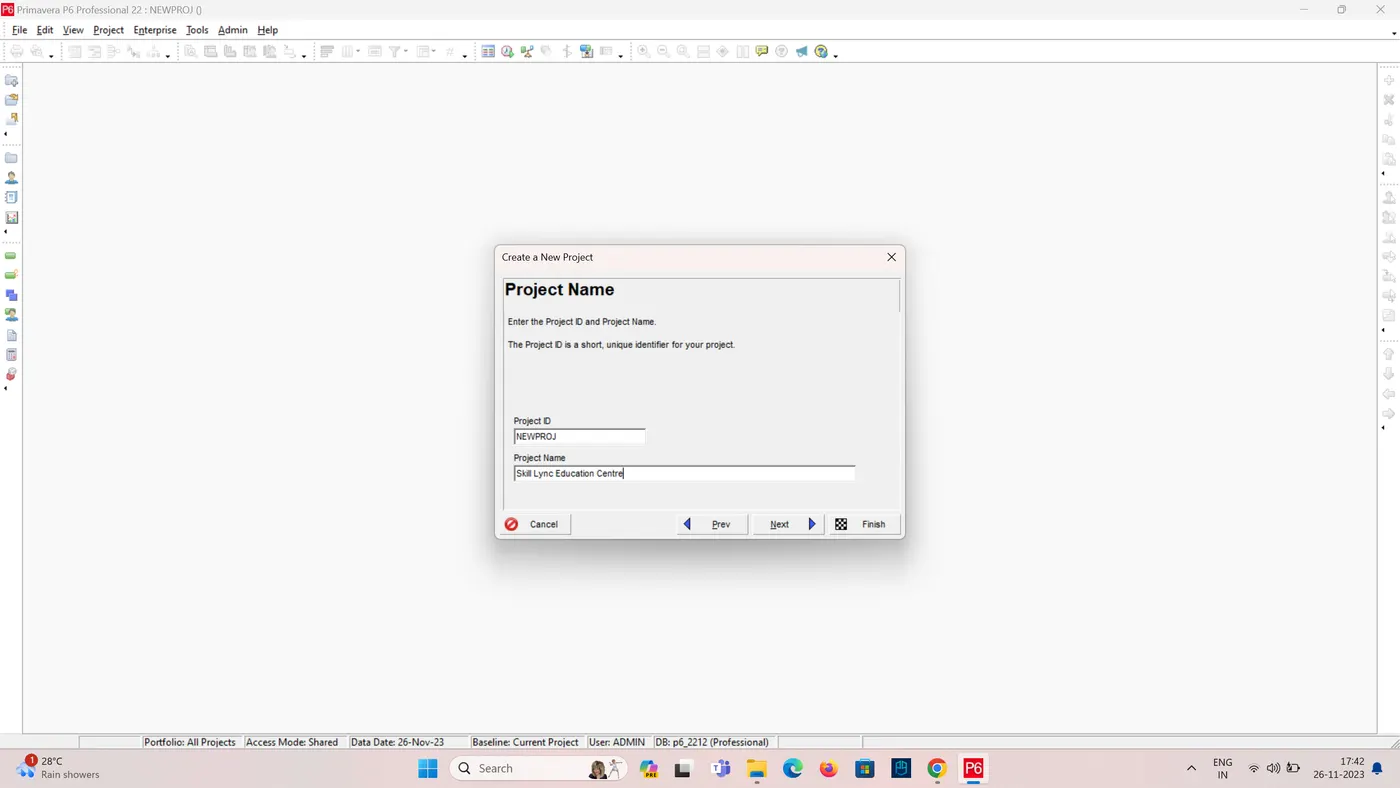
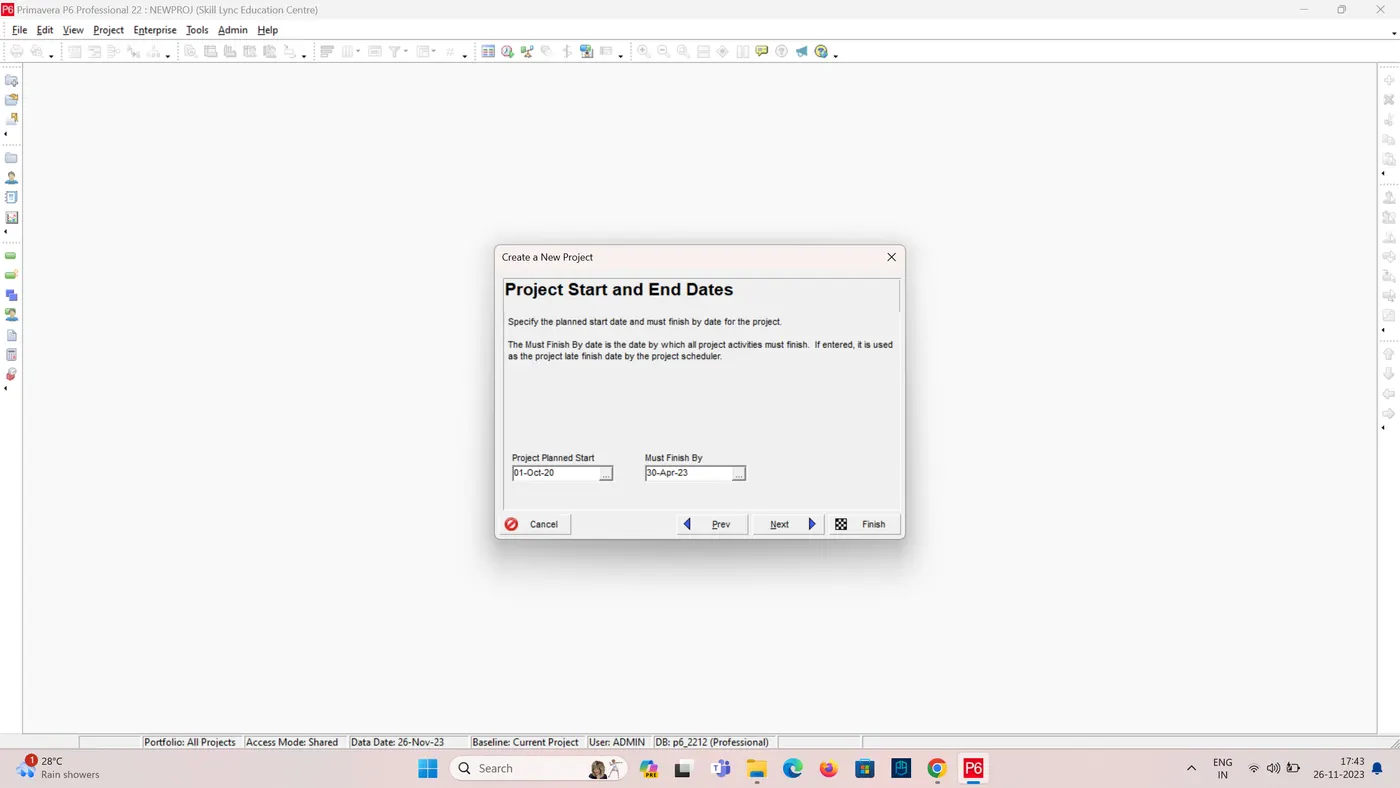
- Select a project start date of October 1, 2020, and an end date of April 30, 2023.
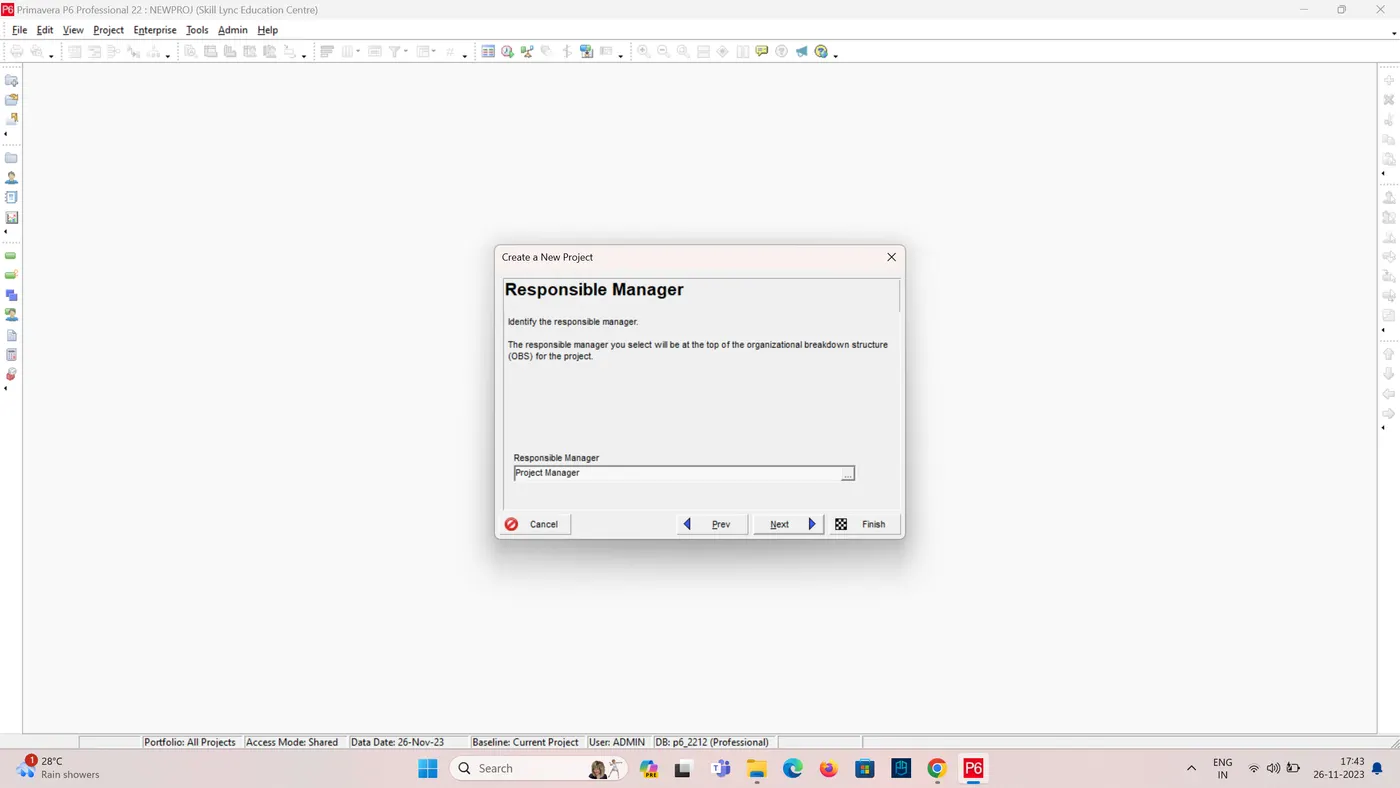
- Select responsible manager as project manager.
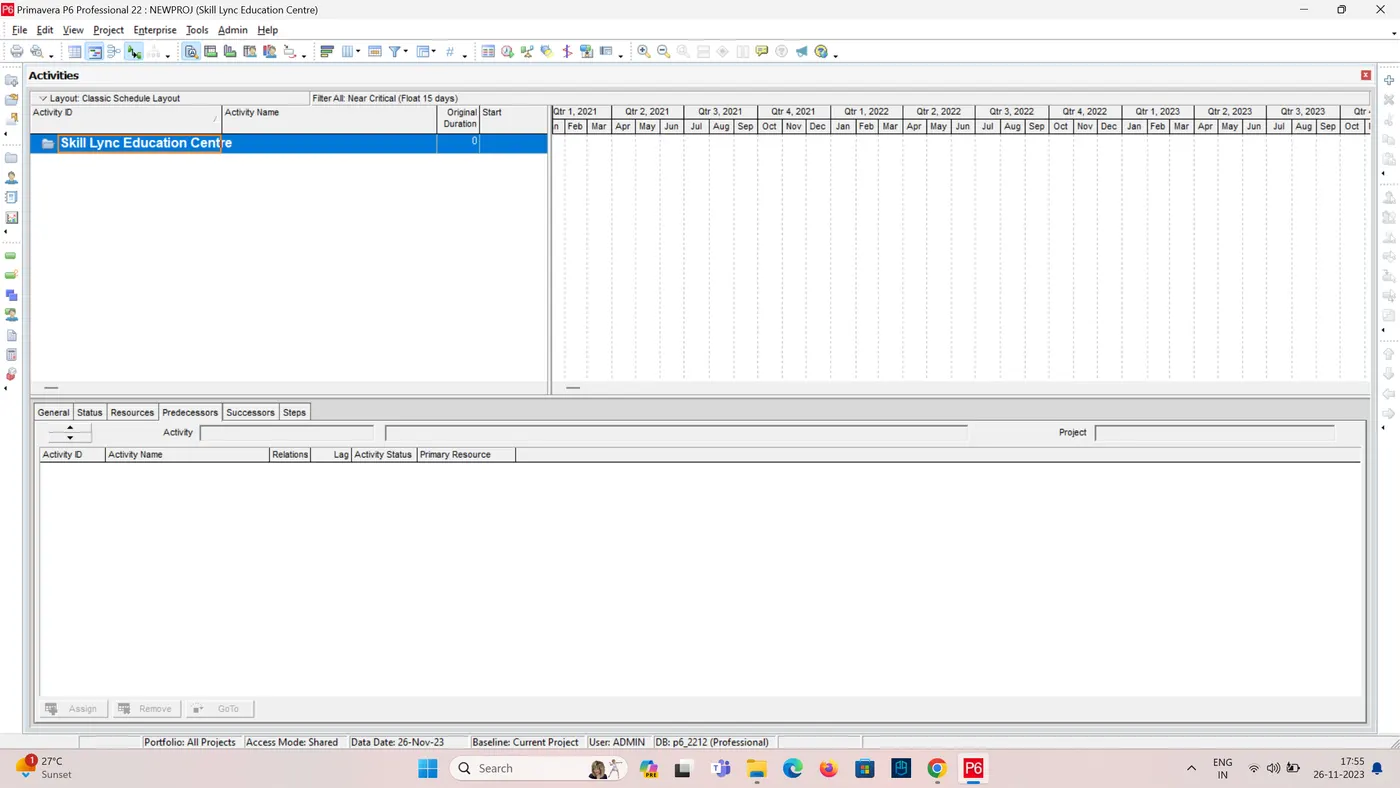
- Click Finish
- To Open the created project File > Open
- Double click the project you have created.
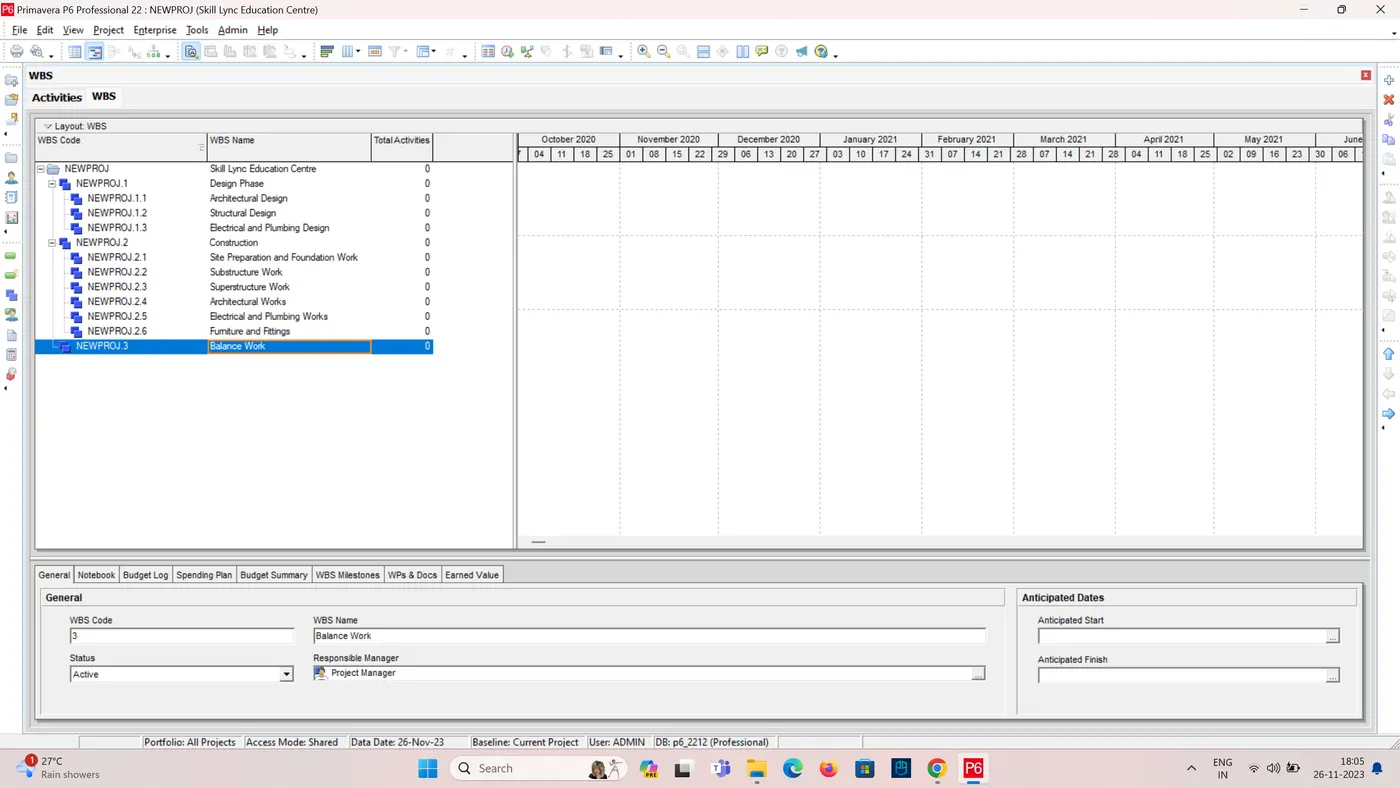
5. Define the WBS
-
Break down the project into Work Breakdown Structure (WBS) elements.
-
The WBS should be hierarchical, with each level representing a more detailed breakdown of the work.
-
For this project, the WBS could be as follows:
-
-
Design Phase a. Architectural Design
b. Structural Design
c. Electrical and Plumbing Design
-
Construction Phase a. Site Preparation and Foundation Work
b. Substructure Work
d. Architectural Works
e. Electrical and Plumbing Works
f. Furniture and Fittings
-
Balance Works
-
-
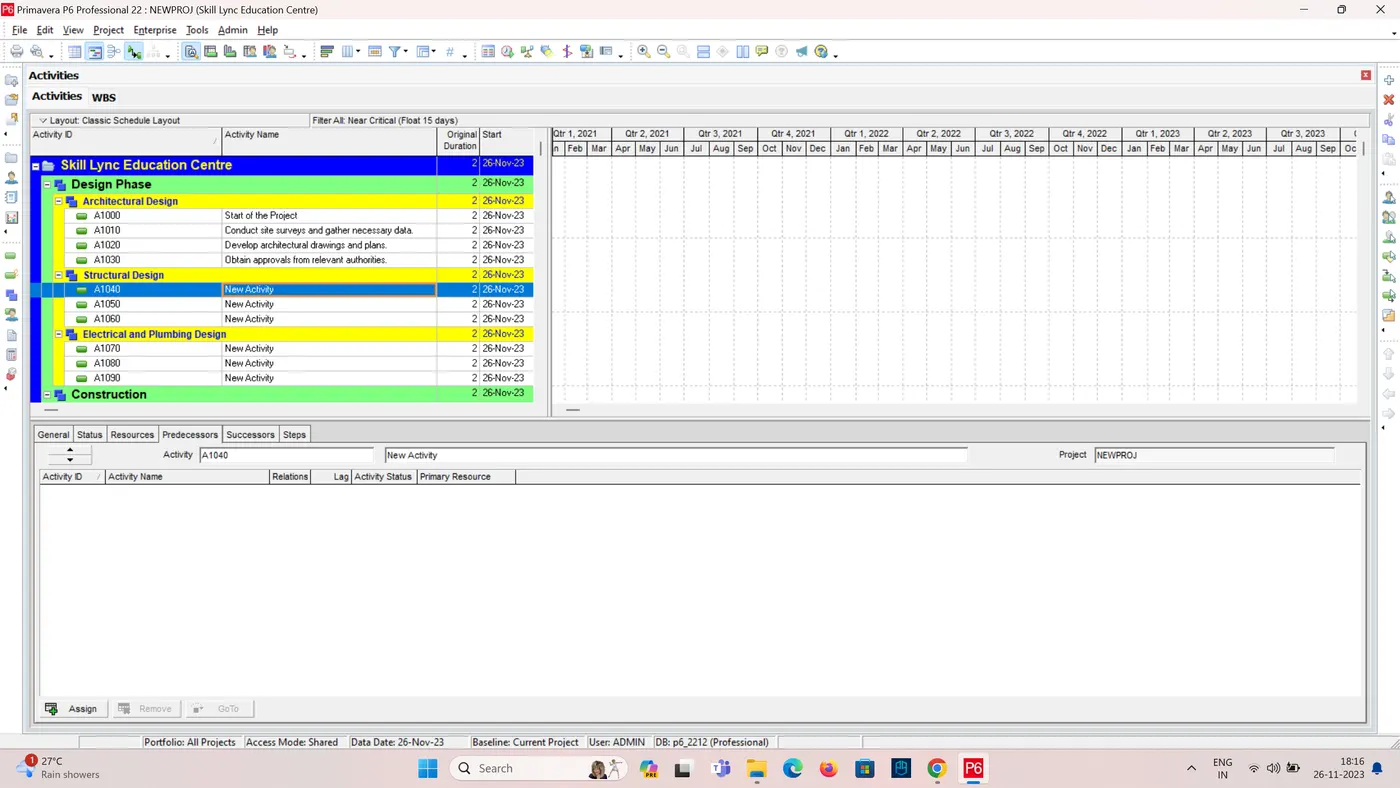
6. Create activities
- Create an activity for each WBS element.
- Enter a description for each activity.
- Assign an activity duration to each activity.
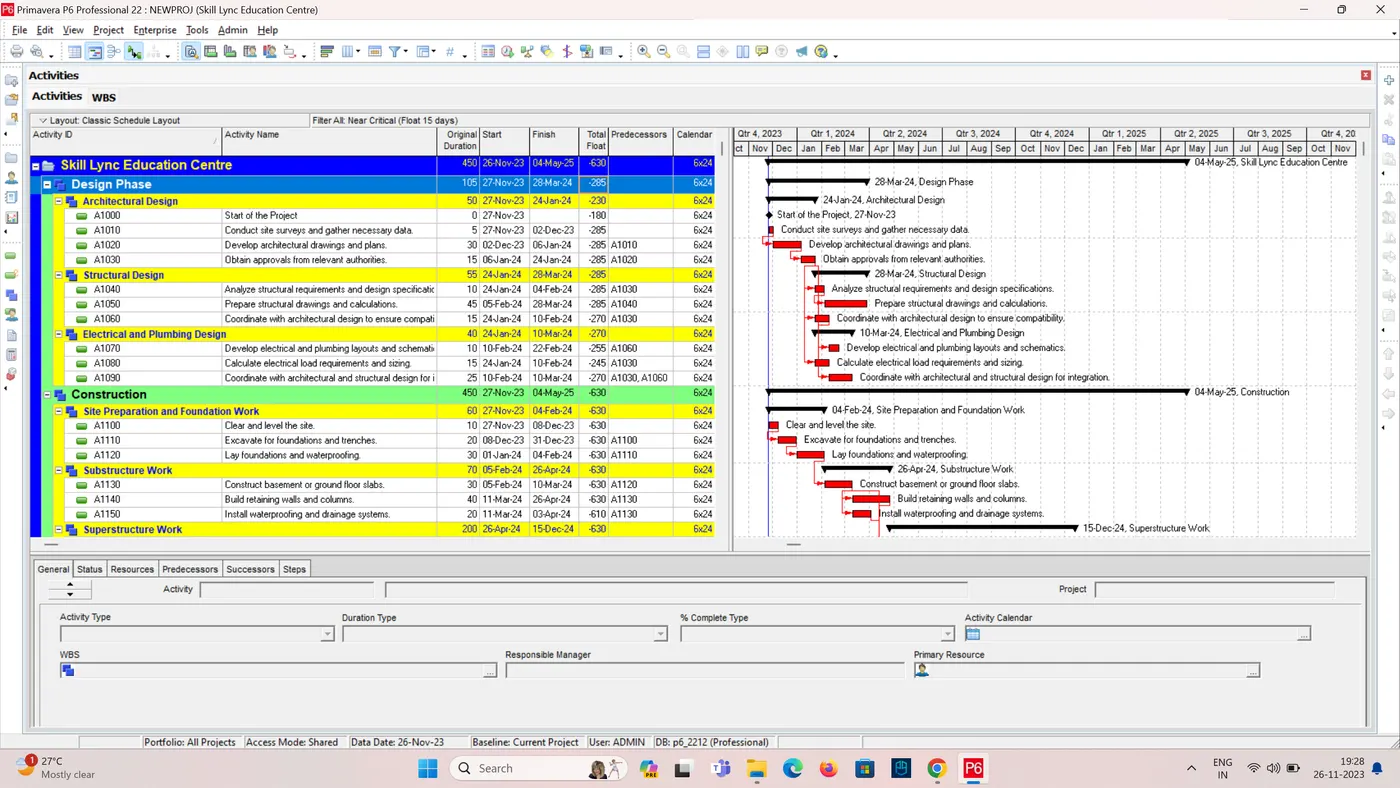
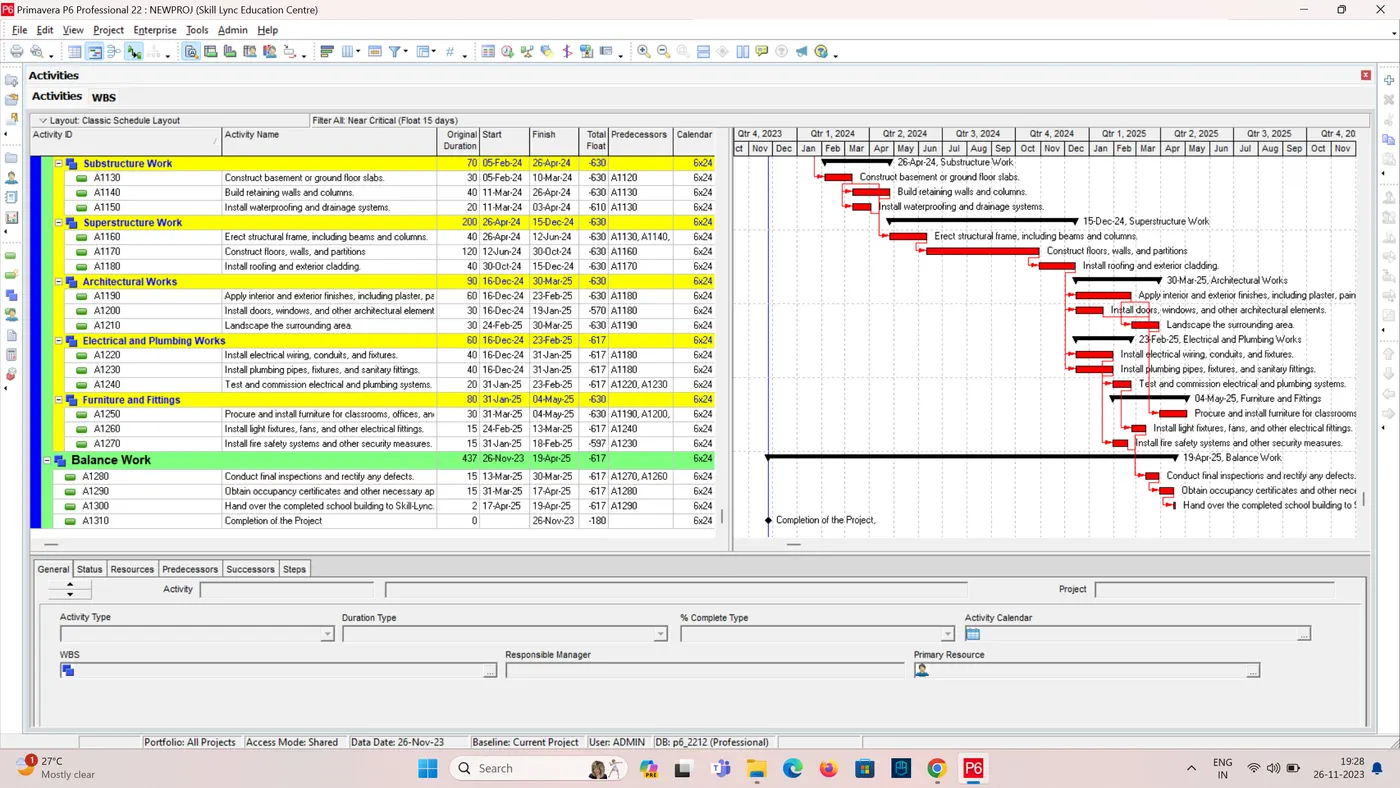
- Assign predecessors to each activity, as appropriate.
7. Analyze the schedule
- Analyze the schedule to identify and address potential risks and issues.
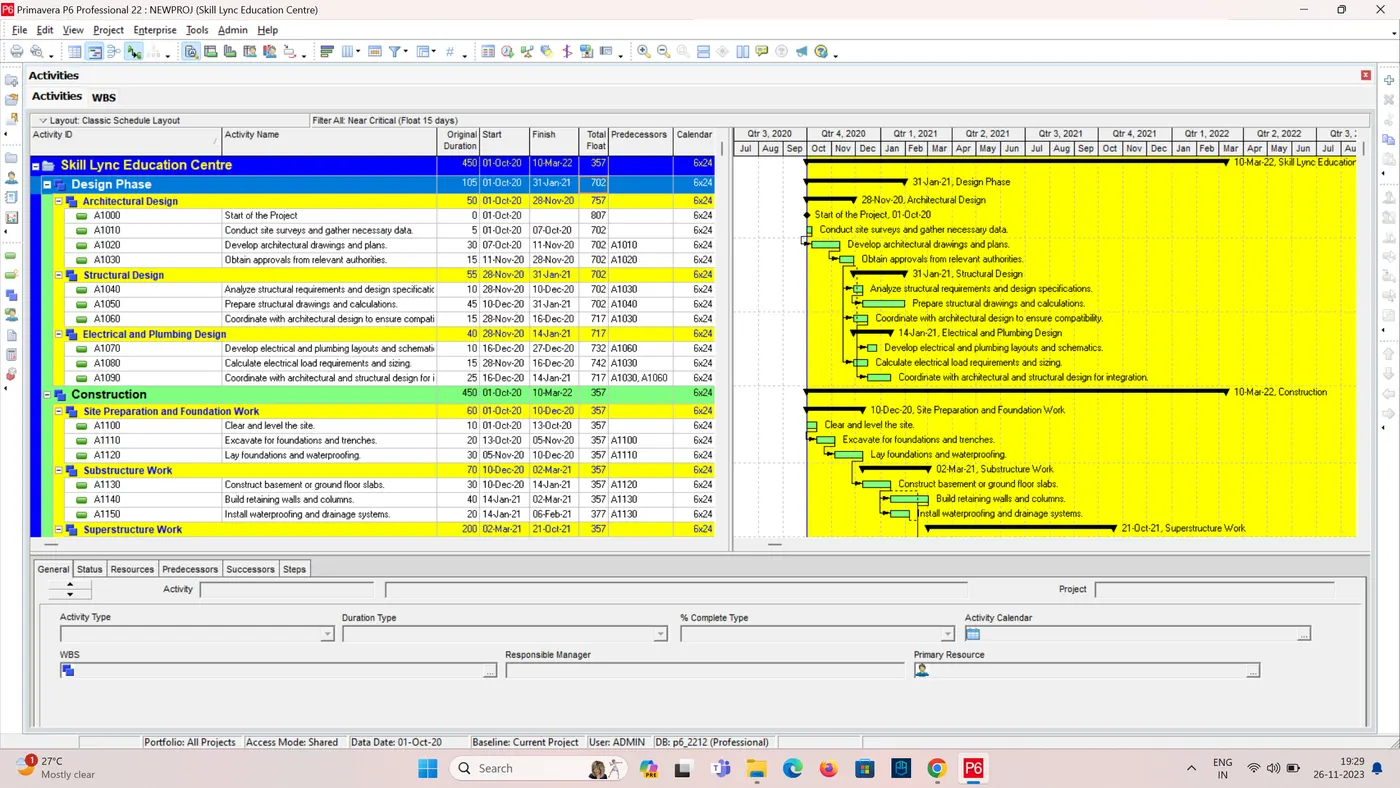
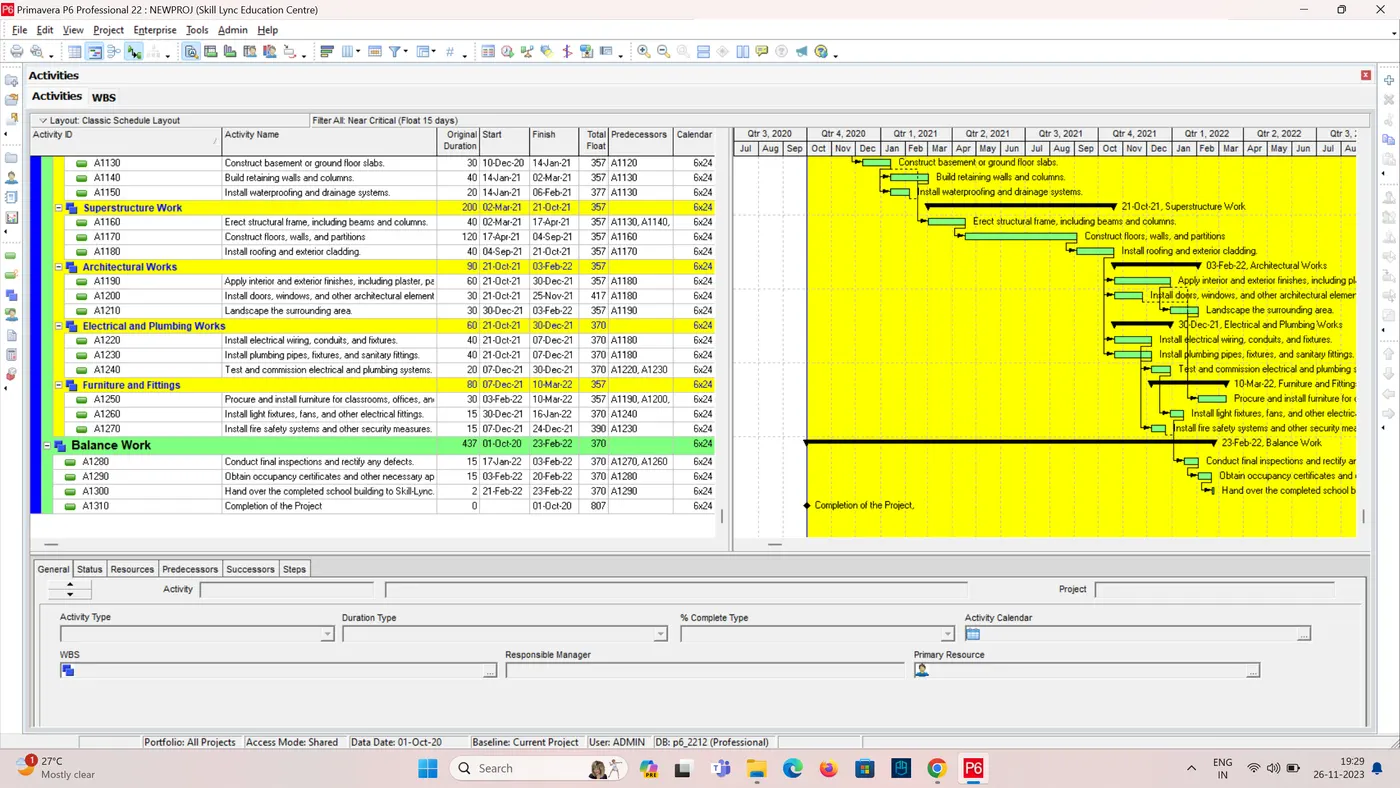
- Primavera P6 provides a variety of tools for analyzing schedules, such as critical path analysis and risk analysis.
Conclusion:
By following these steps, you can use Primavera P6 to create and manage a realistic schedule for constructing a main school building (G+2) for Skill-Lync's corporate social objective.