Modelling of 25 storey building with the specified properties using ETABS
Objective of this challenge is to know how to model high rise building using ETABS software, how to use material properties, assign the loads and verify the seismic code requirements from ETABS analysis.
Procedure:
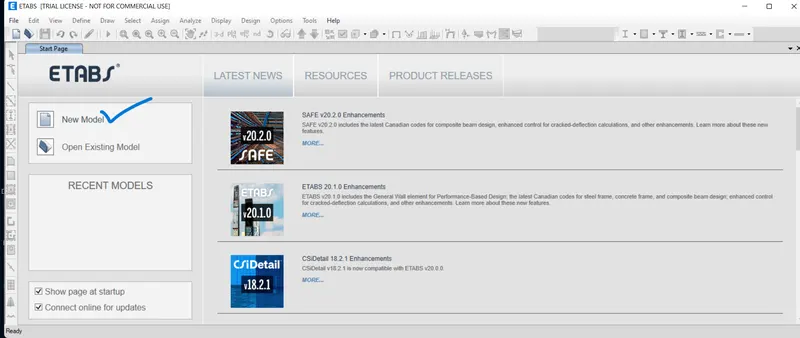
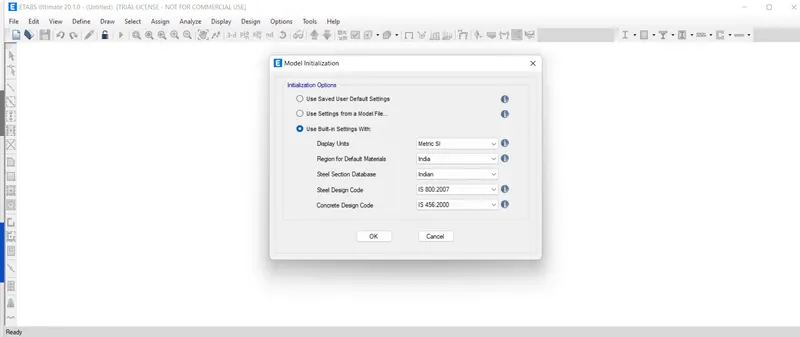
1)Open the ETABS software and create a new file. And than under the model initialization pop up windows select the " use built in settings with and than set the paramaters as in the screenshots.
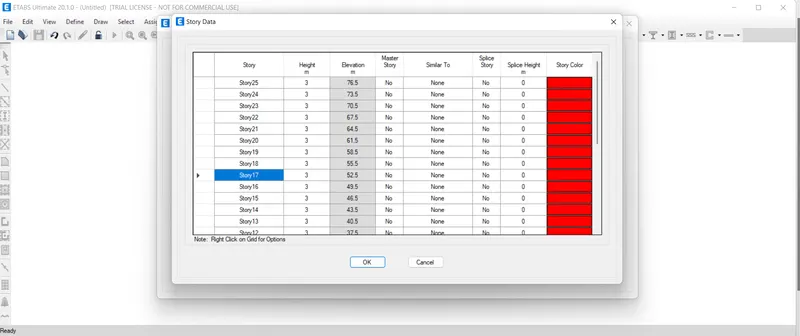
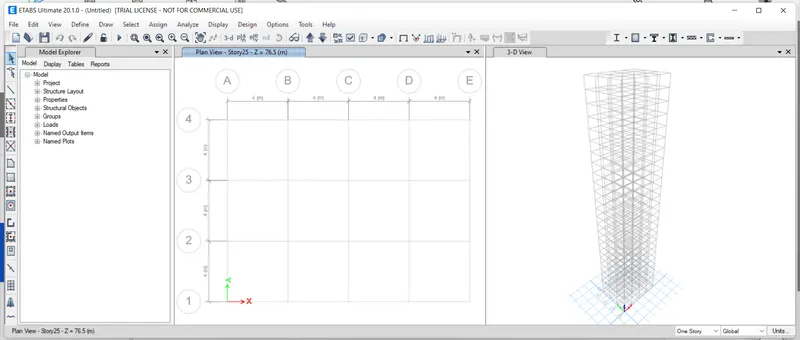
2) Than click on the grid system data and create five grids in X direction and four grids at Y direction at the intervals of 4mtr and click ok. After that click on the edit storey data option at the left side. Rename the storey 1 as plinth level and the remaining storey as 1,2,3. Keep the master storey as storey 1. Change the respective height as 3mtr. and plinth level height as 1.5 mtr as per question.
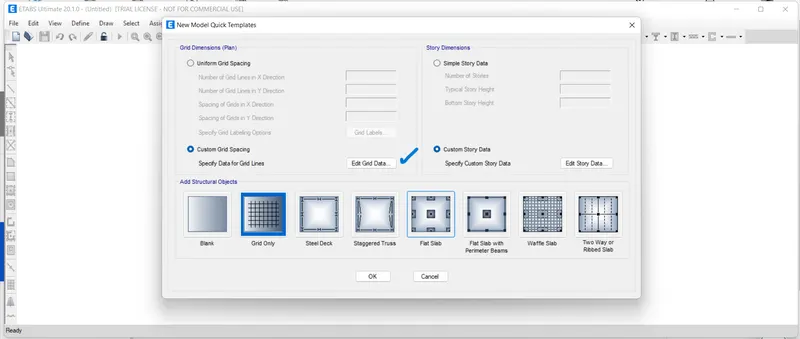
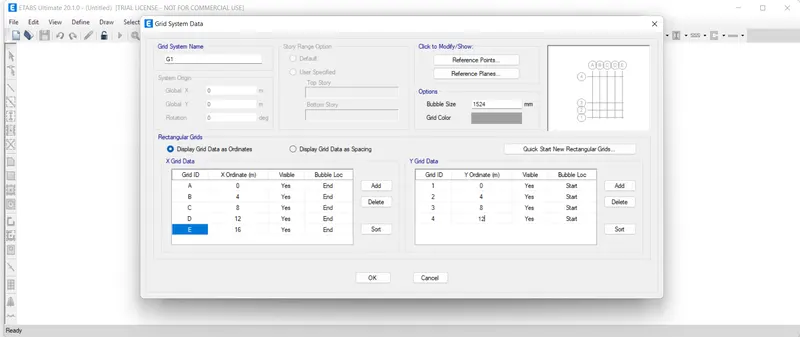
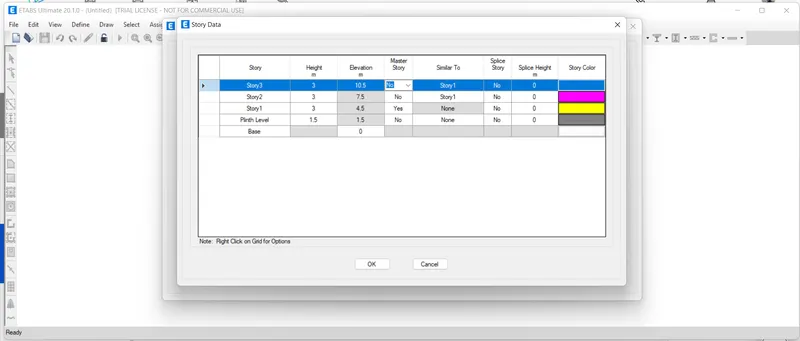
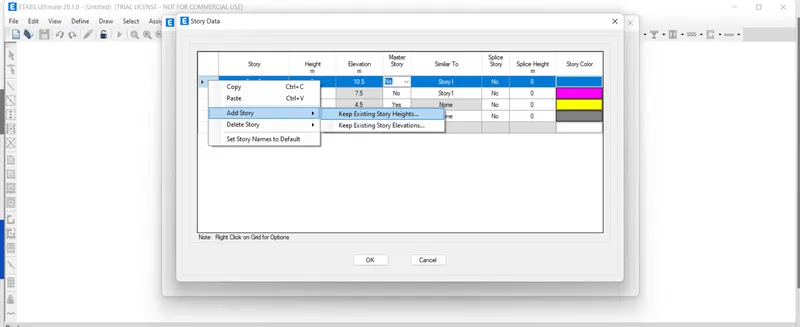
3) Now to add other storeys right click on the storey 3 in the arrow. Click on add storey-keep existing storey heights. Make the storey numbers to 22 and make the storey similar to storey 1. Now 25 numbers of storey have been created.
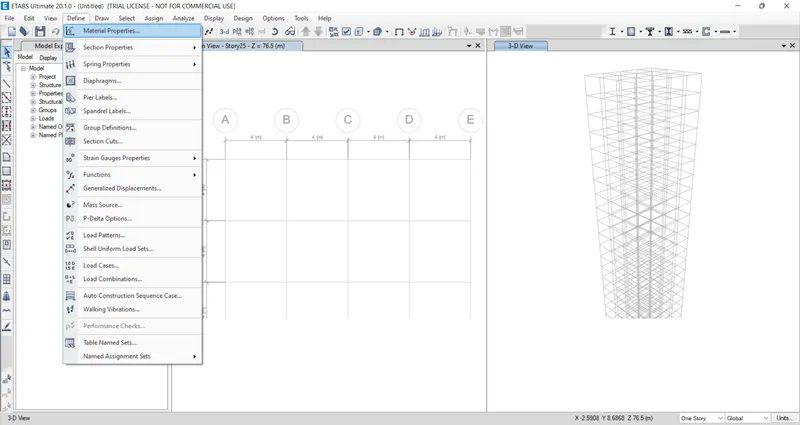
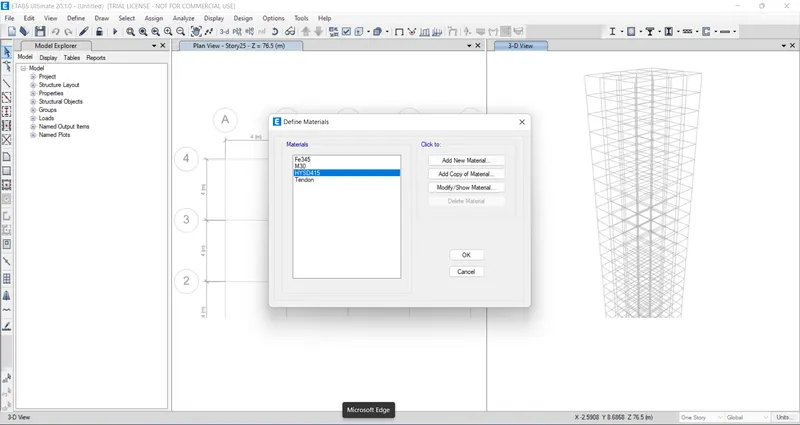
4) Now go to the define option in tab above and click on material properties. We need to create add new materials for concrete and rebar as M30 and HYSD 415. But here it was created by default.
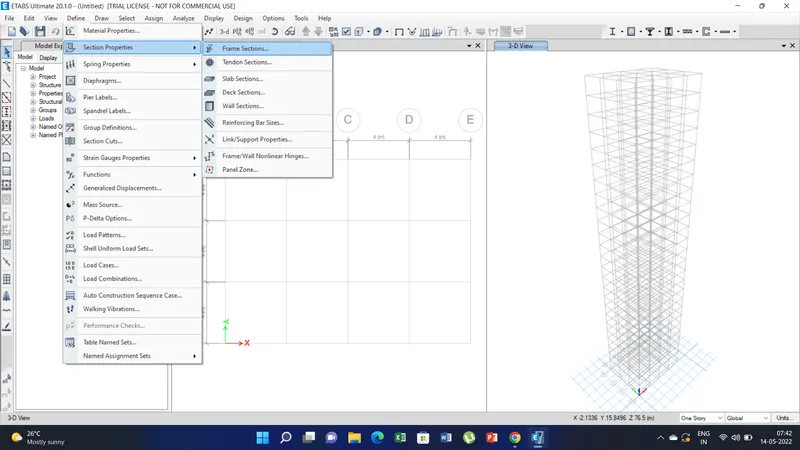
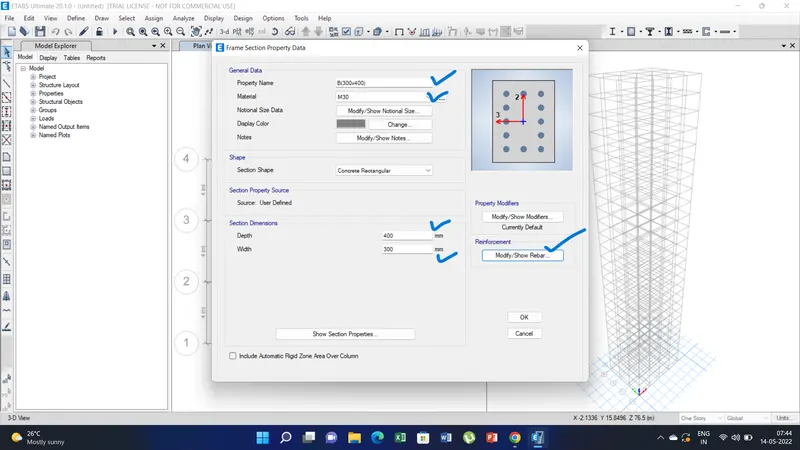
5) Similarly define the section properties-frame section than a pop up window appears as frame section property data set the property name as B(300x400) material M30 concrete depth will 400mm and width will be 300mm. And in the modify rebar option set the rebar type as HYSD415. Similarly define for column also.
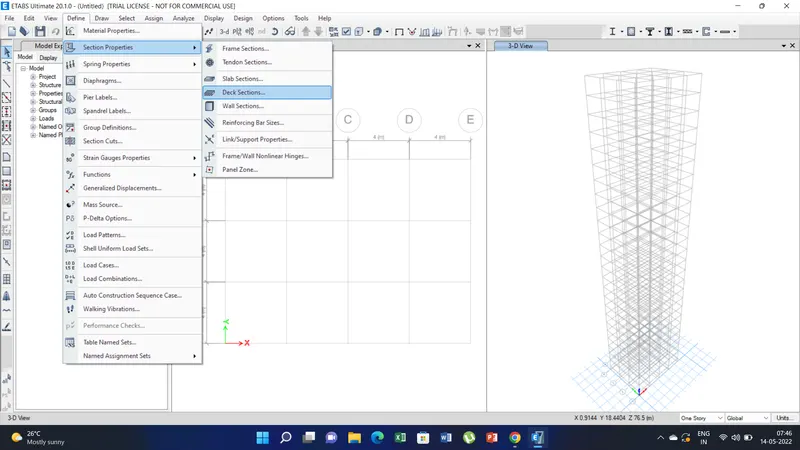
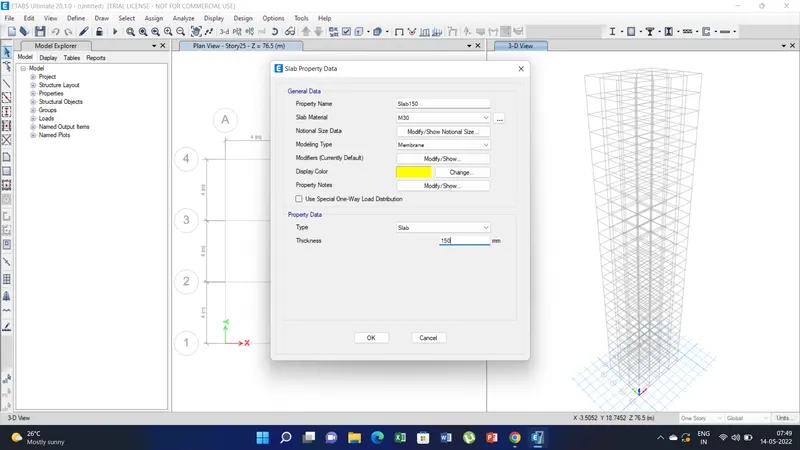
6) Define the section properties for slab. Than set the property name as slab 150, material type as M30 and depth of slab as 150mm.
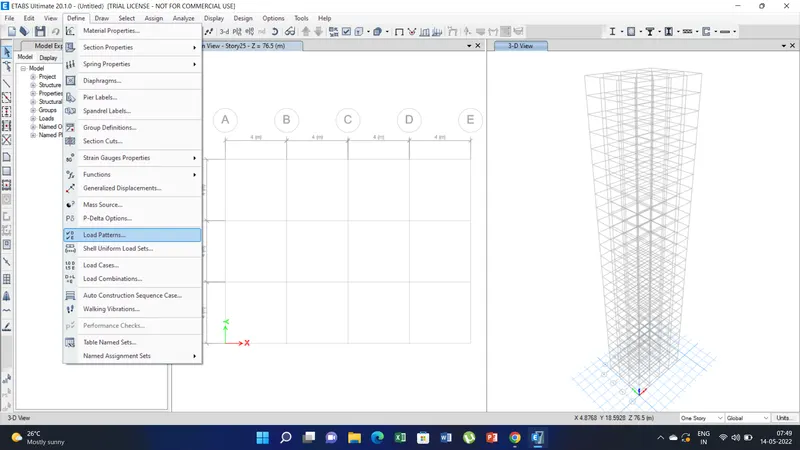
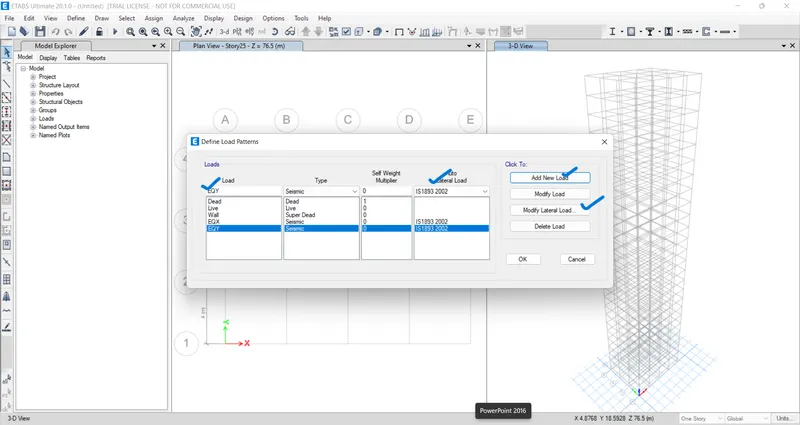
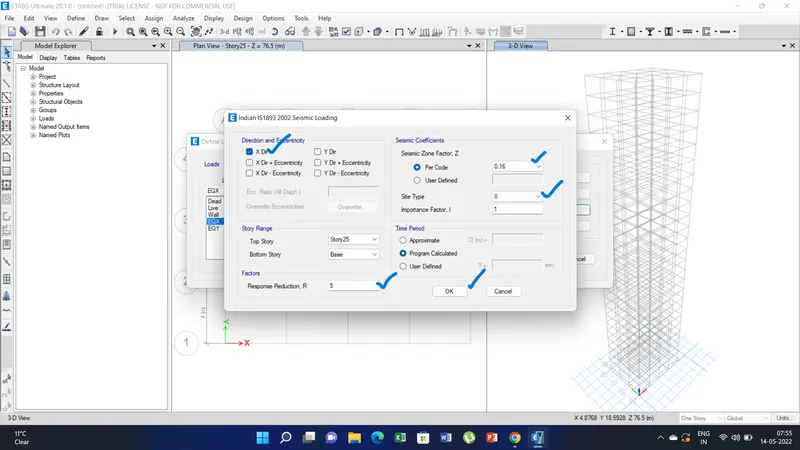
7) Now define the load patterns create the wall load , EQX, EQY as per is 1893-2002/IS 1893-2016. Here I have used IS 1893-2002. Than modify the lateral loads option by selecting the X direction for EQX and Y direction for EQY. Remaing will be unselected. Set the zone factor Z as 0.16 as per question for zone iii and Response factore will be 5 and soil types as II. Click ok.
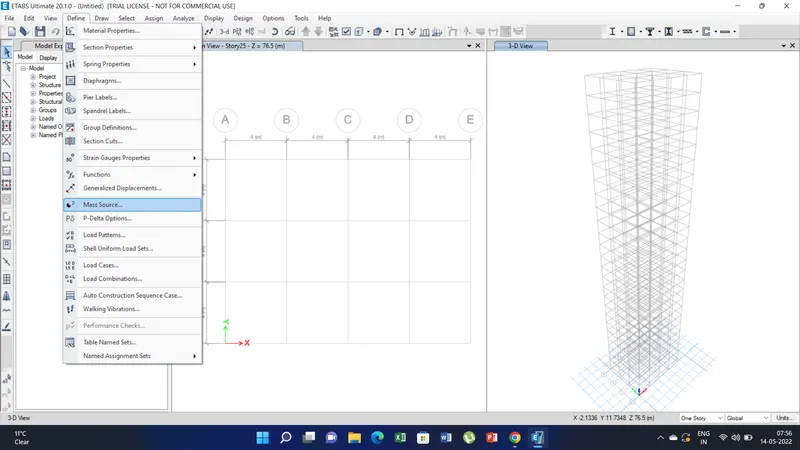
8) Now to define the mass participation click the mass source option under the define tab. A pop up window appears as mass source data. For dead load and wall load it will be 100% and for live load it will be 25 %. And Mass source will be set to specified load patterns and remaining will be unselected.
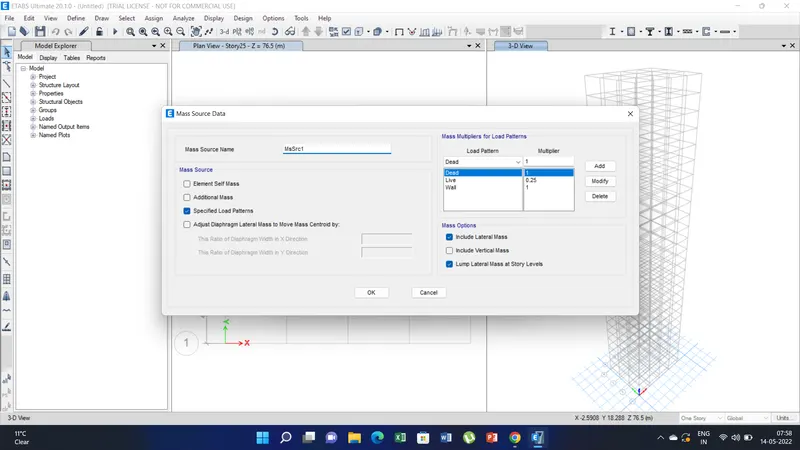
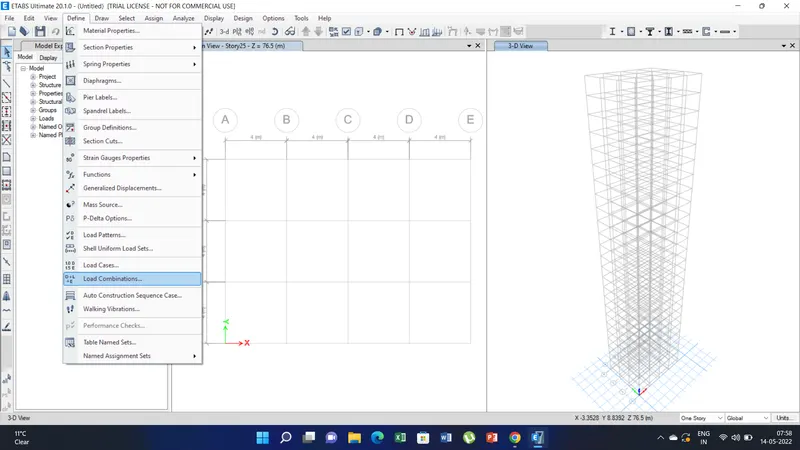
9) Now define the load combination - auto load combination. auto load combination will be generated automatically.
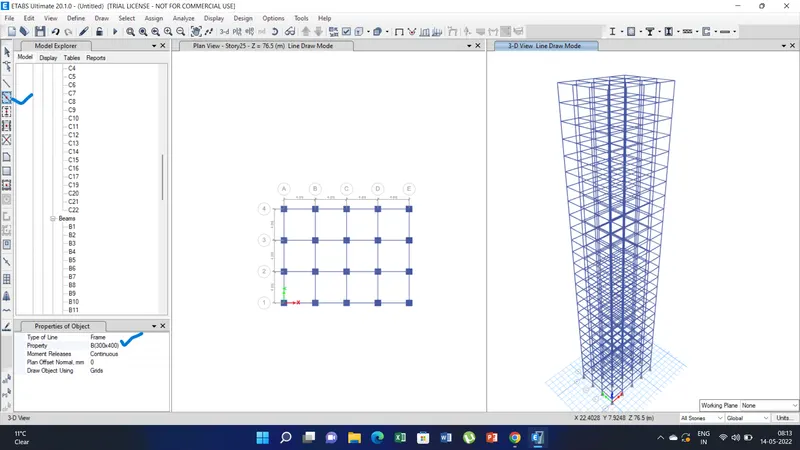
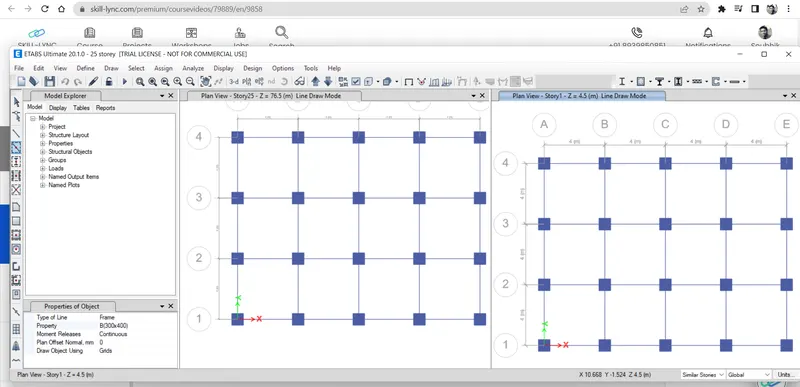
10) Now using the column tool place the columns in the grid by clicking. along x and y direction. Also select the all storey option before placing the columns. Select the properties for column. Columns will be created on all the floor levels from the base. Similarly using the pick beam line option create the beam in both direction and in all floor levels including plinth level.
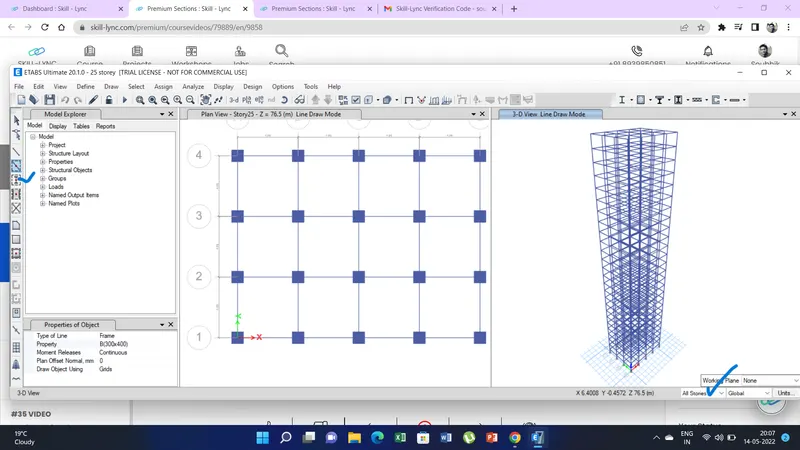
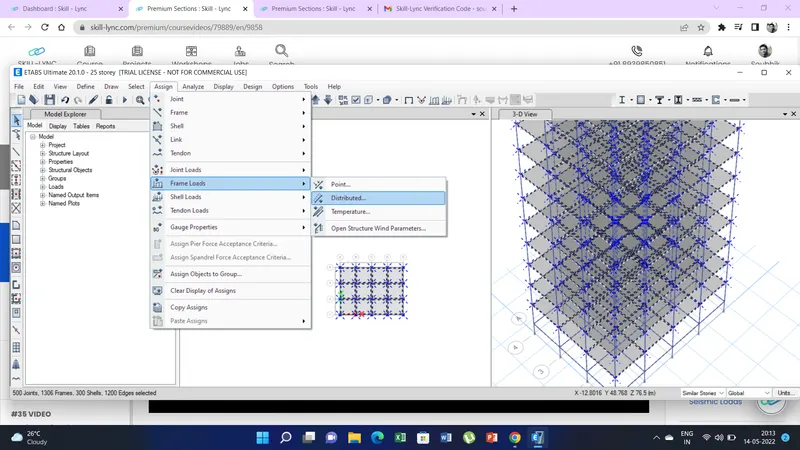
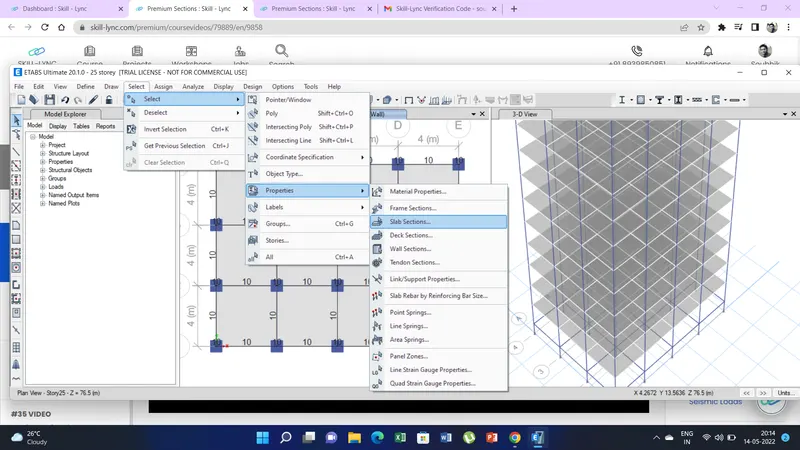
11) Now we have assign the various loads. First select the all the beams using the select option than properties frame section. There select the beam(300x400). All the beams will be selected. Than go to the assign option select the frame load - distributed loads i.e 10 kn/m. as per question.
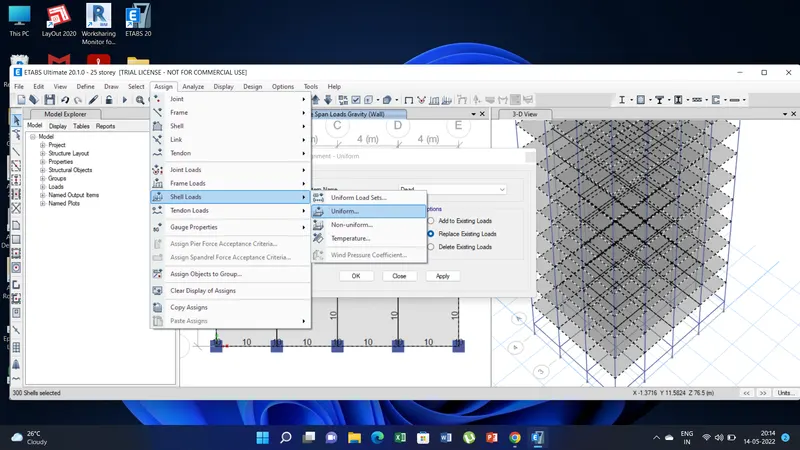
Change the view to storey 1 since we need to assign the loads of slab from storey1 . Select the slab option from the selection option tab. Than assign the loads from shell load option- uniform load i.e LL as 3kn/msq. as per question.
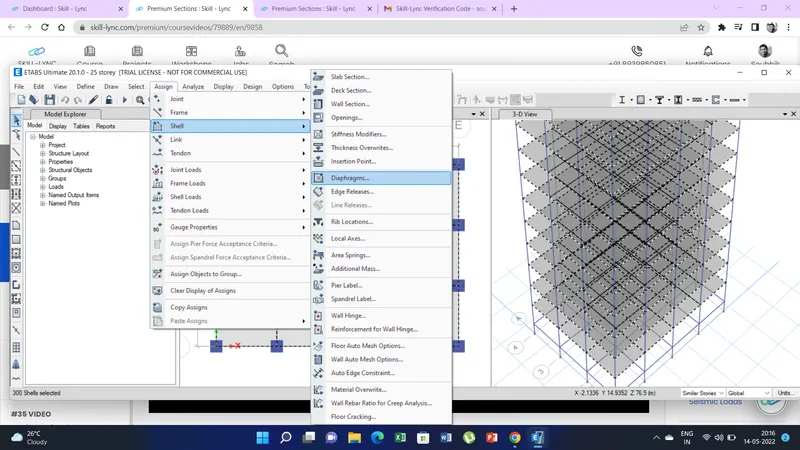
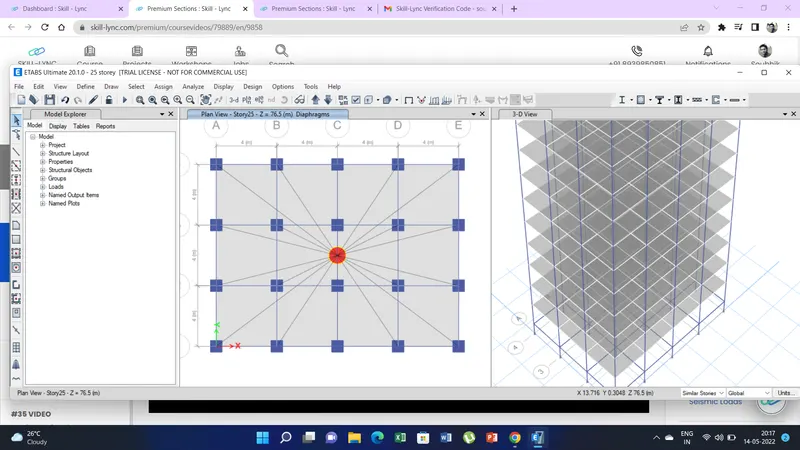
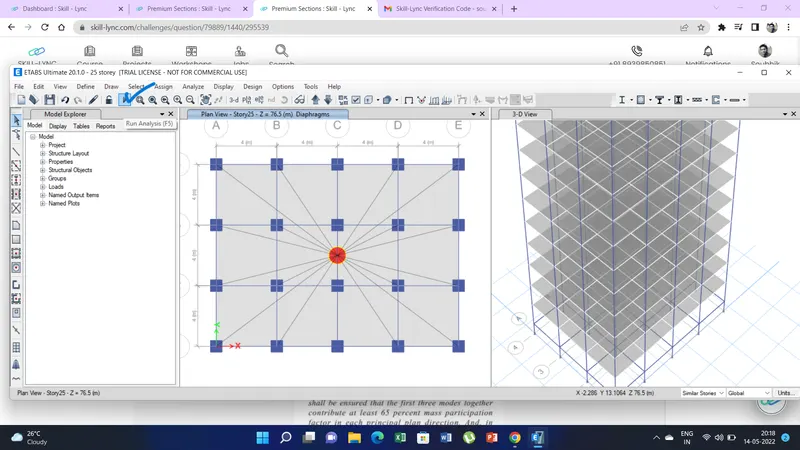
12) Now we have to assign the shell diaphragams. Go to assign option - shell - select the diaphragam. Now we can run the analysis using the icon or press F5.
Checks as per questions.
a)ranslational fundamental natural period of vibration in both the x and y direction is approximately: Tx1= 4.4 second Ty1= 4.2 second
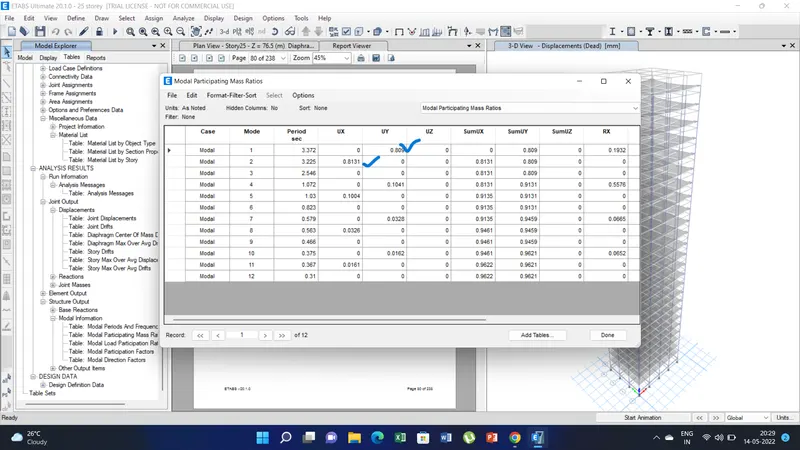
Ans. Under the report option- analysis result-structural output-model information-model period and frequency. Checking the model1 T1=3.372 and model 2 T2=3.225. Thus it is less than 4.4 sec and 4.2 sec respectively.
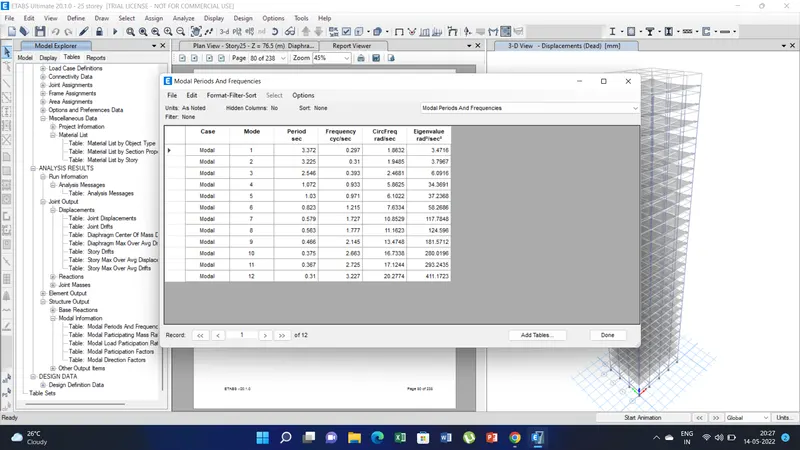
b)Torsional irregularity satisfaction: Yes Mode 3 is lesser than model 1 & 2.
c)Vertical Irregularity: 1) Mass partion is more than 80% is model and mode2. Hence Yes.
2) Lateral natural period is 14 % here. Hence satisfied.
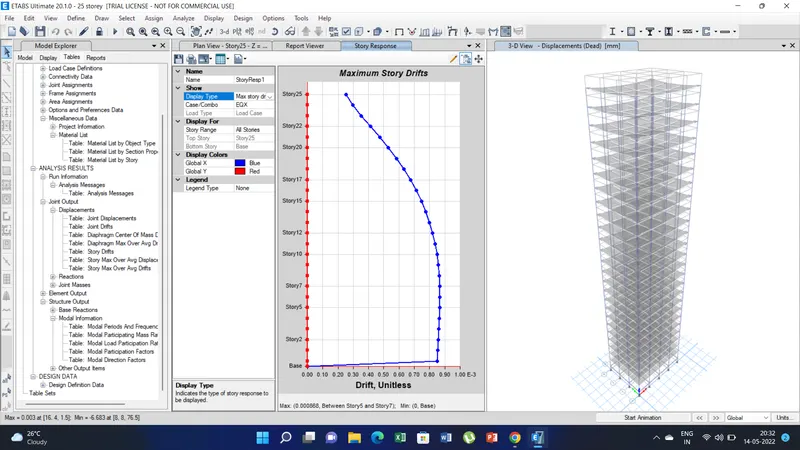
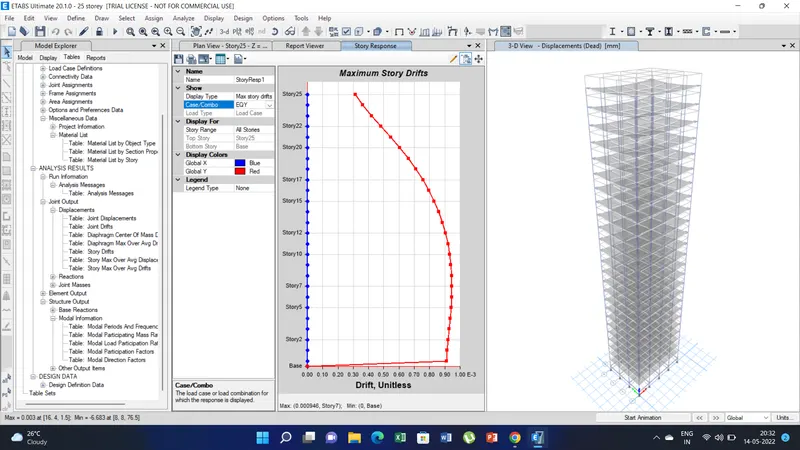
d) Storey drift: Go to display option and than click storey response. At EQX it is 0.85 at EQY it is 0.92 hence less than 4. Hence it is ok.