Modelling of 25 storey building with the specified properties using ETABS
MODELLING OF 25 STOREY BUILDING WITH THE SPECIFIED PROPERTIES USING ETABS
AIM: To Model a 25 storey building on ETABS with structural properties as specified below. Ground floor or plinth floor level can be taken at a height of 1.5 metres from the base. Each of the successive 25 storeys has a storey height of 3 metres.
Structural Element Sizes
- Beams : 300 × 400 mm
- Columns : 800 × 800 mm
- Slab : 150 mm thick
Material Properties
- Grade of Concrete : M30
- Grade of Steel Reinforcement Bars : Fe 415
Loading
- Dead Load on beams from infill wall: 10 kN/m (Let us assume the same for roof floor in view of parapet)
- Live load on the floor : 3 kN/m2 (Let us assume the same for roof floor)
a) Buildings are assumed to be pinned at the base
b) All columns in all storey are of the same size
c) All beams in all storeys are of the same size
d) Building is located on Soil type-II and in Zone-III. Assume other factors if required.
To Carry out the following exercises:
- Check if the translational fundamental natural period of vibration in both the x and y direction is approximate: `T_(x1)`= 4.4 seconds Tx1">`Ty1">T_(y1)Tx1">`= 4.2 second
- Check if the following provision in Table 5 of IS 1893 (part 1) – 2016, on torsional irregularity satisfied:
- Check if the two provisions of clause 7 in Table 6 (shown below) of IS 1893 (part 1) – 2016, regarding vertical irregularity is satisfied
- Check if the provision on inter-storey drift limitations in clause 7.11.1.1 is satisfied.
INTRODUCTION:
- ETABS is an engineering software product that caters to multistorey building analysis and design.
- Fundamentals to ETABS modelling is the generalization that multistorey buildings typically consist of identical or similar floor plans that repeat in the vertical direction.
- Once modelling is complete, ETABS automatically generates and assigns code-based loading conditions for gravity, the seismic, wind, and thermal forces. Users may specify an unlimited number of load cases and combinations.
- Outputs and display formats are also practical and intuitive. Moment, shear and axial force diagrams, presented in 2D and 3D views with corresponding data sets, maybe organised into customisable reports.
- Here, in this challenge, a 25 storey building is modelled using ETABS and various checks are performed confirming to codal provisions - IS1893-2016.
PROCEDURE:
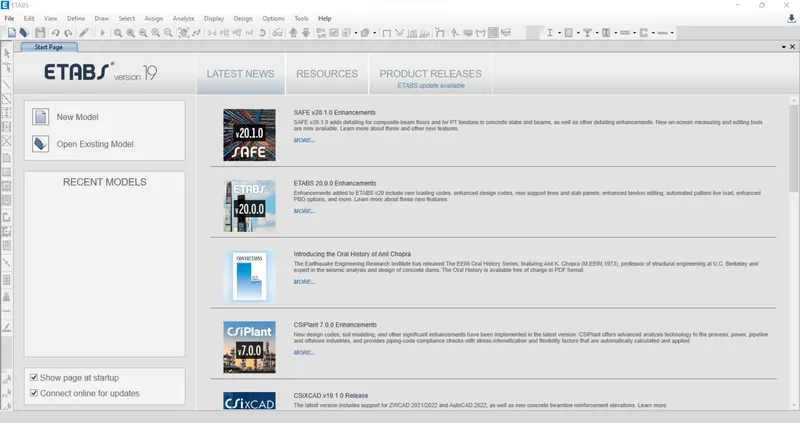
Initially open the ETABS file and go to the new model option.
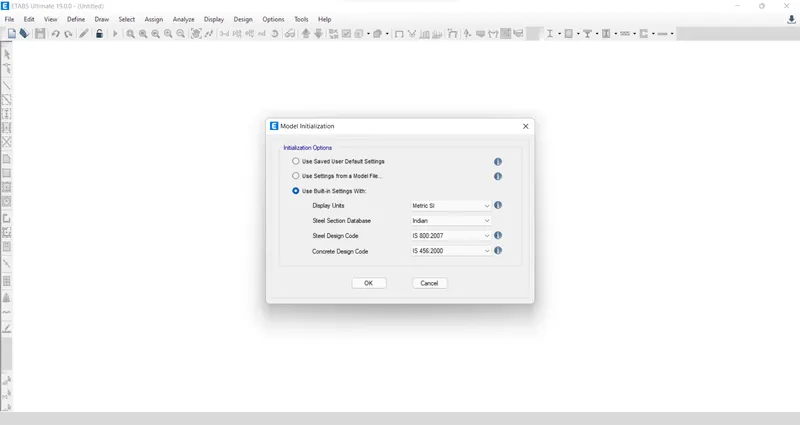
A model initialization window opens where we have to input the units and code details to be used and click ok.
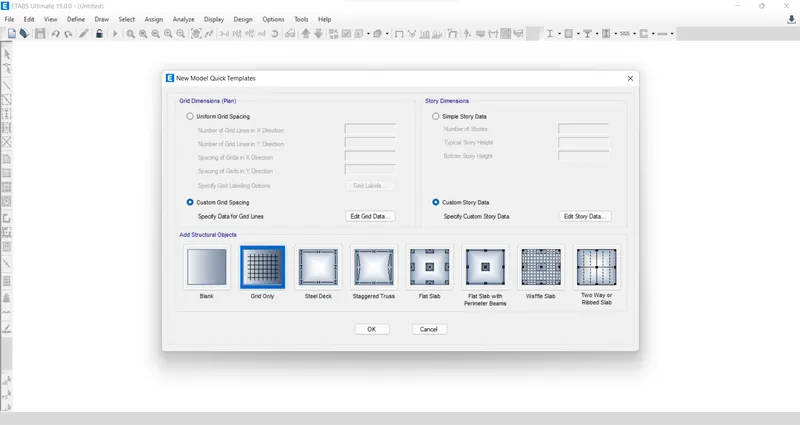
Then, another window- New mode quick template, opens where we have input the grid dimensions and storey dimensions by choosing the custom grid spacing option.
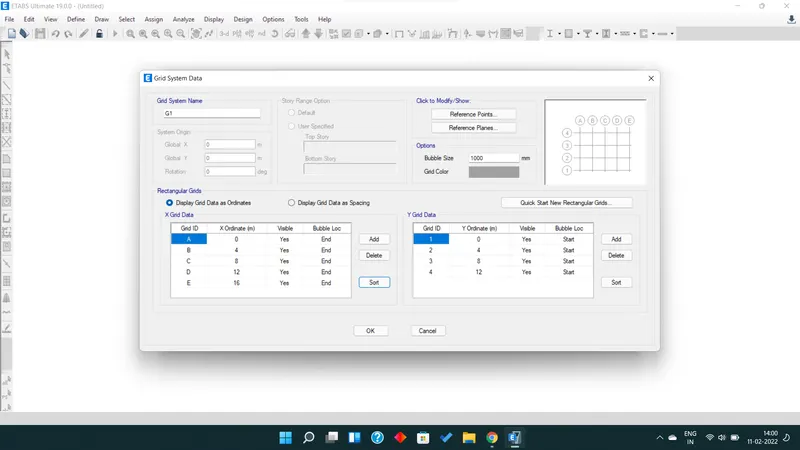
Now, input the grid dimensions as given in the question.
Similarly input storey dimensions.
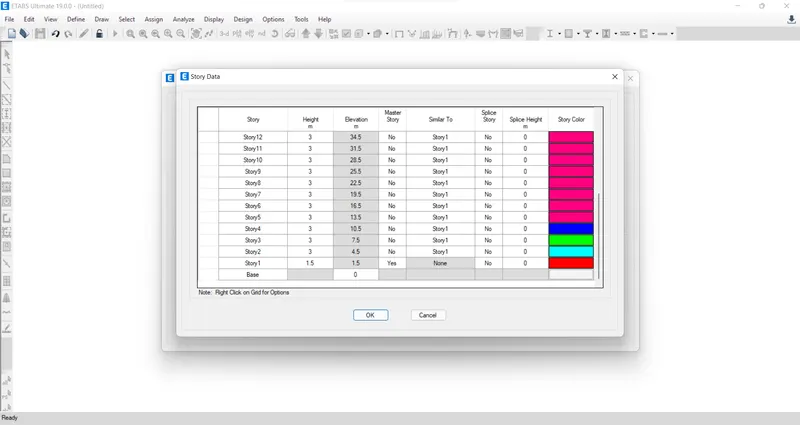
Hence, both grid and storey details have been filled in.
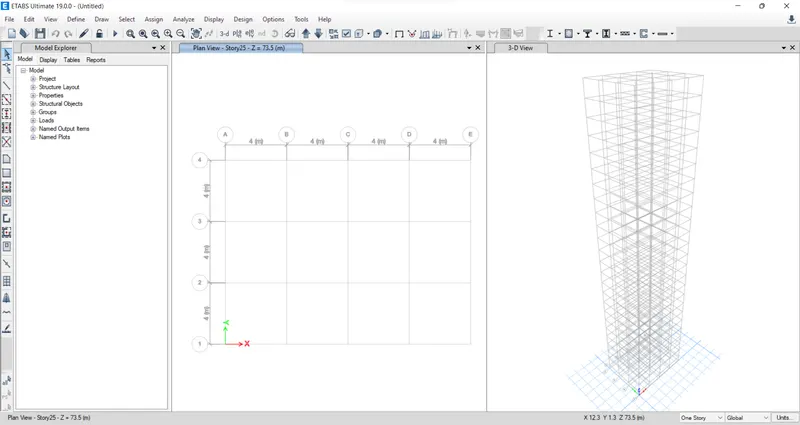
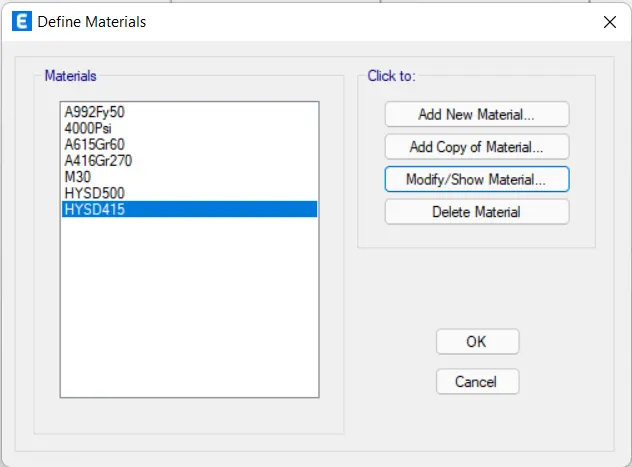
The next thing that we need to input is the material property. For this, go to the defined tab and select material properties and then go to add material option in that window.
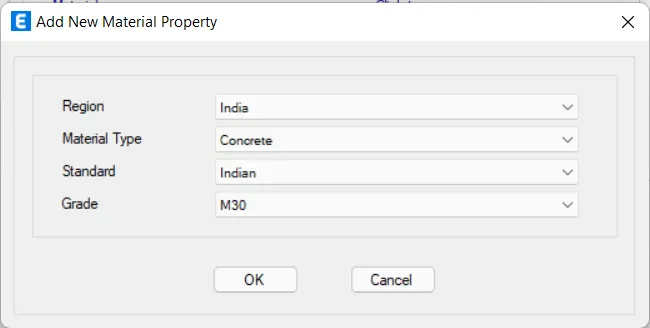
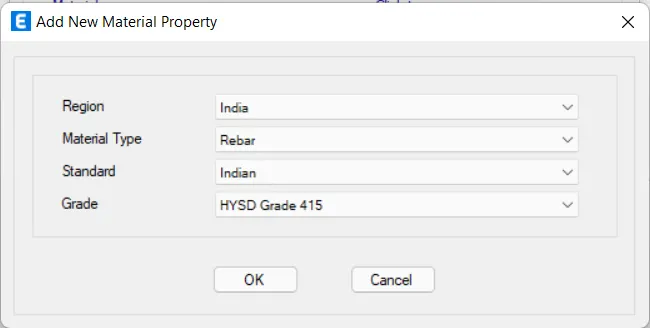
Hence, the two materials are added. Now, Click ok.
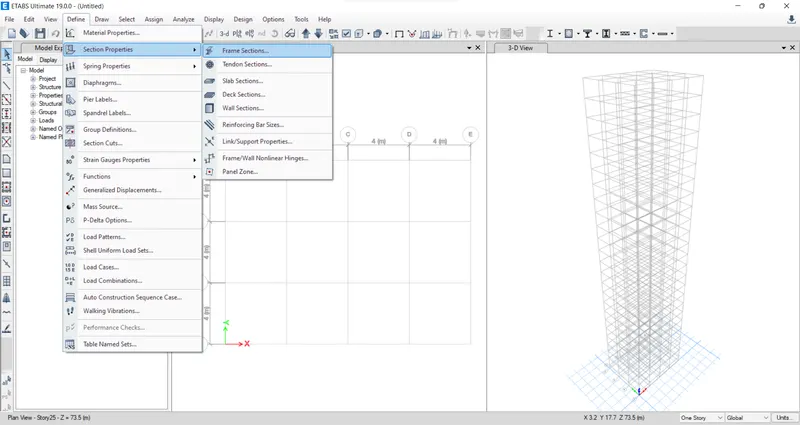
Now, We need to add the frame members, i.e., beams, columns and slabs. Go to define tab then section properties then Frame sections. (beams and columns)
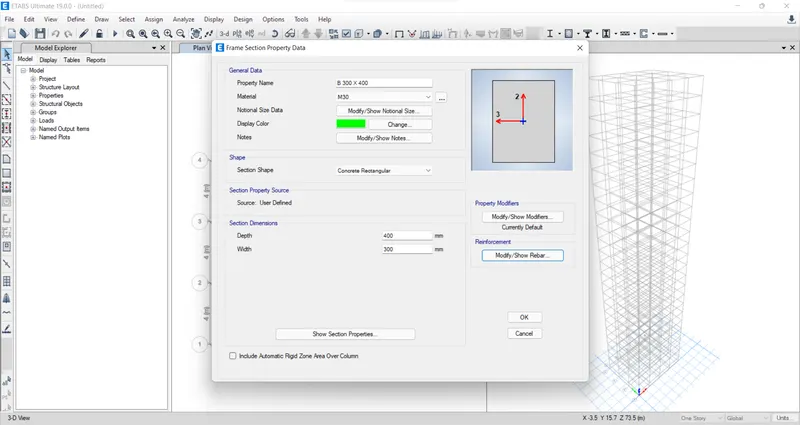
Frame properties window opens and in that go to add new material Property. The reinforcement details and cover to the reinforcement are also provided.
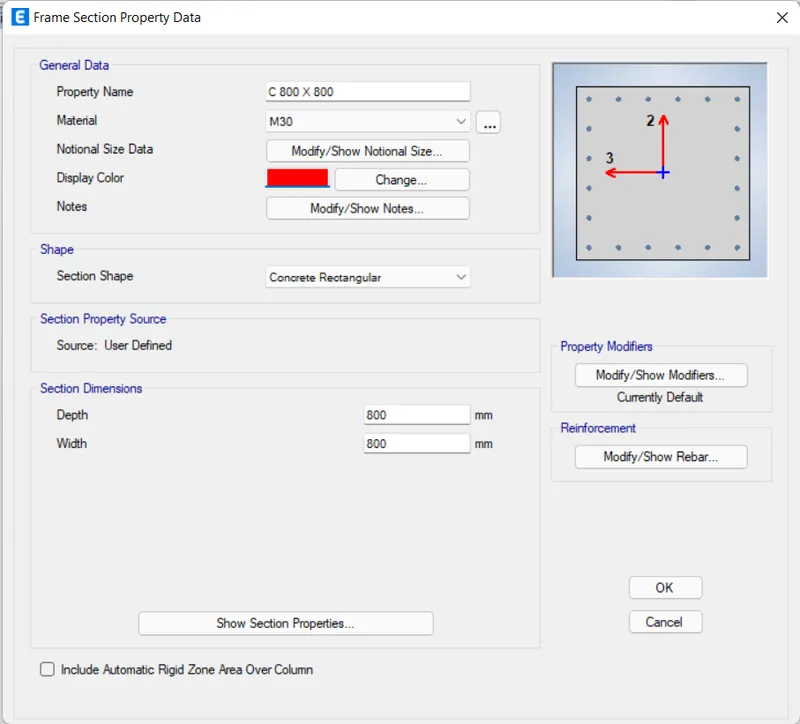
Similarly, add the column to the list by providing the reinforcement details.
Hence, the materials added list is given below
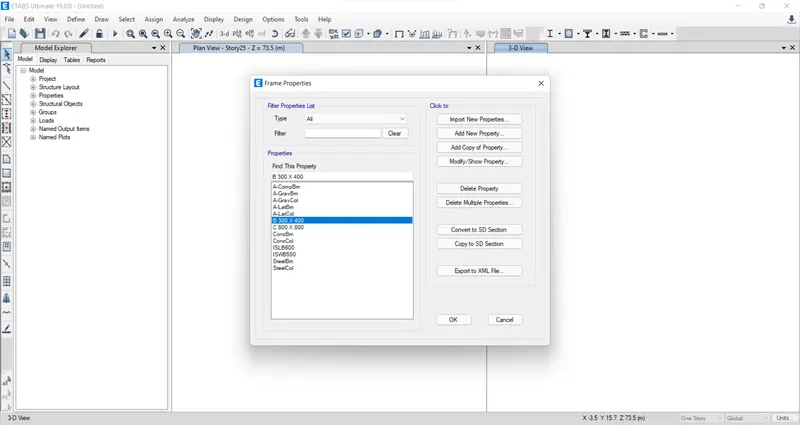
Next, we have to add the slab details. For this go to define tab, then section property, then slab sections, Then slab property data dialogue box opens. In that edit the slab properties.
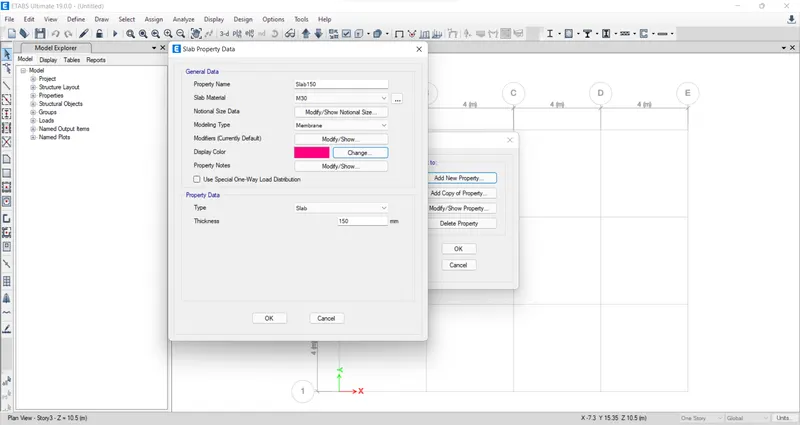
So all the properties of frame members have been added correctly, now we have to place the structural members.
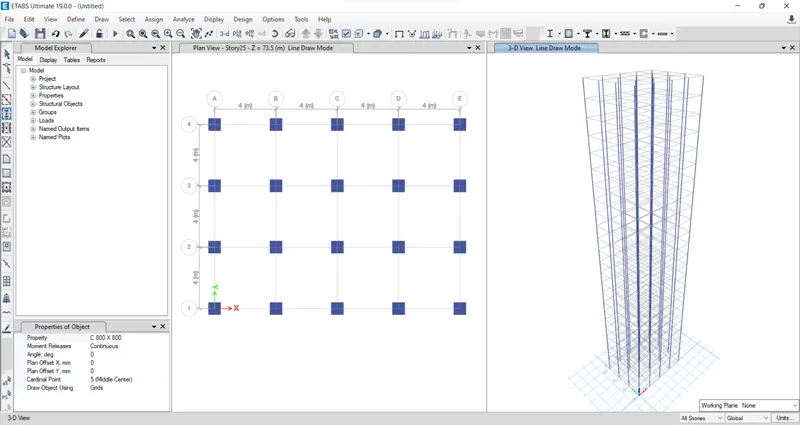
For this choose the quick draw column option from the tools available at the left side of the screen and place the columns at all the grid intersections.
Since columns extend throughout the height of the structure, so care should be taken to check whether columns are assigned to all storeys.
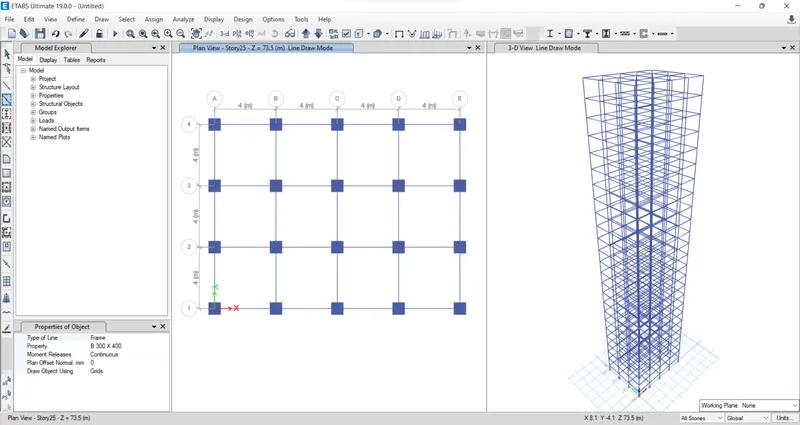
Next, we have to place the beams in position, for this also quick draw beams option can be chosen.
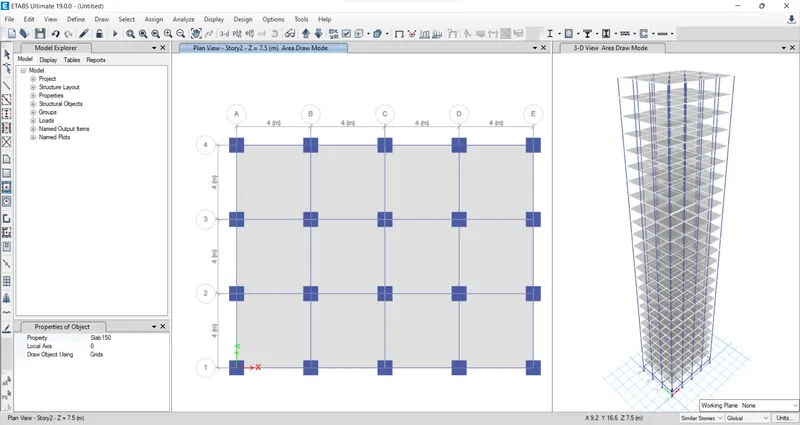
Now, we have to create the slabs, for this initially change the all storeys option to similar storeys which may exclude the base.
Then, choose the quick draw floor or wall option to easily draw the floor slabs.
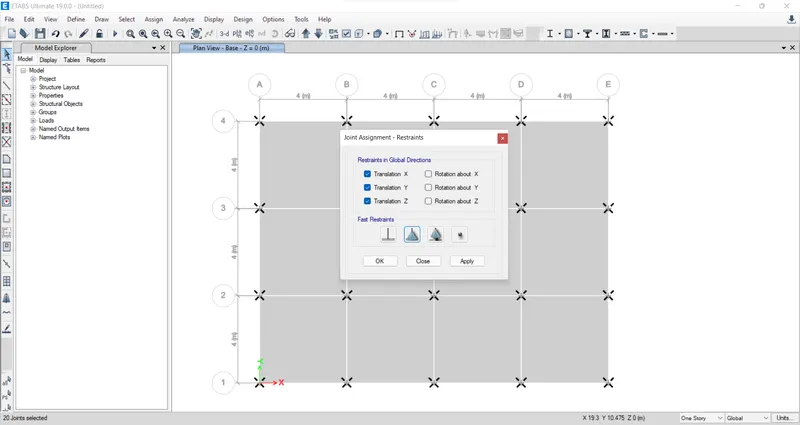
We have to keep the support as pinned, so for this select all joints by keeping in view the base storey. Then go to assign, then joint, then restraint, then select pinned joint.
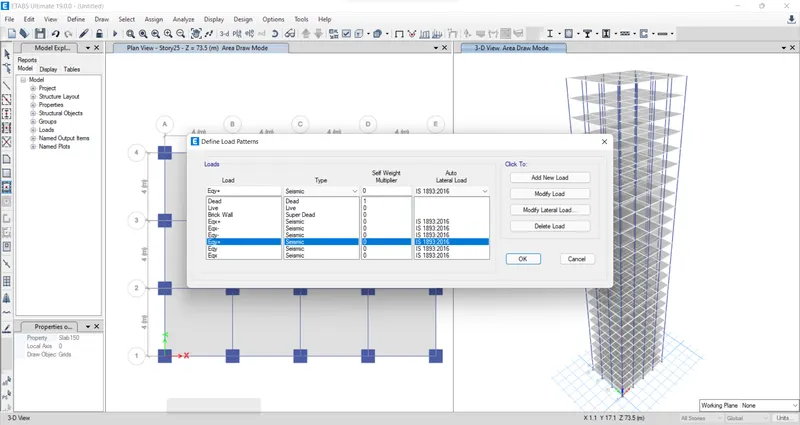
Next, we have to assign loads to the frame. For this, go to the defined tab, then load patterns, then define load patterns dialogue box appears. Then, apply the loads.
Select all the floors (Go to select, then select, then object type, then floors).
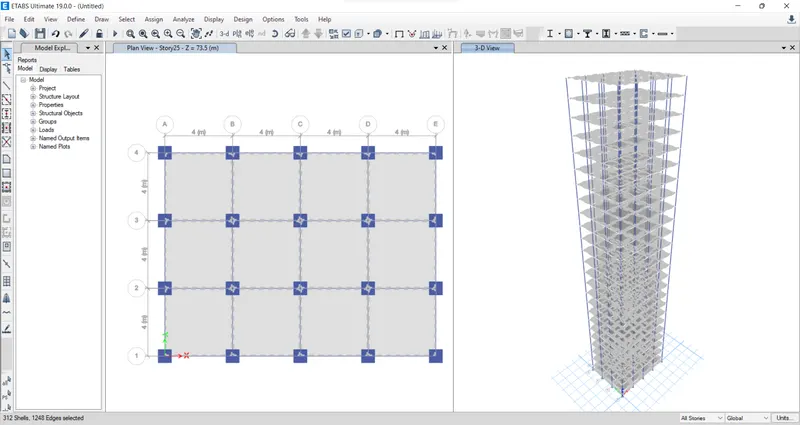
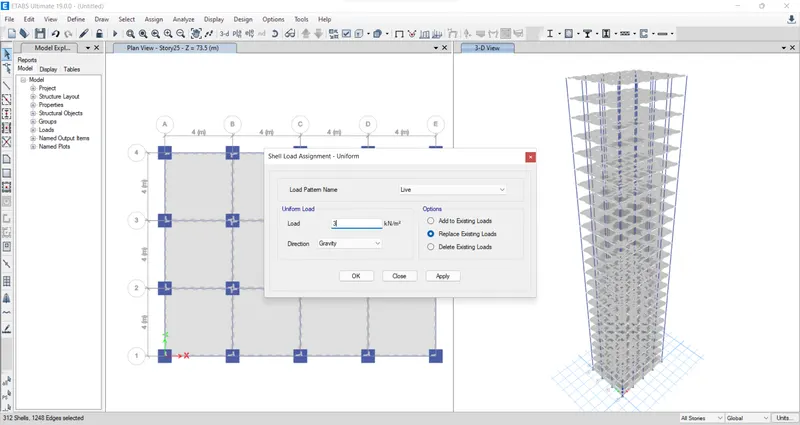
Go to assign, then shell loads, then uniform, then live loads, then give the load value `3 (kN)/m^2`
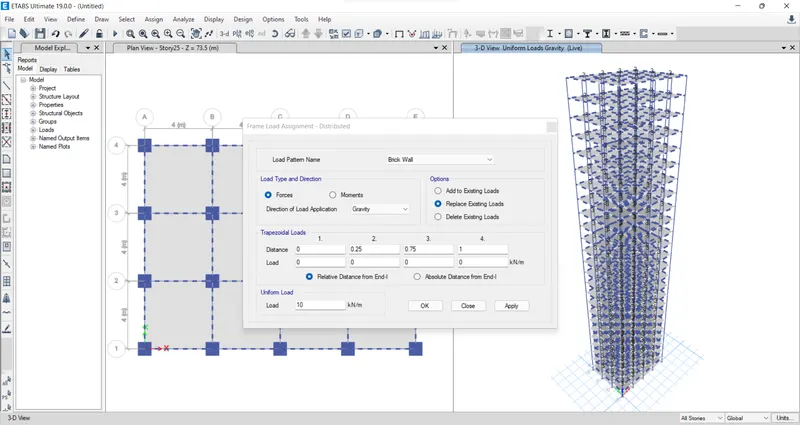
Select all the beams (Go to select, then select, then object type, then beams). Go to assign, then frame loads, then distributed, then load pattern, then brick wall loads, then give the load value `10 (kN)/m`
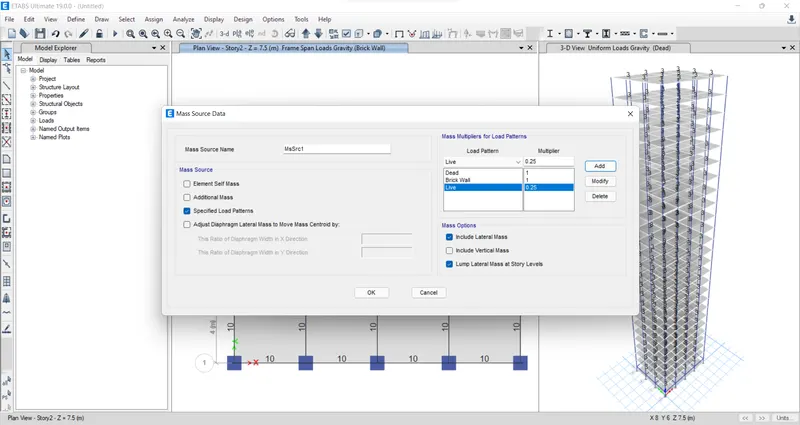
Now provide the mass source value to calculate the seismic weight.
Next, we need to define the load combinations. For this, go to define, then load combination. Provide the default load combination itself.
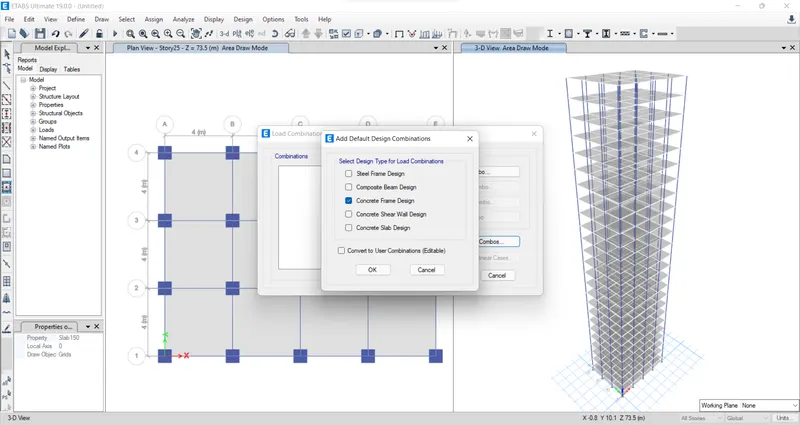
Choose concrete frame design and click ok.
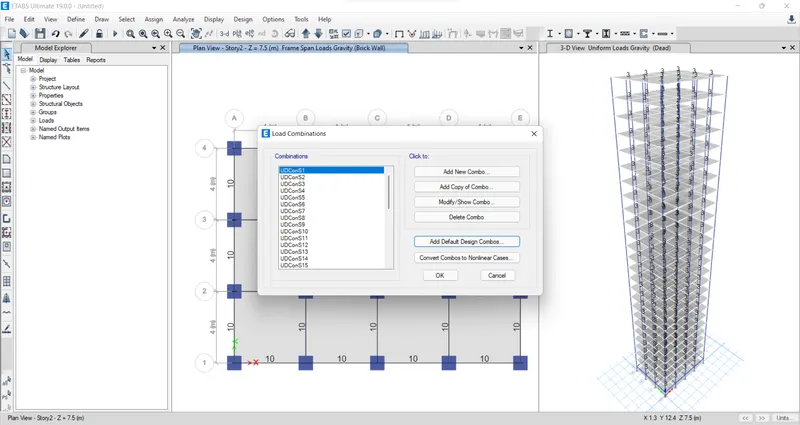
To assign diaphragms, Select all the floors, then go to assign, then shell, then diaphragms, choose D1 and apply.
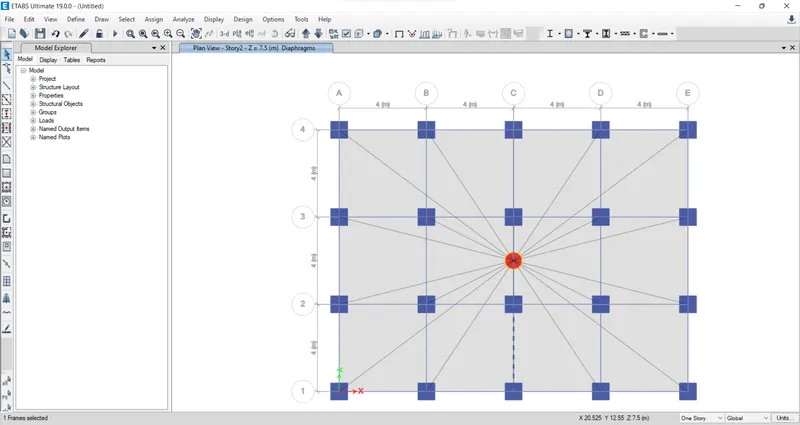
Now go to the analysis tab then check the model. It is checked for any errors and warnings.

Now the model can be analysed. For this go to analysis then Run the analysis. The analysis has been completed. check the details given in the question.
So for this initially go to display tab, then show tables, then analysis result, then structure output, then modal information, then Modal periods and frequencies.
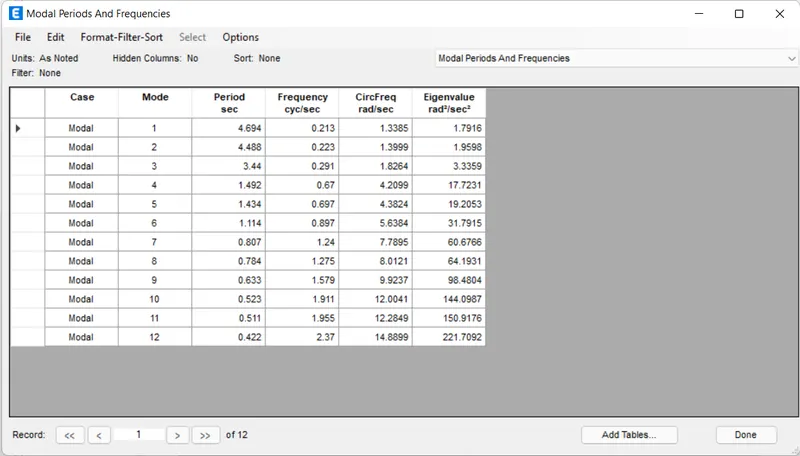
Check if the translational fundamental natural period of vibration in both the X and Y direction is as given in the question:
- 1st mode corresponds to translation in the Y direction, hence `T_(y1)= 4.694 s`
- 2nd mode corresponds to translation in the X direction, hence `T_(x1)= 4.488 s`
Check if the following provision in Table 5 of IS 1893 (part 1) – 2016, on torsional irregularity satisfied: The natural period corresponding to the torsional mode of oscillation must be less than the two fundamental translational modes of oscillation along with each principal plan directions.
- The natural period corresponding to two translational modes of oscillation is obtained as:
- `T_(x1)=4.488s`
- `T_(y1)=4.694s`
- The natural period corresponding to the torsional mode of oscillation is obtained as:
- `T_(xy1)=3.44`
- Hence, it is verified that the natural period corresponding to the torsional mode of oscillation is less than the natural period corresponding to two translational modes of oscillation.
Now modal participation ratios have to be taken, for go to display tab, then show tables, then analysis result, then structure output, then modal information, then modal participating mass ratios.
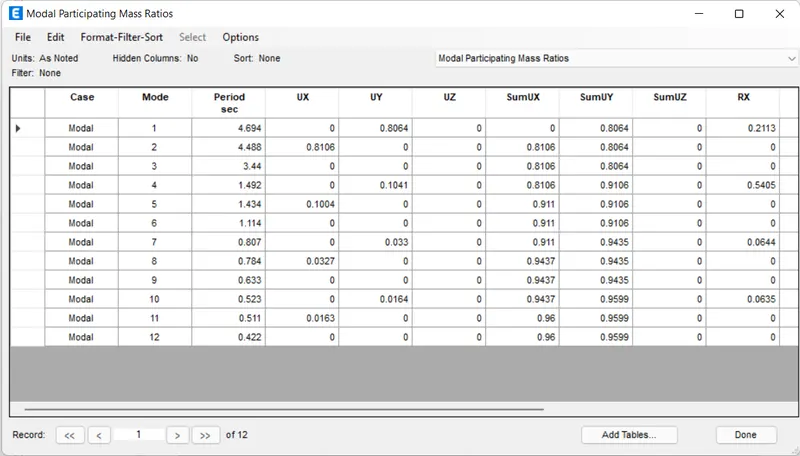
Check if the two provisions of clause 7 in Table 6 (shown below) of IS 1893 (part 1) – 2016, regarding vertical irregularity is satisfied.
- Modal mass participation ratios of the first three modes in the X direction is obtained as:
- 1st = 0.8106
- 2nd = 0.1004
- 3rd = 0.0327
- In summation of these three, we get `0.8106+0.1004+0.0327=0.9437~~95%>65%`.
- Hence it satisfies the criteria i.e., the first three modes together contribute at least 65% mass participation factor in each principal plan direction.
- Now the difference between the X and Y time periods is given by, `4.694-4.488=0.206~~2.1%`.
- Hence it does not satisfy the codal provision i.e., the fundamental natural periods of the two buildings in the two principal plan directions are away from each other by at least 10% of the larger value.
Check if the provision on inter-storey drift limitations in clause 7.11.1.1 is satisfied. Please note that this check is for Serviceability Limit State and hence is for situations when stucture is subjected to unfactored seismic base shear.
- For obtaining the story drift graph, go to display then story response plots, then change the display type to Max. story drift, then load case combo.
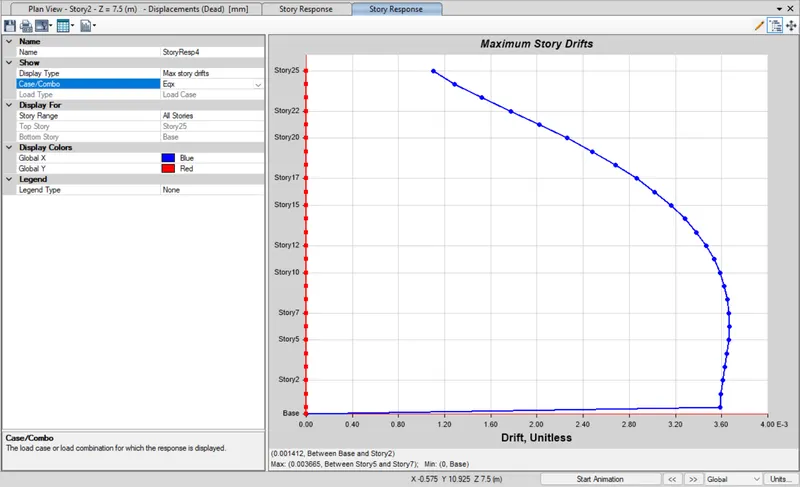
Here the maximum storey drift obtained is 0.0036 which is less than 0.004, hence codal provision is satisfied.
RESULT:
The analysis of the 25 storey building is completed and the specified checks were also carried out. The structure satisfies all the codal provision except the second provisions of clause 7 in Table 6 of IS 1893 (Part 1) - 2016, regarding vertical irregularity, which is given as the fundamental natural periods of the two buildings in the two principal plan directions are away from each other by at least 10% of the larger value.