Modelling of 25 storey building with the specified properties using ETABS
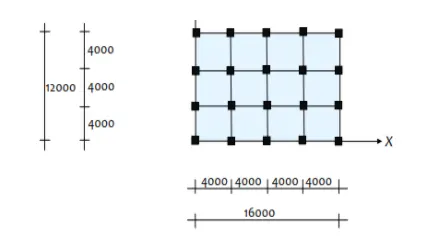
Model a 25 storey building on ETABS with structural properties as specified below. Ground floor or plinth floor level can be taken at a height of 1.5 metres from the base. Each of the successive 25 storeys has a storey height of 3 metres.
Structural Element Sizes
- Beams : 300 × 400 mm
- Columns : 800 × 800 mm
- Slab : 150 mm thick
Material Properties
- Grade of Concrete : M30
- Grade of Steel Reinforcement Bars : Fe 415
Loading
- Dead Load on beams from infill wall : 10 kN/m (Let us assume the same for roof floor in view of parapet)
- Live load on floor : 3 kN/m2 (Let us assume the same for roof floor)
a) Buildings are assumed to be pinned at the base
b) All columns in all storey are of the same size
c) All beams in all storeys are of the same size
d) Building is located on Soil type-II and in Zone-III. Assume other factors if required.
Carry out the following exercises:
- Check if the translational fundamental natural period of vibration in both the x and y direction is approximately: Tx1Tx1= 4.4 second Ty1Ty1= 4.2 second
This check will help confirm if modelling is done correctly. Some deviations from the above values is possible (± 2%). But any major deviation will suggest an error in modelling.
- Check if the following provision in Table 5 of IS 1893 (part 1) – 2016, on torsional irregularity satisfied:
The natural period corresponding to the torsional mode of oscillation must be less than the two fundamental translational modes of oscillation along each principal plan directions.
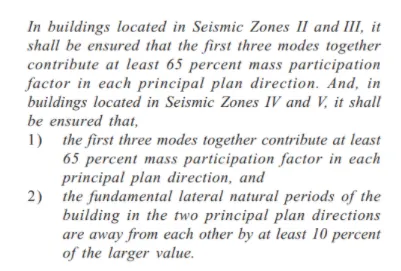
- Check if the two provisions of clause 7 in Table 6 (shown below) of IS 1893 (part 1) – 2016, regarding vertical irregularity is satisfied
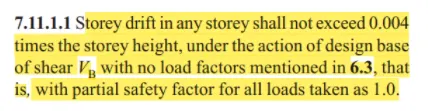
- Check if provision on inter-storey drift limitations in clause 7.11.1.1 satisfied. Please note that this check is for Serviceability Limit State and hence is for situation when stucture is subjected to unfactored seismic base shear
A)
AIM;
To Modelling a 25 story building on ETABS 2018 with structural properties including Ground floor or plinth floor level at a height of 1.5 meters from the base and a story height of 3 meters.
Procedure:
Step 1:
1) Open ETABS 19 application.
2) Click the File menu and choose to Create a New Model option from there.
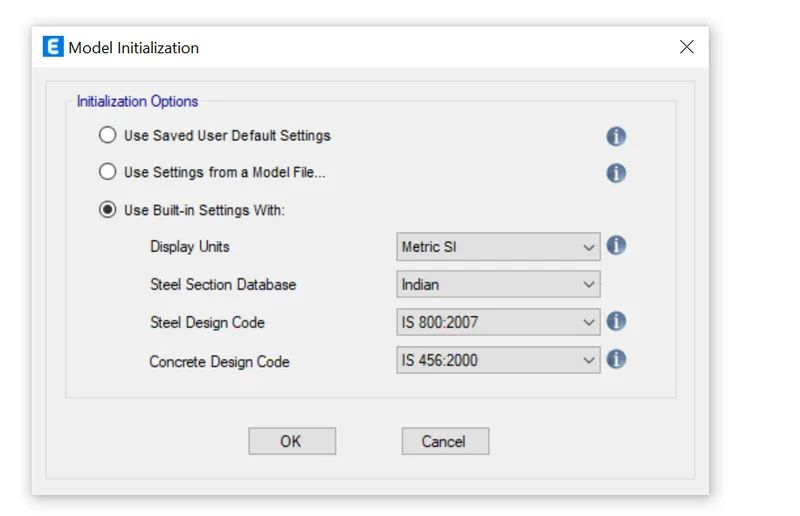
3) After choosing a New model a dialogue box will appear which is known as Model Initialization.
4) Choose the Built-in settings option and select the display units and codes as per the given requirements.
Step 2:
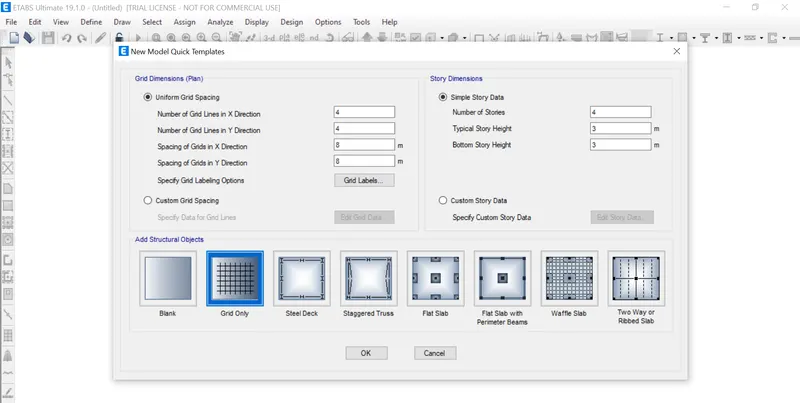
1) After the model initialization needs to select Grid and Story inputs from the New model quick templates dialogue box.
2) In this dialogue box choose custom grid spacing and custom story data which is used to provide the inputs that we keep.
Step 3:
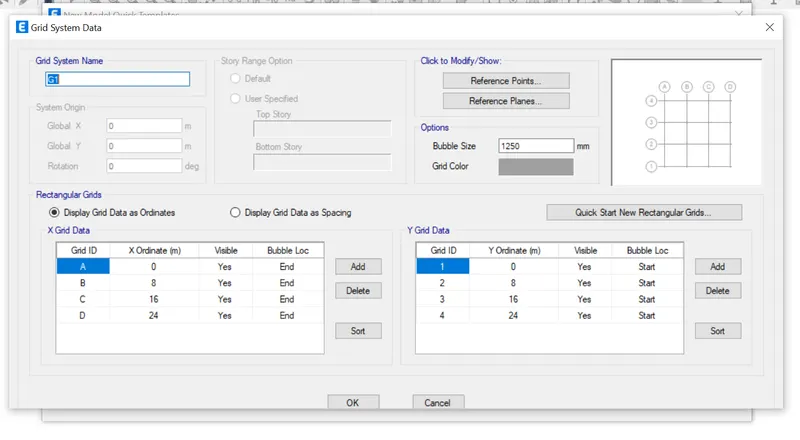
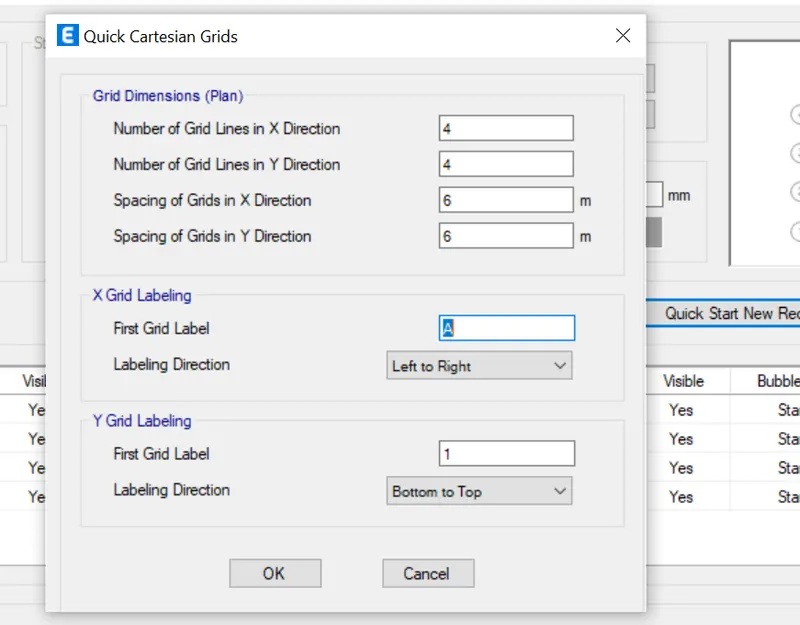
1) In the Grid system data dialogue box, set x grid data as 5 numbers at a distance of 4m
2) And also set Y grid data as 4 numbers at a distance of 4m.
3) Click OK
step 4:
1) In a story data dialogue box, need to input all the relevant details about the story which we want to model.
2) Click add a story and add 21 more story
3) Put 3m height for all the story except plinth
4) Make 1st story as Master story
5) Click OK.
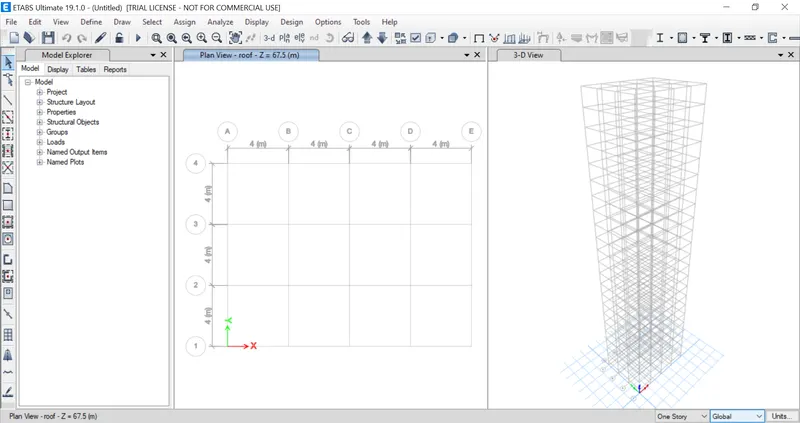
Step 5:
1) On the top right corner click the drop-down arrow
2) Choose New window option
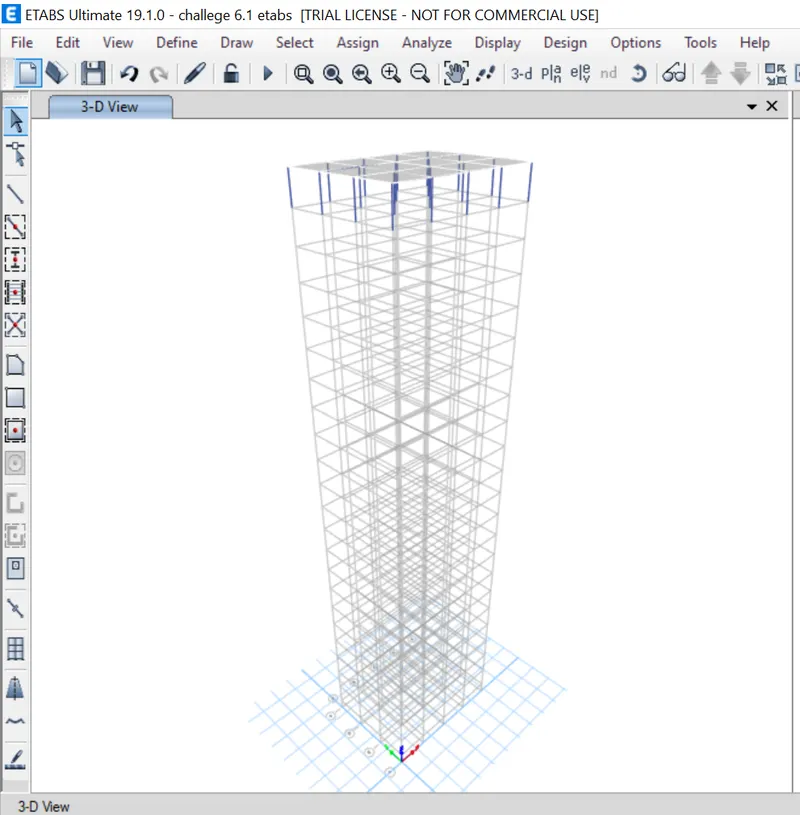
3) Now the screen splits into two.
Step 6:
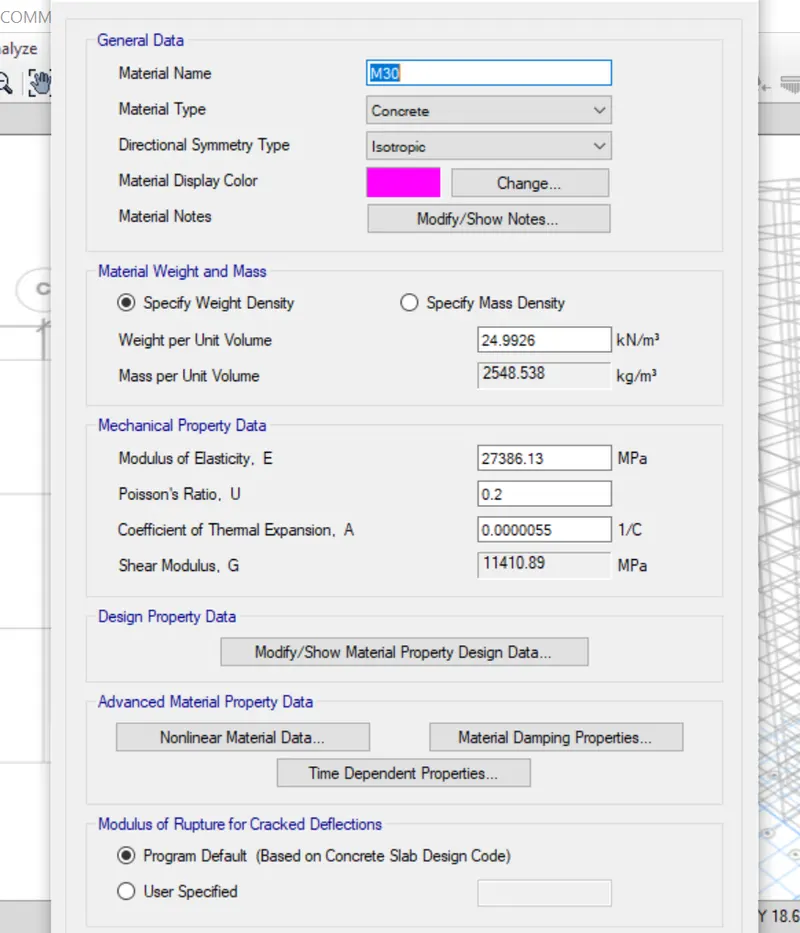
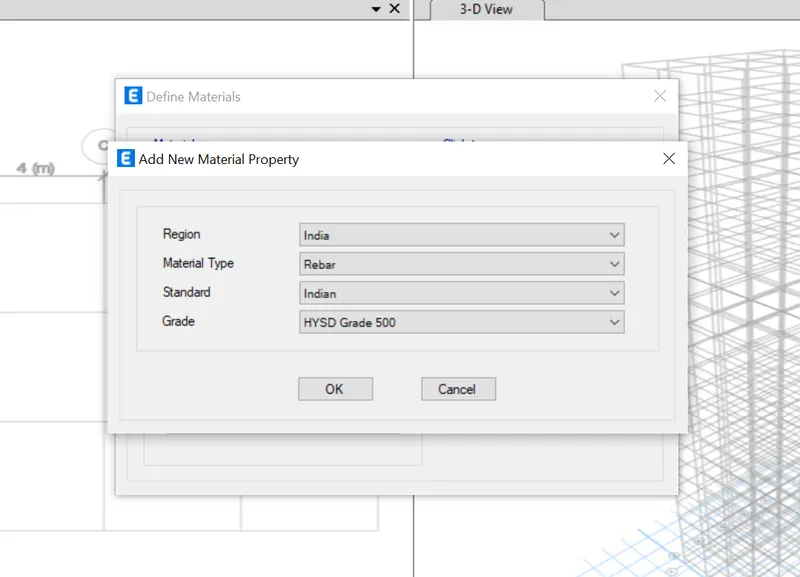
1) After selecting Material Properties from the define tab, a dialogue box will appear. In this dialogue box Select the regions as India,and as per the code book.
2) Similarly choose all other inputs like Material type, standard, grade accordingly.
Step 7:
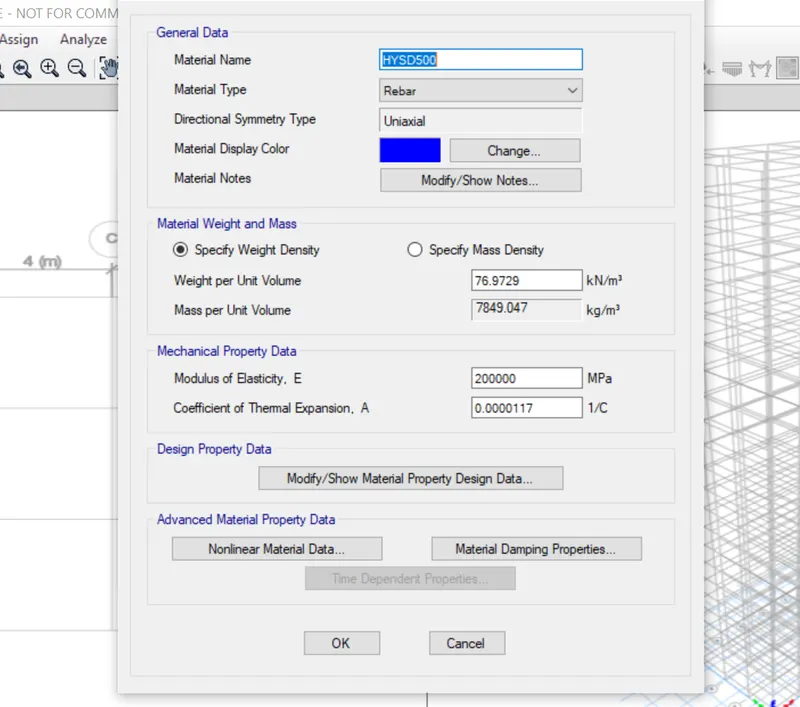
1) After clicking ok for Add New Material Property dialogue box it redirects into another dialogue box called Material property data.
2) In this data all the relevant data values are assigned default as per IS code which we set previously and require as per the correction.
Step 8:
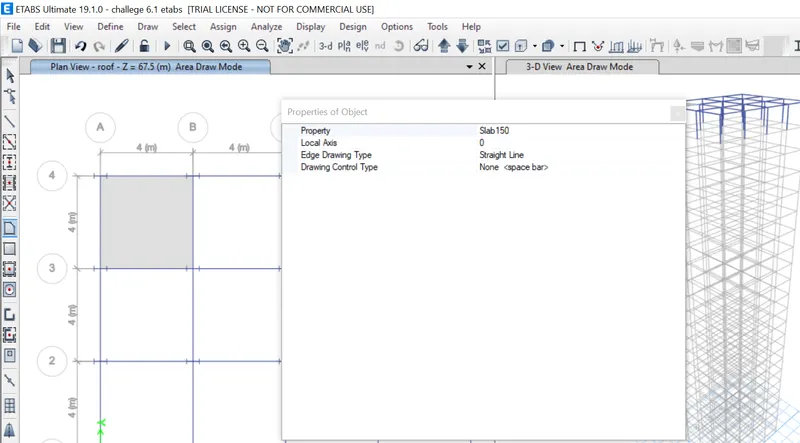
1) After applying the properties of Beams and columns we need to apply the property of Slab
2) Select Slab Sections
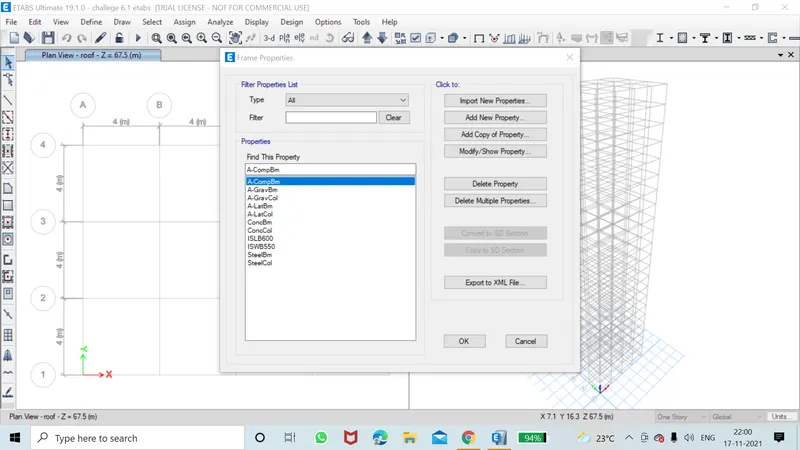
Step 9:
1) Rename the Property name
2) Select the material as M30
3) Choose modeling type as Membrane from the drop-down
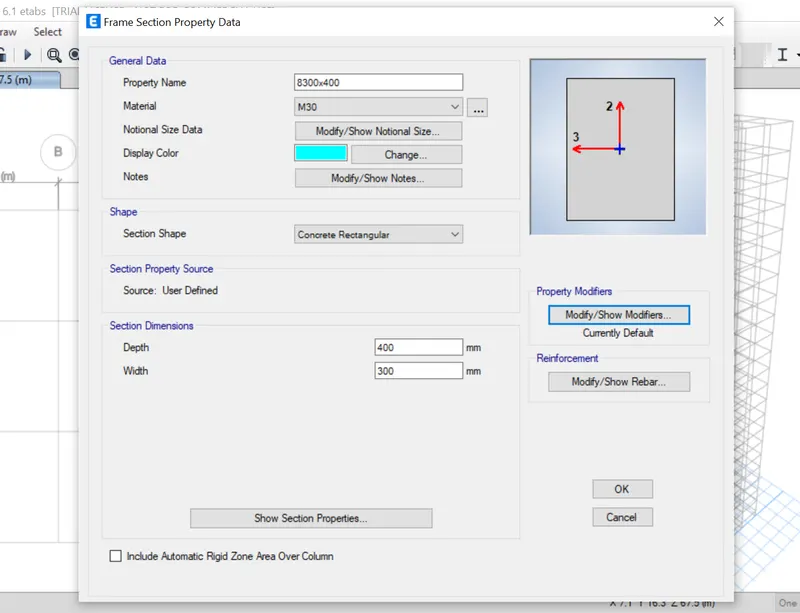
Step 10:
a)Drawing of Columns and Beams as per the given mesurements
1) To drawing the columns and beams in Etabs just click the Quickdraw columns tool in the model tree
2) After clicking the tool, the property tab will appear on that tab all the relevant detail about
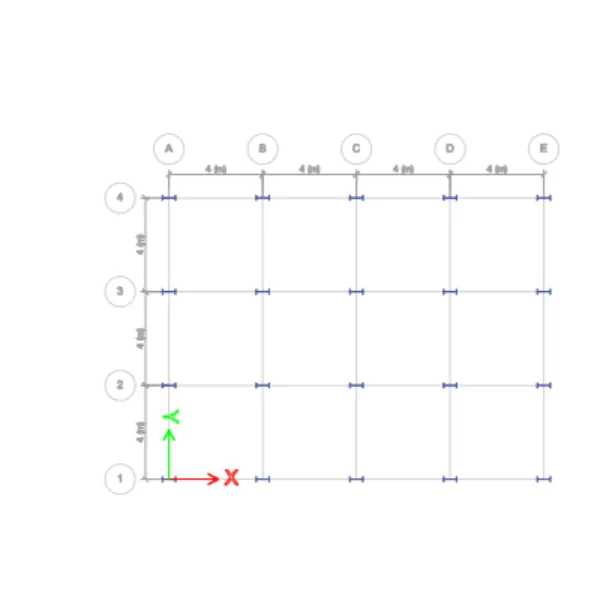
Step 11:
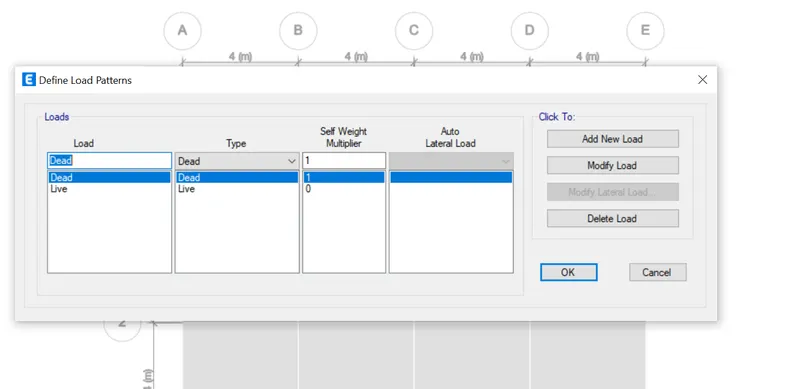
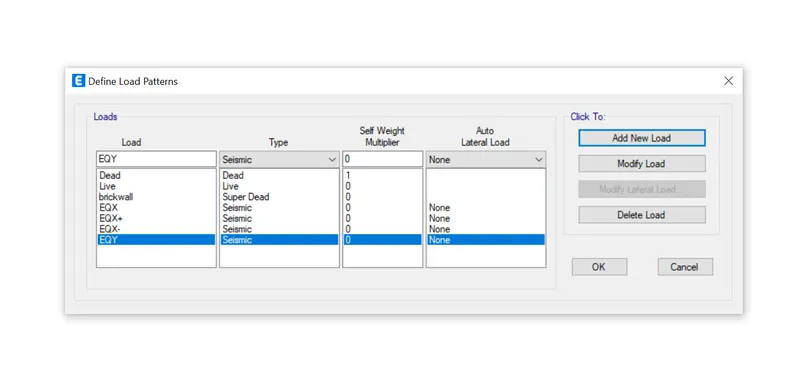
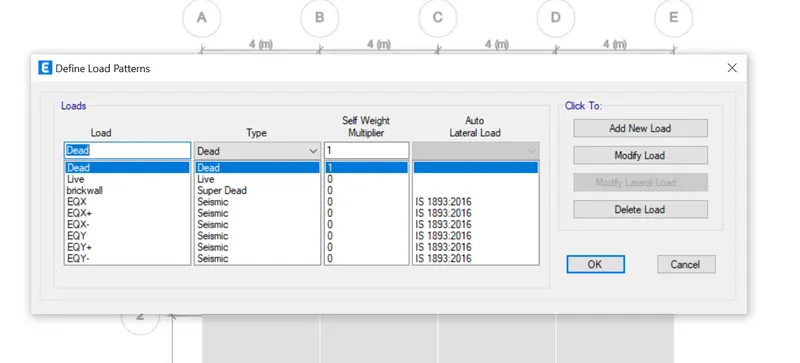
1) Add new load as Brickwall, EQX with both positive and negative eccentricity as per IS 1893:2016
2) Similarly add EQY with positive and negative eccentricity and per the given mesurements.
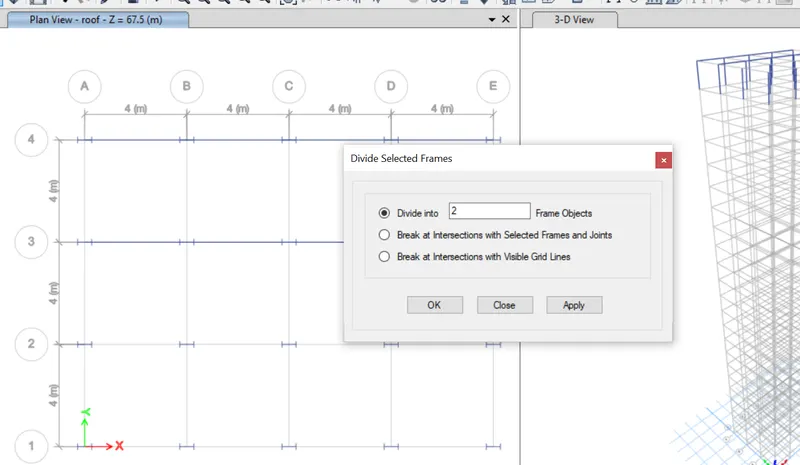
Step 12:
1) After providing the names and codes of load
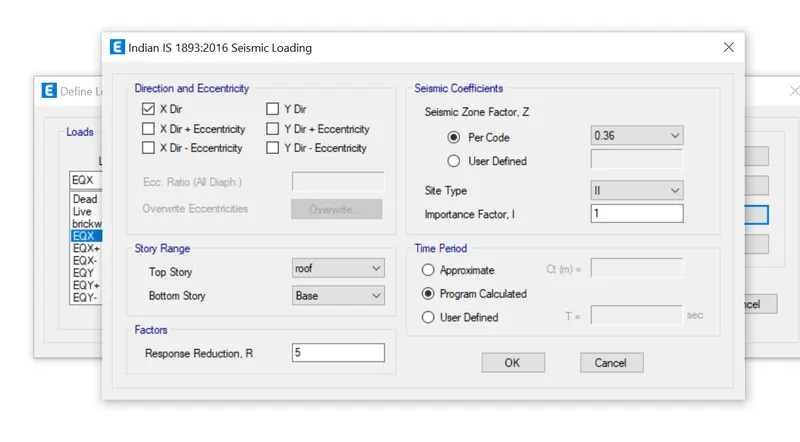
2) Click Modify Lateral load option
3) Set story rage as a base to top (25th Storey)
4) Assume the zone as Zone IV
Step 13:
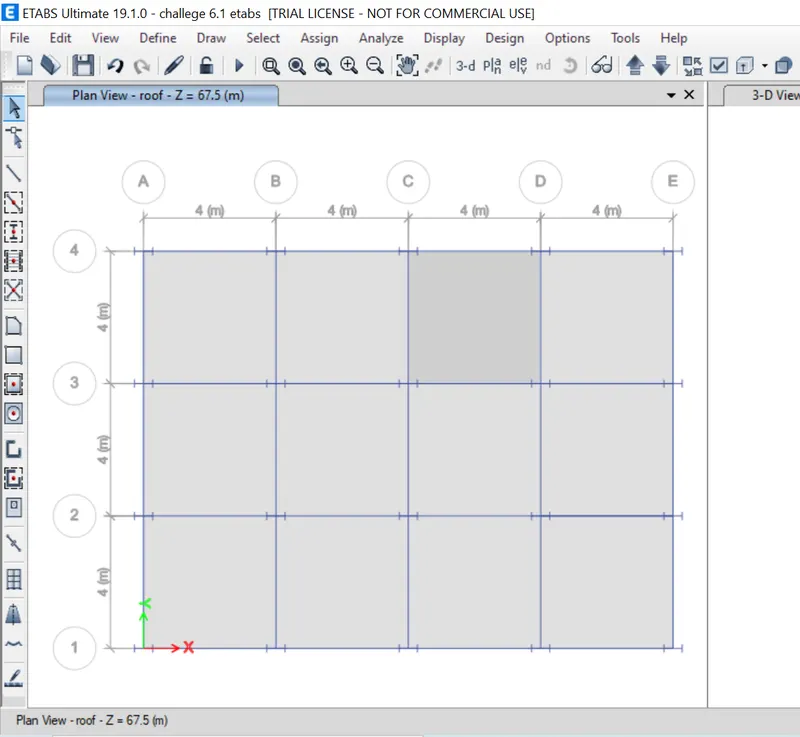
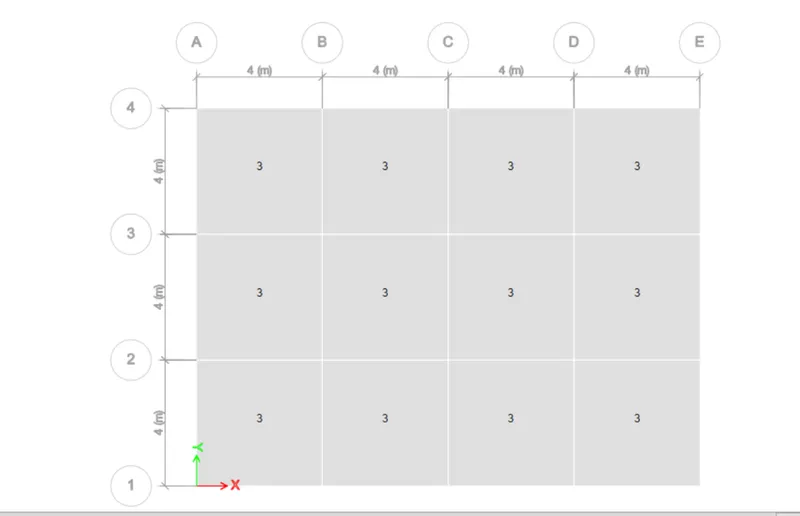
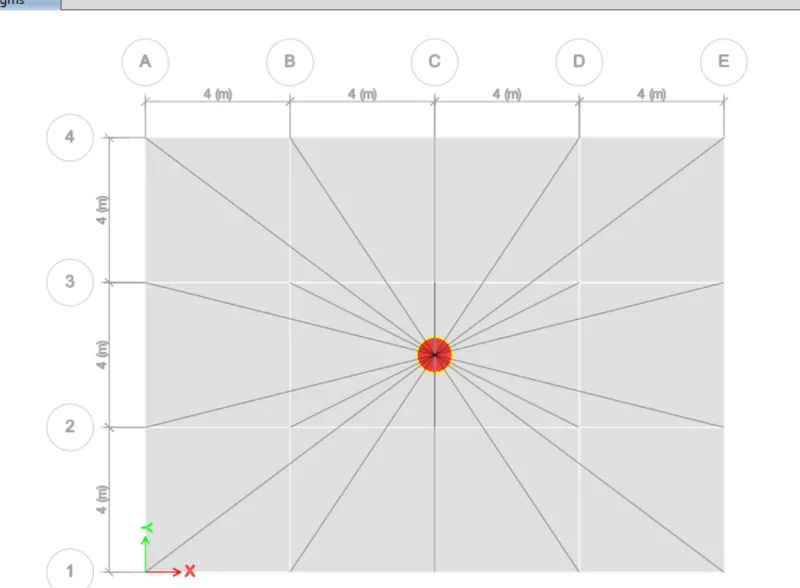
1) After providing the load inputs need to assign the shell loads of each story
2) Change tab as Similar story
3) Select the entire grids
14)
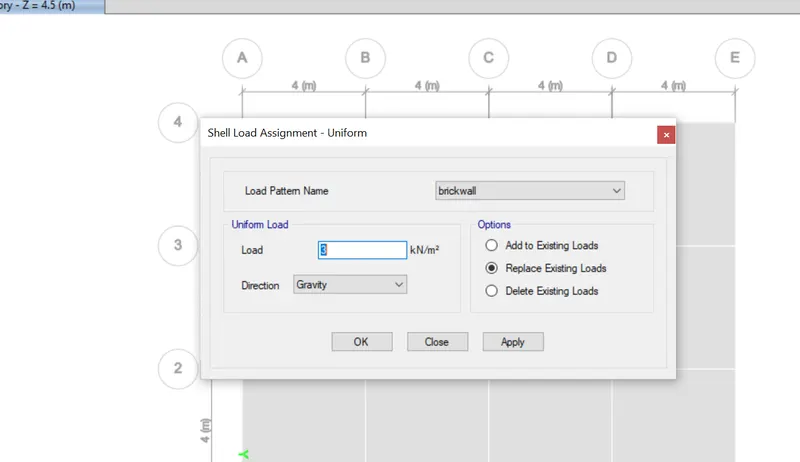
1) Choose the load pattern name as already set in the previous step.
2) Input the load as 3kn as given in the question
3) Click ok
15)
1) Similarly we need to assign the live loads for all the beams
2) click the Select tab
3) choose object type and select Beam
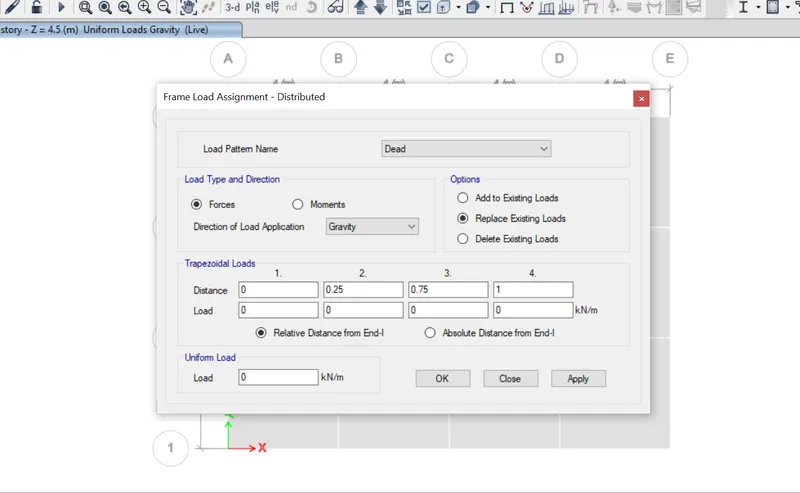
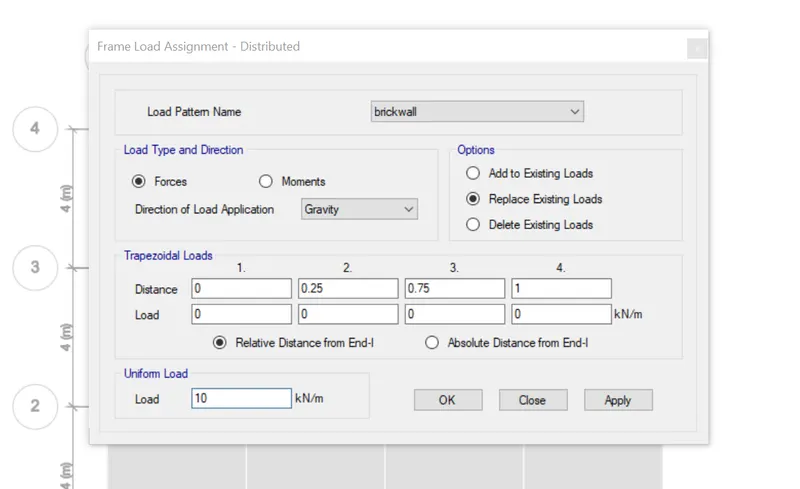
1) Choose the load pattern name from the drop-down list
2) Set load as 10Kn/sq.m
3) Click Ok
16)
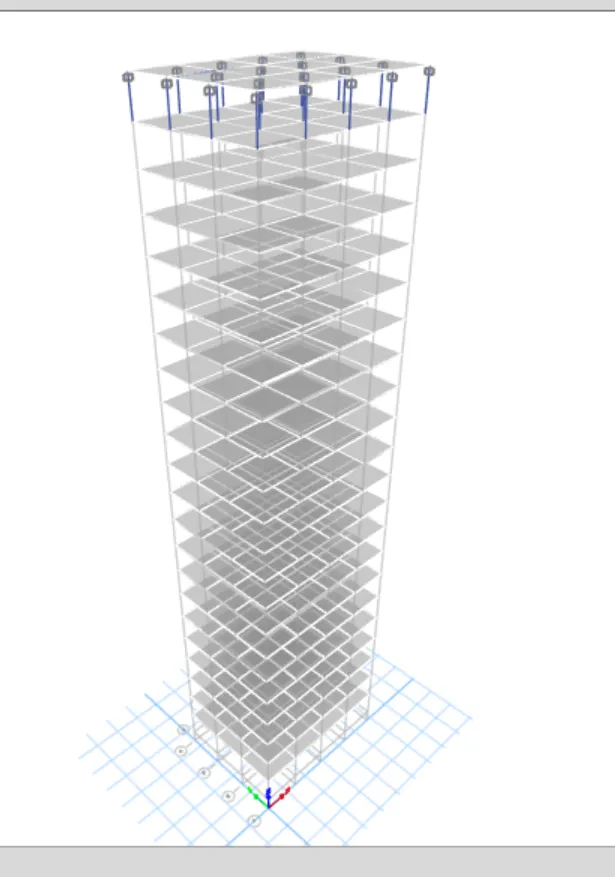
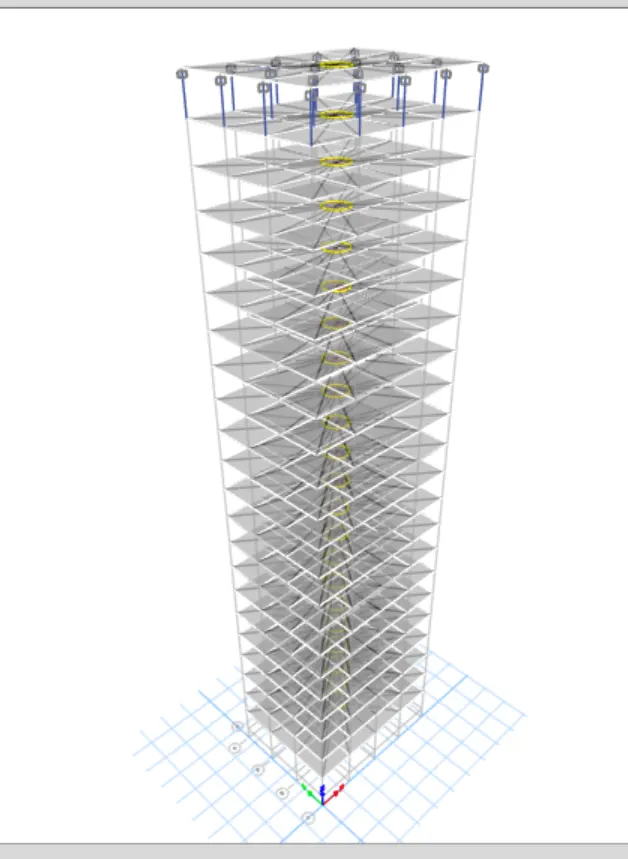
1) To view the loads click the toggle option on top of the screen
2) And rotate the view where we can see the loads applied.

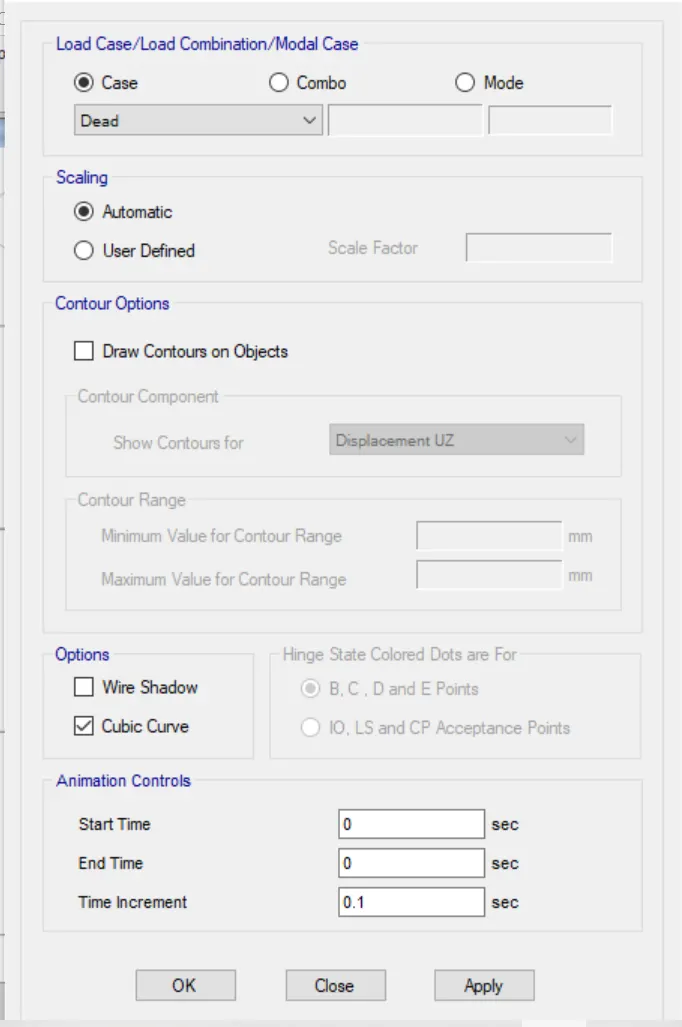
17)
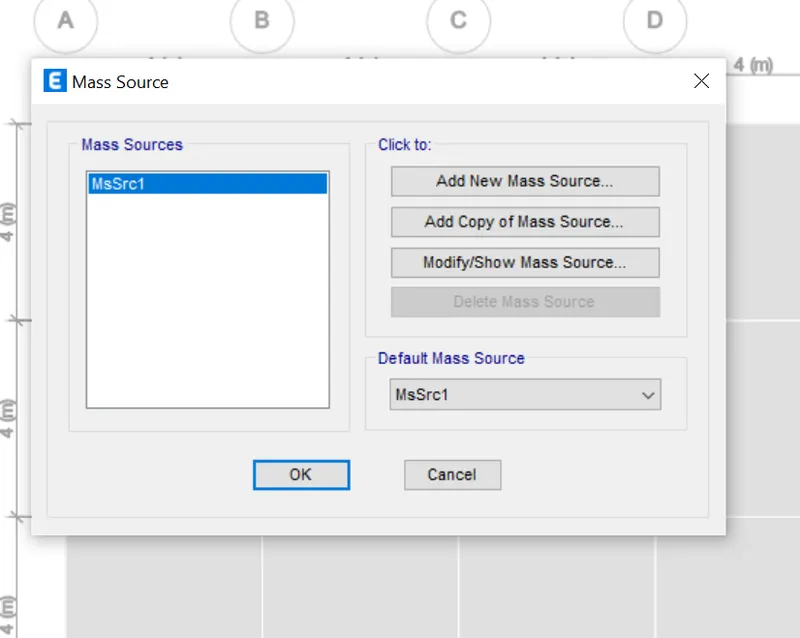
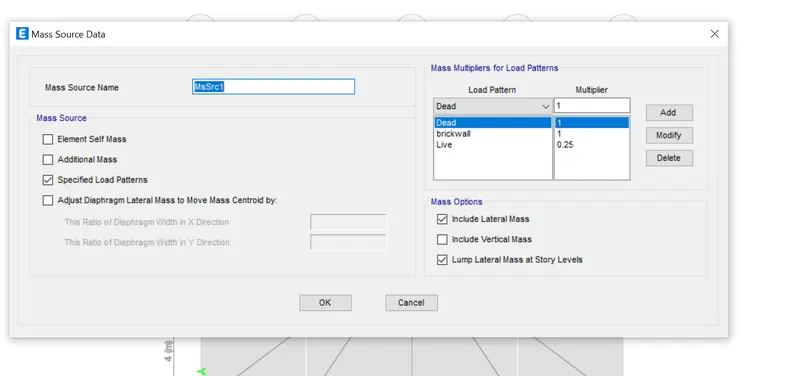
1) Tick mark the specified load patterns
2) Add the load patterns which we want to assign the model
3) Click Ok and press back.
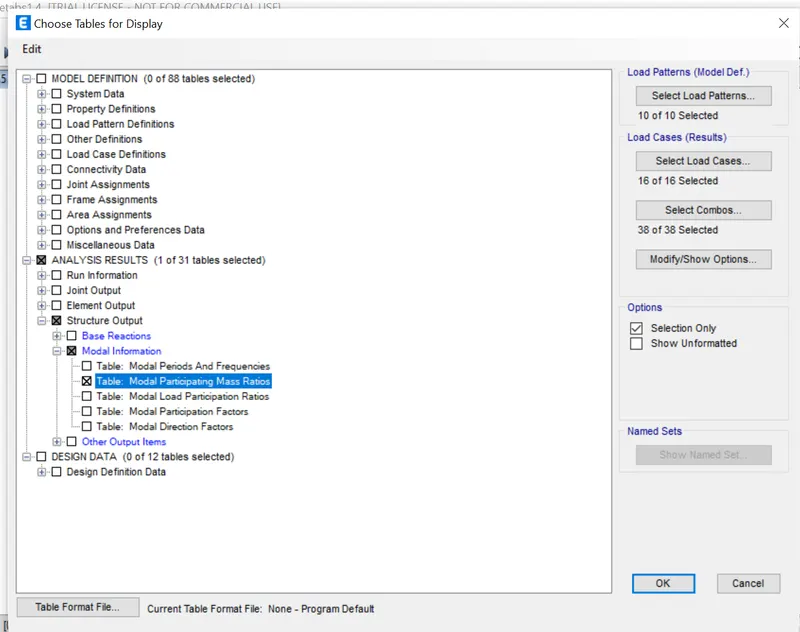
18)
1) one of the important steps for modeling is to set load combination and as per the code book initestake it.
2) Click the Define tab
3) Select Load Combinations