Identification of Cracks
Question 1:
a)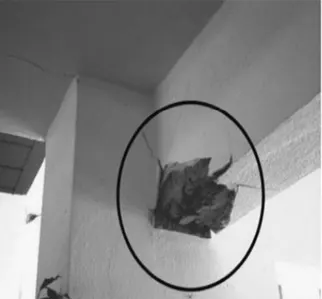
Observations:-
- Concrete crushed and the reinforcement exposed
- Concrete spalled beyond the reinforcement which may be a sign of rupture.
- Beam top portion looks safe because of the flange advantage of the slab.
- The crack develops from bottom to top means rebar yielding occurs in support beam only.
Answer:-
- Its form of flexural failure due to reversal of stress during earthquake.
- During stress reversal,support top experieces compression and bottom experiences tension.
- Top comression is managed by slb advantage bottom tension was not satisified by the provided reinforcement.
- Since the reinforcement got yielded, it can not be repaired.
b) 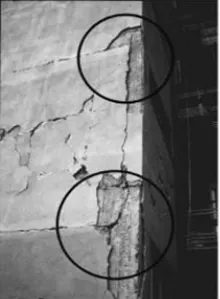
Observations:-
- Cracks along Beam - column edge.
- Cracks seem to have developed through the structure as it looks much wider.
- Beam looks seperated from the column at jonts.
- Concrete is not severely crushed.
Answer:-
- its beam pull out failure due to in sufficient development length of reinforcement in joints.
- During earthquake, the horizontal movement of structure makes this condition worse and detached the beam member from column.
- providing anchorage length between two existing concrete is very difficult.
- So not repirable.
c) 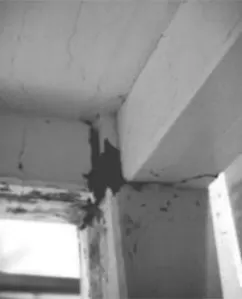
Observations:-
- Cracks are exactly at the joint of column beam.
- Crack in beam developed through it's entire width.
- Slab also developed more cracks along the beam width direction.
Answer:-
- It's a plastic hinge failure.
- the damage occured only in the joint zone first of all
- cyclic lateral loading & stress reversal at the joints led to the damage.
- Even the slab participated to it's best to handle.the tension (slab is severely cracked means it has undergone tension with it's flange condition), but unable to control the damage.
- The joint can be strengthened.
Question 2:
a) 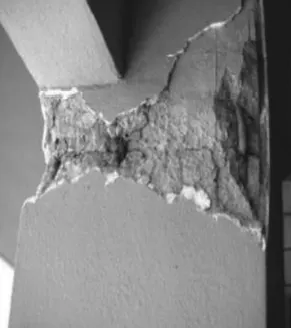
Observations:-
- Concrete damaged at top of the column
- Concrete damaged all around the column face
- Beams are safe
- The location of column looks at edge of the building
- No walls are built along the column means it is probably at ground floor, for parking car movement accesss.
Answer:-
- It's a safe storey failure, technically plastic hinge formation
- due to the absence of inill walls at the ground floor , the plastic hinge forms at the top of ground storey columns during lateral movement.
- Based on the development of crush of concrete, it can either be repairable or non-repairable.
b)
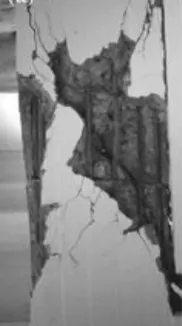
Observations:-
- Concrete developed complete breakage diagonally
- longitudinal reinforcements are intact.
- shear reinforcement spacing looks wider (which means probably lesser shear rebar provided)
Answer:-
- It's a pure shear failure
- In adequate shear reinforcement compels concrete takes all the shear stresses.
c)
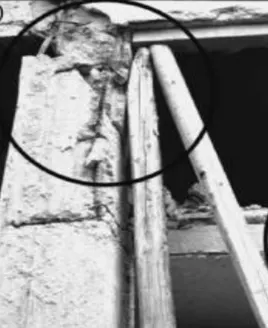
Observations:-
- Column failed completely
- Failure at top of column
- There are two slabs connected to the column, probably one at mid height of the column.
- The wooden piles might be a post failue support after column failed, providing temporary prop to avoid collapse of entire structure.
Answer:-
- It,s a short column failure
- An additional slab (or) a beam connected to a column in mid - height leads to this effect.
- This leads to the failure especially if the connection is un intentional and not accounted in design.
- The failure given in the picture is not at all repairable.