Creation of Column Schedule and Drawing Template using AutoCad
1.
Aim:- To create given column schedule by using auto cad.
procedure:-
1. By using st text style i edited the text height as per given,and also font style.
2. By using line command i created the table and by using osnap i found the center line and create center line and ofcourse before doing this i canged the units into engineering and dimensions too.
3. By using off set i splitted the cnter line 4" to top an d bottom,by using copy and array i created thelines and all.
4. Then i selected the first point f text followd by D text or DT command if there is ant multiple line text i used the MT command for the bold i created new style reviously in text style commnd.
5. For underline i ued the shortcut key ctrl+U b decreasing text size and by seleting some special symbils and by using line command i created the given schedule table.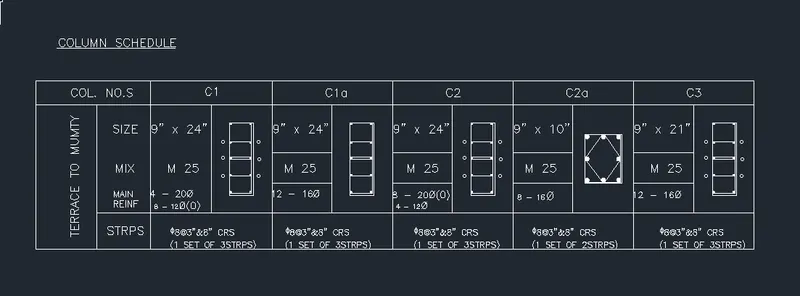
Result :- The above excersice is created by using Auto cad software.
2.
Aim:- To create given window schedule by using auto cad.
procedure:-
1. By using st text style i edited the text height as per given,and also font style.
2. By using line command i created the table and by using osnap i found the center line and create center line and ofcourse before doing this i canged the units into engineering and dimensions too.
3. By using off set i splitted the cnter line 4" to top an d bottom,by using copy and array i created thelines and all.
4. Then i selected the first point f text followd by D text or DT command if there is ant multiple line text i used the MT command for the bold i created new style reviously in text style commnd.
5. For underline i ued the shortcut key ctrl+U b decreasing text size and by seleting some special symbils and by using line command i created the given schedule table.
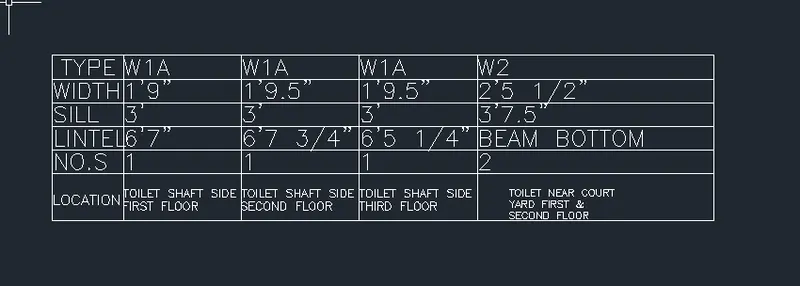
Result :- The above excersice is created by using Auto cad software.
3.
Aim:- To create given notes by using auto cad.
procedure:-
1. By using st text style i edited the text height as per given,and also font style.
2. By using line command i created the table and by using osnap i found the center line and create center line and ofcourse before doing this i canged the units into engineering and dimensions too.
3. By using off set i splitted the cnter line 4" to top an d bottom,by using copy and array i created thelines and all.
4. Then i selected the first point f text followd by D text or DT command if there is ant multiple line text i used the MT command for the bold i created new style reviously in text style commnd.
5. For underline i ued the shortcut key ctrl+U b decreasing text size and by seleting some special symbils and by using line command i created the given schedule table.
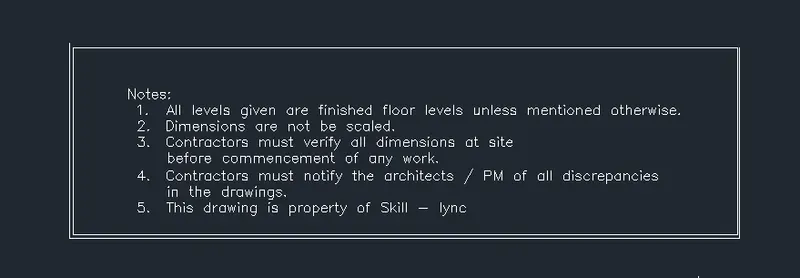
Result :- The above excersice is created by using Auto cad software.
4.
Aim:- To create given list of table by using auto cad.
procedure:-
1. By using st text style i edited the text height as per given,and also font style.
2. By using line command i created the table and by using osnap i found the center line and create center line and ofcourse before doing this i canged the units into engineering and dimensions too.
3. By using off set i splitted the cnter line 4" to top an d bottom,by using copy and array i created thelines and all.
4. Then i selected the first point f text followd by D text or DT command if there is ant multiple line text style commnd.
5. For underline i ued the shortcut key ctrl+U b decreasing text size and by seleting some special symbils and by using line command i created the given schedule table.
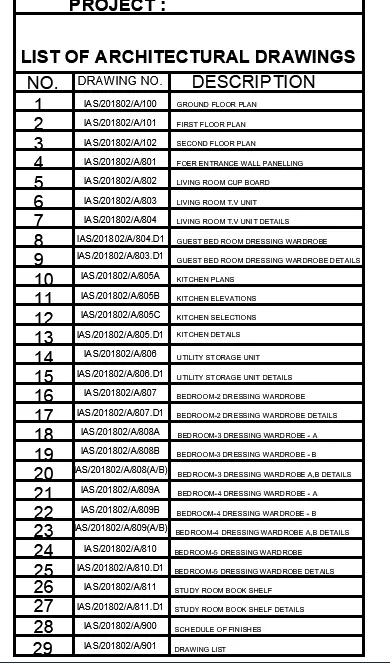
Result :- The above excersice is created by using Auto cad software.
5.
Aim:- To create given c/s by using auto cad.
procedure:-
1. By using line command i prepared the given c/s
2. By using htching option or command i filled the spaces.
3.by using dimensions and text i created the fig. givn below.
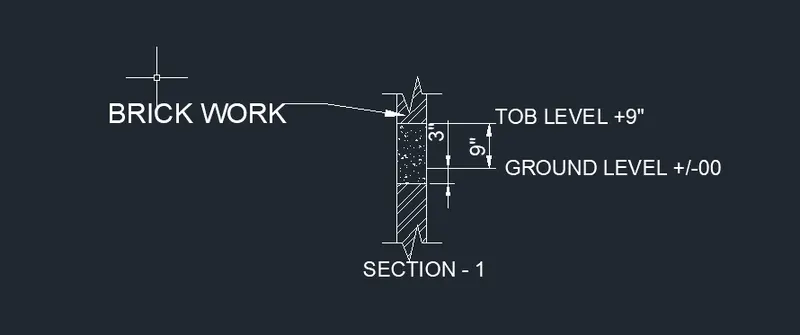
Result:- By using Auto CAD softwrae i completed the given excercise.