Hood design-Week 2
Aim
Design Hood Outer Panel, Inner Panel, and the necessary reinforcements by following the master section mentioned with the design parameters.
Software Used
CATIA V5
Procedure
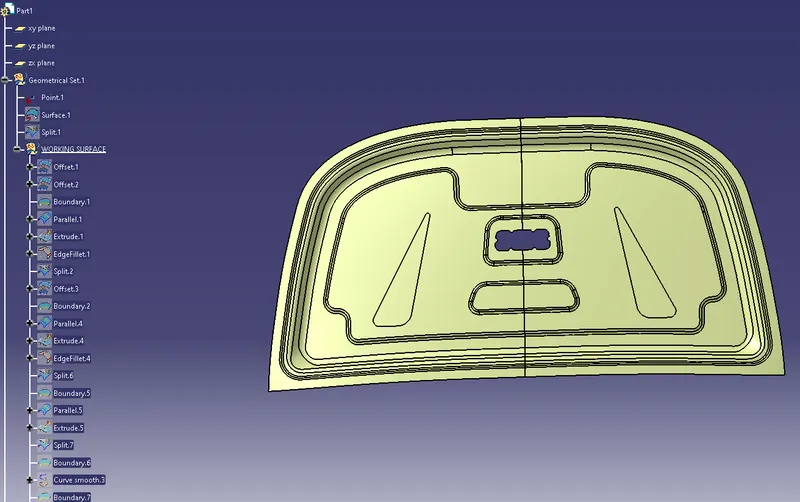
- Designing Inner Panel
Give Split command to the outer hood panel in the Wireframe and Surface Design workbench.
Create a new geometrical set named WORKING SURFACE in the Geometrical set.
Create an offset in the downward direction. Create a new offset at a distance of 2mm downward. use a Boundary with limits at either end of the straight edge and select the reverse direction. Select the Parallel curve option with 20mm. Extrude along the parallel curve formed before along the Y axis with 20mm and 15 mm respective distances. Create an Edge fillet on the intersecting edge formed at a radius of 35mm. Split the Offset surface using the Edge fillet as a cutting element on the other side.
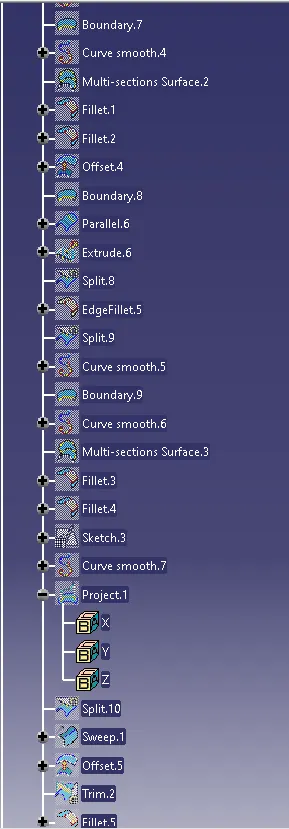
Make an Offset with reference to the very first offset in a downward direction at a distance of 4mm. Create a boundary like before with limits. Use a parallel curve with 22 mm. Extrude the sketch. Use an Edge fillet with a 35mm radius. Split the offset surface by the edge fillet as the cutting element. Provide a boundary to the inner offset surface with was already applied with a split before with limits. Provide a parallel curve with a distance of 13mm. Provide extrude to the curve. Then give Split along the offset with the extrude as the cutting element on the other side.
Create the boundary on the outer skin along its inner path with limits. Go for curve smoothing. Same way for the inner skin along the path adjacent to that of the outer skin. Provide a multi-section surface to the smoothened curves along the path. Use shape fillets with to surface and multi-section solid surfaces with a radius of 6mm. Do the same for the bottom thin face with the fillet and the lower inner skin as supports with a radius of 6mm.
Create an offset at a distance of 25mm from the surface downward direction. Create a boundary as before. Use a parallel curve with a distance of 50mm. Create an edge fillet for the edge of the radius of 35mm. Create extrude along the curve. Go for a split along the surface with the extrude as the cutting element. Create an edge fillet before the extruding step of radius 35mm and split it to remove the extra surface. Provide a boundary to the inner curvature of the upper surface and use a curve smooth. Do the same for the lower surface on the adjacent curvature and apply the multisection solid option. Create a shape fillet using the upper and lower surfaces as the support and a radius of 10mm. Do the same for another shape fillet formation at a radius of 15mm below the previous fillet.
- Designing Embosings
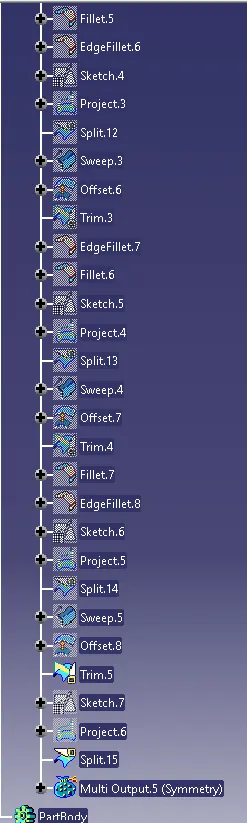
Create a positioned sketch on the sketcher workbench view on the inner panel. Offset the outer boundary of the panel at a distance of -25mm. Isolate the sketch. Give straight horizontal and vertical lines touching the offset and fillet the joints. Use Projection option to project the line to the surface. Use split to the surface along the sketch as a cutting element. Use the sweep command 2nd option for draft direction and click the surface border to sweep along the y-axis. Angle value as 20degress along the right top arrow as the direction.
Make an Offset at a distance of 20mm in the top direction. Do trim on the offset surface and the swept face click next element, then click next element and click previous element. Provide a shape fillet with a radius of 5mm.Do the same way to edge the fillet above the previous fillet.
Create a emboss first using the positioned sketch on the surface in the sketcher workbench. Project it onto the panel. Use split along the surface with the emboss as a cutting element. Use sweep as the previous way.
Offset the very first offset as the previous way and trim the same way as before. Edge fillet the top thin face with a radius of 3.75mm and shape fillet at a radius of 5mm below it. follow the similar procedure as before till filleting.
Create another embossing and then do a similar procedure as before till filleting.
Create a sketch on the first embossing made in this and provide split command. Then apply symmetry to create a complete hood.