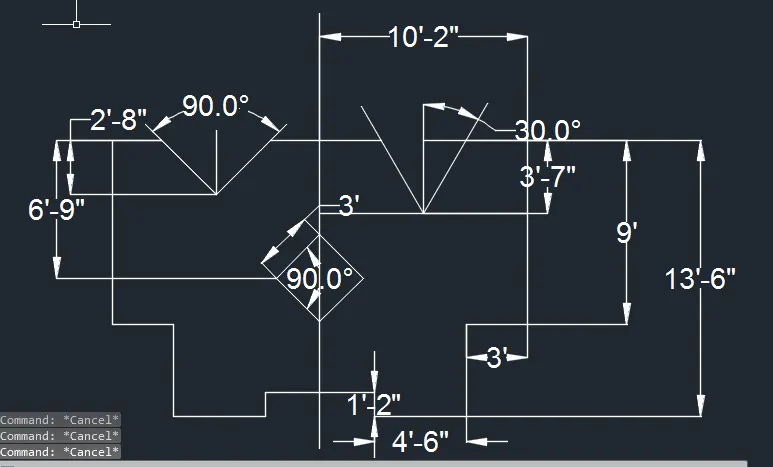
Drafting of various geometries using Chamfer, Fillet tool in AutoCad
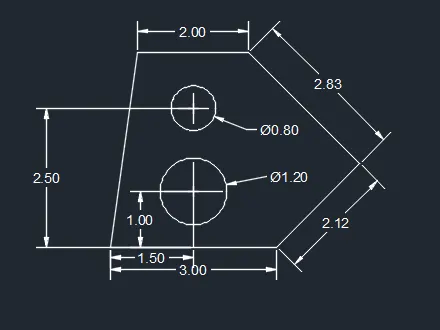
Question 1. Given Aim is
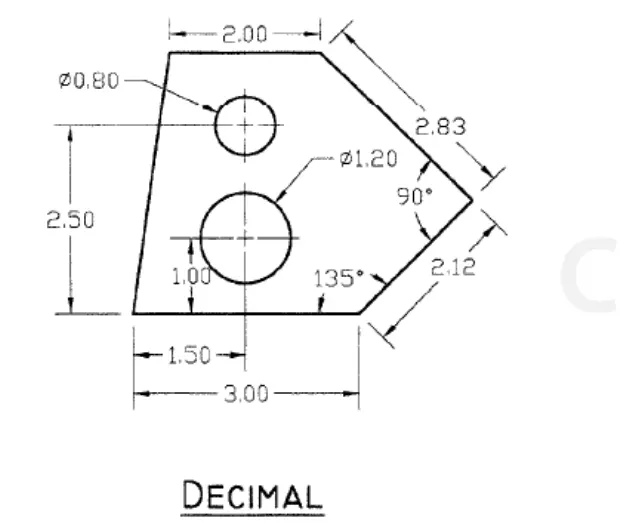
Answer 1. Procedure
Step 1 Use L enter ( Line comand ) 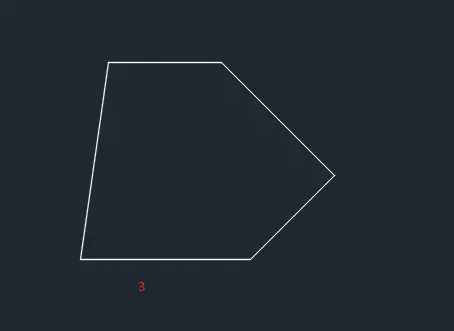
Step 2 Use L enter line length 2.12 then Tab 135 degree
Step 3 Use L enter line length 2.83 then Tab 90 degree
Step 4 Use offset comand 1 and 2.5
Step 5 Use circle diameter 0.80 and 1.00
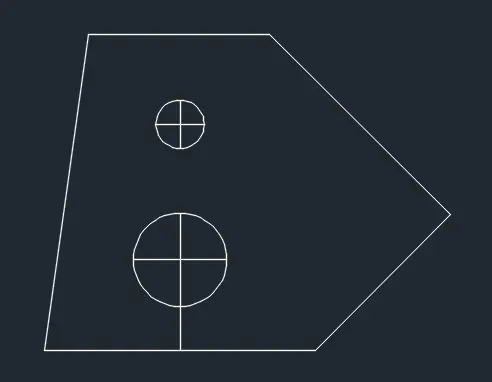
Result
Question no.02
Ans. 02 AIM :- 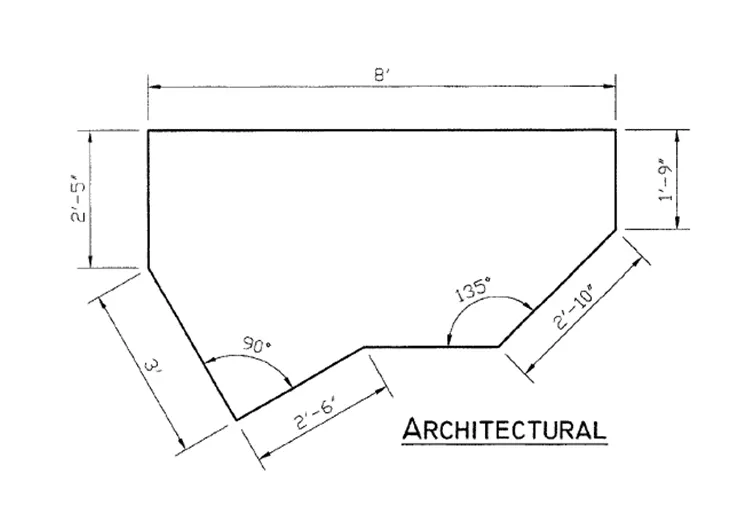
Procedure :-
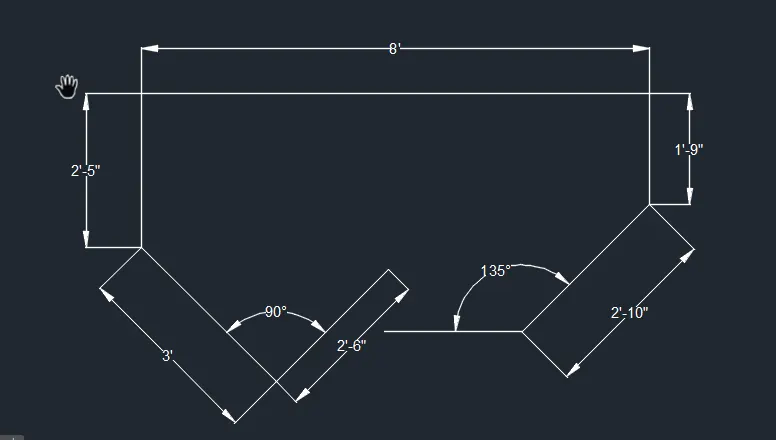
Step 1 Draw a Line with line command of 8'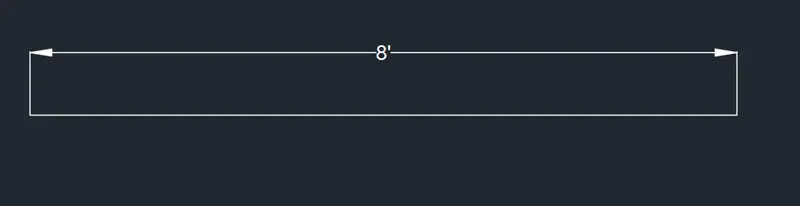
Step 2 Using L command
d 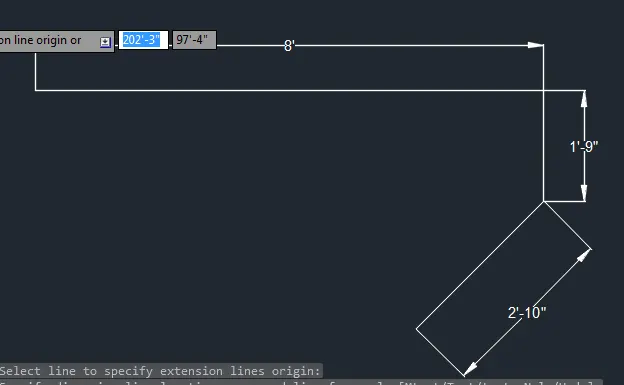
Step 3 Again using L command and distance 3' with TAB to enter 90 degree and 135 degree angle
So, Final result below
Question. 03
Answer 03
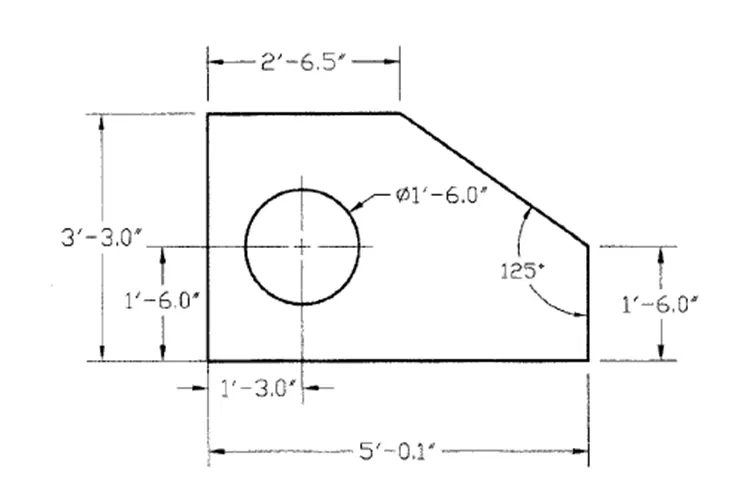
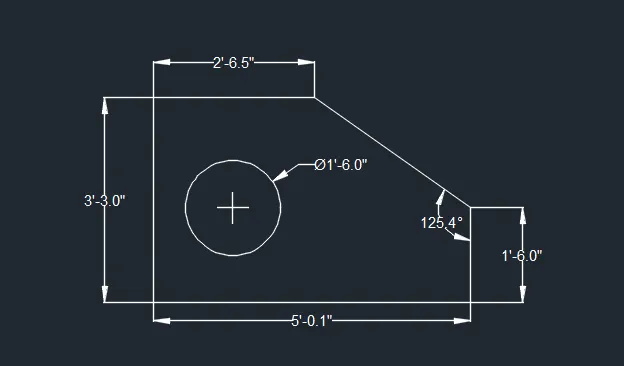
AIM to draw
Procedure
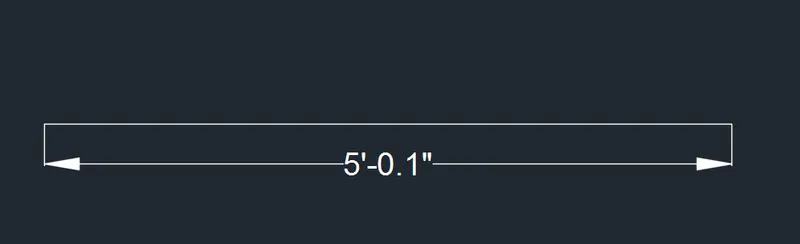
STEP 1 Use L command of length 5'0.1"
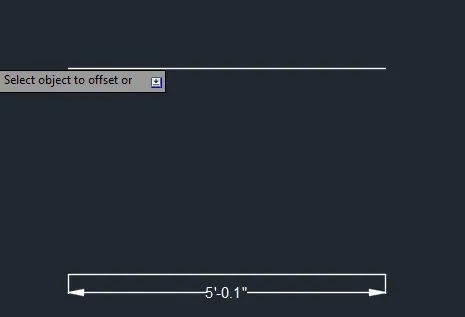
STEP 2 Use Offset command "O" of 3'3.0"
STEP 3 Use L command to 3'3.0" to join vertical
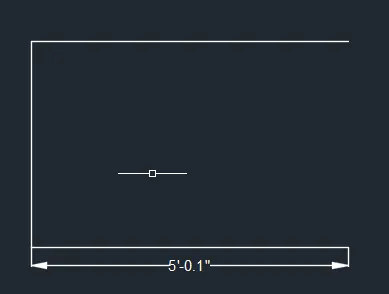
STEP 4 Use OFFSET command of length 1'3" to draw a circle of dia 1'6"
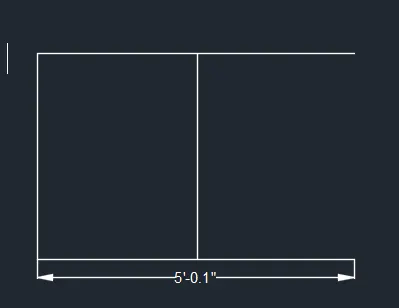
STEP 5 Command L uses
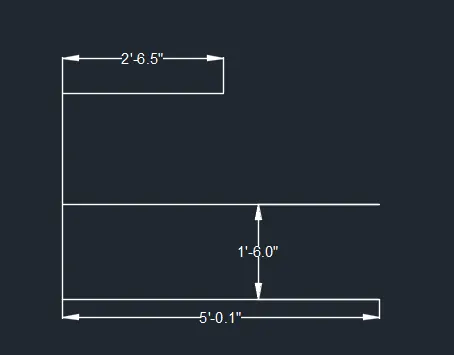
STEP 6 Command use Circle diameter to draw circle of 1'6"
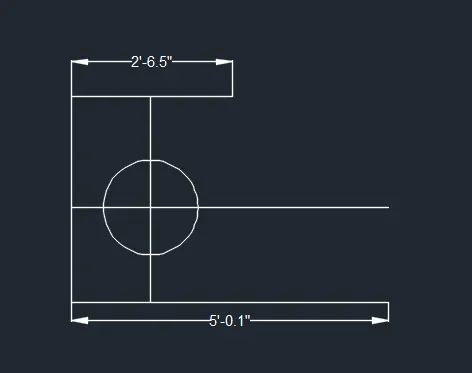
STEP 7 Final result is below
Question 04
Answer 04
AIM to draw the given diagram
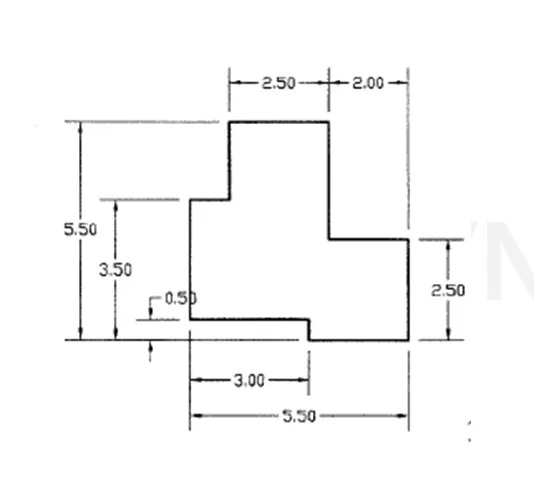
Procedure Line 'L' and Offset 'O'command is used in given drawing
Step 1
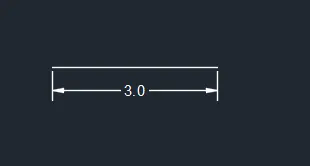
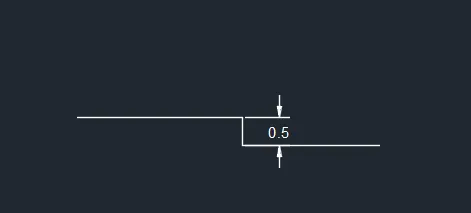
STEP 2 OFFSET used of 0.5
Step 3
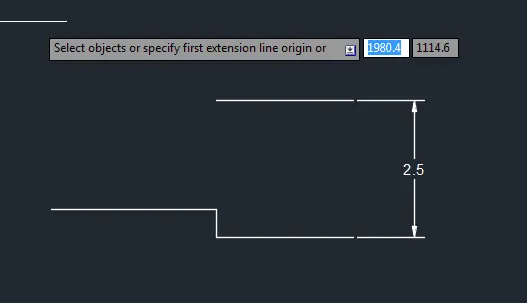
Step 4
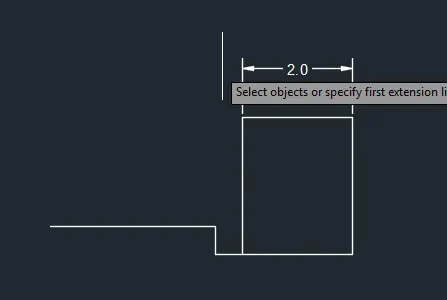
Step 5
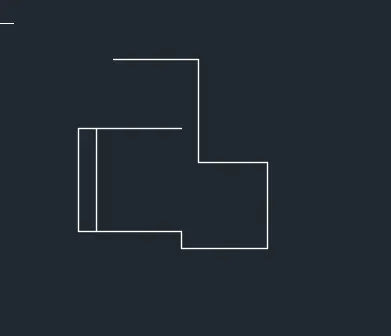
Step 6
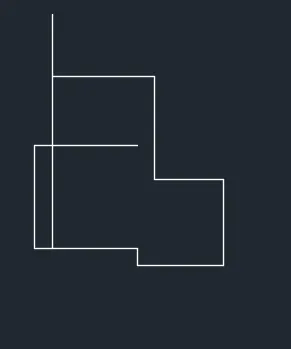
Step 7
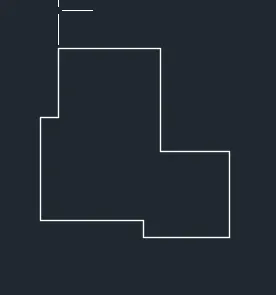
Step 8 Final Result is below
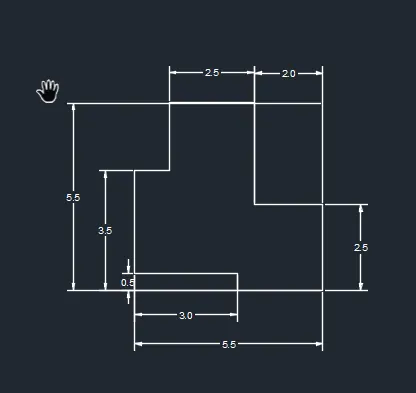
Question 5
Answer 5
AIM to draw the given
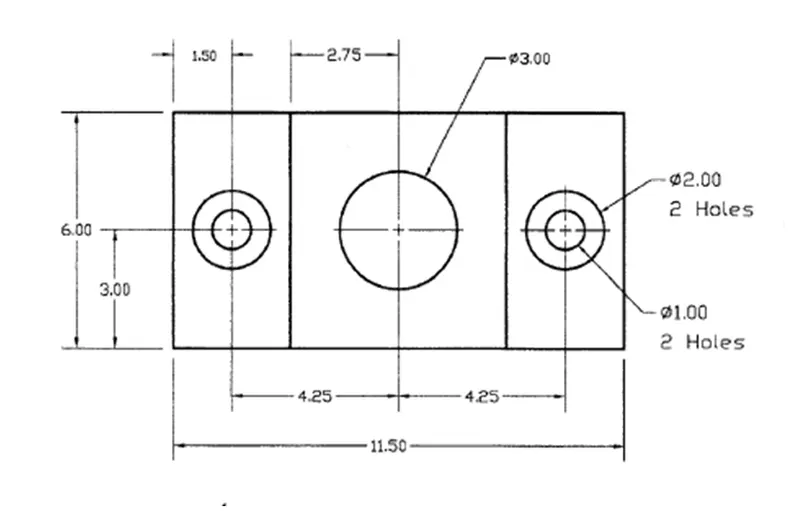
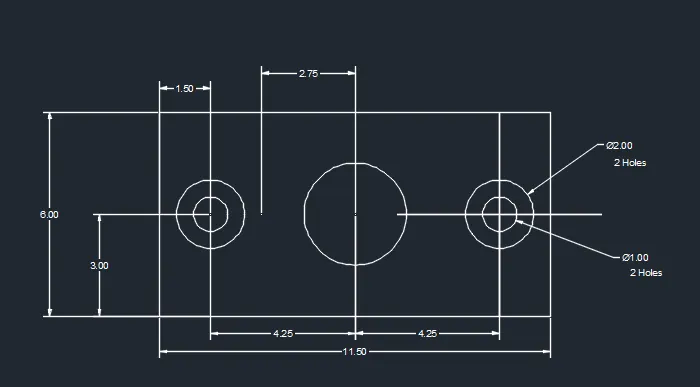
Procedure command used to draw the given drawing are LINE, OFFSET and CIRCLE of dia 2.00, 1.00 and 3.00 with center to center 4.25
Step 1
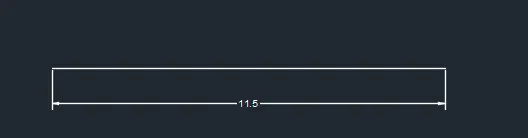
Step 2
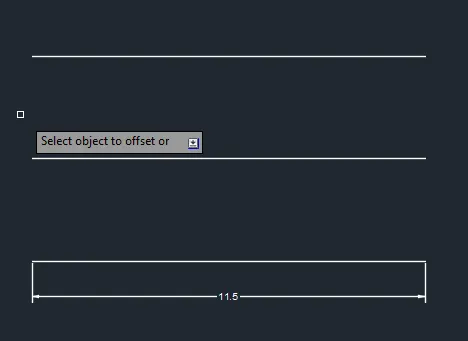
Step 3
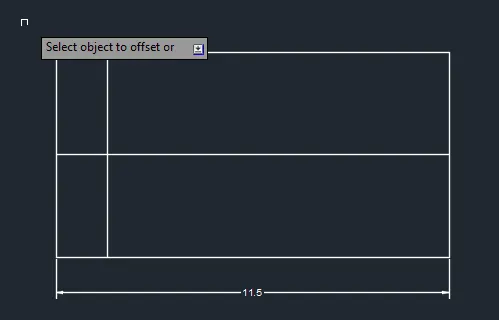
Step 4
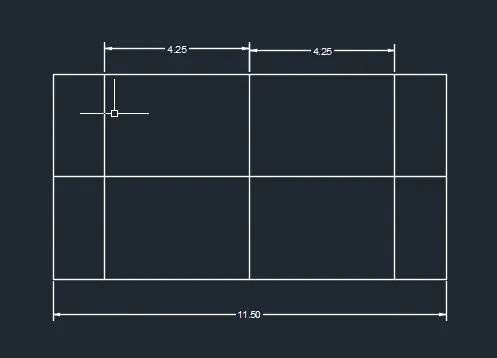
Step 5
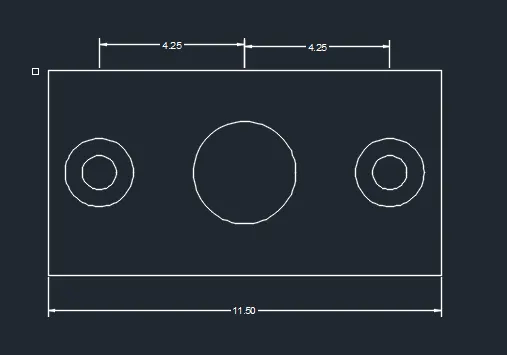
Result
Question 6
Answer 6
Aim to draw the given diagram
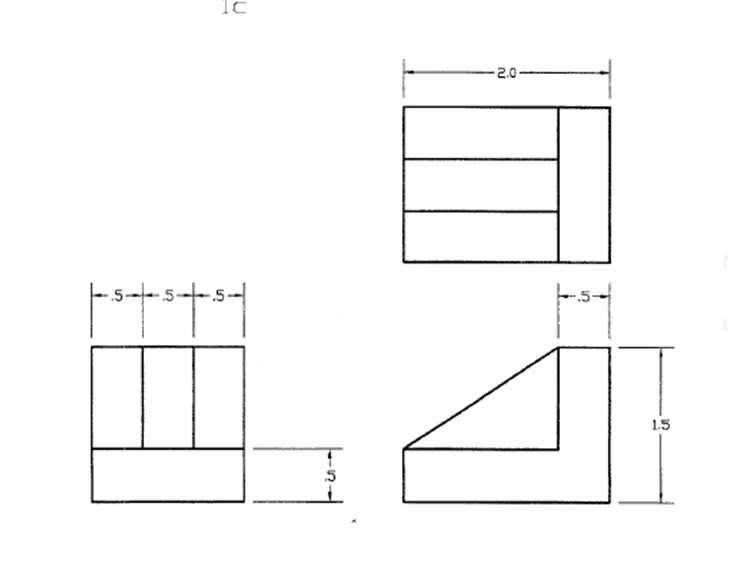
Procedure in this given drawing only Line 'L' command and Offset 'O' command is used
Step Offset of 0.5 dstance is used and final
Result is
Question 7
Answer 7
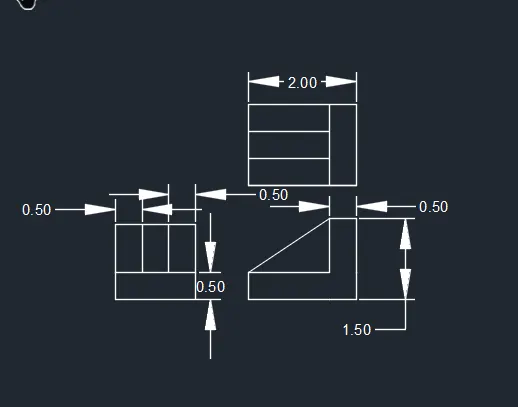
Aim to draw the given diagram
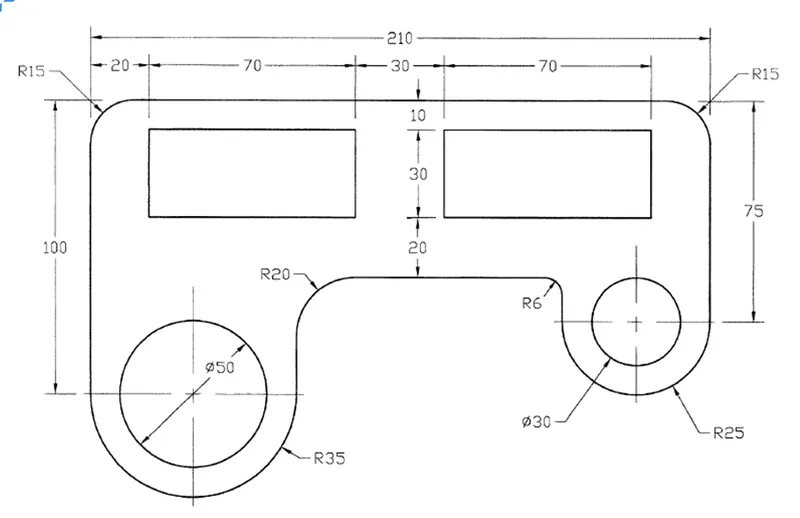
Procedure Commands used in given drawing are Line 'L' , Fillet 'F' , Offset 'O' and Circle 'C' with diameter
Step 1
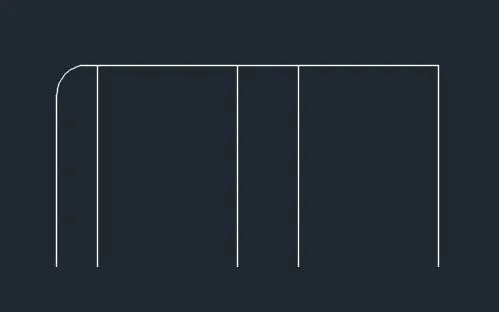
Step 2
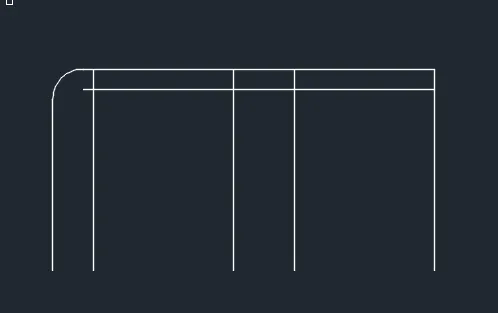
Step 3
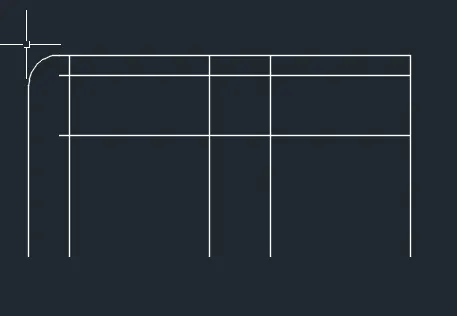
Step 4
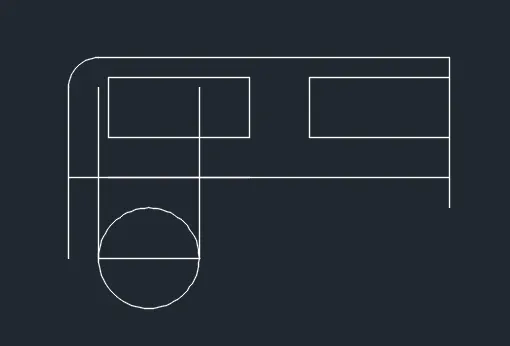
RESULT
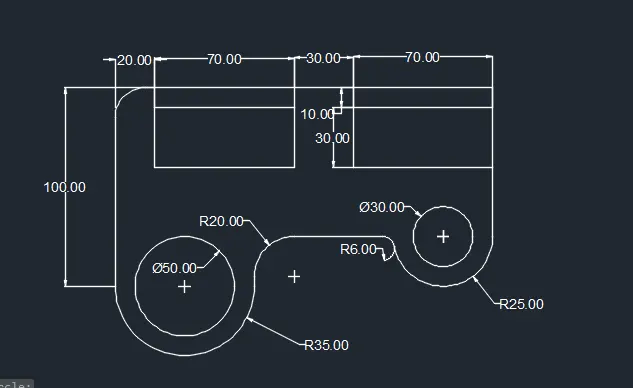
Question 8
Ans 8
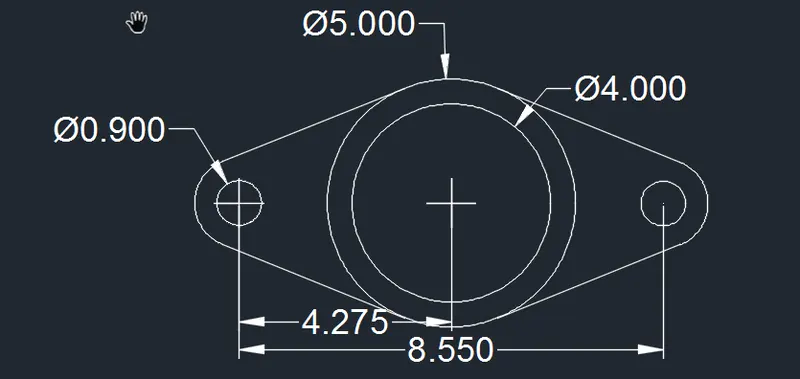
AIM to draw the given diagram using Auto Cad
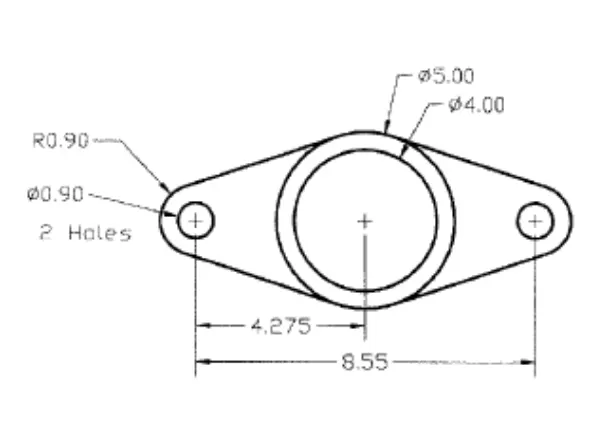
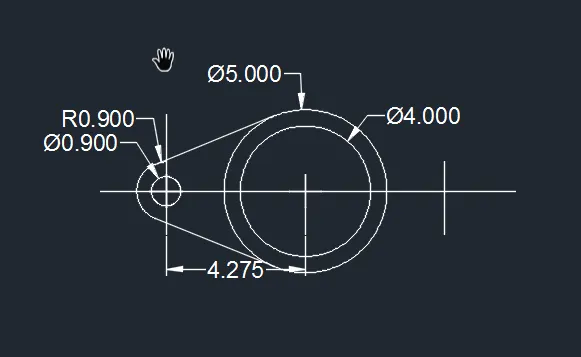
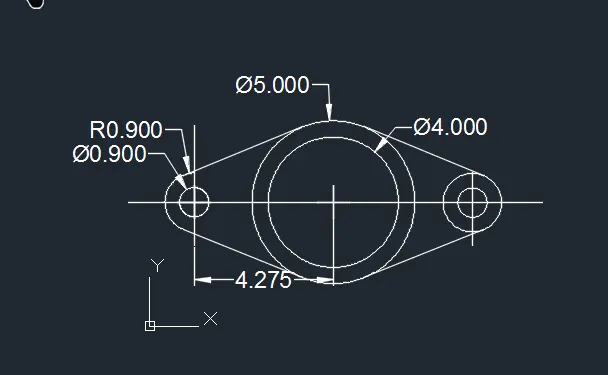
Procedure Command used to draw above figure are Circle Diameter,Offset, Tan Tan Radius to draw arc
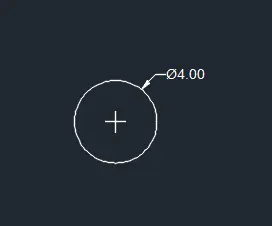
Step 1 Draw a 4.0 dia of circle
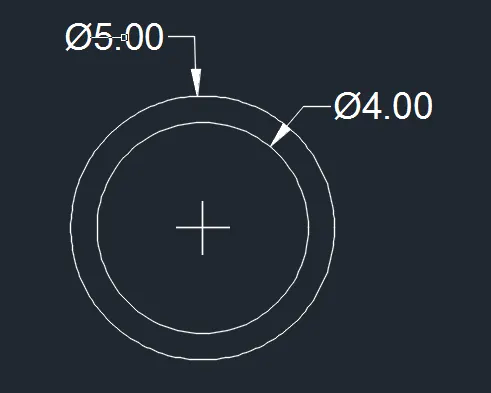
Step 2 Draw dia 5.0 circle
Step 3
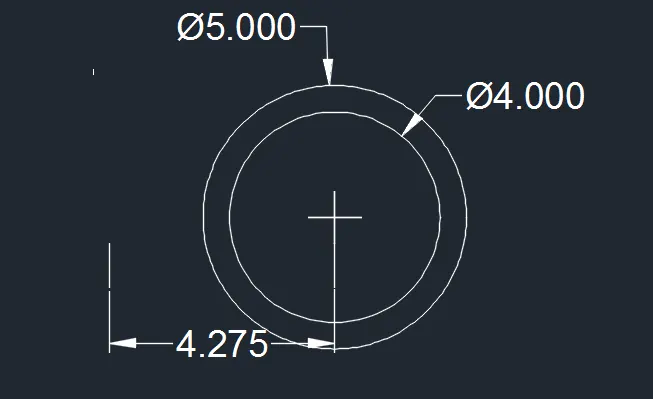
Step 4 Using Offset command at distance 4.275 to draw another circle
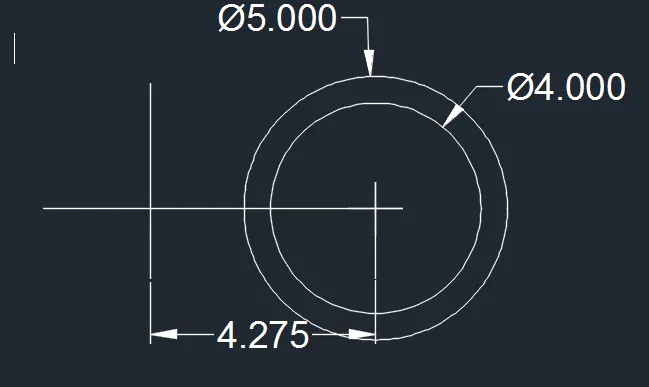
Step 5
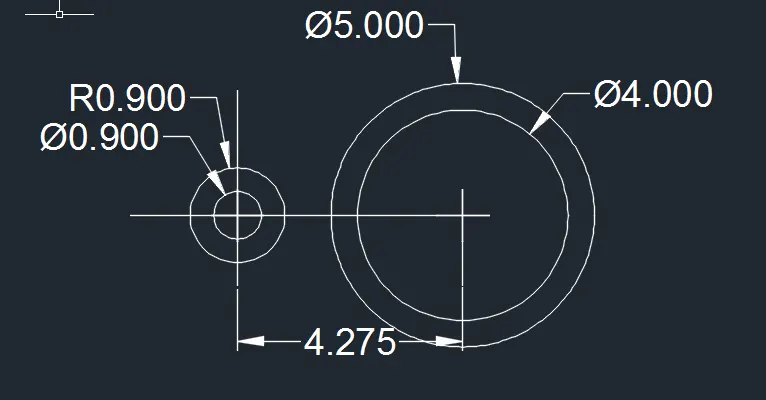
Step 6 Using OSNAP command to draw tangent between two circle
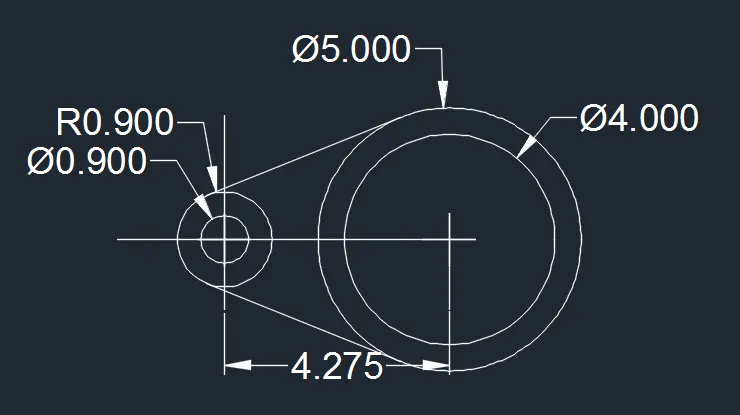
Step 7 Similarly drawing circle to opposite and use OSNAP command for tangent
Step 8
Result
Question 9
Answer 9
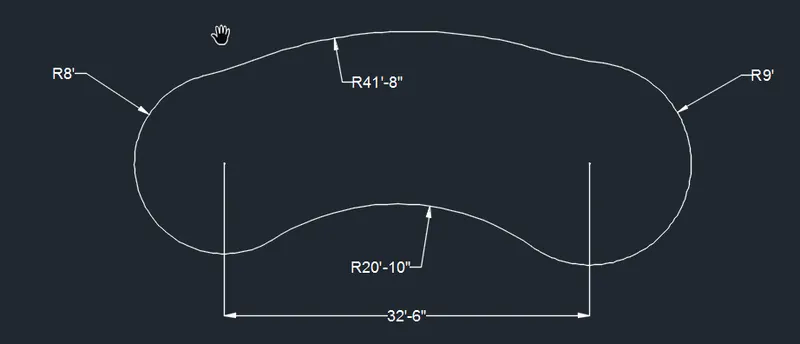
Aim To draw the given image
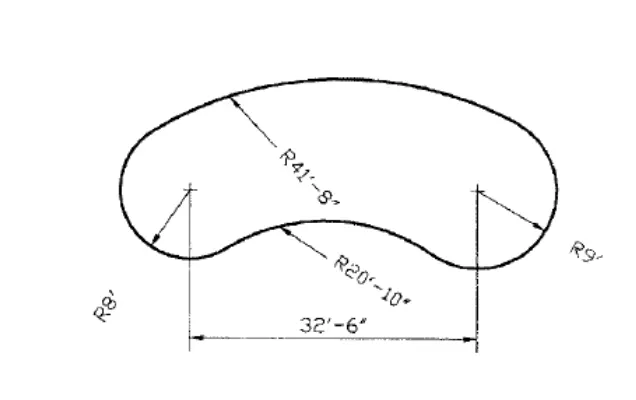
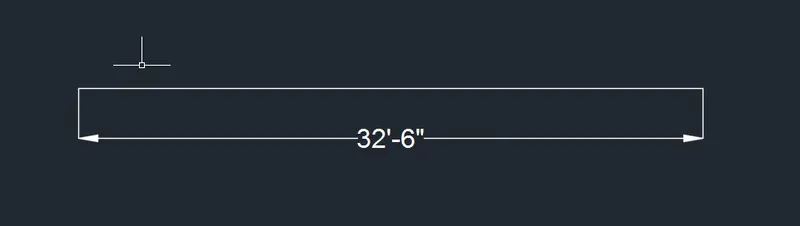
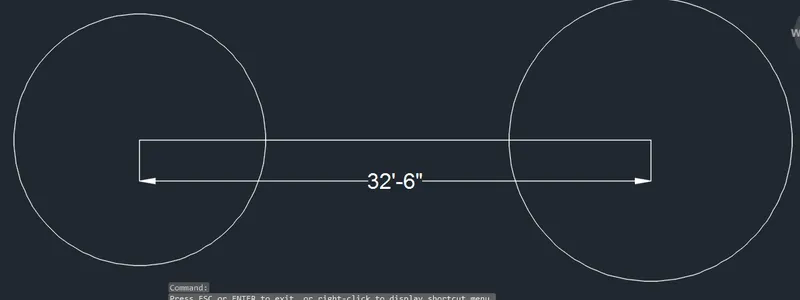
Procedure Circle command, Line command and tangent tangent radius command is used
Step 1 Line is drawn length 32'-6"
Step 2 Draw two circle at both end of line
Step 3 Using tan tan rad command
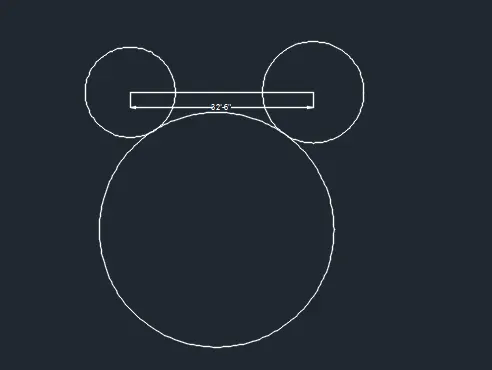
Step 4
Result
Question 10
Ans 10
Aim to draw given diagram
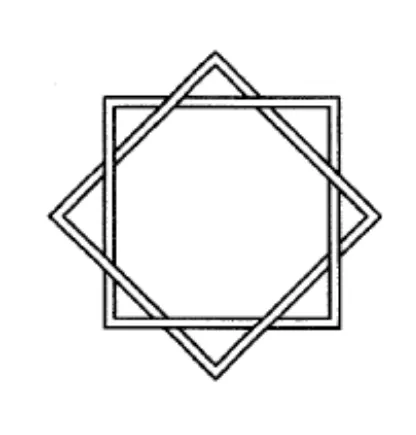
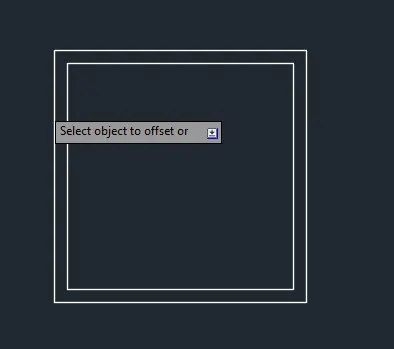
Procedure command used to draw above is rectangle, offset,copy ,rotate and trim
Step 1
Step 2 Offset command is used
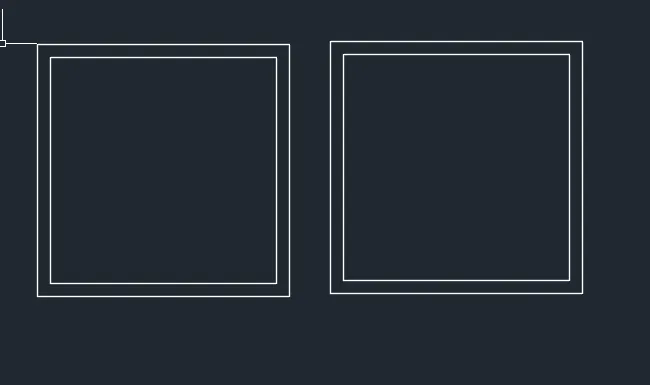
Step 3 Copy command is used
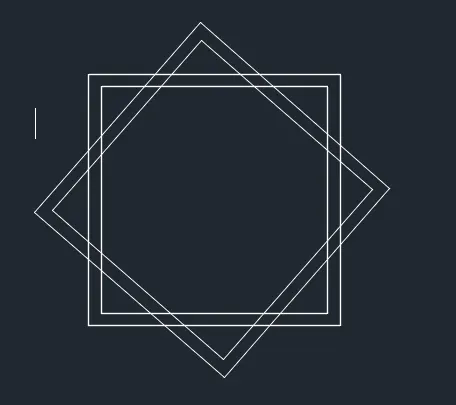
Step 4 Rotate command is used(base at centre)
Step 5 Trim command is used
RESULT

Question 11
Ans 11
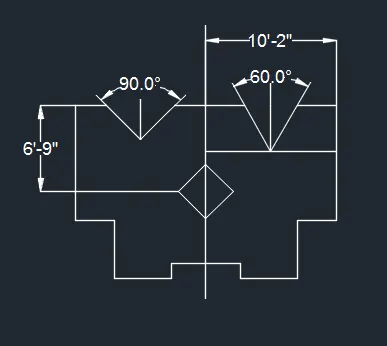
Aim to draw the given image
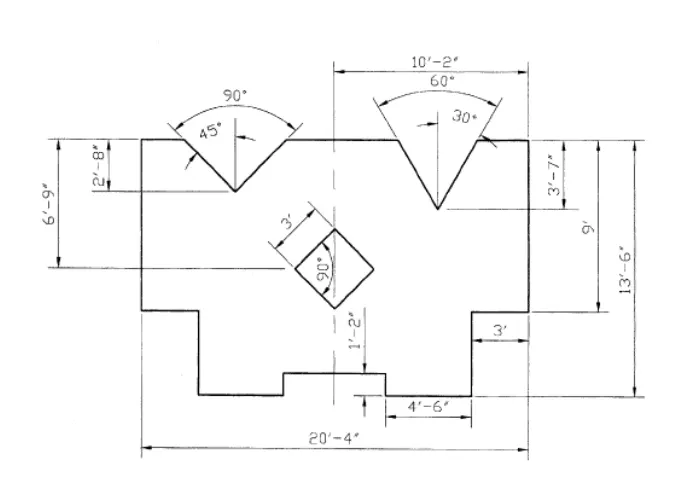
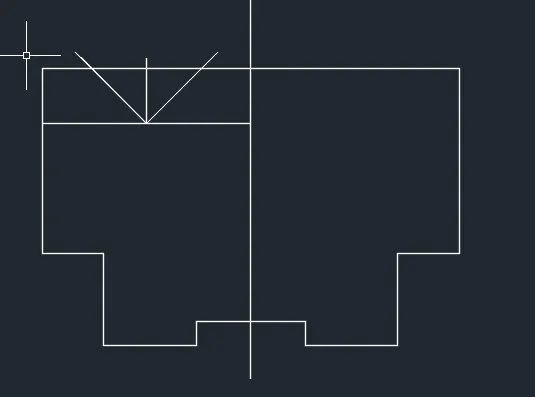
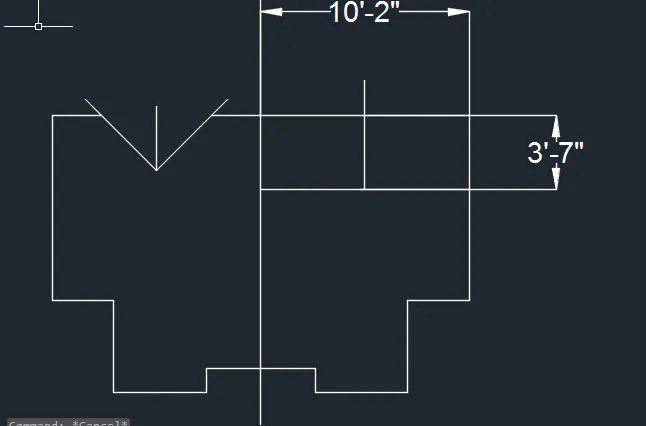
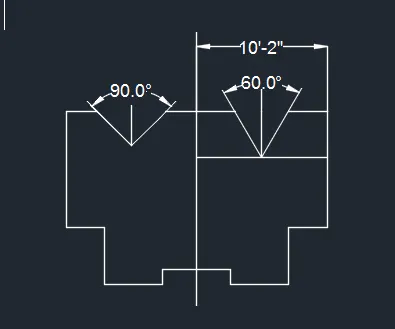
Procedure Command used to draw the above image are line ,offset,trim and angle
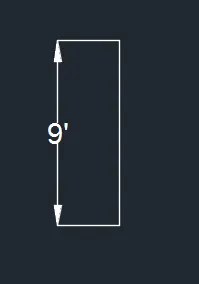
Step 1 Line command length 9'
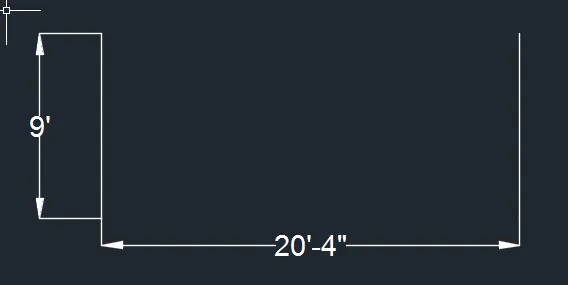
Step 2 Offset command is used 20'-4"
Step 3
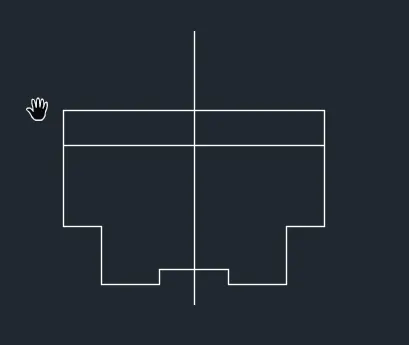
Step 4
Step 5
Step 6
Step 7
RESULT