Drafting of various geometries using Chamfer, Fillet tool in AutoCad
AIM - Drafting of various geometries using Chamfer, Fillet tool in AutoCad.
Q1:
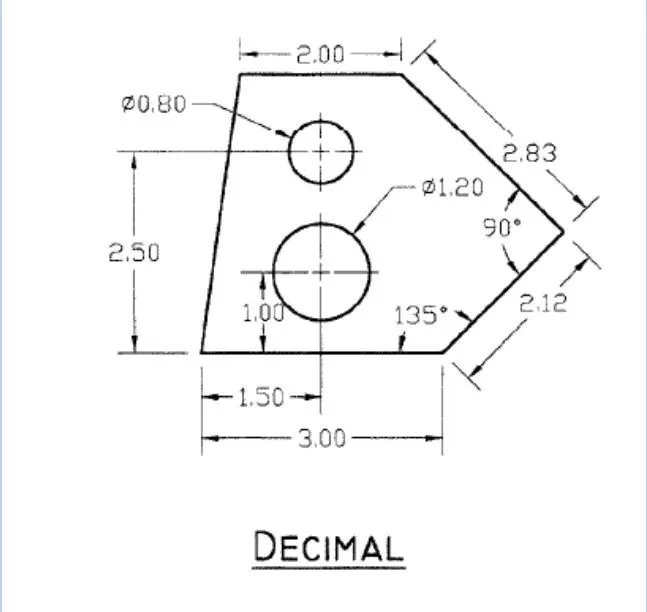
PROCEDURE:
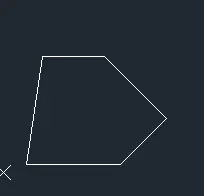
Type L in the command line and press Enter.
Draw a line of 3 units horizontal to x axis
draw a another line of incline of 135^ to the last point of 2.12
draw a another line of perpendicular to the line of 2.83
draw a another line of horizontal to x axis of 2 and close the line
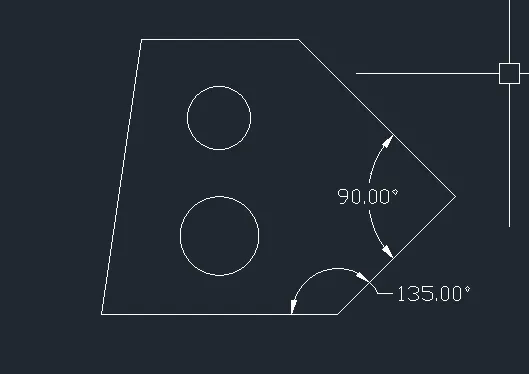
Type L in the command line and press Enter.
draw a line perpendicular to x axis from distance of 1.50 from starting point
draw circle from the height of 1 of diameter 1.20
drawa a another circle of of 2.50 from the height dia of 0.80
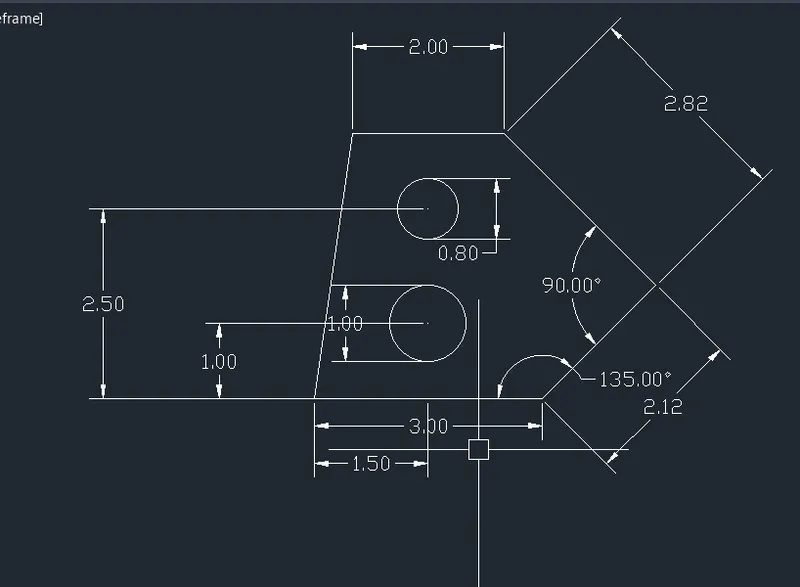
Type DLI or DIMLINEAR on the command line and press Enter.
Give the dimensions as per the drawing.
Q2:
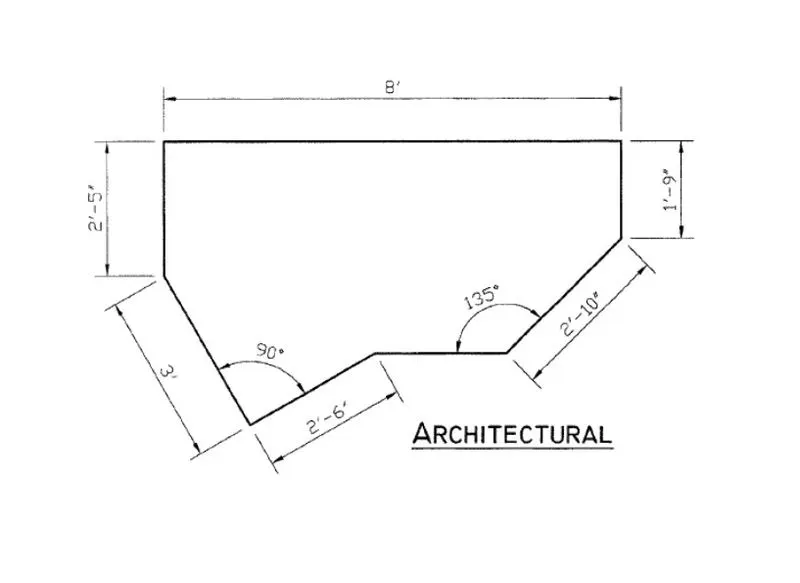
Procedure:
Draw a line of L Enter of length 8'
draw a perpendicular line of 1'9" downwards
draw a line of 135^ of length 2'10"
draw a another line of 135^
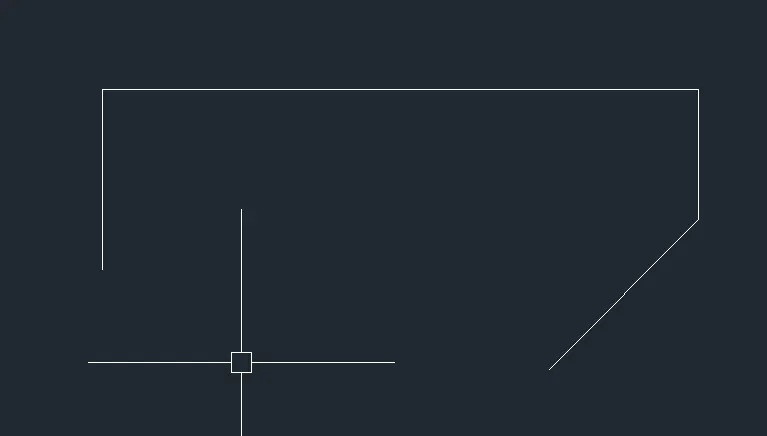
draw a line perpendicular on other side of line of 2'5" downwards
draw a line of 150^ of 3'
draw a line of 2'6" perpendicular to the last line the points will meet at a point

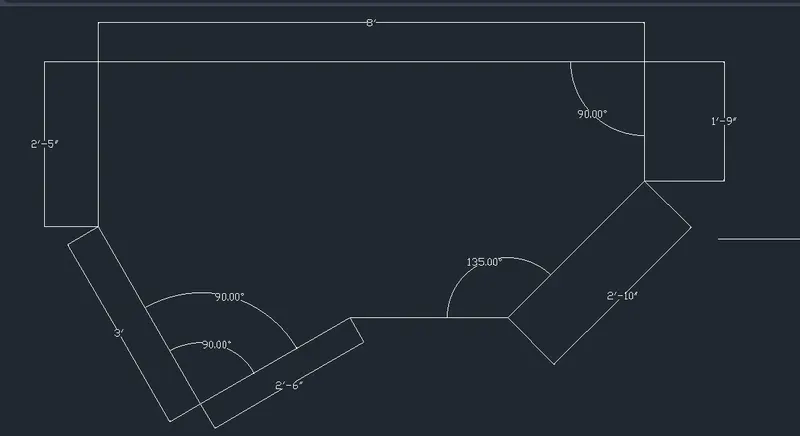
Type DLI or DIMLINEAR on the command line and press Enter.
Give the dimensions as per the drawing.
Q3:
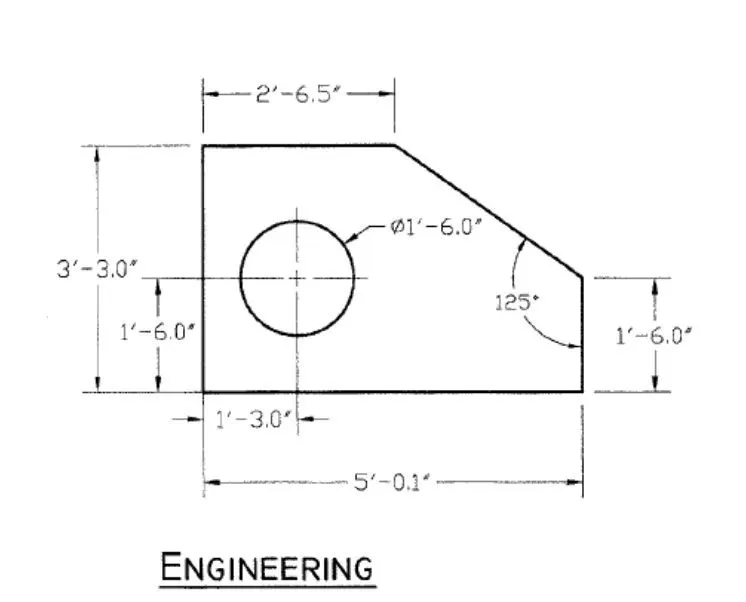
Procedure:
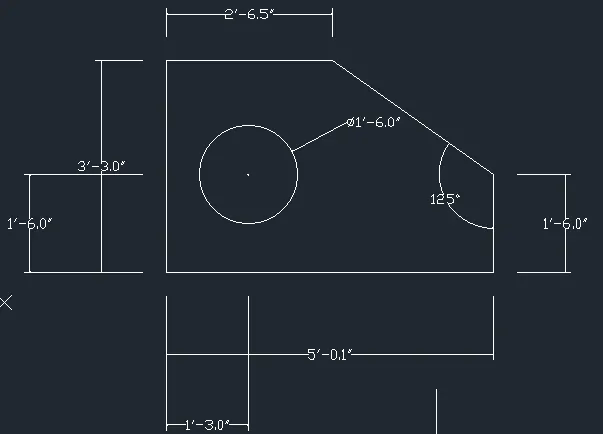
Draw a line of 5'0.1" line L Enter
draw another line of 1'6.0" perpendicular to the line
draw a line 2'3.6" of making angle of 125^
draw a linne parallel to x axis of length 2'6.5"
now draw a line of 3'3.0" line and close
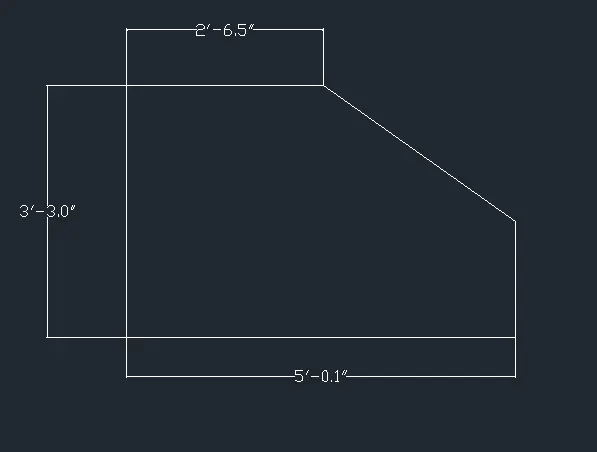
draw a circle 1'3.0" distance from y axis and 1'6.0" from x axis of diameter 1'6.0"
Type DLI or DIMLINEAR on the command line and press Enter.
Give the dimensions as per the drawing.
Q4:
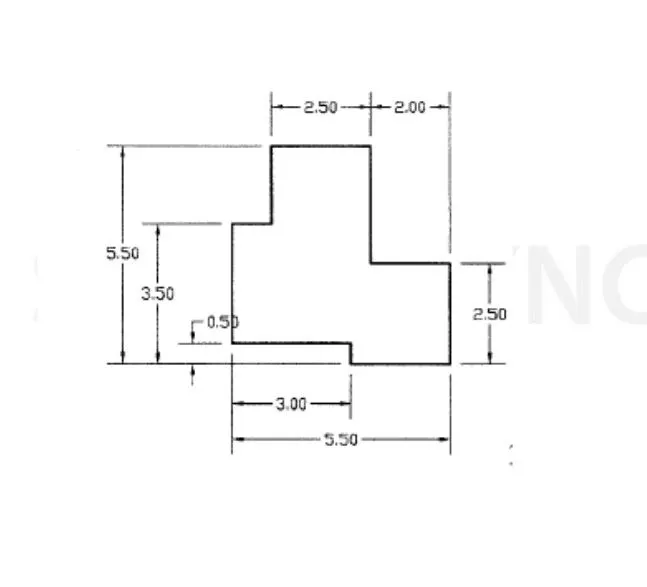
Procedure:
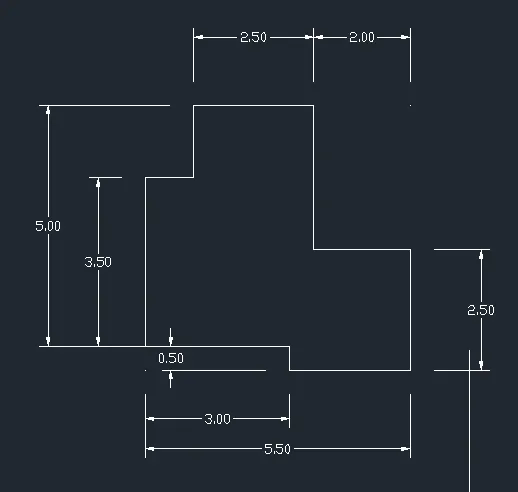
type L in command line and enter
By using the line draw the from the given figure with specific dimensions on diagram
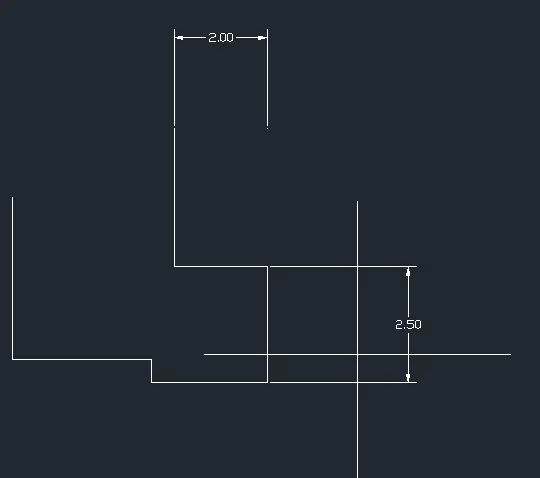
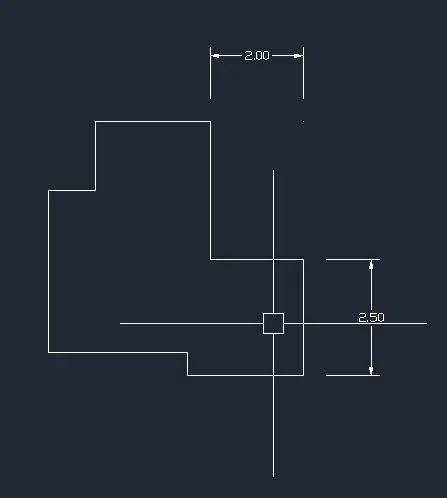
Type DLI or DIMLINEAR on the command line and press Enter.
Give the dimensions as per the drawing.
Q5:
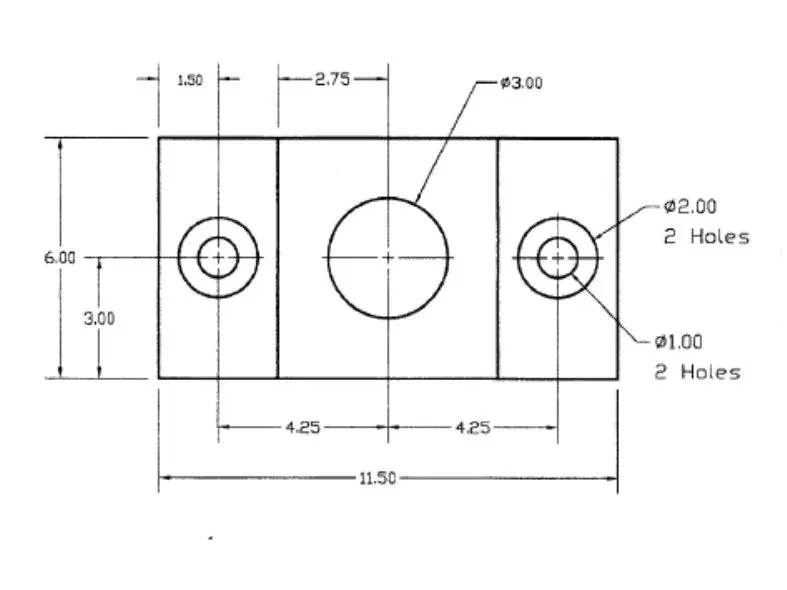
Procedure:
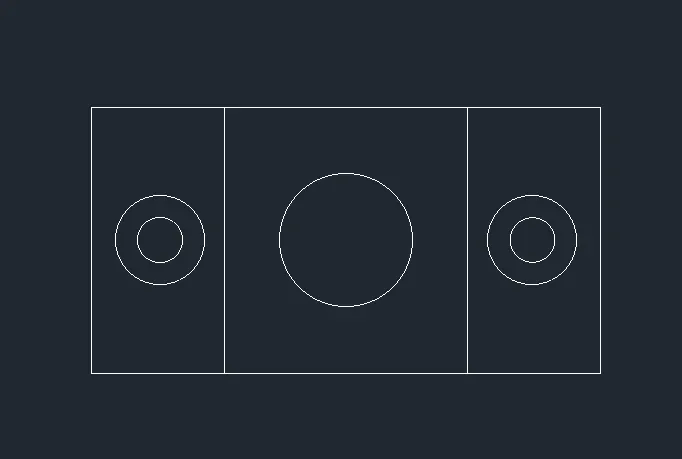
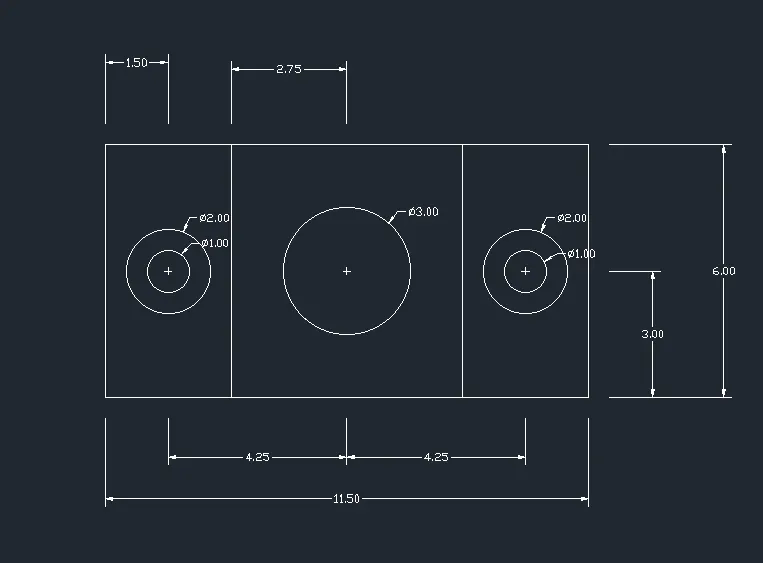
Draw a rectangle using command REC Enter of 11.50 width and 6 bredth
use the offset tool O ENTER through 3.00 from both the sides
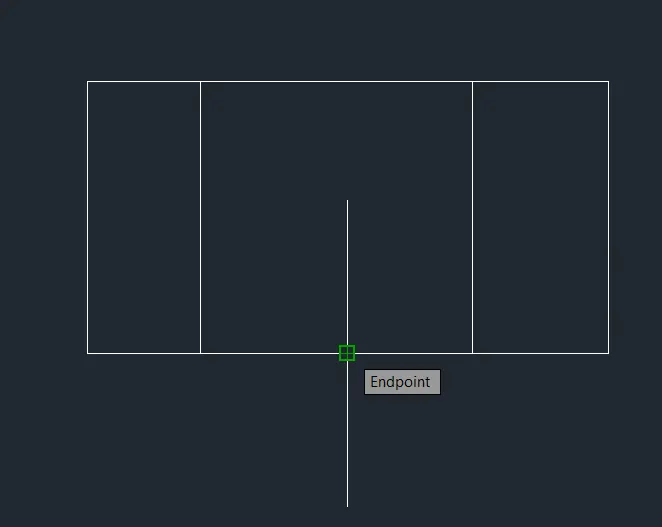
draw make point at at center of and mid of the rectangles
now using the circle tool draw a circle 2 diameter and 1 diameter of each sides of the rectangle and center of the rectangle using points
Type DLI or DIMLINEAR on the command line and press Enter.
Give the dimensions as per the drawing.
Q6:
Procedure:
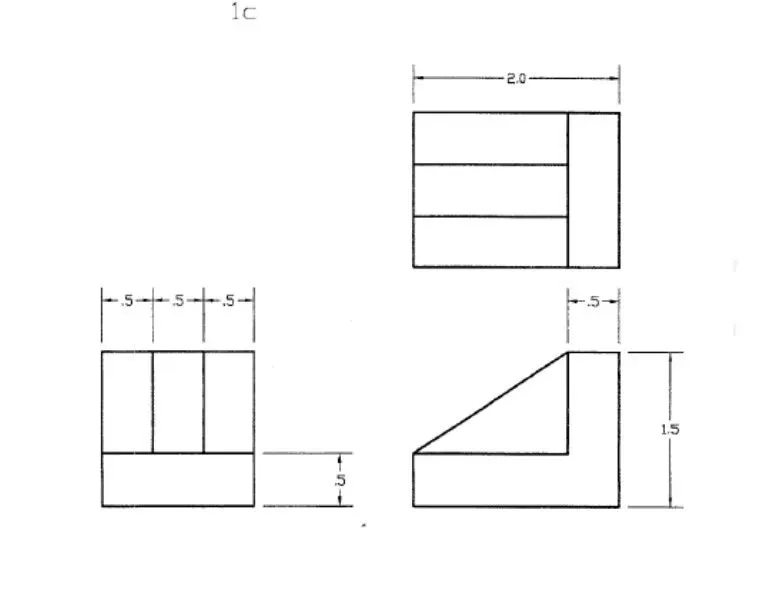
draw a rectangle using REC command of 1.5 width 0.5 length
draw line 1 from the rectangle from the point and by using offcet tool O ENTER specify the point 0.5
using the fillet tool F ENTER fill the lines
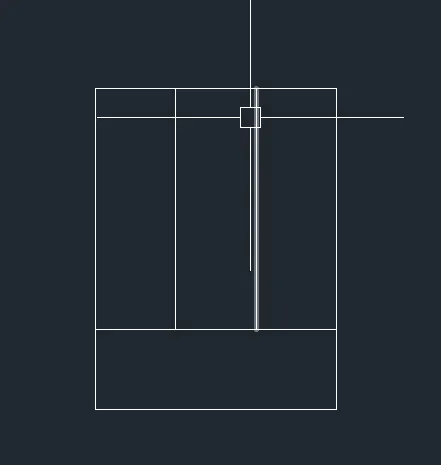
Type DLI or DIMLINEAR on the command line and press Enter.
Give the dimensions as per the drawing.
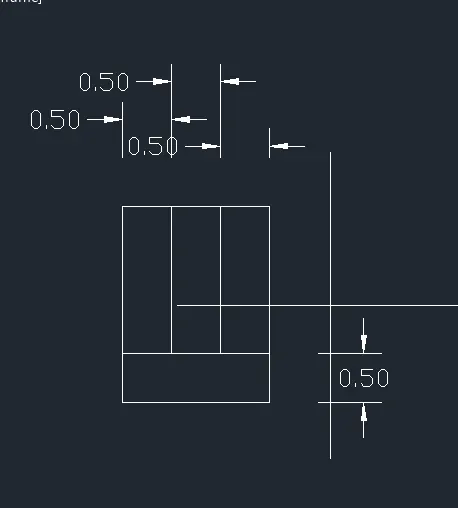
Now draw a line using the above refference lenth of 2 and height of 1.5
now draw a line of 0.5 & bredth 1
draw a line of 1.5 from the x axis and close the line
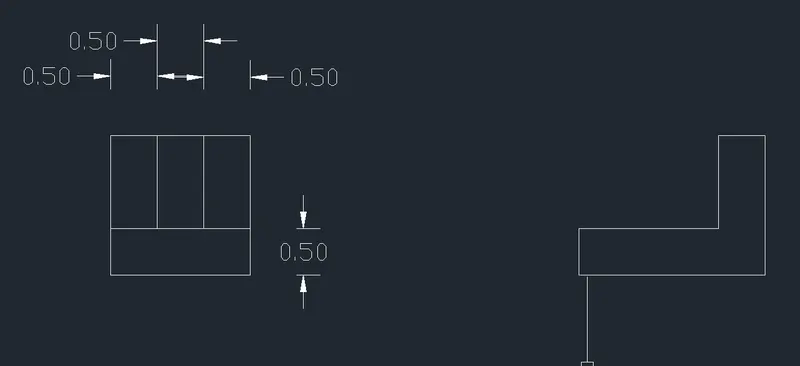
Draw a rectangle using REC ENTER of 2 width and 1.5 depth
using the offset tool O ENTER 0.5 THROUGH Y axis parallel and 0.5 parallel through x axis
Now using the trim TR ENTER tool deletel the excess line
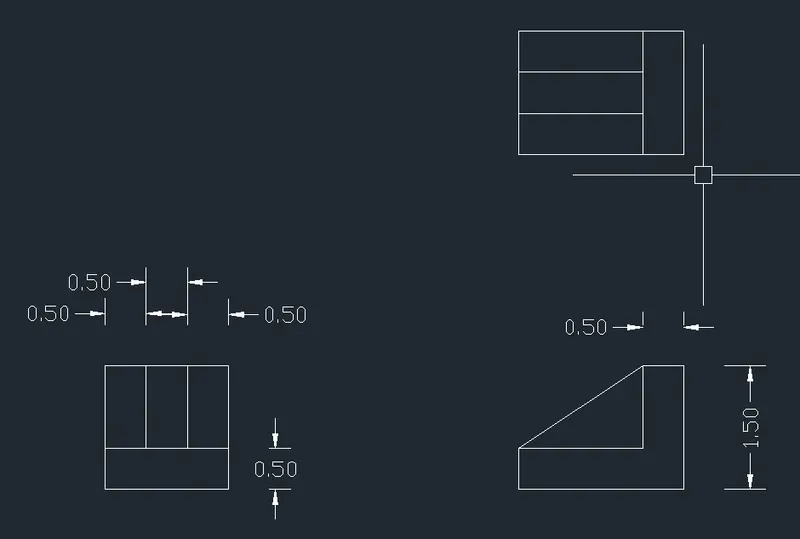
Type DLI or DIMLINEAR on the command line and press Enter.
Give the dimensions as per the drawing.
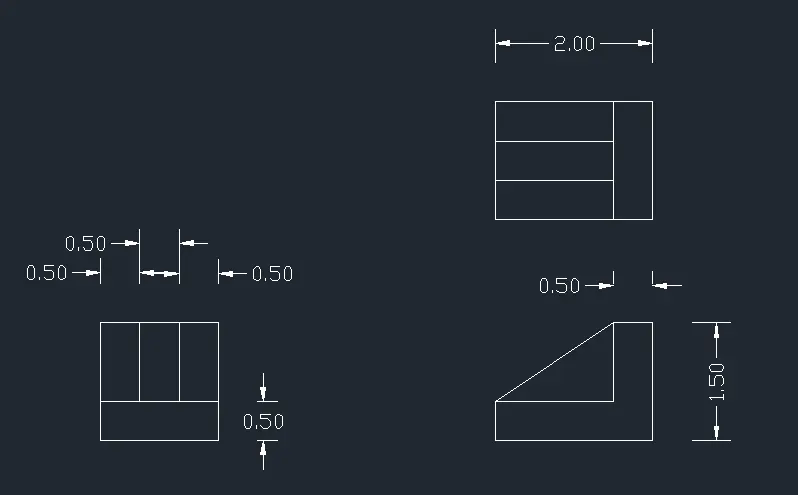
Q7:
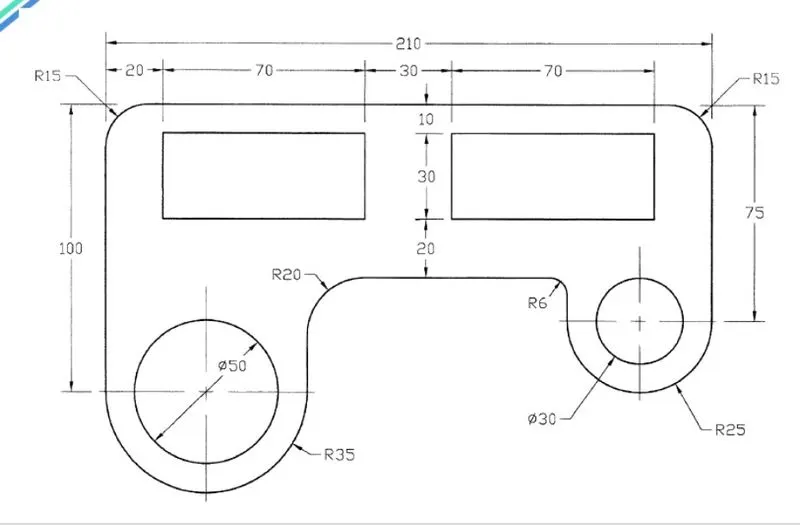
PROCEDURE
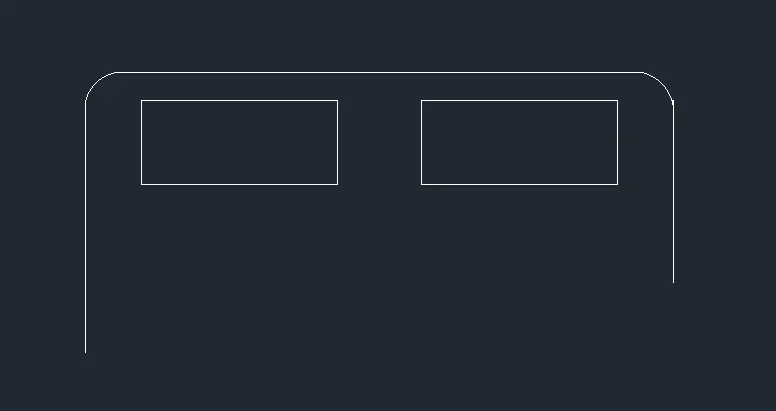
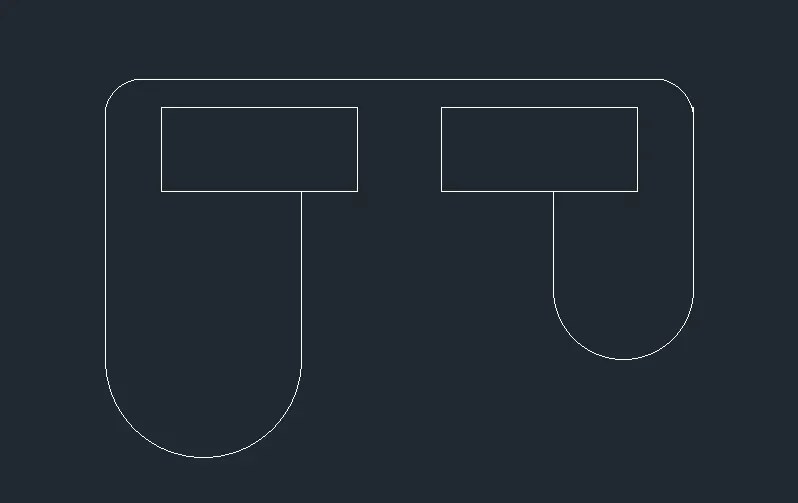

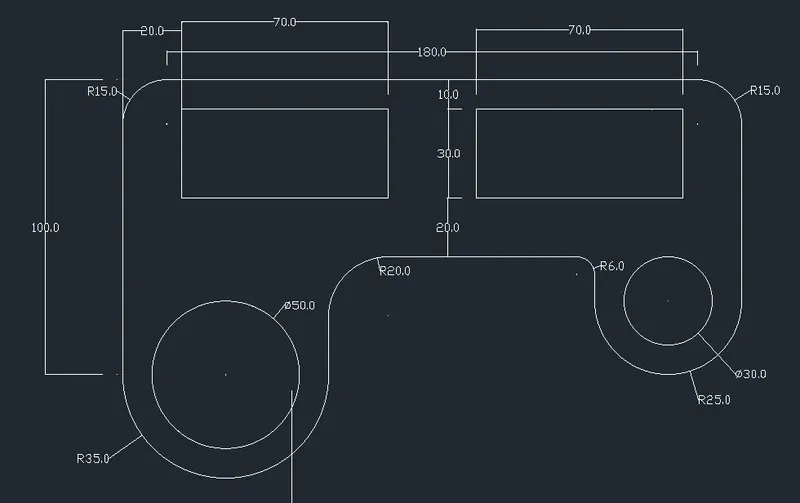
Q8;
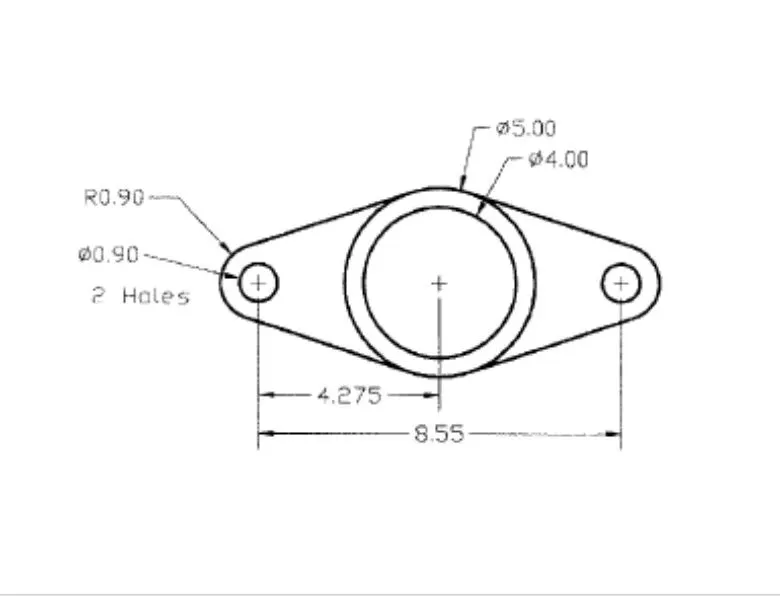
PEOCEDURE:
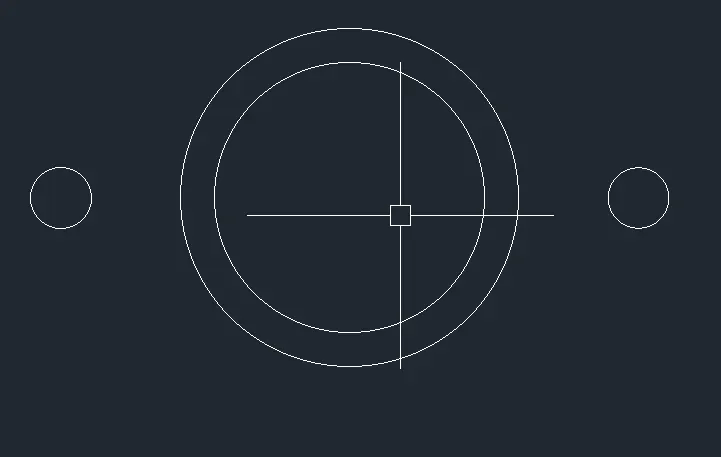

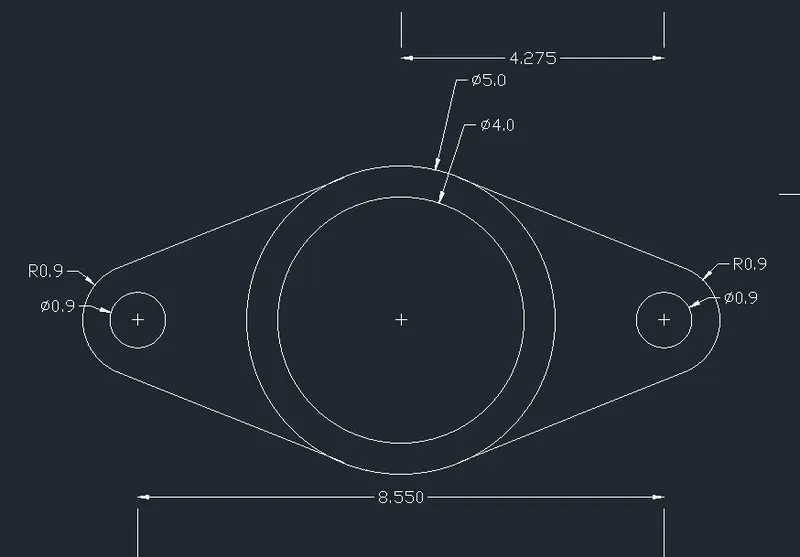
Q9:
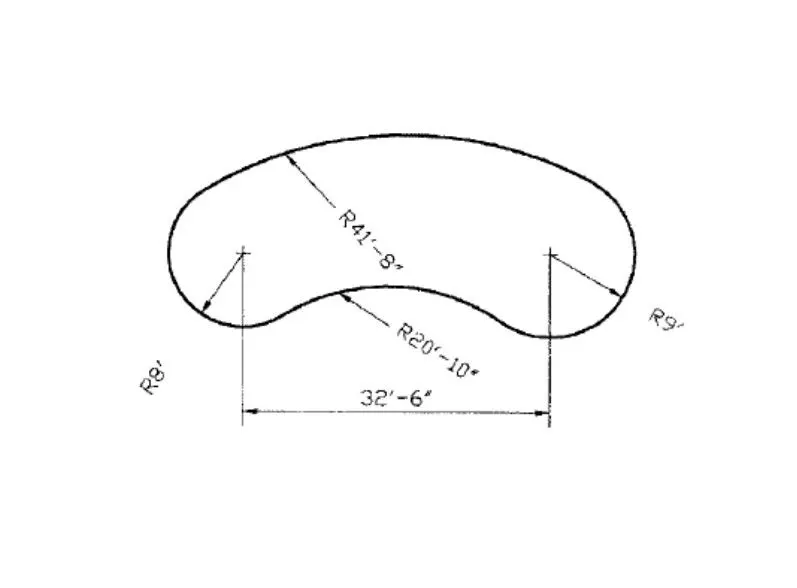
PROCEDURE:
Q10:
PROCEDURE:



Q11:
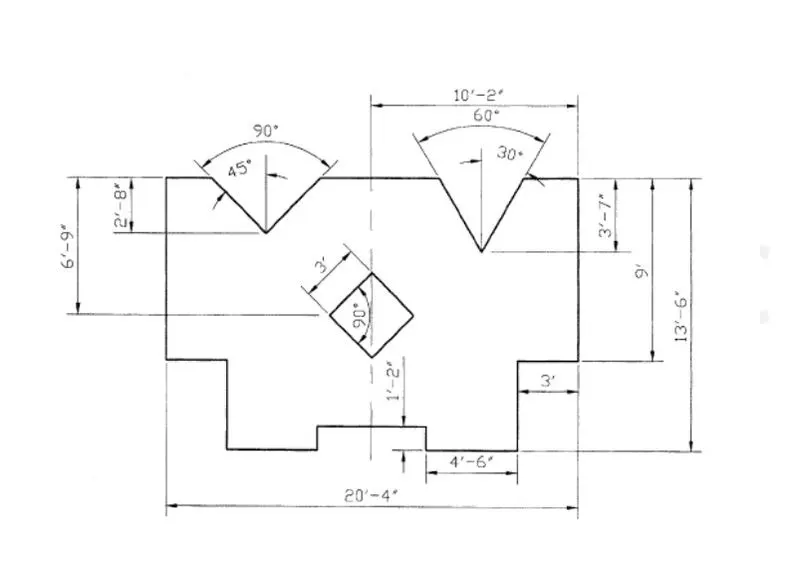
PROCEDURE: