Drafting of various geometries using Chamfer, Fillet tool in AutoCad
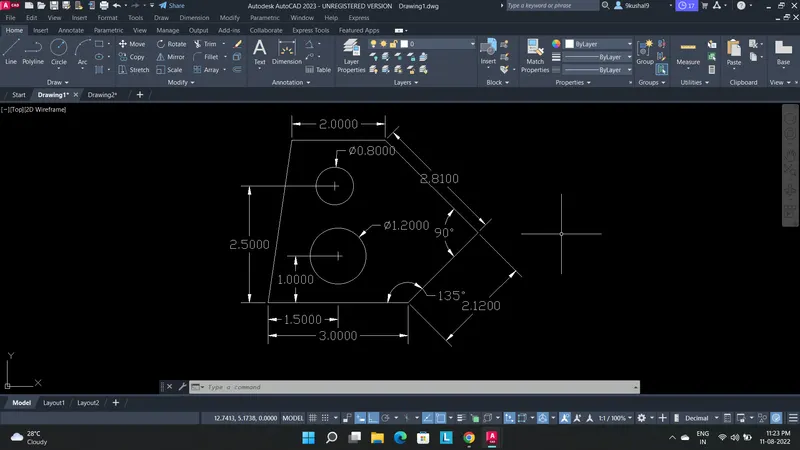
Answer 1- To draw the given shape first open a new drawing and select decimal unit system. Select Line command and start drawing the first horizontal line then proceed with the dimension and angle of 45 degree and continue the line with length 2.8 and angle 135 degree and next length of 2 in horizontal and then close the line. Then draw two circles with 1.2 and 0.8 diameter at given distance this completes the drawing given.
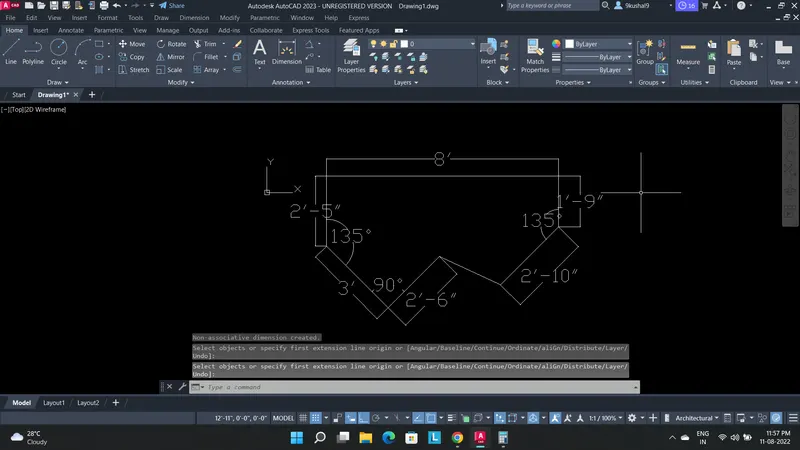
Answer 2- To start with the drawing change the units from decimal to architectural units by using the command units, draw a first line of 8' and proceed with the line command and with appropriate dimensions and angle complete the shape.
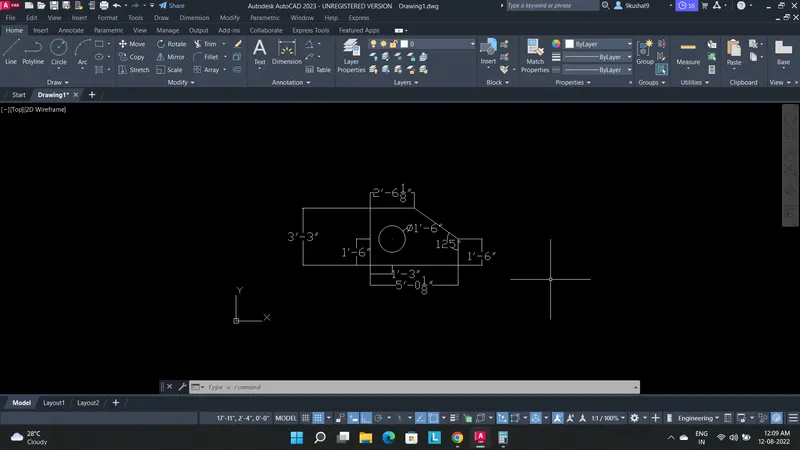
Answer 3- To start with the drawing change the units from architectural units to Engineering units by using the command units, draw a first line of 1'6" vertical and proceed with the line command and with appropriate dimensions and angle complete the shape also using circle command draw a circle.
Answer 4- Using decimal we can draw the drawing. select line command and draw as per given drawing with the appropriate dimensions.
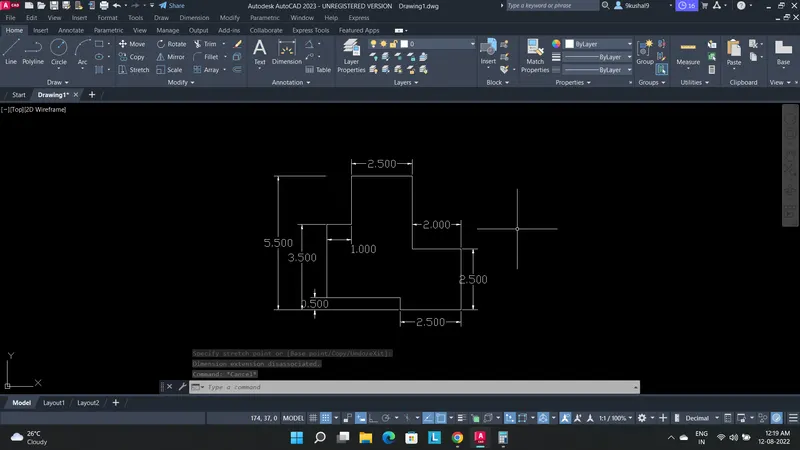
Answer 5- Complete the shape using rectangle, line and circular command with given dimensions.
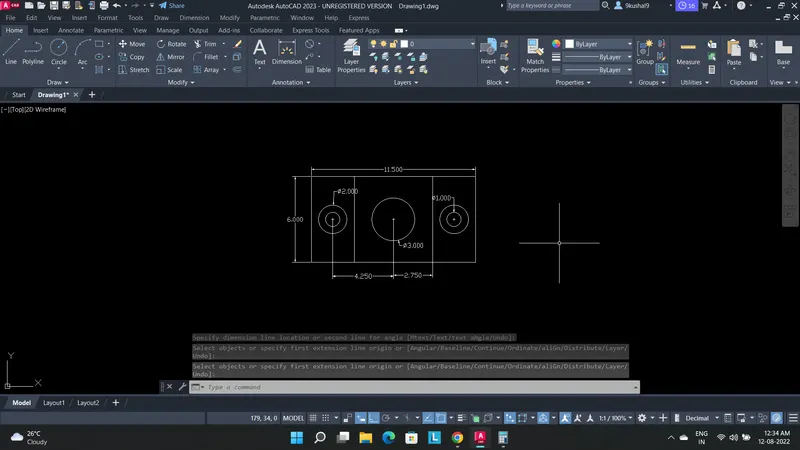
Answer 6- Using XL and Line command we can draw the drawing.
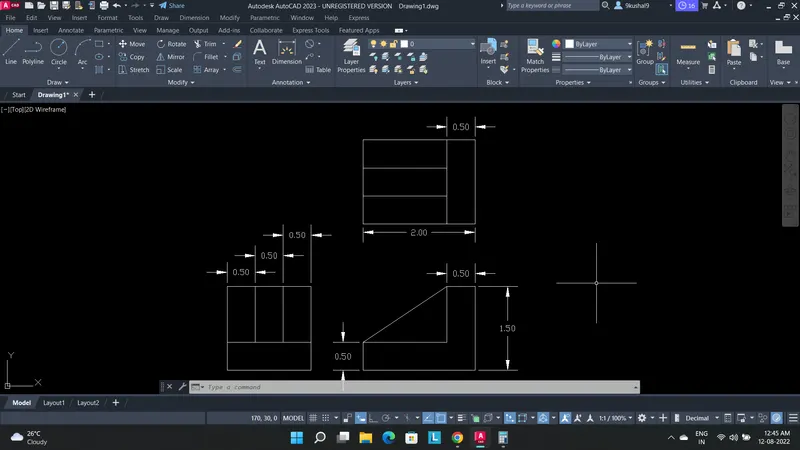
Answer 7- For drawing this shape we will require fillet commands.
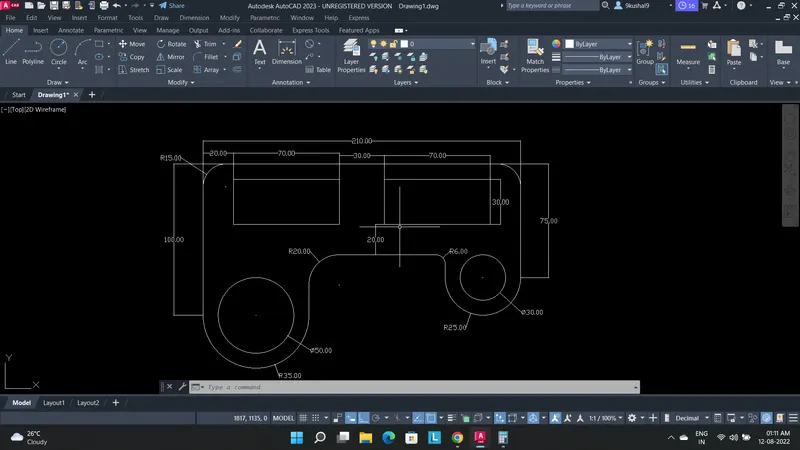
Answer 8-
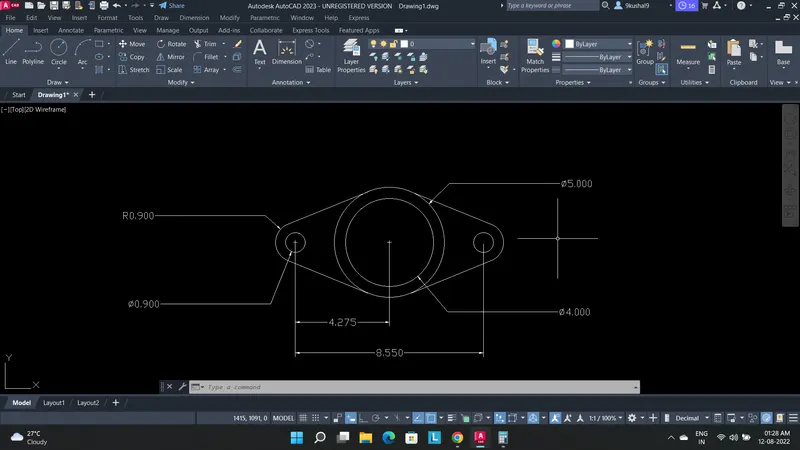
Answer 9-
Please can you help me draw the shape as I am not able to draw it.