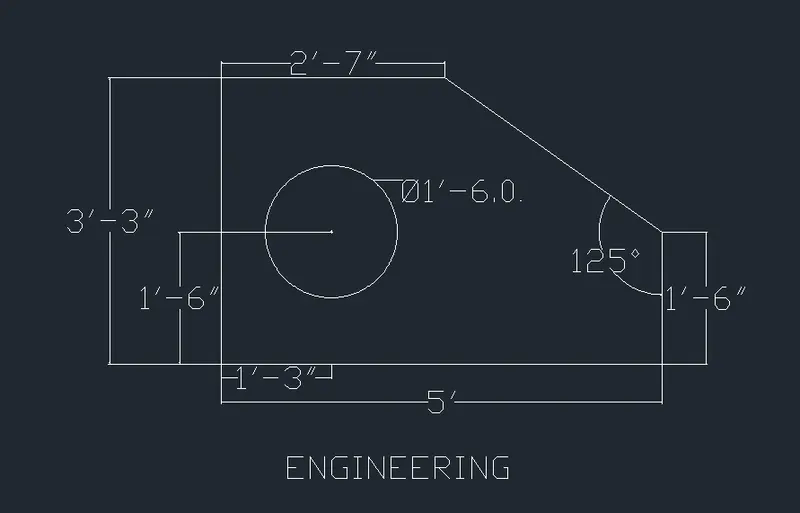
Drafting of various geometries using Chamfer, Fillet tool in AutoCad
Aim:- To create the drawing by using decimal type.
Apparatue:- Using Autocad software
Procedure:- Keep decimal type units.
Type line command and draw the required dimension as follows.
Mark the centre to draw the circle inside the polygon
Type circle command to draw the circle with diameter as follows
For dimensions type dimlinear command and give the dimension to the lines
For dimension of circle type dimdiameter command and give the dimension to the circle
Result:-
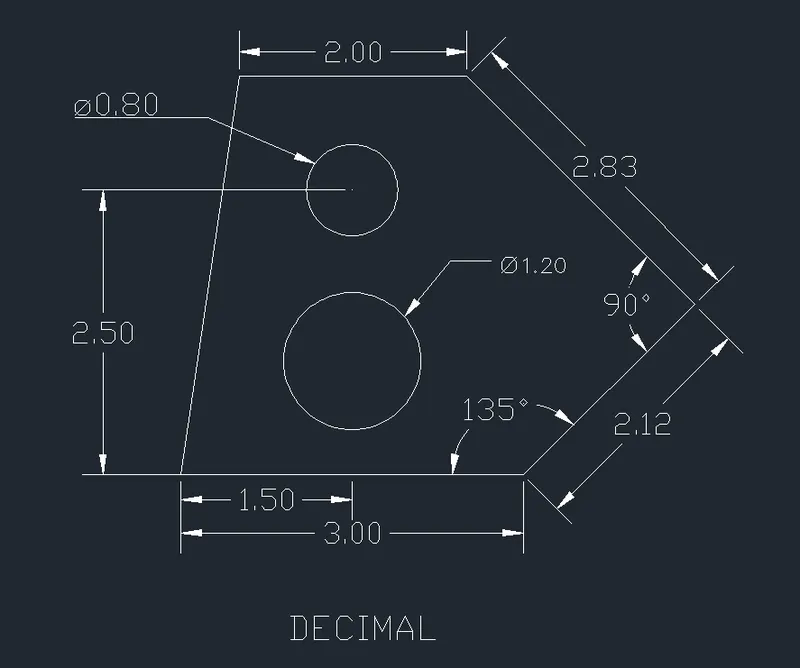
Aim:- To create the drawing.
Apparatue:- Using Autocad software
Procedure:- Keep decimal type units.
Type line command and draw the required dimension as follows.
Mark the centre to draw the rectangle inside the polygon
Mark the centre to draw the circle inside the polygon
Type circle command to draw the circle with diameter as follows
Type fillet command to give the radius to the corner of the rectangle
For dimensions type dimlinear command and give the dimension to the lines
For dimension of circle type dimdiameter command and give the dimension to the circle
Result:-
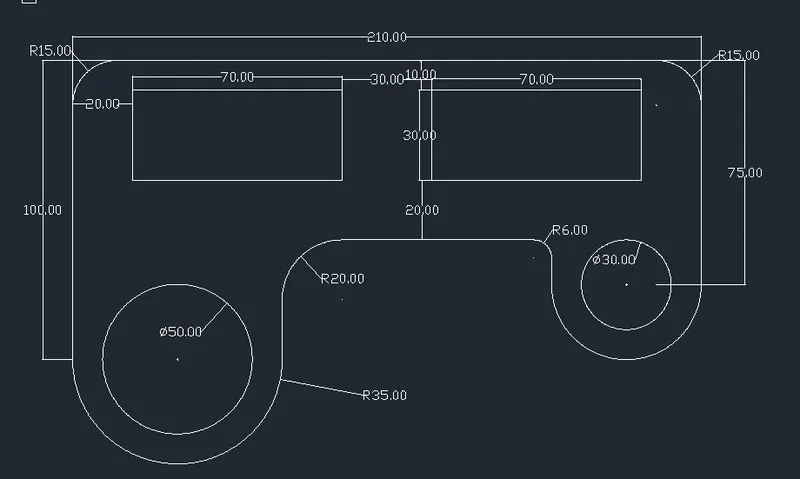
Aim:- To create the drawing.
Apparatue:- Using Autocad software
Procedure:- Keep decimal type units.
Type Rectangle(rec) command and draw the required dimension of rectangle as follows.
Mark the centre to draw the circle inside the rectangle
Type circle command to draw the circle with diameter as follows
For dimensions type dimlinear command and give the dimension to the lines
For dimension of circle type dimdiameter command and give the dimension to the circle
Result:-
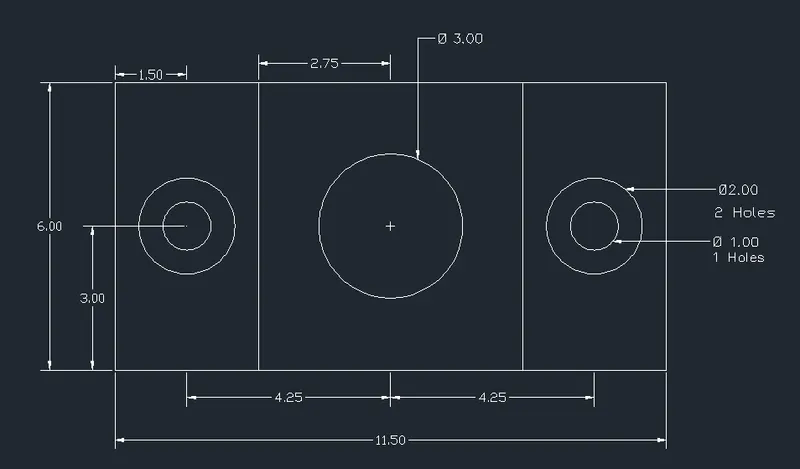
Aim:- To create the drawing.
Apparatue:- Using Autocad software
Procedure:- Keep decimal type units.
Type Line command and draw the required dimension as follows.
For dimensions type dimlinear command and give the dimension to the lines
For dimension of circle type dimdiameter command and give the dimension to the circle
Result:-
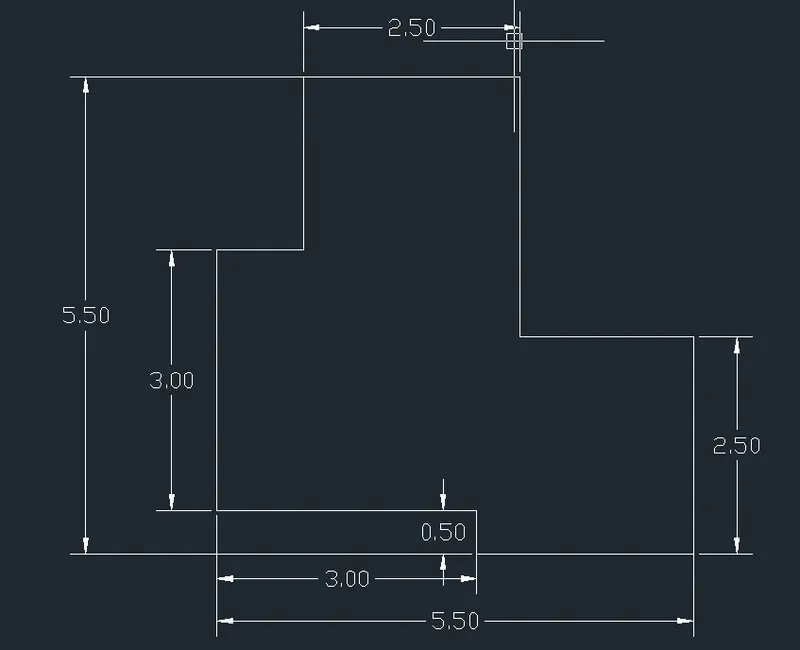
Aim:- To create the drawing by using decimal type.
Apparatue:- Using Autocad software
Procedure:- Keep Architectural type units.
Type line command and draw the required dimension as follows.
For dimensions type dimlinear command and give the dimension to the lines
For dimension of circle type dimdiameter command and give the dimension to the circle
Result:-
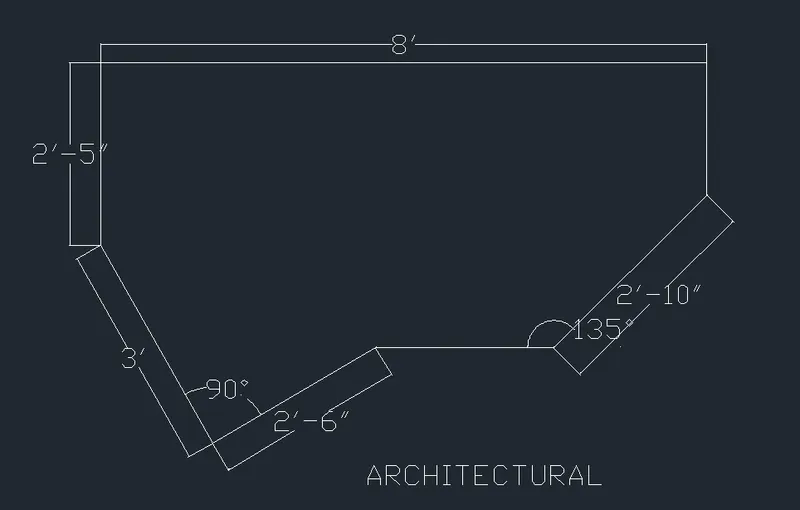
Aim:- To create the drawing by using decimal type.
Apparatue:- Using Autocad software
Procedure:- Keep Architectural type units.
Type Rectangle(rec) command and draw the required dimension as you want.
Take offset command and draw the another rectanngle or square with distance as you want.
type copy command and copy the rectangle or square.
Type rotate command and rotate the rectangle or square in the centre of the first rectangle or square
Result:-
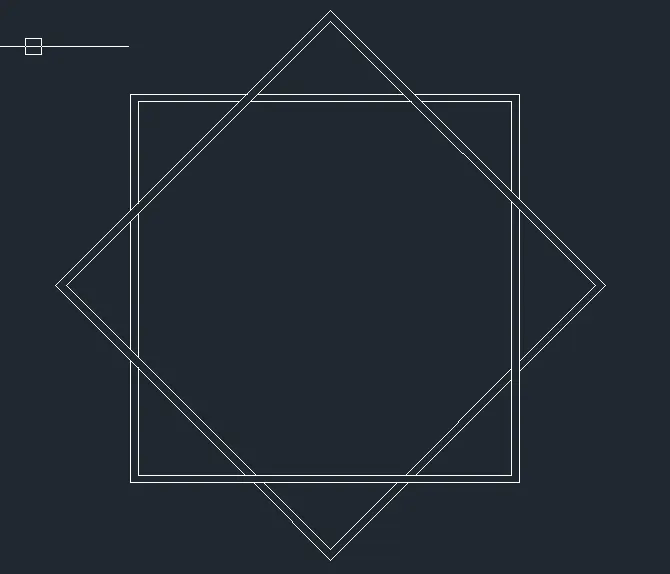
Aim:- To create the drawing by using decimal type.
Apparatue:- Using Autocad software
Procedure:- Keep feet type units.
Type line command and draw the required dimension as follows.
Mark the centre to draw the square inside the polygon
For dimensions type dimlinear command and give the dimension to the lines
For dimension to the angle type dimangular command and give the dimension.
Result:-
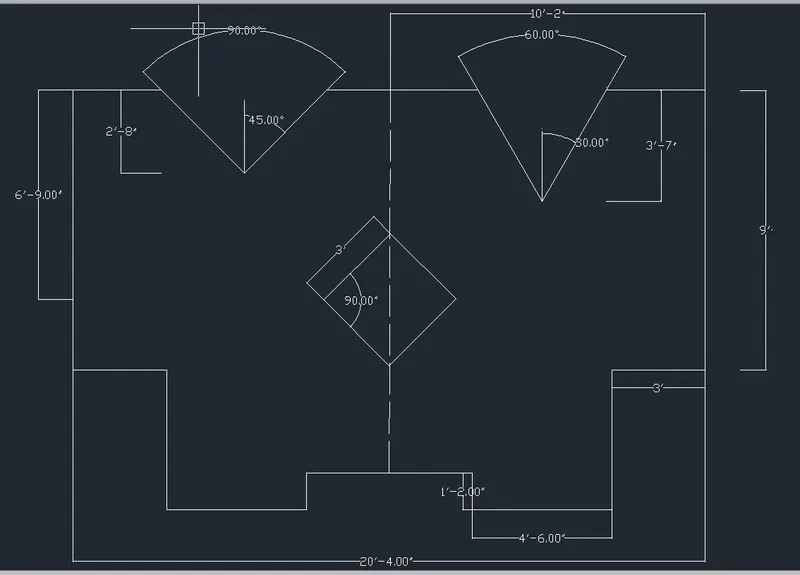
Aim:- To create the drawing by using Engineering type units.
Apparatue:- Using Autocad software
Procedure:- Keep engineering units in feet.
Type line command and draw the required polygon dimension as follows.
Mark the centre to draw the circle inside the polygon
Type circle command to draw the circle with diameter as follows
For dimensions type dimlinear command and give the dimension to the lines
For dimension of circle type dimdiameter command and give the dimension to the circle
Result:-