Drafting of various geometries using Chamfer, Fillet tool in AutoCad
AIM: to draw the Drafting of various geometries using Chamfer, Fillet tools in AutoCAD
1.ANS
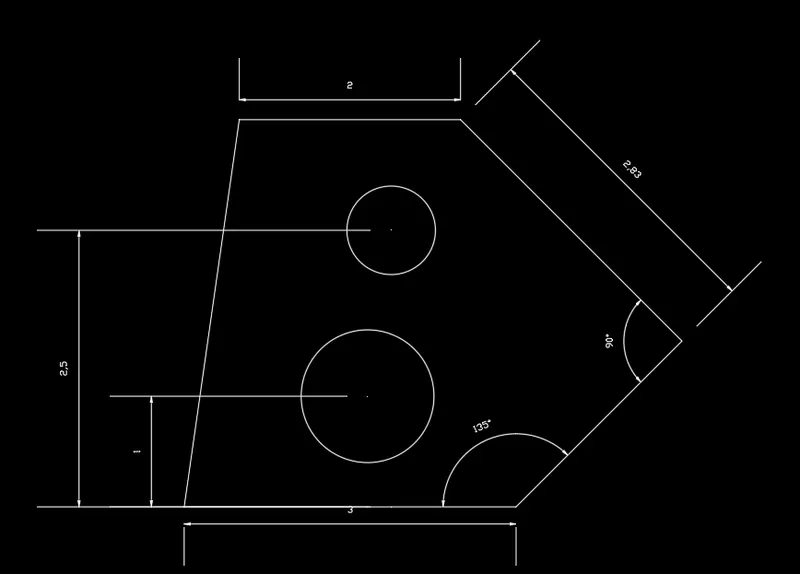
take line command specify the point
@3<0
@2.12<45
@2.83<135
@2<180
close
take offset enter distance of 1.5
repeat offset distance 1 and 2.5
select the circle and diameter of 0.80 and 1.20 draw
2.ANS
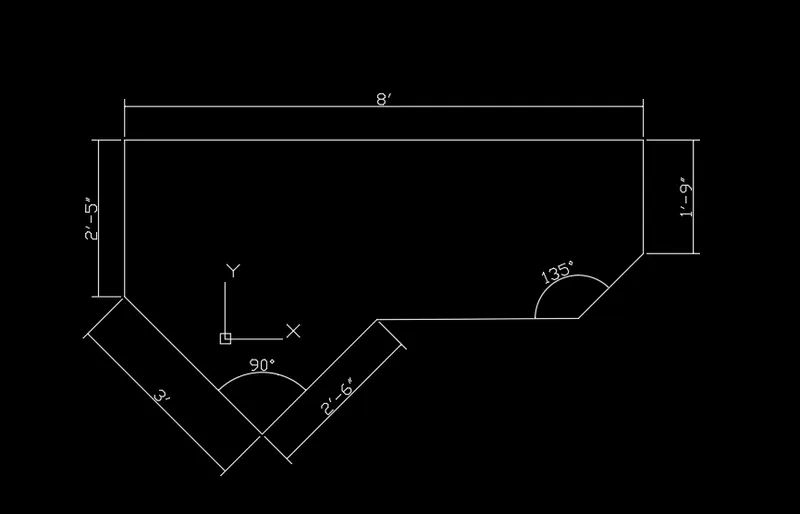
select the line command specify the point
@2'6"<225
@3'<135
@2'5"<90
@8'<0
@1'9"<270
@2'10"<225
close
3.ANS
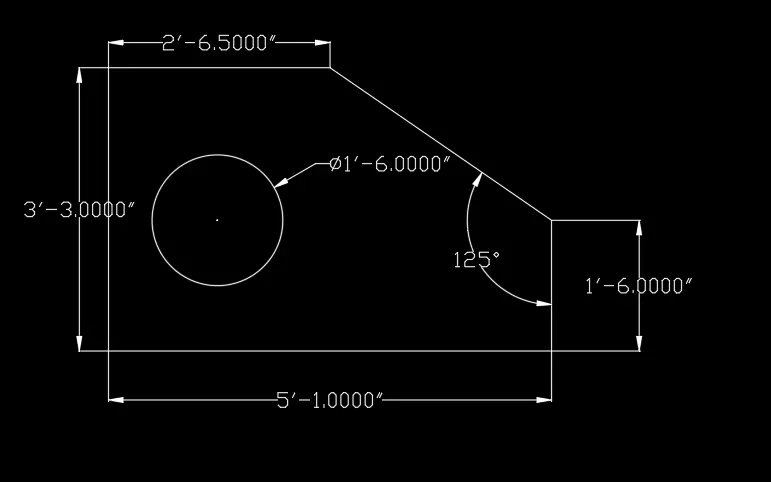
select line command specify the point
@1'6.0"<270
@5'01"<180
@3'30"<90
@2'6.5"<0
close
offset distance 1'3" and 1'6"
select circle diameter 1'6.0"
4. ANS
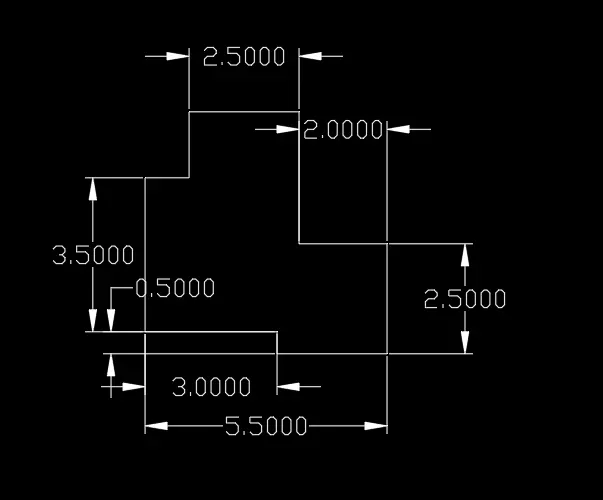
select line command
distance 3.5
1
2.5
3
2
2.5
2.5
0.5
3
5.ANS
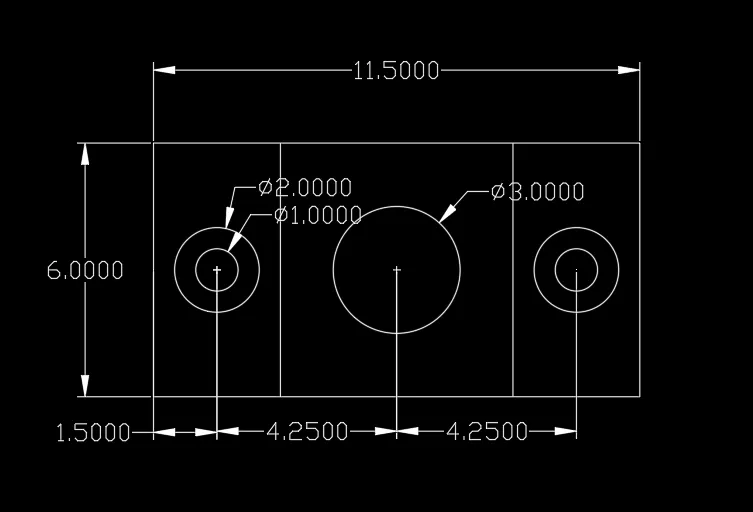
select line command
distance 11.50
6
11.50
close
offset distance 3
select circle diameter 1
repeat circle diameter 2
repeat circle diameter 3
repeat circle diameter 1 and 2
6.ANS
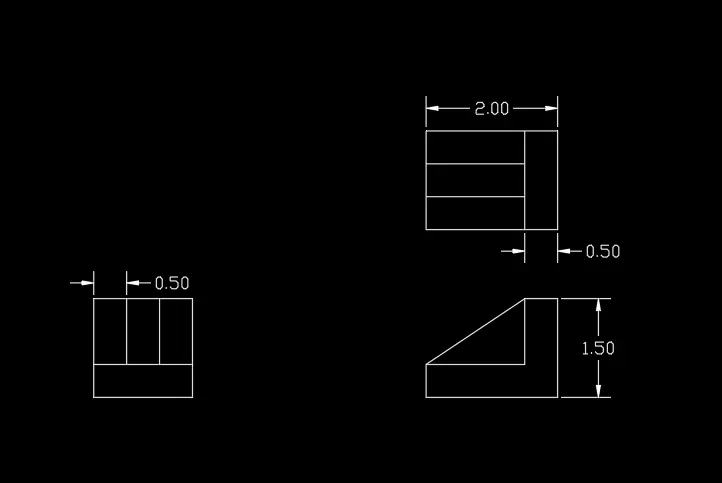
select line command
distance 2
and 1.5
2
close
offset distance 0.5
select the construction line and given the vertical lines and one horizontal line, take line command draw a line distance of 1.5 y-direction and 0.5thickenss and y-direction downward 1 distance 1.5 distance in x-direction
draw the line distance of 2 and 1.5 distance in y- direction offset distance is 0.5
7.ans
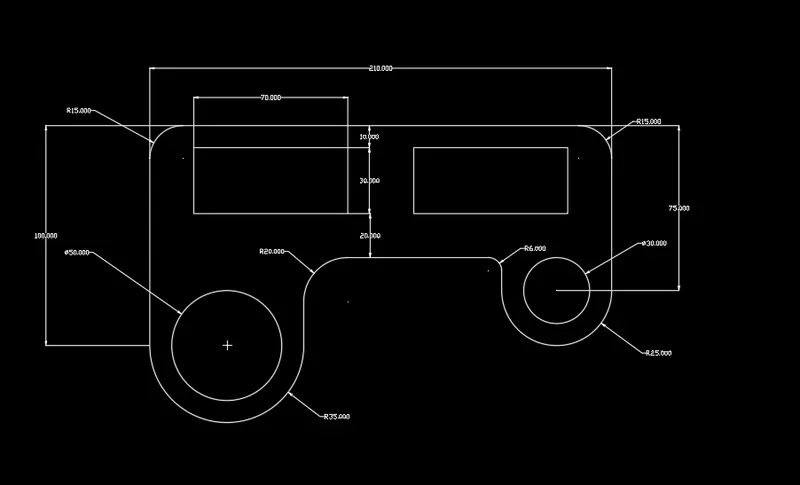
select the circle radius 35
select the line command draw the distance of 100 in y- direction and 210 in x-direction 75 in y downward direction x direction 25, select the circle draw the circle radius of 25 and diameter of 30 circle
offset distance 60, fillet radius of 20, 15, 6 are used
OFFSET distance 10, 20, 70, 30, 70
select line command draw the rectangle of dimensions 70x30
8.ans
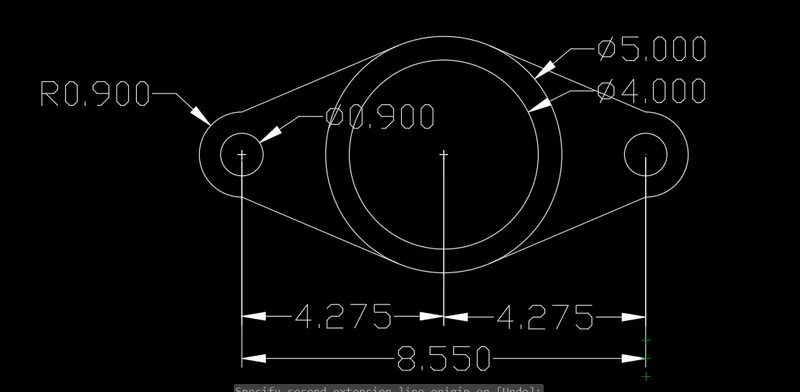
select the circle diameter of 4 and 5 draw the circles
select the line command and distance of 4.275 at center of the circle and select the circle diameter 0.90 and radius of 0.90
select the line command tangent line are draw
select trim and erase
10.ANS
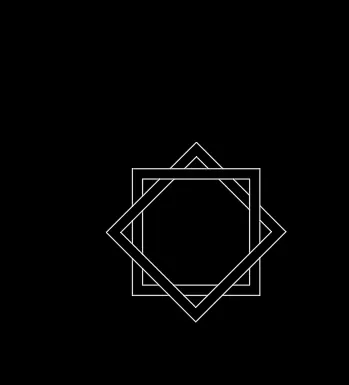
select rectangle draw offset 1
select rectangle draw the angle of 45 and offset is 1
select trim and erase the unwanted lines
9. Ans
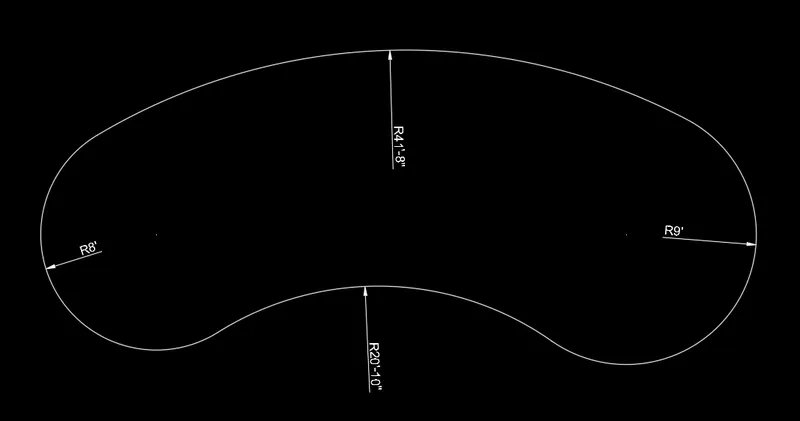
select line and draw the 32'6" and select circle radius 8' and circle 9'
select circle tangent, tangent, radius and draw circle
select circle and draw 33;8" and circle 32'8"
and circle 41'8"
trim
11. ANS
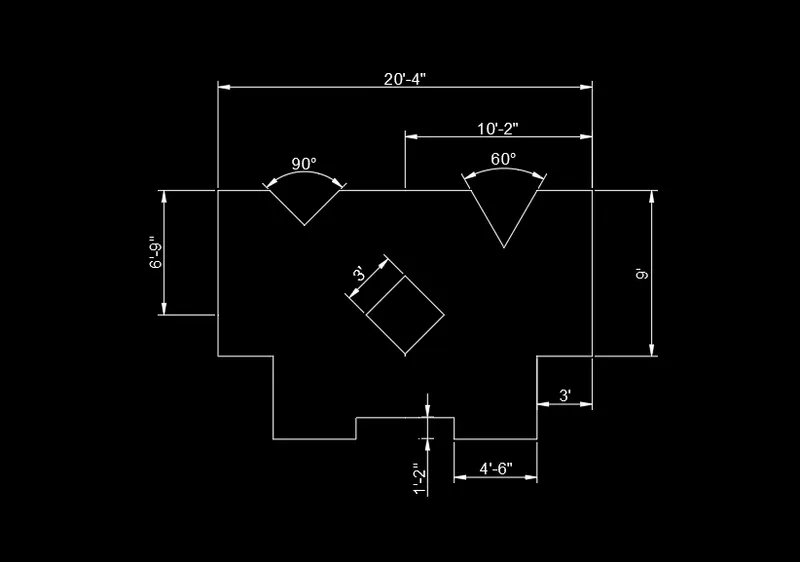
select line command and specify the point
@4'6"<0
@4'6"<90
@3'<0
@9'<90
offset distance 10'2"
select line @3'<180
@3'7'<240
@3'7'<120
close
mirror select the object and enter
select line and @2'8"<225
@2'8"<135
select rectangle and dimensions pf 3' and select rectangle rotate 45 degrees and move rectangle