Drafting of various geometries using Chamfer, Fillet tool in AutoCad
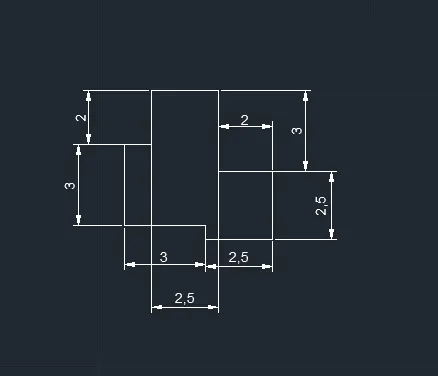
1) AIM:
To draw the drawing in decimal units by using autocad.
PROCEDURE:
- First select the units and limits as per drawing requirements.
- In the above drawing all the lines are drawn by using the line command in below command section.
- All the circles are drawn by using circle command by given required radius of the circle.
- All the dimensions are given by using dimension command.
- To draw the drawing in decimal we select the units as decimal millimeters.
- Also the lines with angles by usiong @dist<angle.
COMMANDS USED IN THE ABOVE DRAWING ARE:
1.line command
2.circle command
3.dime command
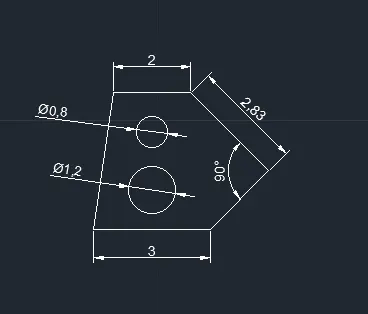
2) AIM:
To draw the drawing in decimal units by using autocad.
PROCEDURE:
- First select the units and limits as per drawing requirements.
- In the above drawing all the lines are drawn by using the line command in below command section.
- All the circles are drawn by using circle command by given required radius of the circle.
- All the dimensions are given by using dimension command.
- To draw the drawing in decimal we select the units as decimal millimeters.
- Also the lines with angles by usiong @dist<angle.
COMMANDS USED IN THE ABOVE DRAWING ARE:
1.line command
2.circle command
3.dime command
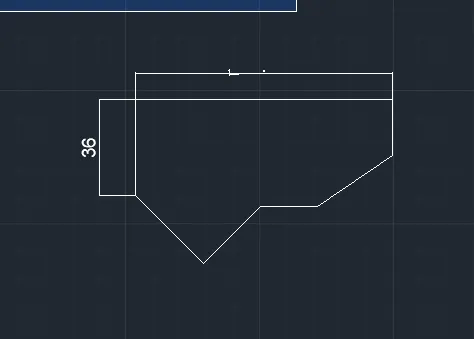
3) AIM:
To draw the drawing in decimal units by using autocad.
PROCEDURE:
- First select the units and limits as per drawing requirements.
- In the above drawing all the lines are drawn by using the line command in below command section.
- All the circles are drawn by using circle command by given required radius of the circle.
- All the dimensions are given by using dimension command.
- To draw the drawing in decimal we select the units as decimal millimeters.
- Also the lines with angles by usiong @dist<angle.
COMMANDS USED IN THE ABOVE DRAWING ARE:
1.line command
2.circle command
3.dime command
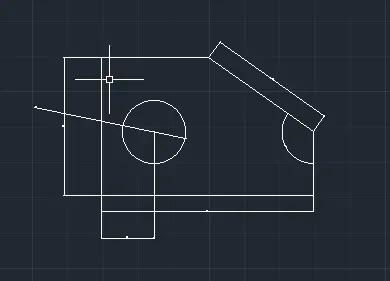
4) AIM:
To draw the drawing in decimal units by using autocad.
PROCEDURE:
- First select the units and limits as per drawing requirements.
- In the above drawing all the lines are drawn by using the line command in below command section.
- All the circles are drawn by using circle command by given required radius of the circle.
- All the dimensions are given by using dimension command.
- To draw the drawing in decimal we select the units as decimal millimeters.
- Also the lines with angles by usiong @dist<angle.
COMMANDS USED IN THE ABOVE DRAWING ARE:
1.line command
2.circle command
3.dime command
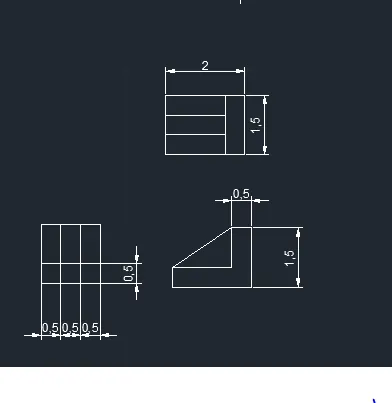
5) AIM:
To draw the drawing in decimal units by using autocad.
PROCEDURE:
- First select the units and limits as per drawing requirements.
- In the above drawing all the lines are drawn by using the line command in below command section.
- All the circles are drawn by using circle command by given required radius of the circle.
- All the dimensions are given by using dimension command.
- To draw the drawing in decimal we select the units as decimal millimeters.
- Also the lines with angles by usiong @dist<angle.
COMMANDS USED IN THE ABOVE DRAWING ARE:
1.line command
2.circle command
3.dime command
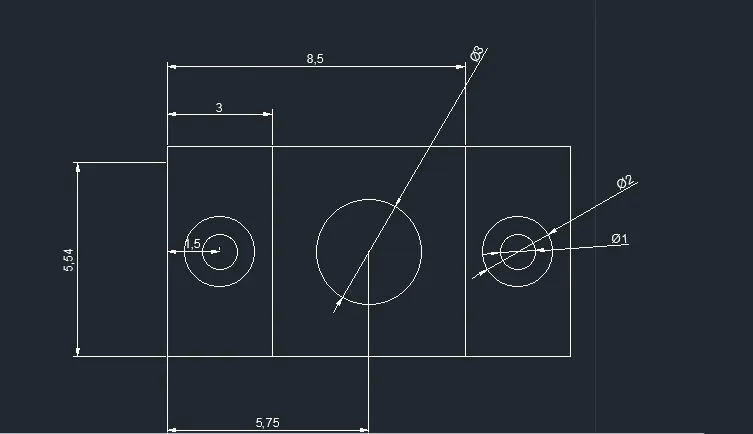
6) AIM:
To draw the drawing in decimal units by using autocad.
PROCEDURE:
- First select the units and limits as per drawing requirements.
- In the above drawing all the lines are drawn by using the line command in below command section.
- All the circles are drawn by using circle command by given required radius of the circle.
- All the dimensions are given by using dimension command.
- To draw the drawing in decimal we select the units as decimal millimeters.
- Also the lines with angles by usiong @dist<angle.
COMMANDS USED IN THE ABOVE DRAWING ARE:
1.line command
2.circle command
3.dime command
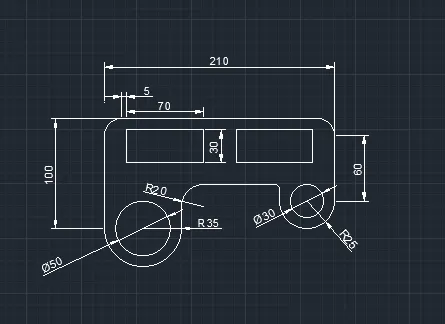
7) AIM:
To draw the drawing in decimal units by using autocad.
PROCEDURE:
- First select the units and limits as per drawing requirements.
- In the above drawing all the lines are drawn by using the line command in below command section.
- All the circles are drawn by using circle command by given required radius of the circle.
- All the dimensions are given by using dimension command.
- To draw the drawing in decimal we select the units as decimal millimeters.
- Also the lines with angles by usiong @dist<angle.
COMMANDS USED IN THE ABOVE DRAWING ARE:
1.line command
2.circle command
3.dime command
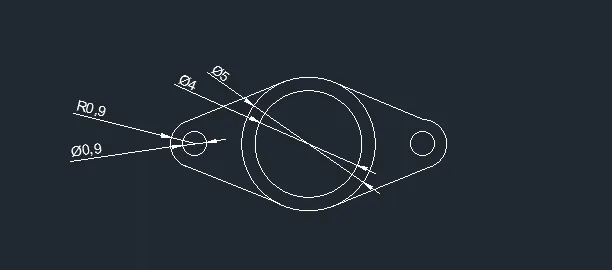
8) AIM:
To draw the drawing in decimal units by using autocad.
PROCEDURE:
- First select the units and limits as per drawing requirements.
- In the above drawing all the lines are drawn by using the line command in below command section.
- All the circles are drawn by using circle command by given required radius of the circle.
- All the dimensions are given by using dimension command.
- To draw the drawing in decimal we select the units as decimal millimeters.
- Also the lines with angles by usiong @dist<angle.
COMMANDS USED IN THE ABOVE DRAWING ARE:
1.line command
2.circle command
3.dime command
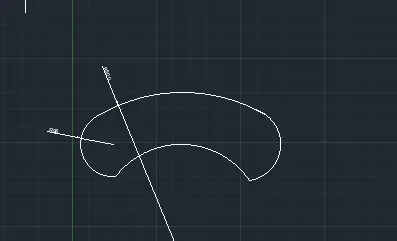
9) AIM:
To draw the drawing in decimal units by using autocad.
PROCEDURE:
- First select the units and limits as per drawing requirements.
- In the above drawing all the lines are drawn by using the line command in below command section.
- All the circles are drawn by using circle command by given required radius of the circle.
- All the dimensions are given by using dimension command.
- To draw the drawing in decimal we select the units as decimal millimeters.
- Also the lines with angles by usiong @dist<angle.
COMMANDS USED IN THE ABOVE DRAWING ARE:
1.line command
2.circle command
3.dime command
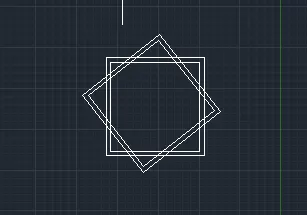
10) AIM:
To draw the drawing in decimal units by using autocad.
PROCEDURE:
- First select the units and limits as per drawing requirements.
- In the above drawing all the lines are drawn by using the line command in below command section.
- All the circles are drawn by using circle command by given required radius of the circle.
- All the dimensions are given by using dimension command.
- To draw the drawing in decimal we select the units as decimal millimeters.
- Also the lines with angles by usiong @dist<angle.
COMMANDS USED IN THE ABOVE DRAWING ARE:
1.line command
2.circle command
3.dime command
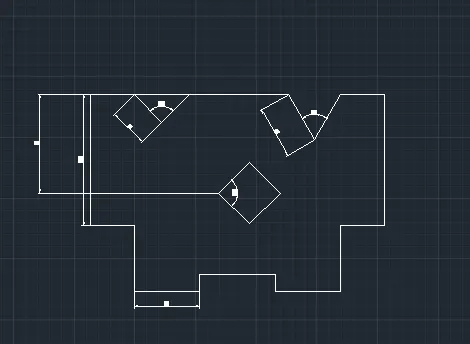
11) AIM:
To draw the drawing in decimal units by using autocad.
PROCEDURE:
- First select the units and limits as per drawing requirements.
- In the above drawing all the lines are drawn by using the line command in below command section.
- All the circles are drawn by using circle command by given required radius of the circle.
- All the dimensions are given by using dimension command.
- To draw the drawing in decimal we select the units as decimal millimeters.
- Also the lines with angles by usiong @dist<angle.
COMMANDS USED IN THE ABOVE DRAWING ARE:
1.line command
2.circle command
3.dime command