Creation of geometries by Coordinate system methods using AutoCad
1)
Aim:
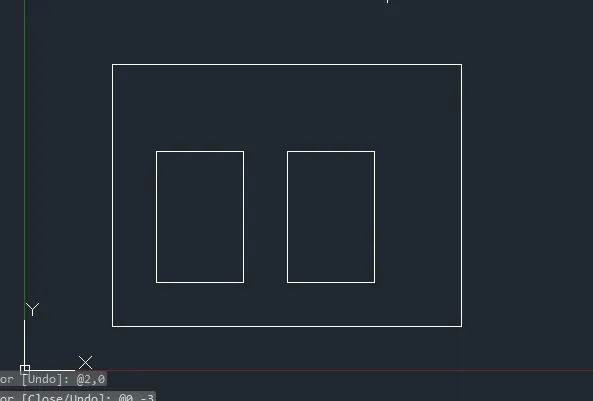
Create the geometric from p1 to p2 using all cordinate system methods.
CAMMANDS USED:
1) LINE CAMMAND
2)CIRCLE CAMMAND
3)DIMENSION CAMMAND
DRAWING PROCEDURE:
- All the lines in the drawings are drawn by used line cammand.
- All the circle drawings are drawn by circle command
- All the dimensions are used by dimension command in command bar
NOTE:
The aim,command and drawing procedure same to above daigrams.
OUTPUT:
2)
Aim:
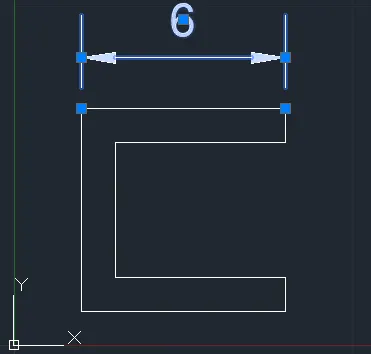
Create the geometric from p1 to p2 using all cordinate system methods.
CAMMANDS USED:
1) LINE CAMMAND
2)CIRCLE CAMMAND
3)DIMENSION CAMMAND
DRAWING PROCEDURE:
- All the lines in the drawings are drawn by used line cammand.
- All the circle drawings are drawn by circle command
- All the dimensions are used by dimension command in command bar
NOTE:
The aim,command and drawing procedure same to above daigrams.
OUTPUT:
3)
Aim:
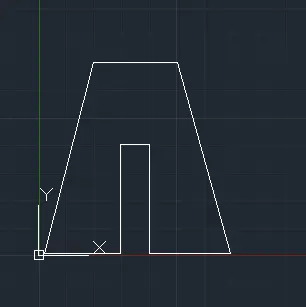
Create the geometric from p1 to p2 using all cordinate system methods.
CAMMANDS USED:
1) LINE CAMMAND
2)CIRCLE CAMMAND
3)DIMENSION CAMMAND
DRAWING PROCEDURE:
- All the lines in the drawings are drawn by used line cammand.
- All the circle drawings are drawn by circle command
- All the dimensions are used by dimension command in command bar
NOTE:
The aim,command and drawing procedure same to above daigrams.
OUTPUT:
4)
Aim:
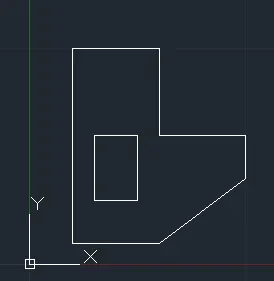
Create the geometric from p1 to p2 using all cordinate system methods.
CAMMANDS USED:
1) LINE CAMMAND
2)CIRCLE CAMMAND
3)DIMENSION CAMMAND
DRAWING PROCEDURE:
- All the lines in the drawings are drawn by used line cammand.
- All the circle drawings are drawn by circle command
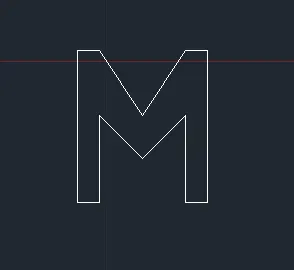
- All the dimensions are used by dimension command in command bar
NOTE:
The aim,command and drawing procedure same to above daigrams.
OUTPUT:
5)
Aim:
Create the geometric from p1 to p2 using all cordinate system methods.
CAMMANDS USED:
1) LINE CAMMAND
2)CIRCLE CAMMAND
3)DIMENSION CAMMAND
DRAWING PROCEDURE:
- All the lines in the drawings are drawn by used line cammand.
- All the circle drawings are drawn by circle command
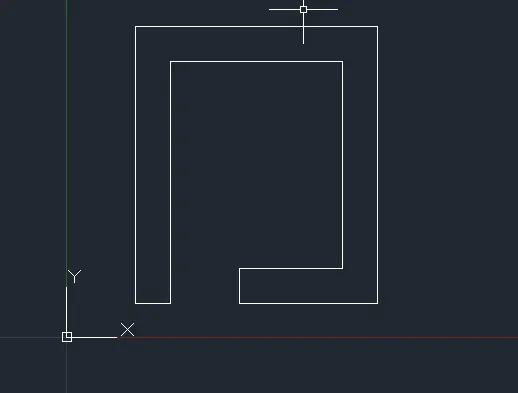
- All the dimensions are used by dimension command in command bar
NOTE:
The aim,command and drawing procedure same to above daigrams.
OUTPUT:
6)
Aim:
Create the geometric from p1 to p2 using all cordinate system methods.
CAMMANDS USED:
1) LINE CAMMAND
2)CIRCLE CAMMAND
3)DIMENSION CAMMAND
DRAWING PROCEDURE:
- All the lines in the drawings are drawn by used line cammand.
- All the circle drawings are drawn by circle command
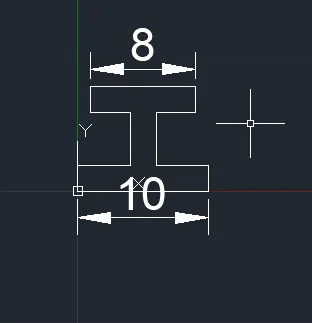
- All the dimensions are used by dimension command in command bar
NOTE:
The aim,command and drawing procedure same to above daigrams.
OUTPUT:
7)
Aim:
Create the geometric from p1 to p2 using all cordinate system methods.
CAMMANDS USED:
1) LINE CAMMAND
2)CIRCLE CAMMAND
3)DIMENSION CAMMAND
DRAWING PROCEDURE:
- All the lines in the drawings are drawn by used line cammand.
- All the circle drawings are drawn by circle command
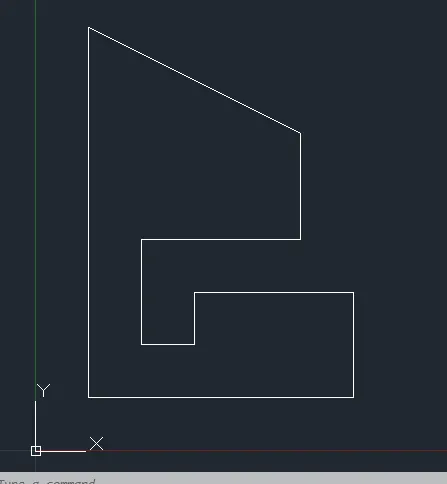
- All the dimensions are used by dimension command in command bar
NOTE:
The aim,command and drawing procedure same to above daigrams.
OUTPUT:
8)
Aim:
Create the geometric from p1 to p2 using all cordinate system methods.
CAMMANDS USED:
1) LINE CAMMAND
2)CIRCLE CAMMAND
3)DIMENSION CAMMAND
DRAWING PROCEDURE:
- All the lines in the drawings are drawn by used line cammand.
- All the circle drawings are drawn by circle command
- All the dimensions are used by dimension command in command bar
NOTE:
The aim,command and drawing procedure same to above daigrams.
OUTPUT:
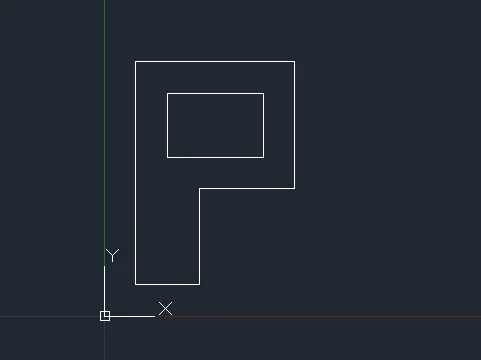
9)
Aim:
Create the geometric from p1 to p2 using all cordinate system methods.
CAMMANDS USED:
1) LINE CAMMAND
2)CIRCLE CAMMAND
3)DIMENSION CAMMAND
DRAWING PROCEDURE:
- All the lines in the drawings are drawn by used line cammand.
- All the circle drawings are drawn by circle command
- All the dimensions are used by dimension command in command bar
NOTE:
The aim,command and drawing procedure same to above daigrams.
OUTPUT:
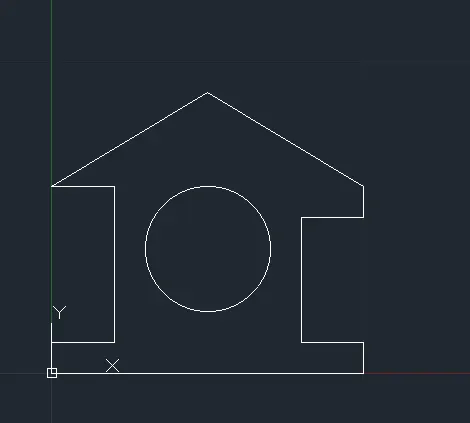
10)
Aim:
Create the geometric from p1 to p2 using all cordinate system methods.
CAMMANDS USED:
1) LINE CAMMAND
2)CIRCLE CAMMAND
3)DIMENSION CAMMAND
DRAWING PROCEDURE:
- All the lines in the drawings are drawn by used line cammand.
- All the circle drawings are drawn by circle command
- All the dimensions are used by dimension command in command bar
NOTE:
The aim,command and drawing procedure same to above daigrams.
OUTPUT:
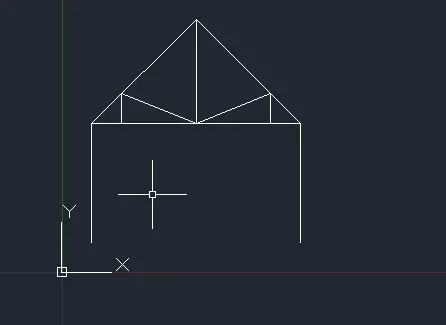
11)
Aim:
Create the geometric from p1 to p2 using all cordinate system methods.
CAMMANDS USED:
1) LINE CAMMAND
2)CIRCLE CAMMAND
3)DIMENSION CAMMAND
DRAWING PROCEDURE:
- All the lines in the drawings are drawn by used line cammand.
- All the circle drawings are drawn by circle command
- All the dimensions are used by dimension command in command bar
NOTE:
The aim,command and drawing procedure same to above daigrams.
OUTPUT:
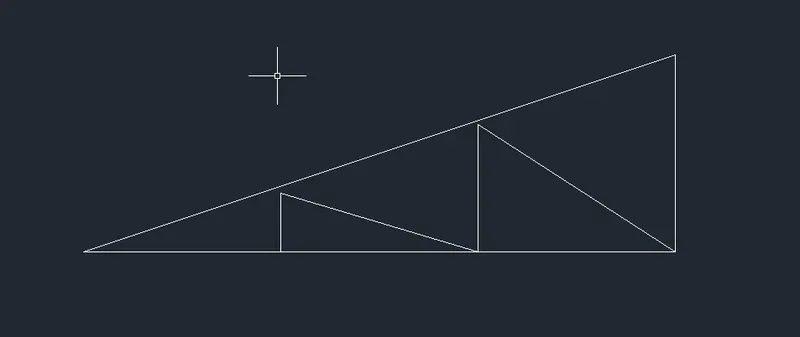
12)
Aim:
Create the geometric from p1 to p2 using all cordinate system methods.
CAMMANDS USED:
1) LINE CAMMAND
2)CIRCLE CAMMAND
3)DIMENSION CAMMAND
DRAWING PROCEDURE:
- All the lines in the drawings are drawn by used line cammand.
- All the circle drawings are drawn by circle command
- All the dimensions are used by dimension command in command bar
NOTE:
The aim,command and drawing procedure same to above daigrams.
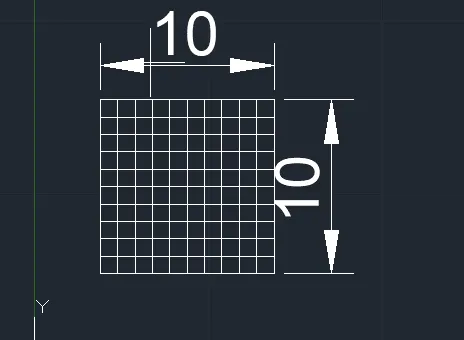
OUTPUT:
13)
Aim:
Create the geometric from p1 to p2 using all cordinate system methods.
CAMMANDS USED:
1) LINE CAMMAND
2)CIRCLE CAMMAND
3)DIMENSION CAMMAND
DRAWING PROCEDURE:
- All the lines in the drawings are drawn by used line cammand.
- All the circle drawings are drawn by circle command
- All the dimensions are used by dimension command in command bar
NOTE:
The aim,command and drawing procedure same to above daigrams.
OUTPUT: