Design of backdoor
CAR BACK DOOR DESIGN
Aim: To design back door of car using given outer surface.
What is back door of a car?
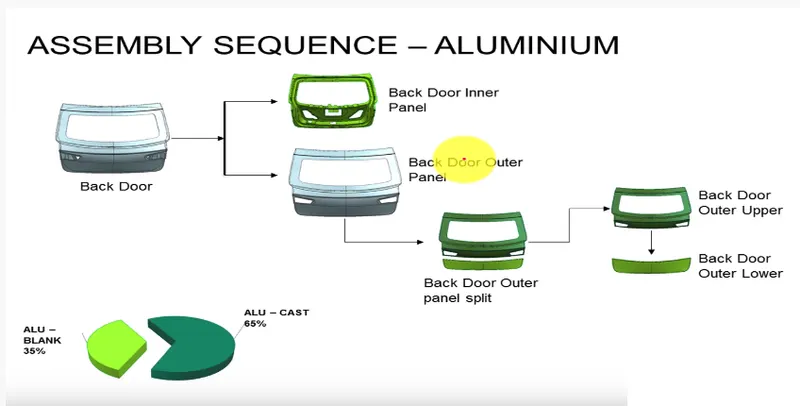
Backdoor/Rear door/Tailgate/Trunk: A Door is a hinged part which is used for entry and exit of the vehicles. Backdoor are one of the types of doors of the vehicle which are located next to the passenger seat which provides access to the luggage compartment.
Types of doors based on working position.
- Top mount car Tailgate
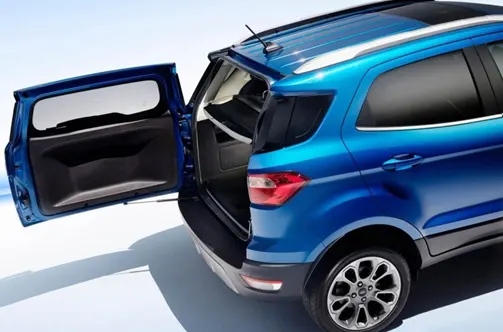
- Side mount car Tailgate
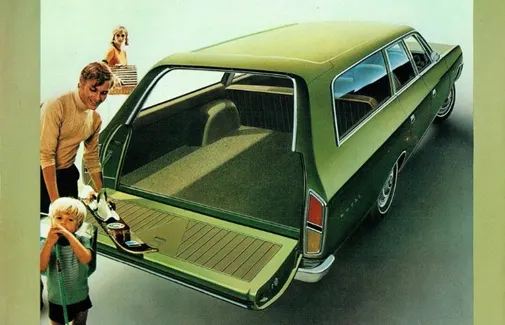
- Bottom mount car Tailgate
Manufacturing process
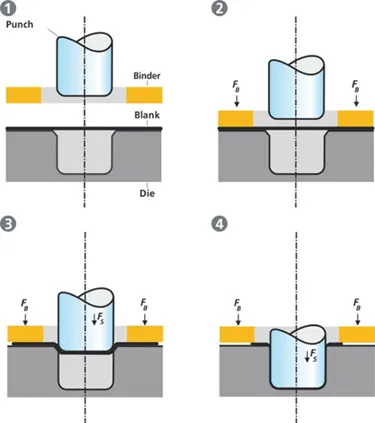
Deep Drawing
Deep drawing is one of the most widely used processes in sheet metal forming. Apart from its use in many other sectors, it is applied in the automotive industry for the manufacturing of car body parts. The deep drawing process isa forming process which occurs under a combination of tensile and compressive conditions. Sheet metal blank is radially drawn into a forming die by the mechanical action of a punch. It is thus a shape transformation process with material retention. The process is considered "deep" drawing when the depth of the drawn part exceeds its diameter. This is achieved by redrawing the part through a series of dies. The flange region (Sheet metal in the die shoulder area) experiences a radial drawing stress and a tangential compressive stress due to the material retention property. These compressive stresses (hoop stresses) result in flange wrinkles. Wrinkles can be prevented by using a blank holder, the function of which is to facilitate controlled material flow into the die radius.
HEMMING
The outer panel & Inner panel can't be joined by the welding process as it will leave a spot on the outer panel and it will spoil the look of a car.
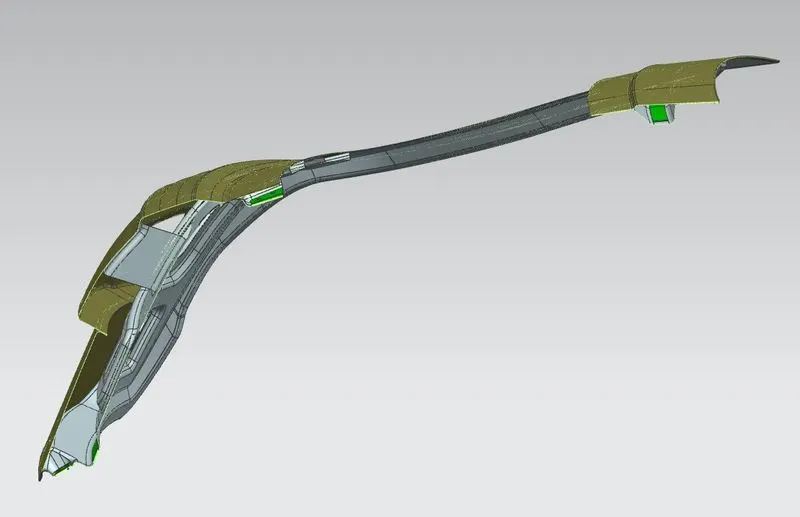
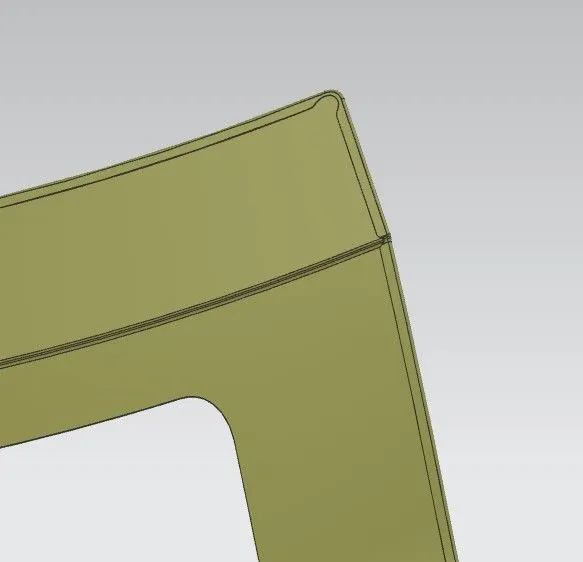
Inner and outer closure panels together we use the Hemming process It is the process of bending/folding the flange of the outer panel over the inner one, the flange of the outer panel is bent over the inner panel in progressive steps by means of the roller harming head.
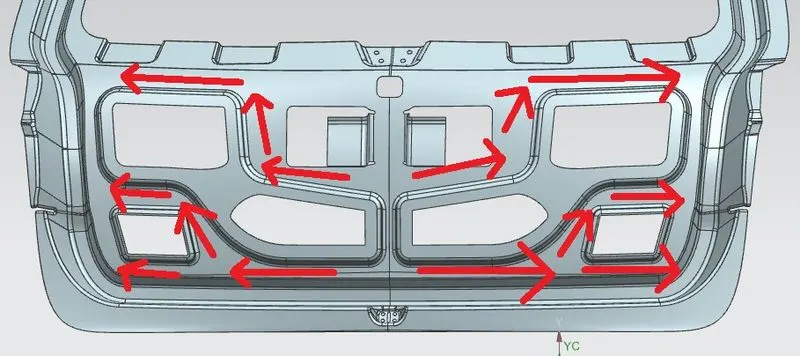
Emboss
Throughout the inner panel we provide different embosses. We can increase the stiffness of the inner panel through these embosses. The shape and size of the embosses also determines the direction of the force distribution resulted from frontal collision. The force should be always distributed away from the passengers. Here in the figure the embosses are designed in such a way that the force is directed to both sides of the car.
TOOLS WE USED IN NX CAD FOR BACK DOOR ASSEMBLY
Trim Body/Trim Sheet. – The main difference is Trim Sheet is limited to trimming away areas of non-solid bodies (a single surface or collection of surfaces sewn into a sheet body) but the objects used to define the trimming boundary isn't limited to only faces or datum planes as is the case with Trim Body.
Offset surface. – The offset surface tool is useful way of creating a series of deposit or erosion contact surfaces from a reference mesh. The surface can be offset from the reference mesh by points or by a fixed distance, and additional options for offsetting to points can be adjusted once the surface has been created.
Through Curves. - You can create a sheet body through curves by using the “Through Curves” command. If the curves do not have closed contours, the created body will be a surface body.
Law Extension. - creates flanges or extensions when a particular direction is important or when it is necessary to reference the existing face. For example, in die design or mold design, draft direction plays an important role in creating parting surfaces.
Emboss. – Use the Emboss Sheet command to modify a sheet body by adding faces of a solid body, as if the solid body was pressed into the sheet body.
Sheet metal models are embossed to:
Increase a metal panels stiffness and rigidity.
Increase the surface area for heat transfer or acoustic applications.
Improve traction.
Enhance the ability of a metal surface to disperse fluids efficiently.
Reduce friction and static.
Project curve. - Use the Project Curve command to project curves, edges, or points that are external to the sketch, onto the sketch along the normal of the sketch plane.
Face blend/Edge blend. - Use the Edge Blend command to round sharp edges between faces. / Use the Face Blend command to add tangent blend faces between two or three sets of faces. The cross section of the blend can be circular, conic, or law controlled.
Wave geometry linker. - WAVE Geometry Linker is a means of associatively (or not if desired) linking (copying)geometry from one part into another. These can be bodies, faces, curves, sketches, routing objects etc which can then be used in the receiving part to design from or refer to.
Assembly constraint. - Assembly driven constraints provide you with a way to control the range of motion—both linear and angular—for the components of an assembly. This type of constraint allows you to include more design intent in your models, and you can make an assembly behave just as an actual model would in real life.
Mirror geometry/Mirror assembly. - You can create mirrored symmetric versions of the parts and components (sub-assemblies) in the NX assembly modelling. The “Mirror Assembly” command is used to create mirrored parts and components. / You can mirror solid or surface bodies in the NX. It might be hard to find this command in NX because there are two mirror commands in NX
Sew. - Use the Sew command to join two or more sheet bodies into a new single sheet body. If the collection of sheet bodies encloses a volume, a solid body is created. The selected sheet bodies must not have any gaps larger than the specified tolerance, or the resulting body will be a sheet body.
Thicken. - Use the Thicken command to offset one or more connected faces or sheets into a solid body. Thickening occurs by offsetting the selected faces along their face normal, and then creating sidewalls.
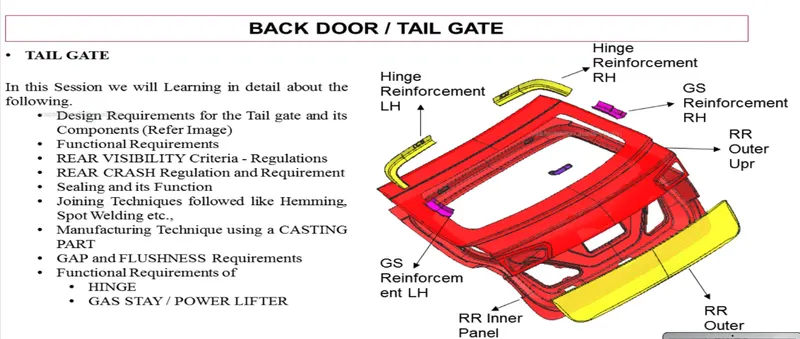
Back Door Assembly & COMPONENTS:
- Inner panel
- outer panel
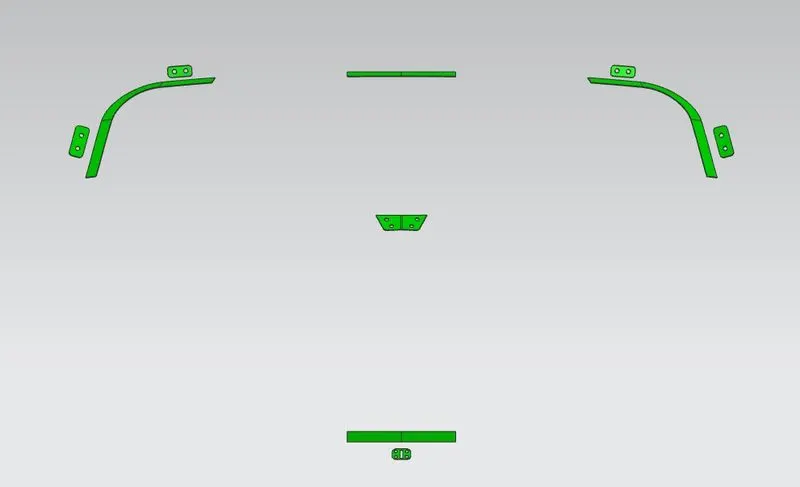
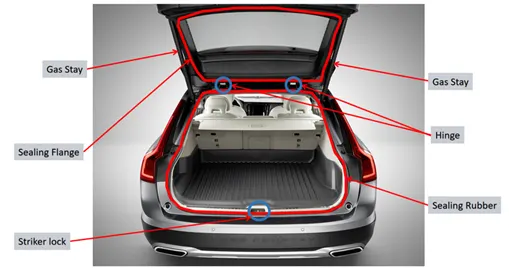
- hinge and its reinforcement
- wiper motor reinforcement
- latch & Stricker and its reinforcement
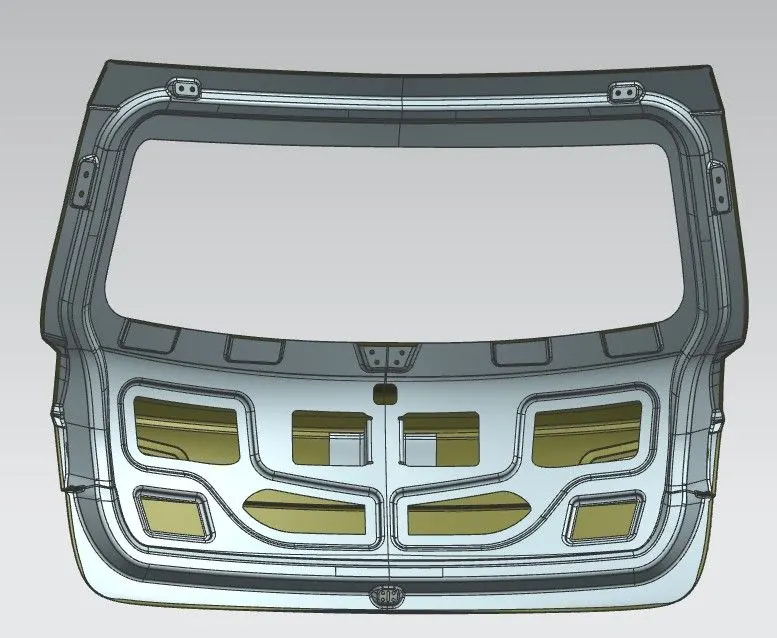
Img A
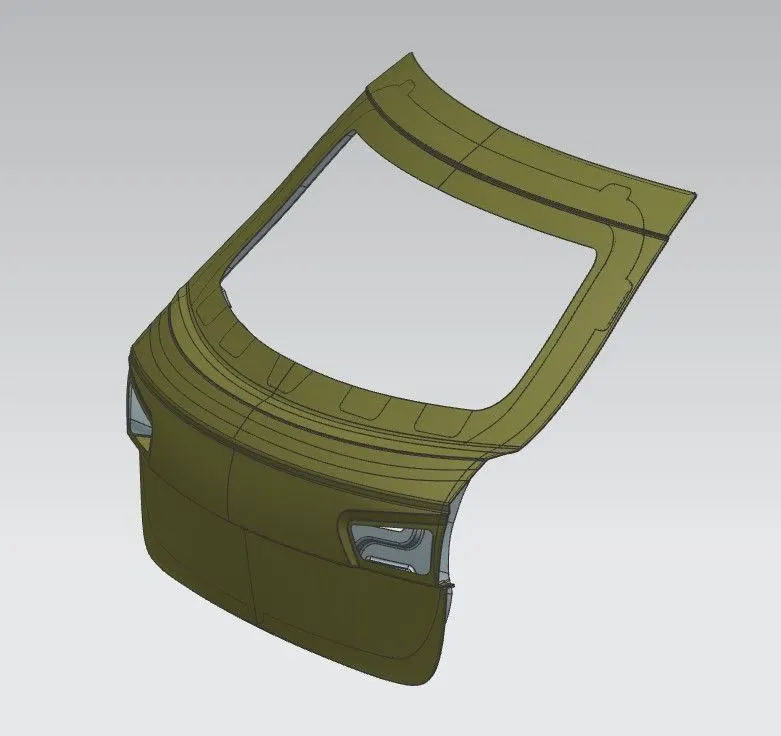
Img B(Img of back door assembly.)
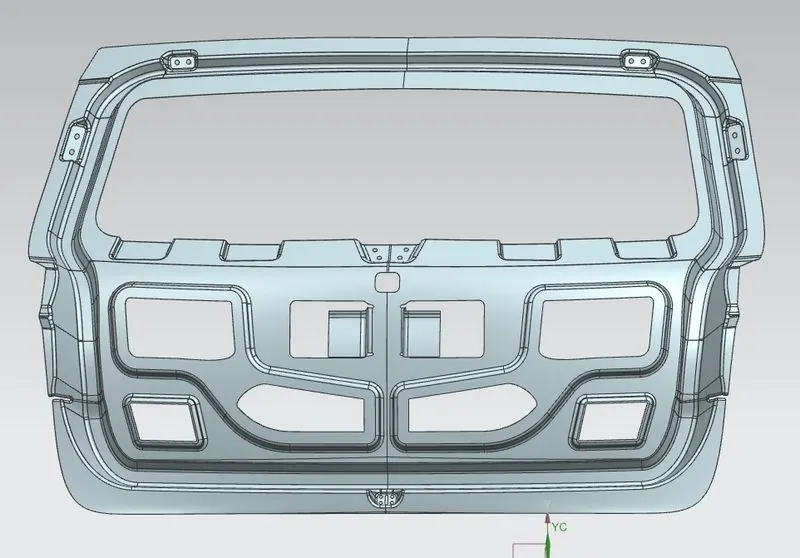
Img 1 Inner Panel.
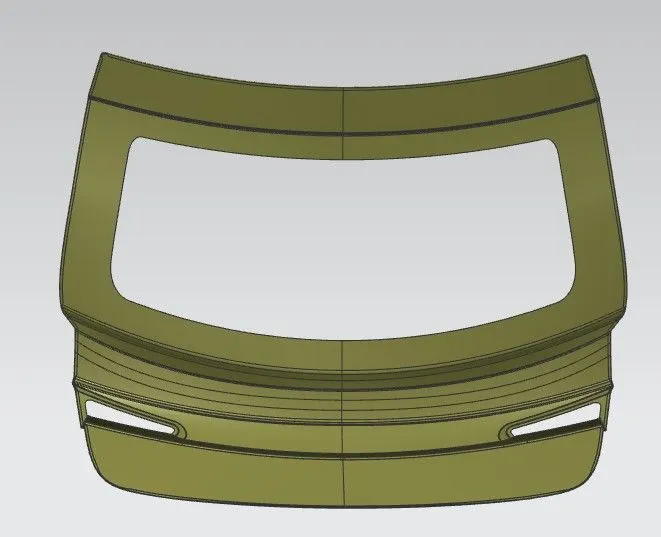
Img 2 Outer Panel.
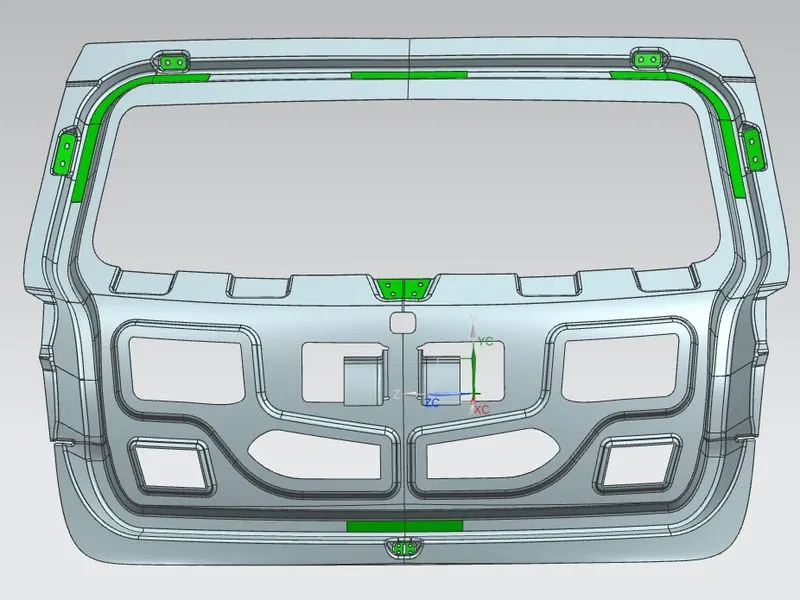
Img 3 Reinforcement.
Section Img of Back Door