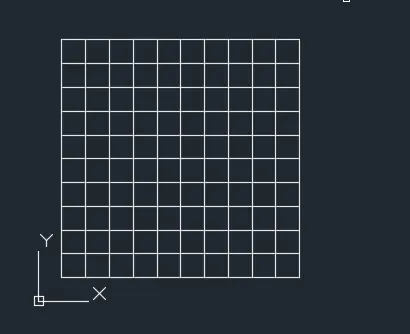
Creation of geometries by Coordinate system methods using AutoCad
Aim:- Creating the geometries from P1 to P2 using coordinate system methods
Introduction:-We need to take line commands to draw the sketches and also can use the circle command to draw the sketces
- Procedure:-
- By using relative rectangular coordinate
- Choose the line tool
- Line specify first point 2,1
- Specify next point@ 6,0
- specify next point@ 0,1
- Specify next point@ -5,0
- Specify next point@0,4
- Specify next point@5,0
- Specify next point@0,1
- Specify next point@ -6,0
- Use the close command
- Result:-By using relative coordinate system we have concluded this result given below
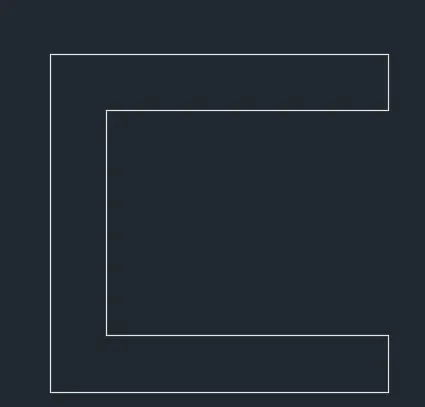 p1
p1
Aim:-Creating the geometries from P1 to P2 using coordinate system methods
Introduction:-We need to take line commands to draw the sketches and also can use the circle command to draw the sketces
- Procedure:-
- By using relative rectangular coordinate
- Choose the line tool
- Line specify first point 2,1
- Specify next point@ 6,0
- specify next point@ 0,1
- Specify next point@ -5,0
- Specify next point@0,4
- Specify next point@5,0
- Specify next point@0,1
- Specify next point@ -6,0
- Use the close command
Result:-By using relative coordinate system we have concluded this result given below
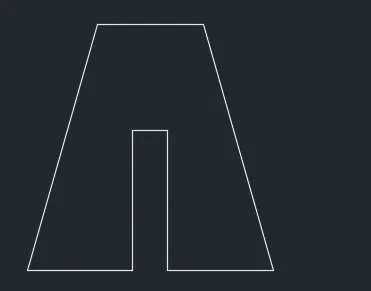 P2
P2
Aim:-Creating the geometries from P1 to P2 using coordinate system methods
Introduction:-We need to take line commands to draw the sketches and also can use the circle command to draw the sketces
- Procedure:-
- By using relative rectangular coordinate
- Choose the line tool
- Line specify first point 2,1
- Specify next point@ 6,0
- specify next point@ 0,1
- Specify next point@ -5,0
- Specify next point@0,4
- Specify next point@5,0
- Specify next point@0,1
- Specify next point@ -6,0
- Use the close command
Result:-By using relative coordinate system we have concluded this result given below
 P4
P4
Aim:-Creating the geometries from P1 to P2 using coordinate system methods
Introduction:-We need to take line commands to draw the sketches and also can use the circle command to draw the sketces
- Procedure:-
- By using relative rectangular coordinate
- Choose the line tool
- Line specify first point 2,1
- Specify next point@ 6,0
- specify next point@ 0,1
- Specify next point@ -5,0
- Specify next point@0,4
- Specify next point@5,0
- Specify next point@0,1
- Specify next point@ -6,0
- Use the close command
Result:-By using relative coordinate system we have concluded this result given below
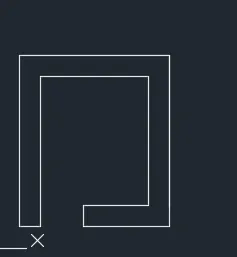 P5
P5
Aim:-Creating the geometries from P1 to P2 using coordinate system methods
Introduction:-We need to take line commands to draw the sketches and also can use the circle command to draw the sketces
- Procedure:-
- By using relative rectangular coordinate
- Choose the line tool
- Line specify first point 2,1
- Specify next point@ 6,0
- specify next point@ 0,1
- Specify next point@ -5,0
- Specify next point@0,4
- Specify next point@5,0
- Specify next point@0,1
- Specify next point@ -6,0
- Use the close command
Result:-By using relative coordinate system we have concluded this result given below
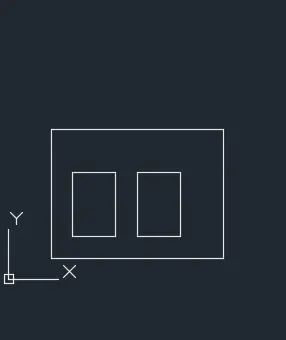 P7
P7
Aim:-Creating the geometries from P1 to P2 using coordinate system methods
Introduction:-We need to take line commands to draw the sketches and also can use the circle command to draw the sketces
- Procedure:-
- By using relative rectangular coordinate
- Choose the line tool
- Line specify first point 2,1
- Specify next point@ 6,0
- specify next point@ 0,1
- Specify next point@ -5,0
- Specify next point@0,4
- Specify next point@5,0
- Specify next point@0,1
- Specify next point@ -6,0
- Use the close command
Result:-By using relative coordinate system we have concluded this result given below
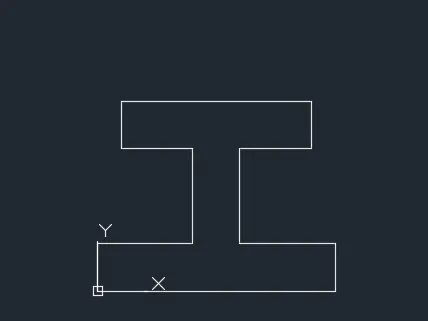 P8
P8
Aim:-Creating the geometries from P1 to P2 using coordinate system methods
Introduction:-We need to take line commands to draw the sketches and also can use the circle command to draw the sketces
- Procedure:-
- By using relative rectangular coordinate
- Choose the line tool
- Line specify first point 2,1
- Specify next point@ 6,0
- specify next point@ 0,1
- Specify next point@ -5,0
- Specify next point@0,4
- Specify next point@5,0
- Specify next point@0,1
- Specify next point@ -6,0
- Use the close command
Result:-By using relative coordinate system we have concluded this result given below
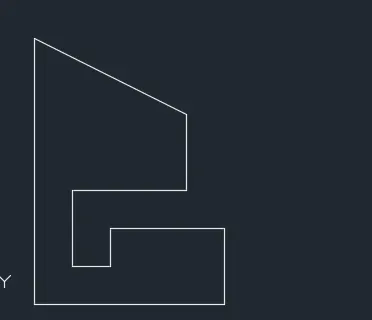 P9
P9
Aim:-Creating the geometries from P1 to P2 using coordinate system methods
Introduction:-We need to take line commands to draw the sketches and also can use the circle command to draw the sketces
- Procedure:-
- By using relative rectangular coordinate
- Choose the line tool
- Line specify first point 2,1
- Specify next point@ 6,0
- specify next point@ 0,1
- Specify next point@ -5,0
- Specify next point@0,4
- Specify next point@5,0
- Specify next point@0,1
- Specify next point@ -6,0
- Use the close command
Result:-By using relative coordinate system we have concluded this result given below
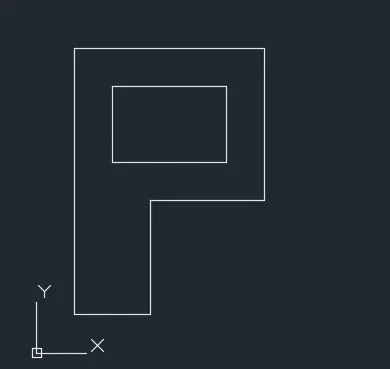 P10
P10
Aim:-Drawing the profile and trusses using any coordinate system
Introduction:-We need to take line commands to draw the sketches and also can use the circle command to draw the sketces
- Procedure:-
- By using relative rectangular coordinate
- Choose the line tool
- Line specify first point 2,1
- Specify next point@ 6,0
- specify next point@ 0,1
- Specify next point@ -5,0
- Specify next point@0,4
- Specify next point@5,0
- Specify next point@0,1
- Specify next point@ -6,0
- Use the close command
Result:-By using relative coordinate system we have concluded this result given below
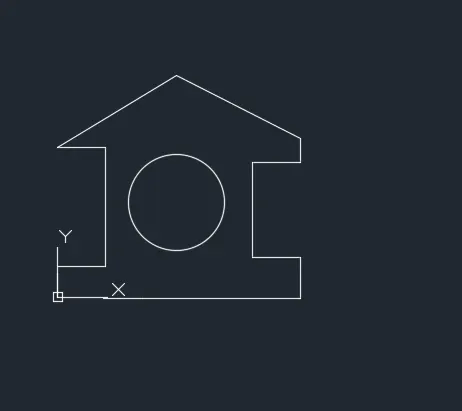 Profile=wood
Aim:-Drawing the profile and trusses using any coordinate system
Introduction:-We need to take line commands to draw the sketches and also can use the circle command to draw the sketces
- Procedure:-
- By using relative rectangular coordinate
- Choose the line tool
- Line specify first point 2,1
- Specify next point@ 6,0
- specify next point@ 0,1
- Specify next point@ -5,0
- Use polar coordinate@2<45
- Specify next point@5,0
- Specify next point@0,1
- Specify next point@ -6,0
- Use the close command
Result:-By using relative coordinate system and polar coordinate we have concluded this result given below
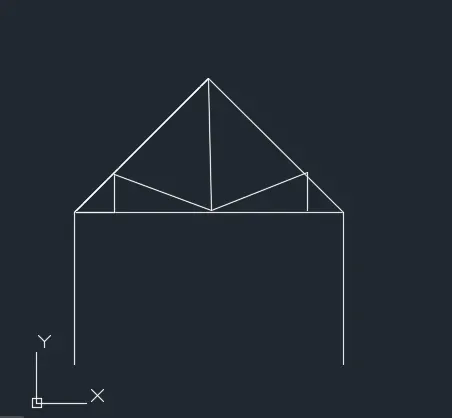 Queen post truss
Aim:-Drawing the profile and trusses using any coordinate system
Introduction:-We need to take line commands to draw the sketches and also can use the circle command to draw the sketces
- Procedure:-
- By using relative rectangular coordinate
- Choose the line tool
- Line specify first point 2,1
- Specify next point@ 6,0
- specify next point@ 0,1
- Specify next point@ -5,0
- Specify next point@0,4
- Use polar coordinate@2<45
- Specify next point@5,0
- Specify next point@0,1
- Specify next point@ -6,0
- Use the close command
Result:-By using relative coordinate system and polar coordinate we have concluded this result given below
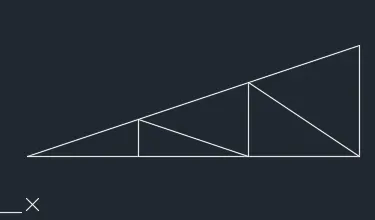 Mono pith
Aim:-Drawing the profile and trusses using any coordinate system
Introduction:-We need to take line commands to draw the sketches and also can use the circle command to draw the sketces
- Procedure:-
- By using relative rectangular coordinate
- Choose the line tool
- Line specify first point 10,0
- Specify next point@ 0,10
- specify next point@ -10.0
- Specify next point@ -5,0
- Use the close command
- Use command offset and form grid of 1unit
Result:-By using relative coordinate system we have concluded this result given below