Creation of geometries by Coordinate system methods using AutoCad
Challenge 1
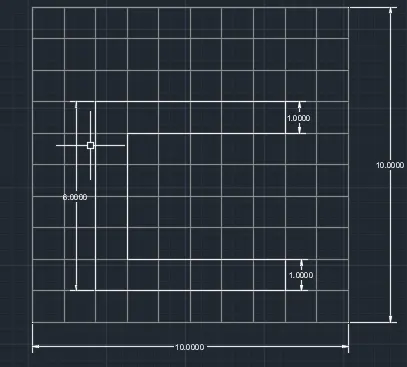
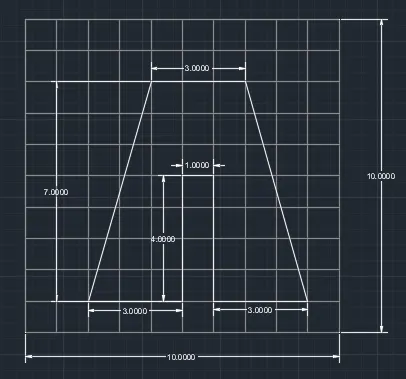
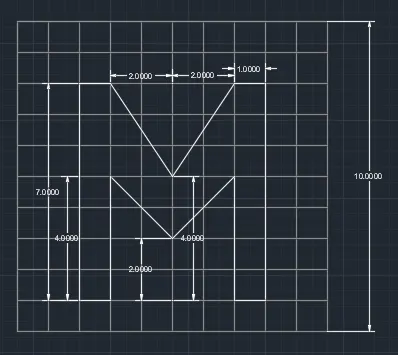
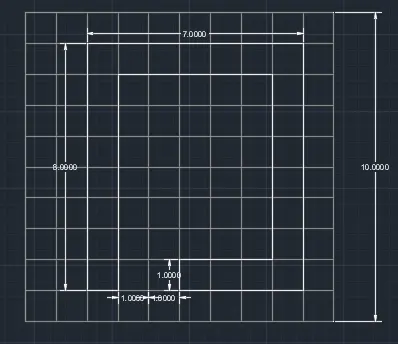
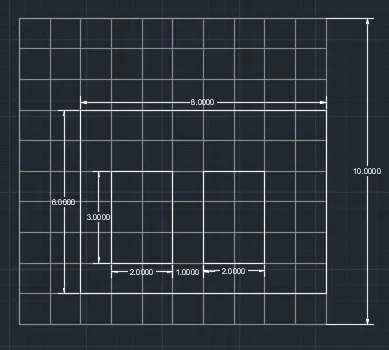
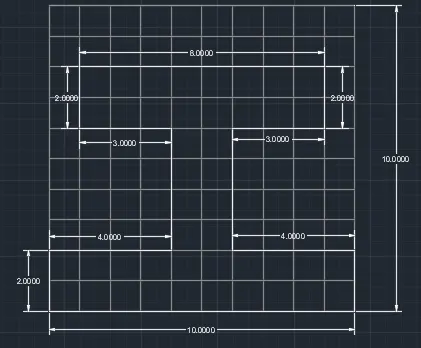
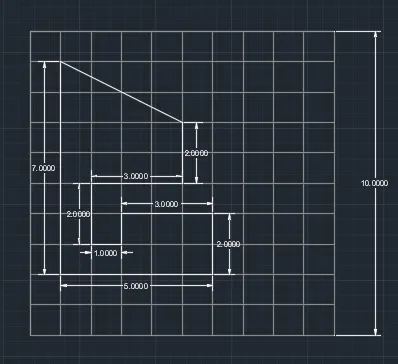
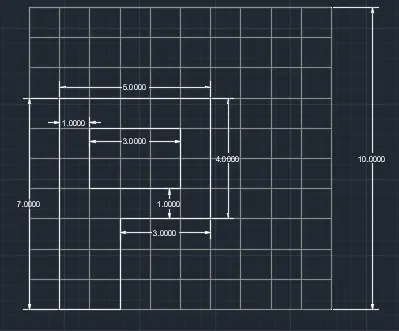
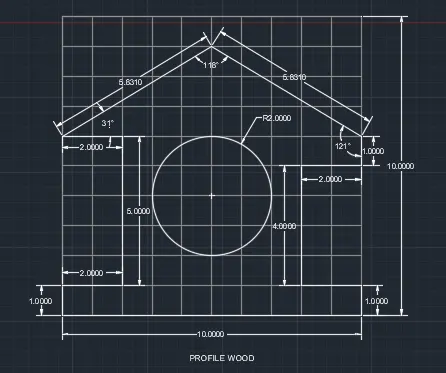
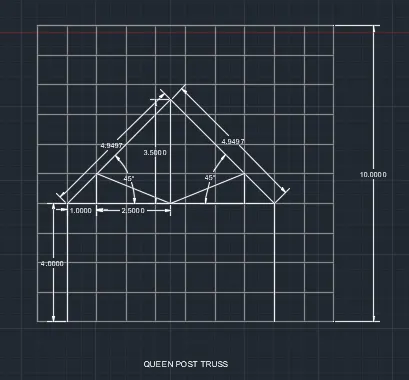
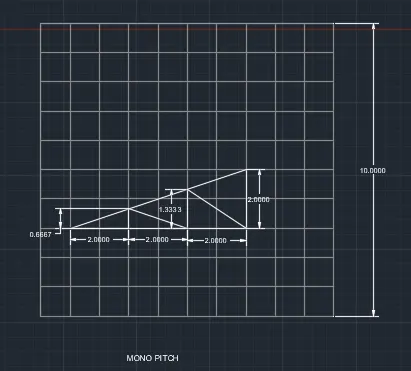
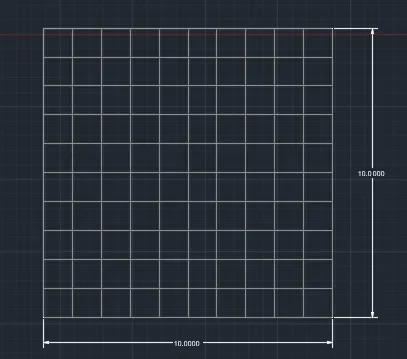
Aim: - To Create the geometries from P1 to P8 using all the coordinates system methods.
Procedure: - following steps are uses to draw geometries by coordinate’s system method
Using Specific Coordinates
- Click Home tab > Draw panel > Line. Find
- Type the coordinate value for the first point by typing the X value, a comma, then the Y value, for example 1.65,4.25.
- Press the Spacebar or Enter.
- Do one of the following:
- If dynamic input is on: Type the pound sign (#) followed by the X-value, a comma, then the Y-value, for example #4.0,6.75.
- If dynamic input is off: Type the X value, a comma, then the Y value, for example 4.0,6.75.
- Press the Spacebar or Enter.
Using a Relative Coordinate
- Click Home tab > Draw panel > Line. Find
- Specify the first point.
- To specify the second point relative to the first point, do one of the following:
- If dynamic input is on: Type the X-value, a comma, then the Y-value, for example 4.0,6.75.
- If dynamic input is off: Type the at sign (@) followed by the X-value, a comma, then the Y-value, for example @4.0,6.75.
- Press the Spacebar or Enter.
Result:-