Creation of geometries by Coordinate system methods using AutoCad
AIM AND INTRODUCTION :
i) AIM :
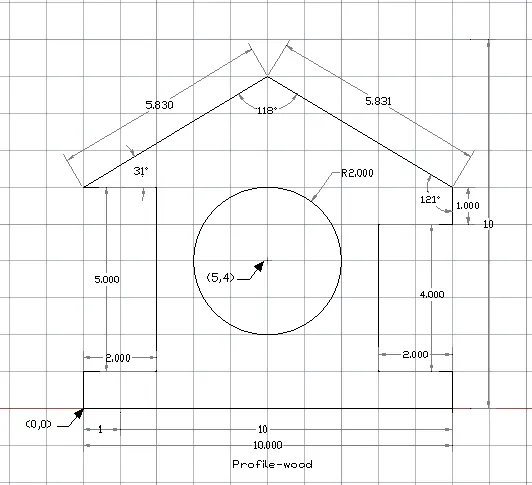
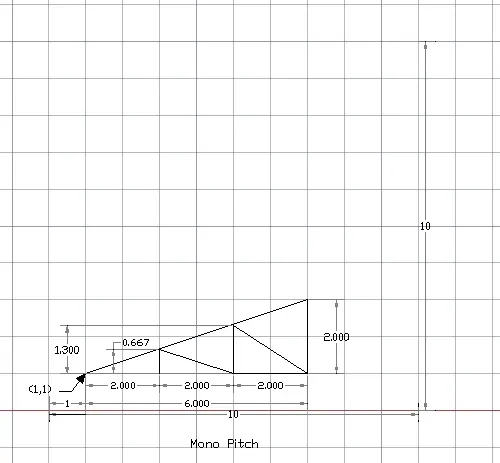
To Create the geometries from P1 to P10 using all the coordinates system methods by using line tool and circle tool if required .
ii) INTRODUCTION :
The geometries are needs to be created by using coordinates such as cartesian coordinate, relative coordinate and polar coordinate with the help of tools such as line, circle ect.
PROCEDURES :
- First the starting point should be specified from X and Y. Eg : (0,0) , (1,1) ect.
- Then geometry will be drawn by using line tool and coordinate system method as per the required angle and dimensions of the geometry.
- While drawing geometry lines by using the line tool, we should enter the starting and ending point of the line. Eg: @1,5 (or) @1,<45.
- To know whethere the drawn angle and dimensions of the geometry are correct as per the required drawing, we should use the tool called 'Dimlinear' , Dimangular' , 'Dimalignment' etc.
- To save the geometry, we should use the key 'ctrl+s' .
RESULT :
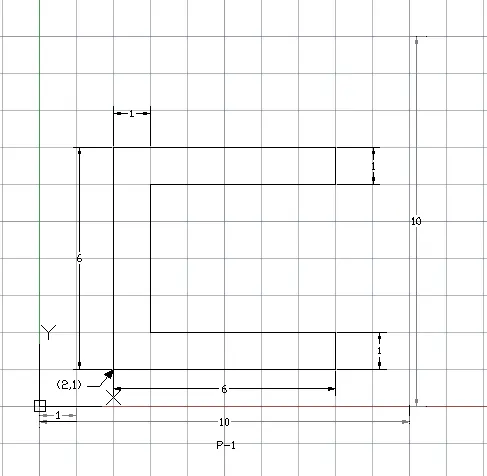
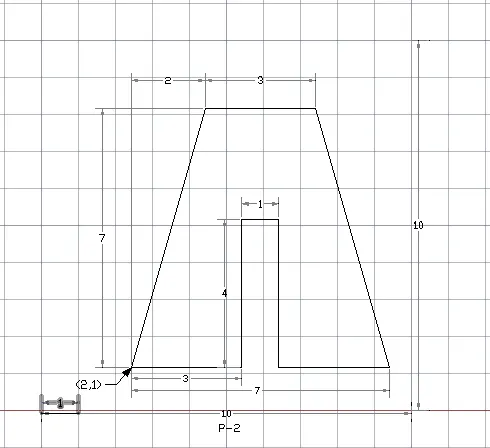
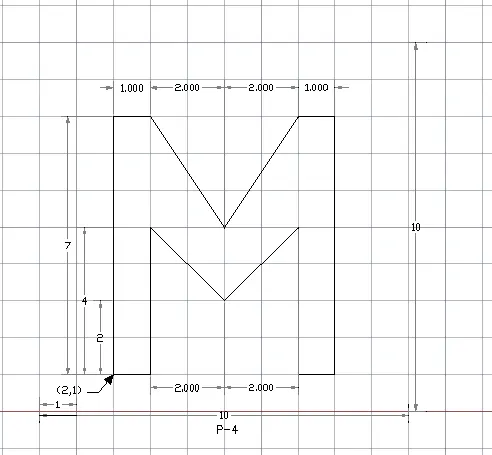
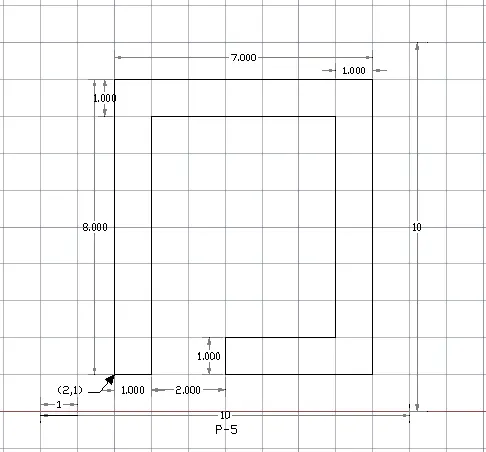
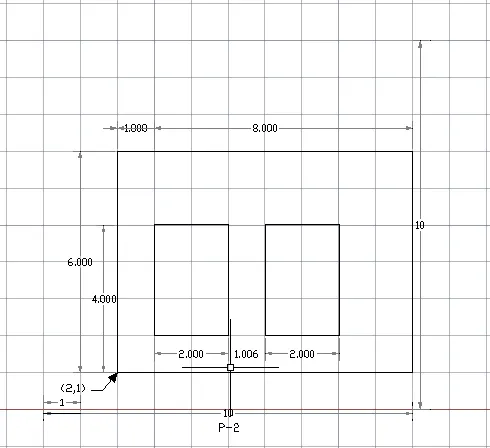
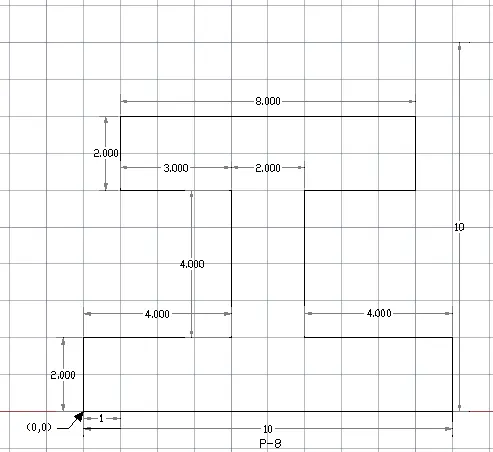
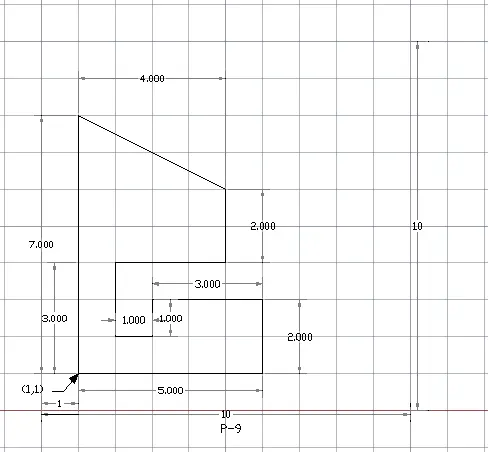
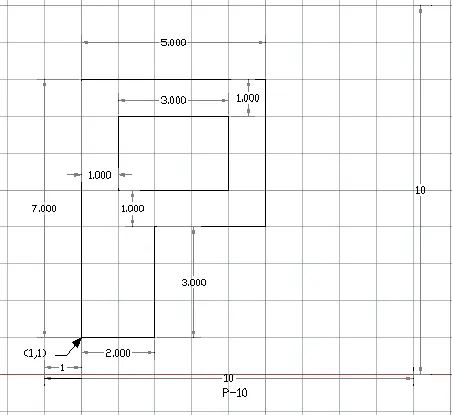
Civil Related Problems :