Creation of geometries by Coordinate system methods using AutoCad
AIM: To create the geometries from P1 to P2 using all the co-ordinates system methods and remaining from P3 to 10 using the suitable co-ordinates system methods as per requirement.
Procedure:
P1
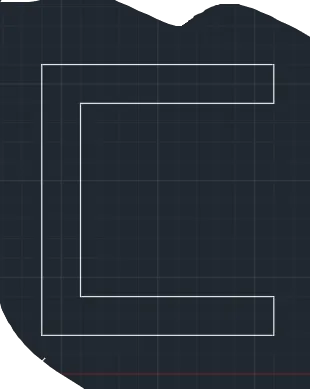
Absolute co-ordinate system: cmd - Line enter and assign values as (2,1), (6,1), (6,2), (3,2), (3,7), (6,7), (6,8), (2,8), (2,1)
Relative co-ordinate rectangular system: cmd - line enter and assign values as (2,1), (@6,0), (@0,1), (@-5,0), (@0,5), (@5,0), (@0,1), (@-6,0), (@0,-7).
Relative co-ordinate polar system: cmd - line enter and assign values as (2,1), (@6<0), (@1<90), (@5<180), (5<90), (@5<0), (@1<90), (@6<180), (@7<270)
P2
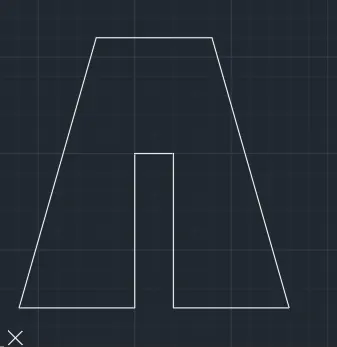
Absolute co-ordinate system: cmd - line enter and assign values as (2,1), (5,1), (5,5), (6,5), (6,1), (9,1), (7,7), (4,7), (2,1).
Relative co-ordinate rectangular system: cmd - line enter and assign values as (2,1), (@3,0), (@0,4), (@1,0), (@0,-4), (@3,0), (@-2,7), (@-3,0), (@-2,-7).
Relative co-ordinate polar system: cmd - line enter and assign values as (2,1), (@3<0), (@4<90), (@1<0), (@4<270), (@3<0), (@-2,7), (@-3,0), (@-2,-7).
P3:
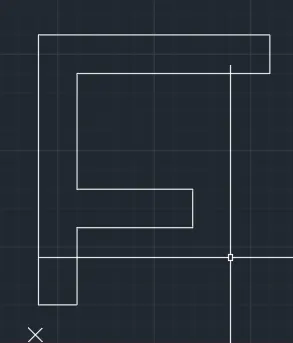
cmd - line enter and assign values as (2,1), (@1<0), (@2<90), (@3<0), (@1<90), (@3<180), (@3<90), (@5<0), (@1<90), (@6<180), (@7<270).
P4:
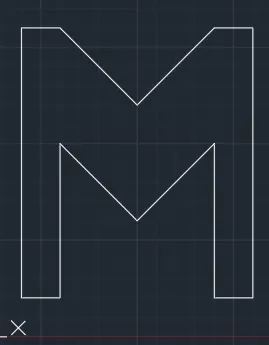
cmd - line enter and assign values as (2,1), (@1,0), (@0,4), (@2,-2), (@2,2), (0,-4), (@1,0), (@0,7), (@-1,0), (@-2,-2), (@-2,2), (@-1,0), (@-7,0).
P5:
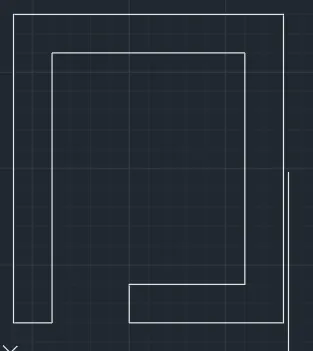
cmd - line enter and assign values as (2,1), (3,1), (3,8), (8,8), (8,2), (5,2), (5,1), (9,1), (9,9), (2,9), (2,1).
P6:
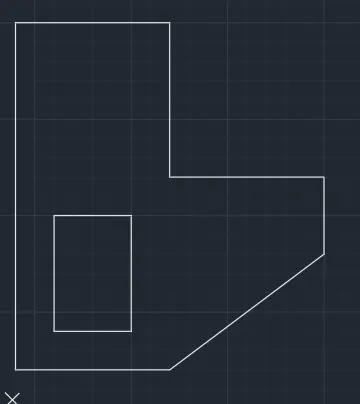
cmd - line enter and assign values as (2,1), (@4,0), (@4,3), (@0,2), (@-4,0), (@0,4), (@-4,0), (@0,-9) close and cmd - line enter and assign values as (3,2), (@2,0), (@0,3), (@-2,0), (@0,-3).
P7:
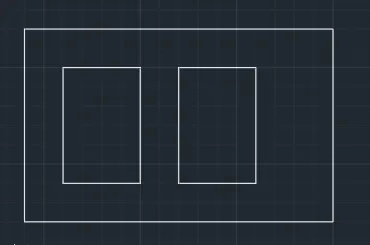
cmd - line enter and assign values as (2,1), (2,6), (10,6), (8,1), (2,1) close, cmd - line enter and assign values as (3,2), (5,2), (5,5), (3,5), (3,2) close, cmd - line enter and assign values as (6,2), (8,2), (8,5), (6,5), (6,2).
P8:
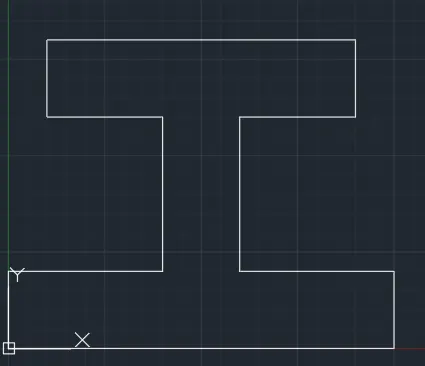
cmd - line enter and assign values as (0,0), (@10<0), (@2<90), (@4<180), (@4<90), (@3<0), (@2<90), (@8<180), (@2<270), (@3<0), (@4<270), (@4<180), (@2<270).
P9:
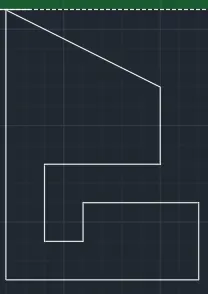
cmd - line enter and assign values as (1,1), (@5,0), (@0,2), (@-3,0), (@0,-1), (@-1,0), (@0,2), (@3,0), (@0,2), (@-4,2), (@0,-7).
P10:
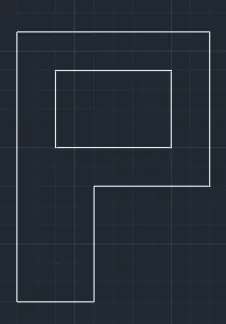
cmd - line enter and assign values as (1,1), (3,1), (3,4), (6,4), (6,8), (1,8), (1,1) close cmd - line enter and assign values as (2,5), (5,5), (5,7), (2,7), (2,5).
Profile wood:
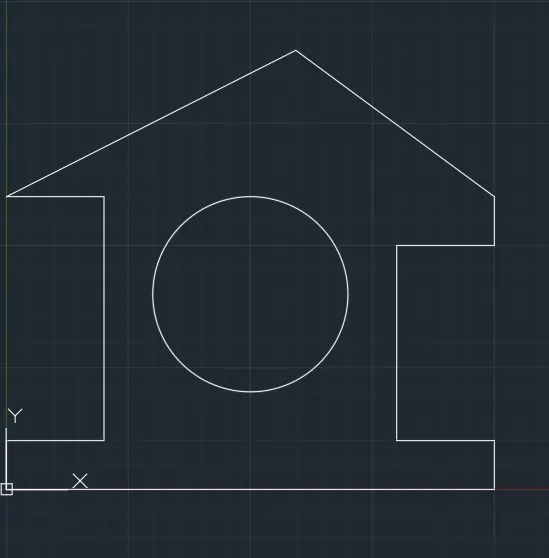
cmd - line enter and assign values as (0,0), (10,0), (10,1), (8,1), (8,5), (10,5), (10,6), (5.831,9), (0,6), (2,6), (2,1), (0,1), (0,0) close, cmd - circle enter and assign values as (5,4) and r=2.
Queen post truss:
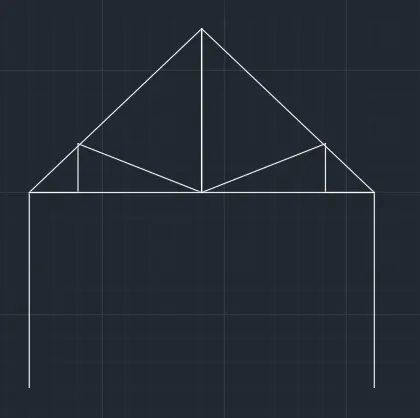
cmd - line enter and assign values as (1,1), (1,5), (2,5), (2,6), (4.536,5), (4.536,8.356), (1,5), (4.536,5) and mirror used at center.
Mono pitch:
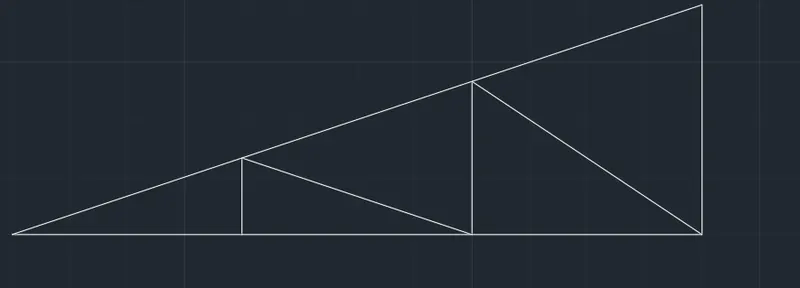
cmd - line enter and assign values as (1,1), (3,1), (3,1.667), (5,1), (5,2.333), (7,1), (7,3), (1,1) close, cmd - line enter and assign values as (3,1), (5,1), (7,1).
RESULT: The geometries from P1 to P2 using all the co-ordinates system methods and remaining from P3 to 10 using the suitable co-ordinates system methods as per requirement are completed successfully.