Creation of Column Schedule and Drawing Template using AutoCad
1.
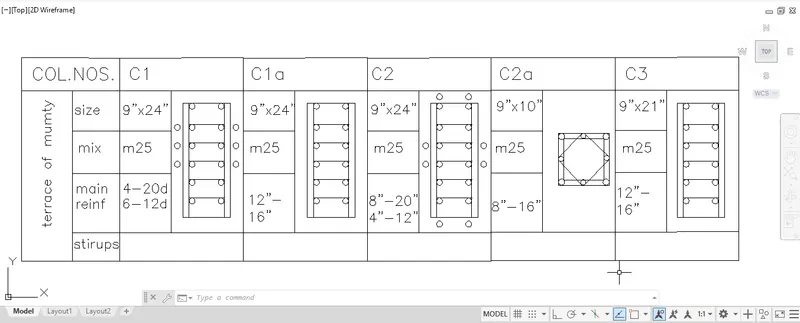
FIGURE:1
AIM:
To create a column schedule with the help of line tools. Also, insert text with the help of Dtext tool or Single Line text tool.
PROCEDURE:
line tool create the table in the appropiate height, which the height of the on column is more than 8". because the height of the text mus be 8".
after the table is created, with the help of dtext tool fill the columns and rows with the appropriate text given the question.
Result and Report:
The column schedule is created with the help of the line and text tool.
2.
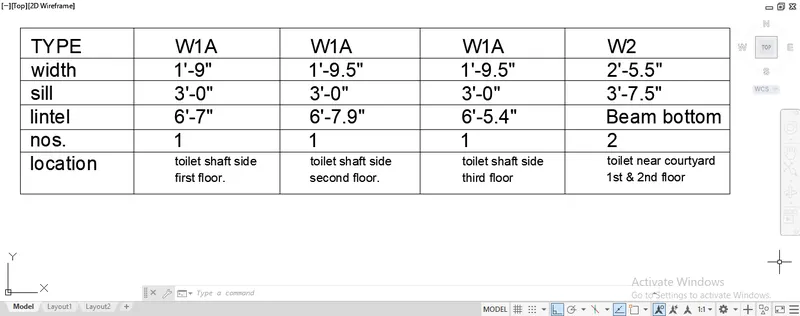
Figure:2
AIM:
Creating a window schedule as shown in the figures.
PROCEDURE:
By using the line tool the table is created and feed the suitable text in the table which are shown in the figure.
Result and Report: The window schedule is created with the help of the line and text tool.
3.
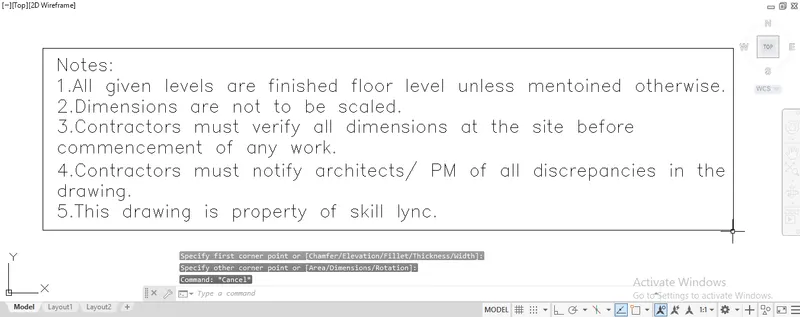
Figure:3
AIM: Create the drawing template as shown in the figure:< Using the notes as in the figure>
PROCEDURE:
Using the line tool or a rectangle tool a rectangle is created or first create the text shown in the figure ,
and then the rectangle is created after the text is created which is much easier.
4.
figure:4
AIM:
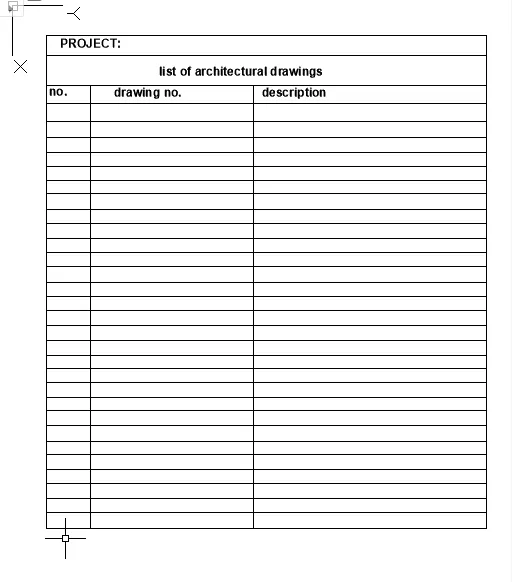
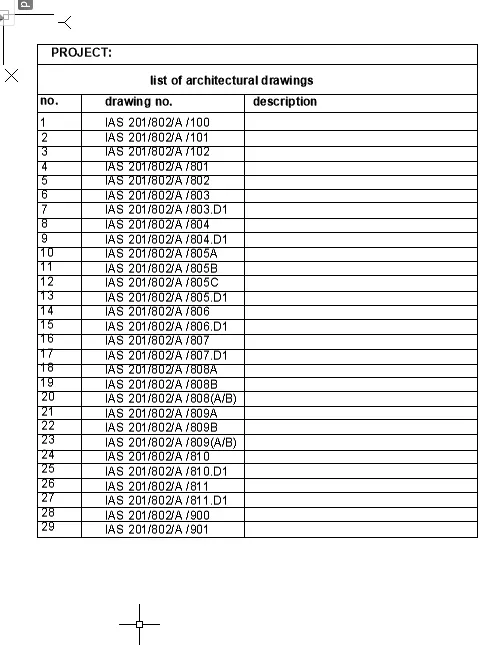
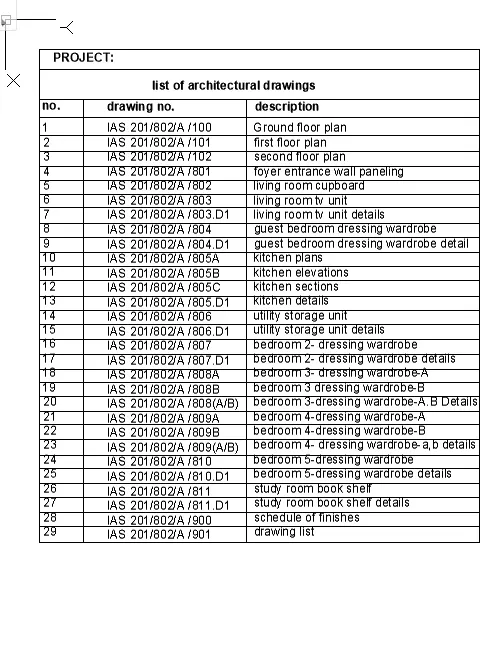
To create the list of drawing schedule as shown in the figure.
PROCEDURE:
Firstly the table is created with the appropriate size.
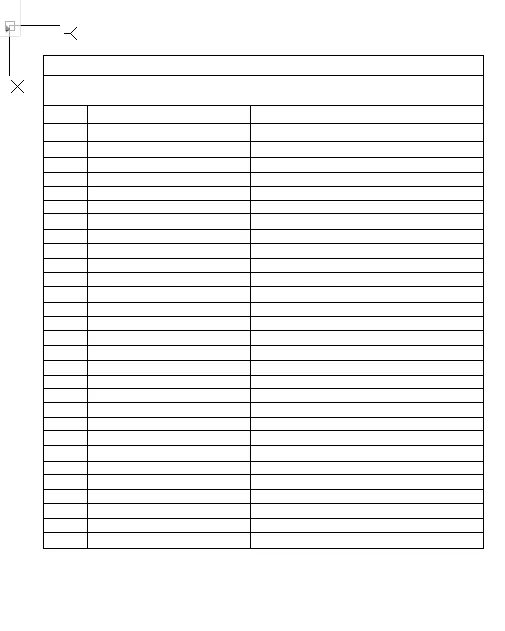
the next one is to fill the table with the texts which are supposed to be filled in the table.
Results and Report:
the given drawing schedule is drawn using the line and text tool.
5.
figure:5
AIM:
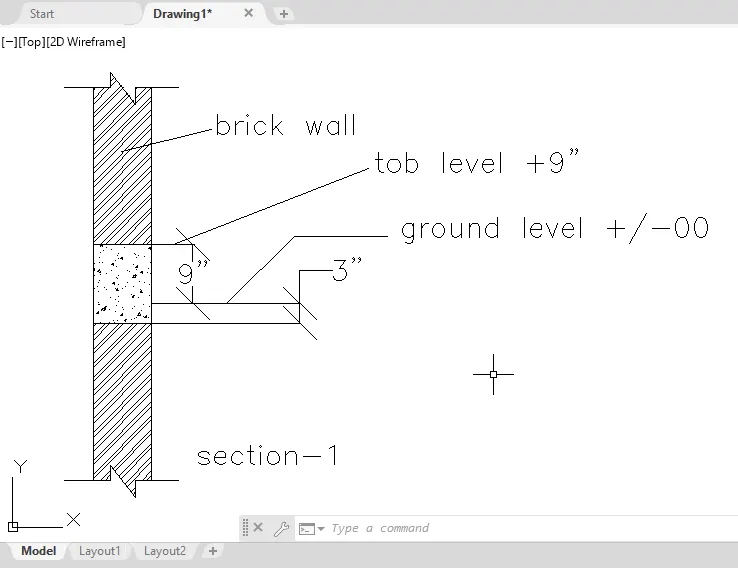
Create the Beam detail as shown in the figure.
PROCEDURE:
using the line tool all the lines on the figure is drawn and the area of beam concrete is hatched with the concrete hatch.
and the texts are fed into the sheet is filled with dtext tool.
Results and report:
the beam design is drawn with help of line, hatch and dtext tool.