Creation of Column Schedule and Drawing Template using AutoCad
AIM: Create a column schedule as shown in the figure.
using impreal template
first I draw the rectangle by command-REC
then with help of offset I drew row and column
In C1 column i drew the column size 9"x24" and give the detail about it.
And for the I used single line text by command- DTEXT
specify the first corner: click the any box corner to write
specify the text height:8"
and i used text font: romans.shx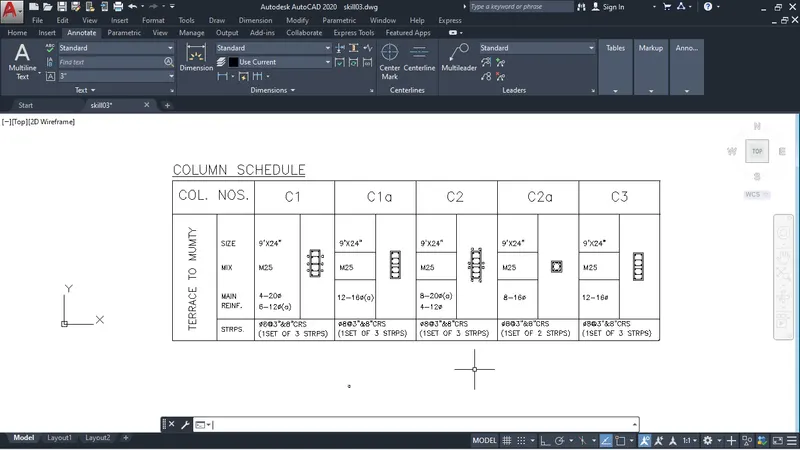
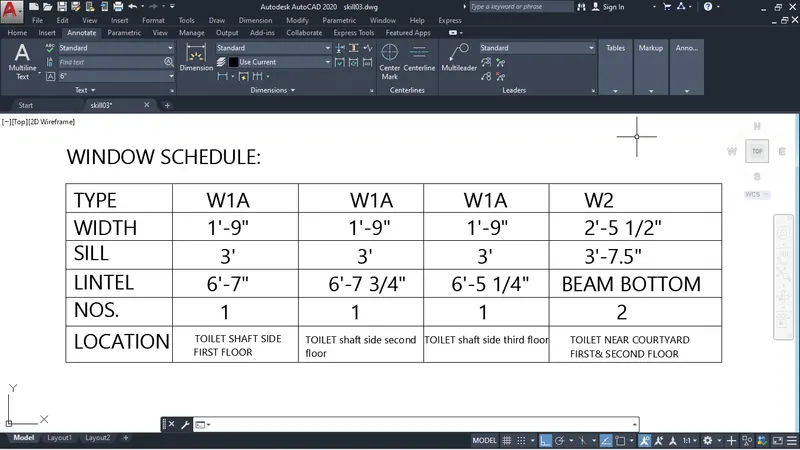
AIM: Create a window schedule as shown in the figures:
In window schedule also use rectangle command-REC
after drawing the rectangle I explode it by command-X
after that I used offset to make column and row
after I used multitext by command-MTEXT or TEXT
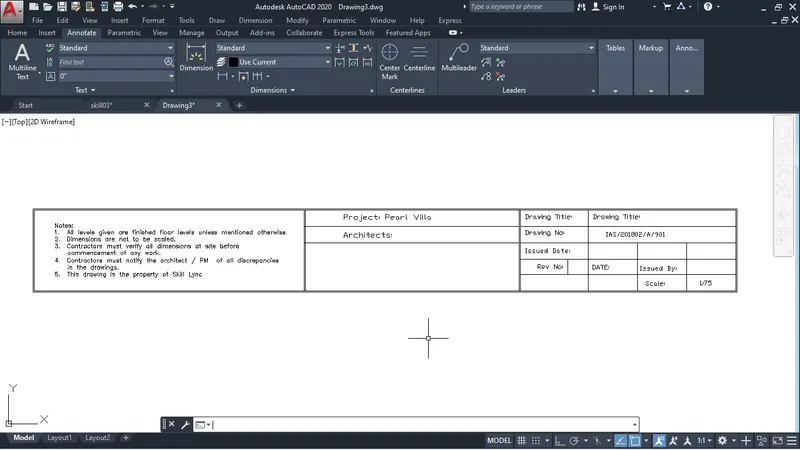
AIM: Create the drawing template as shown in the figure:< Use the Notes as in the figure>
Similary as above I used rectangle tool
and divide into three rectangle as you can see below fig.
After that I used offset for middle and right side rectangle to draw column and row as you can see fig below.
After that I used multiline Text and make text height 4" and font: romans.shx
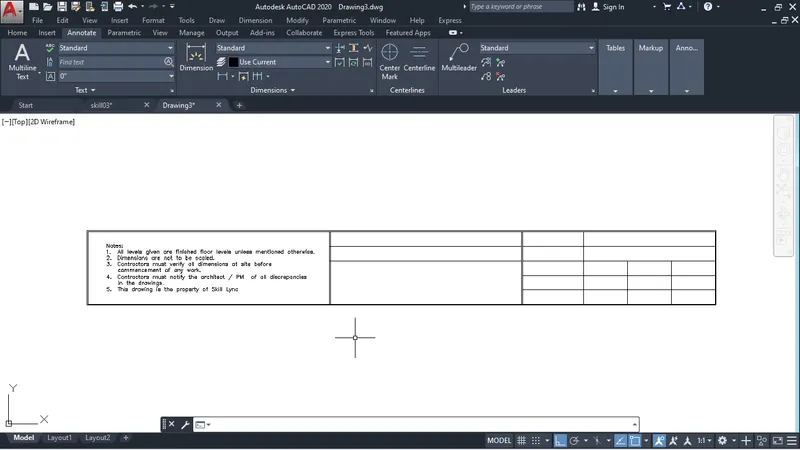
After writing the notes in left side rectangle
I used Mtext to write in middle and right side rectangle.
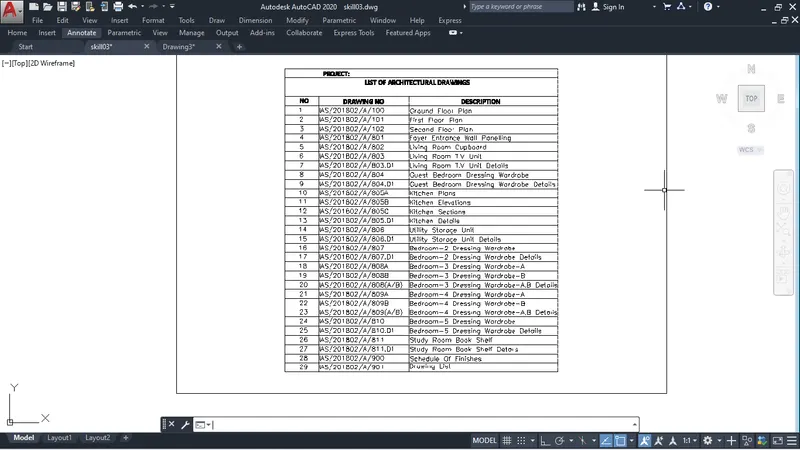
AIM: Create the list of drawing schedule as shown in the figure:
Similarly as above we can also do this with help of rectangle offset and Mtext.
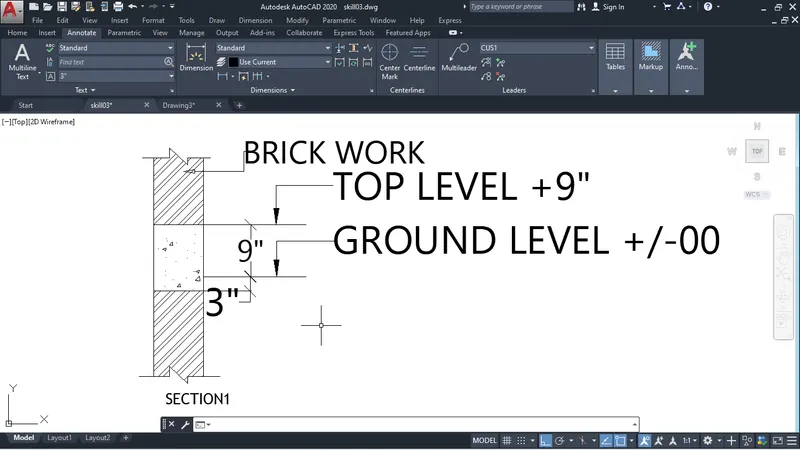
AIM:. Create the Beam detail as shown in the figure and provide text wherever given.
I use the line tool
first i draw the straight line randomly
and take the offset 9" of that line
after draw section of beam i used dimenson tool to dimension the distance as you see below fig. dimensions are 9" and 3".
After I used multileader to write certain points. as you can see below fig.