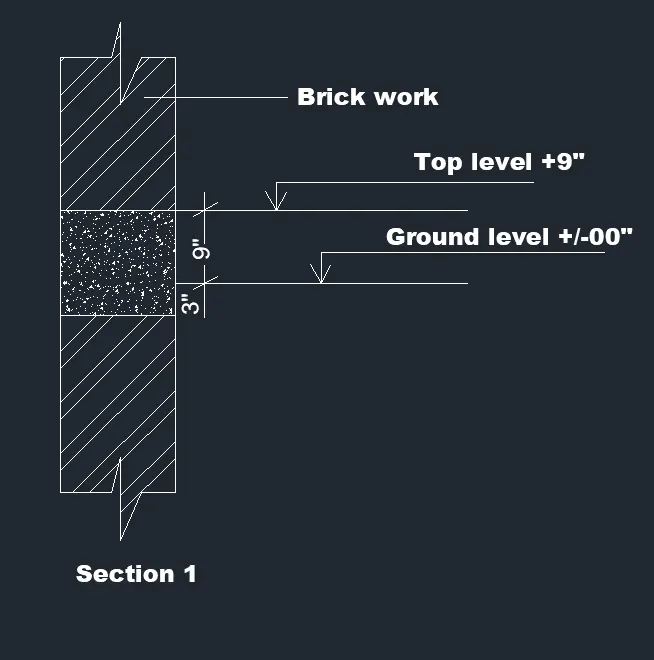
Creation of Column Schedule and Drawing Template using AutoCad
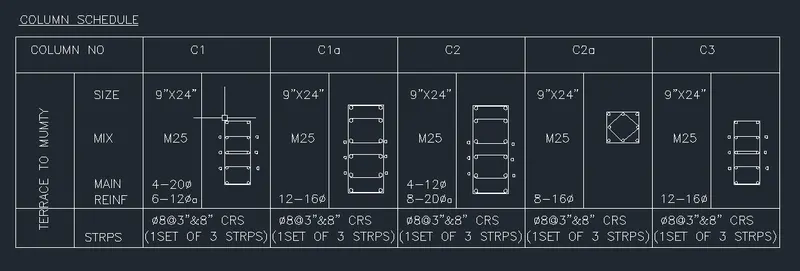
1. Create a column schedule as shown in the figure.
Note: Create a column schedule with the help of lines. Also, insert text with the help of Dtext command or Single Line text.
Hint: Use font name: romans.shx; Height: 8”, Justify: Left
Aim: To create a column schedule
Step:1) Create a drawing in Decimal units
Step:2) using single line text create a schedule
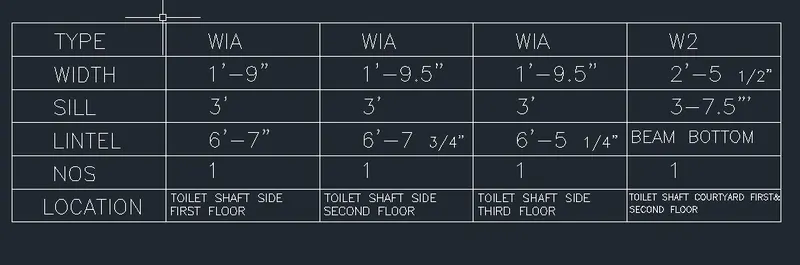
2. Create a window schedule as shown in the figures:
Aim: To create a window schedule
Step:1) Create a drawing in Decimal units
Step:2) using single line & Multiline text create a schedule
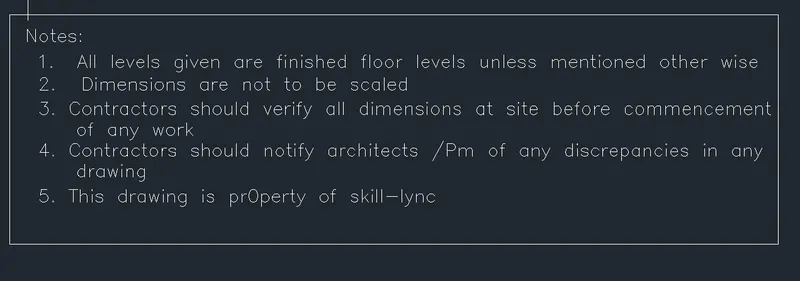
3. Create the drawing template as shown in the figure:< Use the Notes as in the figure>
Aim: To create notes in drawings

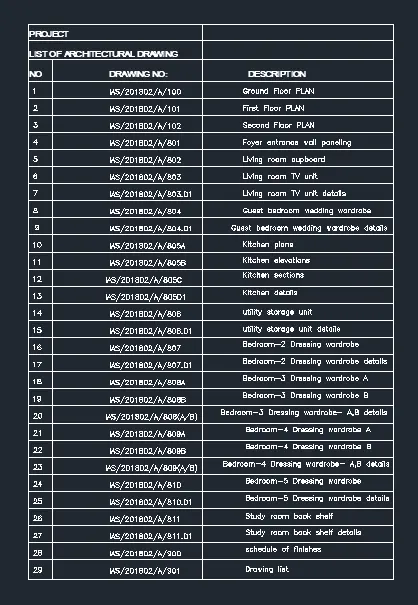
4. Create the list of drawing schedule as shown in the figure:
Aim: Create a list of drawing schedule using bold multiline text
5. Create the Beam detail as shown in the figure and provide text wherever given.
Aim: Create a beam detail
Step:1) Draw a beam using line and hatch option
Step:2) Mark using Multline text