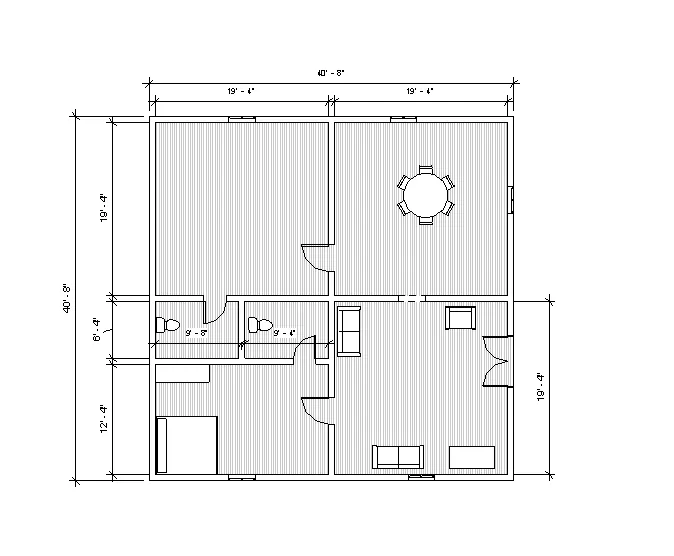
Creating Levels, Grids, Layout and model elements for a residential unit using REVIT
1.ans
BIM and its benefit over 2d CAD tool.
BIM is Building Information Modelling.
It is a concept created by Autodesk.
Revit helps in achieving BIM as a process.
Features in BIM:
BIM is divided into 2 concepts:
a) Coordination: is the key feature in BIM. It helps in coordination of multiple disciplines. Like Revit offers in coordination of
projects in architecture, structural, mechanical etc. in single projects as independent design theme units.
b) Computation: calculation of quantities of material, performing analysis. To create material schedules, quantity
schedule, performing energy analysis in Revit. In structural discipline in Revit, robo-structural analysis helps in computing the
response to load applied in a building.
Autodesk CFD, for computing floor and thermal computation in specification to mechanical engineering.
Revit is a BIM tool that helps in achieving coordinating and computing as a part of model.
Benefits over 2D CAD tool:
It saves a lot of time.
The modification of the model in one view will in turn reflect on other view.
Unlike 2d tool, we do not have to edit the modification in the plan, elevation etc. whereas in Revit changes made in one
view will be automatically loaded in all other views.
If we select a wall in one view, the same wall in all other views will be selected and gets modified thus saving time.
The changes will affect the quantities and computation also.
It also reflects in the paper space and model space.
2. Category, family and element
Category:
Categories are group of elements having common properties.
It is predefined by the software. Like a Dor, window is an example of category.
We can insert element of our choice and create a category.
It controls the organization, visibility, graphical representation and scheduling options of the family within the project.
Family:
Family is different elements having same properties. Like a single flush door, it has different sizes having the same property.
Family is a grouping of 2d or 3d information that serves to represent a discrete building or documentation element in the
project.
It defines parametric, graphical and documentation requirements.
Element:
Element is the basic feature which cannot be subdivided. Like in single flush door, the different sizes represent the
element.
Single flush door of sizes 30"x80",30"x84".
Element is specific representation in family defined by distinct parametric, graphical and documentation characteristics
which make it unique from other types in the family. Instance:
It is an individual representation of a type in the project defined by unique parametric, graphical and documentation
characteristics which make it unique from other instances in the project.
3.ANS
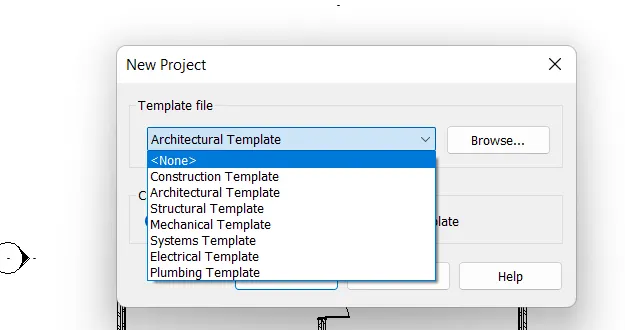
AIM: Setting up a Project – Open a project file with architectural template. Save the file with appropriate name. Set up the project units to Imperial / Metric based on your convenience of modelling. Complete the project information under Manage tab. Set up the maximum backups for project file to 3
PROCEDURE:
CLICK ON the file select new project and ok select the we required template
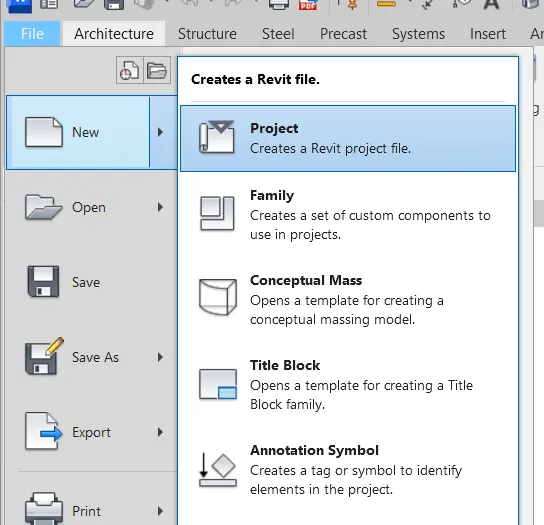
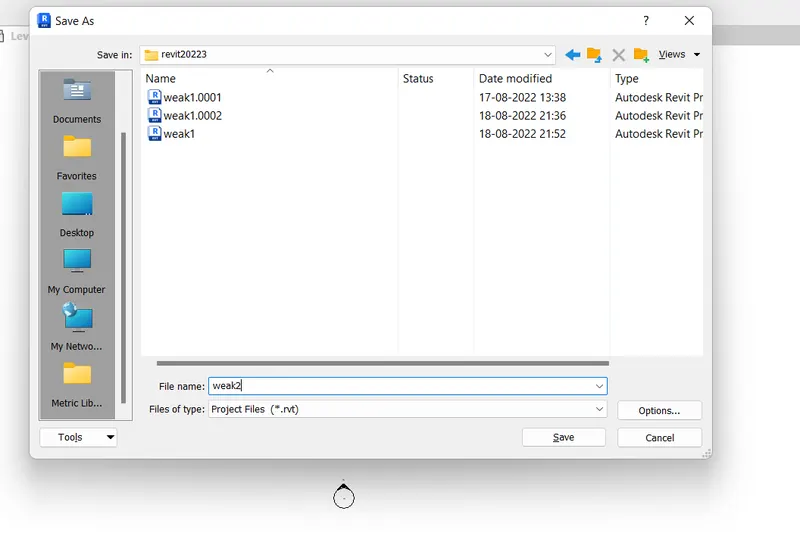
save the file with name
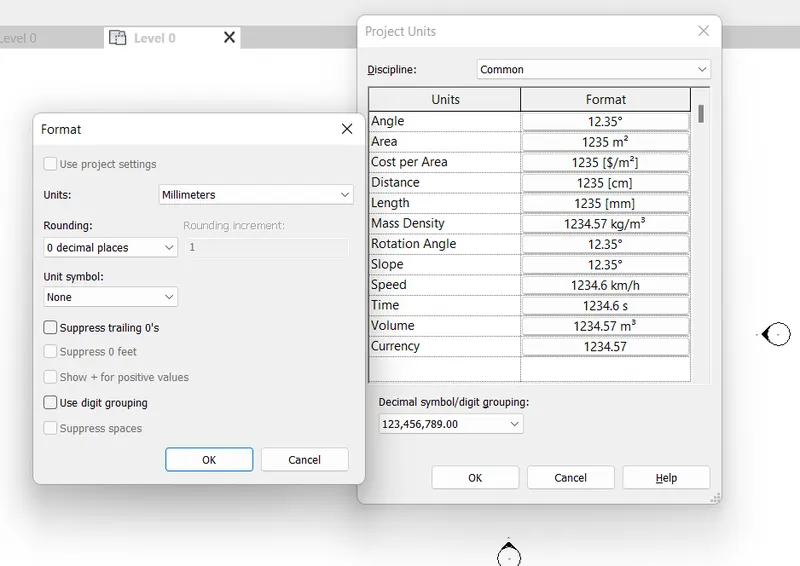
setting the units
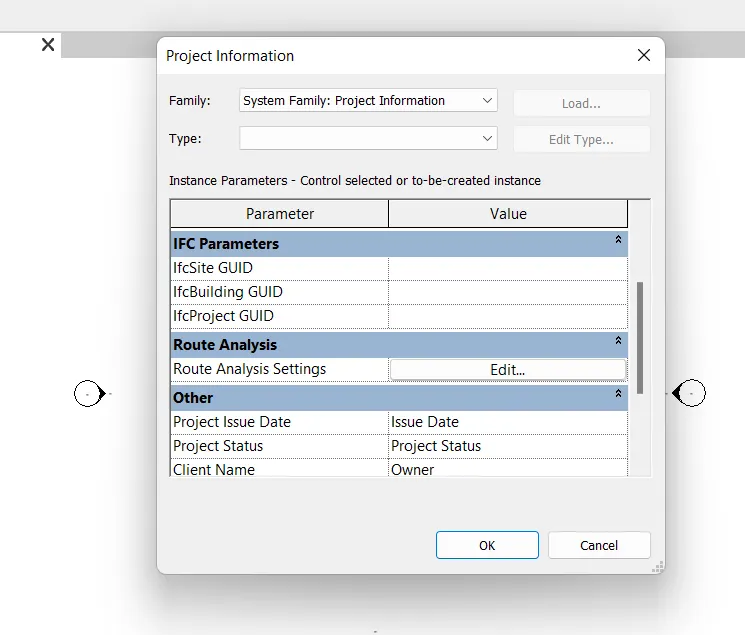
project information giving by click on the manger view and select the project information and fill the all details
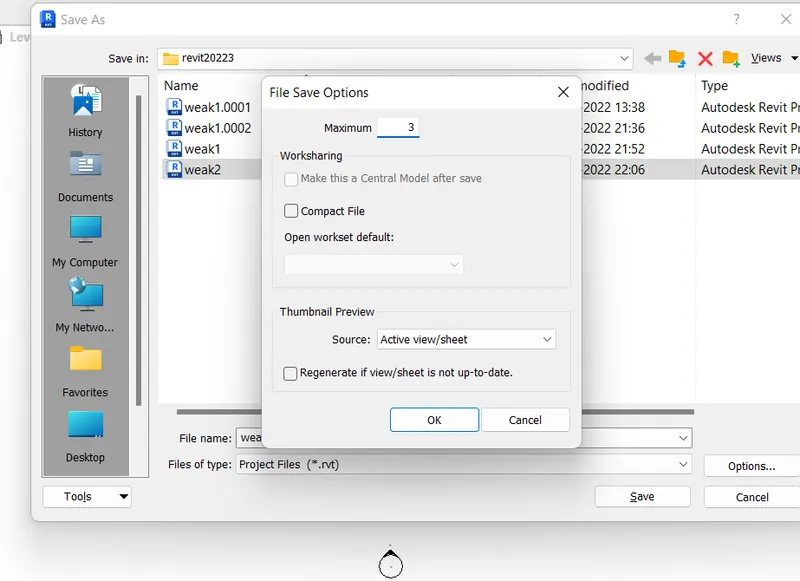
setting the project back up files as
go file on ribbon tab select and next is select as file save as click on option and set the maximum required copies backup
4.ANS
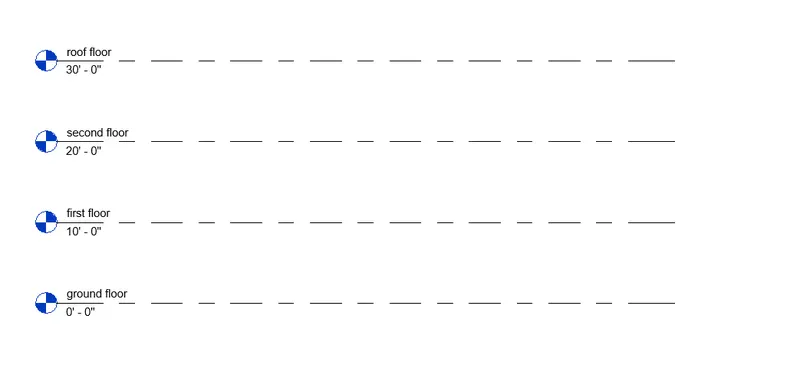
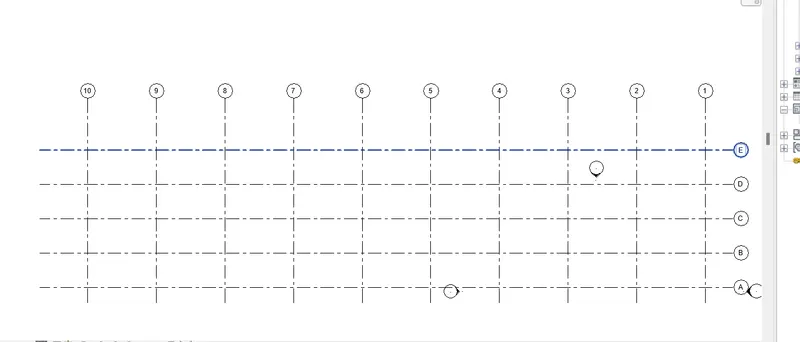
AIM: Creating the grids and levels by using Revit software
procedure:
select the elevation view is east and select the add level and set the offset is 10'0"
and select the pick line and add the levels up to roof floor
creating the grids
select the architure and select the grid
Grids Transverse Grids A, B, C, D, E @ 10’ spacing
Longitudinal Grids from 1 to 10 @ 20’ spacing
5. ANS
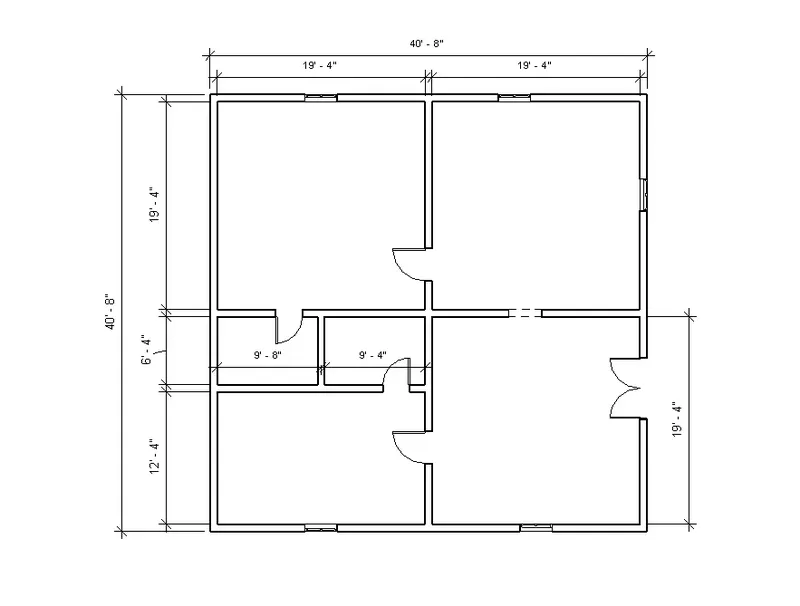
AIM: Creating 3D modelling of residential unit
procedure:
select architecture template open
select the wall in architecture tab and select the line type wall and drawn
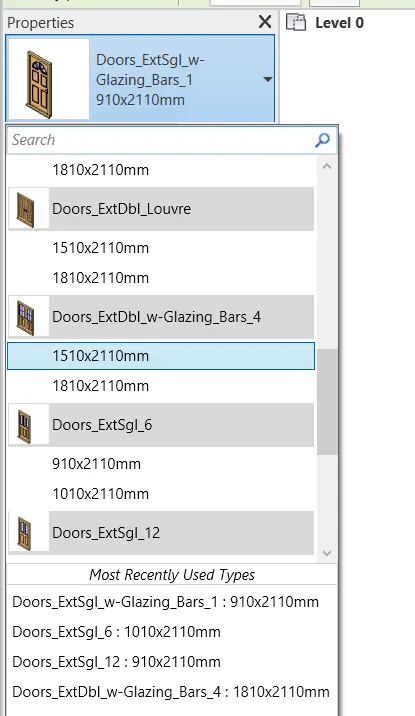
select the doors and windows in family and place the doors and windows
6.ANS
Aim: In the layout created draft the level of details you are planning to include – Dimensions of room, components you plan to add in the residential unit.
procedure:
select the elevation east and next select the levels offset is 10'0" and pick upline given the level-2
select the aligned dimensions and given the dimension
7.ans
AIM: Identify the residential model elements such as Door, Windows, Tables, Chair, Couch, Bed, Lamps from the library and insert them to the model
PROCEDURE:
select the family and load the elements and placed