Menu

Executive Programs

Workshops

Projects

Blogs

Careers

Student Reviews


More

Academic Training

Informative Articles

Find Jobs

We are Hiring!


All Courses

Choose a category

Loading...

All Courses

All Courses

logo

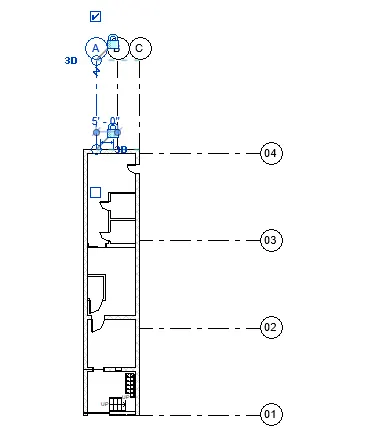
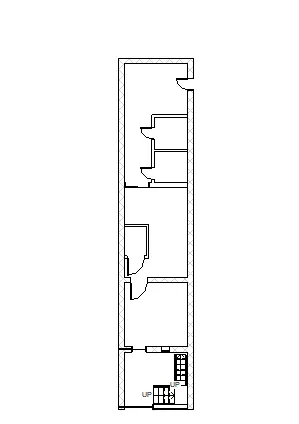
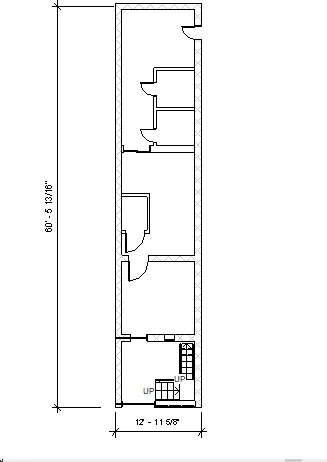
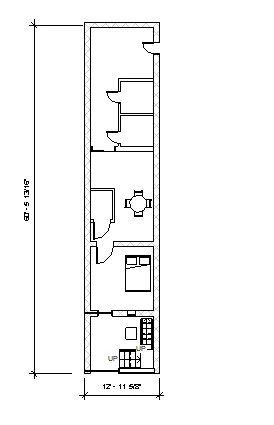
Creating Levels, Grids, Layout and model elements for a residential unit using REVIT

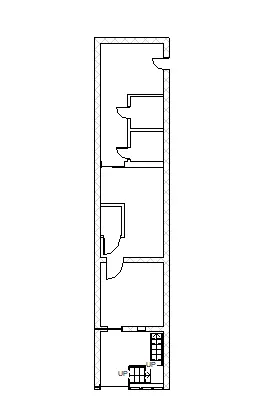
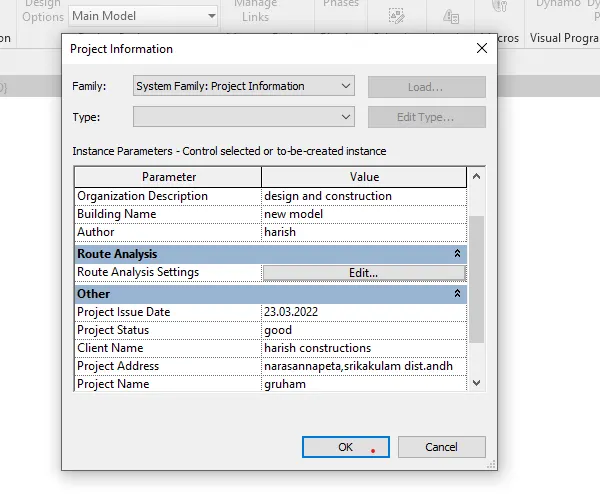
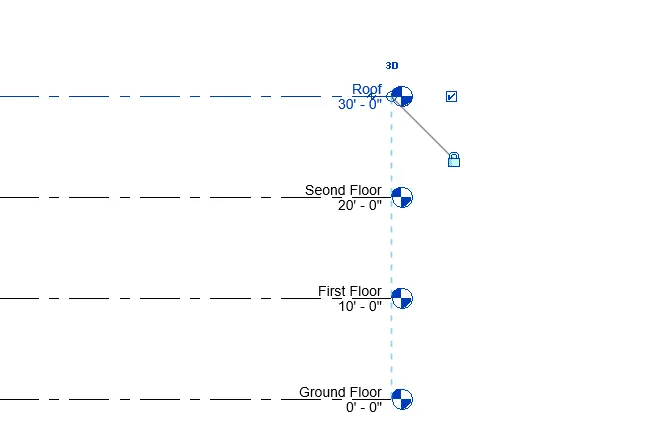
1) ans:- Revit building elements are three types. 1) view elements 2) model elements 3) annotate elements annotation elements datum elements BIM:- BIM is a visual representation of the physical and functional characteistics of a facility from inception onwards. as such, it serves as shared information repository for collaboration…

Project Details

Loading...

Leave a comment

Thanks for choosing to leave a comment. Please keep in mind that all the comments are moderated as per our comment policy, and your email will not be published for privacy reasons. Please leave a personal & meaningful conversation.

Please  login to add a comment

Other comments...

No comments yet!
Be the first to add a comment

Read more Projects by Kuppili Harish (40)

Week 1 Challenge

Objective:

1. 1. Write the steps involved to upload a .std file through web mail?    2. Name the different materials that can be designed using STAAD Pro.    3. Is it possible to capture images in STAAD Pro? If yes how?    4. Name the three ways by which you can create a model.    5. Write…

calendar

18 Oct 2024 06:33 PM IST

  • HTML
Read more

Project 2_Design & Analysis of a Hostel building at Guwahati, Assam

Objective:

In this project, participants will get to experience the entire design process from modelling, analysis, design, and preparation of construction drawings. The architectural drawings of a G+3 RCC building is provided. The following information on the building is to be used: Location – Guwahati, Assam Function –…

calendar

19 Oct 2022 07:04 PM IST

Read more

Foundation Design using SAFE

Objective:

1. Model the isolated footing provided in week 11 challenge on SAFE. Analyze and design it to verify the size, depth and steel provided as per calculations. Ans:-  Aim:-  To design the isolated column footing & pile cap by using given loads. Procedure:-  Given data:- Square footing for column size -…

calendar

18 Oct 2022 06:56 AM IST

Read more

Design of Shallow Foundation (Isolated Footings)

Objective:

Design a square footing for a column size of 400x400. The compression axial load for the load combination of (1.5 DL + 1.5 LL) is 2000 KN. The safe soil bearing capacity is 150 KN/m2 at a depth of 2 metres below E.G.L. Participants are free to go for either a tapered or stepped footing. Besides the total axial load, also…

calendar

07 Oct 2022 07:02 PM IST

    Read more

    Structural Modelling using Etabs 2018

    Objective:

    The architectural drawings for a G+7 residential building in zone 5 has been provided. The floor plan is the same for all 7 floor levels. Possible column positions have also been provided. Conceptualize a framing plan layout and then model the building in Etabs. The following architectural drawings have been provided:…

    calendar

    06 Oct 2022 05:38 AM IST

      Read more

      Analysis & Design of RCC shear walls in the model using ETABS

      Objective:

      The etabs file for a G+6 building is provided. Run the analysis and design the RCC shear walls (show in the etabs model). The following challenge deals specifically with the shear wall of size 300x1500 at grid A-11 in the structural model. Extract values of longitudinal steel ratio, boundary element length and shear reinforcing…

      calendar

      04 Sep 2022 02:26 PM IST

      Read more

      Reinforcement detailing of Columns from ETABS output

      Objective:

      Reinforcement detailing of columns in Etabs 2018. The ETABS file for a G+4 building is provided. Run the analysis and design the RCC Moment Resisting Frame. The following challenge deals specifically with two columns at the following grid intersections. 3A 3B Provide details of longitudinal reinforcement for the two columns,…

      calendar

      30 Aug 2022 07:22 AM IST

      Read more

      Reinforcement Detailing of Beams from ETABS output

      Objective:

      Detail design of beams in Etabs 2018.The ETABS file for a G+4 building is provided. Run the analysis and design the RCC Moment ResistingFrame. The following challenge deals specifically with two continuous beams in the 1st floor.         1) 3 span continuous beam along grid A       …

      calendar

      27 Aug 2022 06:57 PM IST

      Read more

      Project 1_Comparative study of different storey buildings for Seismic forces

      Objective:

        Project-1 (solution) :- Aim:- To analyze the various characteristics of the building in the terms of various aspects which is related to seismic analysis of highrise building by using the software ETABS. Procedure:- i) The building with the column size of 400x400 with the two floors including plinth level. 2) The…

      calendar

      17 Aug 2022 03:39 PM IST

      Read more

      Modelling of 25 storey building with the specified properties using ETABS

      Objective:

      Challenge 6 – ETABS modelling of a 25 storey building Model a 25 storey building on ETABS with structural properties as specified below. Ground floor or plinth floor level can be taken at a height of 1.5 metres from the base. Each of the successive 25 storeys has a storey height of 3 metres. Structural Element Sizes …

      calendar

      31 Jul 2022 06:24 PM IST

      Read more

      Conceptual design of a building with columns and shear walls

      Objective:

      Question 1:The building shown, 20 × 35 m in plan, has columns on a 5 × 5 m grid and shear walls (with dimensions shown in m, 250 mm in thickness) in three alternative arrangements, (a), (b), (c), all with the same total cross-sectional area of the shear walls. Compare the three alternatives, taking into account…

      calendar

      20 Jul 2022 06:24 PM IST

        Read more

        Concept on positioning of Columns

        Objective:

        Question 1: Comment on the layout of the framing plan concerning earthquake resistance in the two horizontal directions X or Y (dots are columns, lines depict beams). Look into aspects of symmetry, redundancy and bi-directional stiffness and ductility. Answer:- Investigation of the framing plan with respect to symmetry…

        calendar

        15 Jul 2022 07:02 PM IST

          Read more

          Understanding the concepts on Degrees of Freedom

          Objective:

          Answer:-  First of all we should build a mass matrix. Mass matrix (m) = [[m,0,0,0,0],[0,m,0,0,0],[0,0,m,0,0],[0,0,0,m,0],[0,0,0,0,m]] modified mass matrix (M) = phi n^T m l  where: l = influence vector (Assuming 100% utilization of seismic force)  [[1],[1],[1],[1],[1]] For the first mode = (n=1) [0.334,0.641,0.895,1.078,1.173]…

          calendar

          13 Jul 2022 06:20 AM IST

            Read more

            Calculation of Stiffness in Structural elements

            Objective:

            Question 1: Compute lateral stiffness of the one story frame with an intermediate realistic stiffness of the beam. The system has 3 DOFs as shown. Assume L = 2h and Elb = Elc   Answer:- unit displacement = u1=1 Stiffness coefficientof column translation (2 similar) 2 x 12EI/h^3 Stiffness coefficient of beam…

            calendar

            03 Jul 2022 05:34 PM IST

              Read more

              Identification of Cracks

              Objective:

              Question 1: a) Observations:- Concrete crushed and the reinforcement exposed  Concrete spalled beyond the reinforcement which may be a sign of rupture. Beam top portion looks safe because of the flange advantage of the slab. The crack develops from bottom to top means rebar yielding occurs in support beam only. Answer:-…

              calendar

              24 Jun 2022 06:07 PM IST

                Read more

                Usage of Navigation tool , Timeliner and Clash Detection test using Naviswork

                Objective:

                1) Use the Architecture/ Structure Project file developed by you in Week 6 to 8. Export the Revit architecture and structure model to Navisworks Cache file following the export settings discussed in class Ans:- To export the Revit architecture and structure model to Navisworks Cache file following the export settings…

                calendar

                20 Jun 2022 09:43 AM IST

                  Read more

                  Creating Conceptual mass in REVIT and Creation of Sinusoidal curve and a Parametric stadium using Dynamo

                  Objective:

                  1) Using Dynamo create a set of sinusoidal points and create a curve and create a surface out of the curve. Ans:-  Aim:- To create a set of sinusoidal points and create a curve and create a surface out of the curve Using Dynamo  Procedure:-  Open Dynamo;  integerslider(3no.s) i,ii,iii by using…

                  calendar

                  05 Jun 2022 07:27 PM IST

                    Read more

                    Preparing Schedule & Cost Estimation for a building using REVIT

                    Objective:

                    1) Use the shortcut keys in Revit discussed in class to complete the following tasks and list them below           a. Using 3D model create a section box           b. To create similar doors and windows in a floor plan layout         …

                    calendar

                    27 May 2022 06:42 PM IST

                      Read more

                      Structural analysis of a buidling using Robot Structural Analysis

                      Objective:

                      1) What are HVAC systems? Why are they essential in the modeling of buildings Ans:-  Heat , vetilation, air conditioning. It is a technology of indoor environmental comfort. it's goal is to provide  thermal comfort and acceptable indoor air quality    Important part of structure.(single family house,sky…

                      calendar

                      18 May 2022 06:15 PM IST

                      Read more

                      Creating Architectural and Structural model with 3D rendering using REVIT

                      Objective:

                      1) Select the type of structure you want to build from one of the three below:        a. Multi-Unit Residential Apartment        b. Office Buildings        c. School Aim:- To learn how to create architectural and structural model with 3D rendering by using revit.…

                      calendar

                      06 May 2022 05:32 PM IST

                      Read more

                      Usage of Collaborate tool in REVIT

                      Objective:

                      1) Open an architectural template. Using the Manage tab set project base point and project shared coordinates for the project Aim:- To create architectural tab and set the project base point. procedure: a) Open new architectural tab and draw the grid lines. b) Go to manage tab and then project location click on co-ordinates…

                      calendar

                      27 Apr 2022 07:17 PM IST

                      Read more

                      Introduction to National Building Code and Steps in a Construction project

                      Objective:

                      1) Why are building codes or standards essential for the modeling/ efficiency of drawings in Revit ? Ans:- a) A set of standards that are uniform to all the structures. The different standards are  reliable for the different type of buildings. b)It protects the construction safety. In the ongoing project there is…

                      calendar

                      17 Apr 2022 10:59 AM IST

                      Read more

                      3D Creation of Celing, Roof, Architectural plan, Structural plan, Sectional view, Elevation view and Camera specific view for a house plan using REVIT

                      Objective:

                      1) Based on the project saved from Week 3, proceed from the First Floor Level. Model a Ceiling from the architecture tab above the walls at the first-floor level Aim:- To create the ceiling for required model by using revit software. Procedure:- Go to architecture tab and then go to ceiling option and choose pick line…

                      calendar

                      10 Apr 2022 07:10 PM IST

                      Read more

                      Creating Walls, Partition walls and Floors for a residential layout using REVIT

                      Objective:

                      1) Use the project file created from Week 2. Use it for this assignment. Based on your layout from week 2, using floor tool under architecture tab and select the floor with appropriate material and thickness using the property browser create a layout in the Ground floor Level. Align the floor plan with grids created from…

                      calendar

                      03 Apr 2022 06:11 PM IST

                      Read more

                      Creating Levels, Grids, Layout and model elements for a residential unit using REVIT

                      Objective:

                      1) ans:- Revit building elements are three types. 1) view elements 2) model elements 3) annotate elements annotation elements datum elements BIM:- BIM is a visual representation of the physical and functional characteistics of a facility from inception onwards. as such, it serves as shared information repository for collaboration…

                      calendar

                      23 Mar 2022 10:53 AM IST

                      Read more

                      Introduction to REVIT concepts

                      Objective:

                      1) From the file menu, create a new project (Structural / Architectural / Construction template ) and name the project appropriately Aim:- To create new project in RIVET. Procedure:-  1.By opening the RIVET we can get the new option and we can select type of drawing either  it is structural or architectural…

                      calendar

                      13 Mar 2022 06:59 PM IST

                        Read more

                        Project 2_Creating a 3D rendered model for a Residential Building in AutoCad

                        Objective:

                        Aim:- To creating 3D rendered building model by using Auto CAD 3D. Procedure:-  1. Created the plan in drafting by using line,trim,join,fillet,and all. 2. Converted the Vision into 3D modelling and by extrude and boundary,union,subtract,and so on i created the      3D model. 3. By using layer tool bar…

                        calendar

                        06 Mar 2022 06:32 PM IST

                          Read more

                          Creating 3D Isometric view of various structural elements in AutoCAD

                          Objective:

                          1) Aim:- To create the given 3D figure by using Auto CAD software. Procedure:- a) I changed the modelling into 3Dmodelling and then i created this diagram. b) By using polar and also rectangular co-ordinte systems (By cylindrical and spherical) i created this figure. c) By following given dimensions i created this diagram.…

                          calendar

                          28 Feb 2022 06:21 PM IST

                            Read more

                            Creating various 3D Models like Furniture, Footing, Girder, Column drop with panel and Gable Wall in AutoCad

                            Objective:

                            1) Aim:- To create the given 3D figure by using Auto CAD software. Procedure:- a) I changed the modelling into 3Dmodelling and then i created this diagram. b) By using polar and also rectangular co-ordinte systems (By cylindrical and spherical) i created this figure. c) By following given dimensions i created this diagram.…

                            calendar

                            27 Feb 2022 09:23 AM IST

                              Read more

                              Creation of Multiple viewports, Scaling the drawing and setting in Template in AutoCad

                              Objective:

                              1. AIm:- To prepare the given challenge by using Auto CAD software. Procedure:- a) By creating model view and create the given shape and insert the plan which is preiously creted in challenge 7. b) was set the scale as per given scale. c) was inset the model layout m.arch as per given in challenge. d) By using the attribute…

                              calendar

                              21 Feb 2022 07:20 AM IST

                                Read more

                                Creating Kitchen layout, Hatching of Architectural elements and sectional view of an Industrial Building in AutoCad

                                Objective:

                                1) Aim:- To create given kitchen layout and laying the hatching for walls and all. Procedure:- 1. By using line command i created the out and out rectangles and by using offset command i created all required sanitaryware and all. 2. I created door and gave dimensions and text as per given sizes. 3. I used commands like…

                                calendar

                                07 Feb 2022 03:44 PM IST

                                  Read more

                                  Creating Bar Bending schedule, Different Door types, and Creation of standard drawing templates using AutoCad

                                  Objective:

                                  For excercises 1,2,3,4,5 i used the same commands like line copy extend trim erase etc.... For blocks i created as per my assumption sizes and i used tables for creating electricl symbols. I created doors as per given measurements and for some doors i created as by my own. so all excercises i drafted are submitted below.…

                                  calendar

                                  04 Feb 2022 04:09 PM IST

                                    Read more

                                    Project 1 _Creating an Architectural plan for the provided plot size and develop relevant basic structural drawings

                                    Objective:

                                    1. Aim:- To prepare the east facing architectural and structural plans as per given dimensions  & East facing by using Auto CAD software. Procedure:- a) By taking out and out dimensions as given (20'x60') i created a retangle. b) I splitted the rectangle into room as shown in figure. c) After finishing the ground…

                                    calendar

                                    31 Jan 2022 02:14 AM IST

                                      Read more

                                      Creating a Layout, Section and Elevation with dimensions using AutoCad

                                      Objective:

                                      1. Aim:- To draft the given plan by using Auto CAD software. Procedure:- 1.By taking out and out measurements i used to create a rectangle to plot the given plan. 2.By using offset command i divided the rectangle into rooms. 3.By using trim command and offset command and extend,fillet commands and all  i re created…

                                      calendar

                                      24 Jan 2022 05:16 AM IST

                                        Read more

                                        Creating a Wardrobe detailed drawing, Floor Plan, Kitchen Layout and Column Detail using AutoCad

                                        Objective:

                                        4. Aim:- To draw the given diagram by using AutoCAD software. Procedure:-  1) By using line command i was draw the box by given dimensions. 2) i was insert the text as shown by mtext and d text commands. 3) i prepared the reinforcement details by using line and circle commands. 4) copied the whole part by two times…

                                        calendar

                                        16 Jan 2022 04:10 AM IST

                                          Read more

                                          Creation of Column Schedule and Drawing Template using AutoCad

                                          Objective:

                                          1. Aim:- To create given column schedule by using auto cad. procedure:- 1. By using st text style i edited the text height as per given,and also font style. 2. By using line command i created the table and by using osnap i found the center line and create center line and ofcourse before doing this i canged the units into…

                                          calendar

                                          02 Jan 2022 05:33 AM IST

                                            Read more

                                            Creating a Residence Layout, Seating plan, Toilet and Utility room plan using AutoCad

                                            Objective:

                                            2. ans:- aim:- creating seating plan by using auto CAD software. Procedure:-  1) i changed the units and precission as per given, i created external circle by given radius. 2) i created internal radius. 3) i created one seating chair with the use of rec command, arc,fillet. 4) by use of mirror command i projected…

                                            calendar

                                            21 Dec 2021 01:35 PM IST

                                              Read more

                                              Drafting of various geometries using Chamfer, Fillet tool in AutoCad

                                              Objective:

                                              1)  Aim:- To construct the given drawing by using autoCAD sofware. Procedure :- 1.By using line command i entered the straight line. 2 By using line command and then by using rotating comand i joined the l shape with the previous section. 3.By using oject snap option i created the circles at the given distance. 4.…

                                              calendar

                                              11 Dec 2021 12:29 PM IST

                                                Read more

                                                Creating a Floor plan, Footing detail and Isometric view using AutoCad

                                                Objective:

                                                1)  Aim:- To draw a given wall section by using isometric view. procedure :  By using draft setting (DS) command to change the 2d to isometric view or by clicking isometric view icon on the bottom of toolbar and by using F5 key we can change the direction like left,right,top in order. Then we can build a beautiful isometric…

                                                calendar

                                                01 Dec 2021 03:19 PM IST

                                                  Read more

                                                  Creation of geometries by Coordinate system methods using AutoCad

                                                  Objective:


                                                  calendar

                                                  19 Nov 2021 06:36 PM IST

                                                    Read more
                                                    Showing 1 of 40 projects