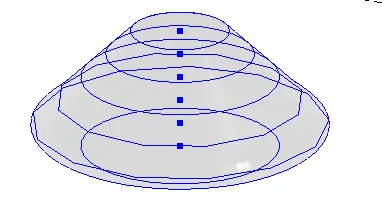
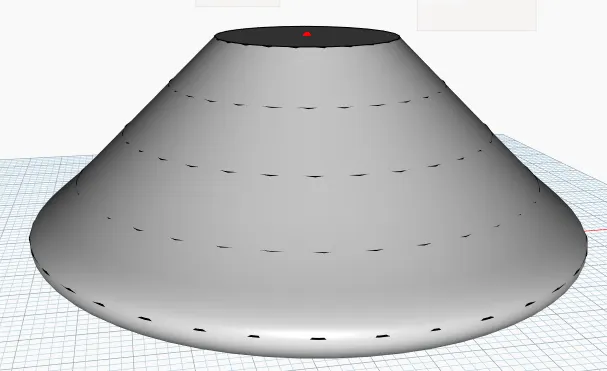
Creating Conceptual mass in REVIT and Creation of Sinusoidal curve and a Parametric stadium using Dynamo
1) Using Dynamo create a set of sinusoidal points and create a curve and create a surface out of the curve.
AIM:
To create a set of sinusoidal points, create a curve and provide surface to the curve.
INTRODUCTION:
A sine wave or sinusoidal wave is the most natural representation of how many things in nature change state. A sine wave
shows how the amplitude of a variable changes with time.
Autodesk Dynamo is a programming environment that requires no programming experience. Dynamo enables designers to create visual programming so they can explore a wide range of parametric conceptual designs using logic, simple data and analysis without the need to create a physical prototype.
Parametric modeling is a modeling process with the ability to change the shape of model geometry as soon as the dimension value is modified. Parametric modeling is implemented through the design computer programming code such as a dynamo script to define the dimension and the shape of the model.
COMMAND USED:
• code block-it allows to design the scriptcode which is authored directly.
• integer slider-a slider that provides integer value.
• point by coordinate-form a point for given 3 cartesian coordinate.
• range-creates a sequence of number in the specified range.
• math.sin-defines the sin of the angle.
• mathematical operations-such as +/-.*
• nurbscurve-it creates a splinecurve using control points.
• custom node for specified-defines a function and added to add-ons.
• list create-makes a new list out the given inputs
• byloft-create a surface by lofting between input c/s curve.
PROCEDURE:
• open a new architectural project.
• go to manage toolbar and select dynamo.
• once dynamo screen opens select new.
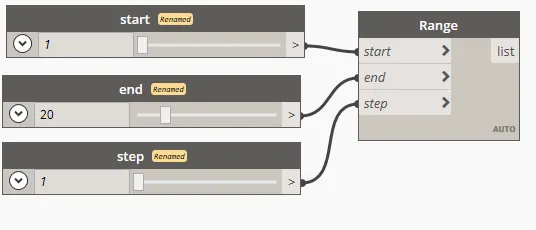
• add range to provide sequence.
• add code block to define the range start, end and step.
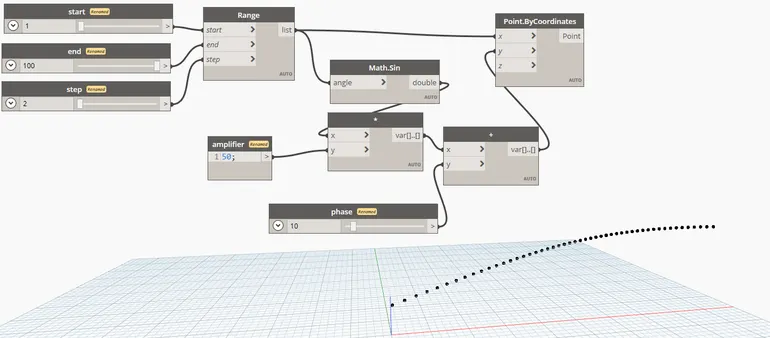
• once sequence is provided add math.sin to define sin and connect with range.
• a code block to define amplifier and a mutilpication operation for math.sin and amplifier.
• simialry add integer to define the phase and addition operation.
• now to define the points, add point by coordinate and connect x to the range and y to the addition product.
• to create the curve,add nurbscurve and connect the points to cuurve.
• inorder to create mutliple sinsoidal save select all connection and select custom node property.
• name it as curve by points and automatically saved in add-ons.
• paste the node to create number of curve.
• for making surface out of curve,add lisr create and connect to all curve node.
• finally add surface by loft and connect to the list created.
since, 2022 version doesnot hold the analyze option in custom a node.
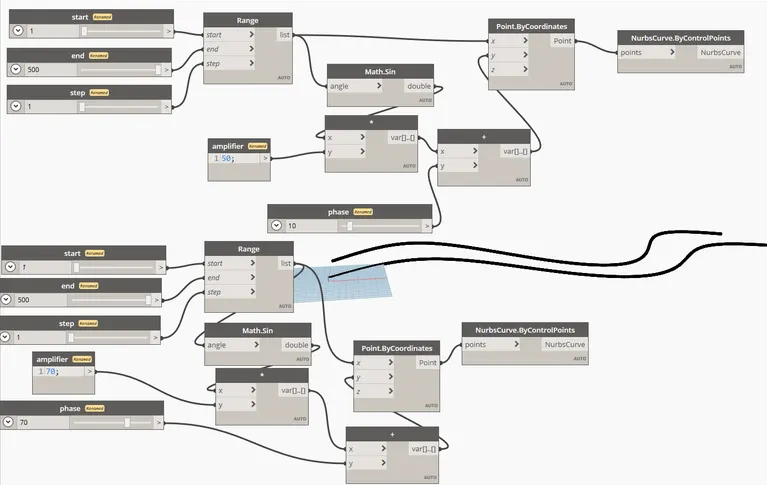
RESULT:
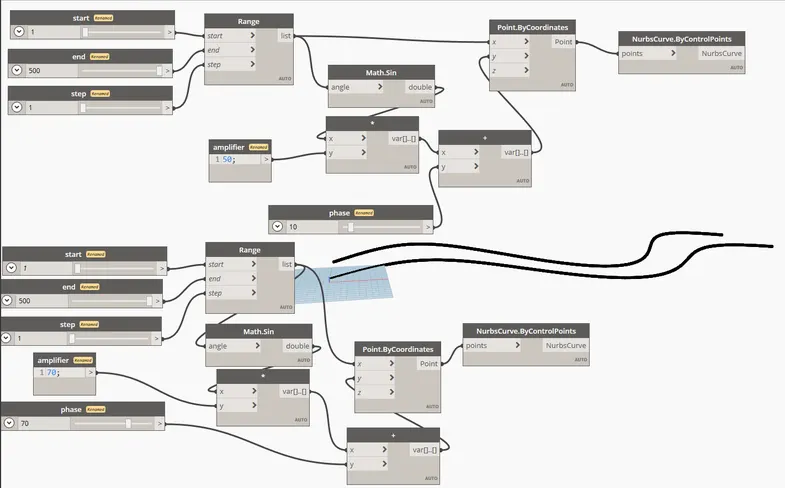
• sequence of sinusoidal points is created.
• a curve is provided for the sinusoidal.
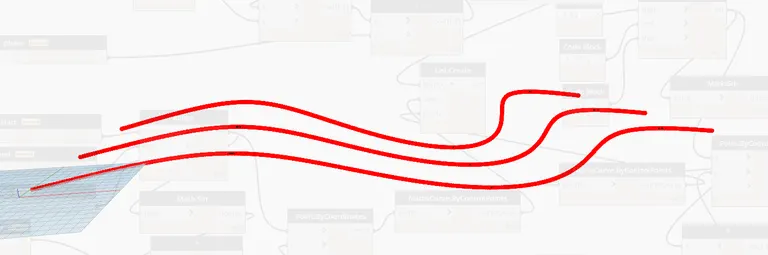
• Surface is created for the curve.
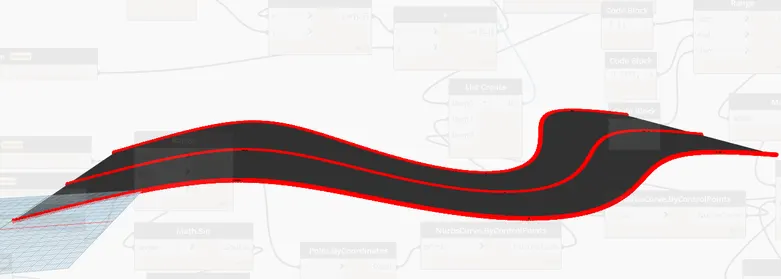
2) Create a conceptual layout of floor plan in dynamo . Using the tools available in dynamo link the lines to appropriate model elements in Revit by choosing the wall types and wall parameters. Make use of the sliders to slide through the height of the wall and length of the wall.
AIM:
To create a conceptual floor plan using dynamo,provide the wall parameters and use of sliders to slide the height of wall and length.
INTRODUCTION:
Autodesk Dynamo is a programming environment that requires no programming experience. Dynamo enables designers to create visual programming so they can explore a wide range of parametric conceptual designs using logic, simple data and analysis without the need to create a physical prototype.
Parametric modeling is a modeling process with the ability to change the shape of model geometry as soon as the dimension value is modified. Parametric modeling is implemented through the design computer programming code such as a dynamo script to define the dimension and the shape of the model.
COMMANDS USED:
• integer slider-a slider that provides integer value.
• point by coordinate-form a point for given 3 cartesian coordinate.
• list create-makes a new list out the given inputs
• line-creating line by defining start and end points.
• wall-creating a wall by defining the curve and height.
• walltype-adding the inserted type of wall for the plan.
• levels-to select the level at which the output will be defined on revit.
PROCEDURE:
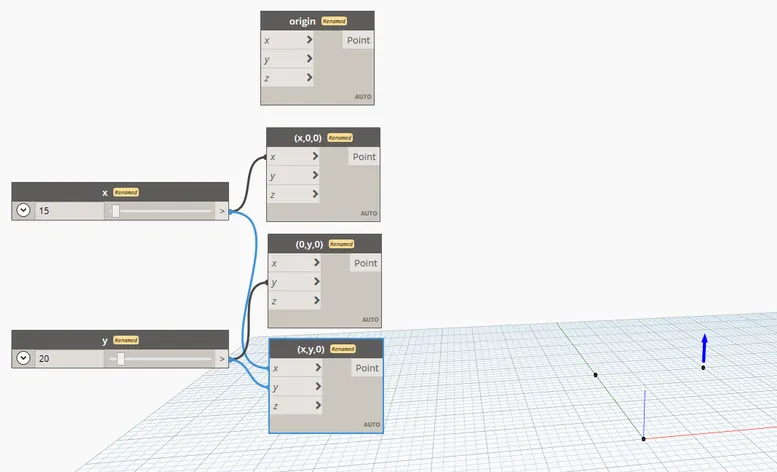
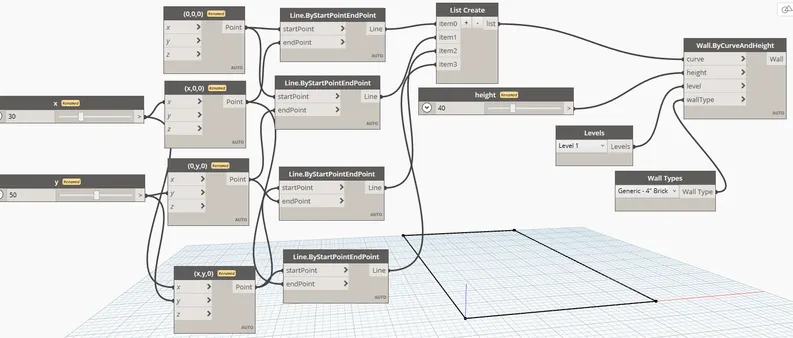
• add 4 points by coordinate to define each point to make wall.
• insert integer slider to define x and y values and connect with points.
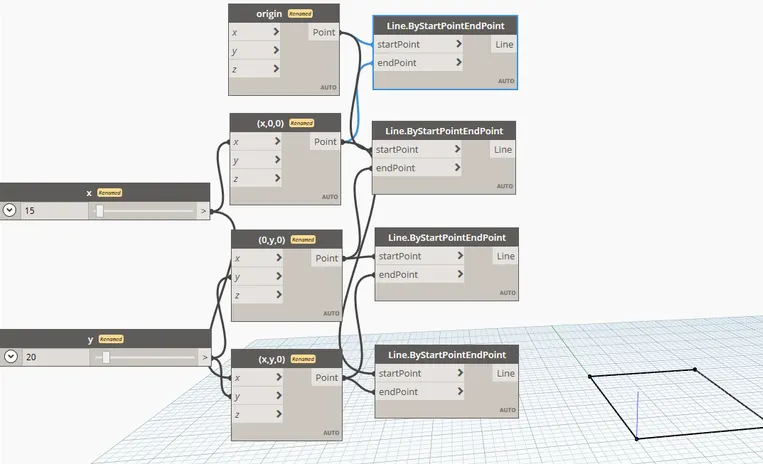
• once points are defined,add line option and ocnnect with repective coordinates.
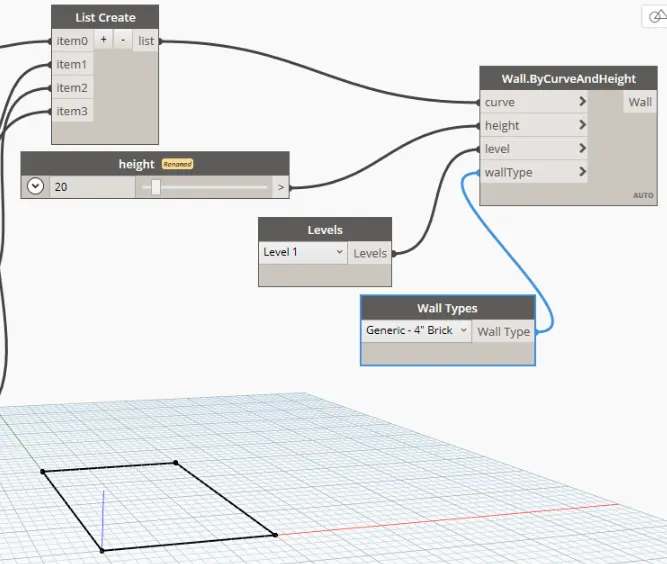
• insert wall by curve and height option.
• add list create to define the curve and connect all to lines.
• add integer slider to define the height.
• add levels and wall type option.
• once all connection are made.go back to revit scrren to see the layout.
• can use inetger sliders to alter the height length of the wall.
RESULT:
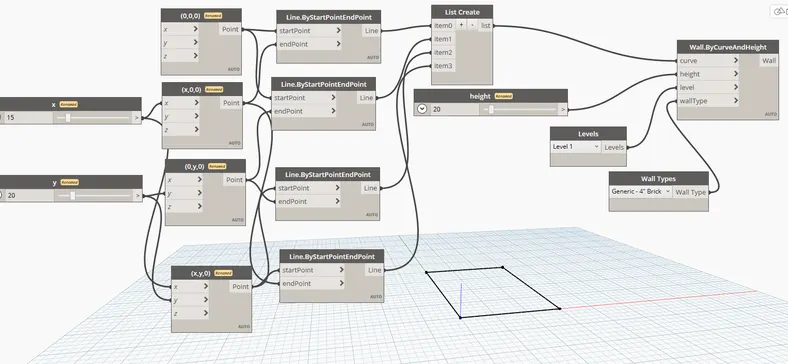
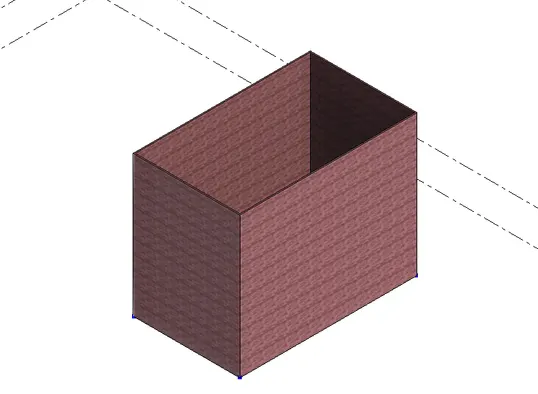
• A conceptual layout of floor is created using dynamo and can alter the height and length of the wall in revit screen using integer slider in dynamo
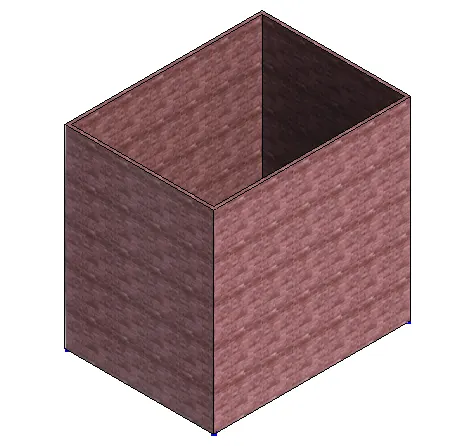
• when that x and y value changed to 30 and 50 respectively and height to 40.change appear in revit also.
3) Create an array of model elements in Revit. Use dynamo to vary the properties of model elements by using the slider or code block
AIM:
To create a conceptual floor plan using dynamo,provide the wall parameters and use of sliders to slide the height of wall and length.
INTRODUCTION:
Autodesk Dynamo is a programming environment that requires no programming experience. Dynamo enables designers to create visual programming so they can explore a wide range of parametric conceptual designs using logic, simple data and analysis without the need to create a physical prototype.
Parametric modeling is a modeling process with the ability to change the shape of model geometry as soon as the dimension value is modified. Parametric modeling is implemented through the design computer programming code such as a dynamo script to define the dimension and the shape of the model.
COMMAND USED:
• column-a structural element used to transfer load from beam to foundation.
• array-used to create a set of copy at specifed manner.
• select mode-used to select the element from revit to dynamo.
• inetger slider-a slider that provides integer value.
PROCEDURE:
• open a structural file and select a rectangular column.
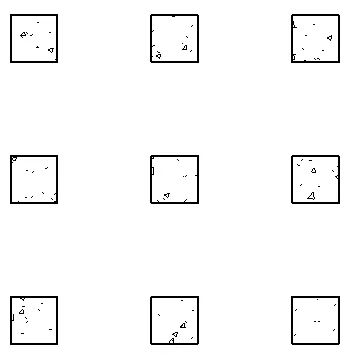
• enter AR for array command and make a rectangular array of 3x3.
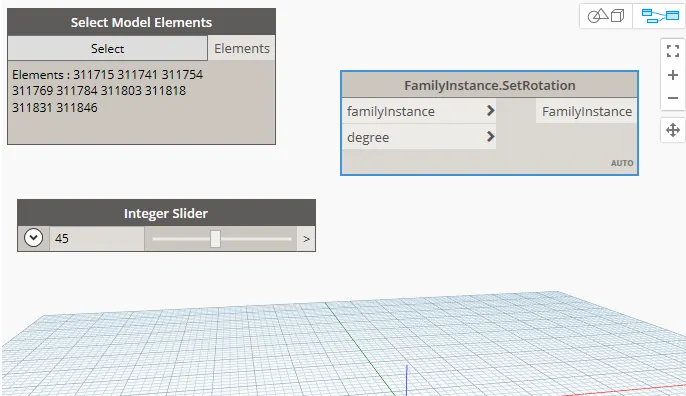
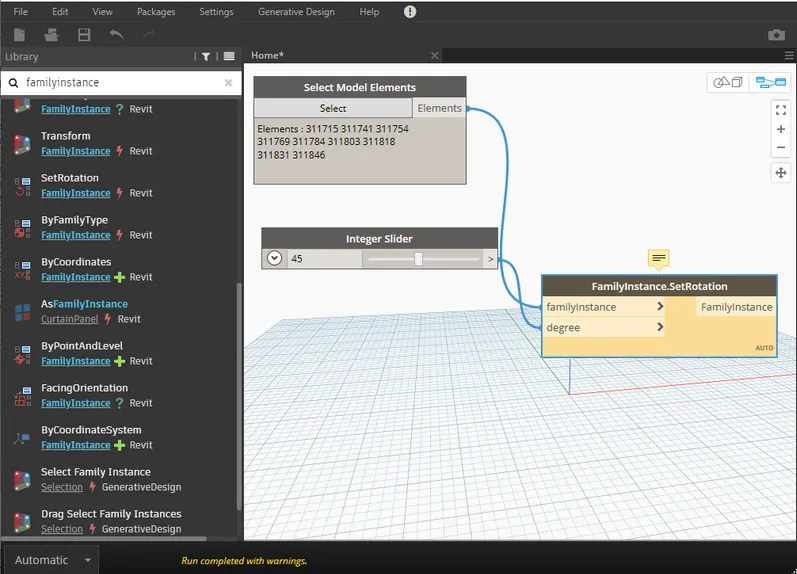
• once done, open dynamo and add select model element command.
• add rotation and a integer slider for performing rotation command.
• connect the rotation to select and integer slider to rotation.
• select the column from revit and can modify the rotation parameter using integer slider.
RESULT:
4) Create a conceptual mass in Revit and develop a parametric column by dividing the surfaces and apply the concepts similar to used in parametric walkway modelling. Use triangular bent or square shaped panels to add finish to the parametric column
AIM:
To create a parametric column by dividing the surface in revit and add square shaped panels.
INTRODUCTION:
Autodesk Dynamo is a programming environment that requires no programming experience. Dynamo enables designers to create visual programming so they can explore a wide range of parametric conceptual designs using logic, simple data and analysis without the need to create a physical prototype
Parametric modeling is a modeling process with the ability to change the shape of model geometry as soon as the dimension value is modified. Parametric modeling is implemented through the design computer programming code such as a dynamo script to define the dimension and the shape of the model.
PROCEDURE:
• create a new family.go to conceputal mass and select metric.
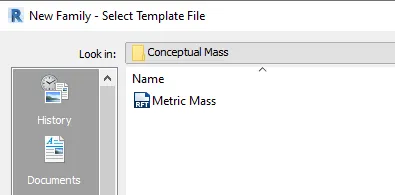
• once the file open,create a number of levels for column design.
• draw a line upto level 6 and add reference point at each level.
• select on set and click on reference point to make a plane.
• on plane create a cicle on perferred radius.
• repeat the same for all refernce point.
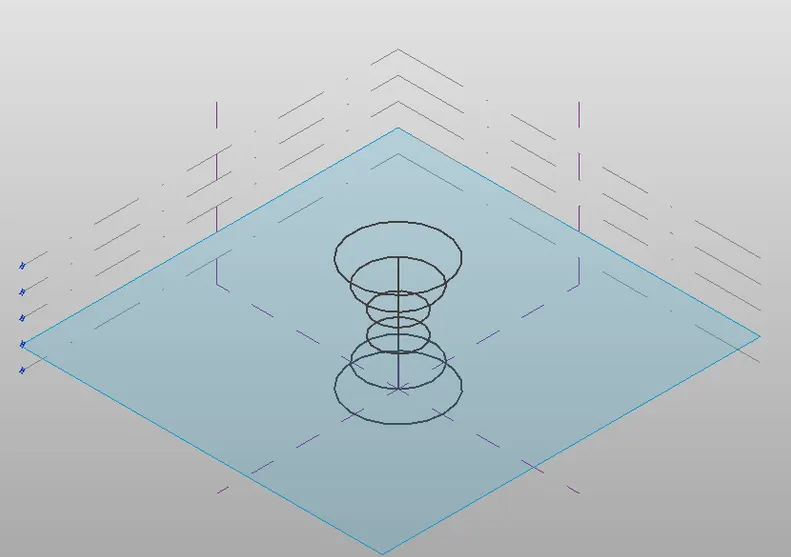
• once the plane is created select all reference plane and click on create form.
• surface will be created.
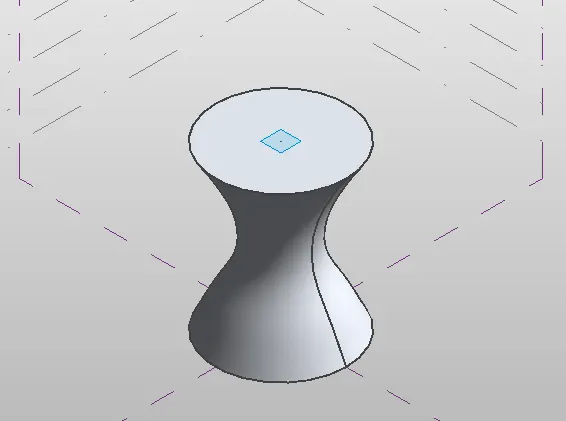
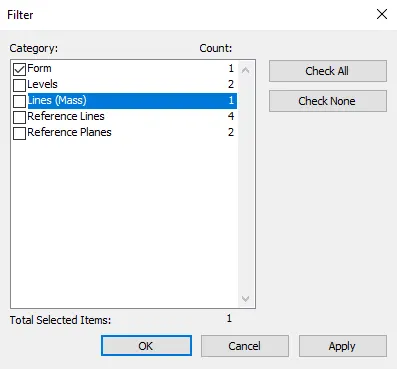
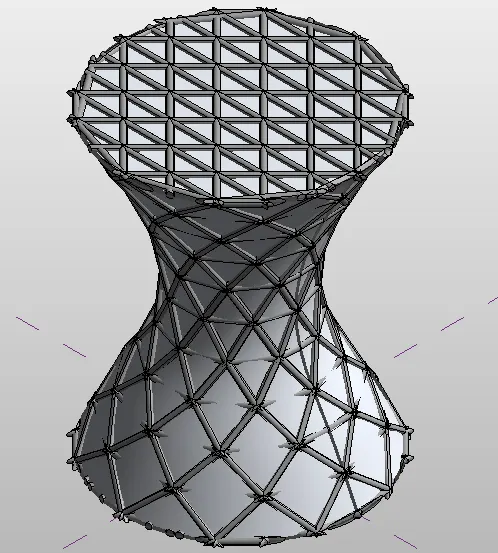
• select all forms and click on divide surface.
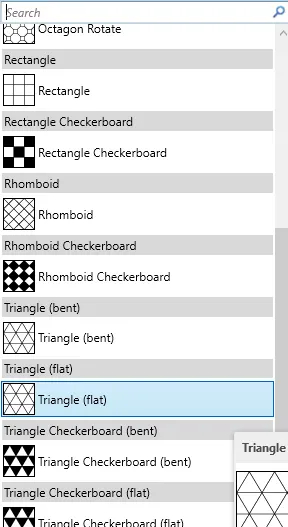
• select surface as triangle flat.
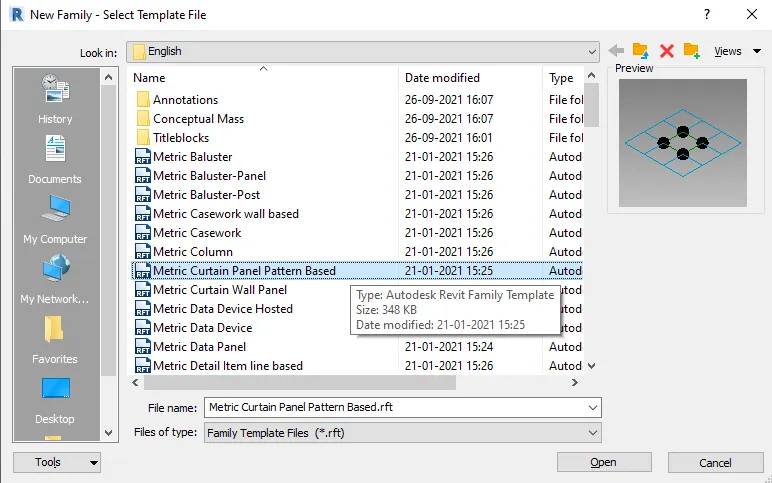
• in order to edit the surface.open a new family and select curtain wall type.
• set the surface as triangular flat and add a reference point at midpoint.
• draw a circular plan and create a surface by sleecting on create form.
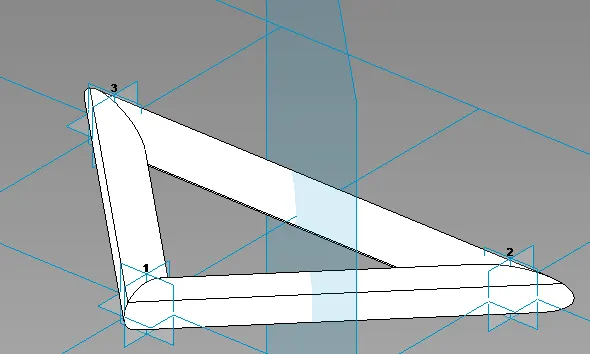
• load the surface to the family.
• now select the divided surface in family project and set the created the surface.
RESULT:
• A architectural parametric column of varying dia is created by divifding surface.
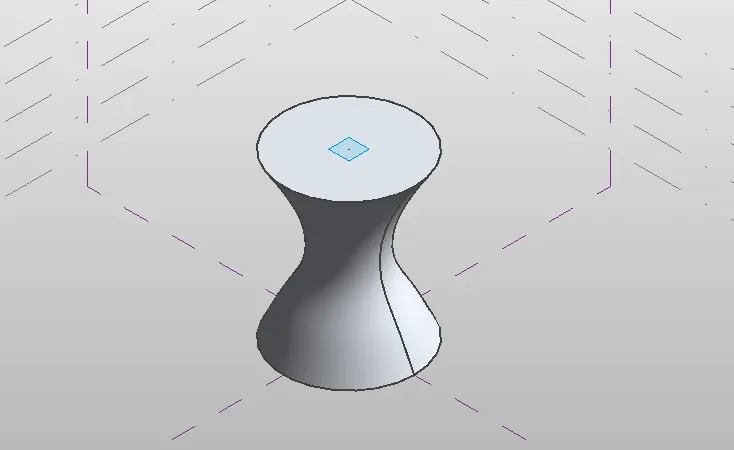
• A created triangular bent shaped panels is added to the parametric column.
5) Use Dynamo to work on developing a Parametric Stadium. List your parameters and use the visual programming approach to complete the modelling, You can use the concepts discussed in parametric high rise tower in class for reference.
AIM:
To create a parametric stadium using dynamo.
INTRODUCTION:
Autodesk Dynamo is a programming environment that requires no programming experience. Dynamo enables designers to create visual programming so they can explore a wide range of parametric conceptual designs using logic, simple data and analysis without the need to create a physical prototype
Parametric modeling is a modeling process with the ability to change the shape of model geometry as soon as the dimension value is modified. Parametric modeling is implemented through the design computer programming code such as a dynamo script to define the dimension and the shape of the model.
PROCEDURE:
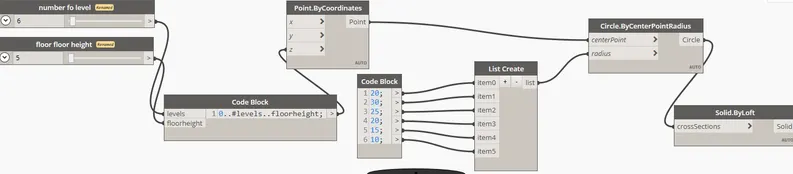
• create a new project and open dynamo.
• now select integer slider to define number of floor and floor height.
• add point by coordinate to define the z-axis point.
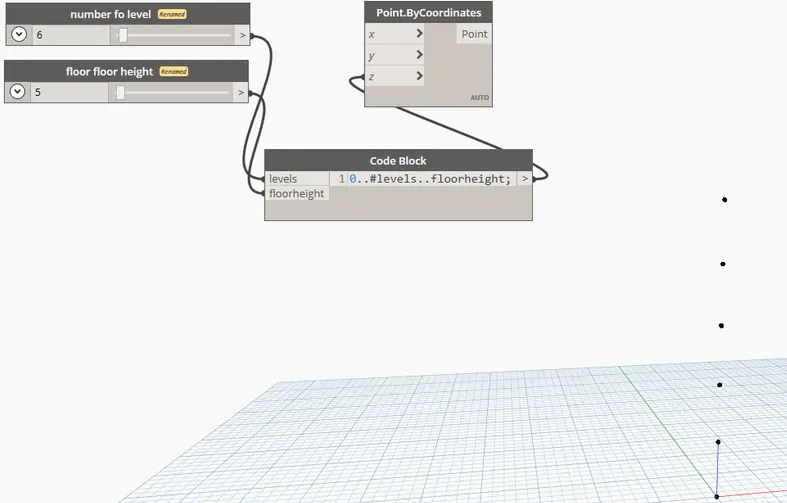
• select circle by radius to create surface and connect center point to point by coordinate.
• in order to define the varying radius circle,add create block and list create.
RESULT:
• A circular parametric stadium is created.