Creating Conceptual mass in REVIT and Creation of Sinusoidal curve and a Parametric stadium using Dynamo
A1 aim - Using Dynamo create a set of sinusoidal points and create a curve and create a surface out of the curve.
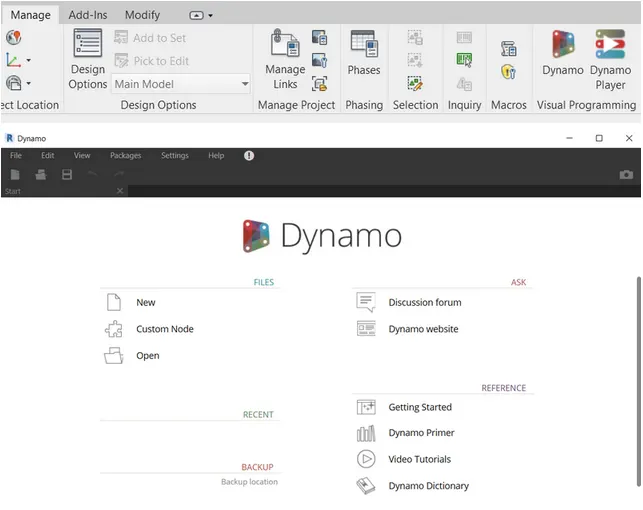
open architecture template in revit and from the manage tab open dynamo
in the search panel, search for code block
start block has value 5
second one has value 300
last one has value 1
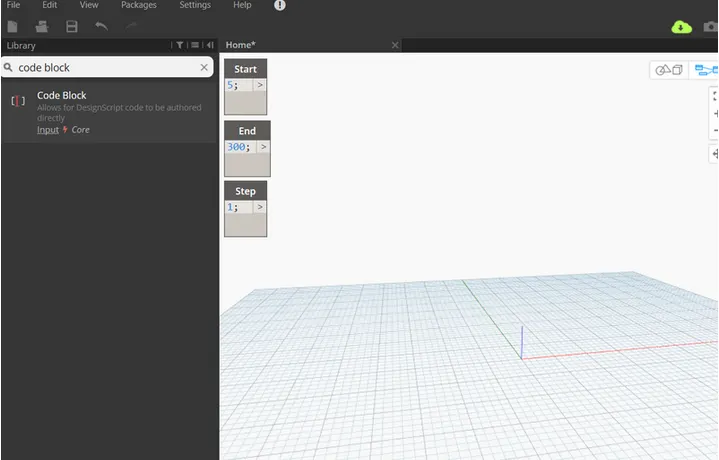
type the range
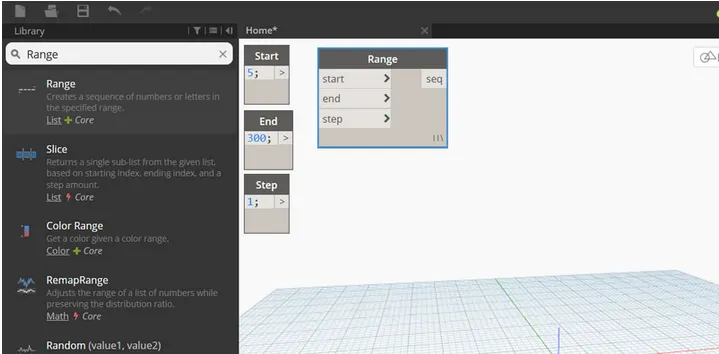
connect code block to range block
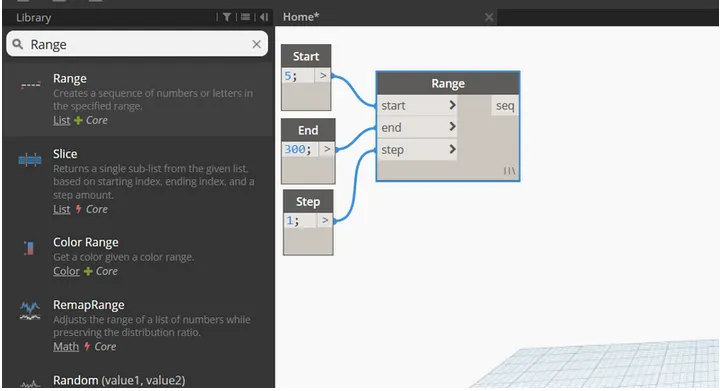
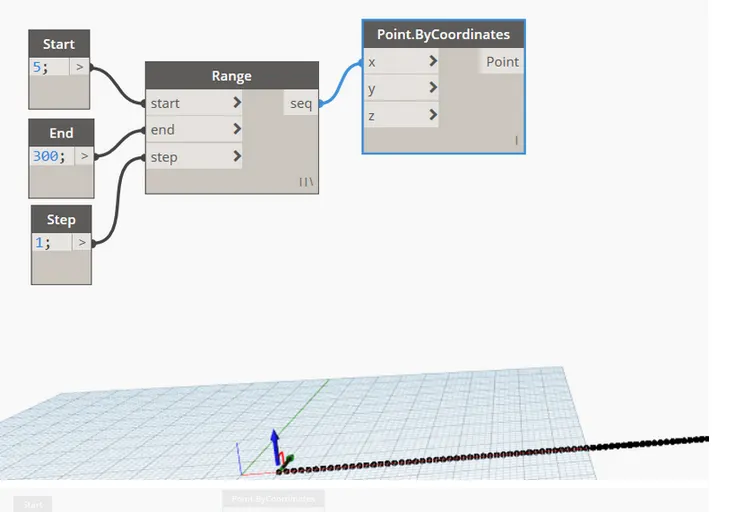
search points by coordinate from search panel
connect range block to x coordinate of the point by coordinate block
we need to create sin wave out of these points so we'll insert sin function from the search library
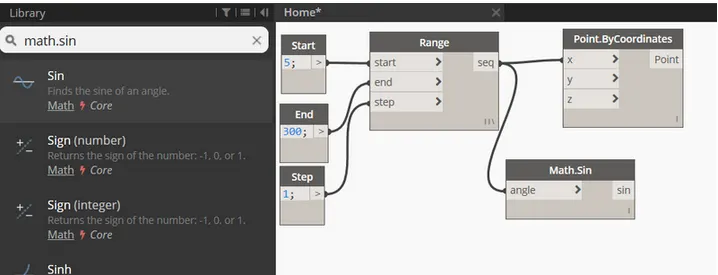
we'll insert another slider since sin value is small
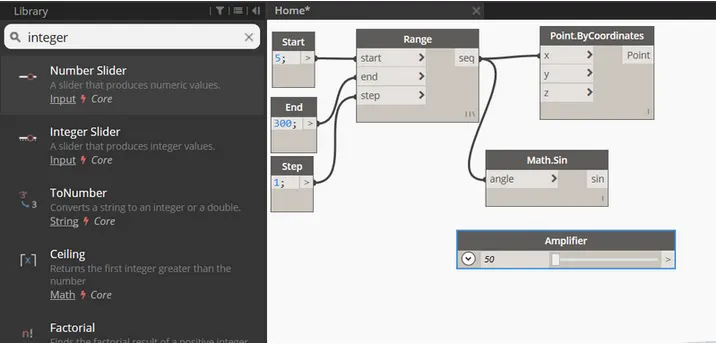
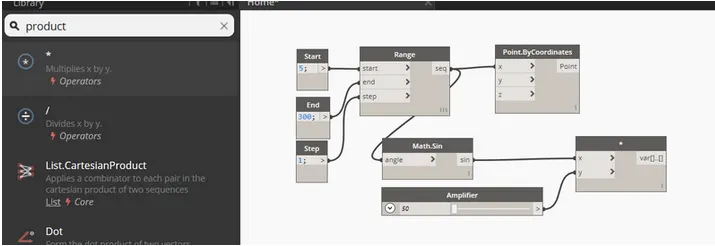
amplififer code block needs to be multiplied to sin block
input for x value is sin block and y value is amplifier block
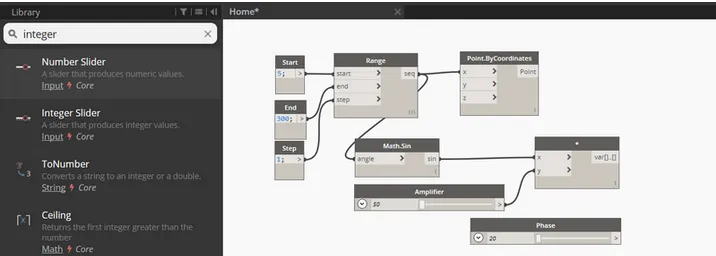
we need to provide phase for sin curve which we'll do by providing integer slider and name it as phase
phase block is then added to amplified sin block
insert add operator block from library
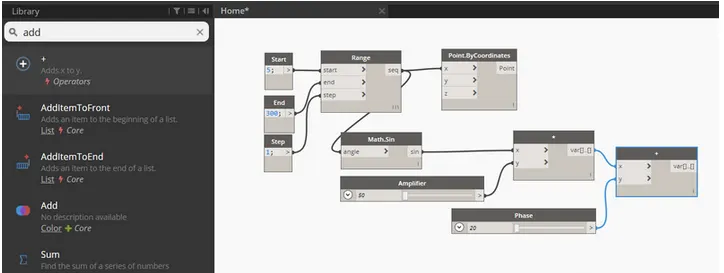
connect this to y coordinates of the point by coordinates block
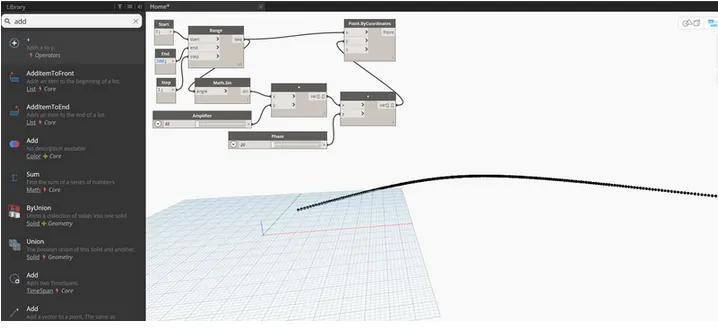
sinusoidal pts are obrained
we need to convert them to curve
curve will be created from nurbscurve
connect the pts by coordinate block as input for nurbs curve to develop line connecting the pts
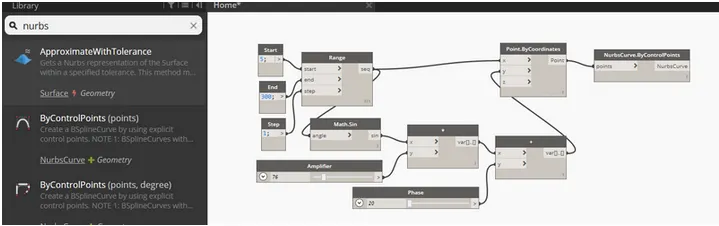
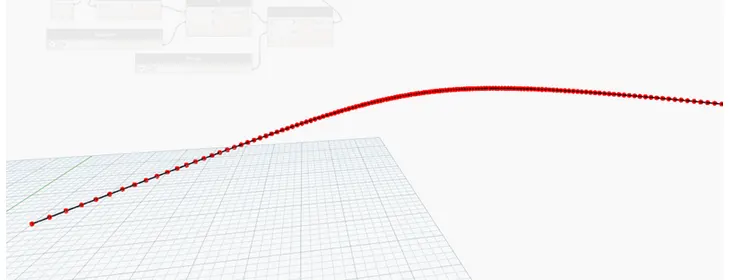
sinusoidal curve is created
next step is to create surface
we need to group entire thing together
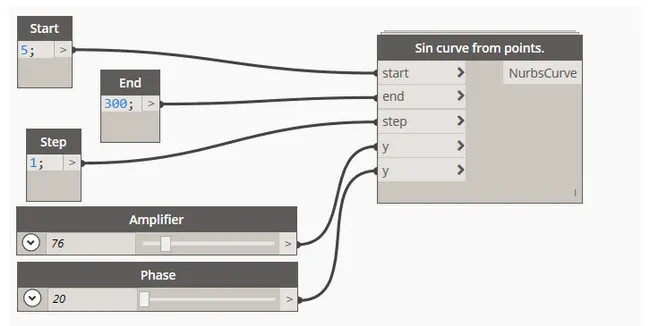
copy entire block 2 times to create surface
adjust phase to view curves
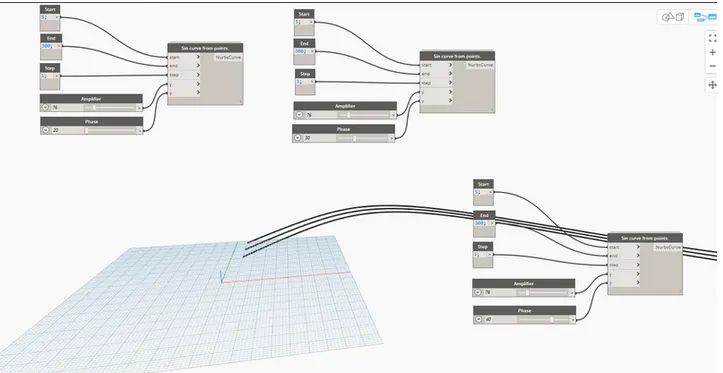
for creating surface we need to create list
connect all outputs of sin curve for input to the list
it will serve as input for surface by loft block
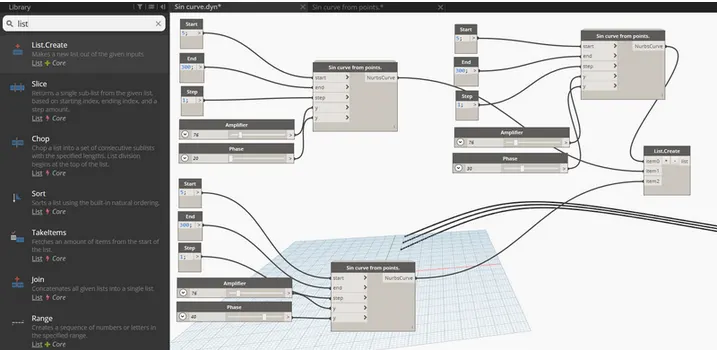
search surface by loft
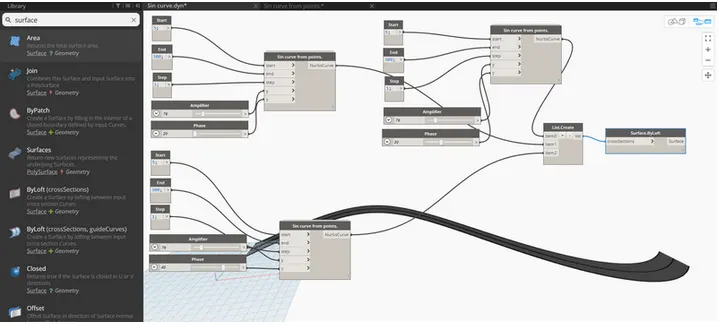
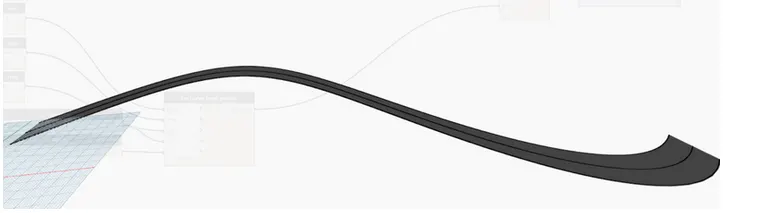
surface is developed
a2 aim - to create floor layout using dynamo
open architectural template in revit
from manage tab open dynamo
we will need 4 pts for the layout which we'll create using point coordinates
origin will be (0,0,0) rest is ctrl pt 1(x,0,0) and ctrl pt 2(0,y,0) and ctrl pt 3 (x,y,0)
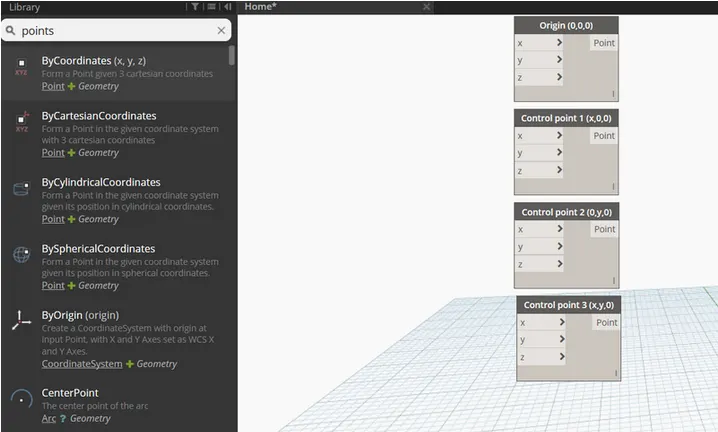
provide slider integers to control value of x and y
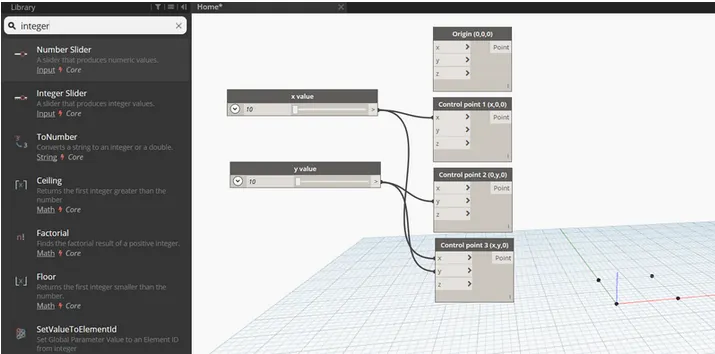
we need to connect these points with a line so search for line by start and end and insert 4 blocks
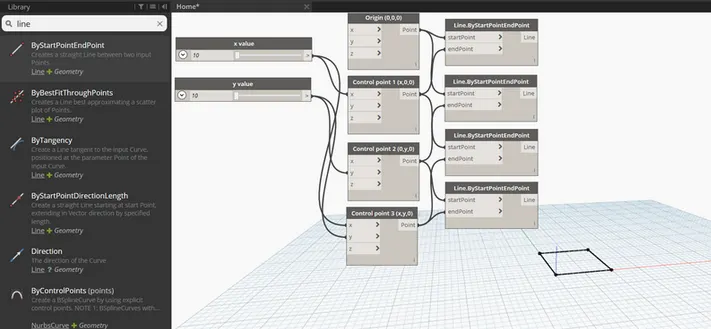
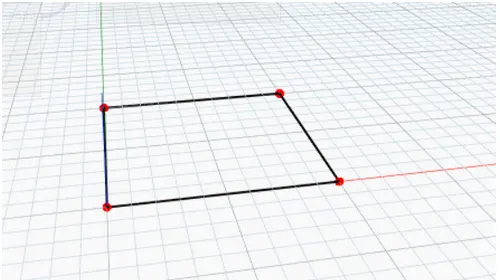
layout of floor plan is obtained
search walls and choose walls by curve and height
for this we require curve, height, level and wall types
for curve, combine all 4 lines in a list by choosing list.create
for height, another number slider is chose and named as height
for wall, search type in the panel
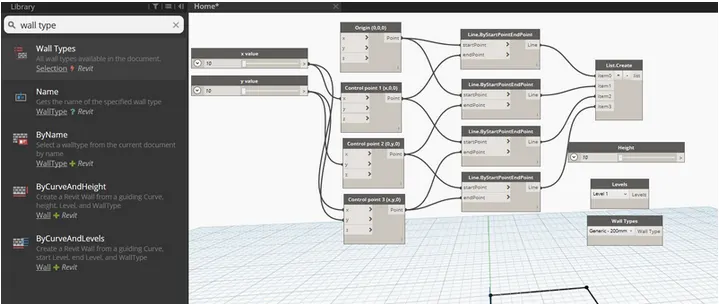
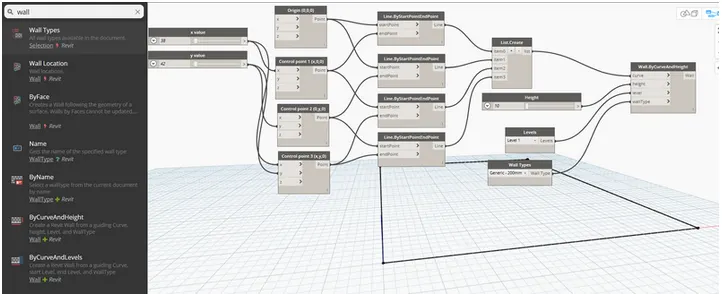
floor plan layout
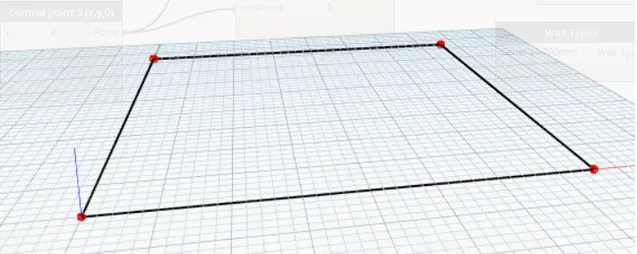
heiight of wall can be adjusted using slider
for floor, type floor in the library and select floor by outline curve, floor type and panel
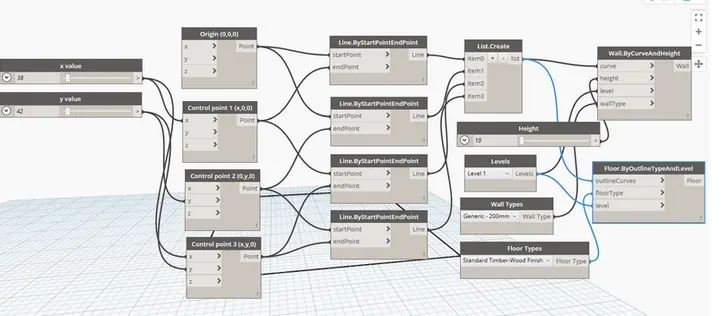
3d view
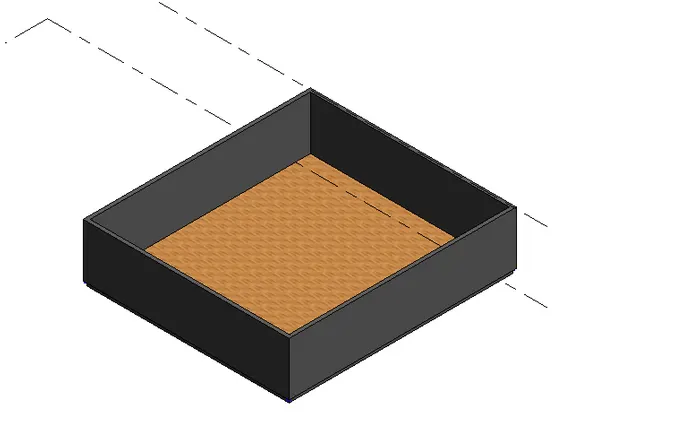
result - conceptual floor plan layout has been created
A4 aim - Create an array of model elements in Revit. Use dynamo to vary the properties of model elements by using the slider or code block
procedure - open architectural template in revit
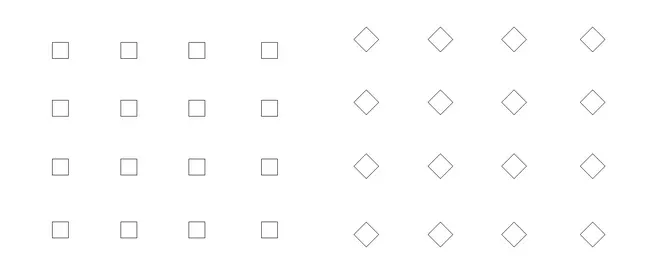
from architecture tab place 16 columns of 610mm x 610mm

properties of model elements are varied using dynamo
open dynamo
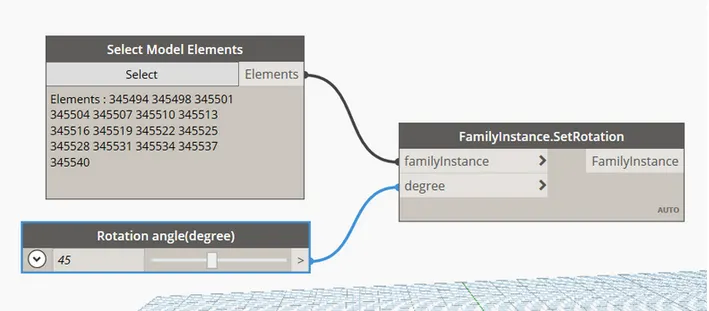
search model elemnts, integer slider and set rotation
rename integer slider as rotation angle
model elemts block will be input for integer slider and integer slider will be input for degree