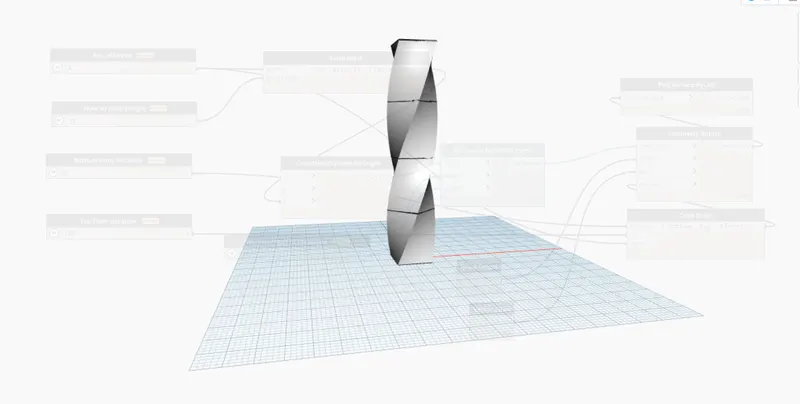
Creating Conceptual mass in REVIT and Creation of Sinusoidal curve and a Parametric stadium using Dynamo
1)
Aim: -
Using Dynamo create a set of sinusoidal points and create a curve and create a surface out of the curve.
Procedure: -
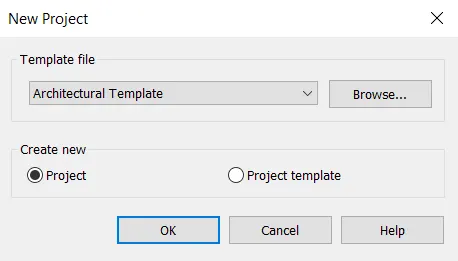
- Open the Revit Software Create a New Architectural Template File
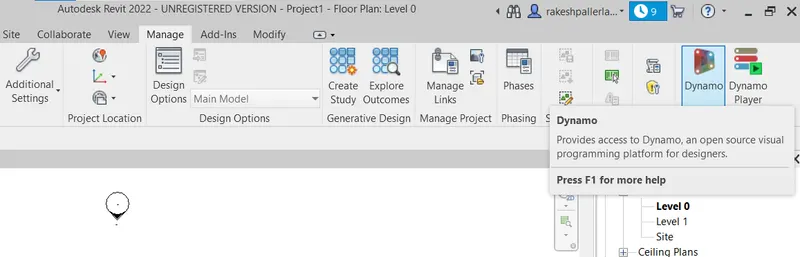
- Select the Dynamo By Using Manage Tab
- Now double Click on the Dynamo Screen, the Code Block Will be Visible
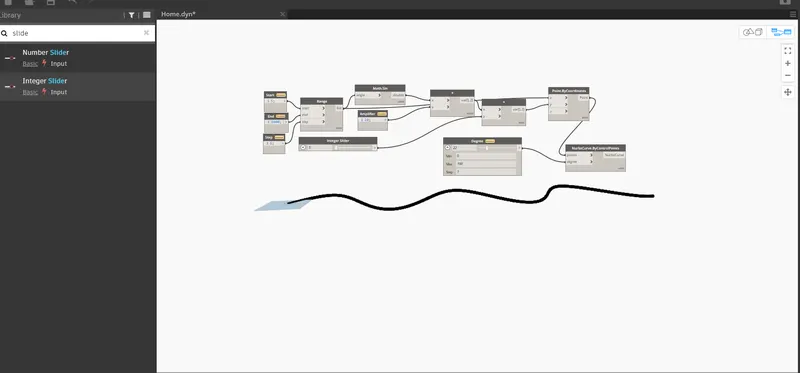
- Now insert the range and Connect
- Now Type Point By Coordinates and Connect List to the X Coordinate
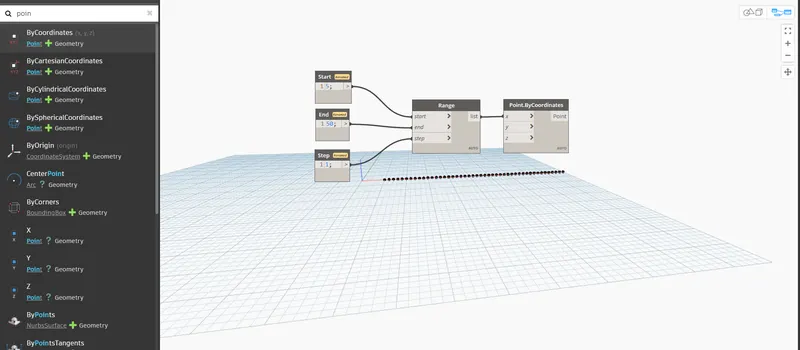
- Now type the Math. Sin Connect the Range List to the Angle
- Now type Code Block and rename it as Amplifier and Connect it to Y of the Product
- Now type insert and Connect Var of Product to the X of Add
- Now Connect Var of Add to the Y of the Point by Coo ordinates
- Now again type integer Slider and Give the Minimum Integer Value and Connect it ti the Y of add
- Type Nurbscurve Coordinate and Insert it
- Connect Point of Point by Coordinates to the Points of Nurbscurve Coordinates
- Now again type Integer Slider and Give Minimum Integer Value and Connect it to the Degree of Nurbscurve by Control Points
- Go to Edit tab and select Create Custom Note
- Finally the Surface has Been Created
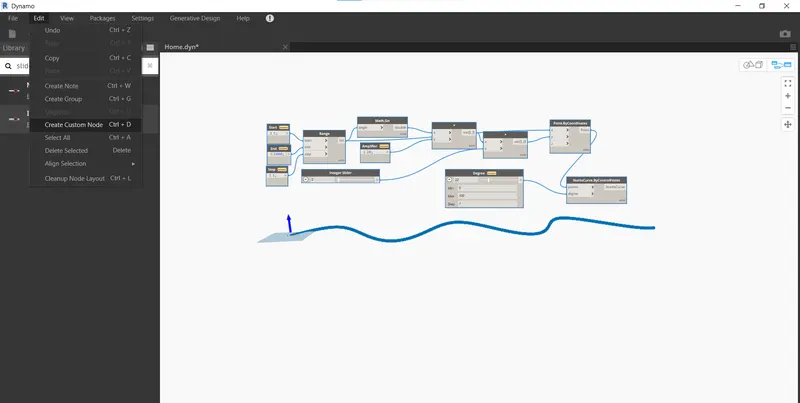
Result: -
2)
Aim: -
Create a conceptual layout of floor plan in dynamo . Using the tools available in dynamo link the lines to appropriate model elements in Revit by choosing the wall types and wall parameters. Make use of the sliders to slide through the height of the wall and length of the wall
Procedure: -
- Enter the two integer Slider and name them as x and y and Give them the Minimum Integer Values as 100
- Type Point by Coordinates 4 times and Connect Created Integer Slider to the Point By Coordinates
- Now type Line By Start Point End Point and Create it Four times
- Now Connect Point By Coordinates to the line by start Point end Point
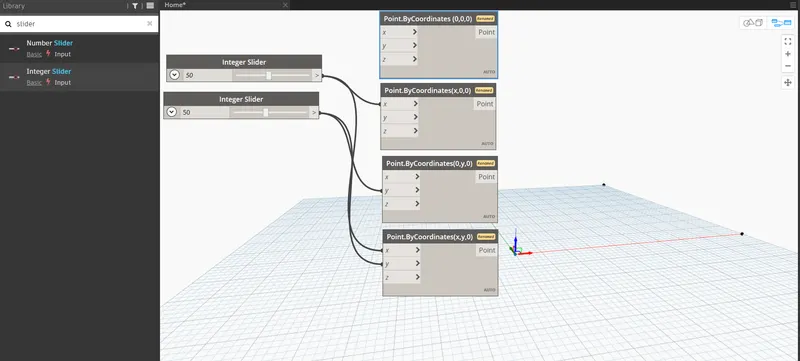
- The Remaining Member Like Wall height, wall type, level Etc Created
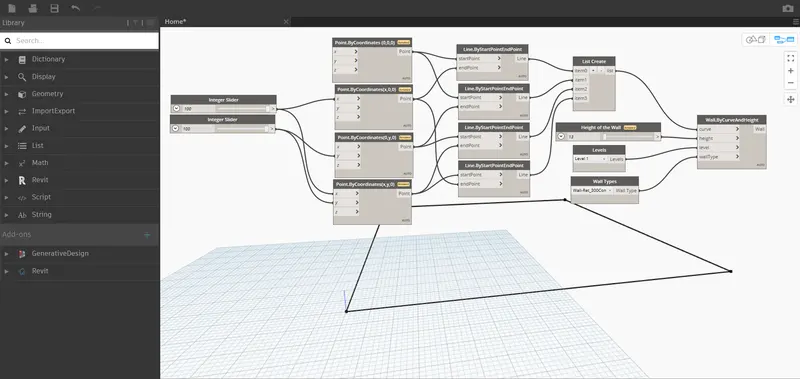
-
Now Minimize the Dynamo Screen and View the Revit Software Screen
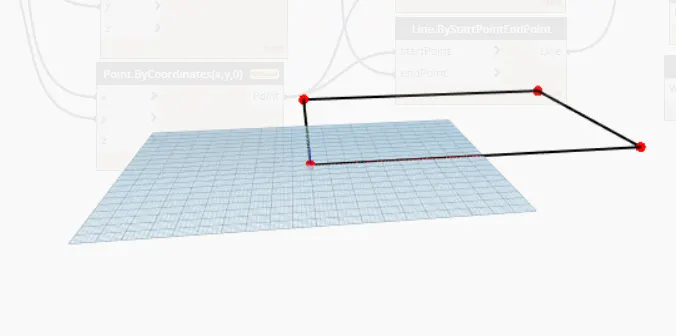
- Now Adjust the Height of the Wall using the Integer Slider
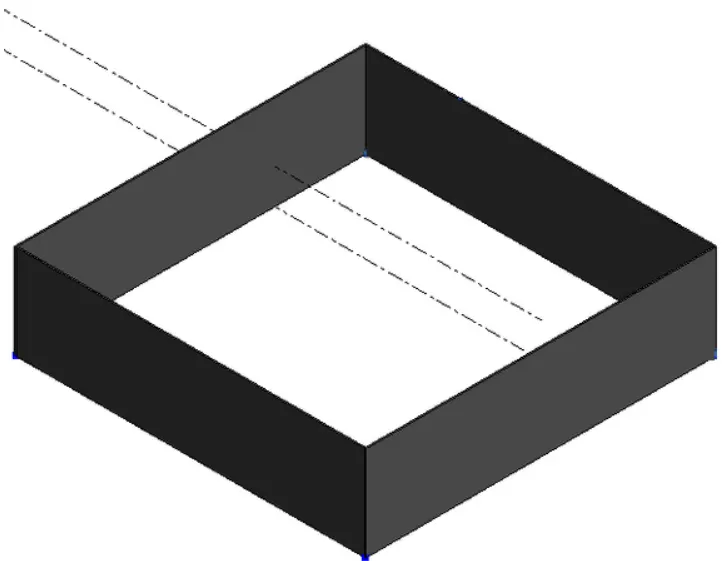
Result: -
3)
Aim: -
Create an array of model elements in Revit. Use dynamo to vary the properties of model elements by using the slider or code block
Procedure; -
- Open the Revit Software by using Architecture Template
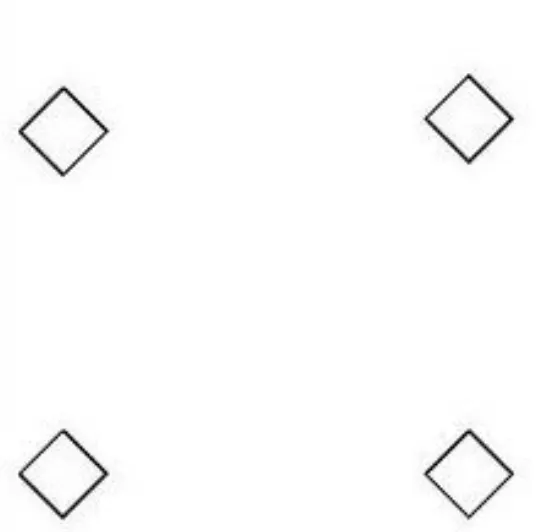
- Now Create 4 Columns
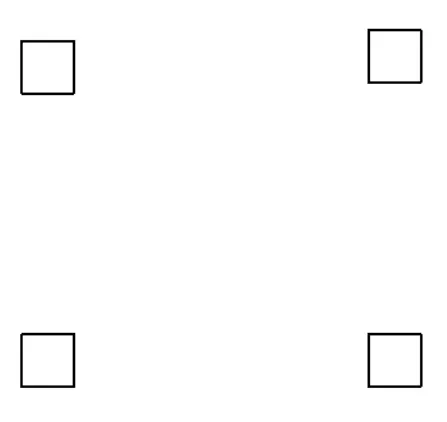
-
Now Open the Dynamo tool and Type the select Model Elements, Integer Slider and Family Instance. Set Rotation
-
Connect the integer Slider to the Degree of Family instance. Set Rotation
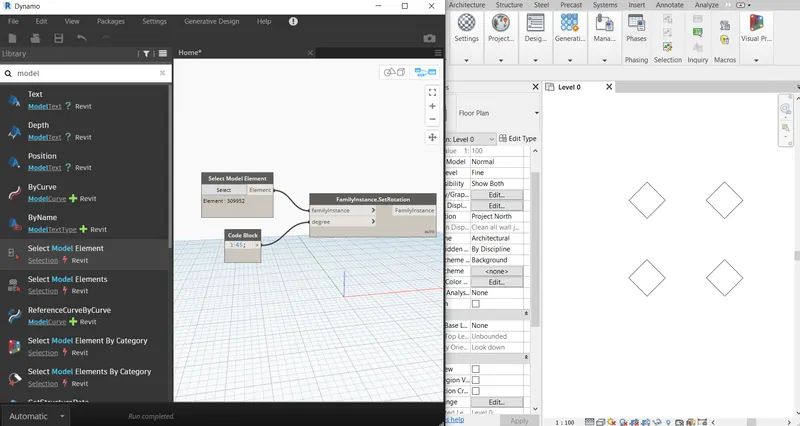
-
Now the Columns are Rotated to an angle of 45
Result: -
4)
Aim: -
Create a conceptual mass in Revit and develop a parametric column by dividing the surfaces and apply the concepts similar to used in parametric walkway modelling. Use triangular bent or square shaped panels to add finish to the parametric column
Procedure: -
- Open the Revit Select the File of Conceptual Mass From the Families
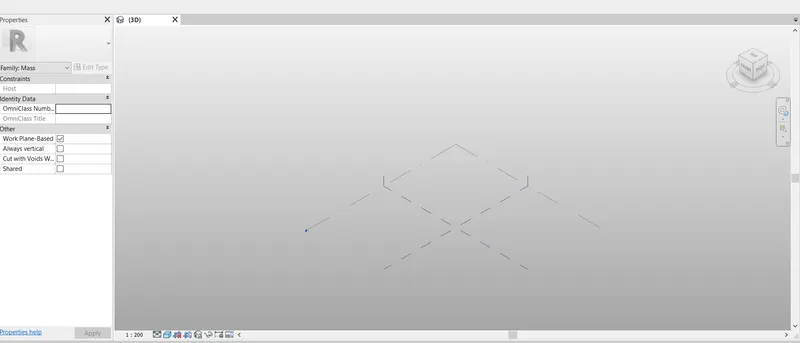
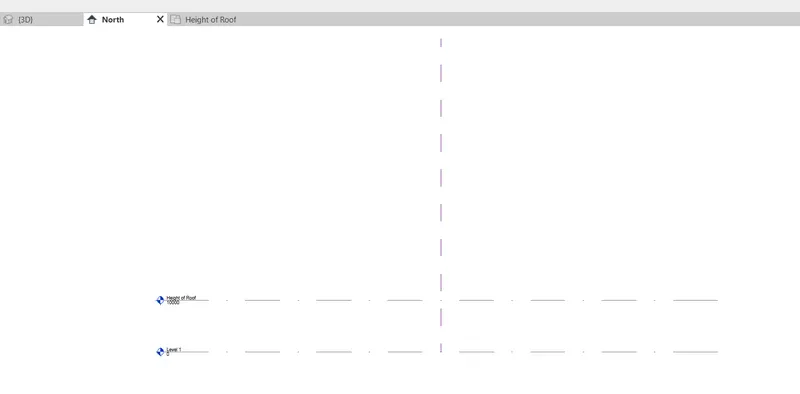
- Go to North View and Give the Level Rename as Height of Roof is 10 mtrs
-
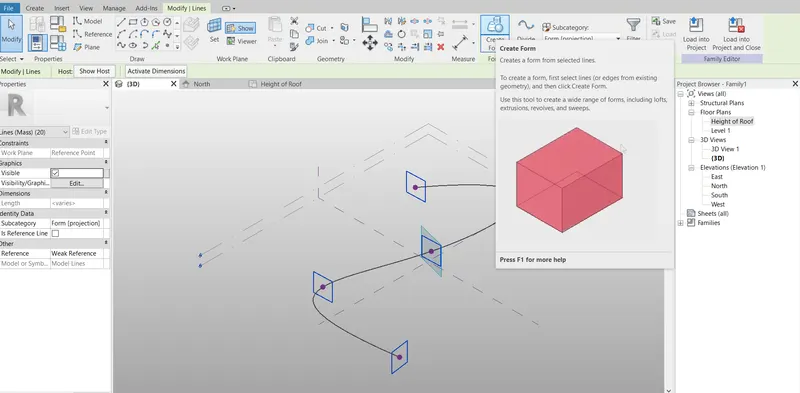
Using the Spline to Create a Curve
-
At Points to Create a Work plane to Draw Circumference Polygon
- Select Polygon Click on Create a Form
-
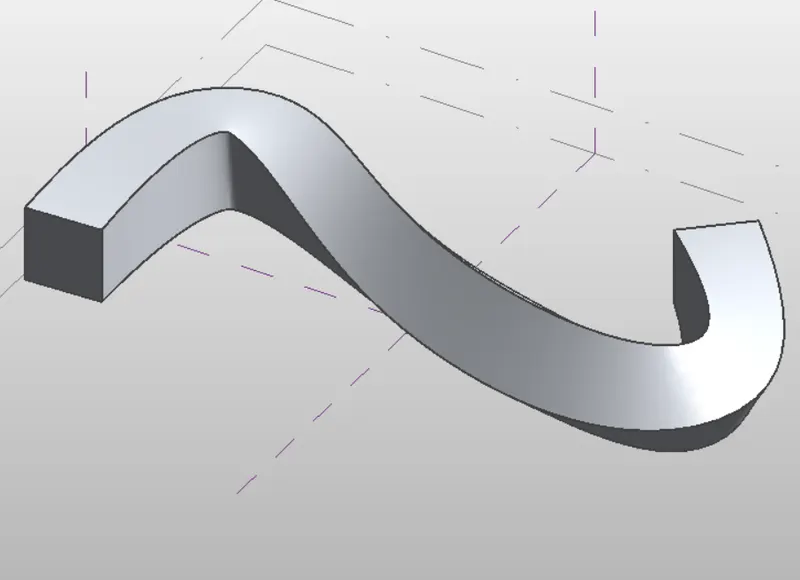
- Click on Properties Select the Traingular Bent from the Pattern
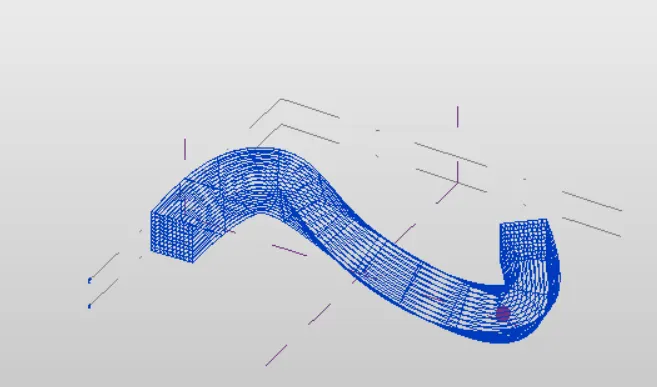
Result:-
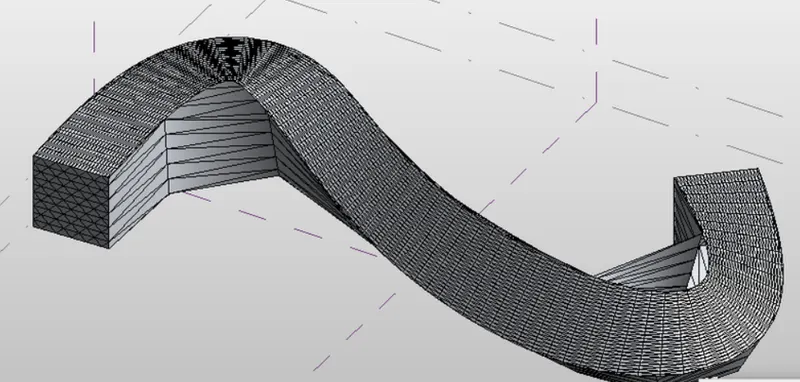
5)
Aim: -
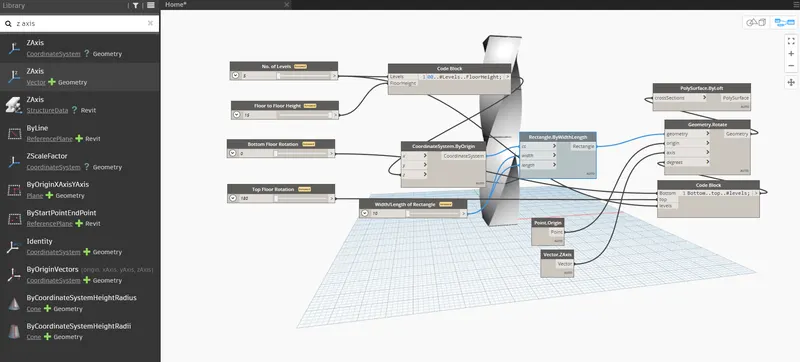
Use Dynamo to work on developing a Parametric Stadium. List your parameters and use the visual programming approach to complete the modelling, You can use the concepts discussed in parametric high rise tower in class for reference.
Procedure: -
- Open the New File in Revit and Open Dynamo
- Type screen Slider and Insert Four Sliders
- Now Type Points and Select Points by Coordinates to Create Floor
- Now Type Code Block and Rename as Floor Height
- Now Join the Levels and Height
- Type Coordinates System by Origin and Join the Code Block to Z
- Now again type Code Block and Rename
- Now Join the Bottom and top Rotation and Number of levels
- Type Rectangle Width, Type Slider and Rename as Width of the Rectangle
- Now Join the Slider to Width and Length
- Type Rotate and Insert Geometry Rotate
- Type Origin and Insert Point to Origin
- Type Ply surface By Loft and insert it
- Join Geometry to the Cross Section
Result: -