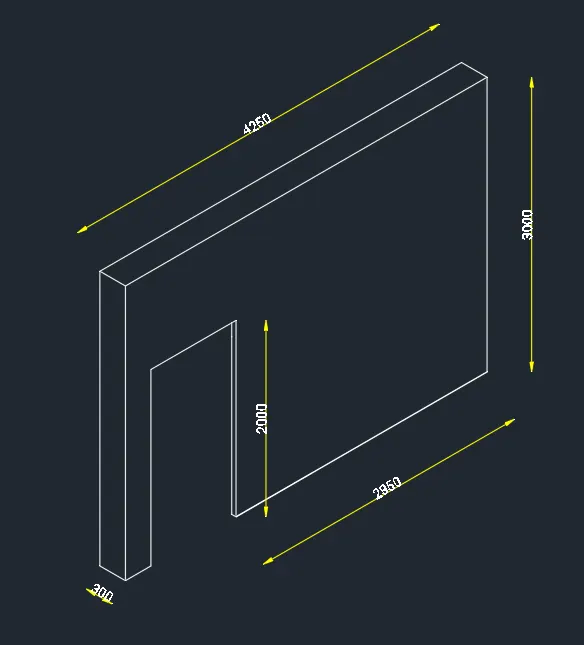
Creating a Floor plan, Footing detail and Isometric view using AutoCad
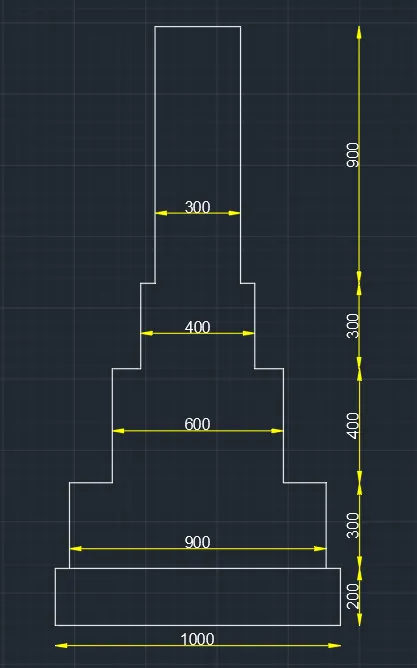
Aim: To Draw a Cross Section of Footing
Procedure:
Step-1
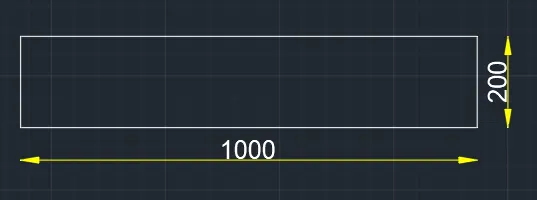
- Create a Rectangle by Typing REC In Command Box
- Specify the Starting Corner Point. ( Its the Starting Point of Rectangle )
- Click on Dimension in the Command Box
- Give the Dimensions In Command Box
- Lenght = 1000 Units
- Width = 200 Units
Step-2
- Give a Commond "PL" In Commond Box
- Specify the Starting Corner Point Specify Point Which is 50 Units From the Starting Point of Rectangle By Using Dynamic In Put Method
- By Using Cursor Pointing to Y direction and Give the Length 300 Units In Commond Box
- By Using Cursor Pointing to X direction and Give the Length 150 Units In Commond Box
- By Using Cursor Pointing to Y direction and Give the Length 400 Units In Commond Box
- By Using Cursor Pointing to X direction and Give the Length 100 Units In Commond Box
- By Using Cursor Pointing to Y direction and Give the Length 300 Units In Commond Box
- By Using Cursor Pointing to X direction and Give the Length 50 Units In Commond Box
- By Using Cursor Pointing to Y direction and Give the Length 900 Units In Commond Box
- By Using Cursor Pointing to -Y direction and Give the Length 900 Units In Commond Box
- By Using Cursor Pointing to X direction and Give the Length 50 Units In Commond Box
- By Using Cursor Pointing to -Y direction and Give the Length 300 Units In Commond Box
- By Using Cursor Pointing to X direction and Give the Length 100 Units In Commond Box
- By Using Cursor Pointing to -Y direction and Give the Length 400 Units In Commond Box
- By Using Cursor Pointing to X direction and Give the Length 150 Units In Commond Box
- By Using Cursor Pointing to -Y direction and Give the Length 300 Units In Commond Box
- Enter Esc
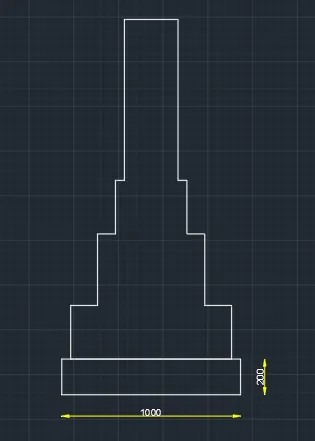
Result:
Aim: To Draw a Floor Plan
Procedure :
- Step-1
- Creating a Bed Room By Giving the Commond of Pl In the Commond Box
- Specify the Point and Move the Curser to +Y direction Give the 300 Units In Commond Box
- By Using the Curser Pointing -X Direction Give the 3000 Units In Commond Box
- By Using the Curser Pointing -Y Direction Give the 3000 Units In Commond Box
- By Using the Curser Pointing X Direction Give the 3000 Units In Commond Box
- By Using the Curser Pointing Y Direction Give the 1700 Units In Commond Box
- Press Esc
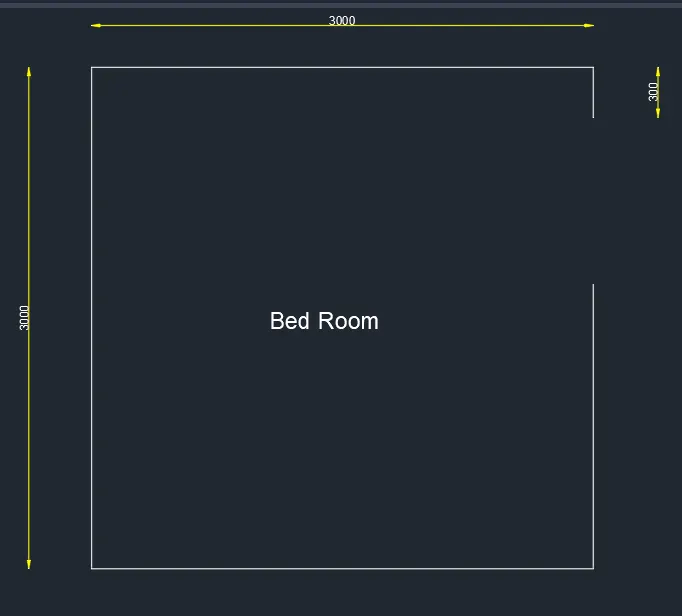
- Creating a wash Room Specify the Point From the Third Point of Bed Room and Move the Curser to -Y direction Give the 2000 Units In Commond Box
- By Using the Curser Pointing X Direction Give the 3000 Units In Commond Box
- By Using the Curser Pointing -Y Direction Give the 1700 Units In Commond Box
- Press Esc
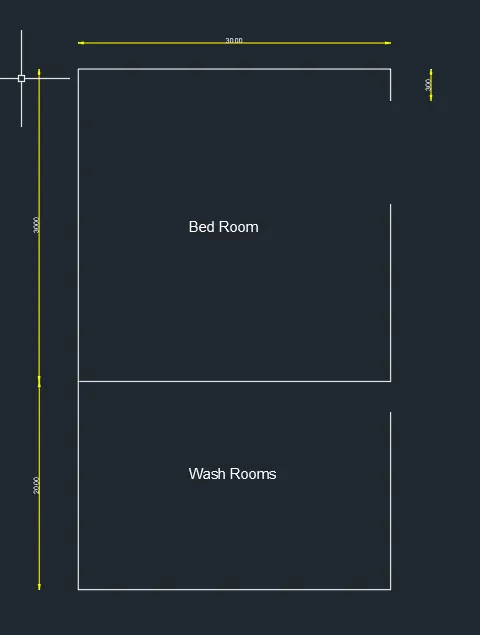
- Creating a Bed Room Specify the Point From the Third Point of Wash rooms and Move the Curser to -Y direction Give the 3000 Units In Commond Box
- By Using the Curser Pointing X Direction Give the 3000 Units In Commond Box
- By Using the Curser Pointing Y Direction Give the 2700 Units In Commond Box
- Press Esc
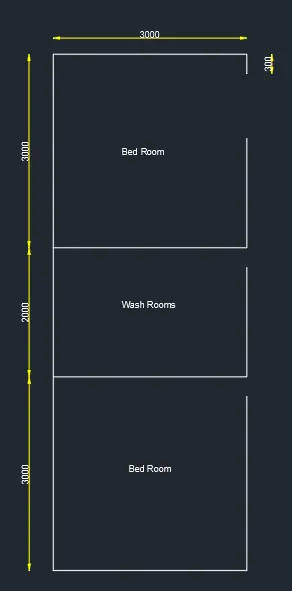
- Creating a Kitchen Specify the Point From the Fourth Point of Bed rooms and Move the Curser toX direction Give the 3000 Units In Commond Box
- By Using the Curser Pointing Y Direction Give the 8000 Units In Commond Box
- By Using the Curser Pointing -X Direction Give the 100 Units In Commond Box
- Press Esc
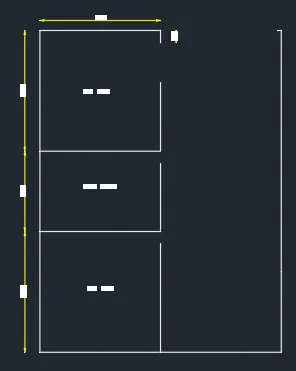
- Creating a Hall Specify the Point From the 1st Point of 1st Bed room and Move the Curser to X direction Give the 2400 Units In Commond Box
- Press Esc
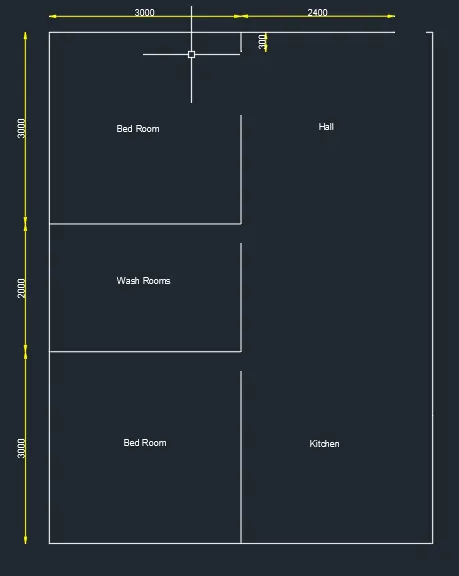
- Result
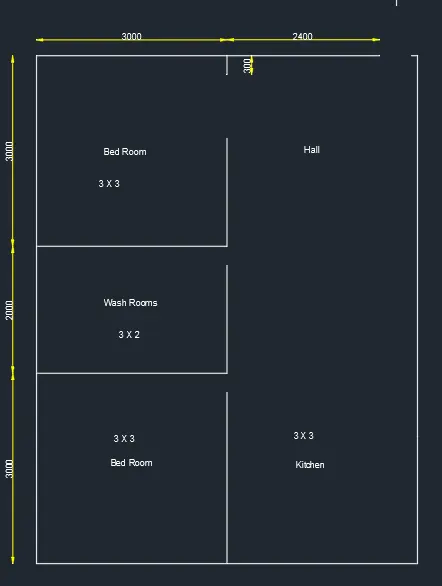
Iso Metric View
Aim:To Draw a Iso Metric View
Procedure:
Step-1
- Give The Commond of Ds Snap Off Grid Off Isometric Snap On
- ortho Mode is On
- Give the Commond Pl Moving the Cursor 4250 Units
- Pointing the Curser downwords Give the 3000 Units
- Pointing the Curser to Right Words Give the 50 Units
- Pointing Curser to Up Words Give the 2000 Units
- Pointing the Curser to Downwords Give the 2000 Units
- Pointing the Curser to Right Side Give the 2950 Units
- Pointing the Curser to Up Word Give the 3000 Units
- Enter Esc
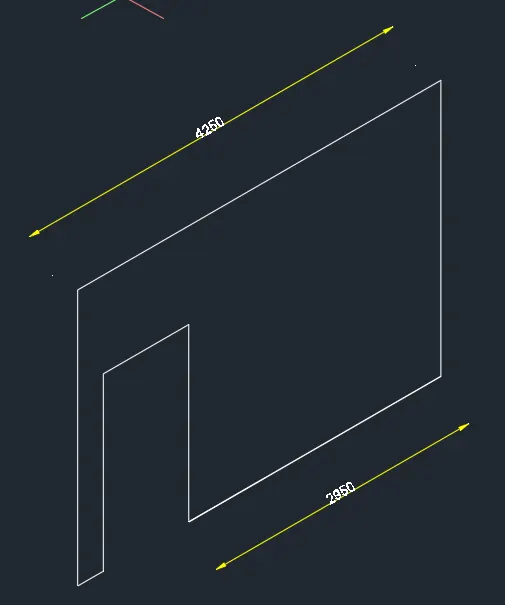
Step-2
- Give the Commond of Pl and Chnge the Isoplane to the Left Give the 300 Units
- Move the Curser to Upwords Give 3000 Units
- Move the Curser to Reight side Give 300 Units
- Esc and Give the Commond of L take the Corner Point Give the 4250 Units in Commond Bar
- Move the Curser to Reight side Give 300 Units
- Esc
Result :