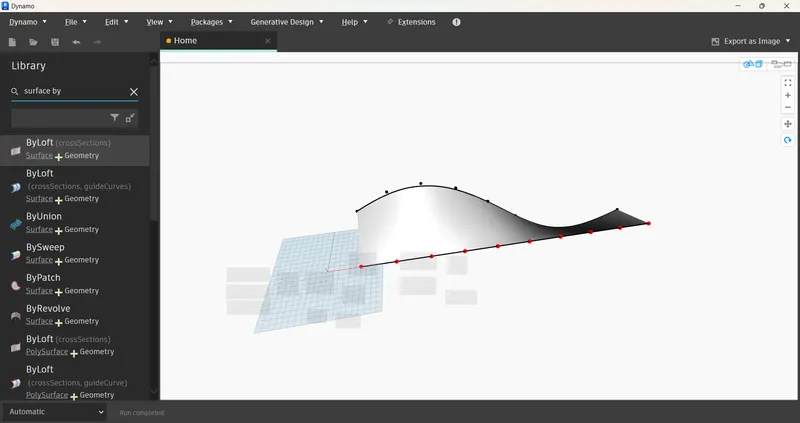
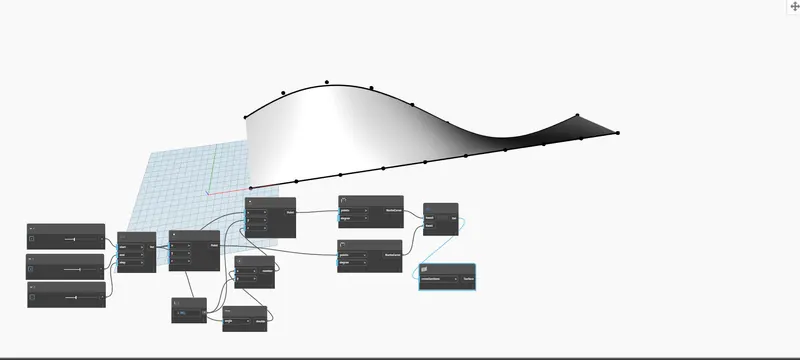
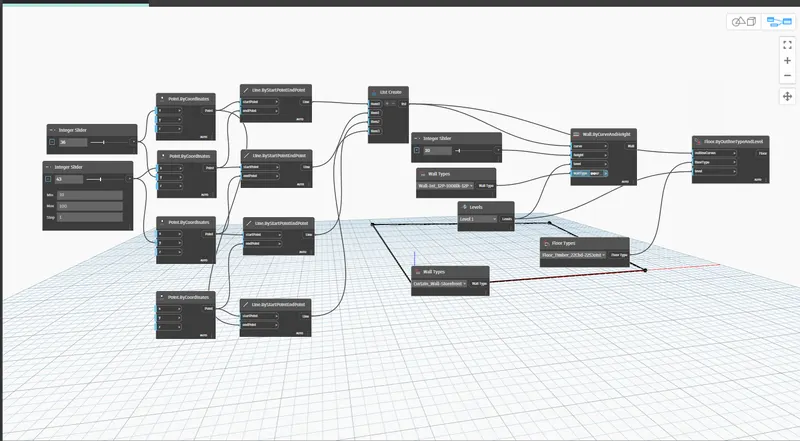
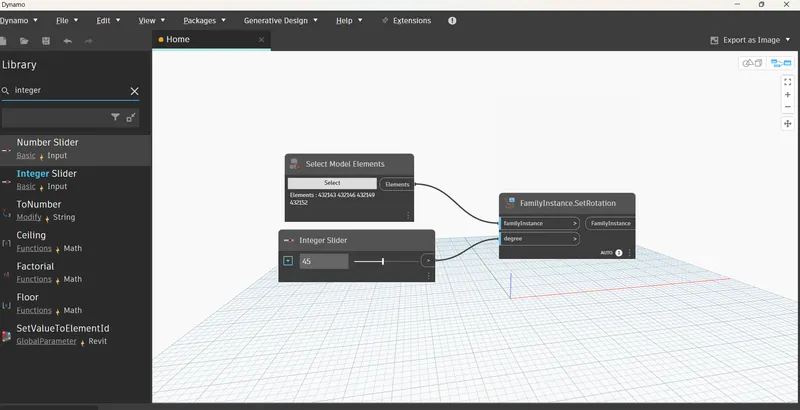
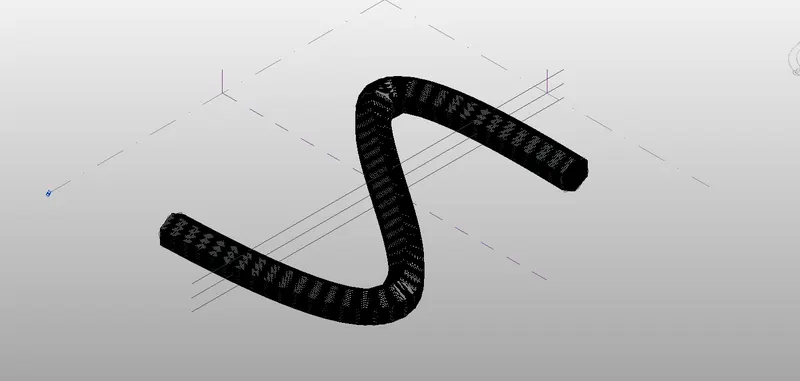
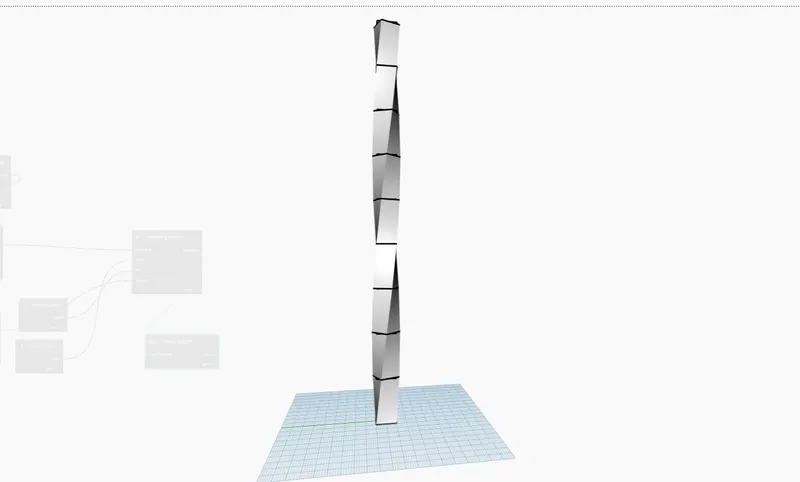
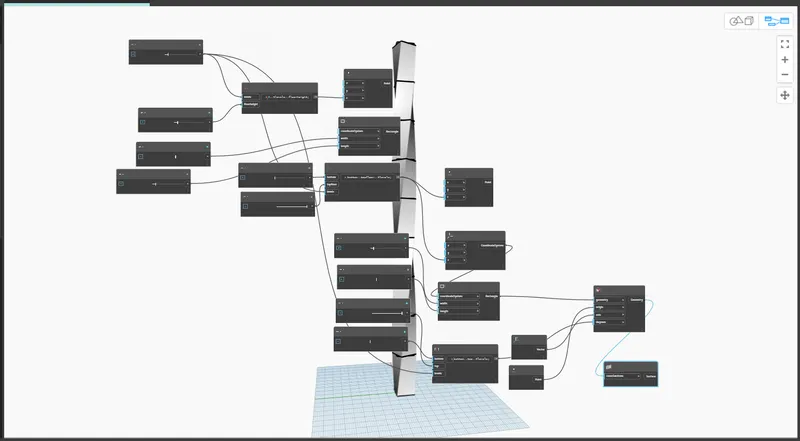
1) Using Dynamo create a set of sinusoidal points and create a curve and create a surface out of the curve. ans: Using Dynamo creates a set of sinusoidal points and creates a curve and creates a surface out of the curve by using Revit as well as a dynamo to open the files. choose the respected files and open the new file…
Busaramanu Mahesh
updated on 29 Jan 2023
Project Details
Leave a comment
Thanks for choosing to leave a comment. Please keep in mind that all the comments are moderated as per our comment policy, and your email will not be published for privacy reasons. Please leave a personal & meaningful conversation.
Other comments...
Read more Projects by Busaramanu Mahesh (27)
Project 1_Comparative study of different storey buildings for Seismic forces
PROJECT-1 AIM: Comparative study of different story buildings for Seismic forces. INTRODUCTION: Factors influencing the dynamic characteristics of a building Factors influencing the Natural Period of a building Factors influencing the Mode shape of oscillations Building:1 2storeys column dimensions = 400 x400…
01 Mar 2023 06:31 PM IST
Structural dynamics
Question 1: ANS: Differentiate Static analysis and Dynamic analysis. Force displacement system damping force equation of motion -an external force equation of motion -earthquake excitation undamped free vibration systems, viscously Damped free damping Dynamic analysis: response spectrum concept, deformation,pseudo-velocity,…
01 Mar 2023 01:33 AM IST
Foundation Design using SAFE
Quetion:1 AIM: Model the isolated footing provided in week 11 challenge on SAFE. INTRODUCTION: Model the isolated footing provided in week 11 challenge on SAFE. Analyze and design it to verify the size, depth and steel provided as per calculations. procedure: checks needs to be performed in safe analysis. 1.safe bearing…
27 Feb 2023 05:57 PM IST
Structural Modelling using Etabs 2018
AIM:The architectural drawings for a G+7 residential building in zone 5 has been provided. The floor plan is the same for all 7 floor levels. Possible column positions have also been provided. Conceptualize a framing plan layout and then model the building in Etabs. The following architectural drawings have been provided.…
27 Feb 2023 03:38 PM IST
Design of Shallow Foundation (Isolated Footings)
AIM: Design a square footing for a column size of 400x400. The compression axial load for the load combination of (1.5 DL + 1.5 LL) is 2000 KN. The safe soil bearing capacity is 150 KN/m2 at a depth of 2 metres below E.G.L. Participants are free to go for either a tapered or stepped footing. Besides the total axial load,…
26 Feb 2023 07:10 PM IST
Analysis & Design of RCC shear walls in the model using ETABS
AIM:The etabs file for a G+6 building is provided. Run the analysis and design the RCC shear walls (show in the etabs model). The following challenge deals specifically with the shear wall of size 300x1500 at grid A-11 in the structural model. INTRODUCTION: Extract values of longitudinal steel ratio, boundary element length…
26 Feb 2023 10:57 AM IST
Reinforcement detailing of Columns from ETABS output
AIM: Reinforcement detailing of columns in Etabs 2018. INTRODUCTION: The ETABS file for a G+4 building is provided. Run the analysis and design the RCC Moment Resisting Frame. The following challenge deals specifically with two columns at the following grid intersections. 3A 3B Provide details of longitudinal reinforcement…
25 Feb 2023 07:32 PM IST
Reinforcement Detailing of Beams from ETABS output
AIM:Detailed design of concrete buildings -1 PROCEDURE: Detail design of beams in Etabs 2018.The ETABS file for a G+4 building is provided. Run the analysis and design the RCC Moment ResistingFrame. The following challenge deals specifically with two continuous beams in the 1st floor. …
25 Feb 2023 02:58 PM IST
Modelling of 25 storey building with the specified properties using ETABS
AIM: ETABS modeling of a 25-storey building INTRODUCTION: Structural Element Sizes Beams: 300 × 400 mm Columns: 800 × 800 mm Slab: 150 mm thick Material Properties Grade of Concrete: M30 Grade of Steel Reinforcement Bars: Fe 415 Loading Dead Load on beams from…
25 Feb 2023 05:35 AM IST
Conceptual design of a building with columns and shear walls
Question 1:The building shown, 20 × 35 m in plan, has columns on a 5 × 5 m grid and shear walls (with dimensions shown in m, 250 mm in thickness) in three alternative arrangements, (a), (b), (c), all with the same total cross-sectional area of the shear walls. Compare the three alternatives, taking into account…
24 Feb 2023 05:23 PM IST
Concept on positioning of Columns
Question 1: Comment on the layout of the framing plan concerning earthquake resistance in the two horizontal directions X or Y (dots are columns, lines depict beams). Look into aspects of symmetry, redundancy and bi-directional stiffness and ductility. answer: observing by dividing in the x-direction If we split…
09 Feb 2023 03:03 AM IST
Understanding the concepts on Degrees of Freedom
Question 1: A five-storey structure with 5 translational DOF is shown here. Each storey has mass ‘m’. The eigenvalue problem has been solved and the 5 periods of vibration Tn and their corresponding mode shapes, φn has been derived. ans: the given all elements are derived , Note:due to the…
08 Feb 2023 06:35 PM IST
Identification of Cracks
What is the mode of failure or damage of the beams in the figure above? Are the damages repairable? Elaborate Question1: a) observations: concrete spalled beyond the reinforcement it may cause rupture. concrete crushed and reinforcement exposed. The beam top looks safe being slab supports there. the crack develops…
08 Feb 2023 03:14 AM IST
Usage of Navigation tool , Timeliner and Clash Detection test using Naviswork
1) Use the Architecture/ Structure Project file developed by you in Week 6 to 8. Export the Revit architecture and structure model to Navisworks Cache file following the export settings discussed in class ANS: AIM: Export the Revit architecture and structure model to Navisworks Cache file following the export settings…
30 Jan 2023 02:46 PM IST
Creating Conceptual mass in REVIT and Creation of Sinusoidal curve and a Parametric stadium using Dynamo
1) Using Dynamo create a set of sinusoidal points and create a curve and create a surface out of the curve. ans: Using Dynamo creates a set of sinusoidal points and creates a curve and creates a surface out of the curve by using Revit as well as a dynamo to open the files. choose the respected files and open the new file…
29 Jan 2023 06:05 PM IST
Creating Architectural and Structural model with 3D rendering using REVIT
1) Select the type of structure you want to build from one of the three below: a. Multi-Unit Residential Apartment b. Office Buildings c. School ans: choosen the multi-unit Residential apartment. 2) Assume reasonable assumptions for…
23 Jan 2023 04:37 PM IST
3D Creation of Celing, Roof, Architectural plan, Structural plan, Sectional view, Elevation view and Camera specific view for a house plan using REVIT
1) AIM: proceed from the First Floor Level. Model a Ceiling from the architecture tab above the walls at the first-floor level. INTRODUCTION: Based on the project saved from Week 3, proceed from the First Floor Level. Model a Ceiling from the architecture tab above the walls at the first-floor level PROCEDURE: …
18 Jan 2023 11:30 AM IST
Project 2_Creating a 3D rendered model for a Residential Building in AutoCad
RESIDENTIAL BUILDING WITH A RENDERED VIEW AIM: Create a 3-dimensional model of the residential building with a rendered view. INTRODUCTION: Create a 3-dimensional model of the residential building with a rendered view. using layers, trim, extend, mirror, extrude,3dmirror, line, block, etc…
10 Jan 2023 05:05 PM IST
Creating 3D Isometric view of various structural elements in AutoCAD
AIM: Create a 3D Isometric View of the building with the plan and elevation given. INTRODUCTION: Create a 3D Isometric View of the building with the plan and elevation given. use the 3d tools while working. PROCEDURE: open the auto cad file choosen the auto cad 3dmodeling work space, by using line created the walls…
09 Jan 2023 03:11 AM IST
Creating various 3D Models like Furniture, Footing, Girder, Column drop with panel and Gable Wall in AutoCad
AIM: Create a 3D Furniture element as shown in the Figure. INTRODUCTION: Create a 3D Furniture element as shown in the Figure. Assume dimensions that are missing. PROCEDURE: Open the cad and choose 3d modeling plane, by using box command created the box, later by using the hide command hide the face portion which is required,…
07 Jan 2023 06:34 PM IST
Creation of Multiple viewports, Scaling the drawing and setting in Template in AutoCad
AIM: Create a layout of the Plan and Section A of the project in Challenges 7, using the template Tutorial-mArch. INTRODUCTION: Create a layout of the Plan and Section A of the project in Challenges 7, using the template Tutorial-mArch.dwt in a scale as given in the Figure. Use the MV command to create the viewport…
01 Jan 2023 07:38 PM IST
Creating Kitchen layout, Hatching of Architectural elements and sectional view of an Industrial Building in AutoCad
AIM: Create the layouts of the Kitchen and provide a hatches pattern. INTRODUCTION: Create the layouts of the Kitchen and provide a hatches pattern as shown. Also, use blocks wherever required. Provide appropriate dimensions in the plan. Assume the size of doors, appliances, and others as per the standards.…
01 Jan 2023 10:27 AM IST
Creating Bar Bending schedule, Different Door types, and Creation of standard drawing templates using AutoCad
1.Templates AIM: Create the templates as shown in Figures. Create the templates as shown in the Figures. Take the size of the title block as per industry standards or you can assume it as per the size of the paper. Use text and attributes wherever required. After creating the title block you need to save it as a block…
28 Dec 2022 05:25 PM IST
Project 1 _Creating an Architectural plan for the provided plot size and develop relevant basic structural drawings
AIM: Design and Draft a layout of a residential building INTRODUCTION: Design and Draft a layout of a residential building with the following details: a. Plot Size: 60’x20’(18.3m x6m) b. Orientation- Facing East c. Develop the following: 1. Architectural Drawing (Floor Plan, Elevations,…
25 Dec 2022 07:01 PM IST
Sketch a G+1 residential plan according to Vaastu Shastra and Calculation of Loads as per IS code
AIM : Sketch a G+1 floor residential plan, according to Vaastu Shastra, and list down the names of the structural drawings required to be provided to the site for construction. Also, assume the sizes of the structural elements (Column, Beam, Slab, etc.,) and accordingly calculating the individual corresponding loads…
25 Jul 2022 05:31 AM IST
Project on Concrete Mix Design for various grades of Concrete
Calculate the Concrete Mix Design for M35 grade concrete with fly ash ? 1. Stipulations for proportioning a) Grade designation: M35 b) Type of cement : OPC 43 grade conforming to IS 8112 c) Type of mineral admixture: Fly ash conforming to IS 3812 (Part 1) d) Maximum nominal size of aggregate: 20 mm e) Minimum cement…
24 Jul 2022 11:50 AM IST