Menu

Executive Programs

Workshops

Projects

Blogs

Careers

Student Reviews


More

Academic Training

Informative Articles

Find Jobs

We are Hiring!


All Courses

Choose a category

Loading...

All Courses

All Courses

logo

Creating Conceptual mass in REVIT and Creation of Sinusoidal curve and a Parametric stadium using Dynamo

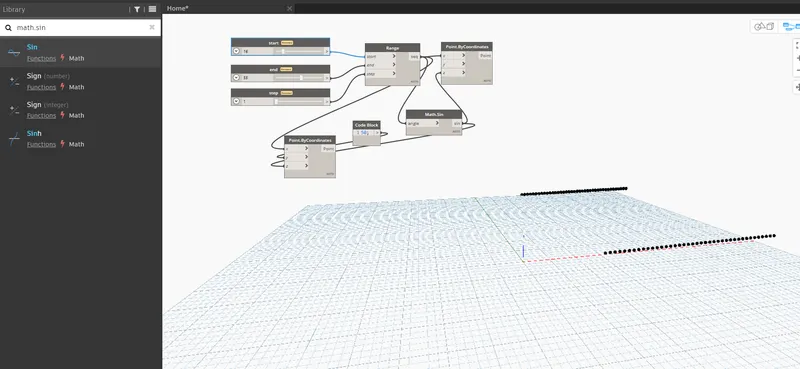
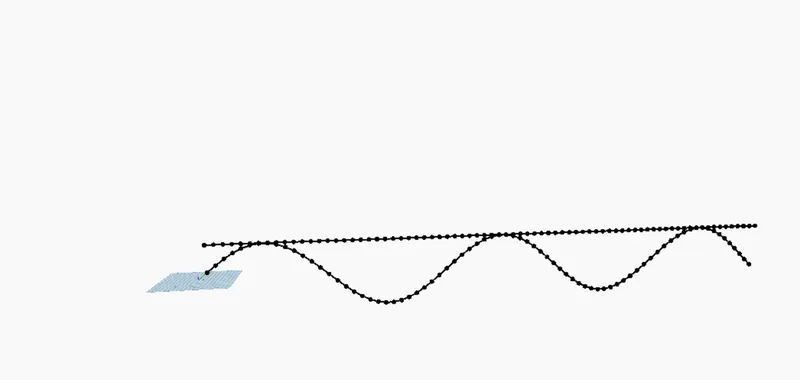
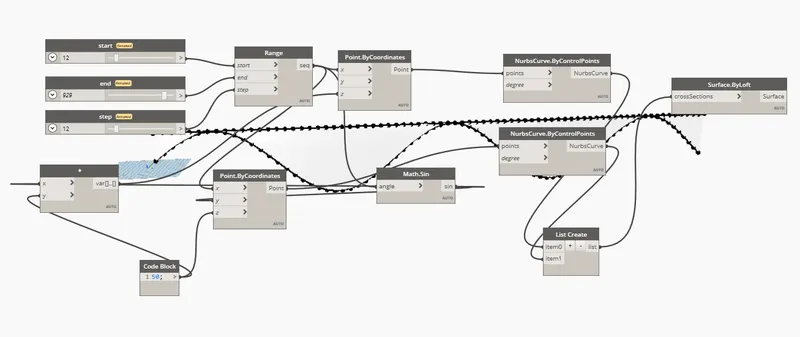
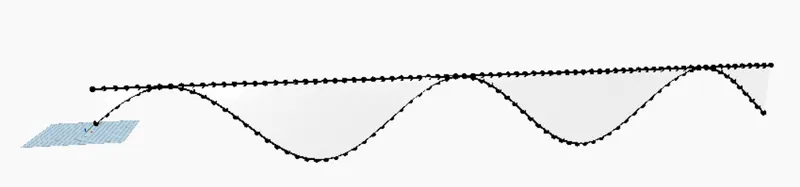
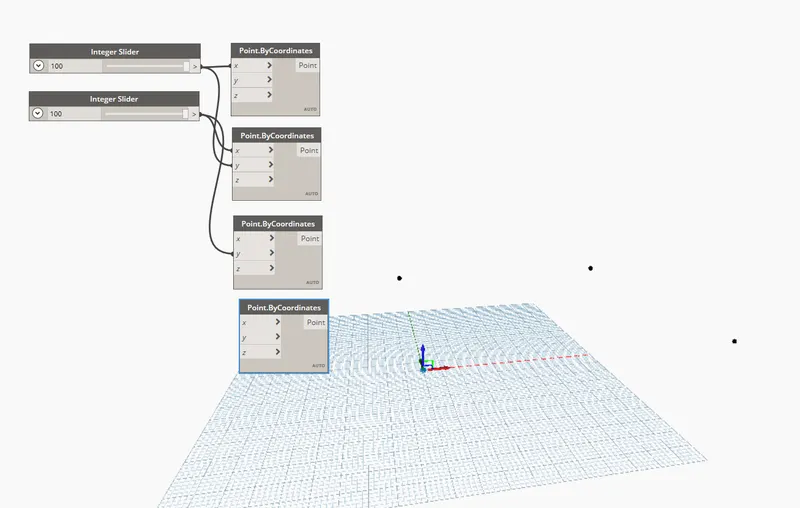
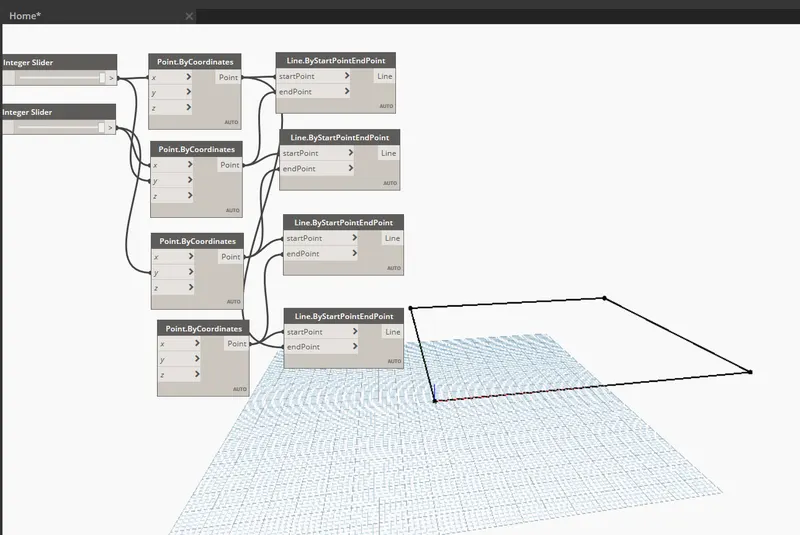
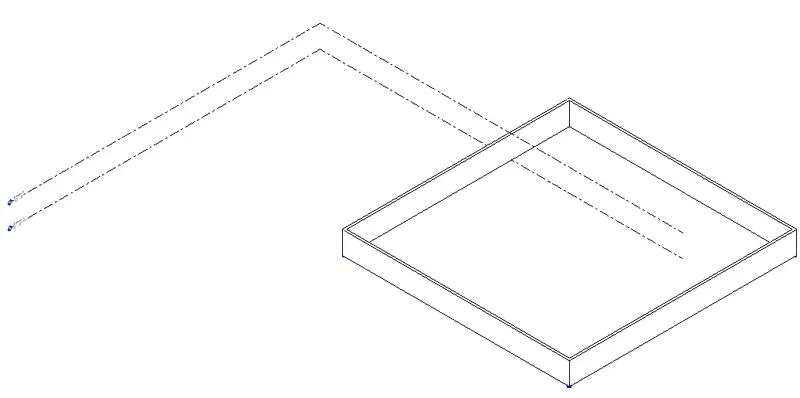
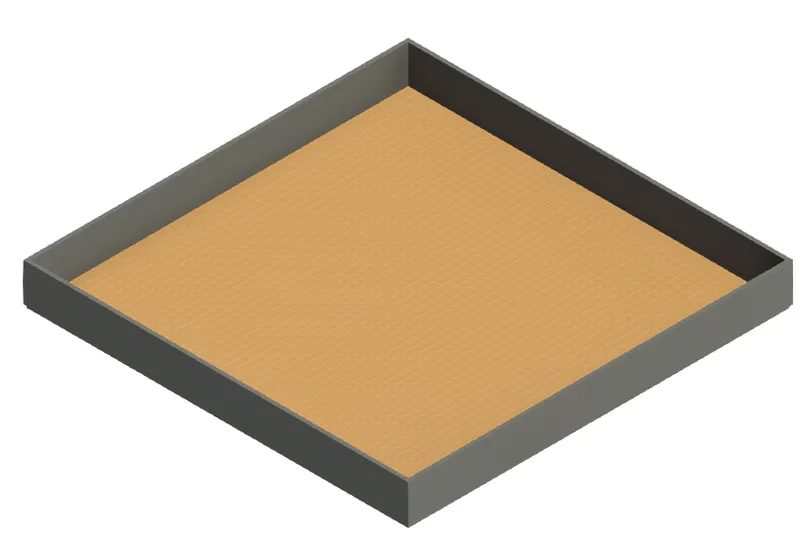
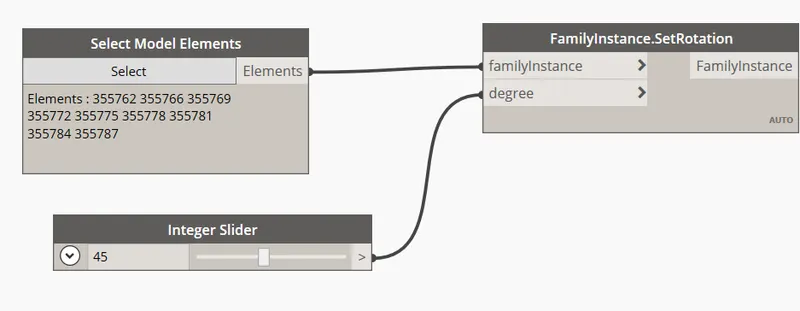
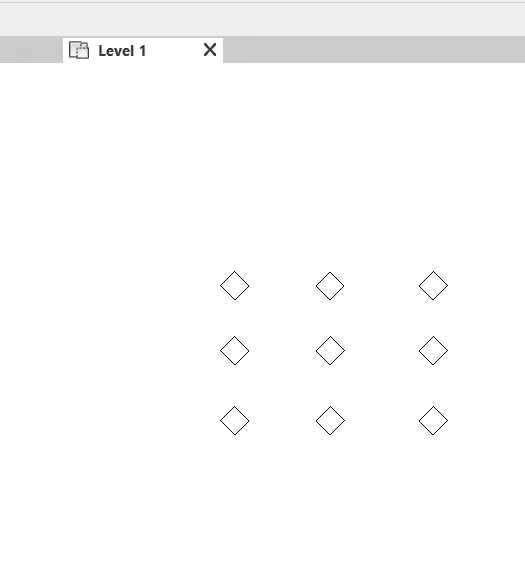
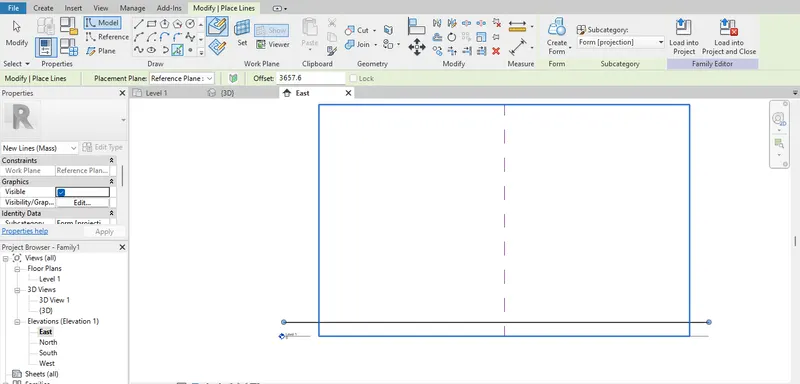
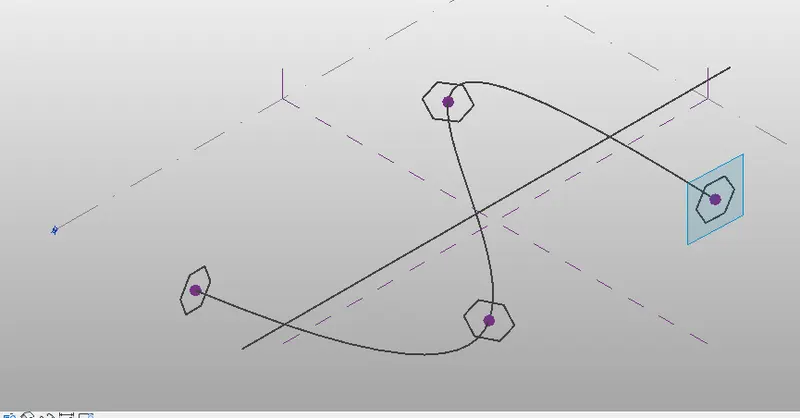
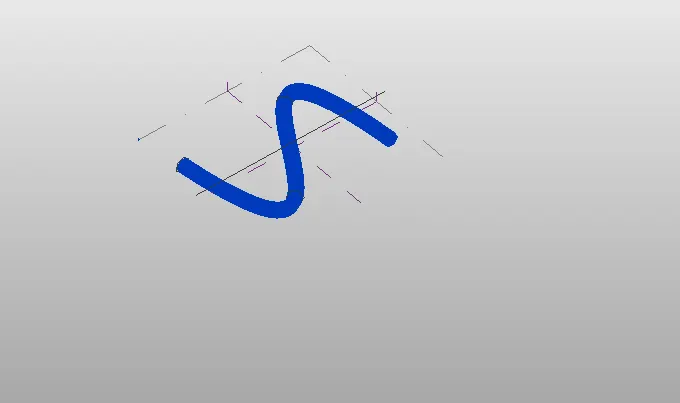
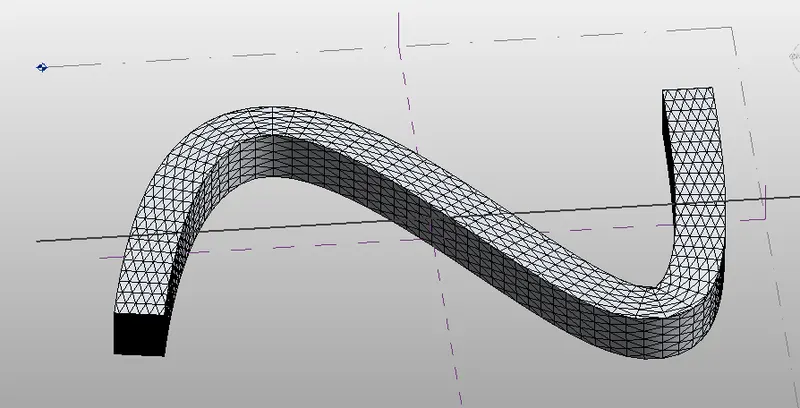
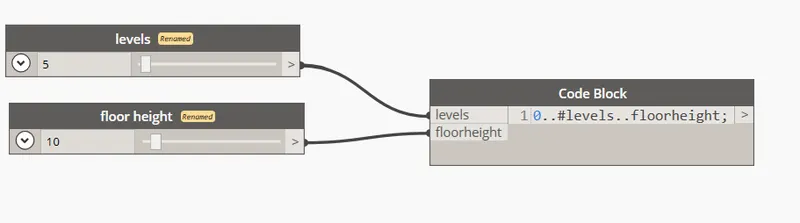
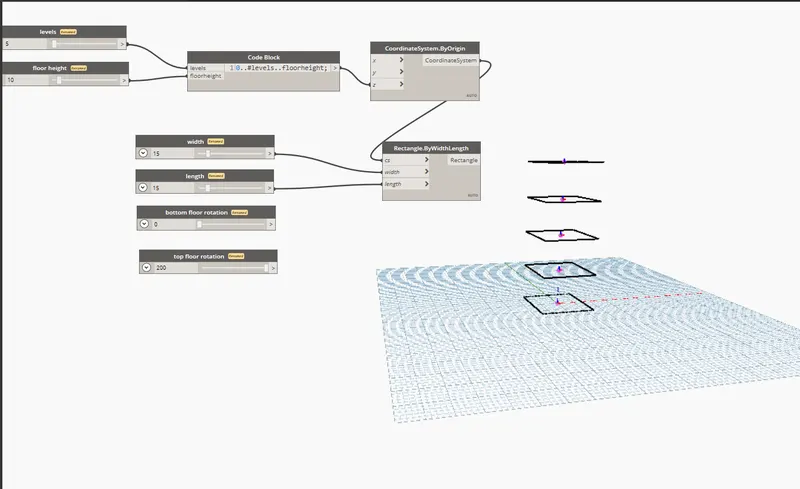
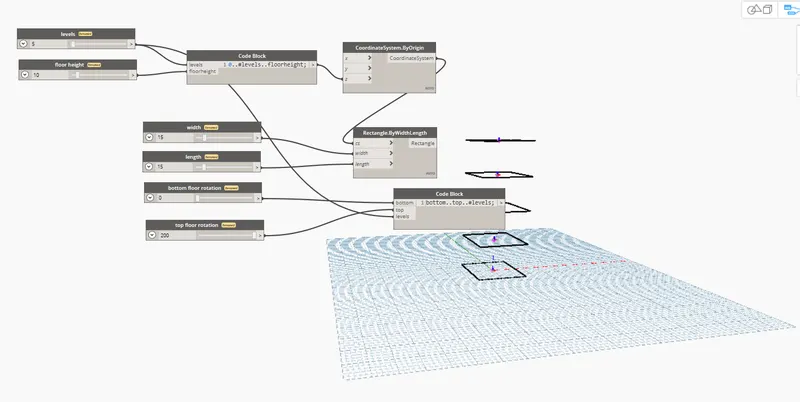
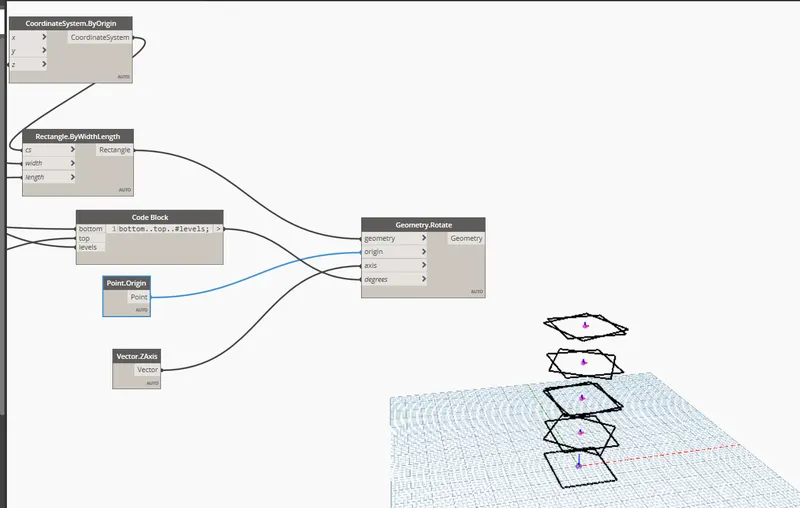
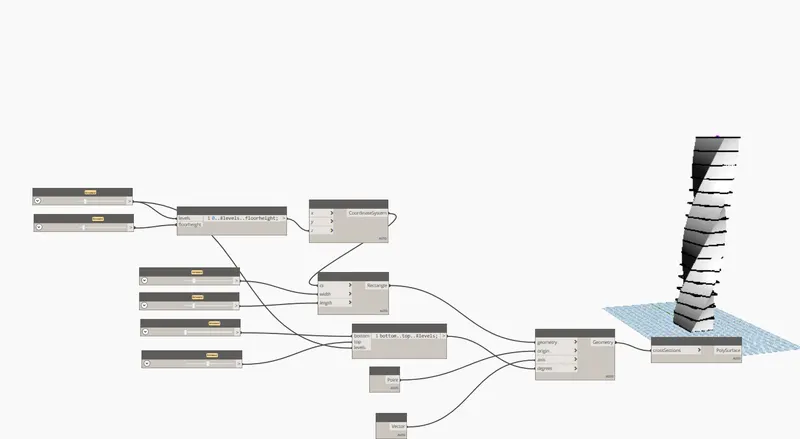
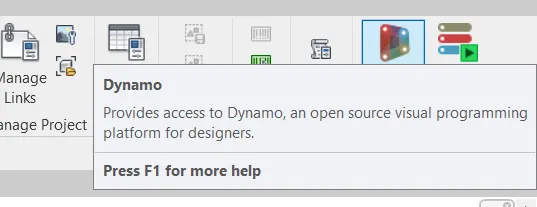
1. Aim: To create a set of sinusoidal points, create a curve, create a surface Procedure: Open Revit software Go to the manage tab and select dynamo To create sinusoidal curve these are the fallowing procedure: For drawing a sinusoidal curve we have have some parameters such as start, end and step of the curve. With the…
    Project Details

    Loading...

    Leave a comment

    Thanks for choosing to leave a comment. Please keep in mind that all the comments are moderated as per our comment policy, and your email will not be published for privacy reasons. Please leave a personal & meaningful conversation.

    PleaseĀ  loginĀ to add a comment

    Other comments...

    No comments yet!
    Be the first to add a comment

    Read more Projects by Aparna KN (29)

    Reinforcement Detailing of Beams from ETABS output

    Objective:

    Aim: To design a beam in a Etabs software  Procedure  Open the file in which has been given in Etabs  Click on run analysis icon to analyse the model  Next click on concrete frame button and the longitudinal reniforcement details occurs To check the sher reinforcement of the building click on concrete…

    calendar

    14 Mar 2023 12:29 AM IST

      Read more

      Project 2_Design & Analysis of a Hostel building at Guwahati, Assam

      Objective:

      Aim: To design and analysis of a hostel buildingĀ  Procedure: Open the etab software, click on new model A new tab open in that tab click on Use built in option and select the details as required and click on okĀ  Then a template tab will be opened in that click on grid only option and select customised grid spacing and…

      calendar

      16 Feb 2023 12:49 AM IST

        Read more

        Reinforcement detailing of Columns from ETABS output

        Objective:

        Aim:To provide longitudinal reinforcement for the two column from foundation to terrace level. Open the Etabs model which was given Select A3 and B3 columns and right-click and click on shown selected objects only Then click on the Run Analysis button for the analysis of the model Then click on concrete frame design …

        calendar

        31 Jan 2023 01:05 AM IST

          Read more

          Foundation Design using SAFE

          Objective:

          Aim:To Analyze and design the isolated footing from week 11 challenge on SAFE and verify as per calculations. Procedure: Open the SAFE software  Go to new model and enter the deatils as shown  Calculation of subgrade modulus: Load/settlememt  Total load= 1575 Settlememt= 25mm So, 1575/0.025=63000 Select…

          calendar

          12 Jan 2023 12:28 AM IST

            Read more

            Design of Shallow Foundation (Isolated Footings)

            Objective:

            Aim: To design Isolated footing  Procedure: vz Result: Using the given data the square footing as been designed successufully .

            calendar

            26 Dec 2022 12:20 AM IST

              Read more

              Structural Modelling using Etabs 2018

              Objective:

              Open Etabs software Enter the details by selecting user built-in setting  Select grid only option and enter the grid date  Edit the story data as shown below Define materials M30 Concrete  HYSD 415 Shear Reinforcement HYSD 500 Shear Reinforcement Define Frame properties Beam 250*450 Beam 300*500 Column 400*400…

              calendar

              18 Dec 2022 08:04 PM IST

              • ETABS
              Read more

              Analysis & Design of RCC shear walls in the model using ETABS

              Objective:

              Open Etabs model  Open the terrace level and select A11 wall  Open the model in the elevation view by selecting the elevation icon  Name the wall using the pier assignment  Run the analysis using the analyse icon Click on the shear wall design, longitudinal reinforcement detail will appear  Select…

              calendar

              13 Dec 2022 06:53 PM IST

                Read more

                Reinforcement detailing of Columns from ETABS output

                Objective:

                Aim:To provide longitudinal reinforcement of two column from foundation to roof level Open ETABS software and load the drawing which has been given Select 3A and 3B column, right click and select show selected object only  The object which are only selected will appear  Click on the analysis button and run the…

                calendar

                20 Nov 2022 05:11 PM IST

                Read more

                Project 1_Comparative study of different storey buildings for Seismic forces

                Objective:

                Aim: To study the comparative study of different storey buildings for Seismic forces Procedure: A)For 2 sotrey building  Open Etab software click on new model Model intialization dialogue box appears enter the details in it, click on ok From new model quick template select custom grid spacing and click in edit grid…

                calendar

                11 Nov 2022 05:58 PM IST

                Read more

                Modelling of 25 storey building with the specified properties using ETABS

                Objective:

                Aim: To model a  25 storey building on ETABS with structural properties. Procedure: Open Etab software click on new model Model intialization dialogue box appears enter the details in it, click on ok From new model quick template select custom grid spacing and click in edit grid data Add number of grids as mentioned…

                calendar

                07 Nov 2022 08:25 PM IST

                Read more

                Conceptual design of a building with columns and shear walls

                Objective:

                1.a) b) c) The lateral stiffness: As we can observe from plan a, they have low lateral stiffness because wall are provided at the corners when the loads are applied in X and Y direction  Uniform and comparatively higher lateral stiffness in both X and Y axis, because the wall are provided at the center of…

                calendar

                06 Nov 2022 05:50 PM IST

                  Read more

                  Concept on positioning of Columns

                  Objective:

                  1. a) To check Symmetry in X direction: If we split the plan in vertical direction, we can observe that there are exact same arrangments of the column as of the opposite side  Conclusion: The plan is symmetrical in X direction To check symmetry in y direction: If we split the plan in horizontal direction, we can observe…

                  calendar

                  05 Nov 2022 09:34 AM IST

                    Read more

                    Understanding the concepts on Degrees of Freedom

                    Objective:

                    Aim:To calculate Ln , Mn and Γn for each of the five modes and to obtain the base shear for each of the 5 modes of vibration and the combined base shear as per SRSS rule. Procedure:         Result: Ln,Mn,Tn values are calculated for each of the 5 modes The base shear…

                    calendar

                    04 Nov 2022 05:49 PM IST

                      Read more

                      Structural dynamics

                      Objective:

                      1. The difference between static and dynamic analysis are: Static analysis  Load is applied slowly, and time and inertial effects are irrelevant.  Material is linear elastic, boundary conditions do not change, loading does not impact stiffness Static analyses don’t consider inertia. Displacement is static …

                      calendar

                      03 Nov 2022 04:18 PM IST

                      Read more

                      Identification of Cracks

                      Objective:

                        1a) This type of failure is called as flexural failure. Flexural strength, also known as modulus of rupture, bend strength, or fracture strength, is a material property, defined as the stress in a material just before it yields in a flexure test. In this picture you can see that the concrete…

                      calendar

                      01 Nov 2022 06:41 PM IST

                        Read more

                        Usage of Navigation tool , Timeliner and Clash Detection test using Naviswork

                        Objective:

                        Aim: To export the Revit architecture and structure model to Navisworks Cache file Procedure: Open the model which is to be exported  Go to the file option, select export and click on NWC then the dialogue box appeares and click save    Then the file will be saved in naviswork  Open naviswork software…

                        calendar

                        27 Oct 2022 09:30 PM IST

                        Read more

                        Creating Conceptual mass in REVIT and Creation of Sinusoidal curve and a Parametric stadium using Dynamo

                        Objective:

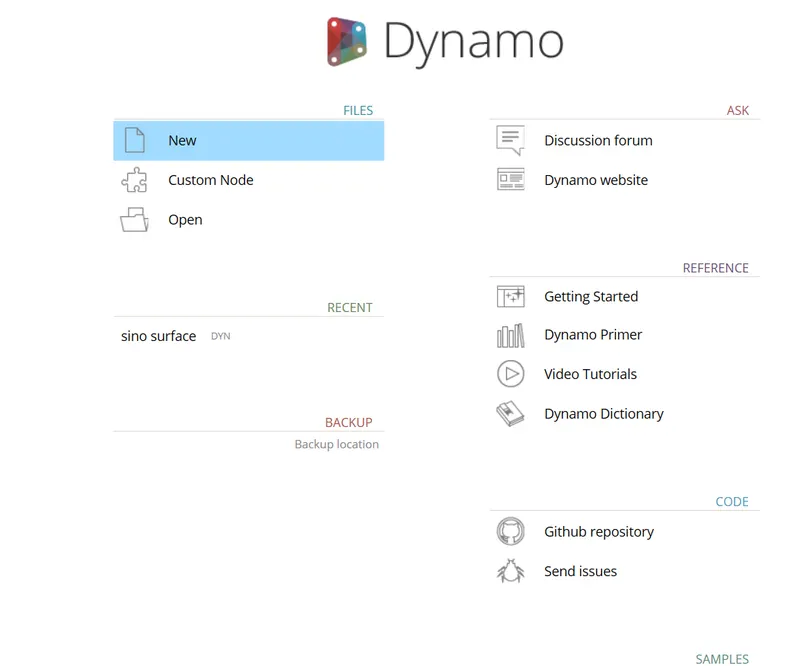
                        1. Aim: To create a set of sinusoidal points, create a curve, create a surface Procedure: Open Revit software Go to the manage tab and select dynamo To create sinusoidal curve these are the fallowing procedure: For drawing a sinusoidal curve we have have some parameters such as start, end and step of the curve. With the…
                        calendar

                        26 Oct 2022 05:56 AM IST

                          Read more

                          Creating Architectural and Structural model with 3D rendering using REVIT

                          Objective:

                          1.The type of structure which i want to build is : Multi-Unit Residential Apartment 2.To assume reasonable assumptions for geographic and location details for modeling and select the modeling requirements according to NBC I want to design the residential appartment in the  area where a medium size population…

                          calendar

                          24 Oct 2022 11:26 AM IST

                            Read more

                            3D Creation of Celing, Roof, Architectural plan, Structural plan, Sectional view, Elevation view and Camera specific view for a house plan using REVIT

                            Objective:

                            Aim: To create 3D view of Celing, Roof, Architectural plan, Structural plan, Sectional view, Elevation view and Camera specific in revit 1. Procedure to create celing : Open revit software  select the floor plan which has been created  Click on celing from the architectural tab  Select sketch celing,…

                            calendar

                            20 Oct 2022 08:54 PM IST

                              Read more

                              Project 2_Creating a 3D rendered model for a Residential Building in AutoCad

                              Objective:

                              Aim : To create a 3 dimensional model of the residential building Introduction: In 3D modeling (in AutoCAD), we use the design we have created using 3D drawing commands and then make things out of it. Unlike surface modeling, where you generally begin with a solid shape and modify that, the process used in AutoCAD is similar…

                              calendar

                              13 Oct 2022 08:24 PM IST

                                Read more

                                Creating 3D Isometric view of various structural elements in AutoCAD

                                Objective:

                                Aim: To create a 3D Isometric View of the building with plan and elevation Plan Elevation at A Elevation at B Procedure for 3d view   Aim: To create the 3D View of the Building Façade as given in the plan and elevation Plan Details of window Elevation Aim:To create the ismoteric 3d view of a stair with…

                                calendar

                                12 Oct 2022 07:36 PM IST

                                  Read more

                                  Creating various 3D Models like Furniture, Footing, Girder, Column drop with panel and Gable Wall in AutoCad

                                  Objective:

                                  Aim:To create a 3D Furniture element Result: Aim: To create 3d model of an isolated footing Procedure: Draw the rectangle of the desired dimension  Copy the rectangle 6" height  Draw the rectangle of 1',1'  and move the rectangle at the given height. Join the line as shown. Result: Aim: To create 3d view…

                                  calendar

                                  12 Oct 2022 05:56 AM IST

                                    Read more

                                    Creation of Multiple viewports, Scaling the drawing and setting in Template in AutoCad

                                    Objective:

                                    Aim:To create the layout of the plan and the section A Procedure: Create the view of a plan and the section A Enter "Layout" in the command bard Select template from the layout Select  template Tutorial-mArch.dwt  Add the view of plan and section in the template Enter ATEDIT in the command bar In the dialouge…

                                    calendar

                                    08 Oct 2022 06:56 AM IST

                                      Read more

                                      Creating Kitchen layout, Hatching of Architectural elements and sectional view of an Industrial Building in AutoCad

                                      Objective:

                                      Aim: To create the layouts of the Kitchen and provide hatches pattern  Procedure: Using line command draw the wall as shown  Take the wall thickness as 230mm using offset command Draw the cabinets using rectangle or line command  Enter the text using DT command Hatch is done by hatch command Draw the dotted…

                                      calendar

                                      06 Oct 2022 08:38 PM IST

                                        Read more

                                        Creating Bar Bending schedule, Different Door types, and Creation of standard drawing templates using AutoCad

                                        Objective:

                                        Aim: To create the template as per as the industrial size Procedure: Create the title boxas shown in the figure using line command  Add the text in the title box using dt command  After creating the title box set it as a block Enter "B"  in the command bar and set it as a block  Save the block as  Custom1_titleblock,…

                                        calendar

                                        05 Oct 2022 10:03 PM IST

                                          Read more

                                          Project 1 _Creating an Architectural plan for the provided plot size and develop relevant basic structural drawings

                                          Objective:

                                          Aim: To create the floor plan, elevation, section and structural drawing  Introduction: 60’x20’with Vastu shastra details of residential building is given below. This is a 2bhk east-facing house plan.The floordetails are as given :the living room, dining area, kitchen, master bedroom with the attached…

                                          calendar

                                          03 Oct 2022 09:51 PM IST

                                            Read more

                                            Creation of geometries by Coordinate system methods using AutoCad

                                            Objective:

                                            Aim : To create geometries and trusses using the coordinates system methods. Introduction: Coordinate system The types of coordinate systems are: Absolute coordinate system Relative coordinate system                Relative rectangular coordinates       …

                                            calendar

                                            17 Sep 2022 09:55 AM IST

                                              Read more

                                              Sketch a G+1 residential plan according to Vaastu Shastra and Calculation of Loads as per IS code

                                              Objective:

                                              Aim : The aim is to sketch a G+1 floor residential plan, according to Vaastu Shastra and also provide a details about the structural drawing for the site construction and calculate the corresponding loads form the members of assumed size as per IS code. Introduction: Vastu Shastra is the Ancient Indian Science…

                                              calendar

                                              09 Sep 2022 11:57 AM IST

                                              Read more

                                              Project on Concrete Mix Design for various grades of Concrete

                                              Objective:

                                              1)Calculation of concrete Mix design for M35 with using Fly ash Aim: To calculate the concrete mix design for M35 with Fly ash Introduction: Concrete mix proportioning or Mix Design is a process that consists of two interrelated steps: (1) selection of the suitable ingredients and (2) determination of their relative quantities…

                                              calendar

                                              02 Sep 2022 10:01 AM IST

                                                Read more
                                                Showing 1 of 29 projects